Logging
Logs are the everyday tool for tracing what an integration did and diagnosing what went wrong. Reach for them when you want a persistent record across runs, when the issue only reproduces in a long-running deployment, or when editor debugging is too heavyweight for the question you have.
WSO2 Integrator supports the four standard severities: Info, Warn, Error, and Debug. For the field-by-field reference of the Log nodes, see Logging in the flow diagram editor. For runtime configuration (log level, output format, file rotation, aggregation), see Logging & structured logs.
Add a log statement
- Visual Designer
- Ballerina Code
- On the integration canvas, open the node panel and expand the Logging section.
- Click Log Info (or Log Warn, Log Error, Log Debug) to add the node.
- Fill the Msg field with the message to log. Msg supports Ballerina string templates, so you can embed expressions such as
`Order ${orderId} received`.
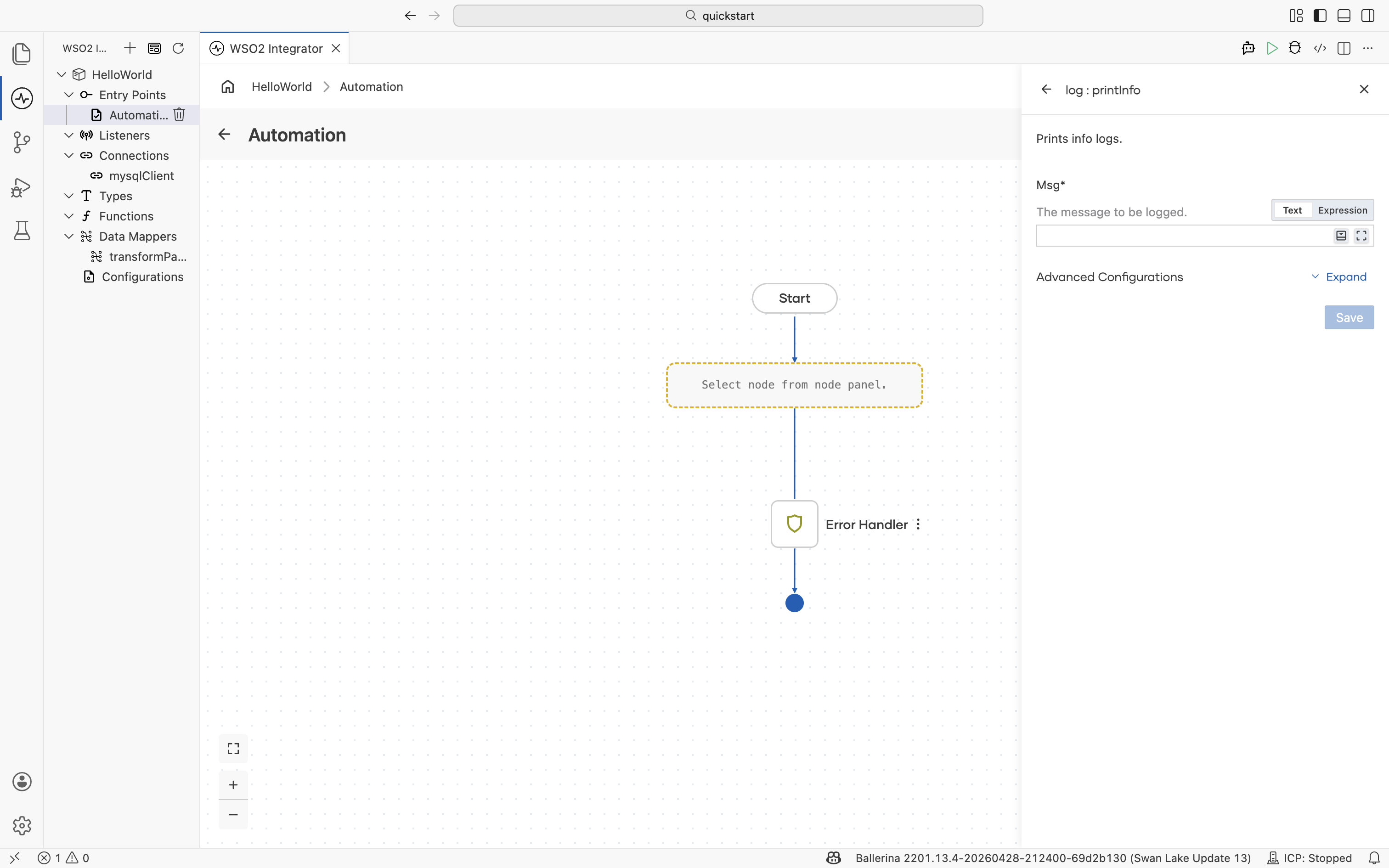
See Logging in the flow diagram editor for the full node and form reference.
Import the log library and call the function that matches the severity you need.
import ballerina/log;

public function processOrder(string orderId) {
    log:printInfo("Order received", orderId = orderId);
    log:printDebug("Looking up customer profile", orderId = orderId);
    log:printWarn("Inventory low for SKU", sku = "ABC-123");
    log:printError("Payment gateway unreachable", orderId = orderId);
}
Add context with key-value pairs
Attach structured fields to a log entry so downstream tooling can filter and correlate on them. For example, by orderId or customerId.
- Visual Designer
- Ballerina Code
- Open the Log node form.
- Expand Advanced Configurations.
- Add each context field as a key-value pair.
The fields appear alongside the message in the log output.
Pass context as named arguments to the log:print* function.
log:printInfo("Processing order",
    orderId = orderId,
    customerId = customerId,
    total = total
);
Output:
time=2026-05-14T10:30:00.000Z level=INFO message="Processing order" orderId="ORD-12345" customerId="CUST-789" total=149.99
Log errors with a stack trace
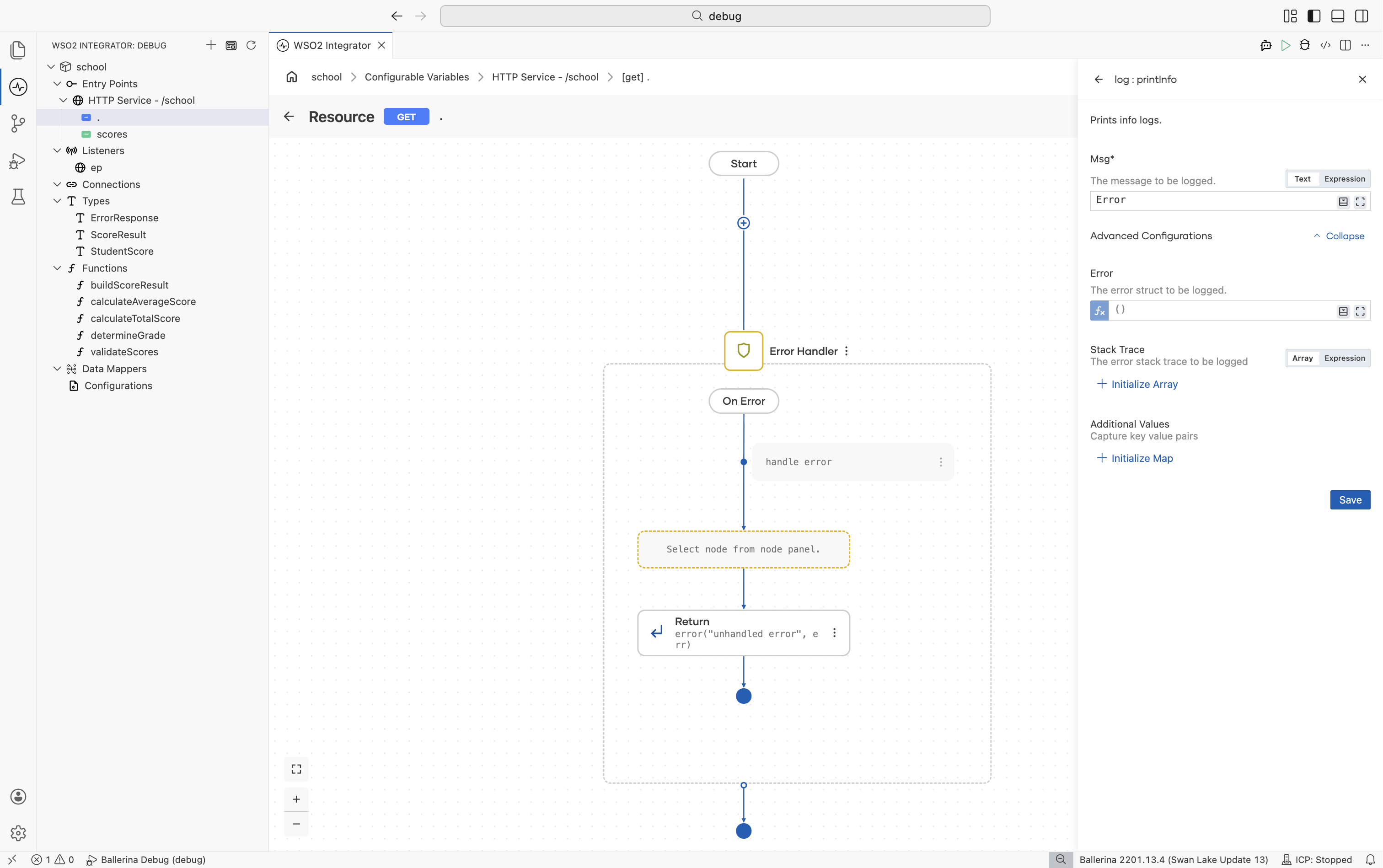
When you catch an error, log it with the error value attached so the stack trace and error detail are preserved.
- Visual Designer
- Ballerina Code
- Add a Log Error node inside the On Failure branch of an
ErrorHandler, or after a checked call that returned an error. - In Advanced Configurations, attach the caught error to the log entry and enable the stack trace option.
do {
    check processPayment(orderId);
} on fail error e {
    log:printError("Payment failed", 'error = e, orderId = orderId);
    return e;
}
The attached error is rendered with its message, cause chain, and stack trace.
For help reading the resulting stack traces, see Errors and stack traces.
Choose a log level while developing
Use the severity that matches the audience and noise budget for the message:
DEBUG. Verbose detail you want while iterating; usually suppressed in production.INFO. Routine progress milestones, such as "request received" or "step completed".WARN. Unexpected but recoverable conditions, such as a retry or a fallback path.ERROR. Failures that the integration handled or escalated.
- Visual Designer
- Ballerina Code
Open Configurations from the project explorer and select ballerina/log under Imported libraries. Set the level field (and any of the other root logger options) without leaving the editor.
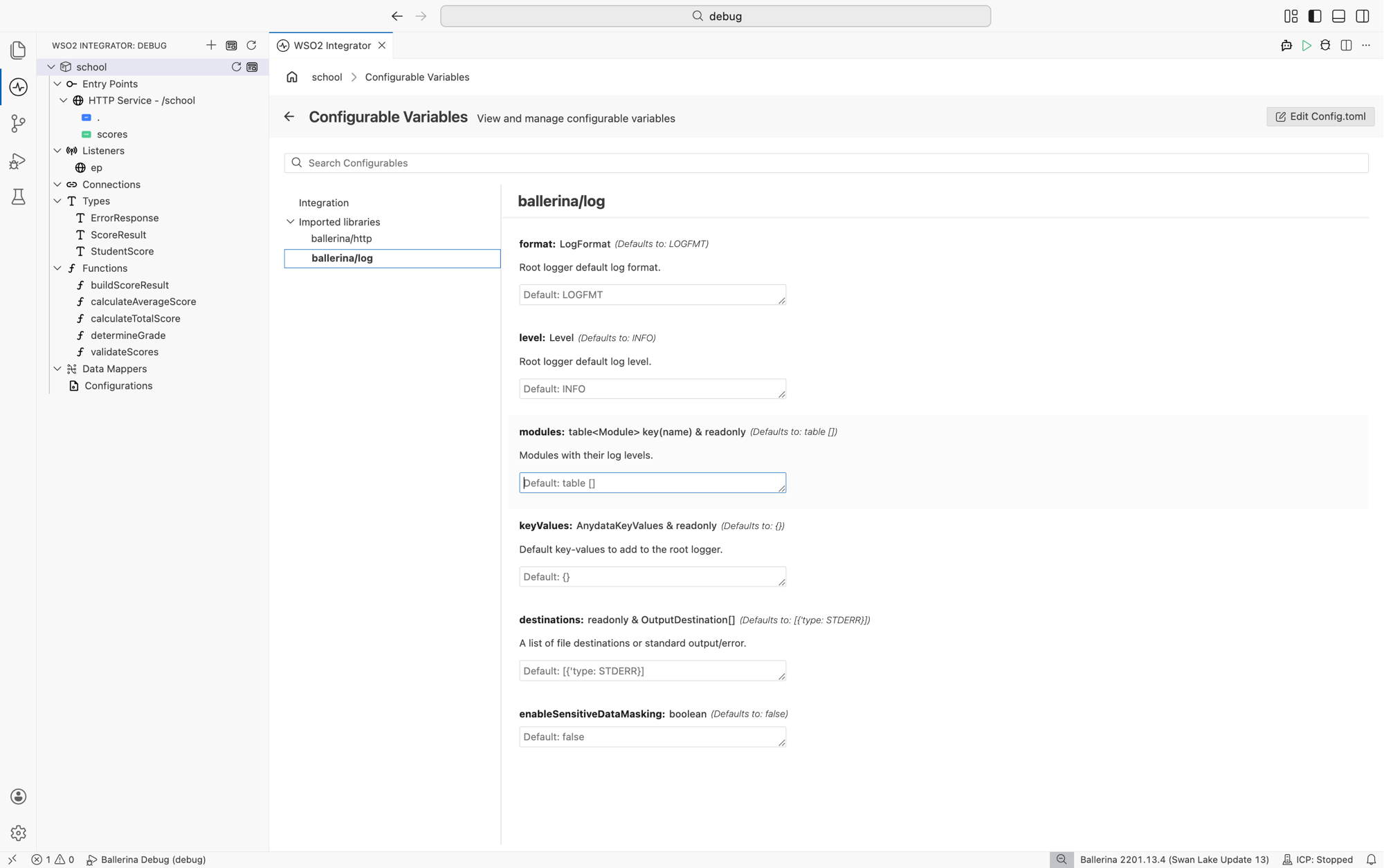
For the meaning of each option (format, level, modules, keyValues, destinations, enableSensitiveDataMasking), see Ballerina by Example.
Set the level in Config.toml before running the integration:
[ballerina.log]
level = "DEBUG"
For module-specific levels, file rotation, and the JSON output format, see Logging & structured logs.
Reuse context across calls with child loggers
When the same fields (such as a request ID) need to appear on every log entry inside a code path, create a child logger that carries the context, and call it instead of repeating the fields on every call.
log:Logger rootLogger = log:root();
log:Logger requestLogger = check rootLogger.withContext(userId = userId, requestId = requestId);
requestLogger.printInfo("User permissions validated successfully");
Each entry includes requestId automatically. The visual designer reaches the same functions through the Show more functions entry on the node panel. See Show more functions.
Custom loggers
For a module or area that should log under its own name (or with its own defaults), create a named logger once and reuse it.
import ballerina/log;

// Custom logger implementation that implements the Logger type
public isolated class ApplicationLogger {
    *log:Logger;

    private final string applicationName;
    private final string version;
    private final readonly & log:KeyValues context;

    public isolated function init(string applicationName, string version, log:KeyValues context = {}) {
    }

    public isolated function printInfo(string|log:PrintableRawTemplate msg, error? 'error = (),
            error:StackFrame[]? stackTrace = (), *log:KeyValues keyValues) {
    }

    public isolated function printWarn(string|log:PrintableRawTemplate msg, error? 'error = (),
            error:StackFrame[]? stackTrace = (), *log:KeyValues keyValues) {
    }

    public isolated function printError(string|log:PrintableRawTemplate msg, error? 'error = (),
            error:StackFrame[]? stackTrace = (), *log:KeyValues keyValues) {
    }

    public isolated function printDebug(string|log:PrintableRawTemplate msg, error? 'error = (),
            error:StackFrame[]? stackTrace = (), *log:KeyValues keyValues) {
    }

    public isolated function withContext(*log:KeyValues keyValues) returns log:Logger|error {
    }

    public isolated function getLevel() returns log:Level{
    }

    public isolated function setLevel(log:Level level) returns error?{
    }
}
Avoid logging sensitive data
Logs are persisted, copied to aggregators, and read by people who didn't write the code. Treat them as a public surface:
- Never log secrets, tokens, passwords, API keys, or full authorization headers.
- Avoid logging full request or response payloads when they may contain personal data.
- Prefer identifiers (
orderId,customerId) over the underlying records. - Mask fields that must appear. For example, log only the last four digits of a card number.
If a payload must be logged for diagnosis, gate it behind DEBUG so it stays out of production output.
Library logging
Ballerina libraries emit their own logs at the module level. The most common one to enable is HTTP access logs, which record every request a service handles:
[ballerina.http]
accessLogConfig.console = true
Other modules (such as ballerina/sql or ballerina/grpc) emit logs under their own module names. To raise or lower their verbosity independently of your integration code, configure module-specific levels as described in Logging & structured logs.
What's next
- Deployment - diagnose issues that surface only after the integration ships.
- Profiling - investigate slow paths once logs point at the area.
- Strand dump analysis - inspect runtime strand state when an integration hangs.
- IDE troubleshooting - resolve editor and tooling problems.