Build an Event-Driven Integration
Time: Under 10 minutes | What you'll build: An event-driven integration that consumes messages from Orders queue in RabbitMQ broker and processes them.
Event integrations are designed for reactive workflows triggered by messages from a broker. This quick start demonstrates the complete flow: creating a RabbitMQ message listener, adding an event handler to process messages, and implementing the integration logic executed when a message is received.
- WSO2 Integrator installed
- A running RabbitMQ instance (or use Docker:
docker run -d -p 5672:5672 -p 15672:15672 rabbitmq:4.2-management)
- Visual Designer
- Ballerina Code
Step 1: Create the integration
- Open WSO2 Integrator.
- Select the Create New Integration card.
- Set Integration Name to
OrderProcessor. - Set Project Name to
event-integration. - Select Create Integration.
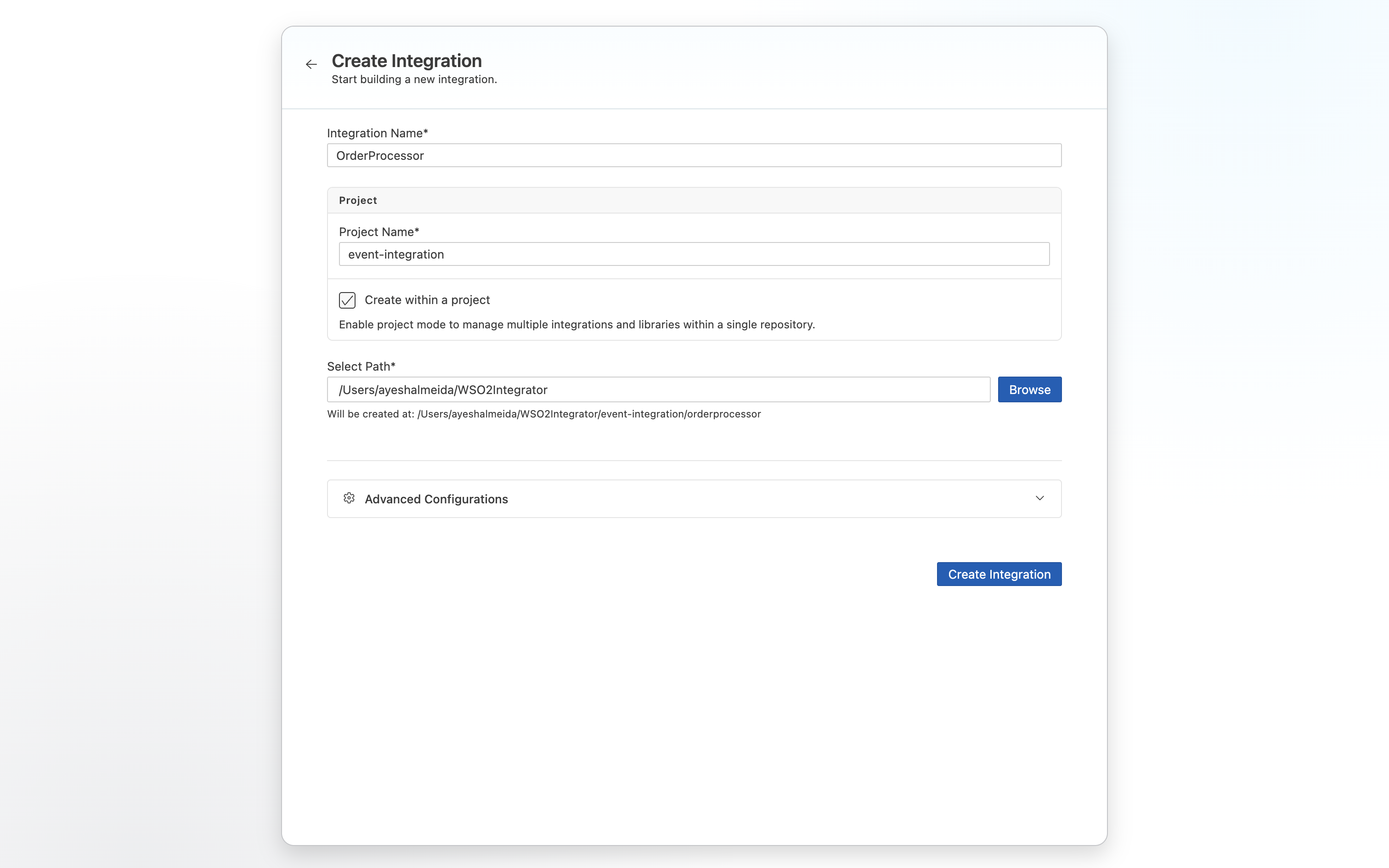
Step 2: Add a RabbitMQ event listener
- Select your integration from the project overview canvas.
- Select + Add Artifact in the design canvas.
- Select RabbitMQ under Event Integration.
- Set Host to
localhostand Port to5672(update these if your RabbitMQ instance runs elsewhere). - Set Queue Name to
Orders. - Select Create.
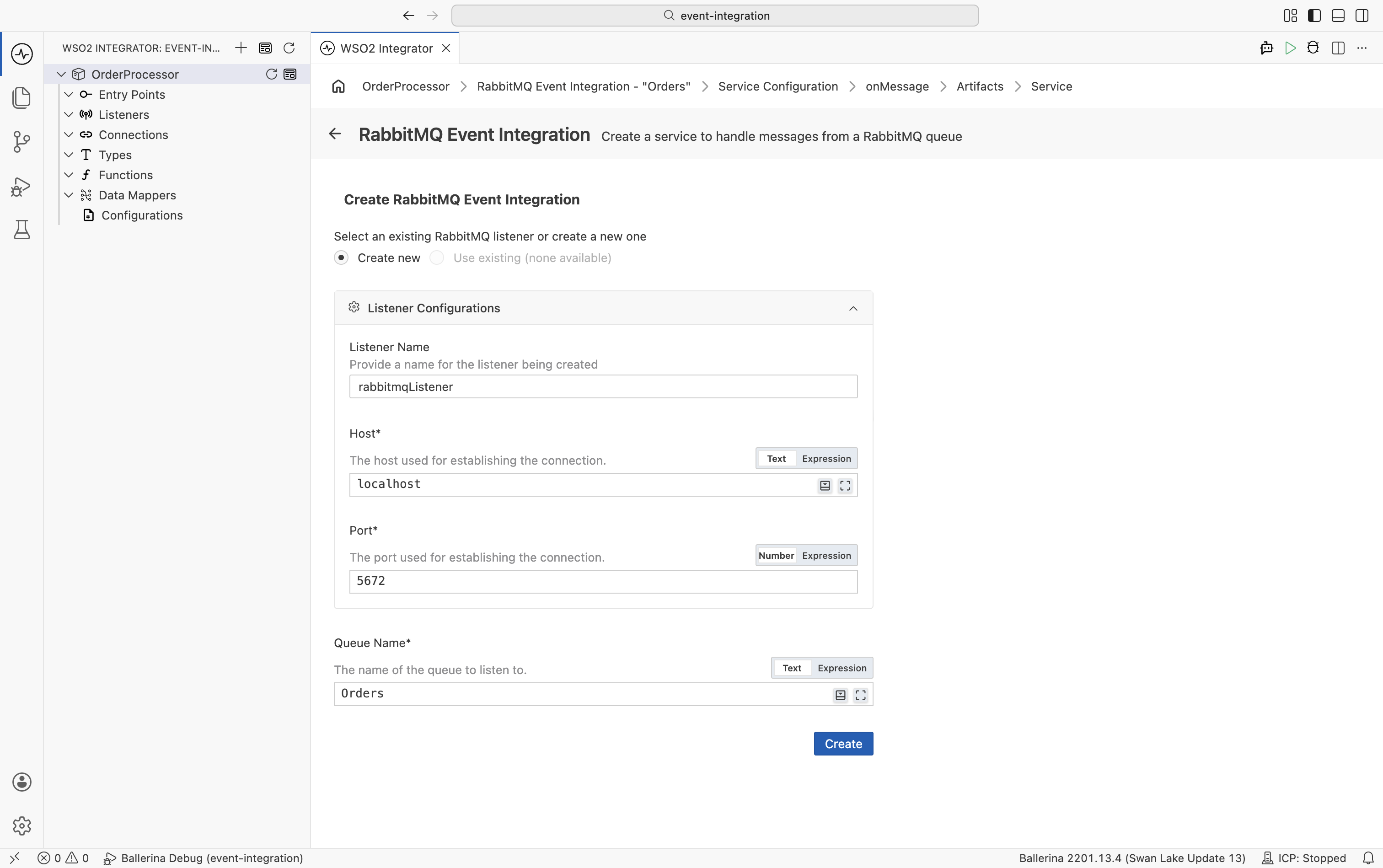
Step 3: Add onMessage event handler
- In the RabbitMQ service design view, select + Add Handler.
- Select onMessage.
- Select Save.
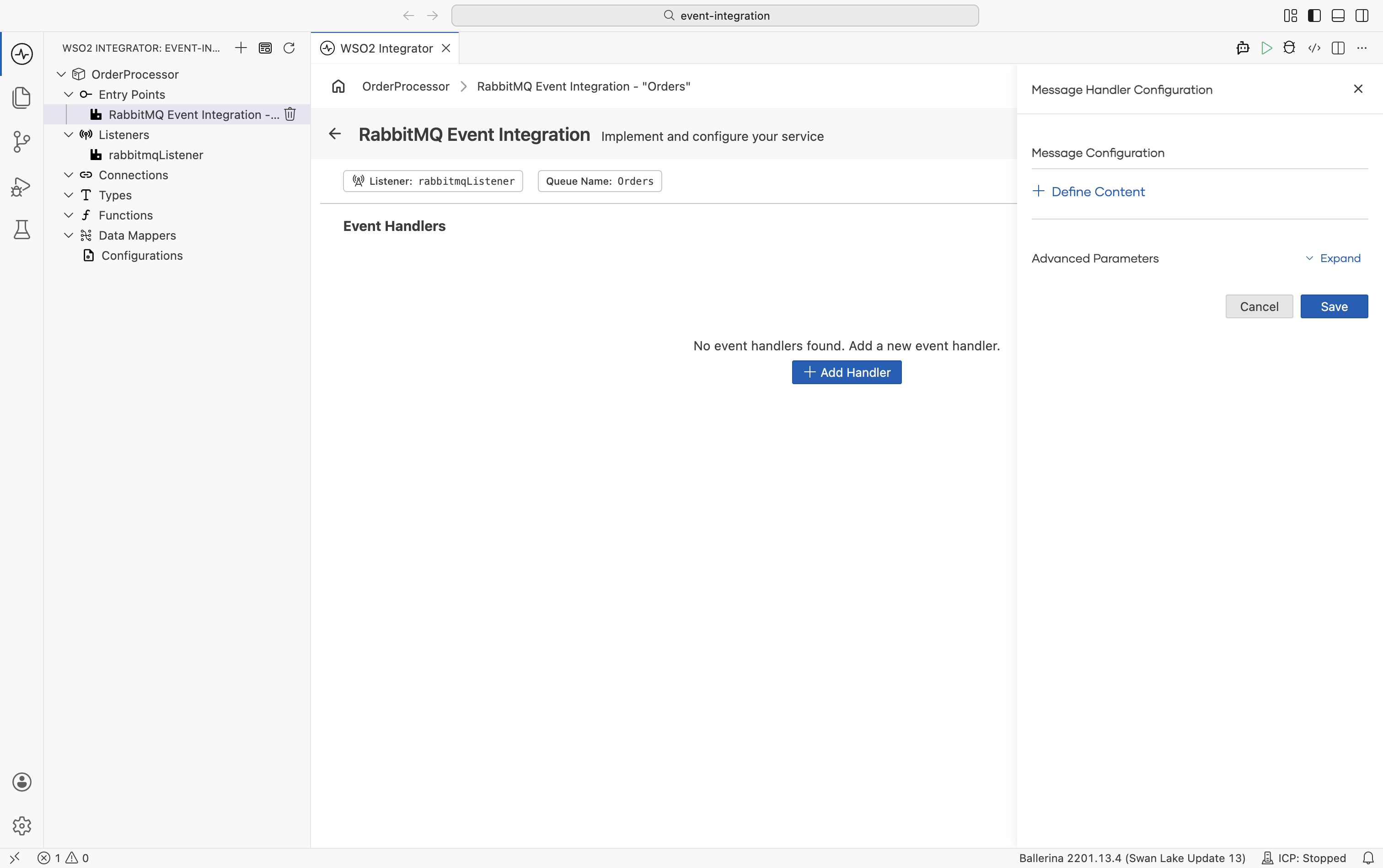
Step 4: Add message processing logic
- Select + inside the resource flow.
- Select Call Function.
- Select printInfo under log.
- Set Msg to
Received order. - Select Save.
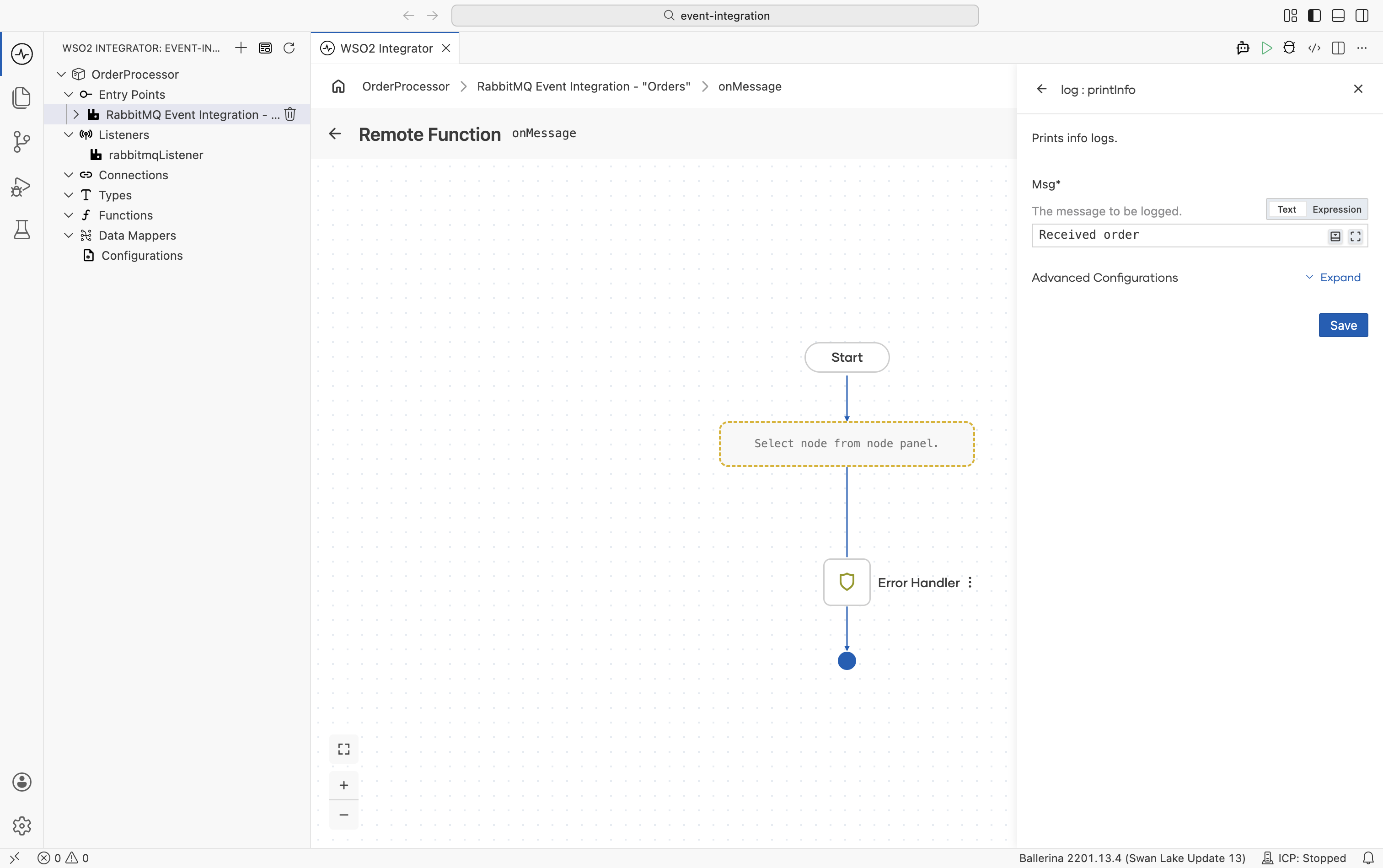
Step 5: Run and test the integration
- Select Run.
- The integration starts and listens for messages on the
Ordersqueue. - Open the RabbitMQ Management UI at
http://localhost:15672(default credentials: guest/guest).- Go to Queues → Orders → Publish message, enter any text as the payload, and select Publish message.
- Confirm the integration log displays
Received order.
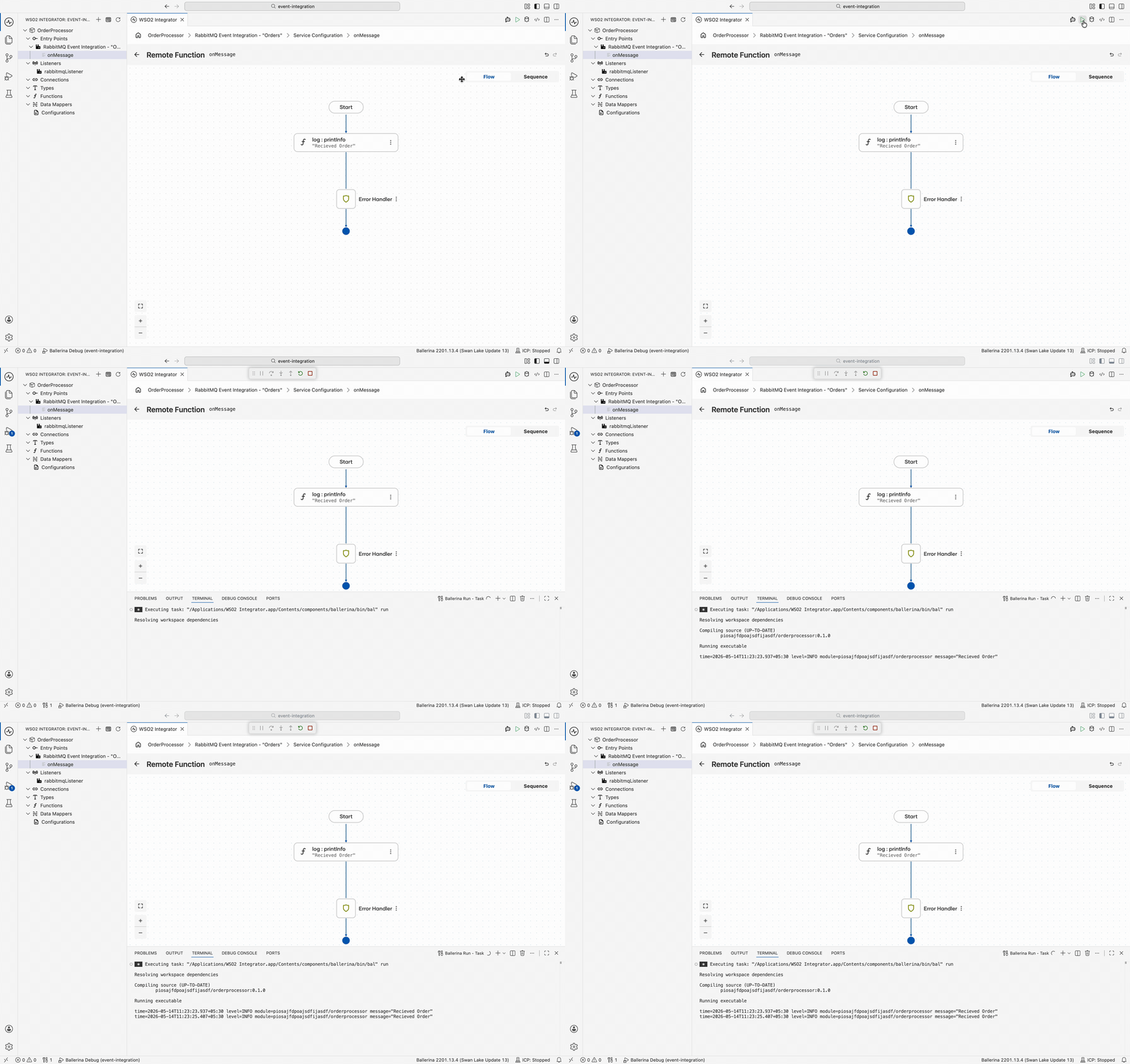
The following complete, runnable Ballerina program produces the same integration shown in the visual designer steps.
import ballerina/log;
import ballerinax/rabbitmq;

listener rabbitmq:Listener rabbitmqListener = new ("localhost", 5672);

service "Orders" on rabbitmqListener {
    remote function onMessage(rabbitmq:AnydataMessage message, rabbitmq:Caller caller) returns error? {
        do {
            log:printInfo("Received order");
        } on fail error err {
            // handle error
            return error("unhandled error", err);
        }
    }
}
Save this as main.bal, then run bal run from the project directory. Once running, open http://localhost:15672 (default credentials: guest/guest), navigate to Queues → Orders → Publish message, and publish any message. The terminal log should display Received order.
Supported event sources
| Broker | Ballerina Package |
|---|---|
| Apache Kafka | ballerinax/kafka |
| RabbitMQ | ballerinax/rabbitmq |
| MQTT | ballerinax/mqtt |
| Azure Service Bus | ballerinax/azure.servicebus |
| Salesforce | ballerinax/salesforce |
| GitHub Webhooks | ballerinax/github |
What's next
- Kafka — Consume and produce Kafka messages
- Azure Service Bus — Integrate with Azure Service Bus queues and topics
- RabbitMQ — Full RabbitMQ listener and publisher reference
- MQTT — Handle MQTT messages from IoT and messaging devices
- CDC for PostgreSQL — React to database changes with change data capture