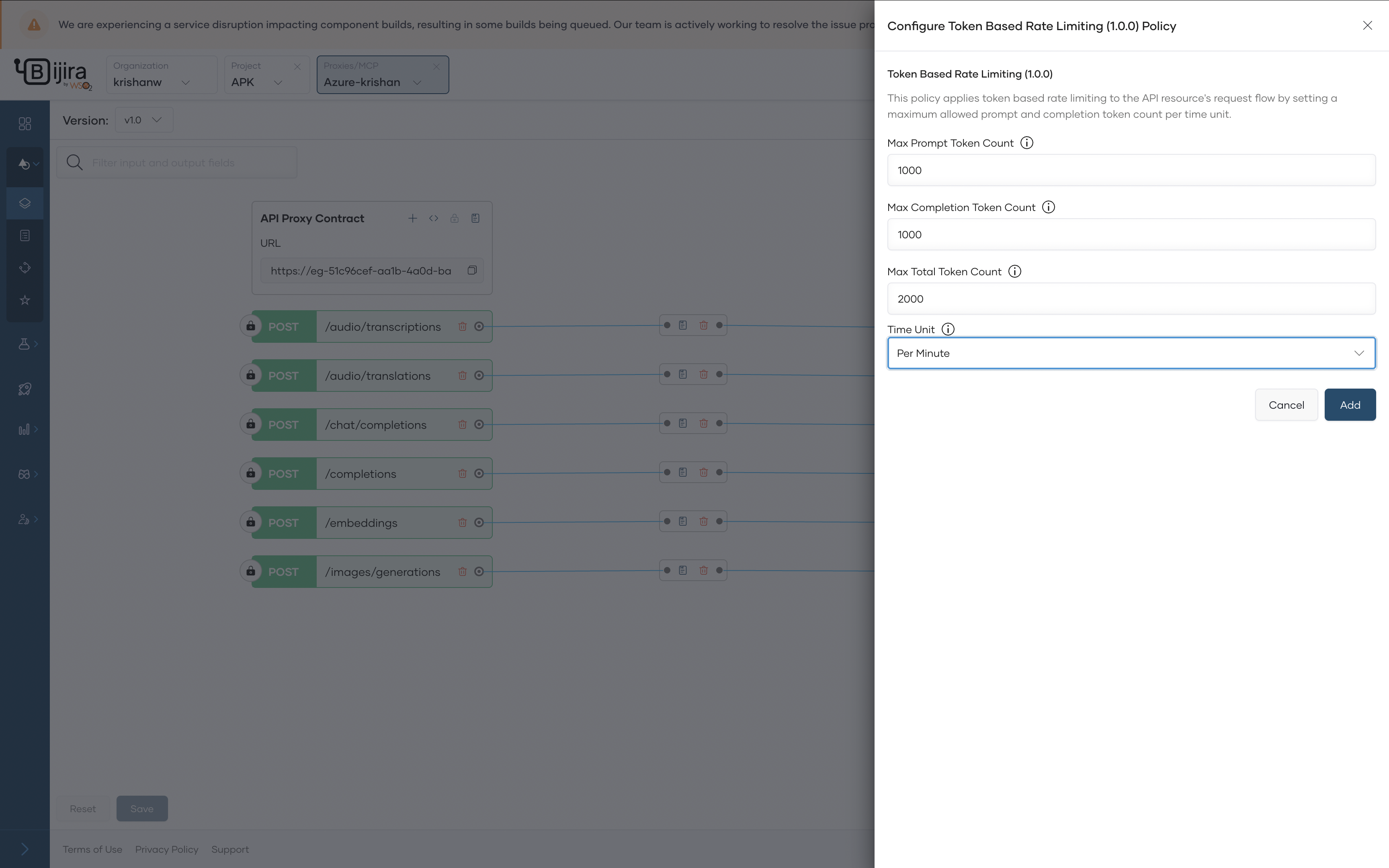
Token-based rate limiting
AI services often incur costs on a per-token basis, making usage control critical. API Platform’s AI Gateway introduces token-based rate limiting that can be applied at the API level.
Configure Token Based Ratelimit Policy
-
In the left navigation menu, click Develop, then select Policy.
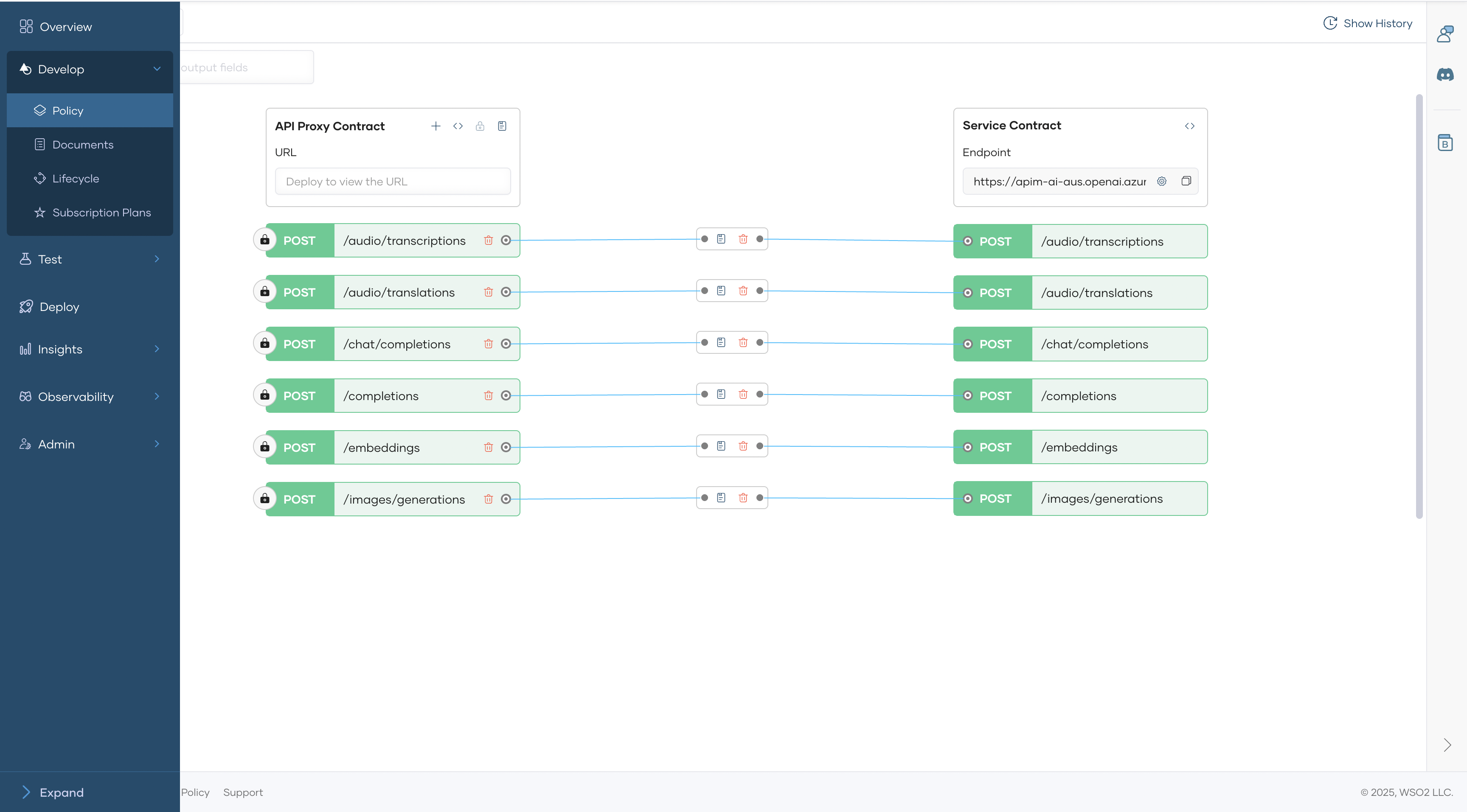
-
Click a Add API Level Policy → Request flow → Attached mediation policy
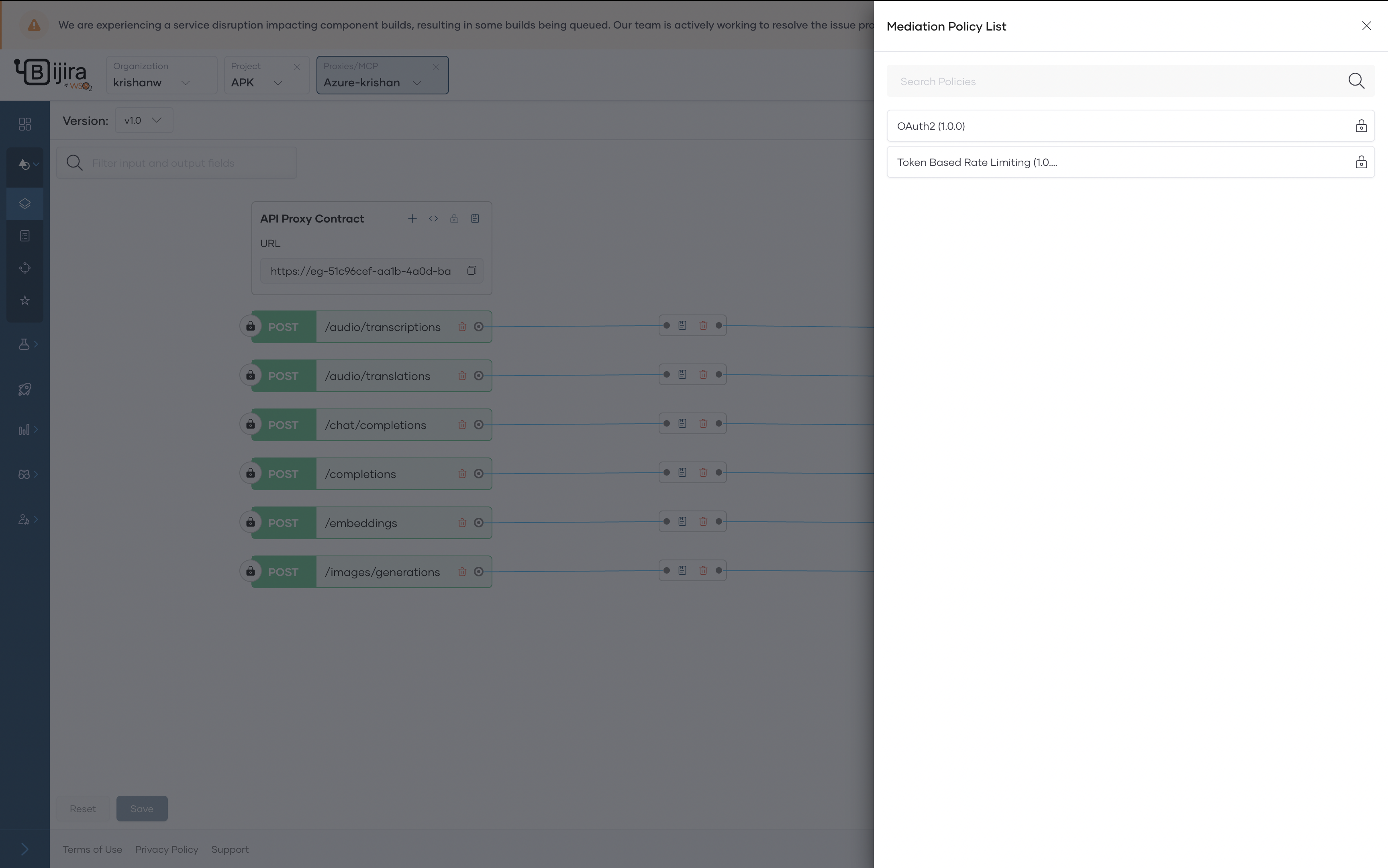
-
Add the ratelimit information and click save.