Build an Automation
Hello World to the terminal when it runs.An automation runs your integration logic without an external request, on demand or on a schedule. Automations are ideal for data synchronization, report generation, and routine maintenance jobs. This quick start shows the full cycle: add an automation artifact, build the logic in the visual designer, run it, and review the scheduling options for production.
Prerequisites
A working WSO2 Cloud environment.
WSO2 Cloud setupSign up and launch WSO2 Integrator in the browser-based cloud editor.
Step 1: Create the integration
In the cloud editor, you're already inside a project. Skip to Step 2: Add an automation artifact.
- Open WSO2 Integrator.
- Select the Create New Integration card.
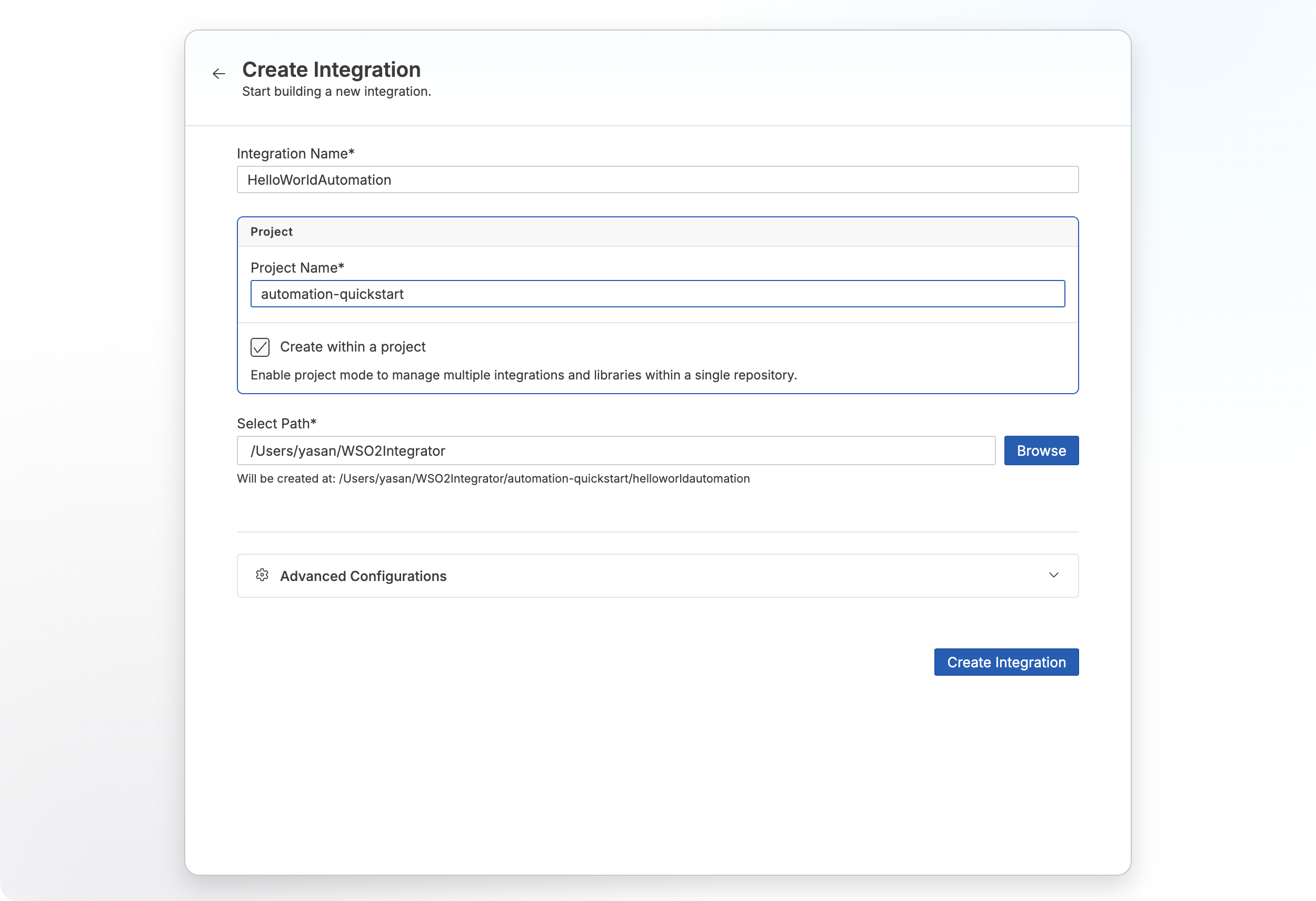
- Set Integration Name to
HelloWorldAutomation. - Set Project Name to
automation-quickstart. - Create Integration.
Step 2: Add an automation artifact
- Select your integration from the project overview canvas.
- Select + Add Artifact in the design canvas.
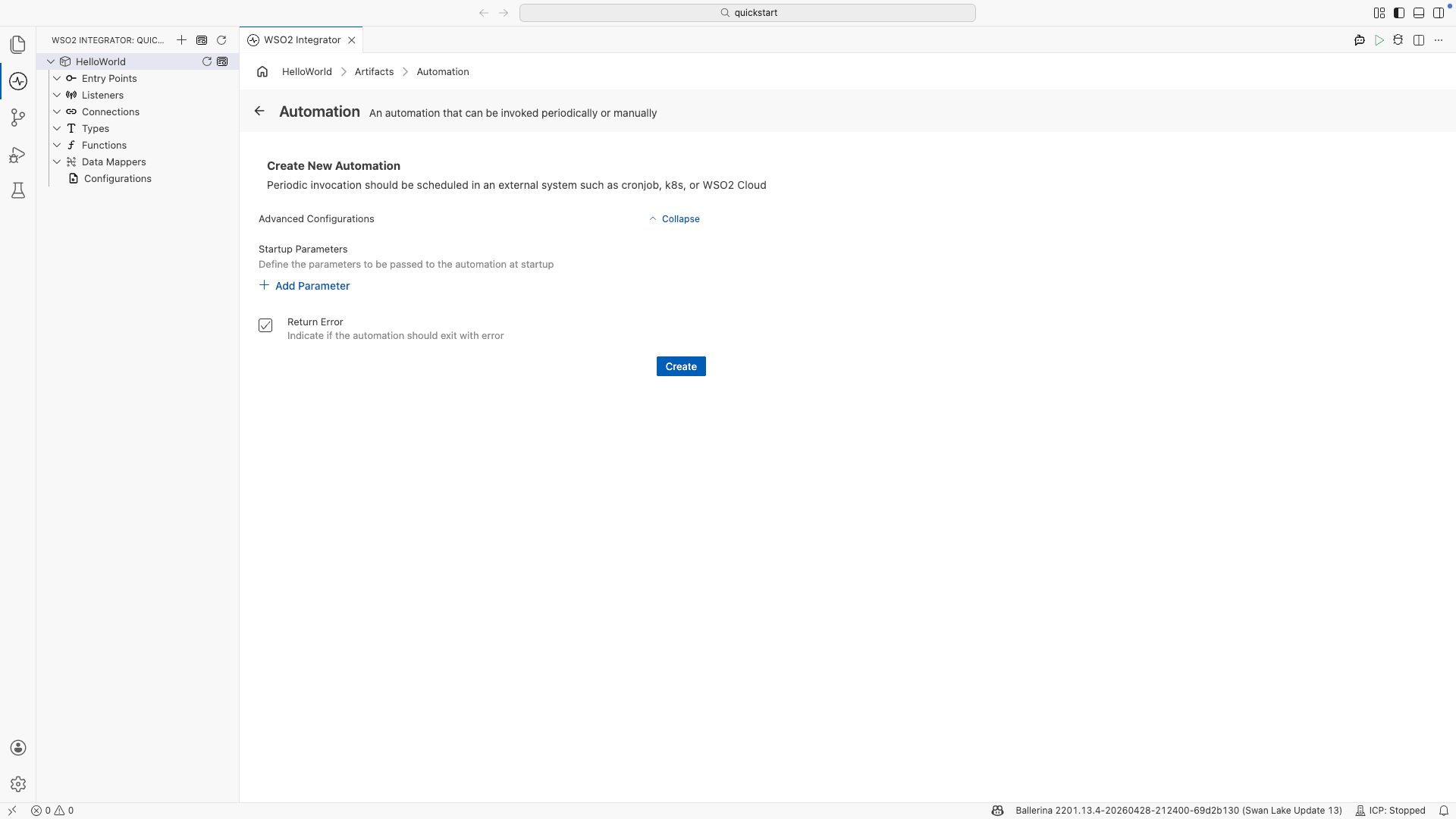
- Select Automation under Automation.
- Select Create.
Step 3: Add logic
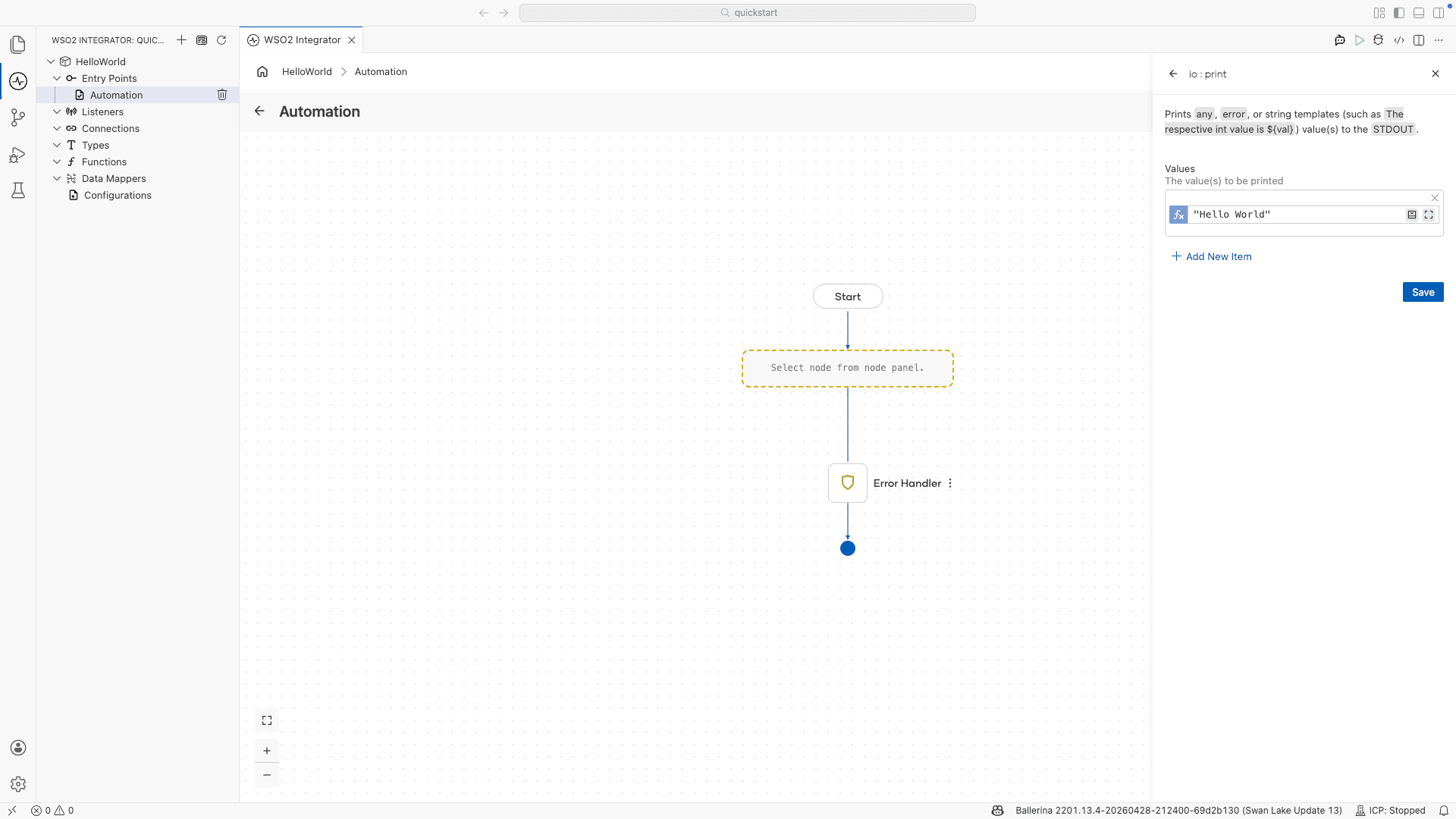
- Select + after the Start node to open the node panel.
- Select Call Function.
- Select Print under io from the function list.
- Select Initialize Array for the Values parameter.
- Set Values to
"Hello World"and select Save.
Step 4: Run and test
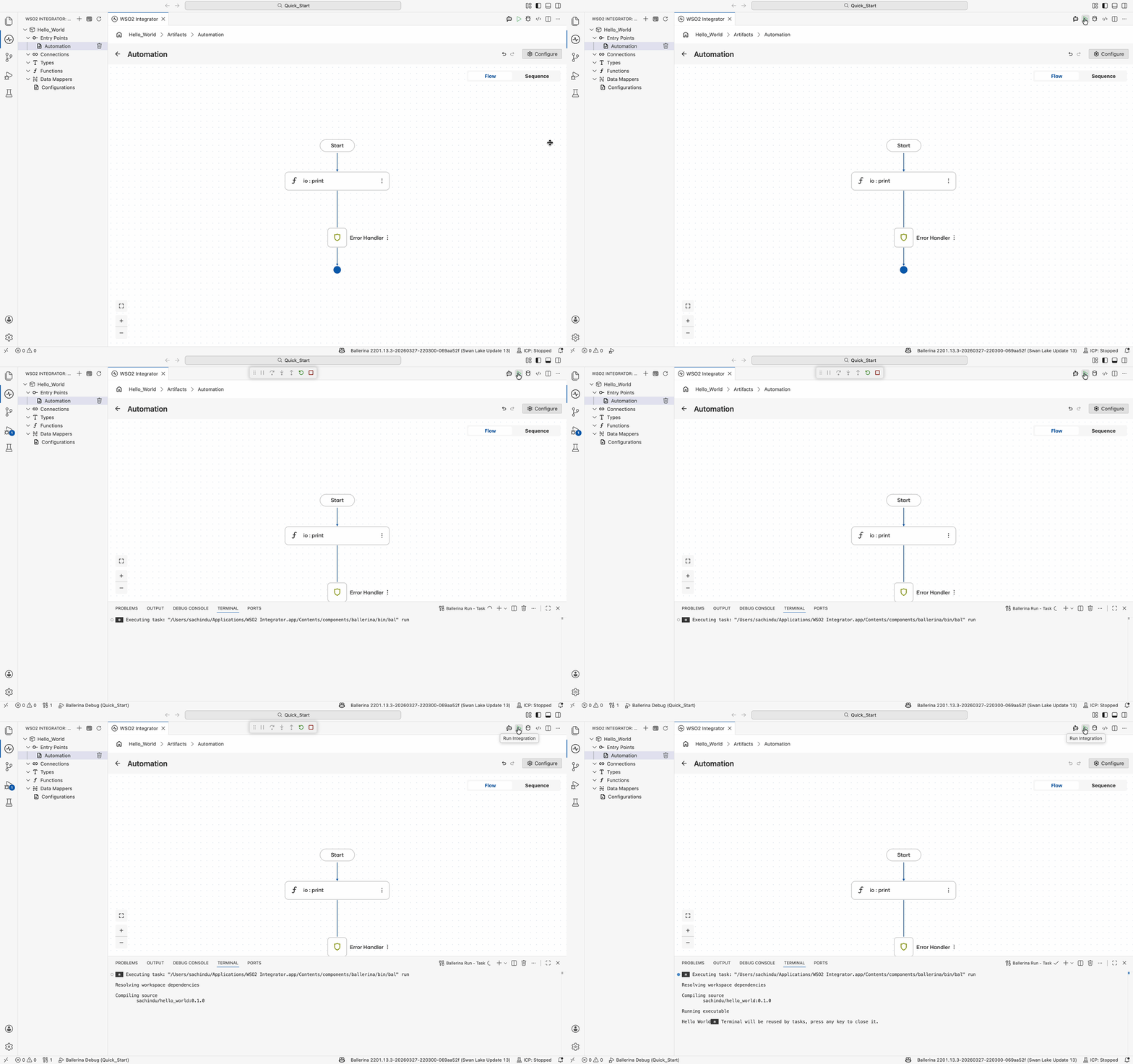
- Select Run.
- Confirm the terminal output contains
Hello World.
Step 5: Deploy to WSO2 Cloud
Deploy your integration to WSO2 Cloud. Check Save and deploy.
Skip ahead: deploy a ready-made sample
Rather not build it yourself? One-click deploy the HelloWorldAutomation sample straight to WSO2 Cloud.

Source code
View the generated Ballerina code
The steps above generate the following complete, runnable Ballerina program:
import ballerina/io;
import ballerina/log;

public function main() returns error? {
    do {
        io:print("Hello World");
    } on fail error e {
        log:printError("Error occurred", 'error = e);
        return e;
    }
}
Scheduling automations
Periodic invocation is configured in an external system once the automation is deployed. Available options include:
- Cron job: schedule the automation from a
cronentry on a Unix or Linux host. - Kubernetes: define a
CronJobresource to run the automation on a recurring schedule. - VM: use a host scheduler such as Windows Task Scheduler or
systemdtimers. - WSO2 Integration Platform: configure the schedule in the WSO2 Integration Platform when the integration is pushed to the cloud.