Build an Integration as API
TimeUnder 10 minutes
What you'll buildAn HTTP service that listens on
/hello/greeting, calls an external API, and returns the response to the caller.An HTTP service exposes your integration logic as a REST endpoint. This quick start shows the full cycle: create a service, add a resource, connect to an external API, and test it using the Try-It/Test panel in WSO2 Integrator.
Prerequisites
A working WSO2 Integrator environment.
WSO2 Cloud setupSign up and launch WSO2 Integrator in the browser-based cloud editor.
Step 1: Create the integration
Note
In the cloud editor, you're already inside a project. Skip to Step 2.
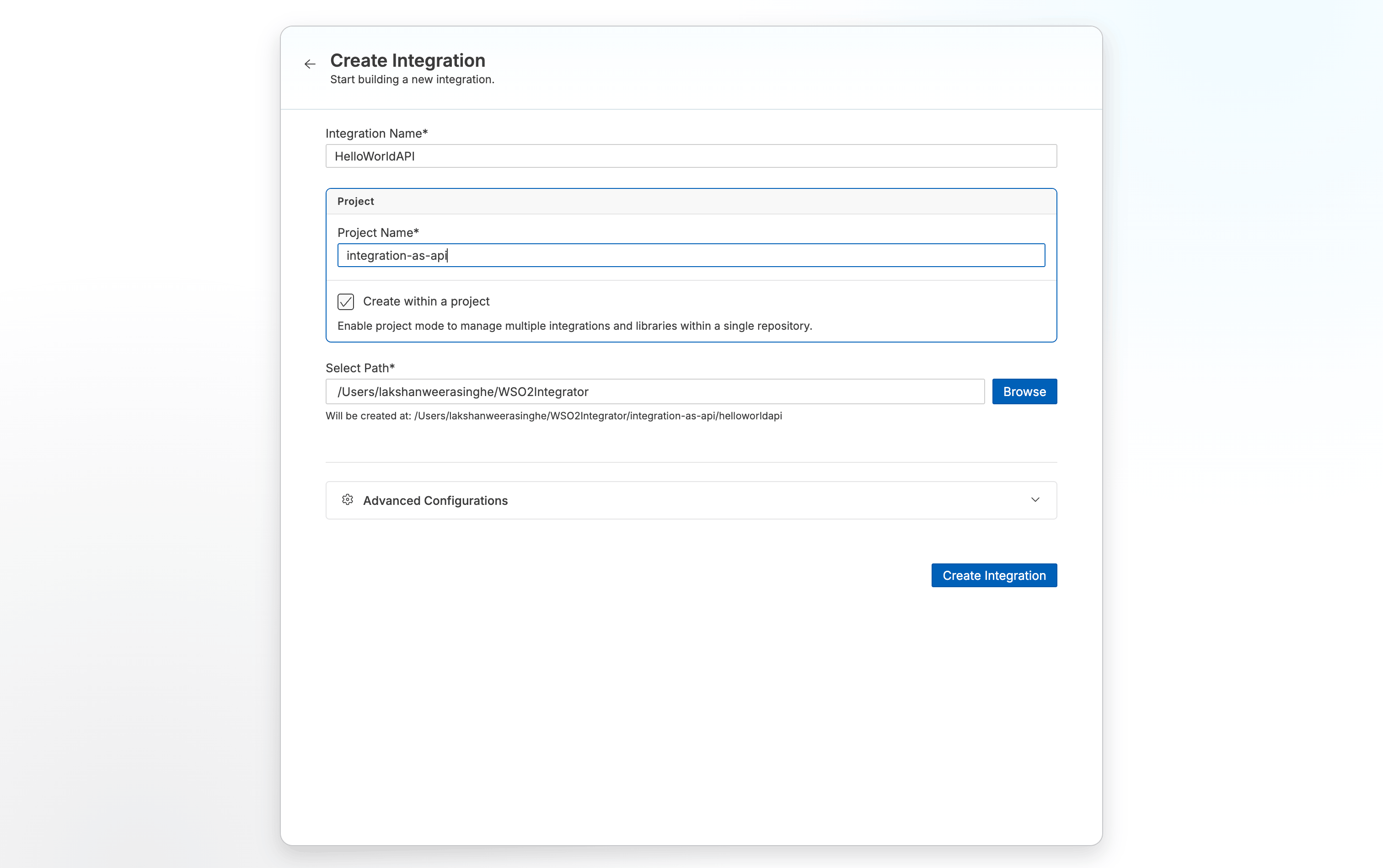
- Open WSO2 Integrator.
- Select the Create New Integration card.
- Set Integration Name to
HelloWorldAPI. - Set Project Name to
integration-as-api. - Select Create Integration.
Step 2: Add an HTTP service
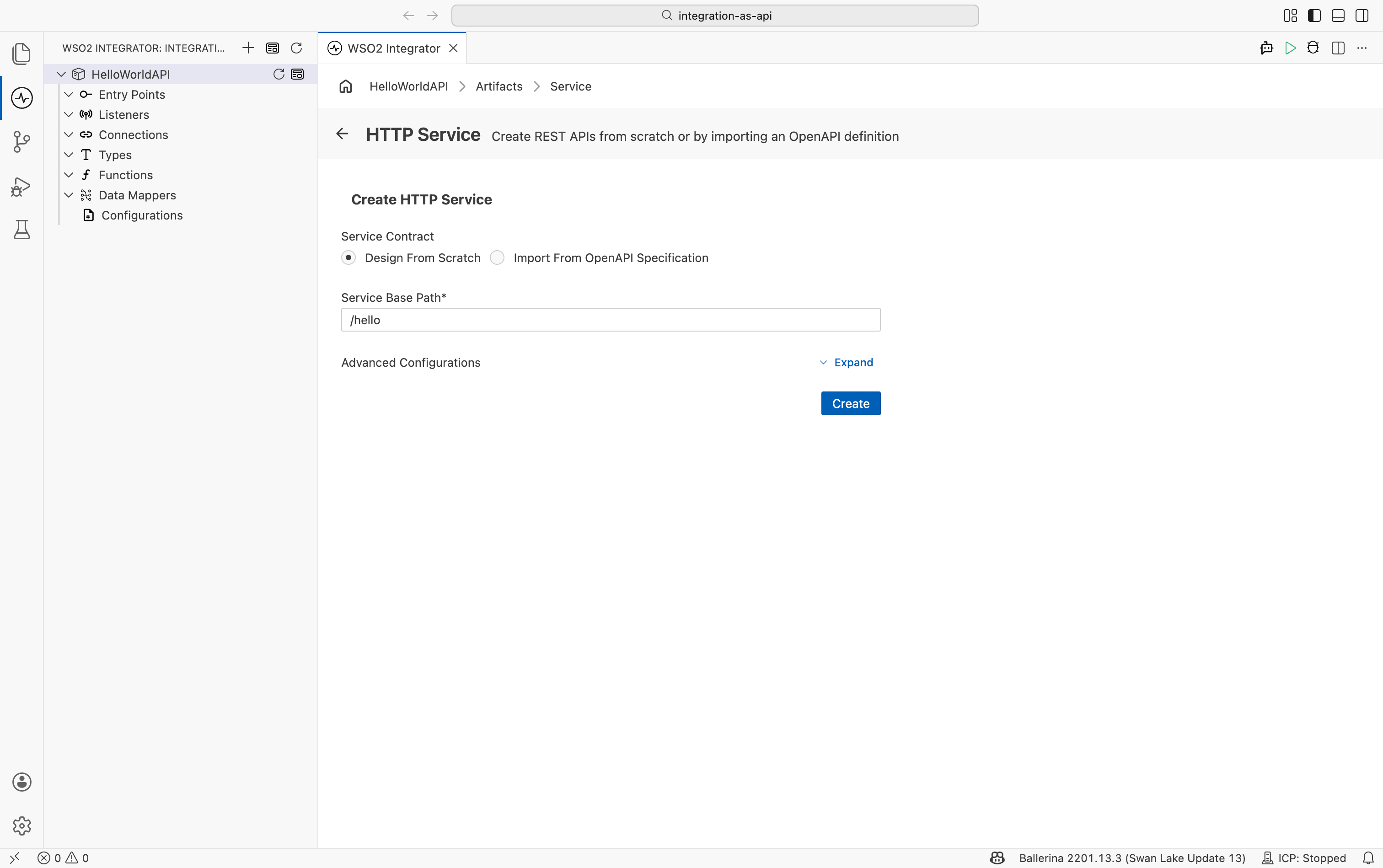
- Select your integration from the project overview canvas.
- Select + Add Artifact in the design canvas.
- Select HTTP Service under Integration as API.
- Keep Service Contract as Design From Scratch.
- Set Service Base Path to
/hello. - Select Create.
Step 3: Add a resource
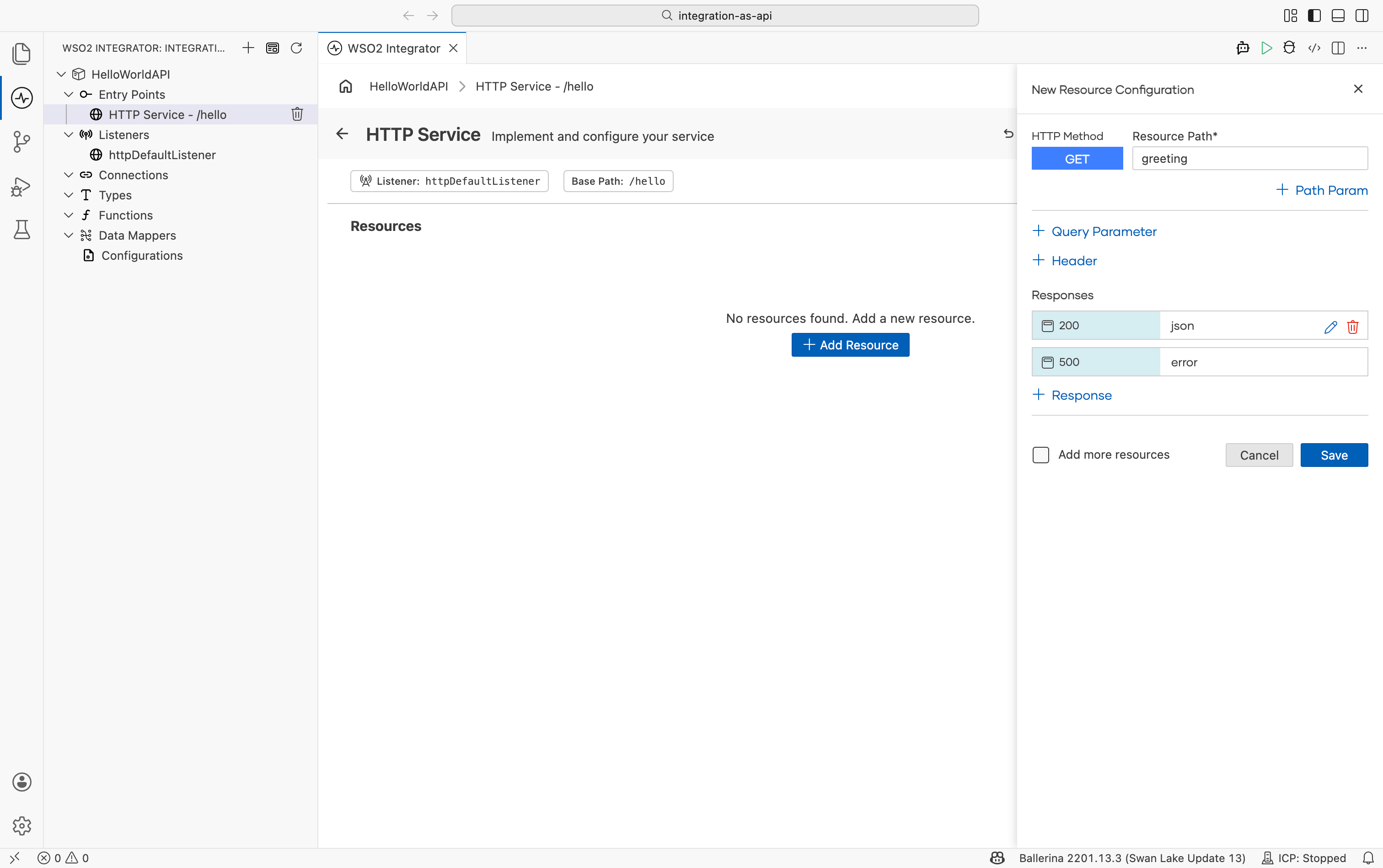
- In the HTTP service design view, select + Add Resource.
- Select GET.
- Set Resource path to
greeting. - Select Save.
Step 4: Connect to an external API
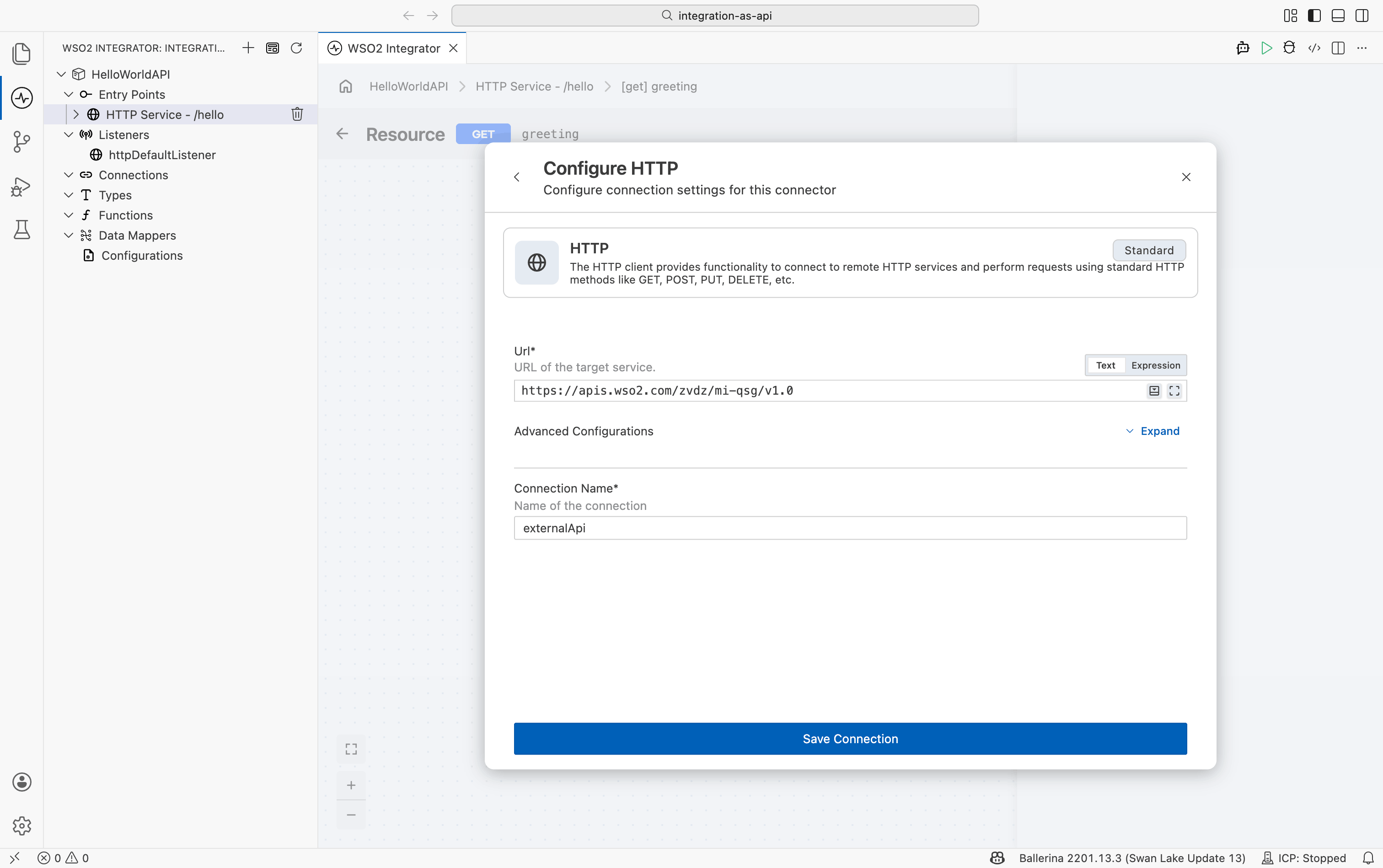
- Select + inside the resource flow.
- Select Add Connection.
- Select HTTP.
- Set Url to
https://apis.wso2.com/zvdz/mi-qsg/v1.0. - Set Connection Name to
externalApi. - Select Save Connection.
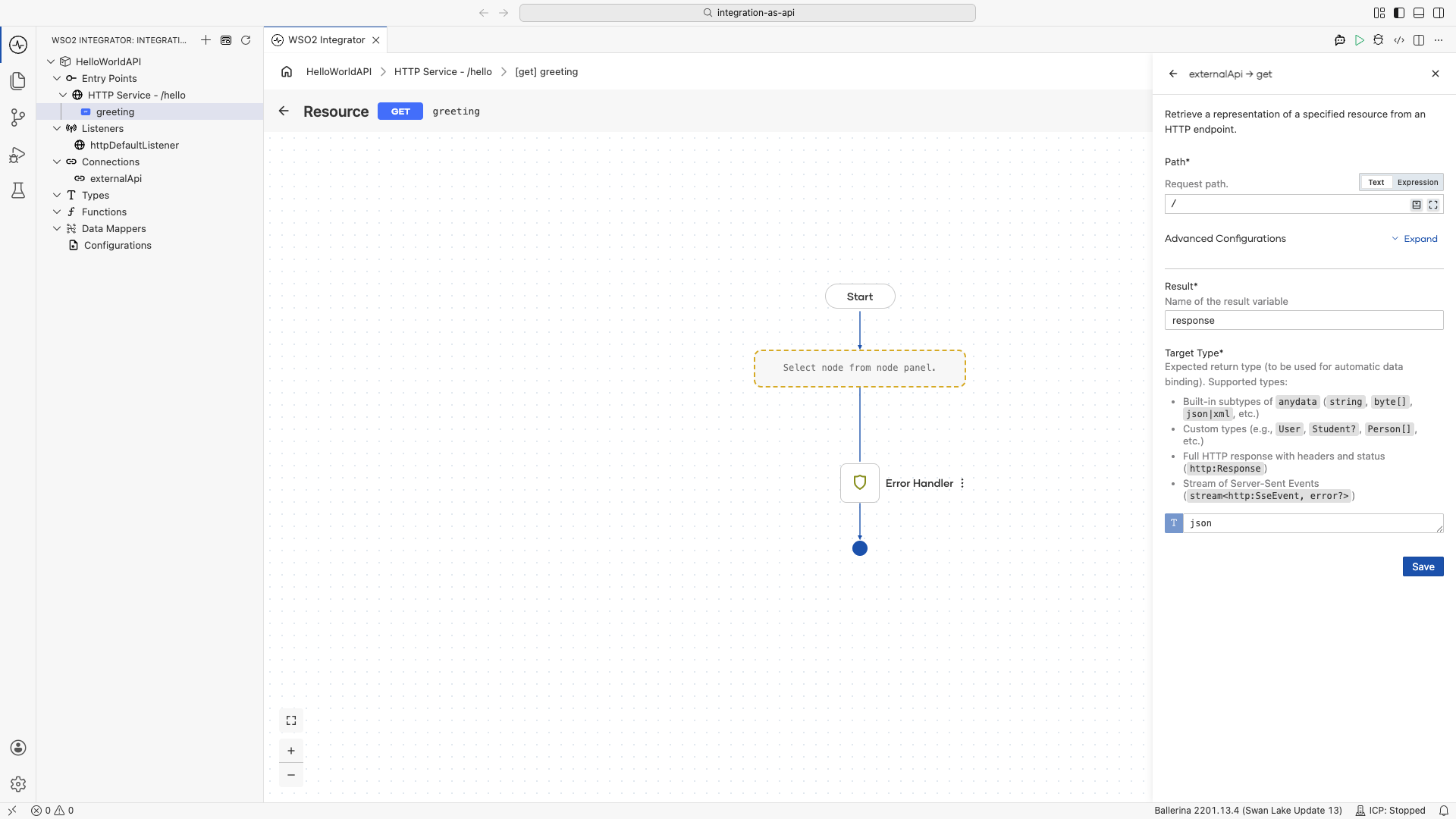
Step 5: Call the external API
- Select + inside the resource flow.
- Select externalApi.
- Select Get.
- Set Path to
/. - Set Result to
response. - Set Target Type to
json. - Select Save.
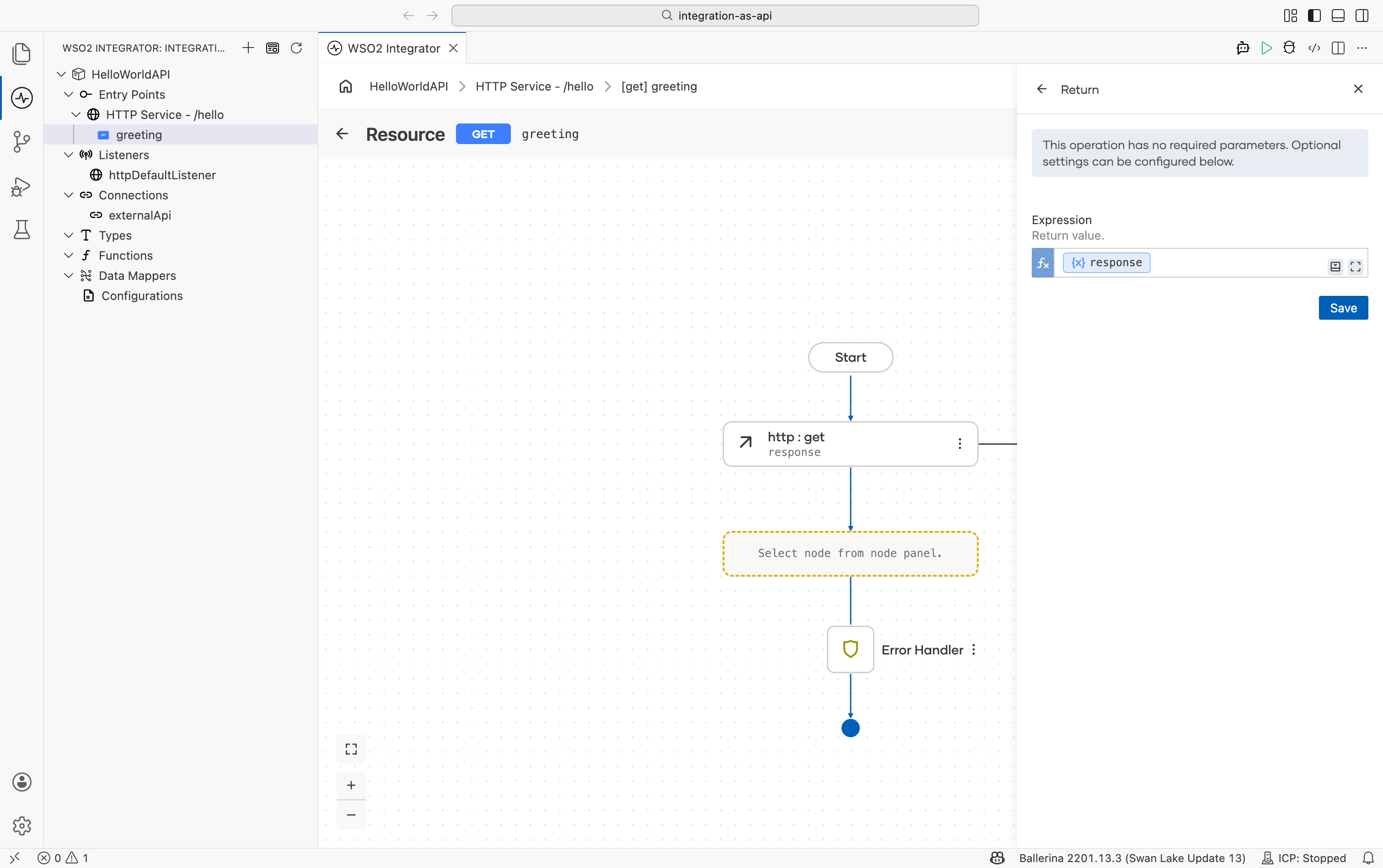
Step 6: Return the response
- Select + inside the resource flow after the external API call node we just added.
- Select Return.
- Set Expression to
response. - Select Save.
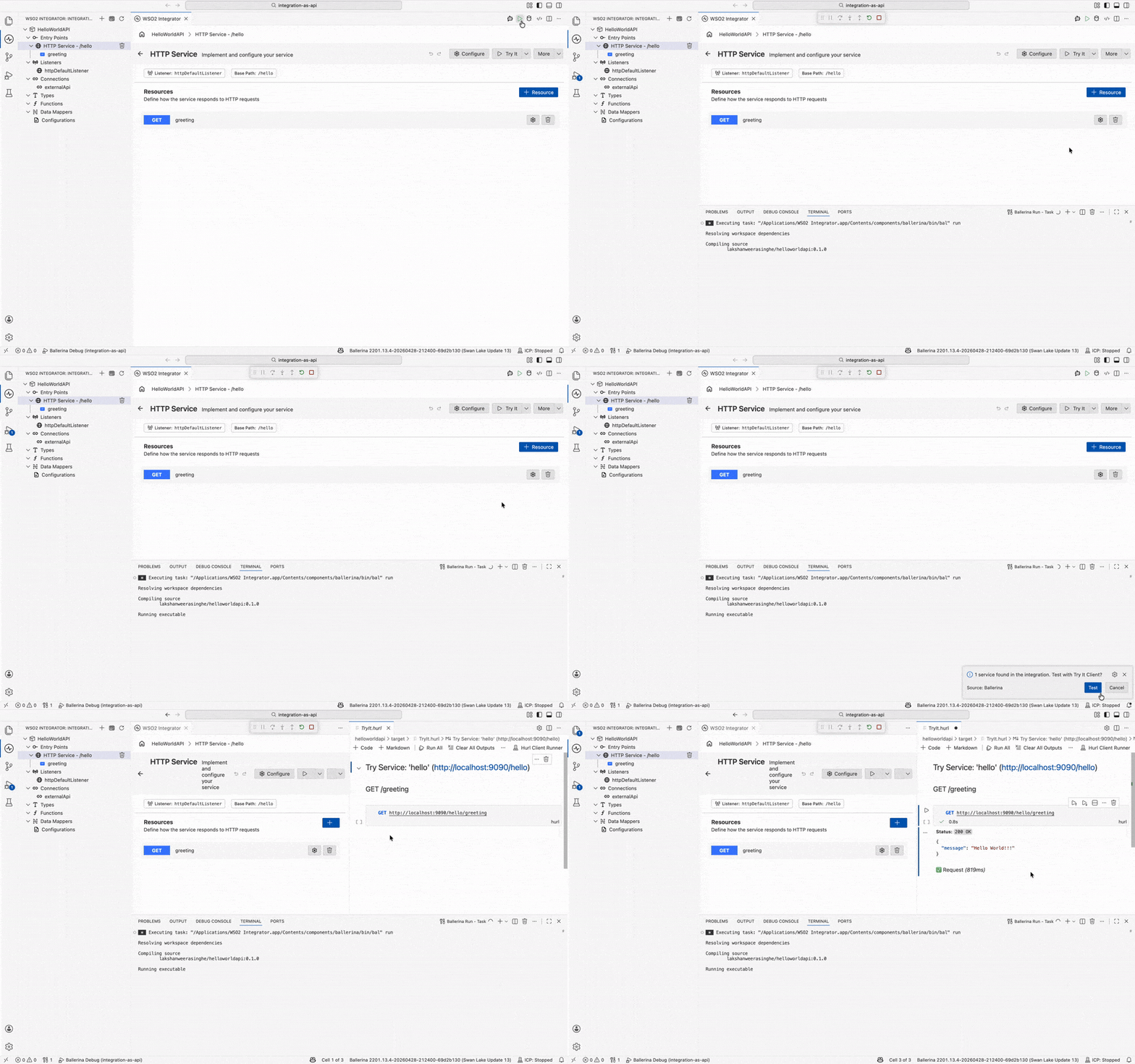
Step 7: Run and test
- Select Run.
- Select Test in the confirmation dialog.
- Select Execute.
- Confirm the response shows
200 OKwith aHello Worldbody.
Step 8: Deploy to WSO2 Cloud
Deploy your integration to WSO2 Cloud. Check Save and deploy.
Skip ahead: deploy a ready-made sample
Rather not build it yourself? One-click deploy the HelloWorldAPI sample straight to WSO2 Cloud.

Source code
View the generated Ballerina code
The steps above generate the following complete, runnable Ballerina program:
import ballerina/http;

listener http:Listener httpDefaultListener = http:getDefaultListener();

final http:Client externalApi = check new ("https://apis.wso2.com/zvdz/mi-qsg/v1.0");

service /hello on httpDefaultListener {

    resource function get greeting() returns json|error {
        do {
            json response = check externalApi->get("/");
            return response;
        } on fail error err {
            // handle error
            return error("unhandled error", err);
        }
    }
}