Build a File-Driven Integration
TimeUnder 10 minutes
What you'll buildA file integration that adds an
onModify handler to track file changes and uses printInfo to log file modification events.File integrations are ideal for batch uploads, scheduled file processing, and ETL workflows triggered by files appearing in a folder or FTP server.
Prerequisites
A working WSO2 Integrator environment.
WSO2 Cloud setupSign up and launch WSO2 Integrator in the browser-based cloud editor.
You'll also need a file at the listener path to watch. Create one if you don't have one:
- macOS / Linux
- Windows
echo "test" > /tmp/testfile.txt
mkdir C:\tmp 2>nul
echo test > C:\tmp\testfile.txt
Step 1: Create the integration
Note
In the cloud editor, you're already inside a project. Skip to Step 2.
- Open WSO2 Integrator.
- Select the Create New Integration card.
- Set Integration Name to
FileTracker. - Set Project Name to
file-integration. - Select Create Integration.
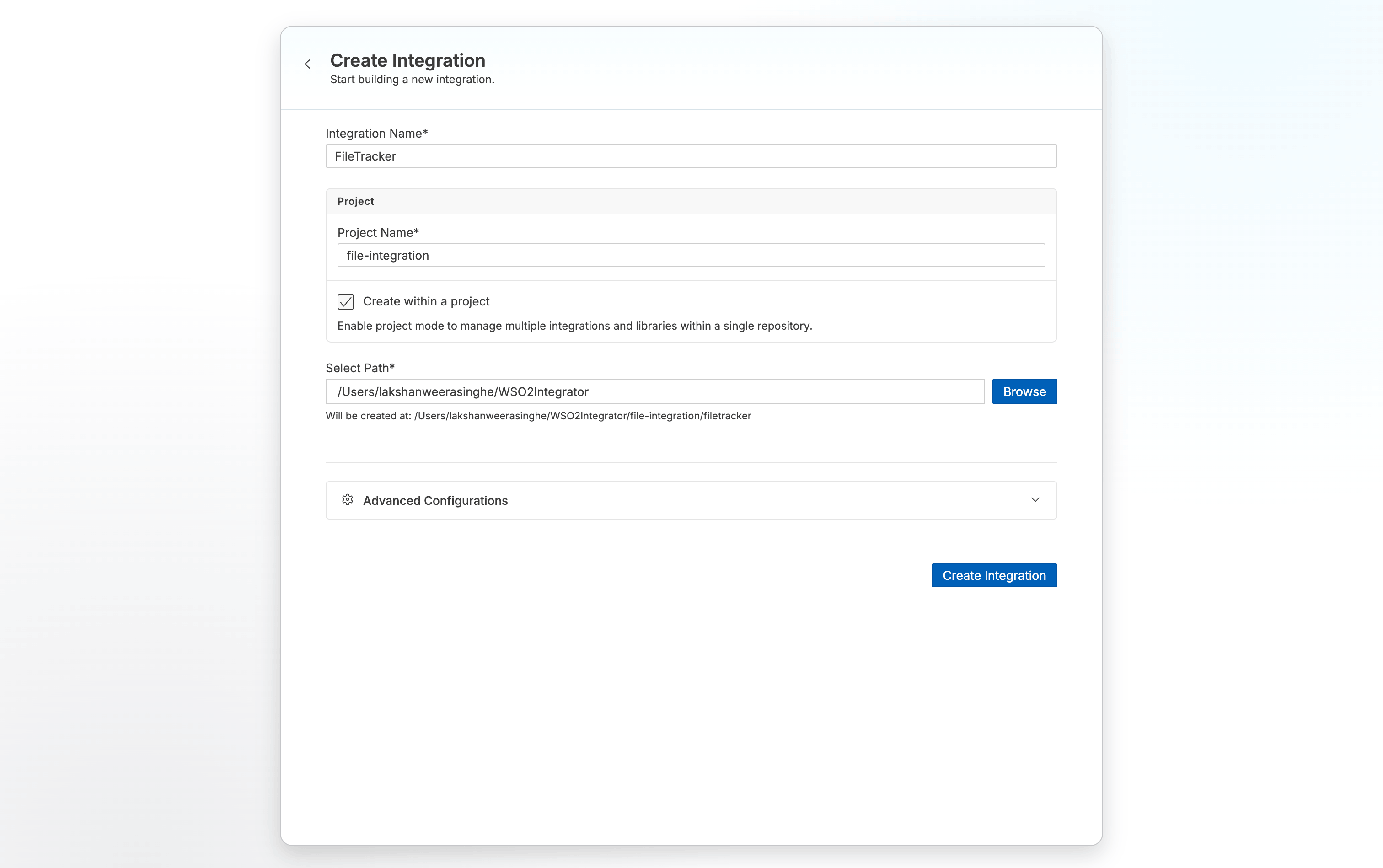
Step 2: Add a file integration artifact
- Select FileTracker from Project Overview Canvas.
- In the design view, select + Add Artifact.
- Select Local Files under File Integration.
- Set Path to
/tmp(macOS/Linux) orC:\tmp(Windows). Select Create.
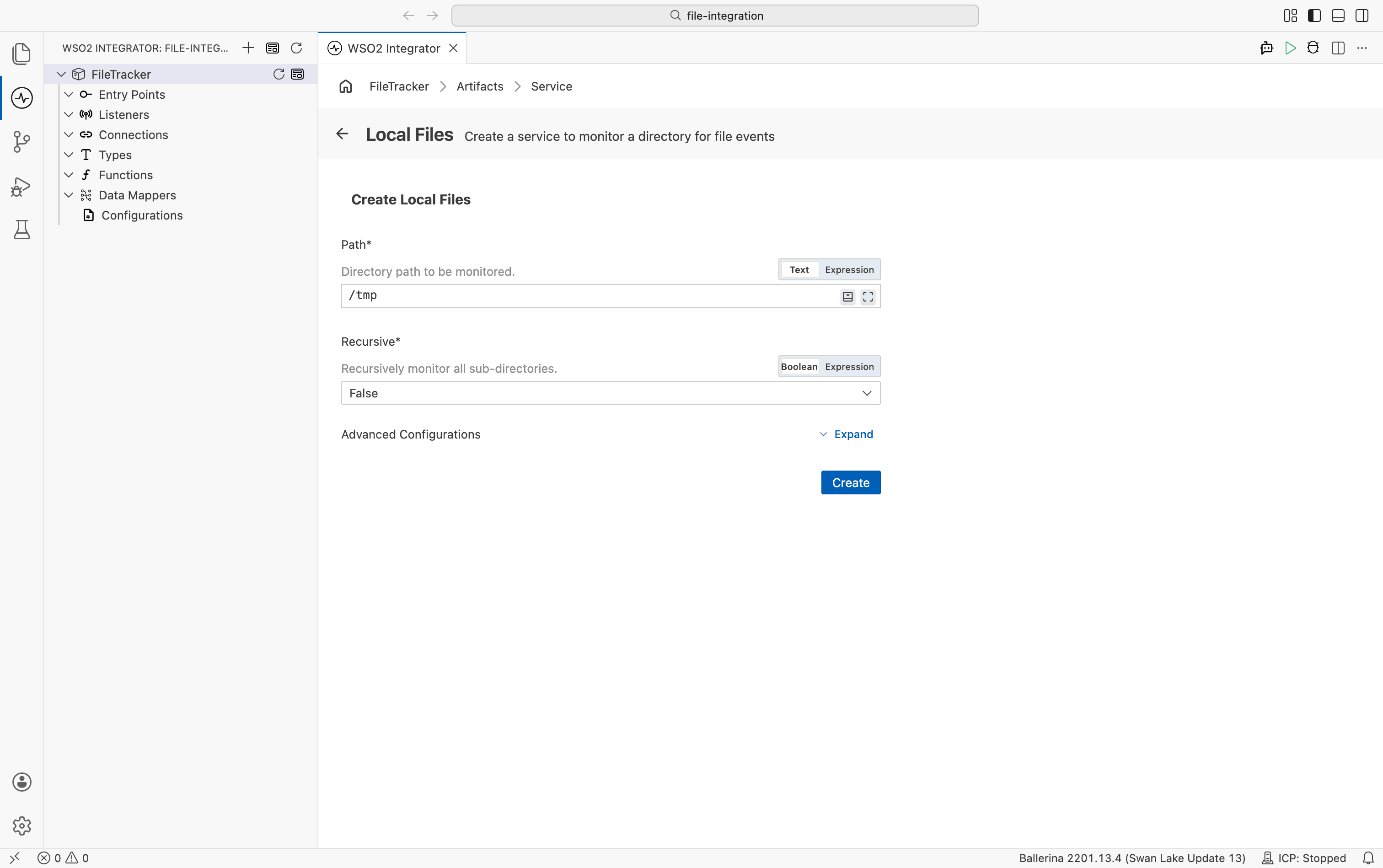
Step 3: Add onModify event handler
- In the service designer view, select + Add Handler.
- Select onModify.
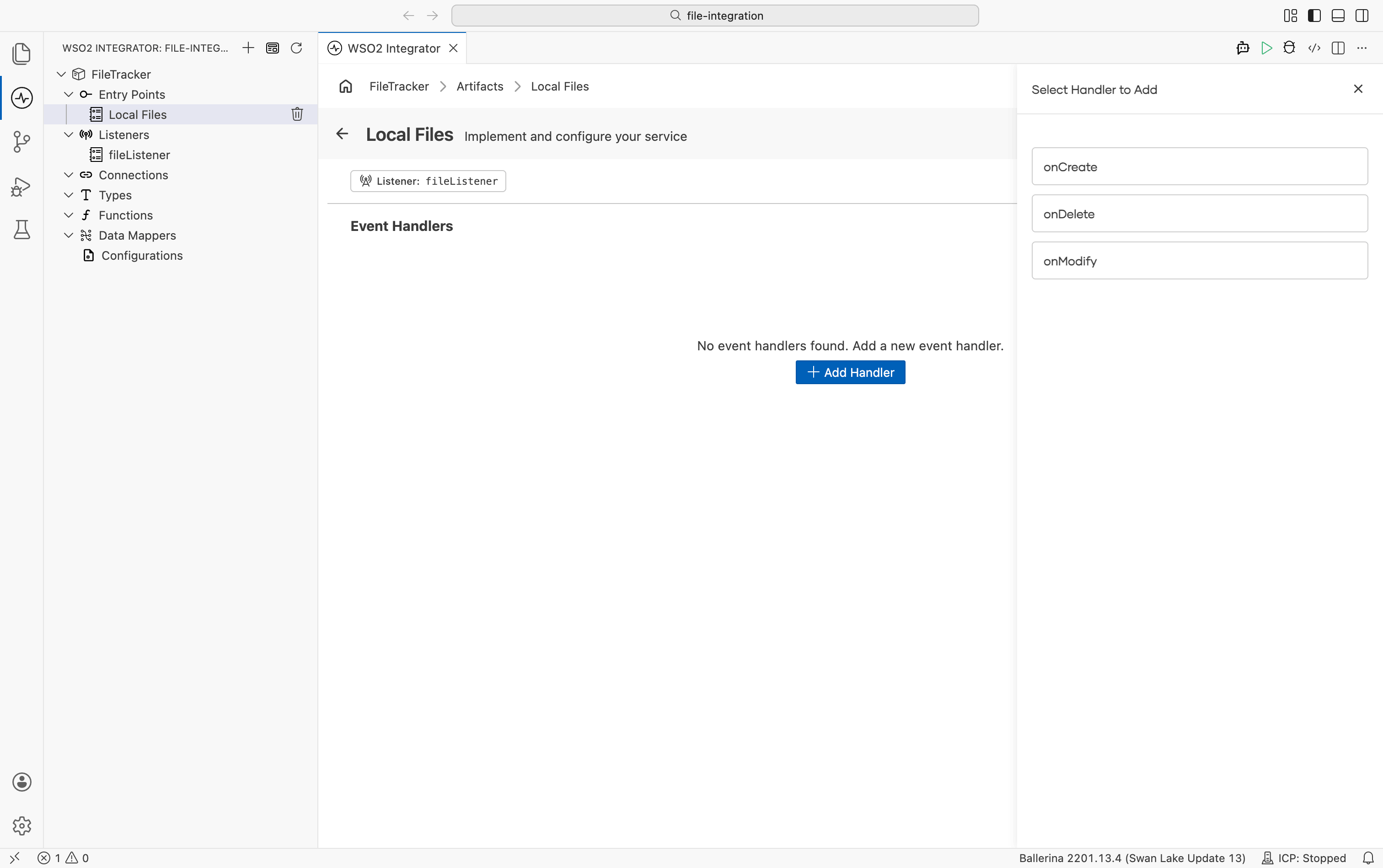
Step 4: Add file tracking logic
- Select + in the flow diagram.
- Search for
printInfoand select printInfo. - Set Msg to
File modifiedand select Save.
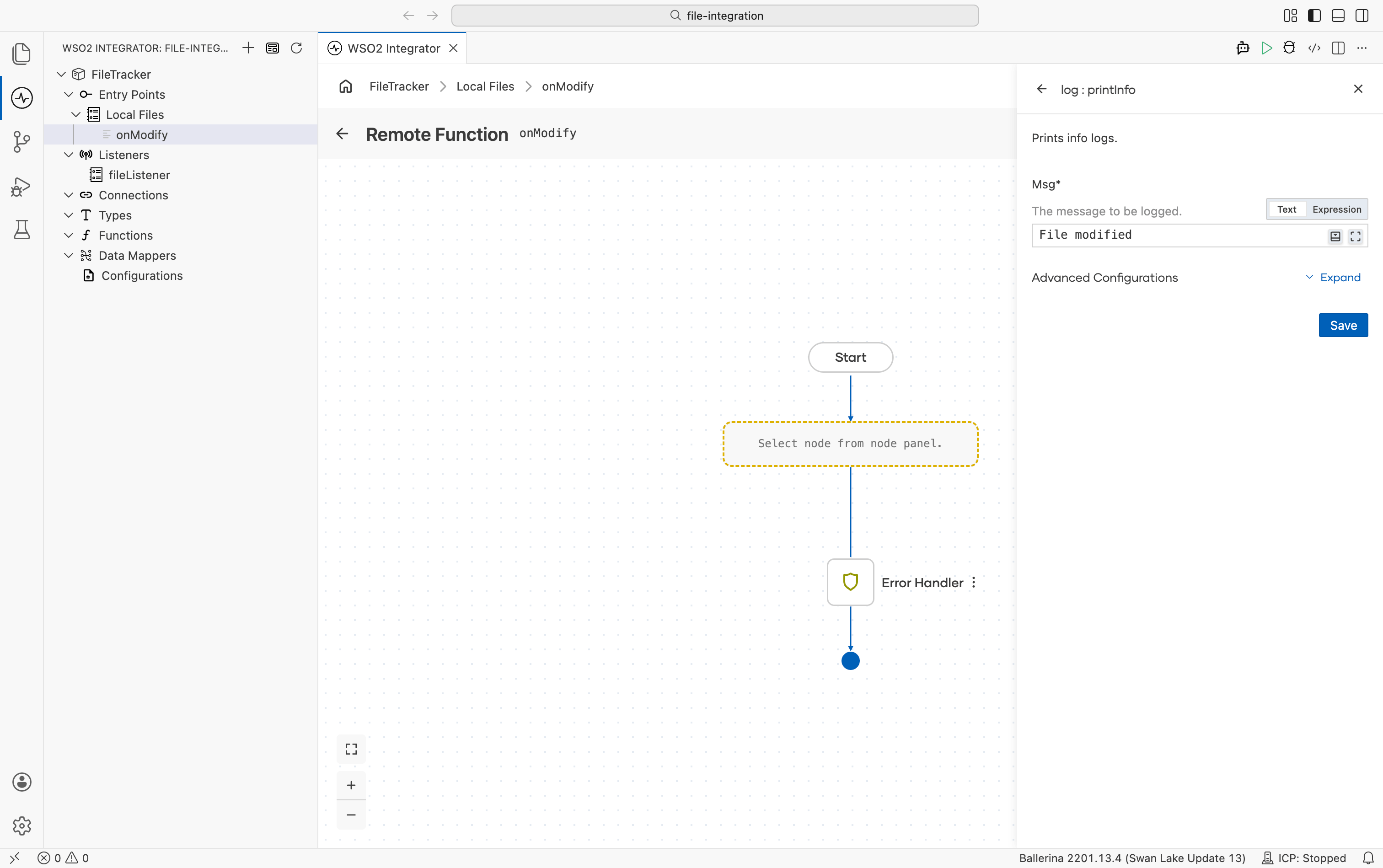
Step 5: Run and test
-
Select Run in the toolbar.
-
Run the modify command in your terminal to trigger the handler:
- macOS / Linux
- Windows
echo "modify" > /tmp/testfile.txtecho modify > C:\tmp\testfile.txt -
Confirm the run terminal shows the log line
File modified.
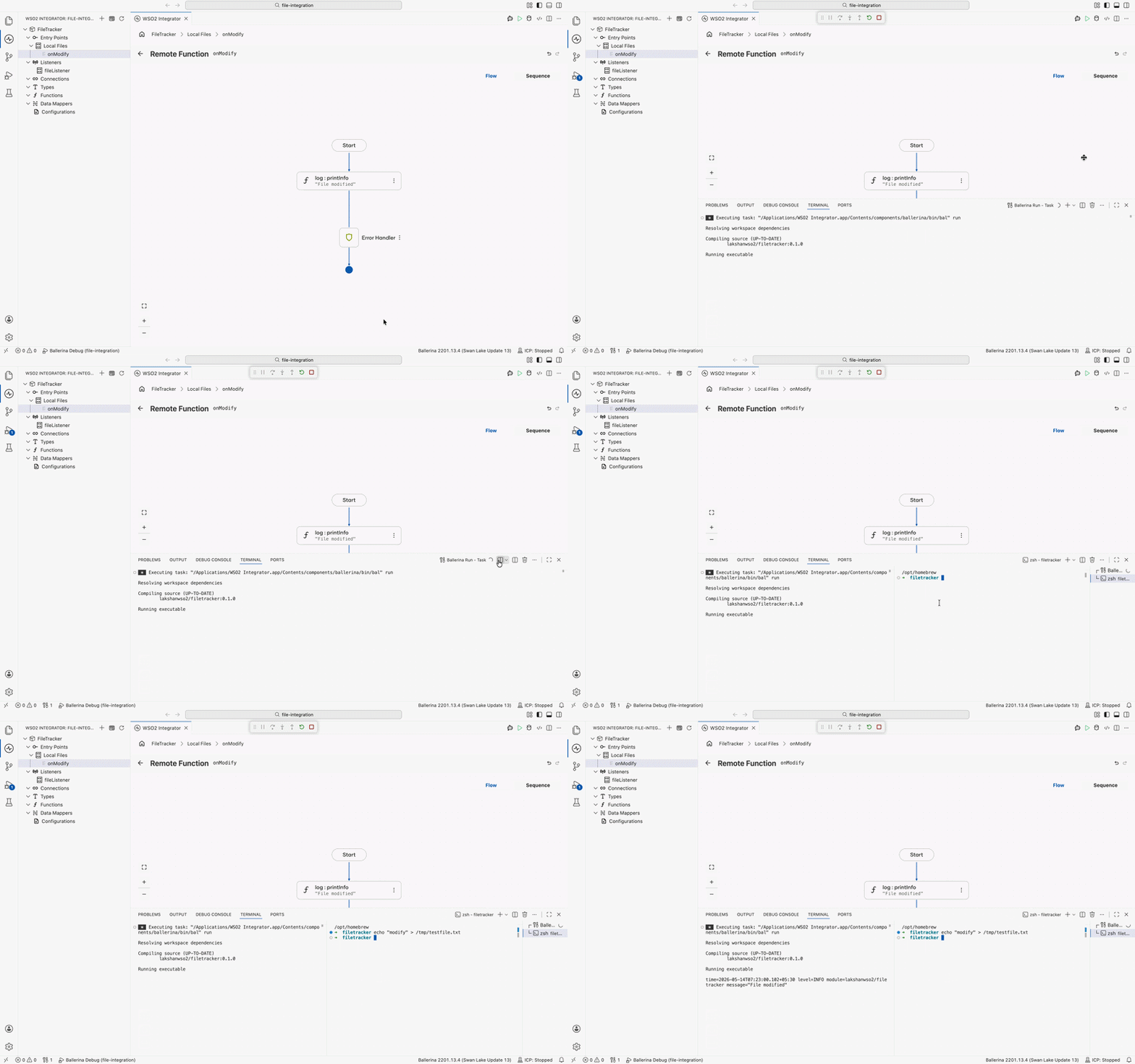
Source code
View the generated Ballerina code
The steps above generate the following complete, runnable Ballerina program:
Windows
Change the listener path from "/tmp" to "C:\\tmp" (backslash escaped) before running the program.
import ballerina/file;
import ballerina/log;

listener file:Listener fileListener = new (path = "/tmp", recursive = false);

service file:Service on fileListener {
    remote function onModify(file:FileEvent event) returns error? {
        do {
            log:printInfo("File modified");
        } on fail error err {
            // handle error
            return error("unhandled error", err);
        }
    }

}
Learn more
- Local files — Full Local Files listener reference (events, recursive watching, file handlers)
- FTP/SFTP — Watch and process files on remote FTP or SFTP servers
- Streaming large files — Process large files without loading them fully into memory
- CSV fault tolerance — Handle errors and partial failures when processing CSV files