LLM provider templates overview
An LLM provider template is a reusable blueprint that holds everything needed to connect to an upstream LLM service:
- The upstream endpoint URL
- The inbound authentication settings (auth type, header or parameter name, and value prefix)
- The provider's OpenAPI specification
- The token and model mappings used for usage tracking
Once a template holds this configuration, you can create any number of LLM providers from it without entering the same details again.
Template types
| Type | Description |
|---|---|
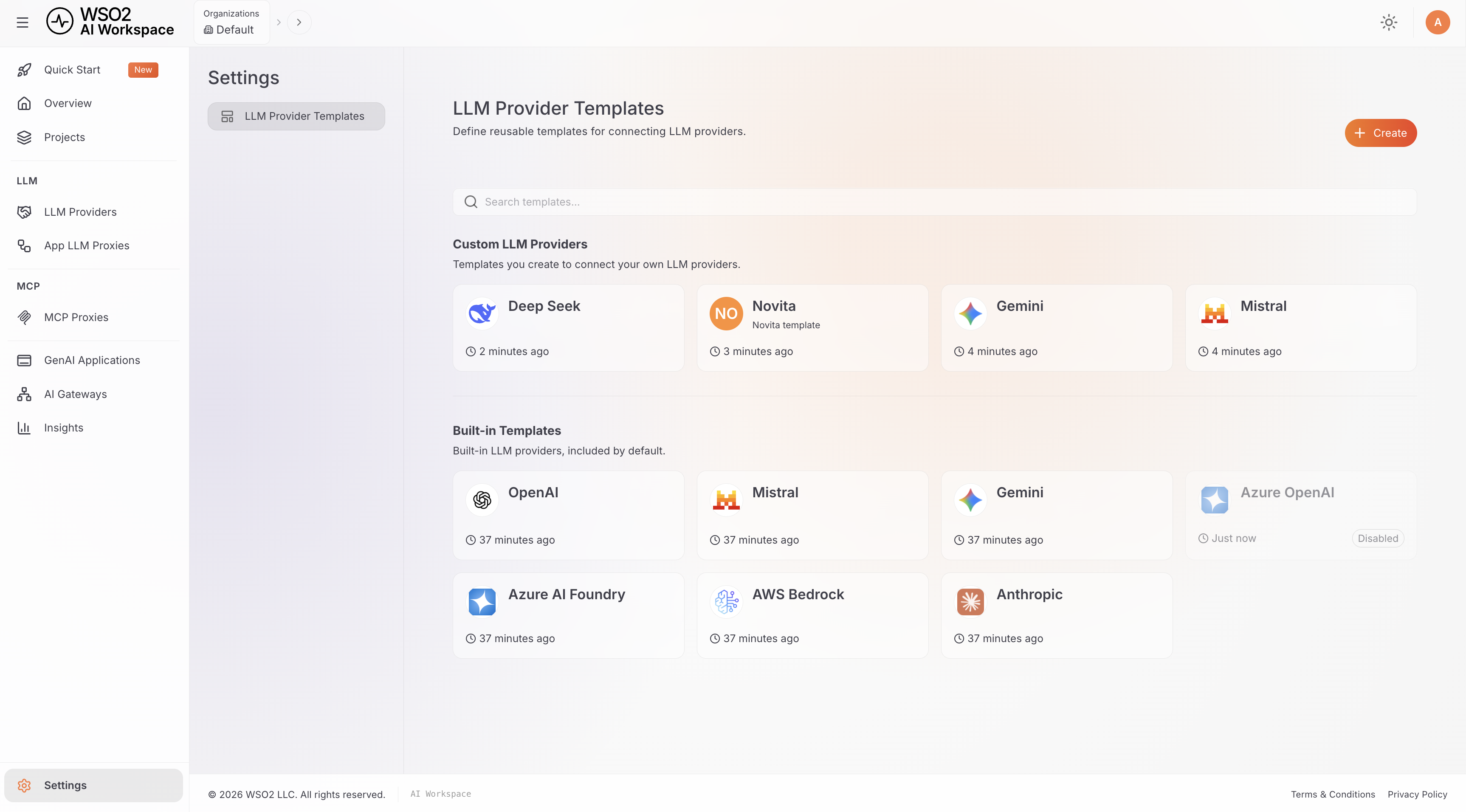
| Built-in | Shipped with the product for well-known services: OpenAI, Azure OpenAI, Azure AI Foundry, AWS Bedrock, Anthropic, Mistral, and Gemini. These are read-only; you can only enable or disable them. |
| Custom | Created by you, either from scratch or as a new version of a built-in template. You can edit and delete these freely. |
View templates
- Navigate to AI Workspace in your API Platform dashboard.
- Go to Settings > LLM Provider Templates.
Custom and built-in templates appear in separate sections, and each template card shows its most recent version. Disabled templates appear dimmed.
Next step
Configure an LLM provider template: create a custom template, configure it, and deploy it to a gateway.