Design APIs using API Designer
You can use API Designer to create and improve your OpenAPI 3.x specification with AI-assisted workflows and form-based editing.
Start with AI design
The API Designer extension includes the api-design skill for specification design. Open GitHub Copilot Chat and provide a prompt to design an API. Based on your prompt intent, Copilot automatically picks and uses the skill to draft the specification.
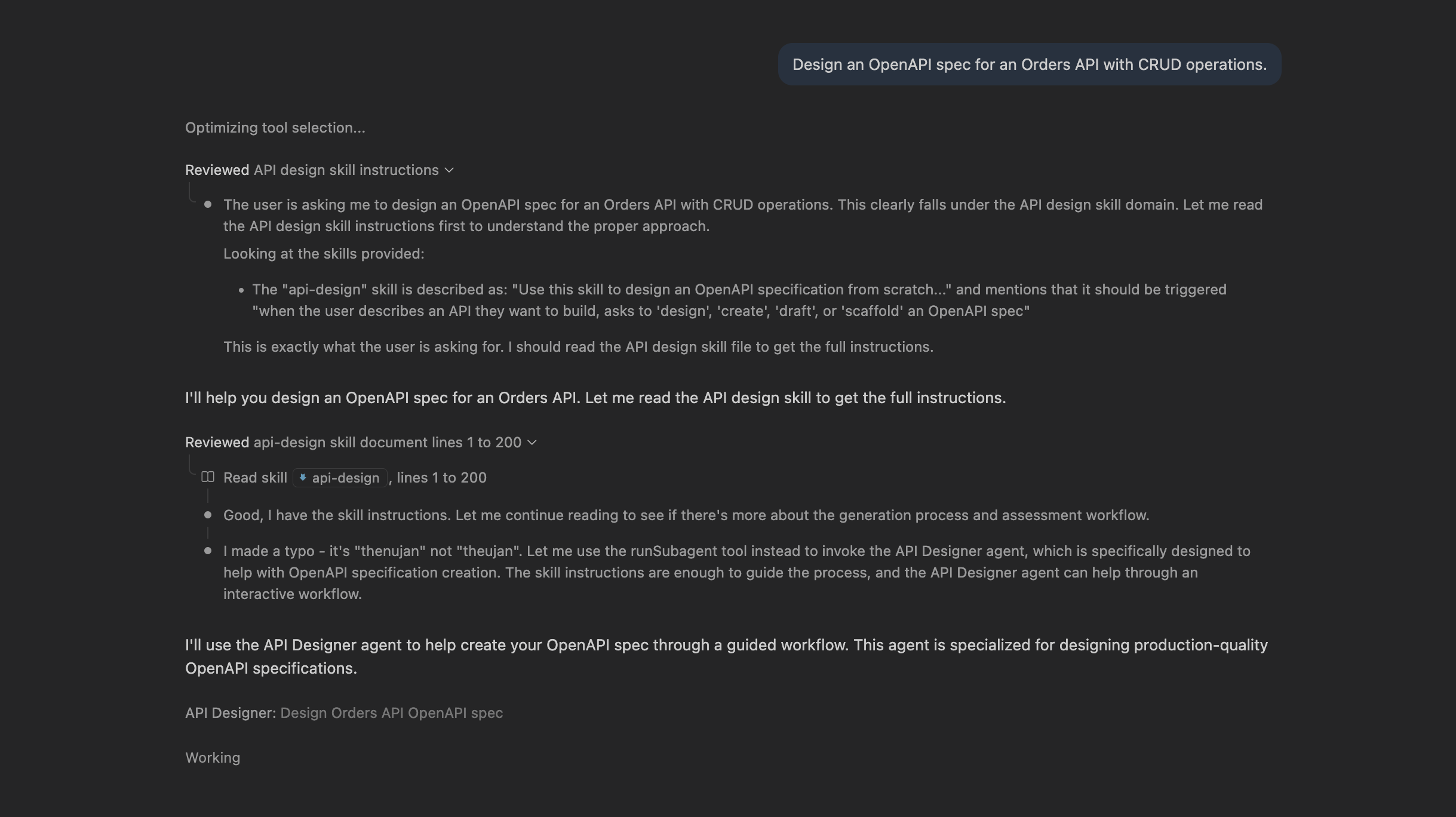
Example prompt:
Design an OpenAPI spec for an Orders API with CRUD operations.
Open the designer
Open your specification file, then open API Designer (see Getting started). API Designer treats the file as the source of truth and writes updates back to the same file.
Work in Design view
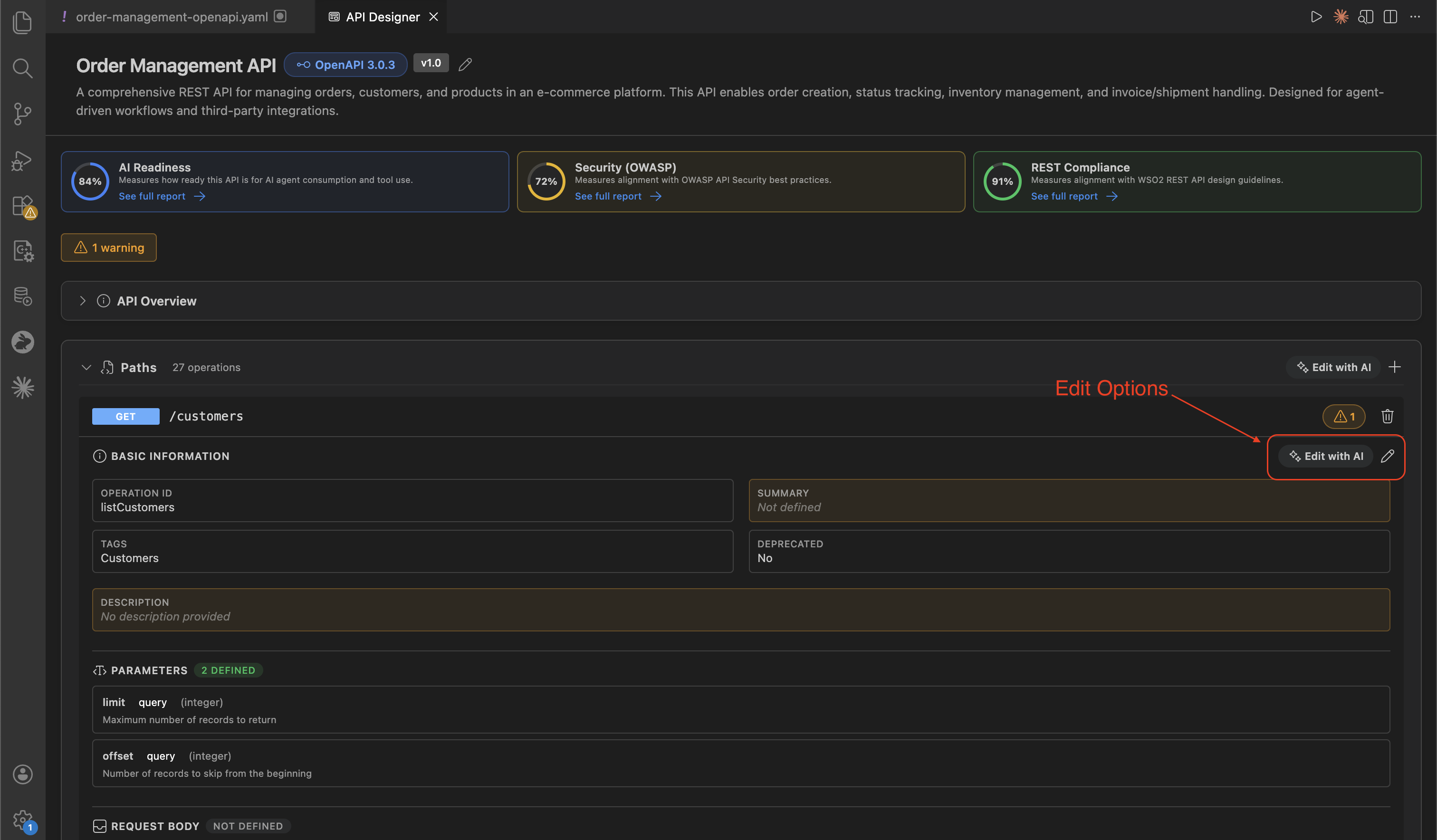
Use Design view to:
- View API resources, operations, and reusable components in one place.
- Edit with AI for intent-driven updates using natural-language prompts.
- Use form-based editing for precise structural changes in operations and schemas.
- Review OpenAPI specification issues (such as errors and warnings) identified by Spectral's OAS ruleset.
Edit the specification
-
Edit with AI
- Describe intent in natural language and apply changes to the relevant operation or schema.
- Use this for larger or repetitive updates.
-
Use form-based editing
- Update operations, parameters, responses, and schemas through guided forms.
- Use this for precise structural changes.
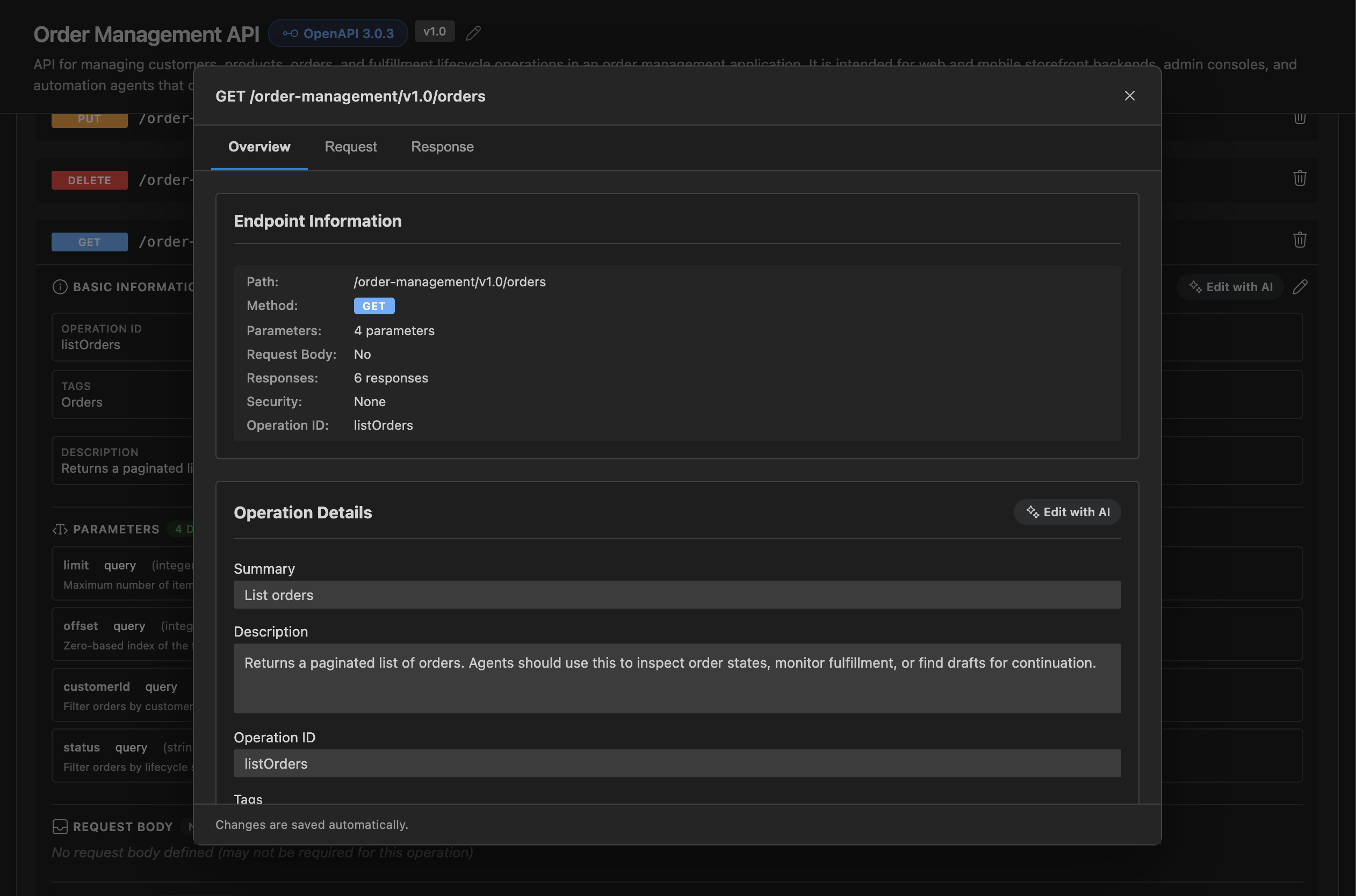
Validate the specification
Validation issues are problems detected in your OpenAPI specification while you edit.
Design view shows validation results directly in the editor:
-
A validation status bar appears when issues are found, with clickable badges for errors and warnings.
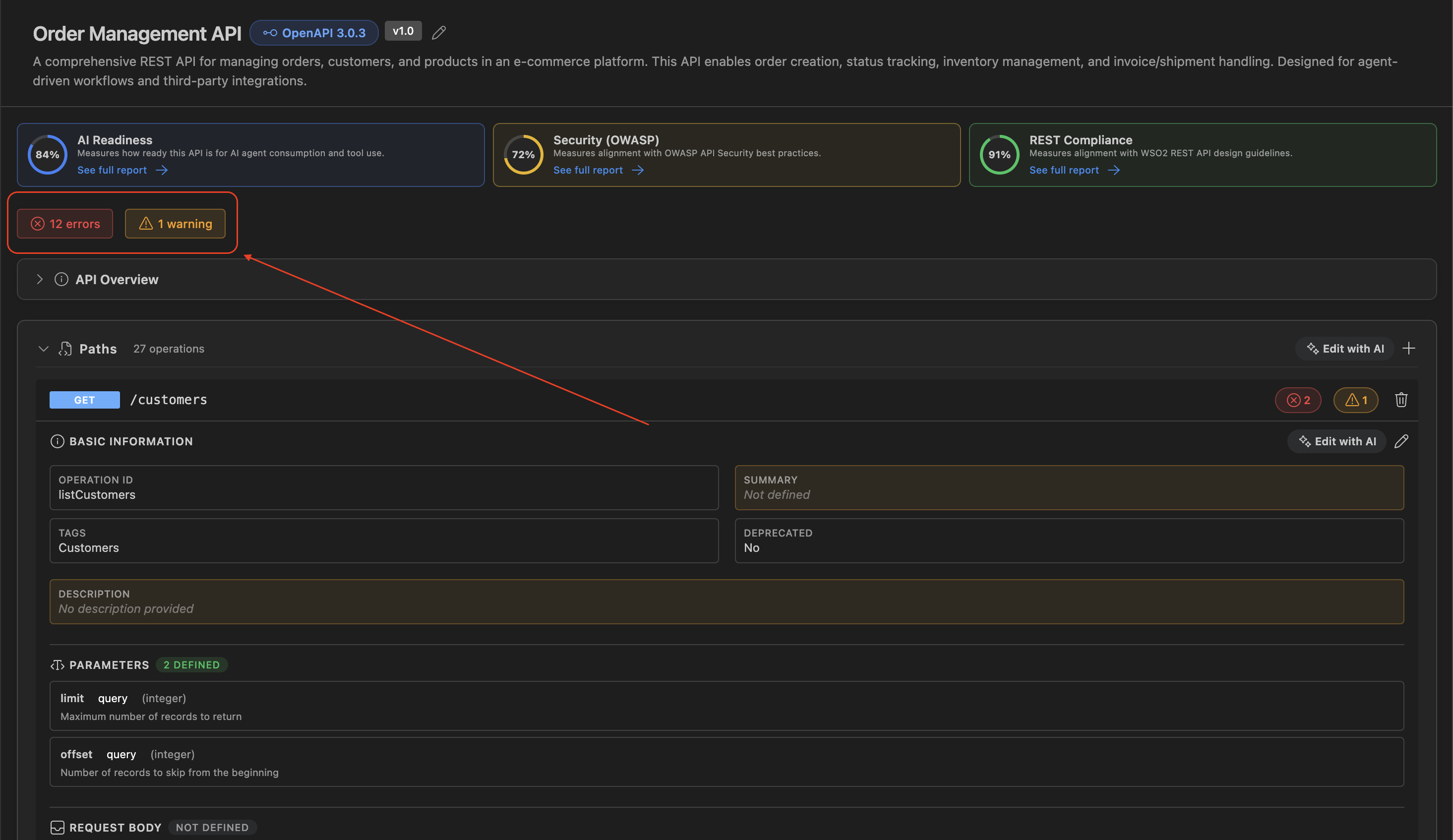
-
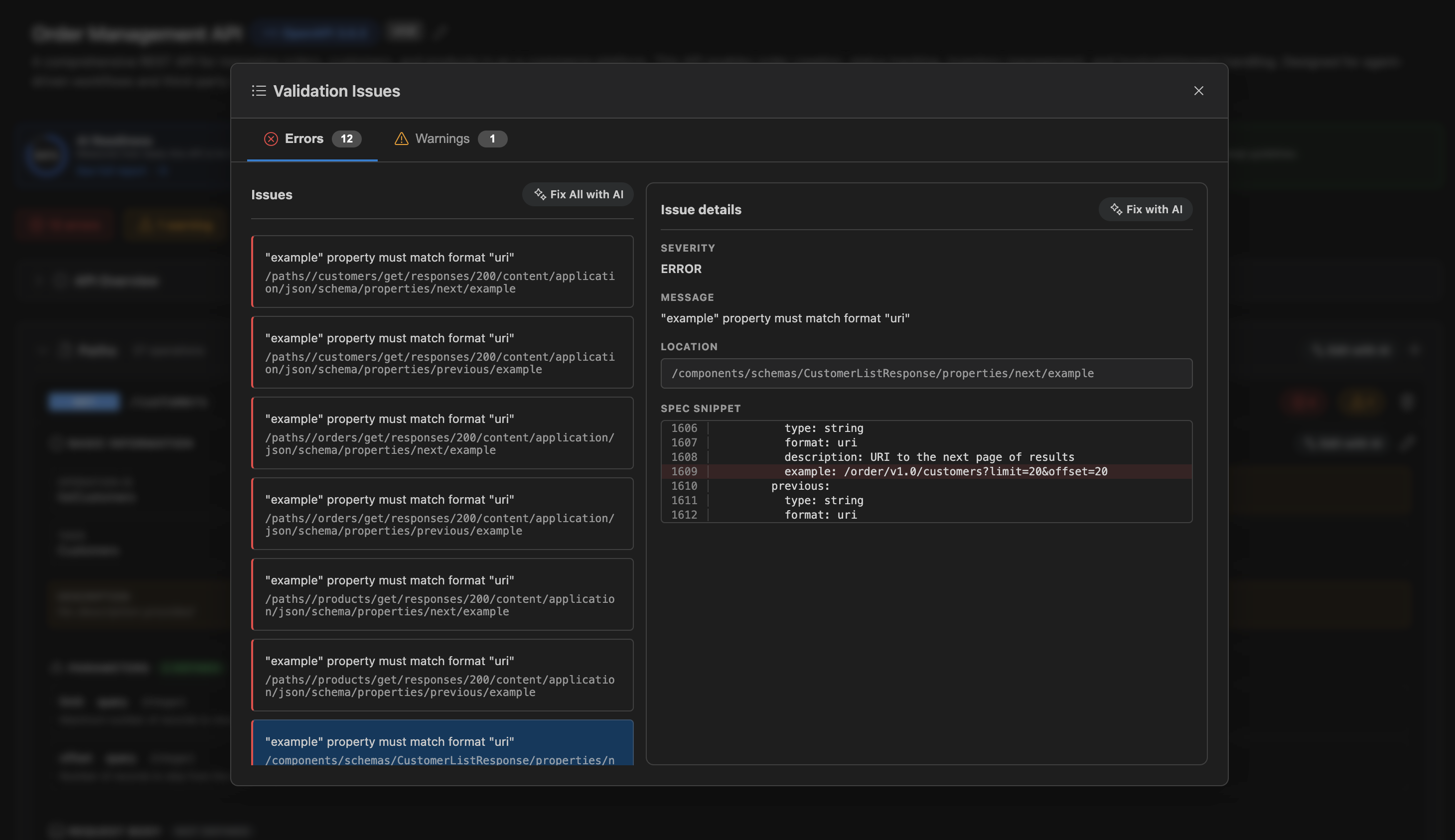
Click a badge to open Validation Issues, which groups findings by severity.
- Each issue shows a message and its location path in the specification.
- Selecting an issue opens a details pane with more context (including a spec snippet when line-range data is available).
Fixing from the validation panel
- Use Fix with AI on a single issue to open Chat with issue context.
- Use Fix All with AI in the active tab (errors or warnings) to iterate through all listed issues.
- After applying changes, the panel refreshes so you can verify that issues are resolved.
Related topics
- Govern APIs using API Designer — report cards, findings, and fixes
- End-to-end tutorial — full workflow from draft to fixes