API Designer
API Designer is a Visual Studio Code extension for building and improving OpenAPI specifications. It helps you use AI to design APIs faster, assess AI readiness, and fix governance issues.
What you can do
- Design APIs with Github Copilot using the built-in API Design Skill, with guided recommendations and faster fixes.
- Design and edit OpenAPI specs visually inside VS Code with GitHub Copilot Assistance
- Validate APIs against governance and best-practice rulesets
- Analyze AI readiness and identify improvement areas
Prerequisites
- Visual Studio Code (compatible with extension engine requirement
^1.100.0). - GitHub Copilot (optional, recommended for AI-assisted workflows).
Quick start
- Install API Designer from the VS Code Marketplace.
- Open your OpenAPI file (
.yamlor.json), or create one with GitHub Copilot using the bundledapi-designskill. -
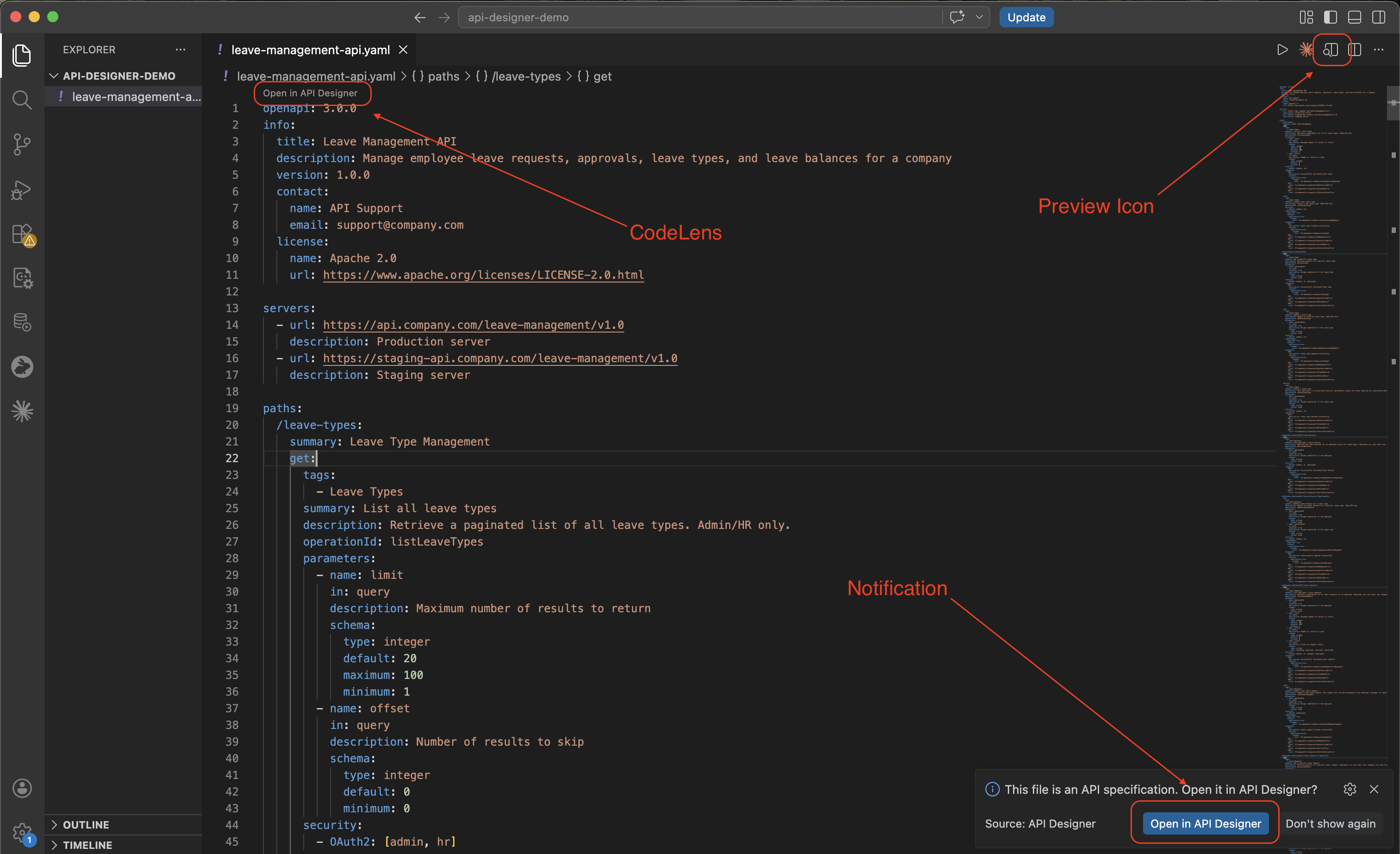
Open API Designer. You can open it in any of these ways:
- CodeLens in the file: Open in API Designer
- Editor title bar: Open in API Designer
- Command Palette (
Ctrl+Shift+P/Cmd+Shift+P): API Designer: Open in API Designer - Open-file notification (when
apiDesigner.notifyOnOpenis enabled)
-
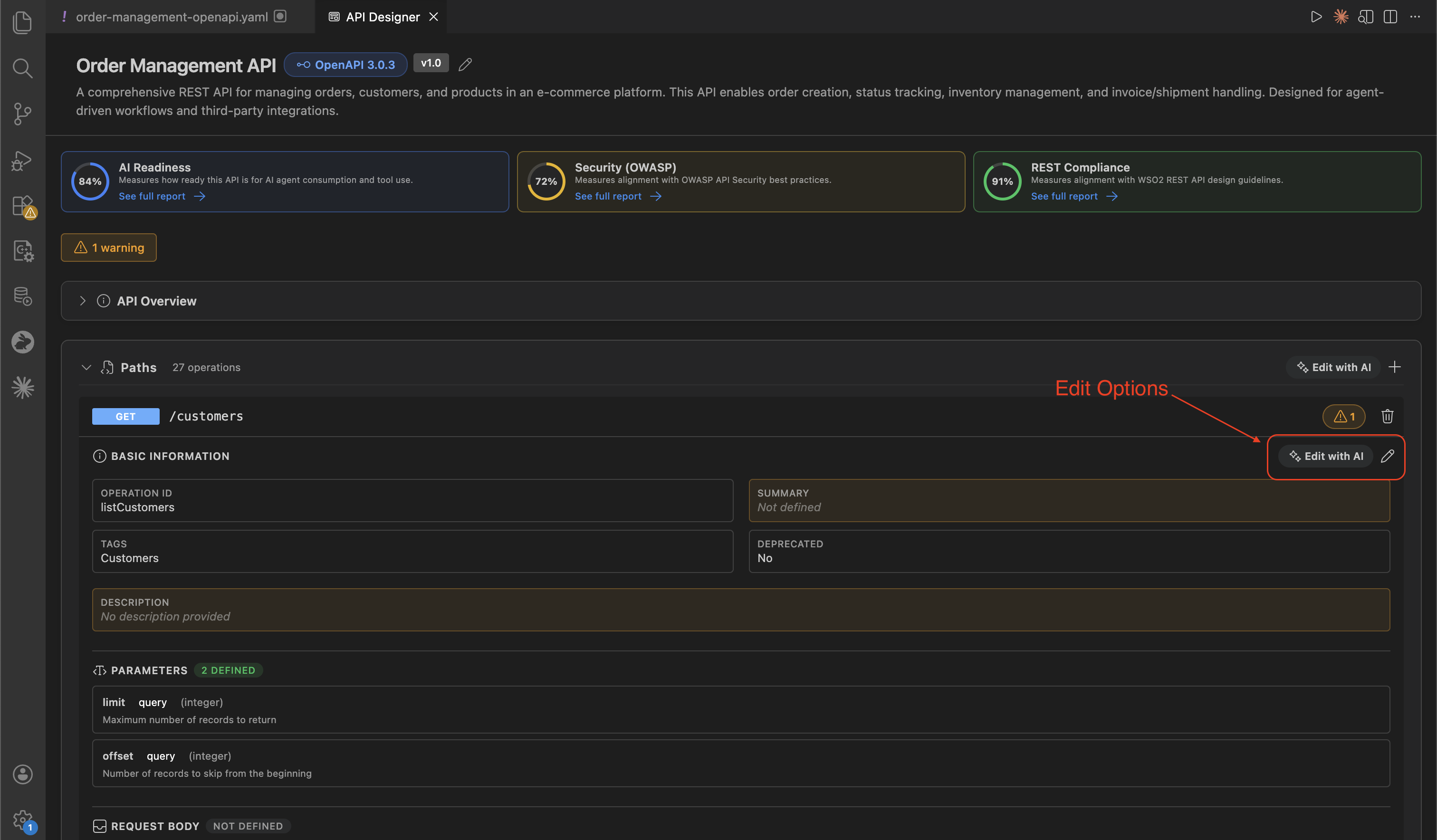
Use AI-assisted editing to improve operations, descriptions, and examples in your spec.
-
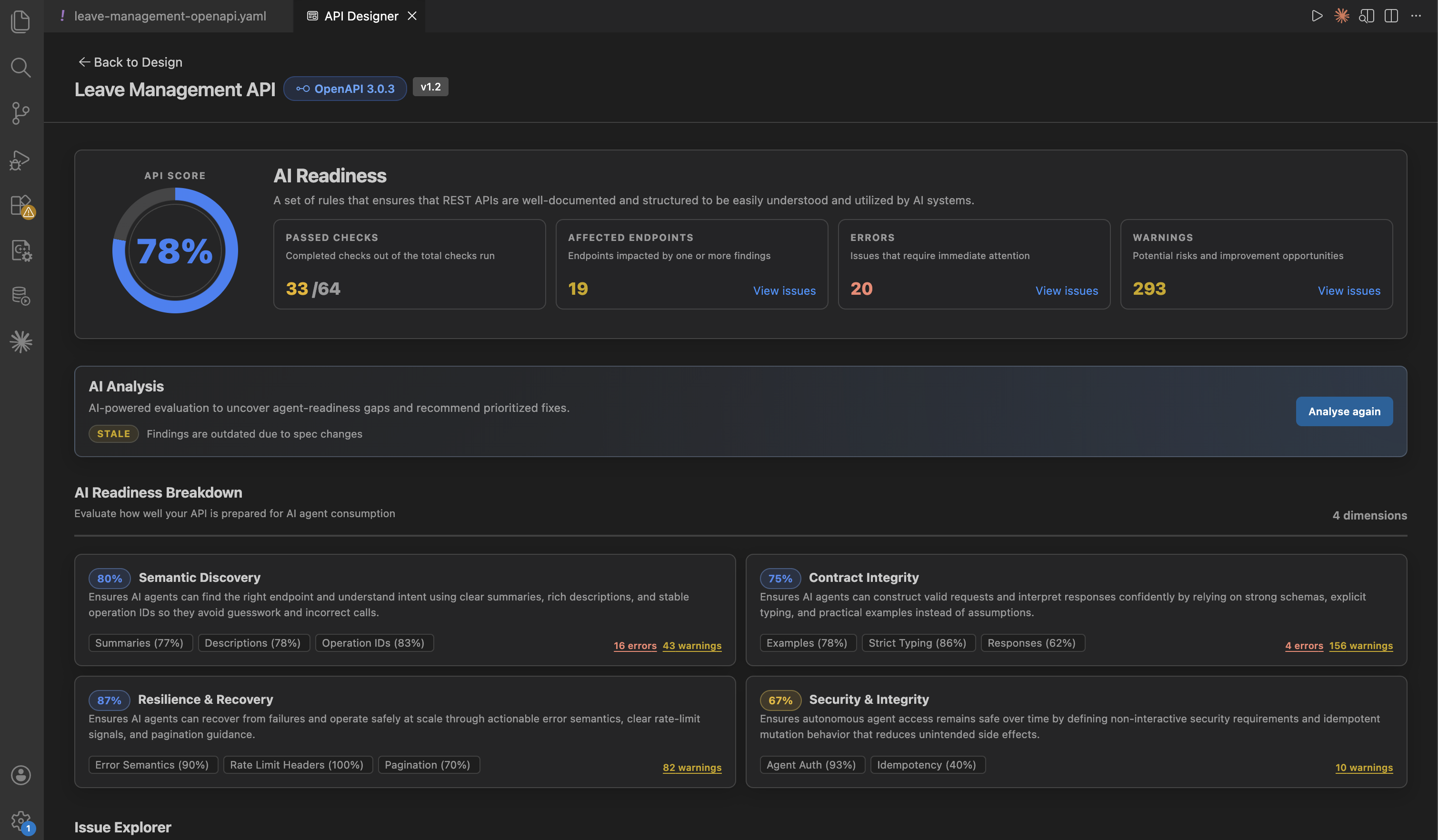
Open report cards and review AI readiness and governance findings.
Next steps
- Learn how to create and refine your specification in Design APIs using API Designer.
- Learn how report cards, rulesets, and issue triage work in Govern APIs using API Designer.
- Follow the complete workflow in End-to-end tutorial.