Copilot Capabilities
WSO2 Integrator Copilot builds integrations from natural language prompts. It produces ready-to-use artifacts in your project. Iterate through follow-up prompts to refine logic, add features, or modify behavior.
Modes
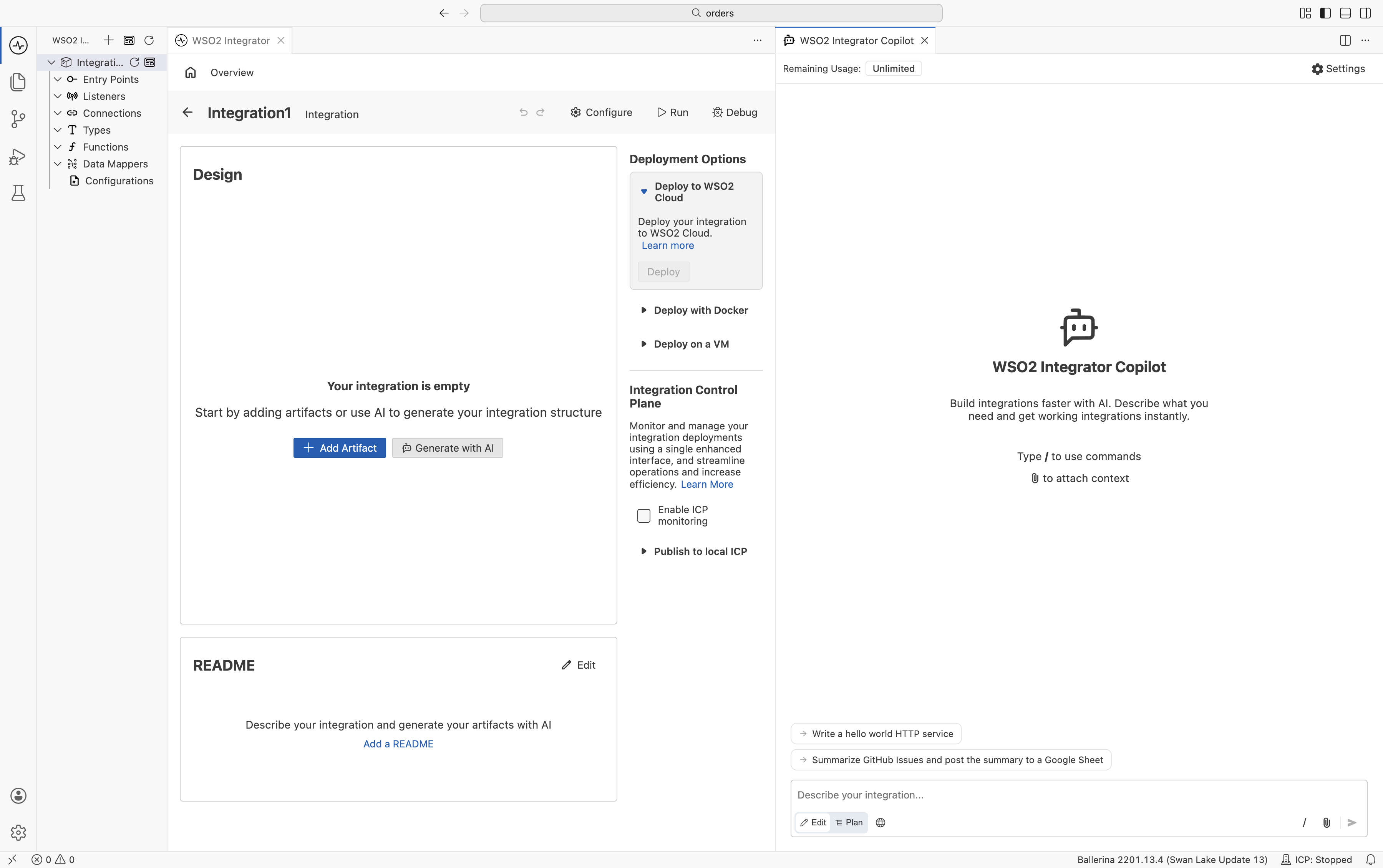
Copilot has two modes: plan and edit. Switch between them using the toggle in the Copilot input bar.
-
Edit Mode: Copilot starts generating immediately and applies the changes to your integration. Best for quick edits.
-
Plan Mode: Copilot first proposes a high-level plan with a step-by-step task breakdown. Review or revise the plan, then approve it to begin generation.
Generating connectors
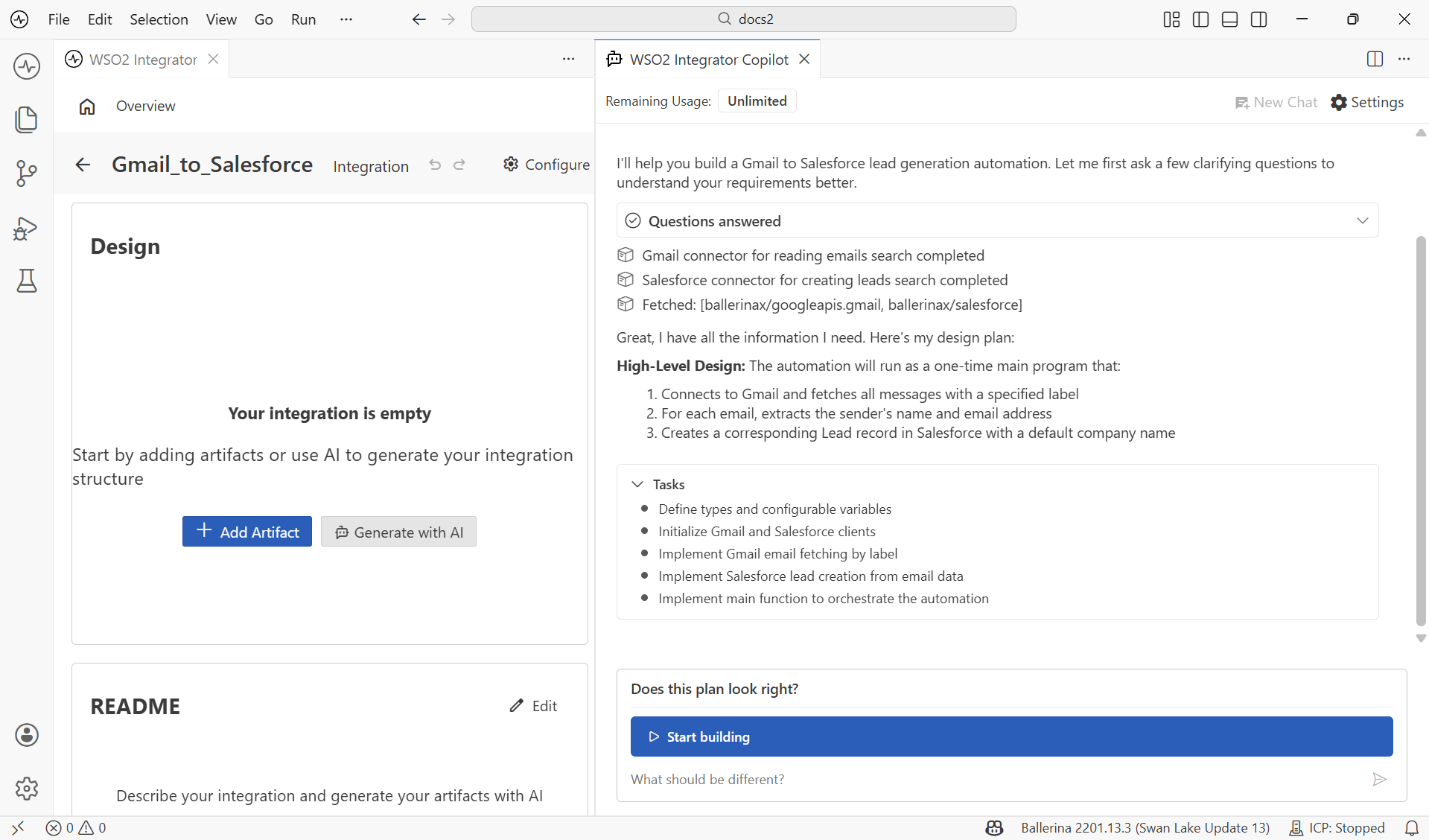
Copilot can generate a custom connector when a pre-built one is not available. During integration generation, if no pre-built connector exists, Copilot prompts the user for an OpenAPI specification. The user can also directly request to generate a custom connector. Once generated, the connector is available for Copilot to use in the flow.
Using web tools
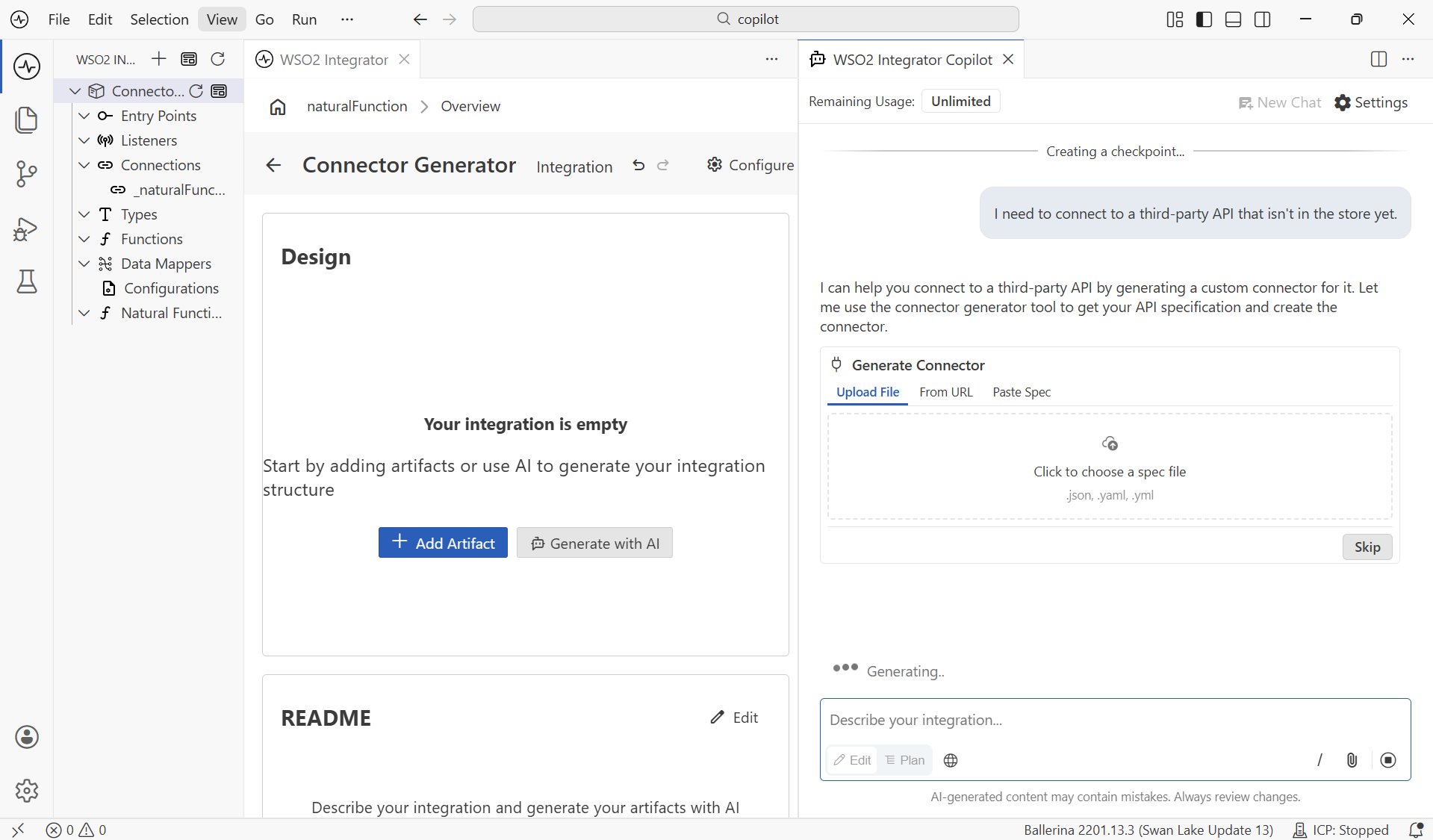
Copilot can search the internet for external context or up-to-date documentation. It asks for permission before each search unless you enable the web tools toggle in the input bar.
Clarifying requirements
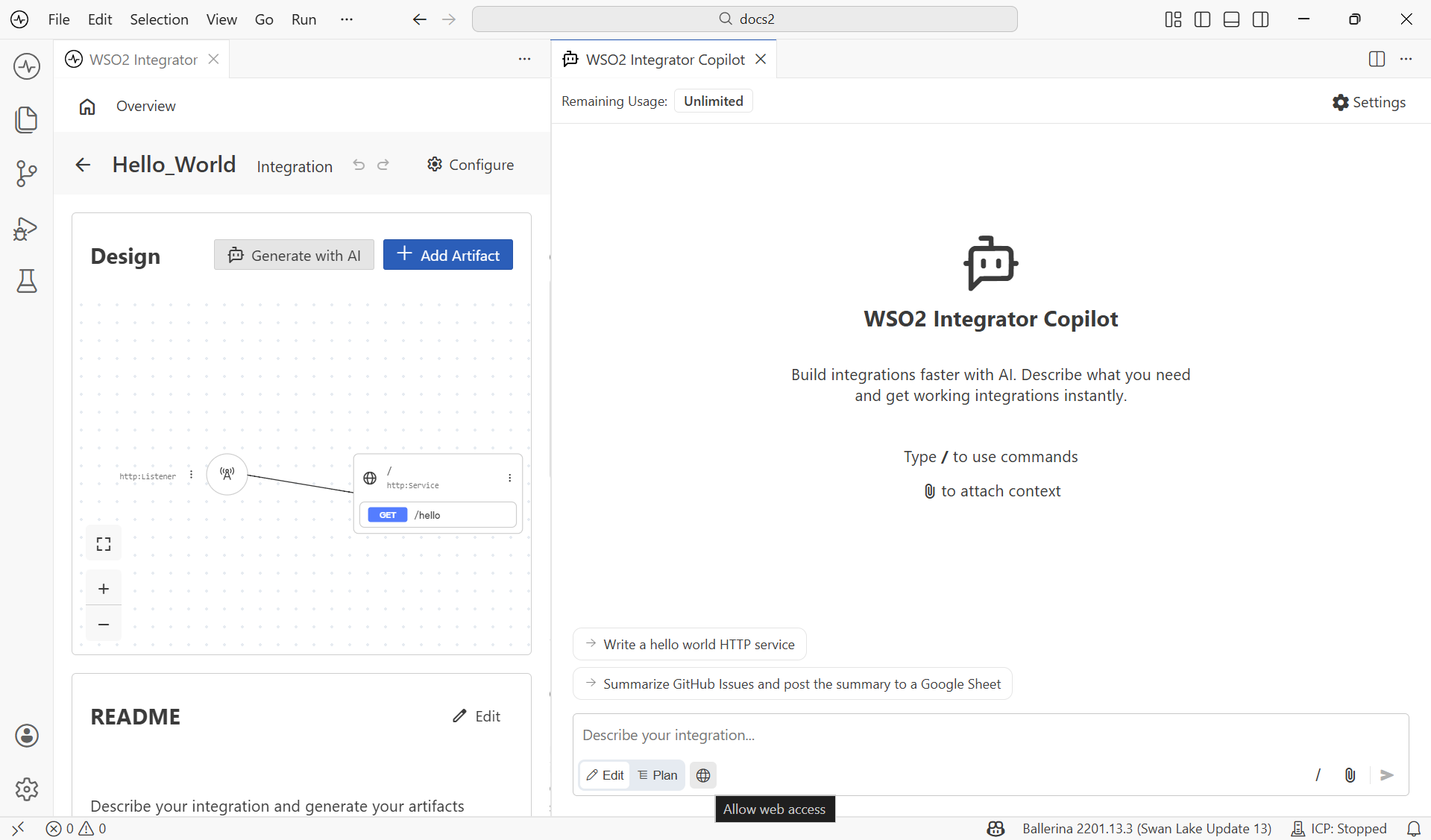
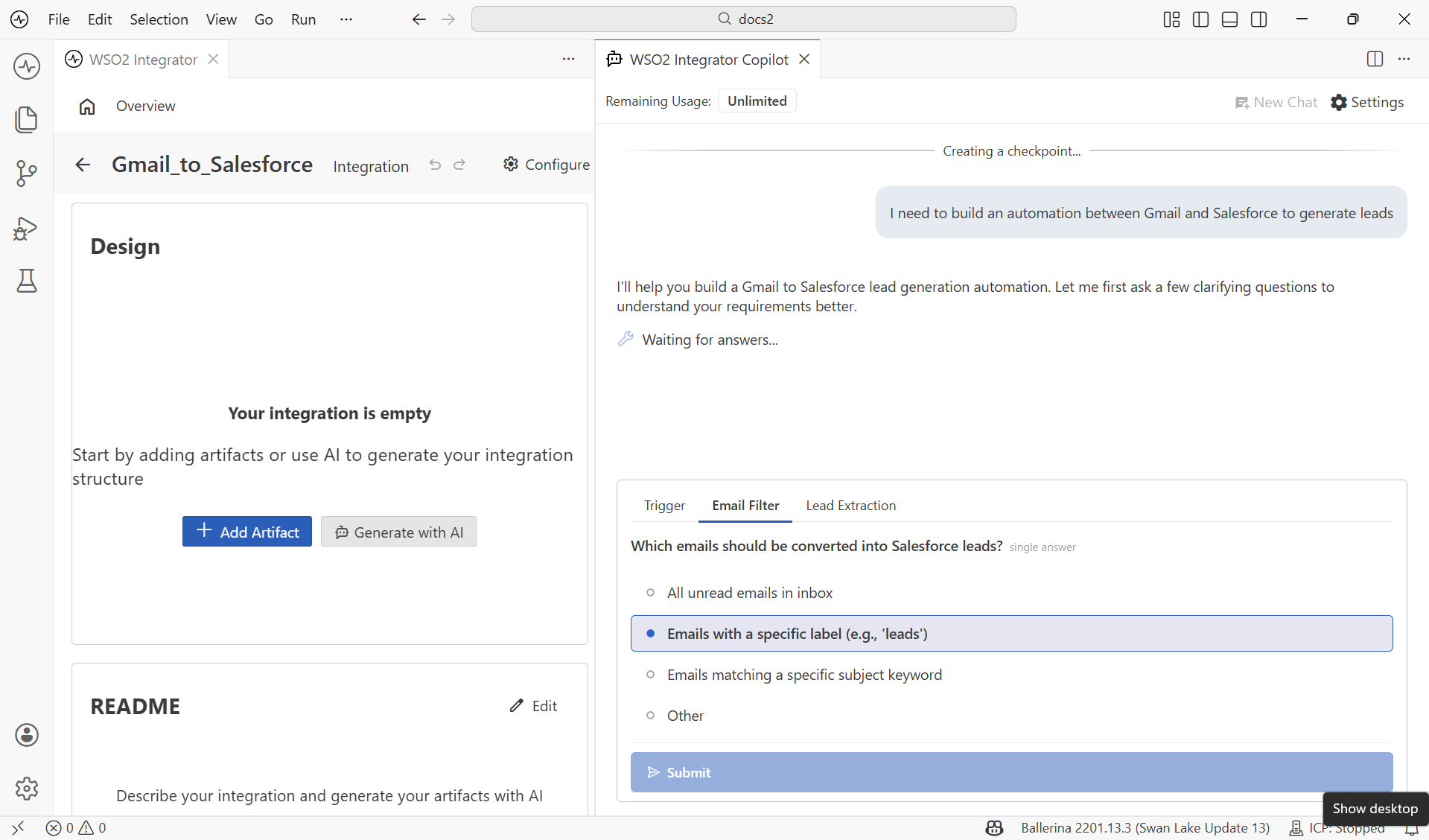
During the planning or generation phase, Copilot may identify missing information that is critical to the integration. If a requirement is ambiguous, it pauses and presents a list of suggested options. Select one, or select Other to type your own answer.
Reviewing
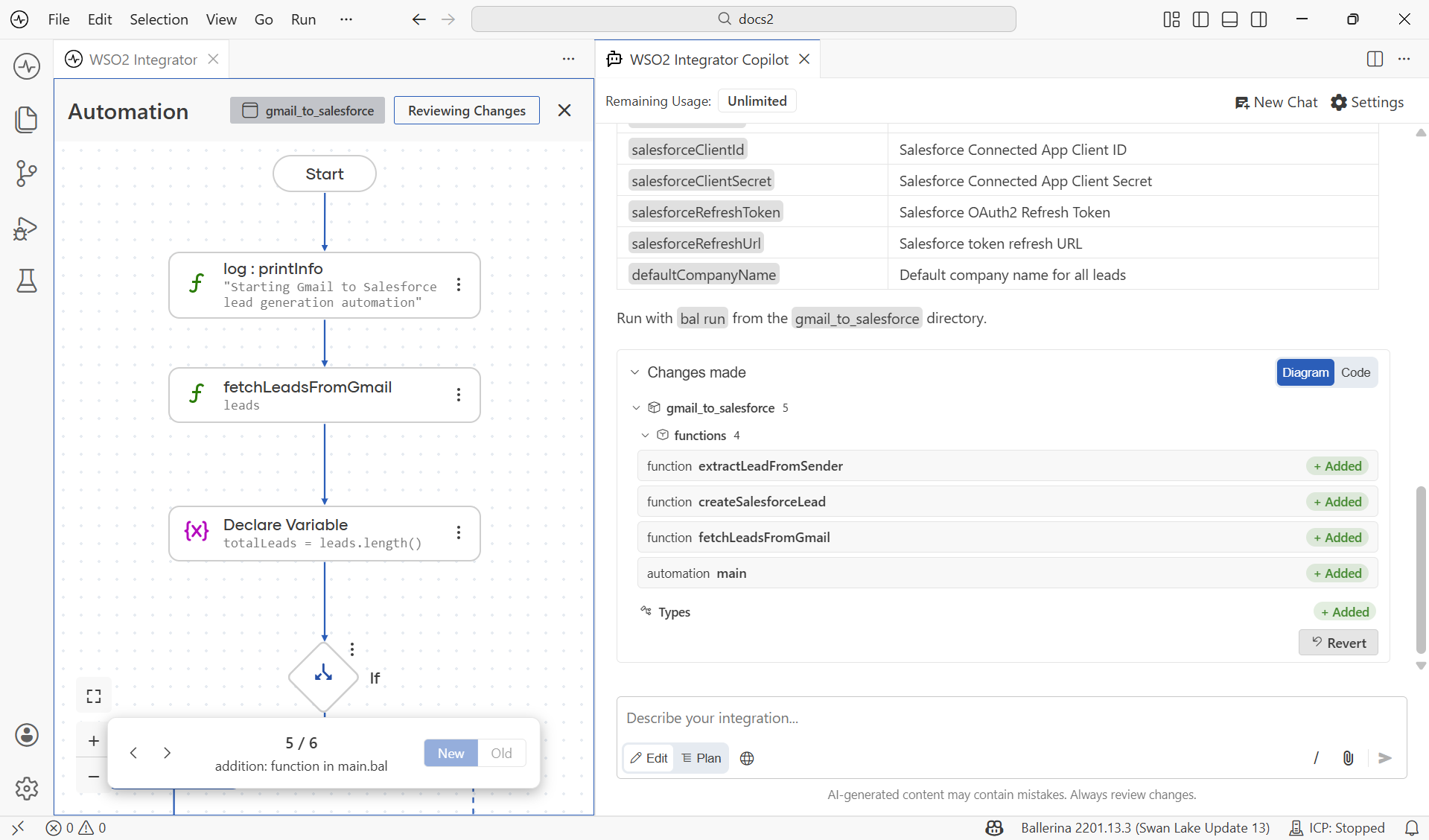
After generation completes, you can inspect exactly what was built or changed before finalizing the changes. Review the generated artifacts as the flow diagram or as source code with a diff view.
Configuring
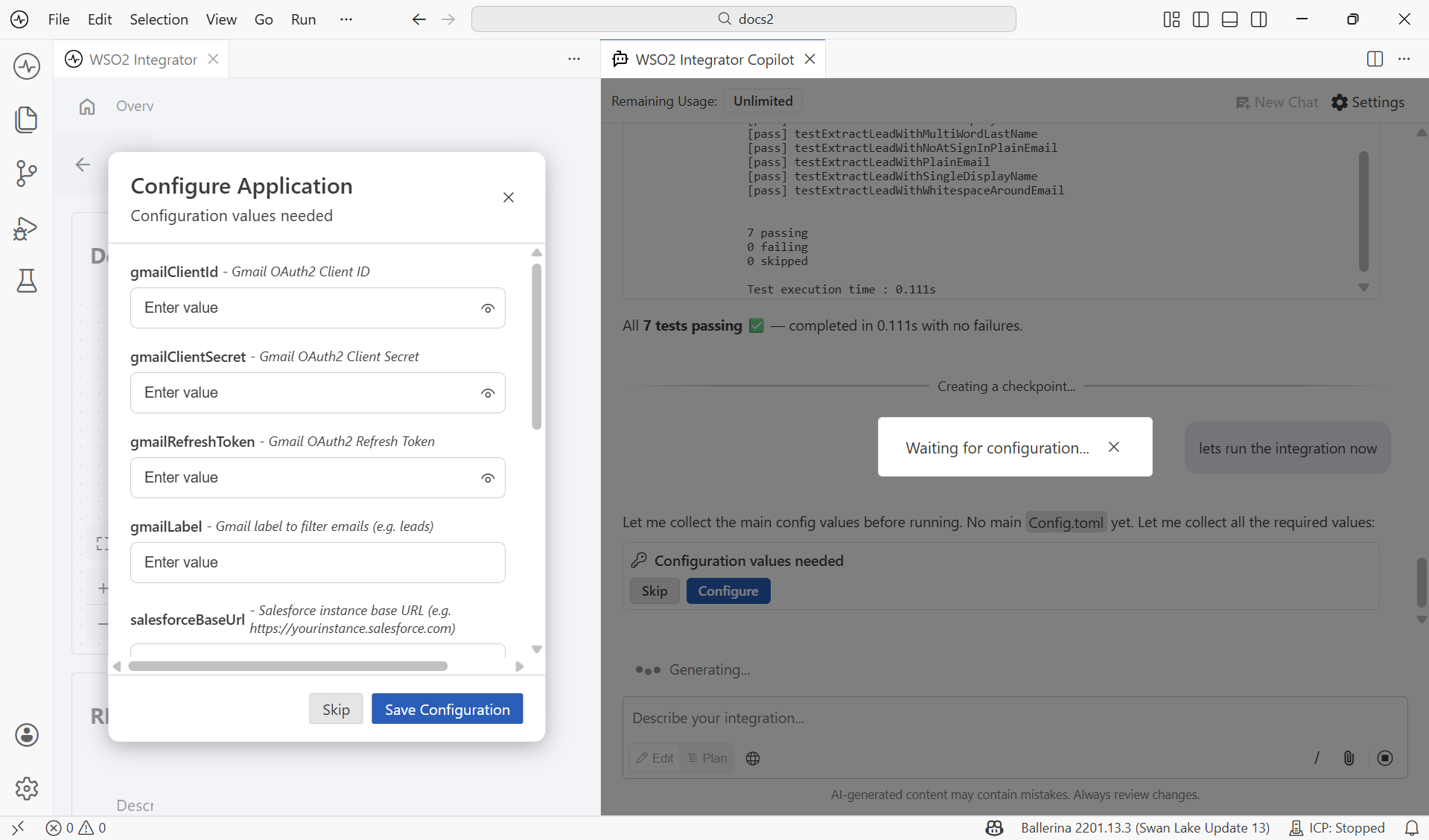
When you run or test the integration, Copilot identifies the required configurables and prompts you to enter them.
Testing
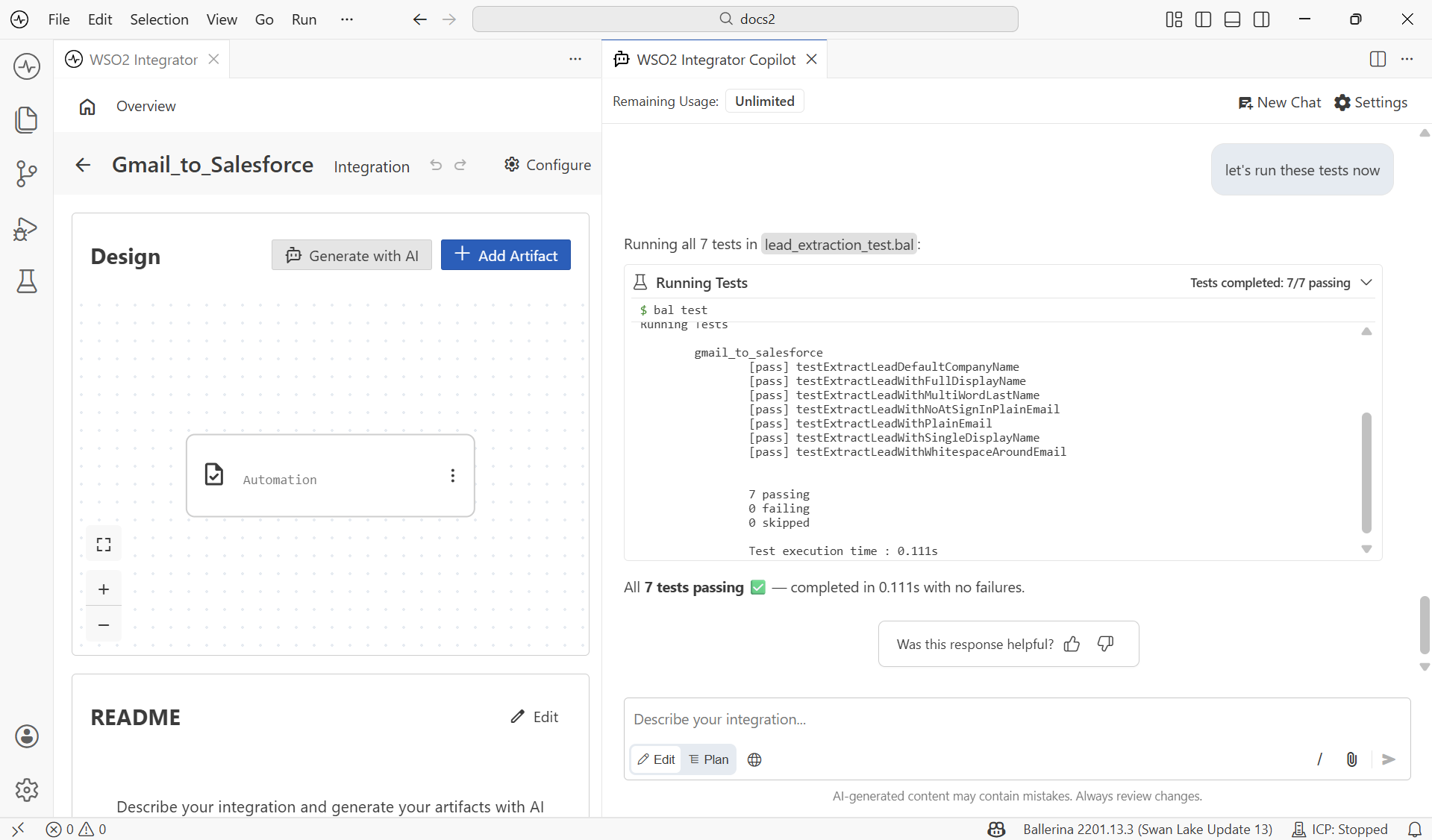
Copilot generates tests for your integration and runs them with the built-in test runner, allowing you to verify the generated artifacts immediately.
Trying your services
Once your integration is running, you can send test requests to your services from Copilot. Describe what you want to test in plain language, and Copilot calls your service and returns the response.
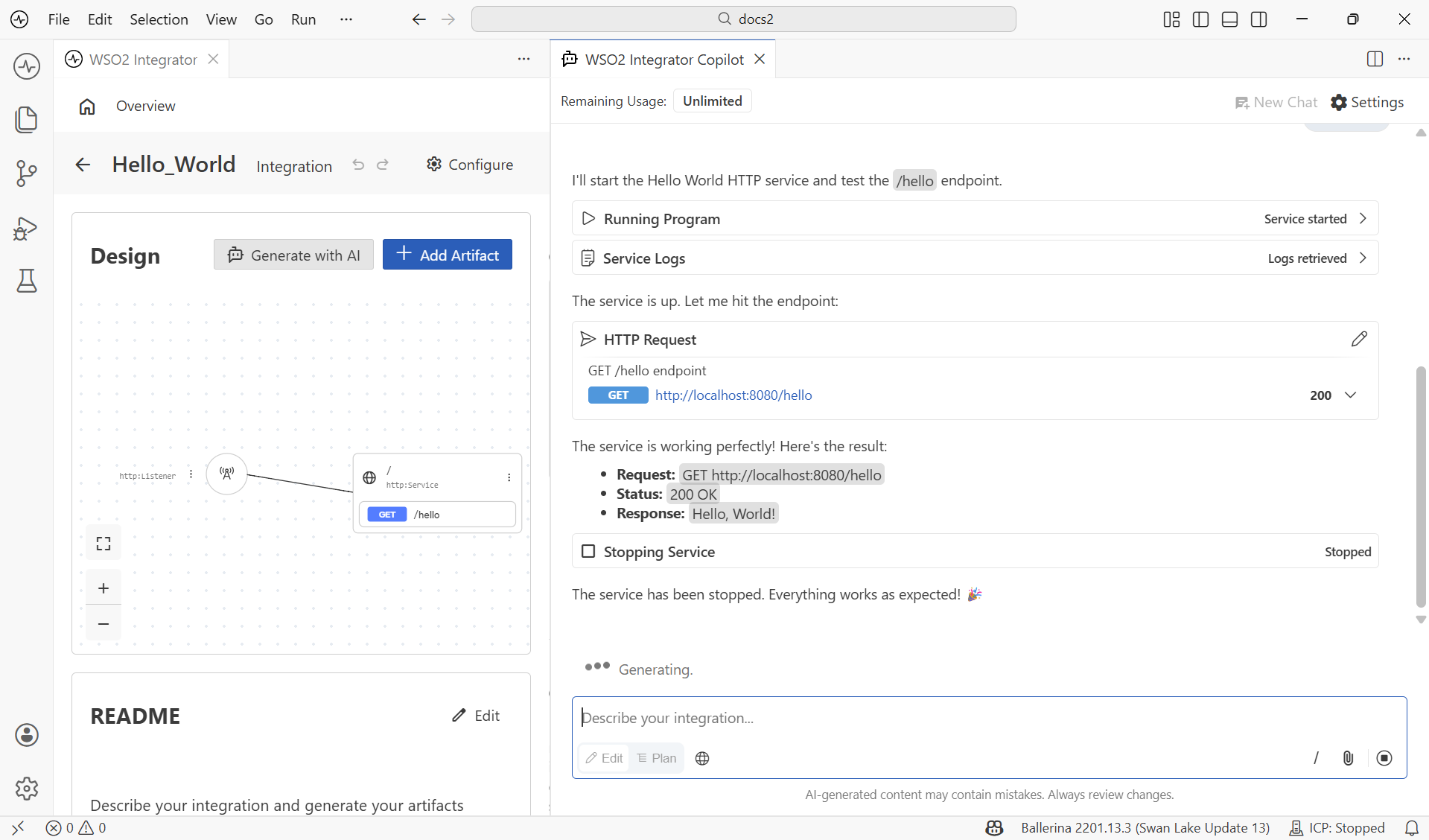
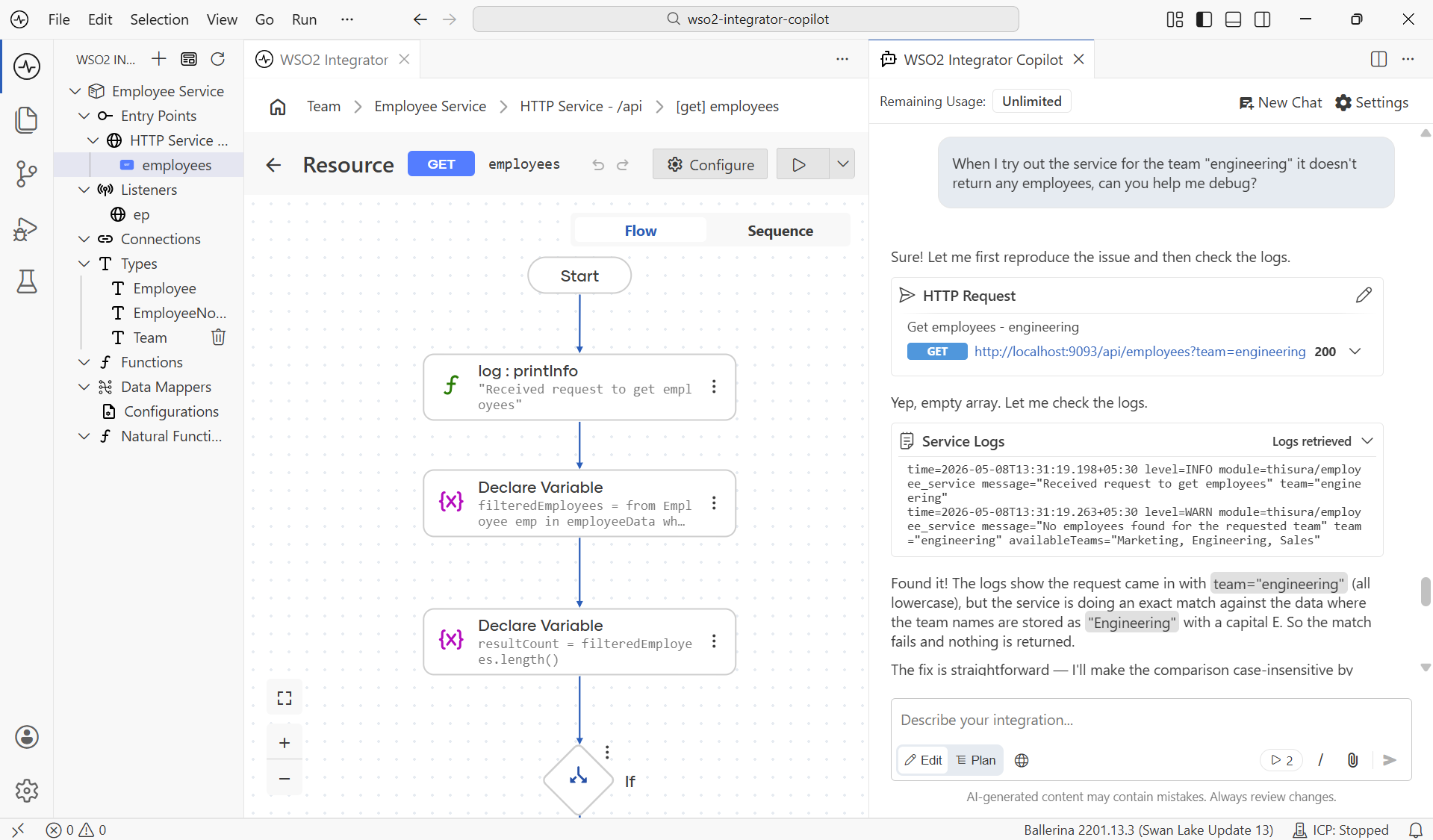
Debugging
Copilot can run your integrations and read the runtime logs to debug issues as they occur.
Slash commands
Type / in the Copilot input bar to invoke a command for a specific task.
| Command | Description |
|---|---|
/ask | Ask questions about Ballerina to be answered based on the documentation. |
/doc | Generate documentation for your integration. |
/openapi | Import OpenAPI specifications. |
/typecreator | Create custom types. |
/datamap | Generate data mappings. |
/natural-programming | Experimental. Generate code from requirements and check for drift. |
/ask answers only from the Ballerina documentation and does not use your codebase context. For questions about your code or any other topic, message Copilot directly without a command.
See also
- Getting started — Sign in to WSO2 Integrator Copilot.
- Generate tests with AI — Use Copilot to generate test cases.
- AI data mapper — Generate data mappings using AI.
- Try-It tool — Test services without leaving the IDE.
- AI usage and data handling guidelines — How Copilot handles your data.