MQTT
MQTT event integrations subscribe to one or more MQTT topics and trigger an onMessage handler as each message arrives. Use them for IoT data ingestion, sensor readings, and lightweight publish/subscribe messaging where low bandwidth and low latency are priorities.
Creating an MQTT service
- Visual Designer
- Ballerina Code
-
Click + Add Artifact in the canvas or click + next to Entry Points in the sidebar.
-
In the Artifacts panel, select MQTT under Event Integration.
-
In the creation form, fill in the following fields:
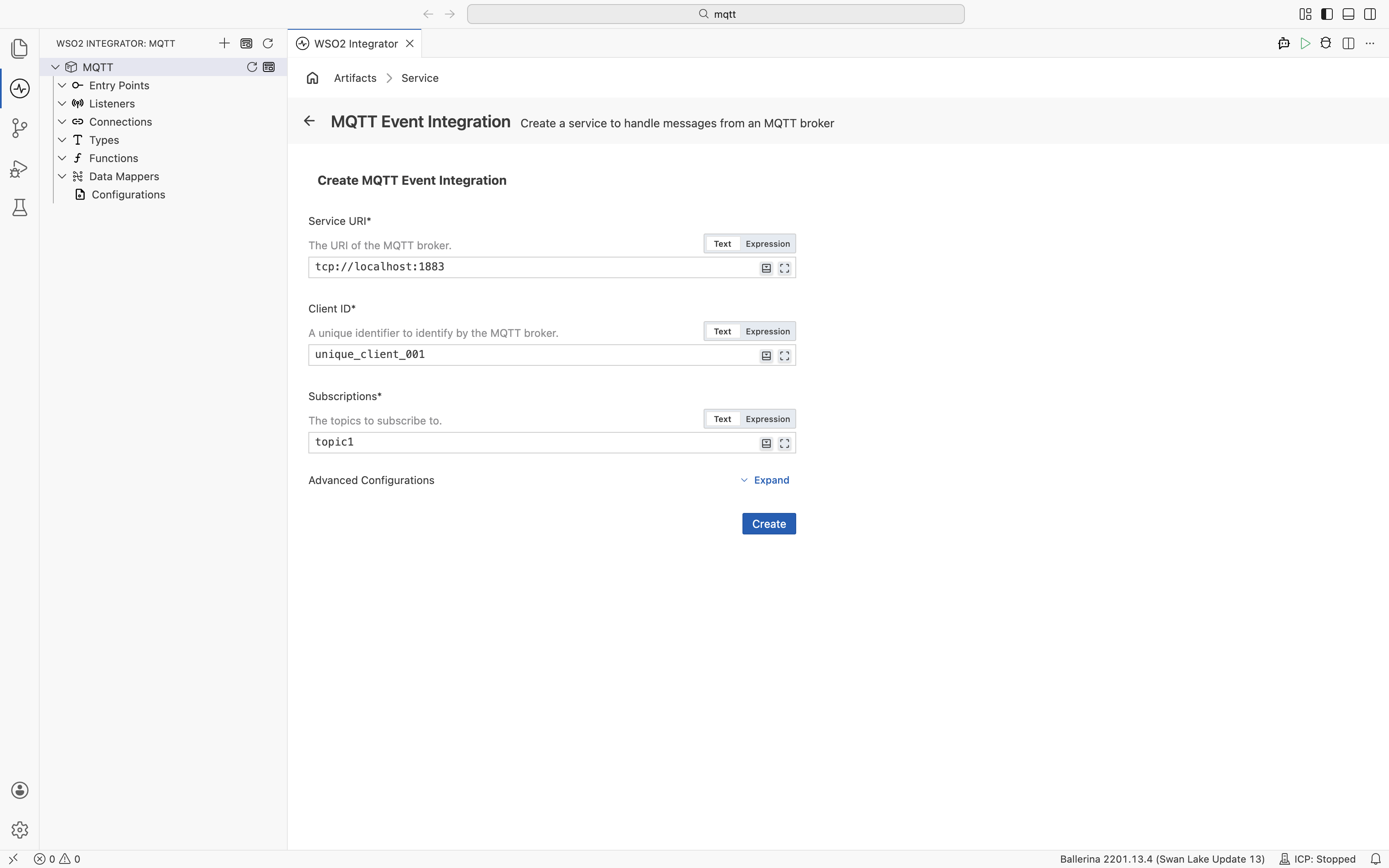
Field Description Default Service URI URI of the MQTT broker (e.g., tcp://localhost:1883).Required Client ID Unique identifier for this client as recognised by the MQTT broker. Required Subscriptions Topic or topics to subscribe to. Required Expand Advanced Configurations to set the listener name.
Field Description Default Listener Name Identifier for the listener created with this service. mqttListener -
Click Create.
-
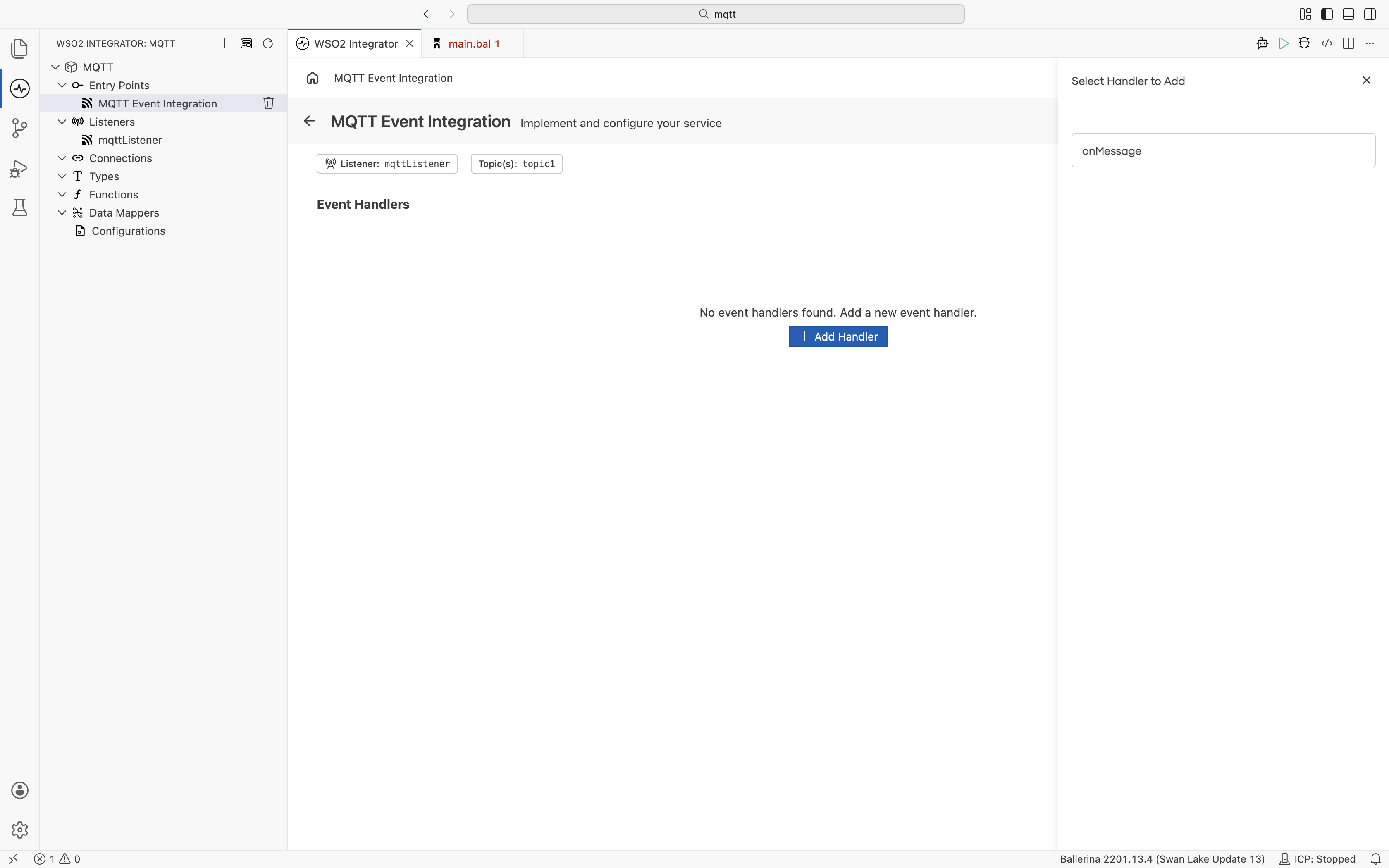
WSO2 Integrator opens the service in the Service Designer. The canvas shows the attached listener pill and the Event Handlers section.
-
Click + Add Handler to add the
onMessagehandler.
import ballerina/mqtt;
import ballerina/log;

configurable string serverUri = "tcp://localhost:1883";
configurable string clientId = "unique_client_001";
configurable string subscription = "topic1";

listener mqtt:Listener mqttListener = new (serverUri, clientId, subscription);

service mqtt:Service on mqttListener {

    remote function onMessage(mqtt:Message message) returns error? {
        log:printInfo("Message received", topic = message.topic,
                      content = check string:fromBytes(message.payload));
    }
}
Listener configuration
In the Service Designer, click the Configure icon in the header to open the MQTT Event Integration Configuration panel. Select mqttListener under Attached Listeners to configure the listener.
- Visual Designer
- Ballerina Code
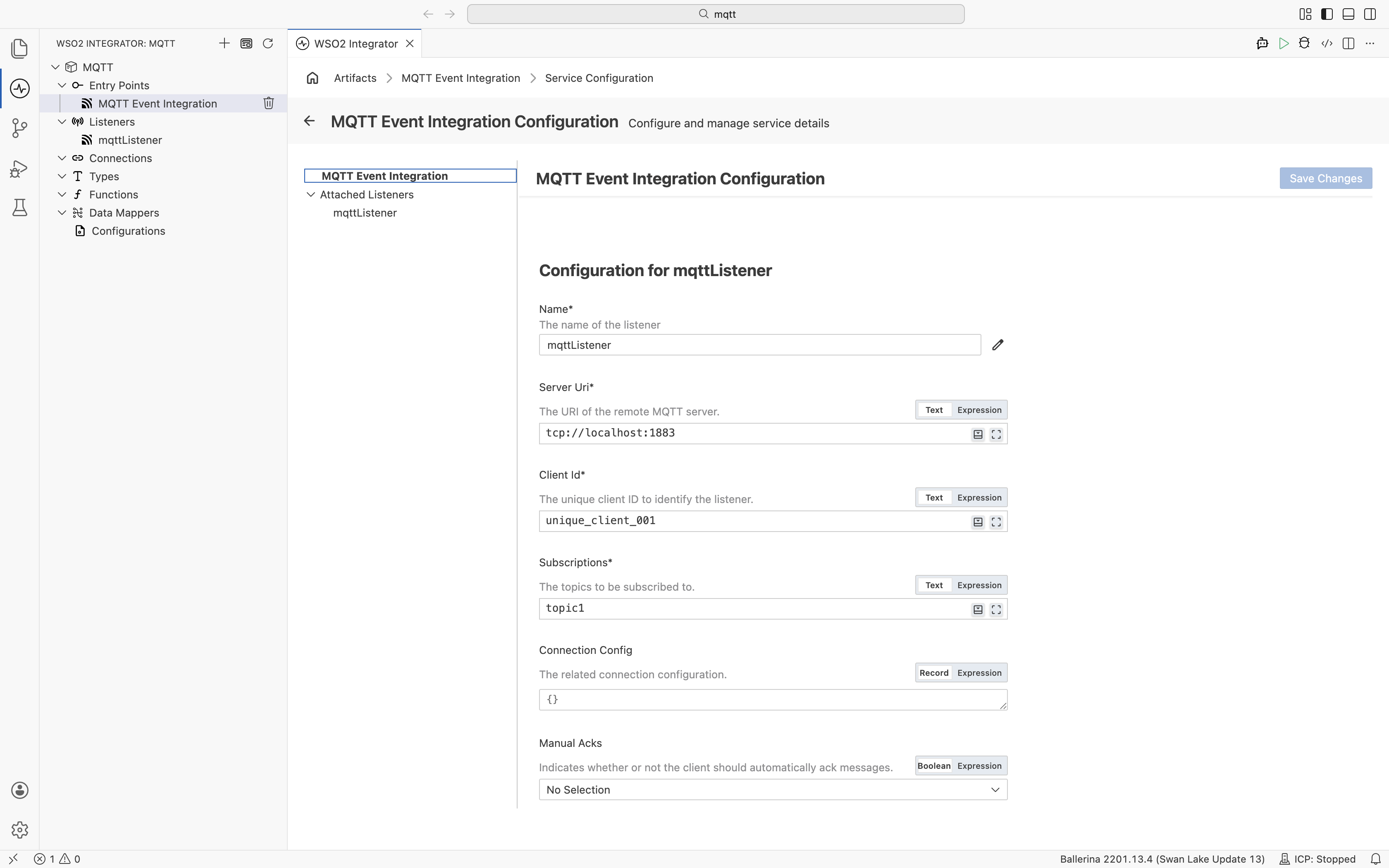
| Field | Description | Default |
|---|---|---|
| Name | Identifier for the listener. | mqttListener |
| Server URI | URI of the remote MQTT server (e.g., tcp://localhost:1883). | Required |
| Client Id | Unique client ID to identify this listener to the broker. | Required |
| Subscriptions | Topics to subscribe to. | Required |
| Connection Config | Additional connection configuration as a record expression (e.g., credentials, keep-alive settings). | {} |
| Manual Acks | When set to true, messages must be manually acknowledged. When false, messages are automatically acknowledged. | false |
Click + Attach Listener to attach an additional listener to the same service.
Click Save Changes to apply updates.
listener mqtt:Listener mqttListener = new ("tcp://localhost:1883", "unique_client_001", "topic1",
    config = {
        connectionConfig: {
            username: "device",
            password: "secret"
        }
    });
mqtt:ListenerConfiguration fields:
| Field | Type | Default | Description |
|---|---|---|---|
connectionConfig? | mqtt:ConnectionConfiguration? | — | The related connection configuration |
manualAcks | boolean | false | When true, messages must be manually acknowledged |
Event handlers
MQTT services support a single handler type — onMessage — which is called for every message received on the subscribed topics.
Adding an event handler
- Visual Designer
- Ballerina Code
In the Service Designer, click + Add Handler. The Select Handler to Add panel lists onMessage. Click it to add the handler directly — no additional configuration is required.
import ballerina/mqtt;
import ballerina/lang.value;
import ballerina/log;

type SensorReading record {|
    string sensorId;
    float temperature;
    float humidity;
    string timestamp;
|};

listener mqtt:Listener mqttListener = new ("tcp://localhost:1883", "unique_client_001", {topic: "sensors/+/readings", qos: 0});

service mqtt:Service on mqttListener {
    remote function onMessage(mqtt:Message message) returns error? {
        SensorReading reading = check value:fromJsonStringWithType(check string:fromBytes(message.payload));
        log:printInfo("Sensor reading", sensorId = reading.sensorId,
                      temperature = reading.temperature);
    }
}
Message type
The onMessage handler receives an mqtt:Message parameter with the message content and metadata.
| Field | Type | Description |
|---|---|---|
payload | byte[] | The payload of the message as a byte array |
qos | int | Quality of service. 0 - at most once, 1 - at least once, 2 - exactly once |
retained | boolean | Indicates whether this message should/is retained by the server |
duplicate | boolean | Indicates whether or not this message might be a duplicate |
messageId | int? | The message ID of the message. This is only set on messages received from the server |
topic | string? | The topic this message was received on. This is only set on messages received from the server |
properties | mqtt:MessageProperties? | The properties of the message |
QoS levels
| Level | Guarantee |
|---|---|
0 | Fire and forget — no acknowledgment |
1 | Acknowledged delivery — possible duplicates |
2 | Four-step handshake — no duplicates |
What's next
- RabbitMQ — consume messages from RabbitMQ queues
- Kafka — consume messages from Apache Kafka topics
- Connections — reuse MQTT connection credentials across services