Integration Control Plane
The Integration Control Plane (ICP) is a centralized monitoring and management server for WSO2 Integrator deployments. It provides a web dashboard and APIs for real-time visibility into running integrations, and is used to monitor, manage, and troubleshoot them.
Overview
The ICP provides a single pane of glass for all your deployed integrations, regardless of whether they run on Kubernetes, VMs, or WSO2 Devant. It collects runtime data from connected integration nodes and presents it through a web-based dashboard and a GraphQL API.
Key capabilities:
- Service inventory -- View all running integrations, their versions, and deployment status
- Real-time monitoring -- Observe request rates, error rates, and latency for each service
- Log aggregation -- View logs from connected integrations without accessing individual nodes
- Configuration management -- Inspect and update runtime configuration
- Health status -- See the health of each instance
- Deployment history -- Track when services were deployed or updated
Components
| Component | Description |
|---|---|
| ICP Server | Ballerina-based backend that hosts the GraphQL API, auth service, and observability endpoints |
| ICP Dashboard | React and TypeScript web UI served at port 9446, bundled into the distribution |
| Database | Persistent store for integration metadata. Supports MySQL, PostgreSQL, MSSQL, Oracle, and H2. |
Integration profiles
ICP supports two integration profiles that determine the type of runtime that connects to an integration:
| Profile | Runtime | Description |
|---|---|---|
| Default profile | Ballerina | A Ballerina-based integration. This is the default for all new integrations created in ICP. |
| MI profile | Micro Integrator | A WSO2 Micro Integrator-based integration for connecting existing MI deployments. |
The profile is set when the integration is created and cannot be changed later. Runtimes connect to ICP using the bridge library that corresponds to their profile type. For the steps to connect a runtime, see Connect an Integration to ICP.
The MI profile in ICP 2.1.0 supports WSO2 Micro Integrator 4.7.0 and later. Earlier MI versions cannot connect to ICP 2.1.0. If you are using an older MI version, download the compatible ICP release from ICP previous releases.
ICP console
-
Navigate to
https://localhost:9446in your browser. -
Enter the default username (
admin) and password (admin), then click the Sign In button.Security RecommendationDefault credentials must be changed before using ICP in production. Update the admin password account through Profile > Change Password in the ICP dashboard.
-
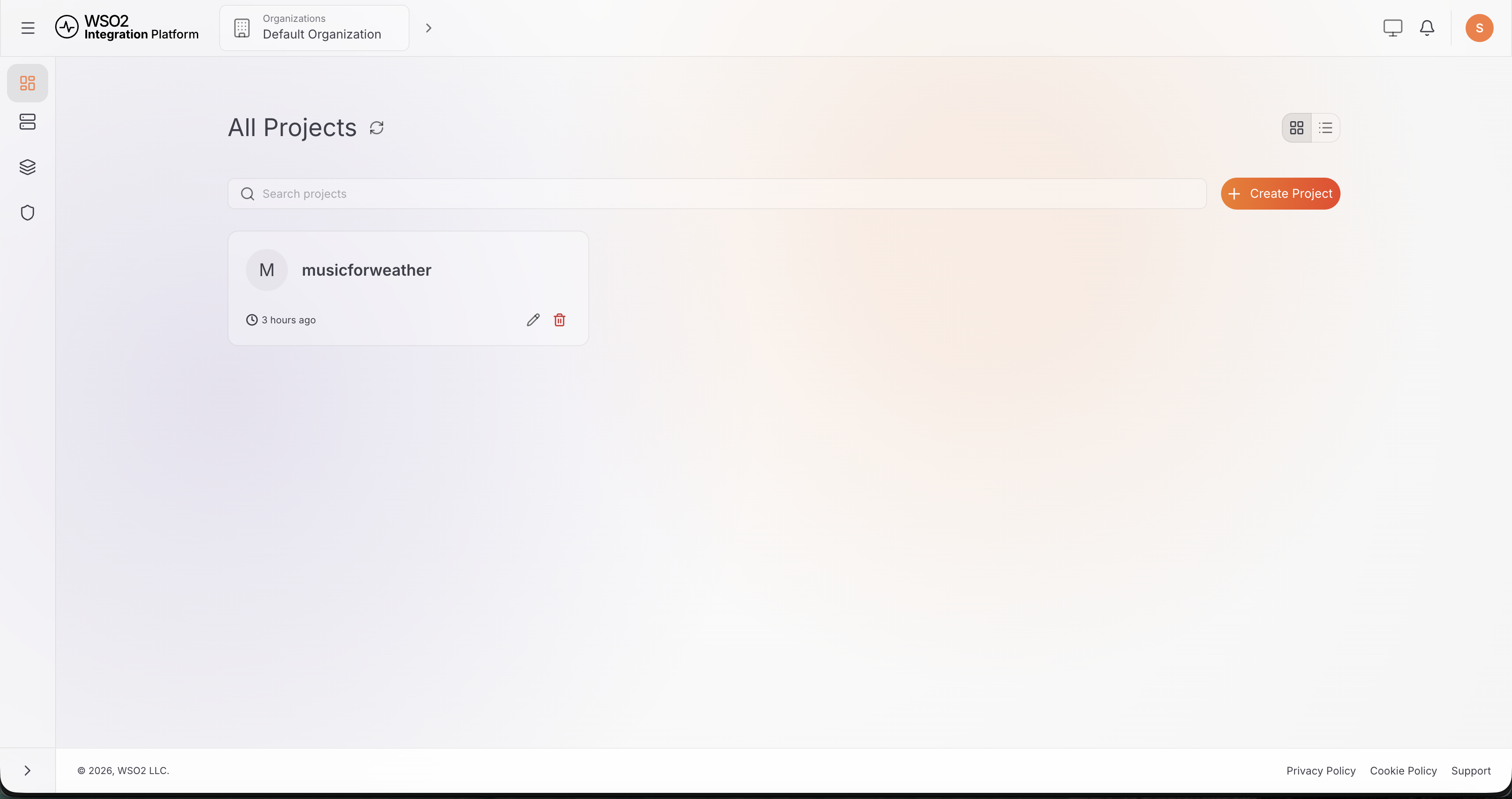
Your projects are listed on the All Projects page of the ICP dashboard.
-
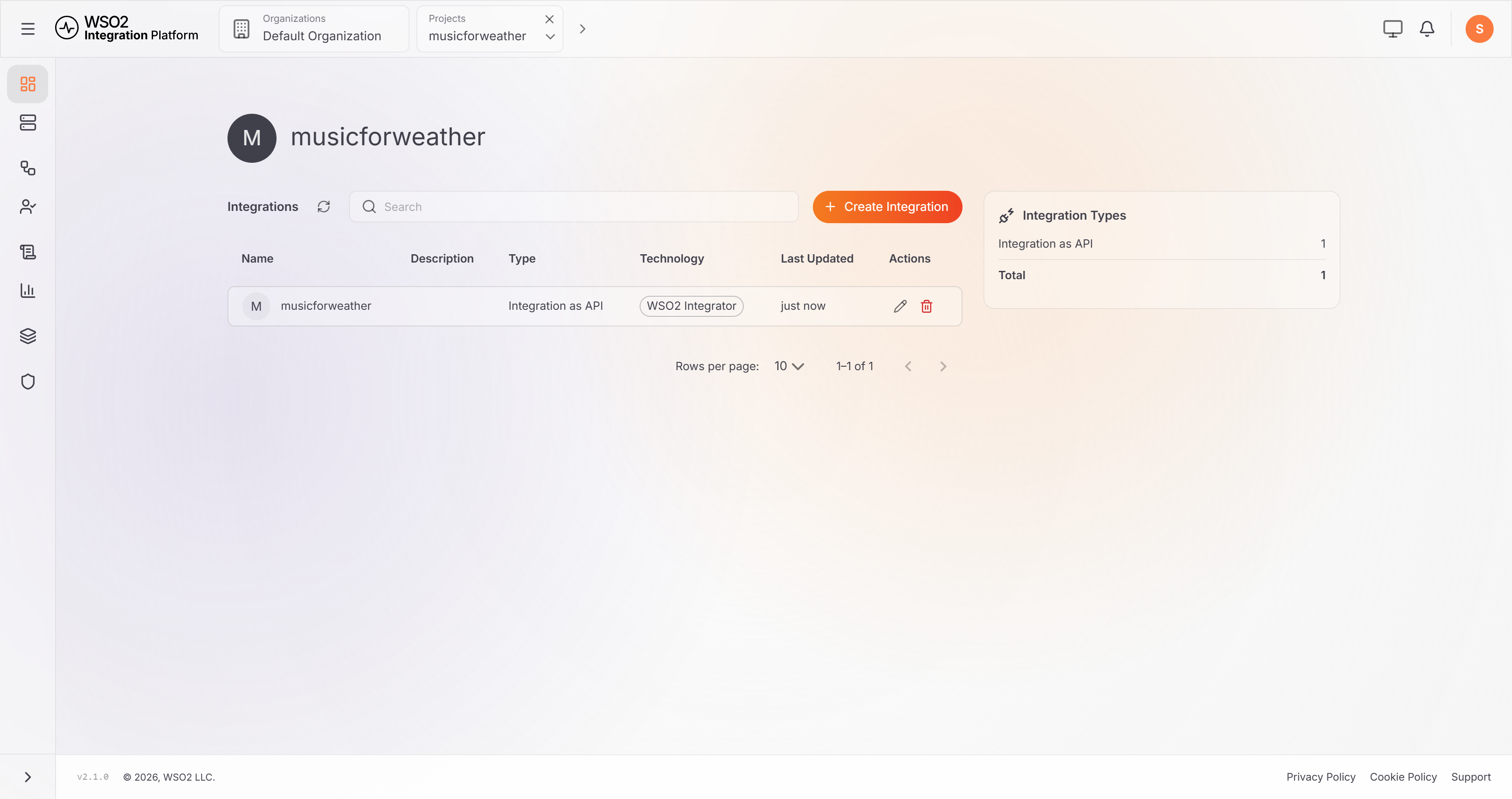
Click on the project to view the integrations.
-
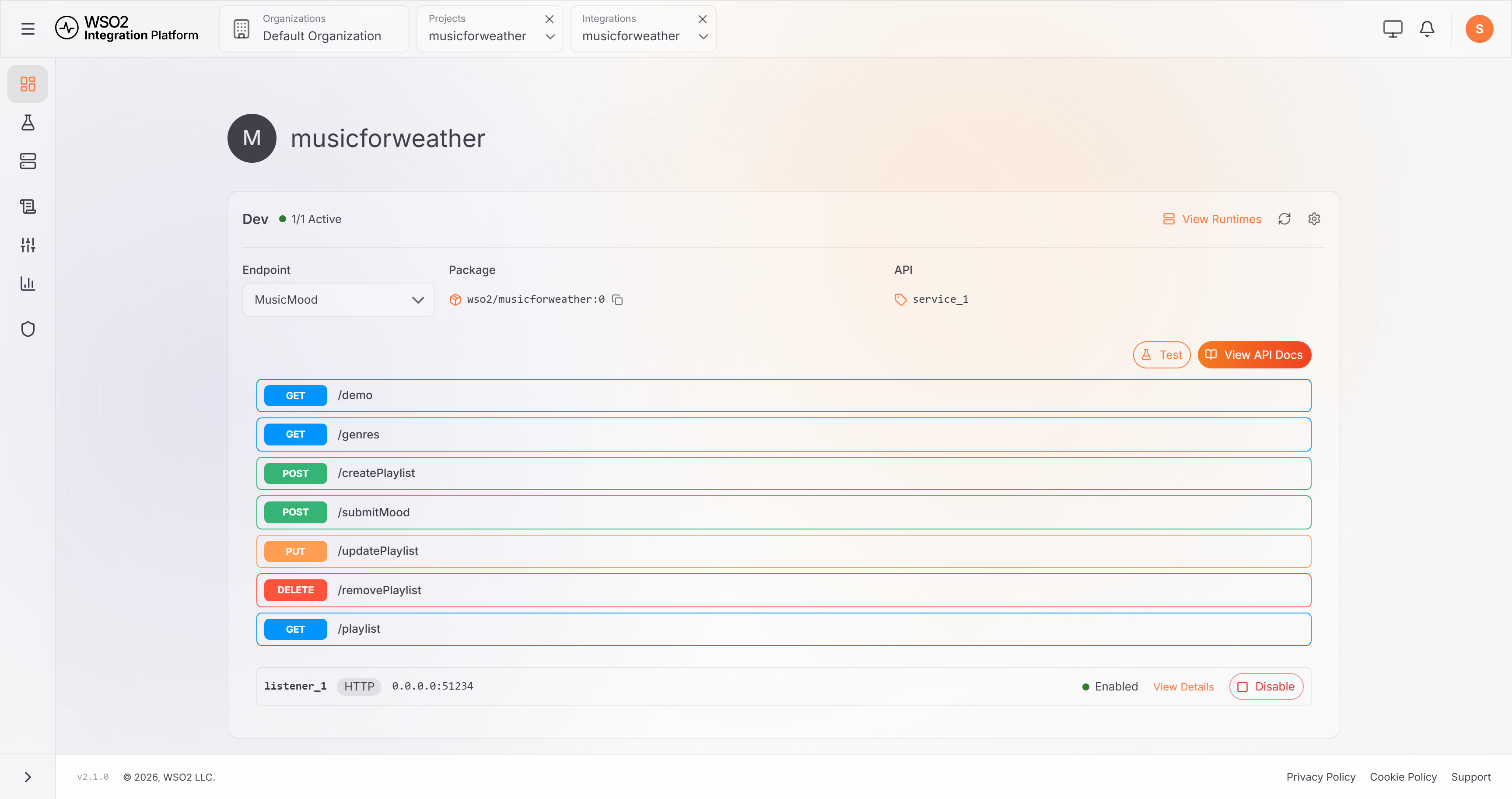
Click on an integration to view integration artifacts.
Default ports
| Port | Protocol | Description |
|---|---|---|
9446 | HTTPS | All ICP Server endpoints: GraphQL, auth, and observability |
9445 | HTTPS | Runtime communication. Integration runtimes connect here to register and send heartbeats. |
9447 | HTTPS | Internal authentication backend for the built-in user store |
9449 | HTTPS | Internal OpenSearch adapter used by the ICP server for observability queries |
9450 | HTTPS | Internal authentication adapter for the LDAP user store |
Endpoints
| Path | Description |
|---|---|
https://<host>:9446/graphql | GraphQL API |
https://<host>:9446/auth | Authentication API for login and token refresh |
https://<host>:9446/icp/observability | Observability REST API |
https://<host>:9446/icp/workflow | Workflow management API used by the console's Workflows and Human Tasks pages |
https://<host>:9446/icp/tryit | Proxy used by the console's Test page to send requests to integration services |
wss://<host>:9446/runtime-status | WebSocket channel that pushes real-time runtime status updates to the console |
See ICP Runtime API for the full REST endpoint reference.
What's next
- Get started with ICP — connect a runtime and enable observability end to end
- Install ICP — download and configure ICP for your environment
- ICP console overview — understand the console layout and navigation
- Manage Workflows — start, follow, and complete durable workflow runs from the console
- Observability Setup — set up centralized logs and metrics monitoring
- Logging — configure structured logging
- Metrics — Prometheus metrics and Grafana dashboards