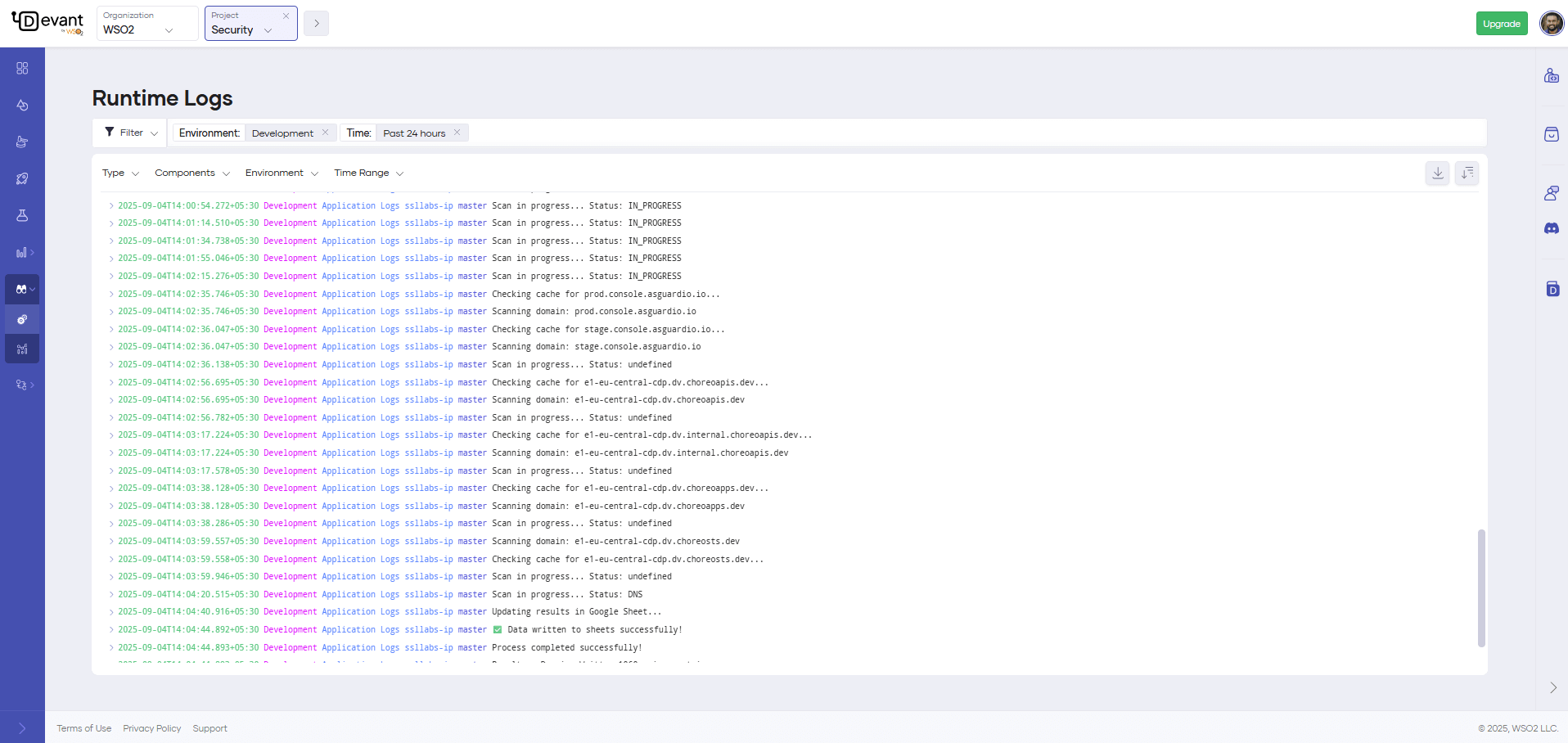
Runtime Logs
Runtime logs provide insights into application and gateway activity for integrations deployed on WSO2 Cloud - Integration Platform. They centralize diverse log sources to streamline debugging and troubleshooting across environments.
All personally identifiable information (PII) is resolved at the frontend service level. Only relevant UUIDs are stored in logs.
Access runtime logs
For all integration types, go to Observability > Runtime Logs in the left navigation. This unified view is available at both the project and integration levels, and supports filtering and search across all log entries.
Depending on the integration type, you can also access runtime logs from the Integration Overview page:
- Automations — Each execution in the environment card has a View Logs button that opens logs scoped to that specific run.
- Event and file integrations — Latest logs are visible directly on the environment card without navigating to the Observability section.
- Integration as APIs and AI Agents - Each environment card has a View Logs button that opens logs filtered to that specific environment and integration version.
Understand runtime logs
Each log entry is either an application log or a gateway log.
Application logs
| Field | Description |
|---|---|
timestamp | The time when the log entry was created. |
environment | The environment in which the integration is running (for example, Development). |
logType | The type of log entry (for example, Application, Gateway). |
version | The version or deployment track of the integration. |
message | The log message providing details about the event. |
Gateway logs
Gateway logs capture inbound and outbound request details from the gateway's perspective.
| Field | Description |
|---|---|
timestamp | The time when the request is received by the gateway. |
logLine | Details about the request, including Method, RequestPath, ServicePath, UserAgent, CorrelationID, ServiceHost, and Duration. |
gatewayCode | The state of the request from the gateway's perspective. See Gateway codes. |
statusCode | The HTTP status code returned to the client. |
integrationVersion | The version of the invoked integration. |
envName | The environment of the inbound request (for example, Development, Production). |
Gateway codes
| Code | Description |
|---|---|
BACKEND_RESPONSE | The request was successfully processed and the backend returned a response to the client. |
CORS_RESPONSE | The request was a CORS (Cross-Origin Resource Sharing) preflight request. |
AUTH_FAILURE | The request failed at the gateway due to an authentication or authorization issue, such as an invalid token. |
NO_HEALTHY_BACKEND | The request failed because no healthy backend instance was available. |
RATE_LIMITED | The request was rejected because it exceeded the rate limit configured for the integration. |
RESOURCE_NOT_FOUND | No matching API resource was found for the inbound request. This can result from a mismatch in the HTTP method, path, or host. |
BACKEND_TIMEOUT | The backend did not respond within the configured timeout period. |
GATEWAY_ERROR | The request failed due to an error in the gateway itself. |
Filter runtime logs
You can narrow log entries using the following filters:
| Filter | Description |
|---|---|
| Type | Filter by log level: Error, Warn, Info, or Debug. |
| Environment | Filter by the environment in which the integration is running. |
| Deployment Track | Filter by the deployment track of the integration. |
| Time Range | Filter by a specific time window. |
| Content Search | Search for specific keywords or phrases within log messages. |
| Regex Search | Match log messages using regular expressions. |
Type your search query in the search bar and press Enter to apply a content or regex search filter.
WSO2 Cloud uses Lucene query syntax for regex search. For more information on Lucene syntax, see Lucene Query Syntax Documentation.
What's next
- Metrics — Monitor request throughput, latency, and resource usage over time.
- Anomaly detection and alerts — Configure alerts to get notified when metrics exceed defined thresholds.