Knowledge Bases
A Knowledge Base (KB) is a reusable resource for indexing and retrieving your organization's content. It gives integrations and AI agents a consistent way to find relevant information without coupling them to a particular vector database or ingestion source.
Each Knowledge Base brings the following resources together:
| Resource | Purpose |
|---|---|
| Vector store | Stores embeddings and performs similarity searches. |
| Embedding model | Converts source content and queries into vectors that can be compared. |
| Chunker | Splits large files into segments before they are embedded. |
| KB data source | Imports files from Google Drive or Amazon S3, either once or on a schedule. |
| KB service | Provides the service URL used to retrieve content from the Knowledge Base. |
WSO2 Cloud manages these resources as a unit. You configure the retrieval behavior once, attach one or more data sources, and connect integrations or applications through the generated Knowledge Base service.
How a Knowledge Base works
- A KB data source reads files from Google Drive or Amazon S3.
- The selected chunker splits each file into smaller segments.
- The embedding model converts each segment into a vector.
- The vector store saves the vectors and their source content.
- A query is embedded using the same model, and the KB service returns the most relevant chunks. Optional Cohere reranking can reorder those results.
Use the same embedding model for ingestion and retrieval. Changing the embedding model for an existing collection can make previously stored vectors incompatible with new queries. After changing the embedding model, re-ingest the content before running new queries.
Supported resources
Vector stores
| Provider | Configuration required |
|---|---|
| Pinecone | API key and index name |
| Chroma | Host, port, and collection name |
| Weaviate | Cluster REST URL, API key, and collection name |
| PostgreSQL | Host, port, user, password, database, and table name |
| WSO2 Integration Platform Managed | A compatible managed PostgreSQL database in the organization; this option appears only when one is available |
Embedding and chunking
- Embedding providers: OpenAI, Azure OpenAI, and Mistral AI.
- Chunking strategies: Recursive, Sentence, and Character.
- Chunking controls: Maximum segment size and maximum overlap size.
Data sources
- Google Drive: Connect with an API key or OAuth credentials and select a folder.
- Amazon S3: Connect with an access key ID and secret access key and select a bucket.
Schedules
- One-time ingestion: Runs once after the data source is deployed.
- Scheduled ingestion: Runs by a fixed interval or a cron expression.
Knowledge Base lifecycle
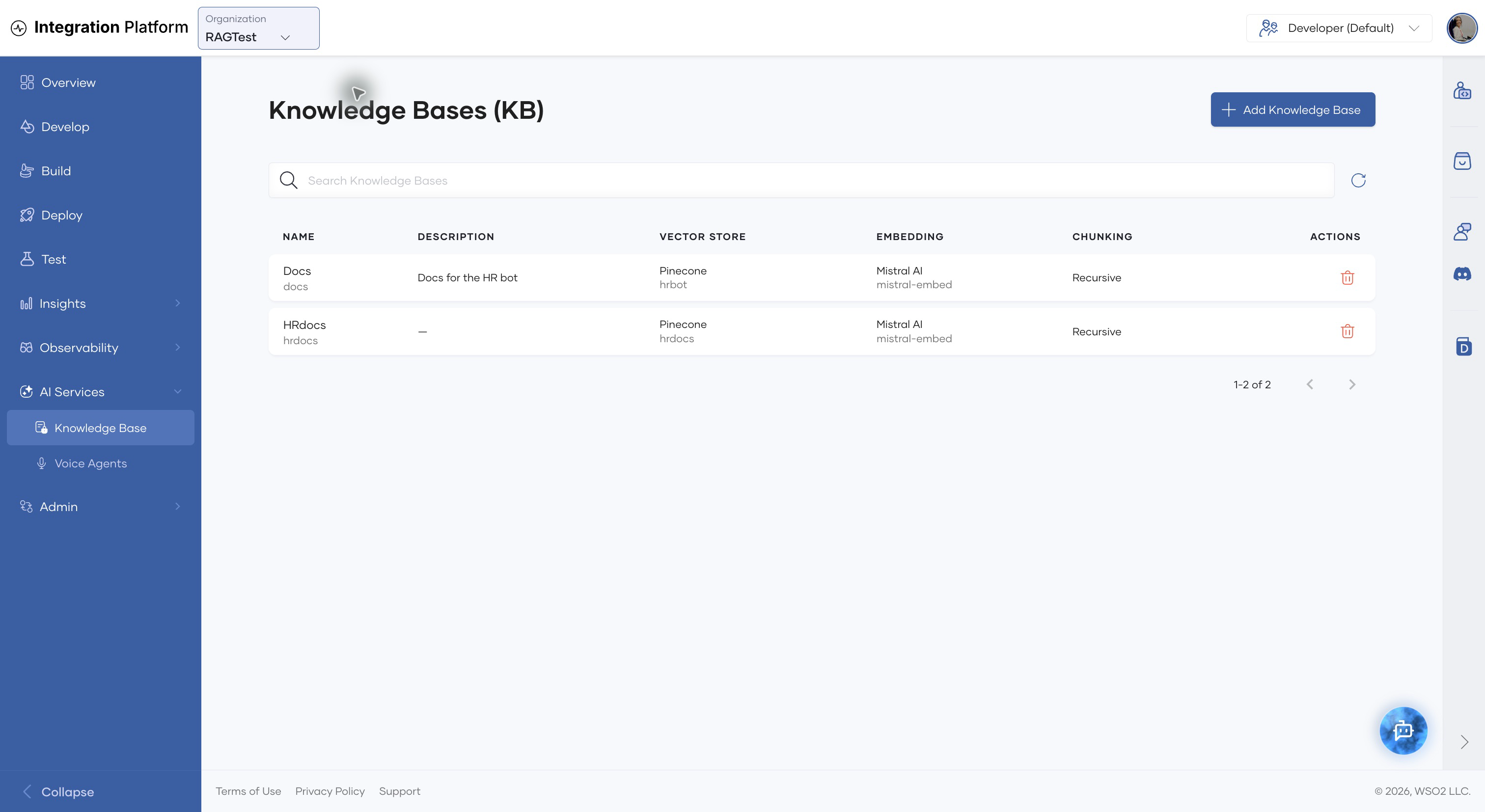
Use the AI Services > Knowledge Base page to view all Knowledge Bases in the selected organization. The list shows the vector store, embedding model, chunking strategy, and available actions for each Knowledge Base.
What's next?
- Create a Knowledge Base and optionally attach its first data source.
- Manage a Knowledge Base, its data sources, schedules, services, and retrieval settings.
- Add data sources to ingest content from Google Drive or Amazon S3.
- Review Vector Databases available to Knowledge Bases.
- Open the Knowledge Base from WSO2 Integrator by selecting a WSO2 Cloud Knowledge Base connection. See Connect to an existing WSO2 Cloud Knowledge Base.