Manage Projects
A project is the top-level container for your integrations on WSO2 Cloud - Integration Platform. This page explains how to view your projects, edit their details, and remove them when they are no longer needed. To create a project, see Create a project. To bring one in from a Git repository, see Import a project.
View projects
Click Organization in the top navigation to open the organization overview. The overview lists all projects in your organization. By default a project named Default is automatically created on first sign-up.
Edit a project
-
From the project home, go to Admin > Settings.
-
Update the Name or Description as needed by clicking the respective fields.
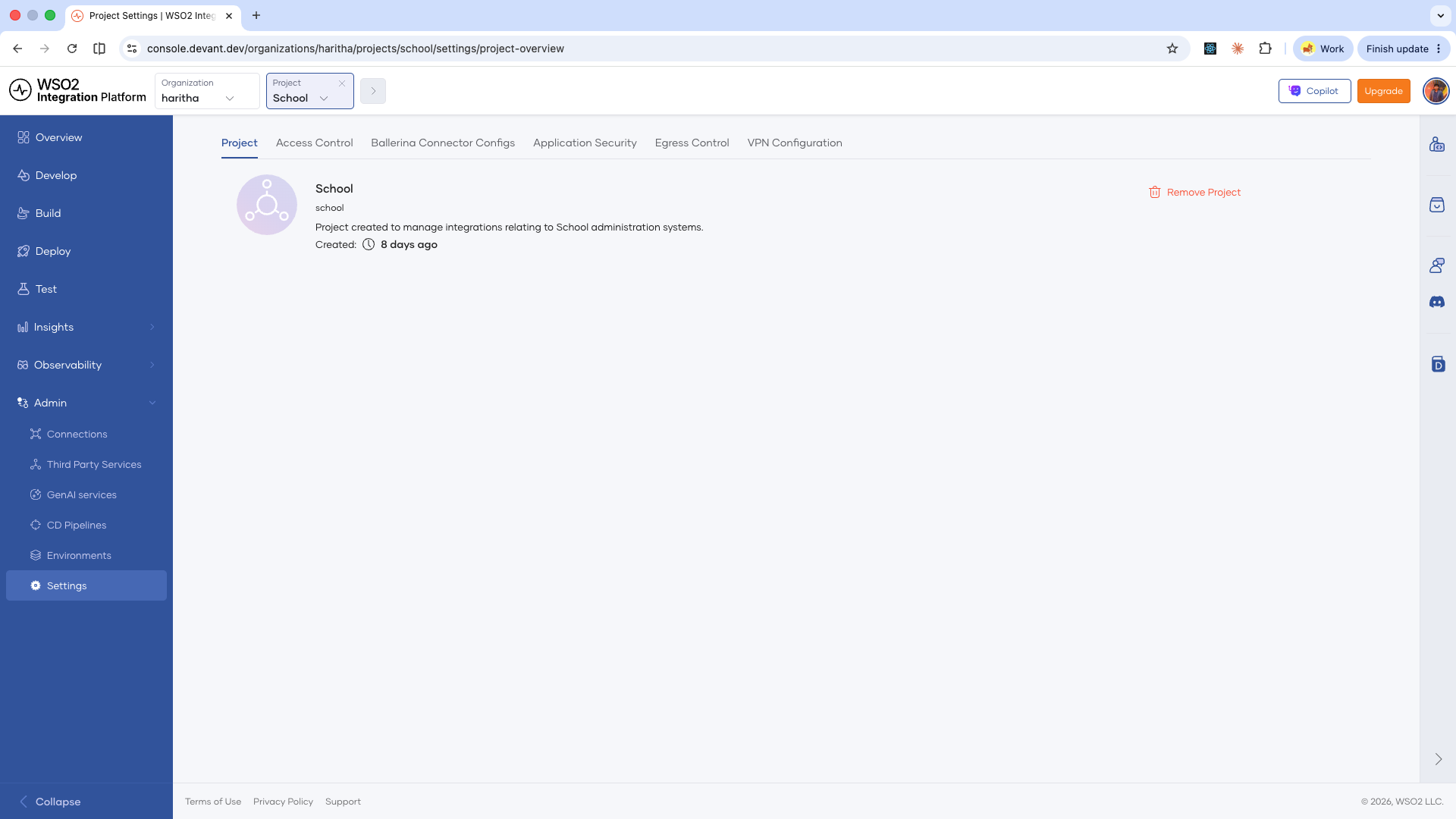
-
Save your changes.
Remove a project
A project cannot be deleted without deleting all its integrations first.
Removing a project is permanent. All history within the project is deleted and cannot be recovered.
-
From the project home, go to Admin > Settings.
-
Click Remove Project on the right side of the page.
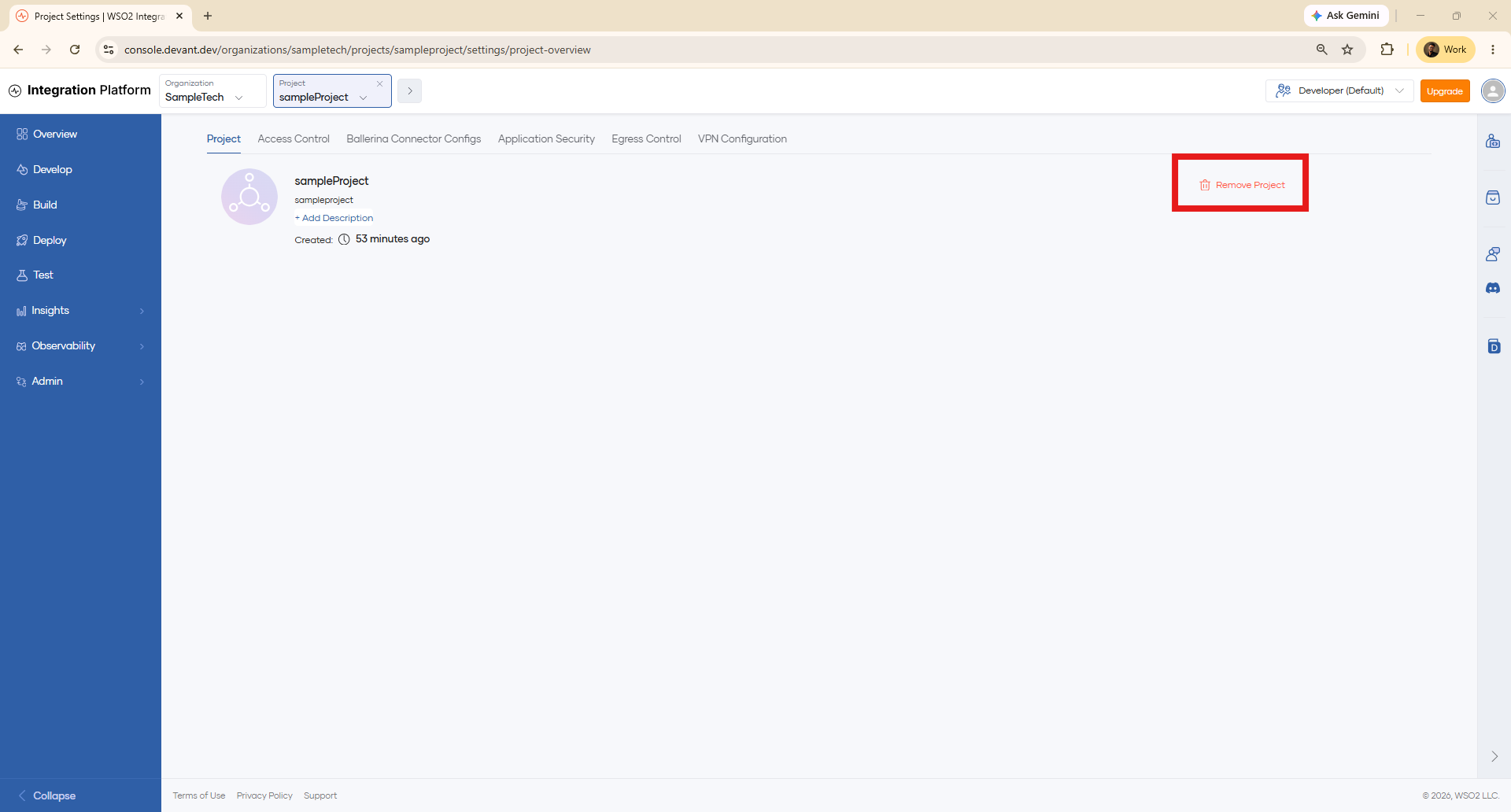
-
Enter the project name to confirm, then click Delete.
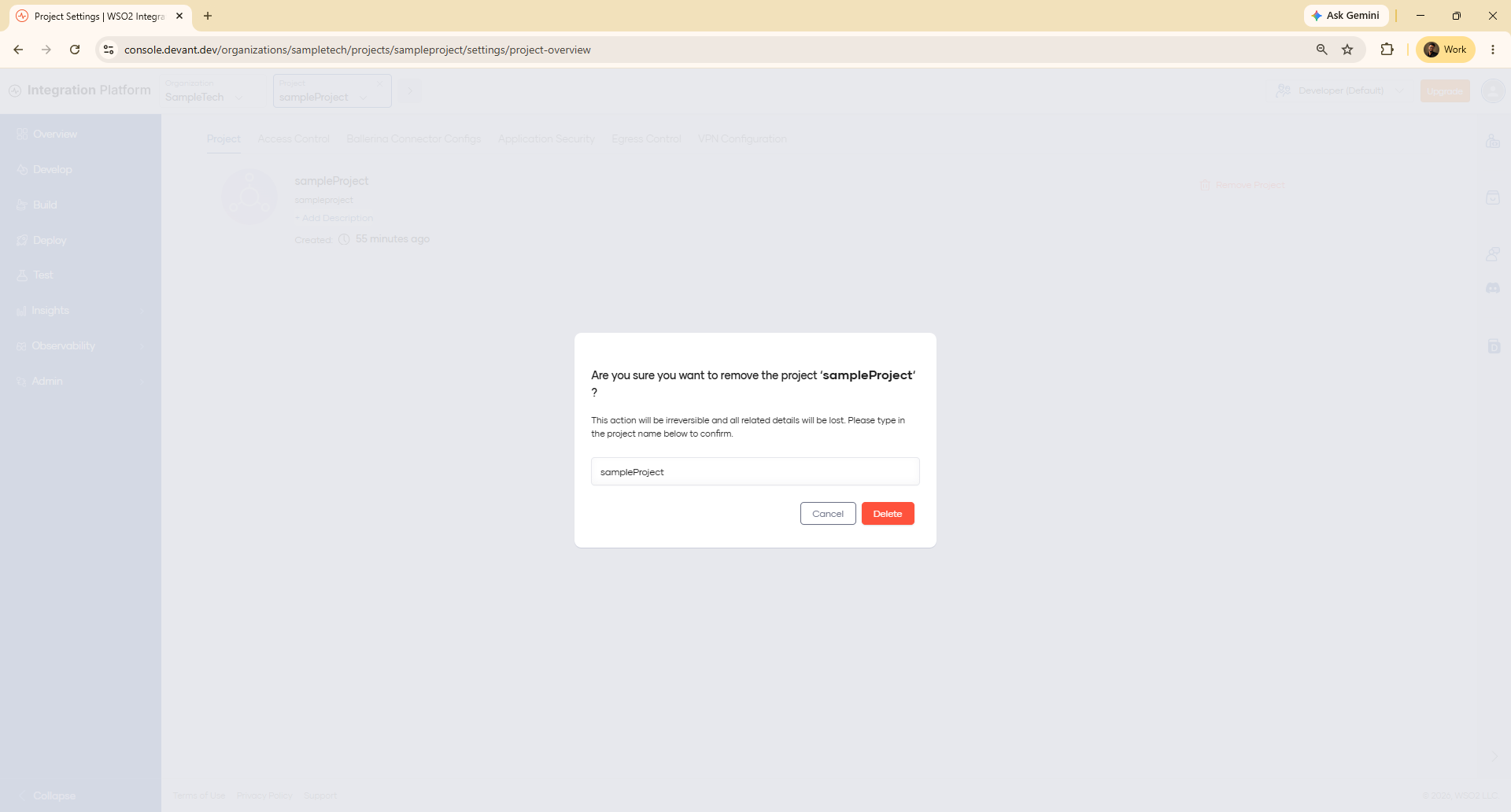
The project and all its contents are permanently deleted.
What's next
- Create a project — Create a new project.
- Import a project — Bring an existing WSO2 Integrator project from a Git repository into WSO2 Cloud.
- Access control — Manage roles and permissions for members of your project.