Import a Project
If you already have a project created with the WSO2 Integrator editor in a Git repository, import it into WSO2 Cloud to continue working on it. During import, you configure each integration in the project and WSO2 Cloud creates them all at once.
If you don't have an existing project and would like to get started on a new project, see Create a project.
- A project created with the WSO2 Integrator editor and pushed to a remote Git repository (GitHub, GitLab, Bitbucket, or Azure DevOps).
- A WSO2 Cloud account. Sign up at WSO2 Cloud if you don't have one.
Connect your Git provider
-
Sign in to WSO2 Cloud.
-
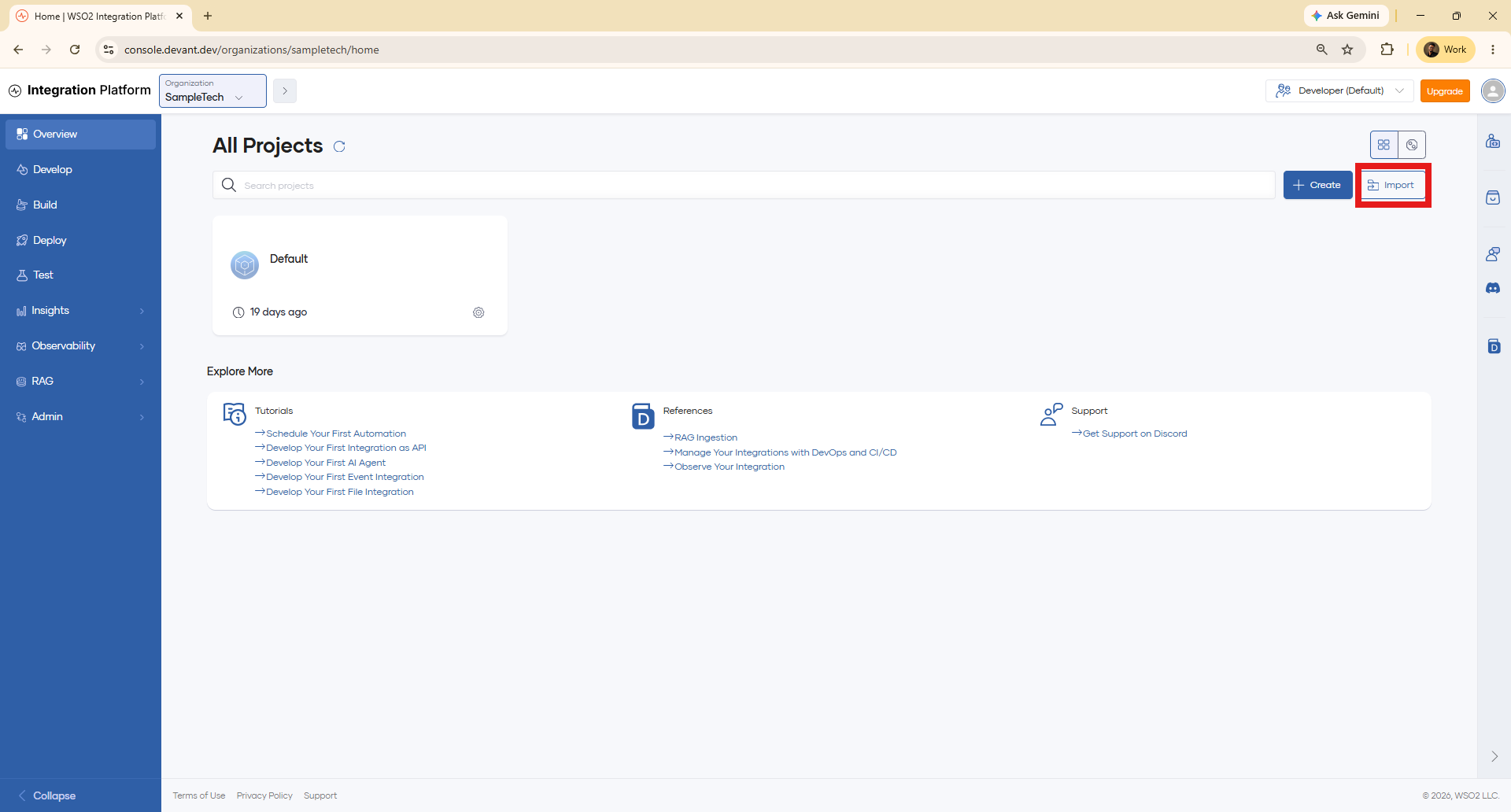
Navigate to the organization overview page by clicking the organization name at the top. The organization overview lists all your projects.
-
Click Import to import an existing WSO2 Integrator project.
-
Select your Git provider and complete the authorization flow in the browser, then return to WSO2 Cloud.
warningOne-click OAuth2 authorization is only available for GitHub. To use Bitbucket, GitLab, or Azure DevOps, you must first add your credentials at the organization level. See Connect a Git provider for instructions.
Configure and import the project
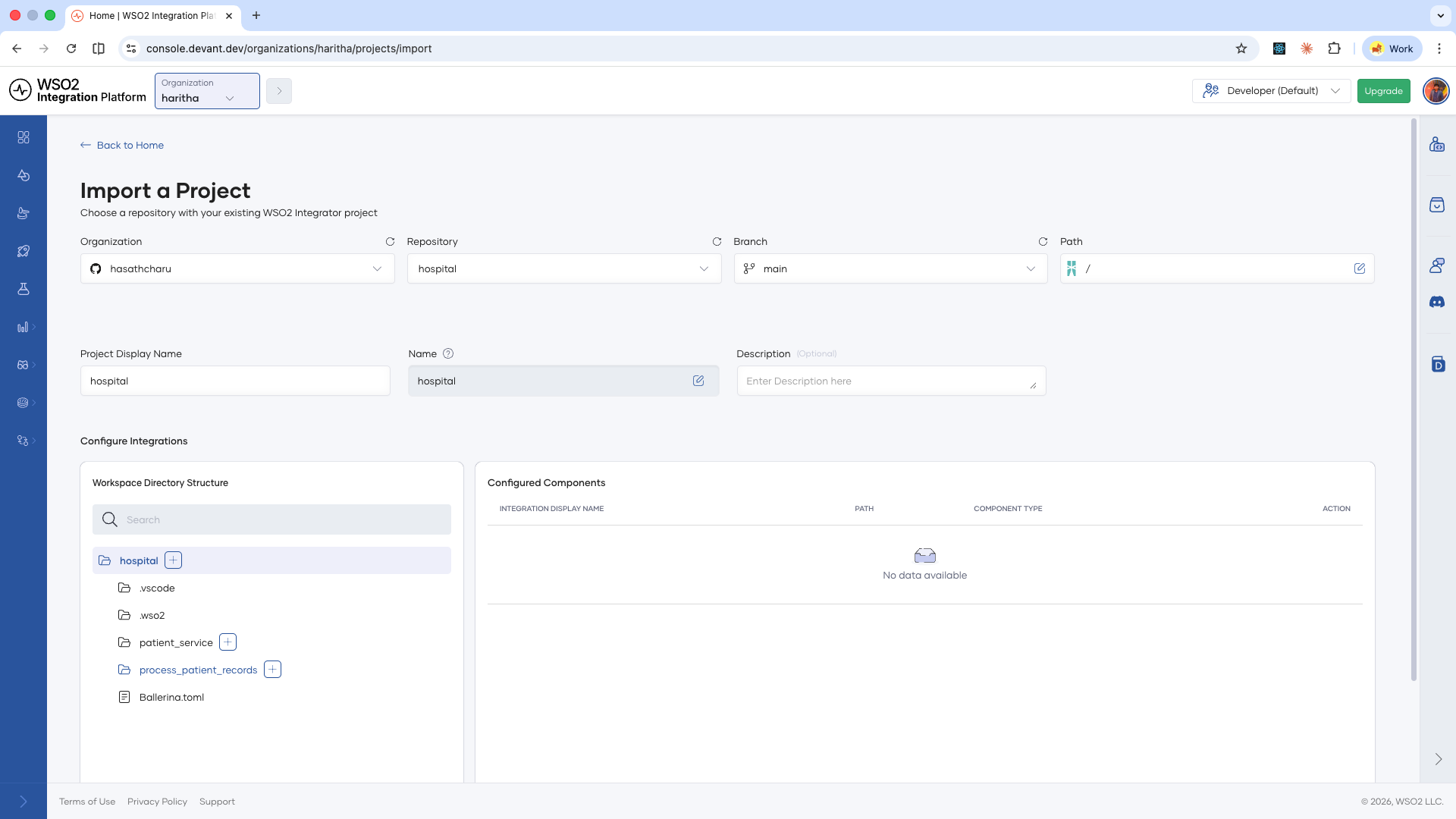
- Select the organization that owns the repository.
- Select the repository and the branch.
- Set the path to the folder where your project lives within the repository.
- Optionally, give the project a name.
- Add the integrations you want to import. For each integration, click + next to each integration to add it individually, or click + next to the project name to add all integrations in the project at once.
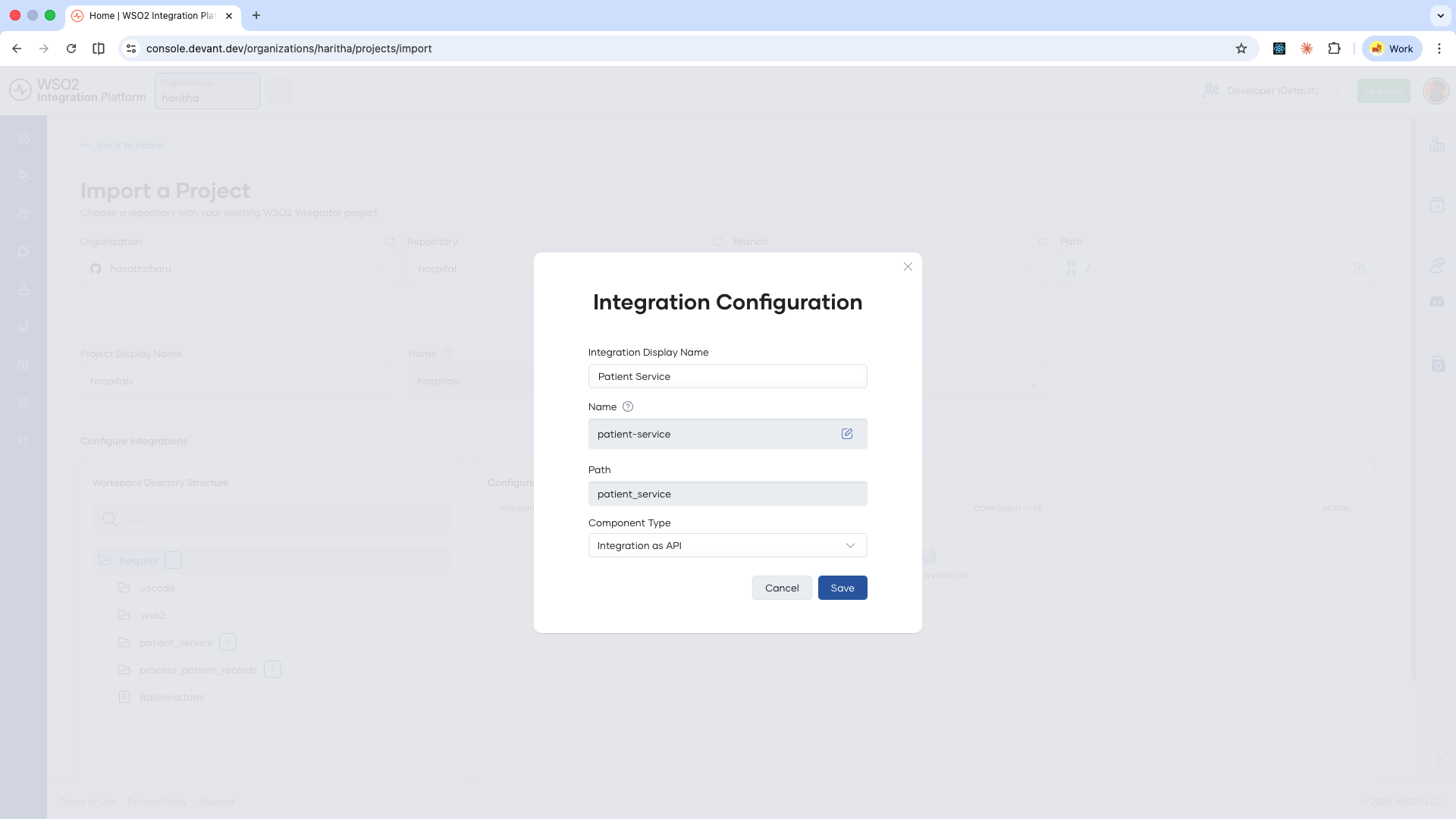
- For each integration, set the integration name, an optional description, and the integration type.
- Click Save for each integration once configured.
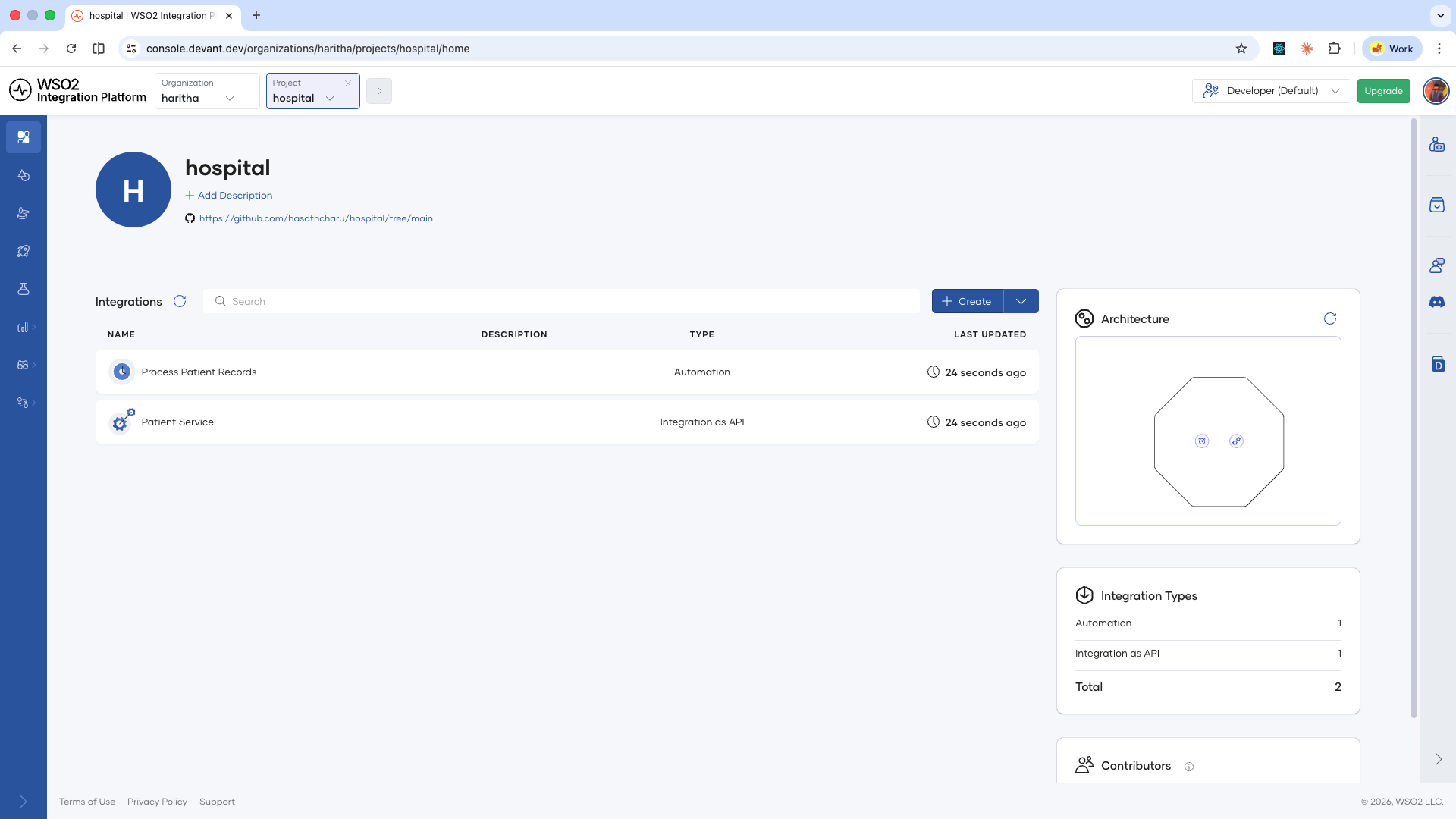
- After configuring all integrations, click Import.
WSO2 Cloud creates all the integrations and navigates you to the newly created project home.
What's next
- Import an integration — Add a single integration from a Git repository to a project.
- View and manage integrations — Inspect build status, deployment status, and manage the lifecycle of your deployed integrations.
- Manage projects — View, edit, and delete projects on WSO2 Cloud.
- Runtime configurations — Set configurable values per environment and manage reusable configuration groups.
- Security configurations — Secure your integration endpoints with API Key or OAuth2 authentication.
- Endpoint configurations — Control endpoint visibility levels for integrations deployed as Integration as APIs.