Copilot Chat Interface
Once you've signed in, this is a reference for the chat input bar itself — the controls, slash commands, and modes you'll use every time you talk to Copilot.
Chat controls
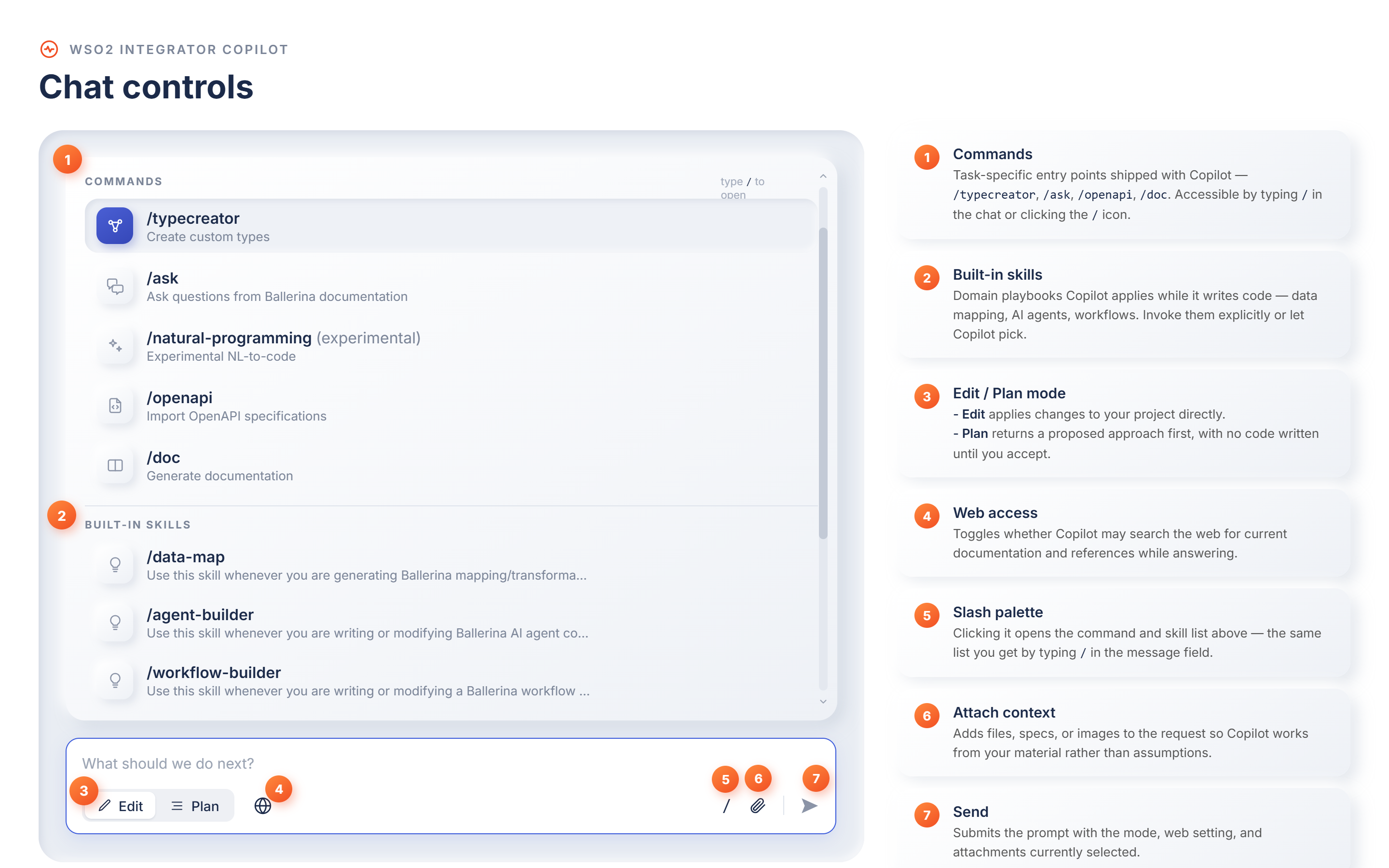
The chat input bar is where you type prompts and control how Copilot responds. It groups the following controls:
| # | Control | Description |
|---|---|---|
| 1 | Commands | Task-specific entry points shipped with Copilot: /typecreator, /ask, /openapi, /doc. Accessible by typing / in the chat or selecting the / icon. |
| 2 | Built-in skills | Domain playbooks Copilot applies while it writes code: data mapping, AI agents, workflows. Invoke them explicitly or let Copilot pick. |
| 3 | Edit / Plan mode | Edit applies changes to your project directly. Plan returns a proposed approach first, with no code written until you accept. |
| 4 | Web access | Toggles whether Copilot may search the web for current documentation and references while answering. |
| 5 | Slash palette | Selecting it opens the command and skill list, the same list you get by typing / in the message field. |
| 6 | Attach context | Adds files, specs, or images to the request so Copilot works from your material rather than assumptions. |
| 7 | Send | Submits the prompt with the mode, web setting, and attachments currently selected. |
Slash commands
Type / in the Copilot input bar to invoke a command for a specific task. You can also invoke an enabled skill directly: type / and select the skill from the list, for example /data-map.
| Command | Description |
|---|---|
/ask | Ask questions about Ballerina to be answered based on the documentation. |
/doc | Generate documentation for your integration. |
/openapi | Import OpenAPI specifications. |
/typecreator | Create custom types. |
/data-map | Generate data mappings. |
/natural-programming | Experimental. Generate code from requirements and check for drift. |
/ask answers only from the Ballerina documentation and does not use your codebase context. For questions about your code or any other topic, message Copilot directly without a command. /data-map is powered by the built-in data-map skill rather than a command.
Modes
Copilot has two modes: plan and edit. Switch between them using the toggle in the Copilot input bar.
-
Edit Mode: Copilot starts generating immediately and applies the changes to your integration. Best for quick edits.
-
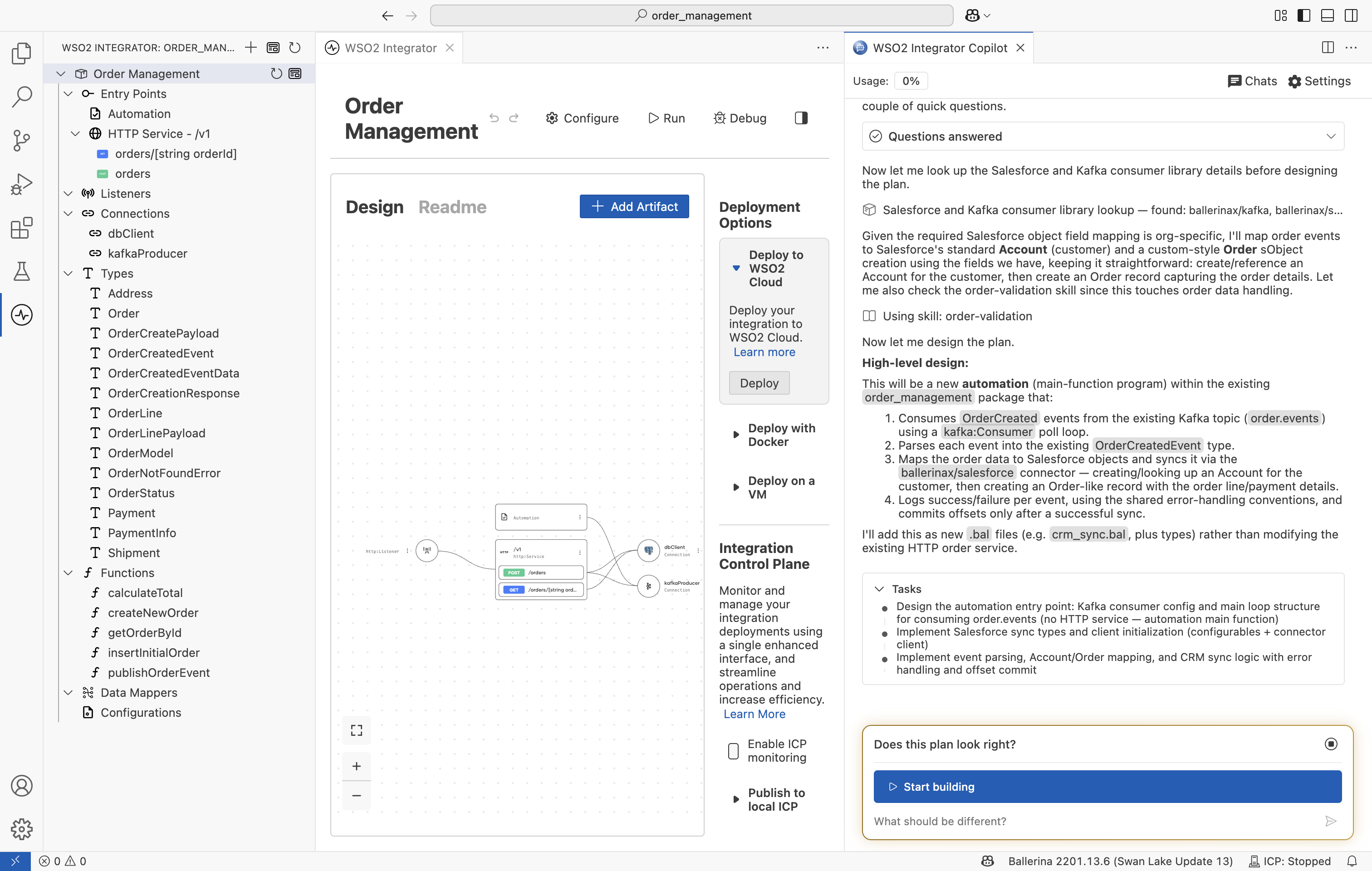
Plan Mode: Copilot first proposes a high-level plan with a step-by-step task breakdown. Review or revise the plan, then approve it to begin generation.
What's next
- Built-in Capabilities — Explore planning, review, testing, and more.
- Customize Copilot — Give Copilot project instructions, reusable skills, and your own tools through MCP servers.