Reviewing Changes
When a Copilot run changes your integration, it records a change set and shows a Changes made card in the chat. Select Review on that card to open the Reviewing Changes view, where you inspect exactly what was built or changed before moving on. You can also revert the whole change set from the card if the result isn't what you wanted.
The unified diff diagram
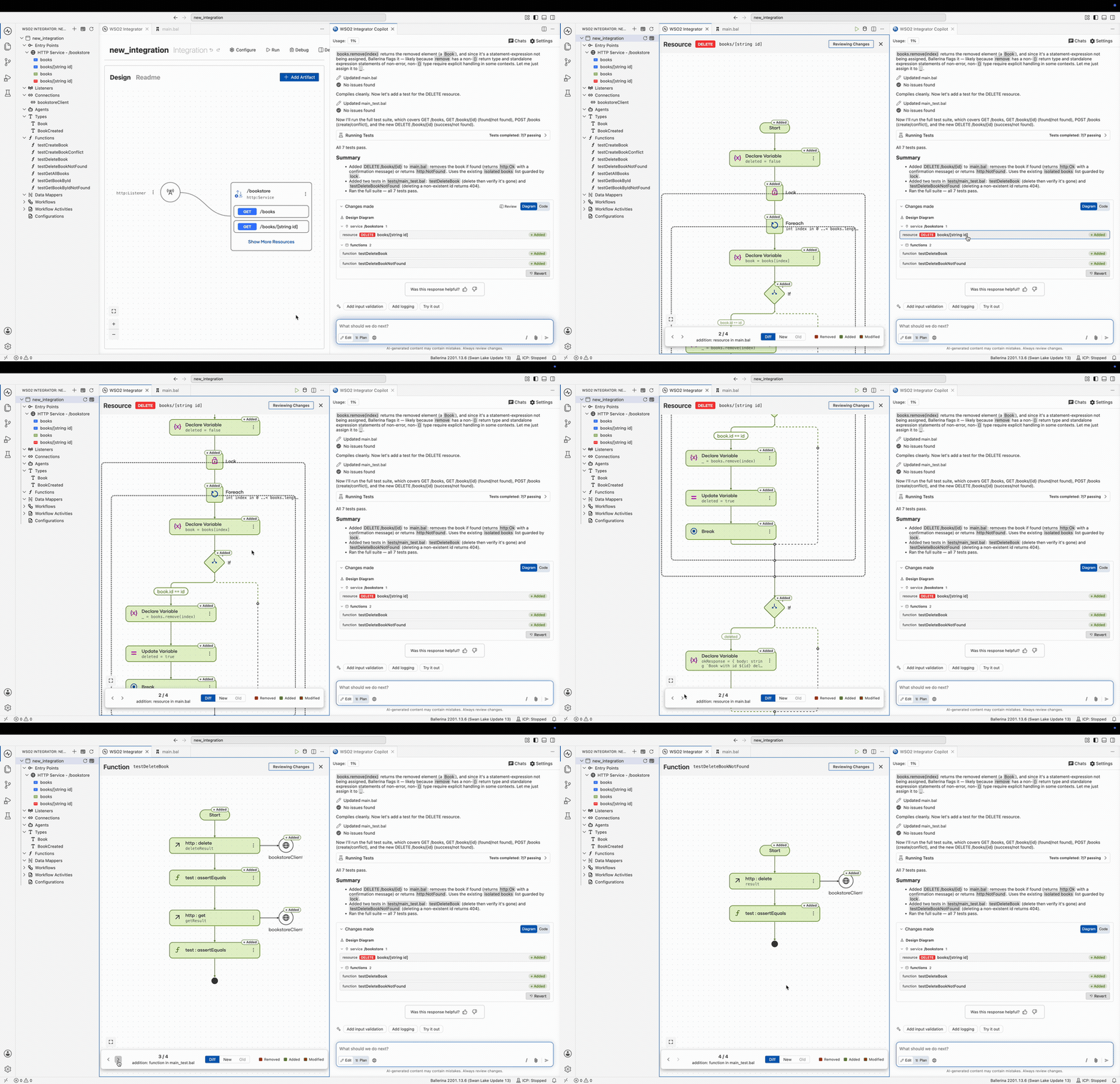
The view opens on the Diff tab, which renders a single diagram of the change set. Instead of switching between separate old and new diagrams, you see the result with each part marked:
- Added nodes appear in green.
- Removed nodes appear in red with strikethrough text.
- Modified nodes appear in amber.
A legend above the diagram shows the three colors. Select New to see the resulting version on its own, or Old to see the version before the change. Type and design diagrams, which are compared as whole versions, offer only New and Old.
Compare a change
Hover a modified node to see its old and new source together, labeled Old and New, so you can tell what changed in place.
Notes are compared in the same way. A note that changed shows a Modified, Added, or Removed label on its chip, and hovering it reveals the old and new note text.
Move between changes
Use Previous View and Next View to step through the changed artifacts, or select an entry in the Changes made card to jump straight to it. A counter shows where you are in the change set, such as 3 / 7, with the name of the current artifact beside it.
Revert a change set
To undo everything a run changed, open the Changes made card in the chat and select Revert. Copilot rolls the affected artifacts back to their previous state.
Pending reviews survive a reload
A review that is still open when you close the Copilot panel, or reload the editor window, is not lost. When you return, Copilot rebuilds the change set from its saved data and reopens the diff, and Revert keeps working.
Before it reopens an old version, Copilot checks that it still refers to the same function. If edits in the meantime shifted the code so the old and new versions no longer line up, Copilot shows the New version instead of a diff that would pair the wrong code.
See also
- Built-in Capabilities — Explore planning, generation, testing, and more.
- Copilot in the Background — Follow a run while the panel is closed.