Create a Library
A library is a reusable package of shared logic — utility functions, type definitions, data mappers, and connections — that you can use across multiple integrations. Instead of duplicating common code in each integration, create a library once and import it wherever needed.
Open the creation wizard
On the WSO2 Integrator home screen, click More Actions below the three primary cards to reveal additional options.
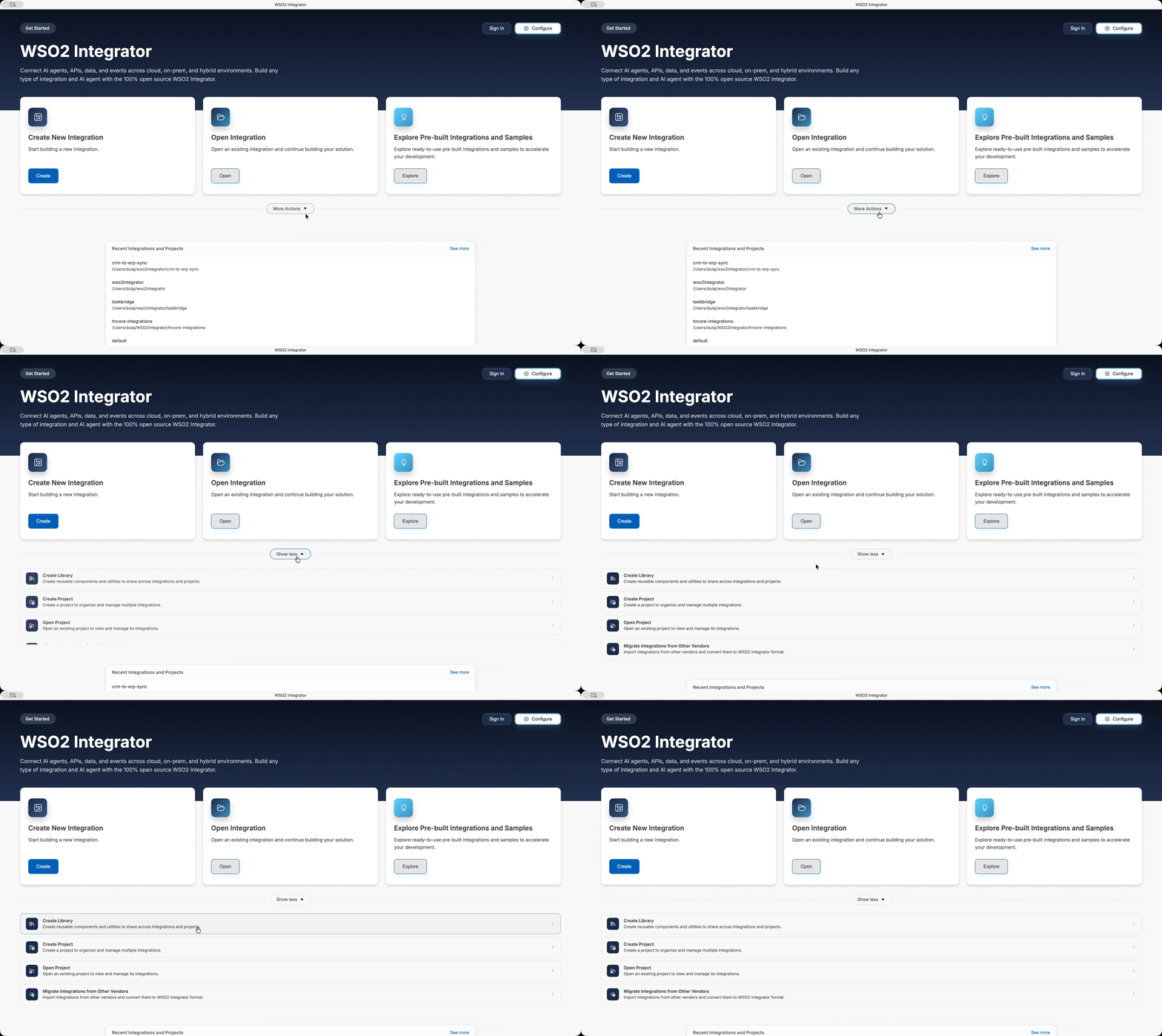
The expanded panel shows four entries (and the trigger relabels itself Show less):
- Create Library — Create reusable components and utilities to share across integrations and projects.
- Create Project — Create a project to organize and manage multiple integrations.
- Open Project — Open an existing project to view and manage its integrations.
- Migrate Integrations from Other Vendors — Import integrations from other vendors and convert them to WSO2 Integrator format.
Click Create Library to open the library creation wizard.
Configure the library
The creation wizard opens with the prompt Build reusable components and utilities to share across projects.
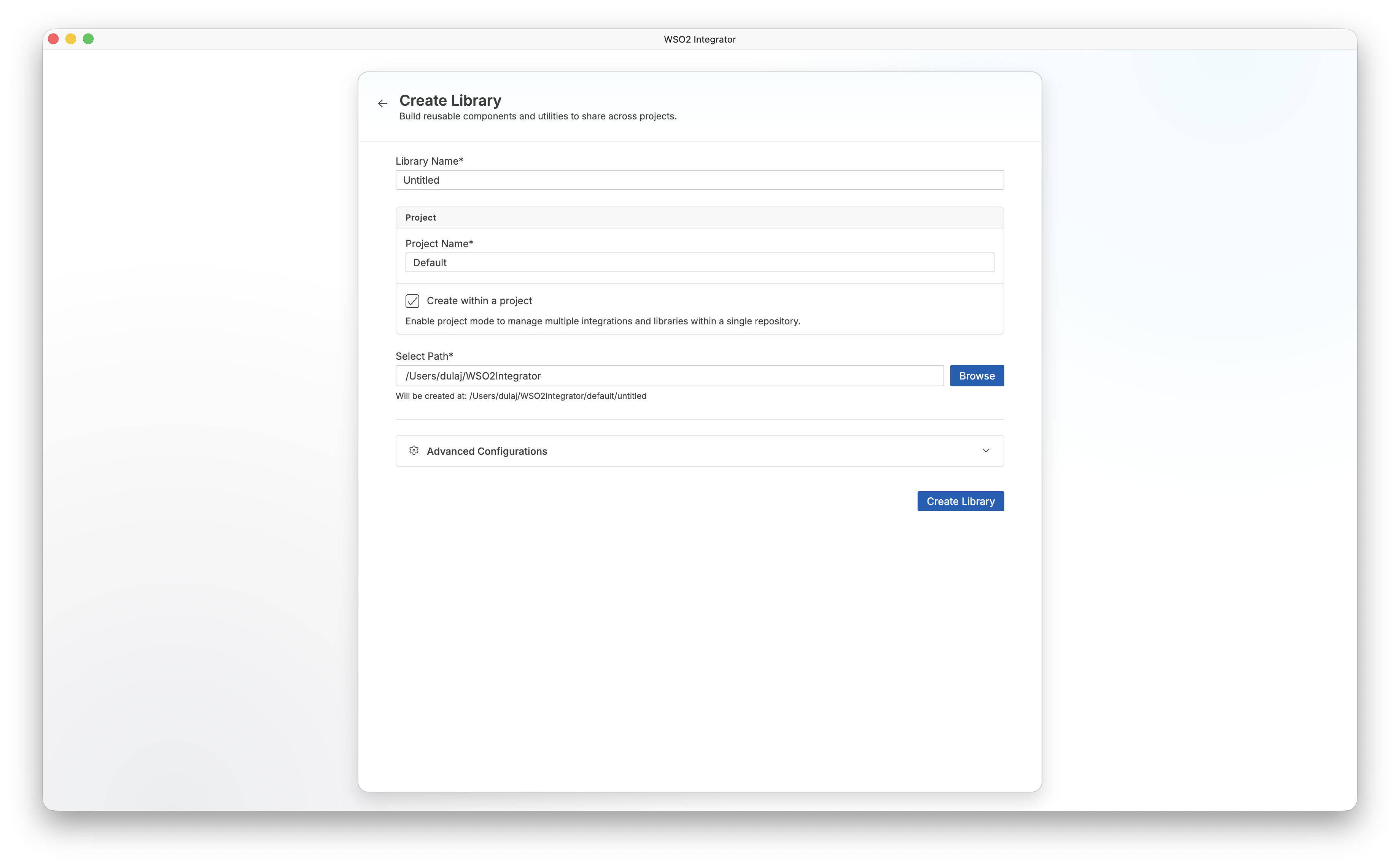
| Field | Description |
|---|---|
| Library Name | A descriptive name for your library (for example, common-utils). Defaults to Untitled. |
| Project Name | The name of the project that contains this library. Defaults to Default. |
| Create within a project | Enabled by default. Enables project mode so the workspace can hold multiple integrations and libraries in a single repository. Clear this checkbox to create a standalone library. |
| Select Path | The directory where the library files are created. Click Browse to choose a folder. The full path preview appears below the field as Will be created at: <path>. |
Fill in the required fields and click Create Library.
WSO2 Integrator generates the library project and opens the library view. The file structure for a library within a project contains a root Ballerina.toml and a subdirectory for the library package:
project-name/
├── .vscode/
├── library-name/
│   ├── .vscode/
│   ├── .gitignore
│   ├── agents.bal
│   ├── Ballerina.toml
│   ├── config.bal
│   ├── connections.bal
│   ├── data_mappings.bal
│   ├── functions.bal
│   ├── lib.bal
│   └── types.bal
└── Ballerina.toml
Note that a library package includes a lib.bal file instead of main.bal, since libraries expose shared logic rather than executable entry points.
You can add integrations to the same project by clicking the + button in the WSO2 Integrator sidebar. This lets you build integrations that consume your library within a single project workspace.
Advanced configurations
Expand the Advanced Configurations section to customize the project and Ballerina package settings.
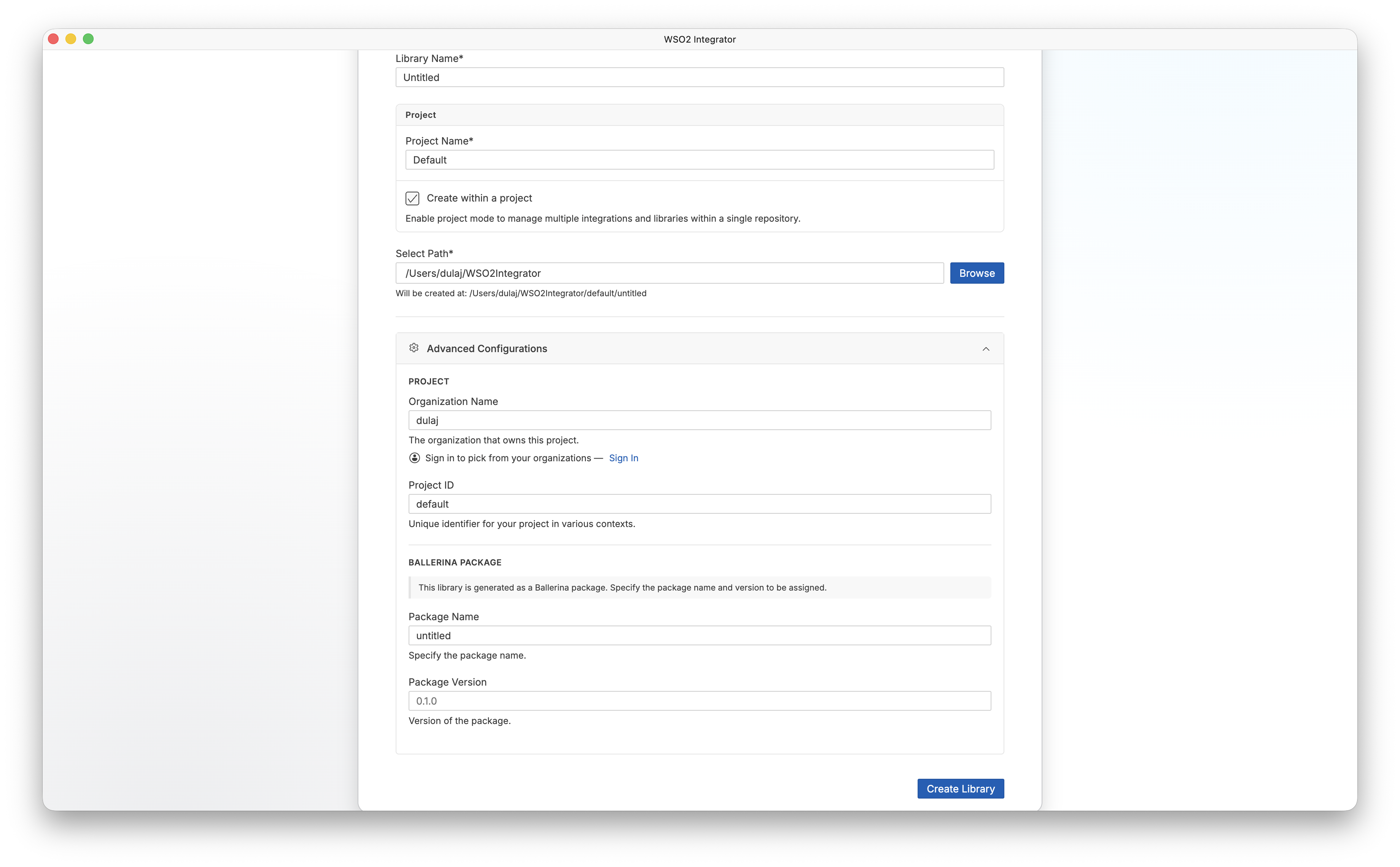
Project
| Field | Description |
|---|---|
| Organization Name | The organization that owns this project. Click Sign In to pick from your registered organizations. |
| Project ID | A unique identifier for your project used in various contexts. Defaults to default. |
Ballerina package
The library is generated as a Ballerina package. Use these fields to specify the package name and version to be assigned.
| Field | Description |
|---|---|
| Package Name | The Ballerina package name. Defaults to the library name (for example, untitled). |
| Package Version | The initial version of the package. Defaults to 0.1.0. |
What's next
- Library view — Learn how to manage and configure your library project
- Create a new integration — Create an integration that uses your library