Chunkers
A Chunker splits a document into smaller pieces before they are embedded. Smaller chunks improve retrieval precision but lose surrounding context; larger chunks preserve context but are less precise.
Most projects start with the default (
AUTO) and only configure a chunker explicitly when retrieval quality drops because chunks are too big or too small for the content.
Available actions
A chunker exposes one action.
| Action | What it does | Required parameters |
|---|---|---|
| Chunk | Splits a document into chunks according to the chunker's strategy. | Document (the input document). |
You don't usually call this directly. The Knowledge Base calls it for you on Ingest.
AUTO and DISABLE
You almost always pick one of these in the Vector Knowledge Base form's Chunker field. Only switch to a custom chunker when the defaults aren't producing useful chunks.
| Value | Effect |
|---|---|
| AUTO (default) | The Knowledge Base picks a chunker automatically based on document type: Markdown chunker for .md, HTML chunker for .html, Generic Recursive for everything else. |
| DISABLE | No chunking. Each document is treated as a single chunk. Use when documents are already small or pre-chunked. |
Where to find chunkers
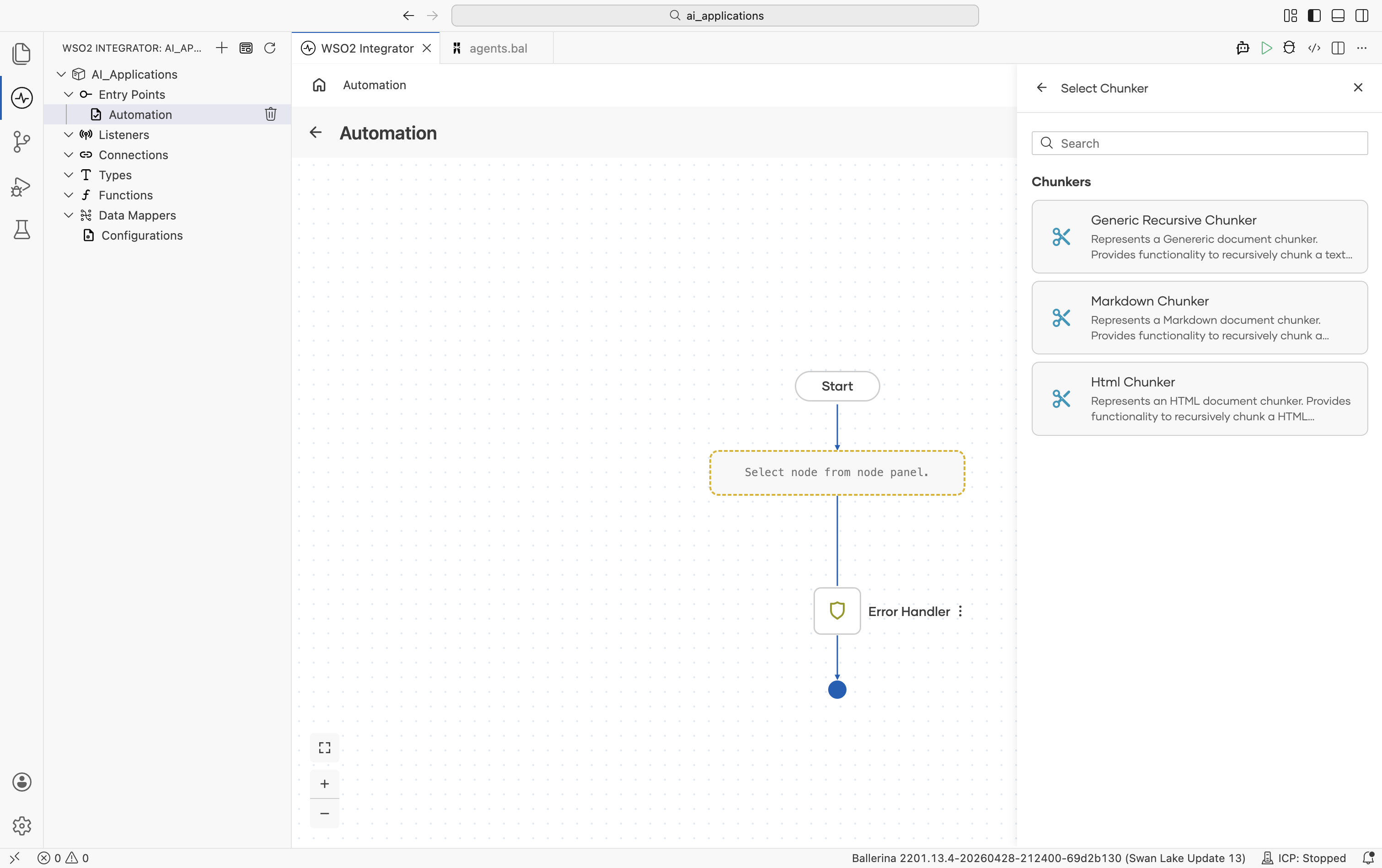
Inside the Create Vector Knowledge Base form click + Create New Chunker. The Select Chunker picker shows the available types:
Implementations overview
All three local chunkers ship in the core ballerina/ai package. The Devant Chunker is a remote implementation that delegates the work to the WSO2 Integration Platform.
| Chunker | Module | Default strategy | Use when |
|---|---|---|---|
| Generic Recursive | ballerina/ai | PARAGRAPH | Plain text. Falls back through paragraph, sentence, line, word, then character. |
| Markdown | ballerina/ai | MARKDOWN_HEADER | Markdown documents. Splits on headings first, falls back through code block, horizontal line, paragraph, line, sentence, word, then character. |
| HTML | ballerina/ai | HTML_HEADER | HTML documents. Splits on <h1>–<h6>, falls back through <p>, <br>, sentence, word, character. |
| Devant | ballerinax/ai.devant | RECURSIVE | Binary documents (PDF, DOCX, PPTX). Delegates to the WSO2 Integration Platform. |
All four chunkers share the same two top-level parameters: Max Chunk Size (the cap, in characters, per chunk) and Max Overlap Size (characters reused at the boundary between adjacent chunks for context continuity). The local chunkers default to
200and40; the Devant chunker defaults to500and50.
Generic Recursive Chunker
For plain text. Begins splitting using the chosen strategy and recursively falls back to finer-grained units when a chunk would exceed the size limit.
Create form
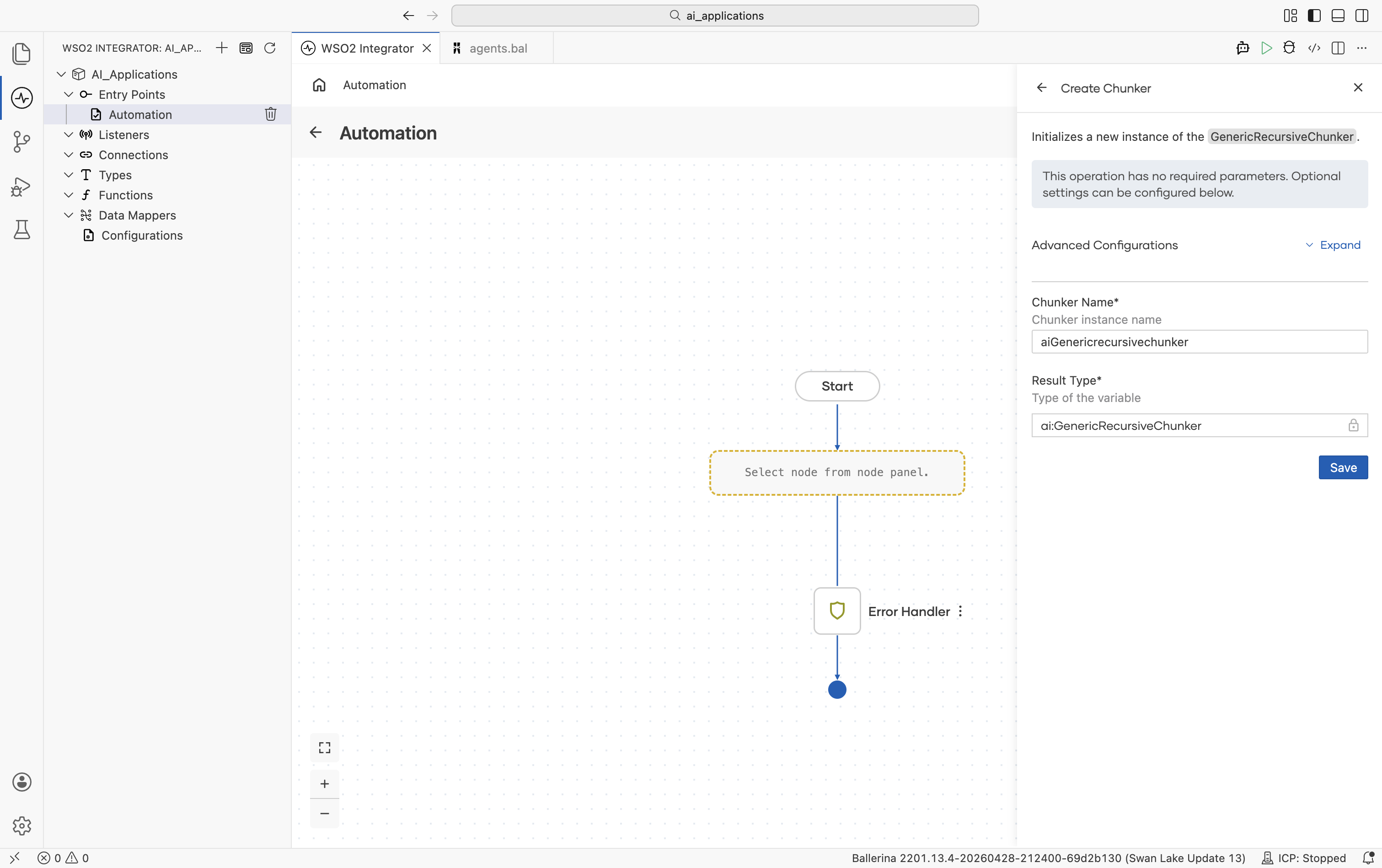
No required fields. Sensible defaults work for most prose.
Advanced configurations
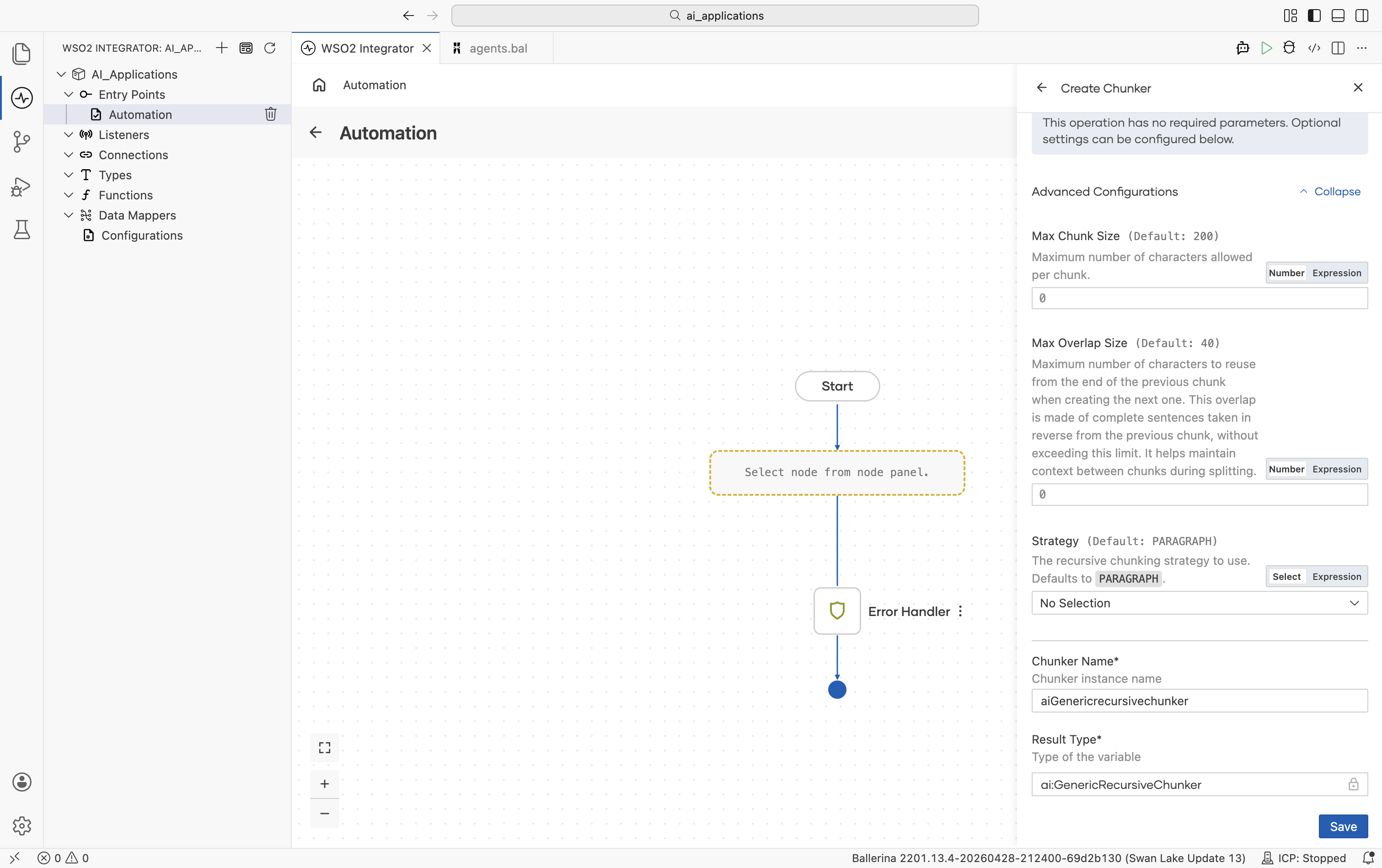
| Field | Default | Available values | What it controls |
|---|---|---|---|
| Max Chunk Size | 200 | Any positive integer (characters) | Maximum characters allowed per chunk. |
| Max Overlap Size | 40 | Any non-negative integer (characters) | Characters reused from the end of the previous chunk when starting the next. The overlap is whole sentences taken in reverse, capped at this length, to preserve cross-boundary context. |
| Strategy | PARAGRAPH | PARAGRAPH, SENTENCE, LINE, WORD, CHARACTER | Starting splitting unit. The chunker falls back through finer units automatically when a chunk overflows. |
Strategy fall-back order
Strategies are tried from large unit to small. If a chunk would exceed Max Chunk Size, the chunker falls back to the next finer strategy.
| Strategy | Boundary | Falls back to |
|---|---|---|
PARAGRAPH | Two or more newlines (\n\n). | SENTENCE, LINE, WORD, CHARACTER |
SENTENCE | OpenNLP sentence detector. | WORD, CHARACTER |
LINE | One or more newlines (\n). | WORD, CHARACTER |
WORD | One or more spaces. | CHARACTER |
CHARACTER | Individual characters. | (terminal) |
Markdown Chunker
Header-aware chunker for Markdown. Starts at heading level ## and walks down before falling back to structure-aware then character-level strategies.
Create form
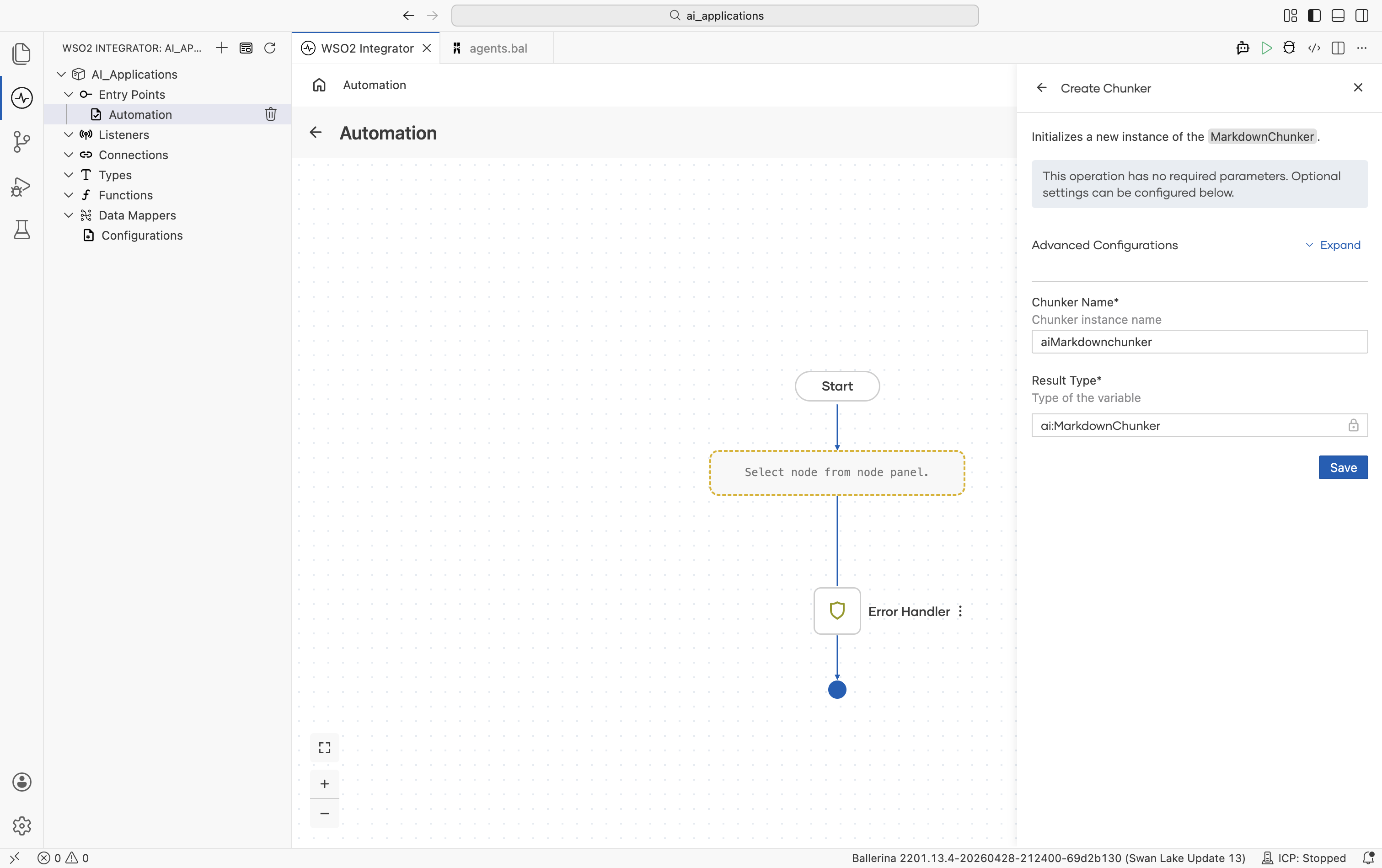
No required fields.
Advanced configurations
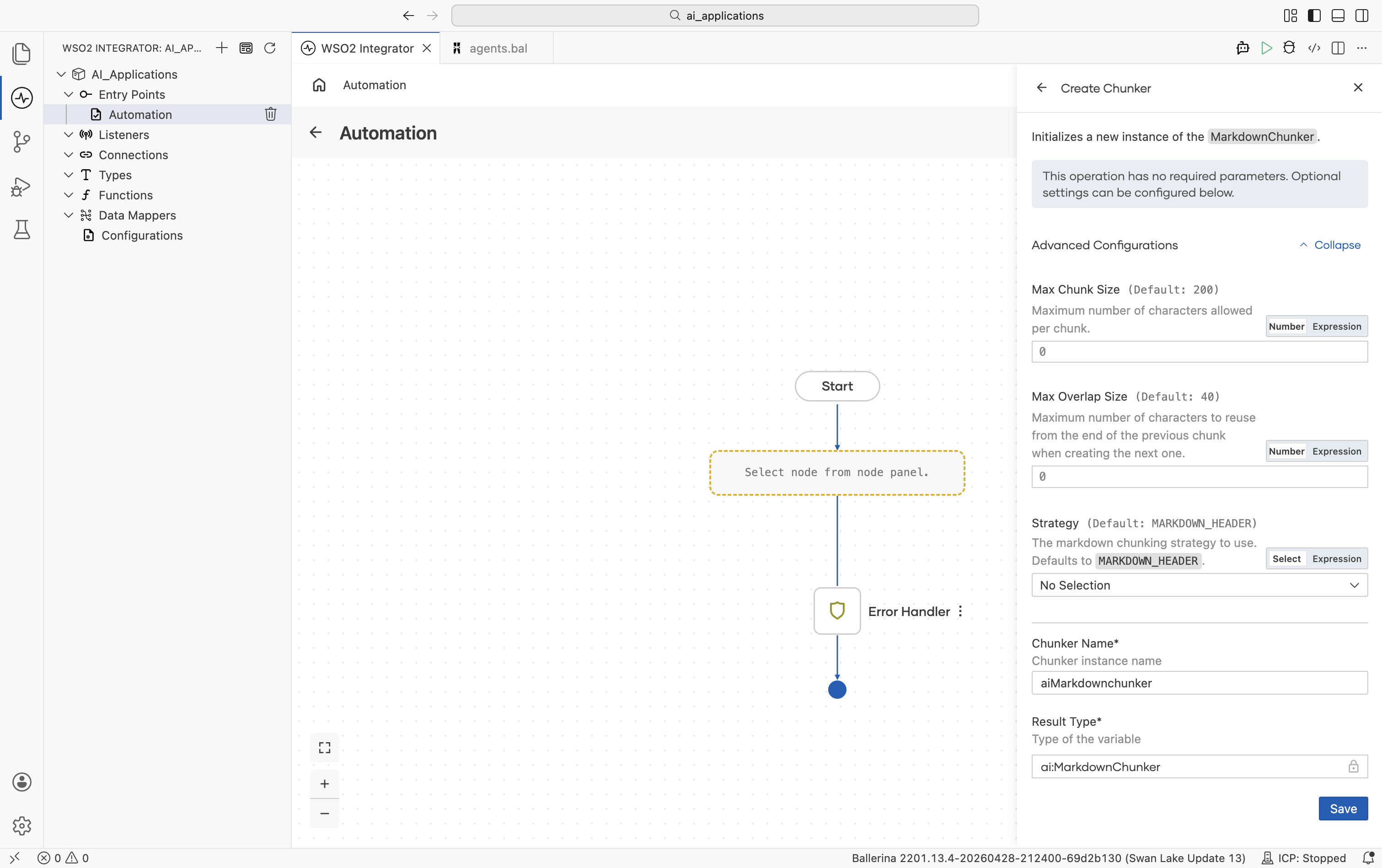
| Field | Default | Available values | What it controls |
|---|---|---|---|
| Max Chunk Size | 200 | Any positive integer | Max characters per chunk. |
| Max Overlap Size | 40 | Any non-negative integer | Overlap characters between adjacent chunks. |
| Strategy | MARKDOWN_HEADER | MARKDOWN_HEADER, CODE_BLOCK, HORIZONTAL_LINE, PARAGRAPH, LINE, SENTENCE, WORD, CHARACTER | Starting splitting unit. |
Strategy options
| Strategy | What it splits on |
|---|---|
MARKDOWN_HEADER | Markdown headers, starting at ## and walking down to ######. Falls back through CODE_BLOCK, HORIZONTAL_LINE, PARAGRAPH, LINE, SENTENCE, WORD, CHARACTER. |
CODE_BLOCK | Fenced code blocks. Each becomes a chunk tagged with type code_block (and a language annotation if declared). Code-block chunks are never merged with neighbours. |
HORIZONTAL_LINE | The patterns ***, ---, ___. Falls back to PARAGRAPH. |
PARAGRAPH / SENTENCE / LINE / WORD / CHARACTER | Same semantics as the Generic Recursive Chunker. |
HTML Chunker
Tag-aware chunker for HTML. Starts at heading tags and falls back through paragraphs, line breaks, then character-level strategies.
Create form
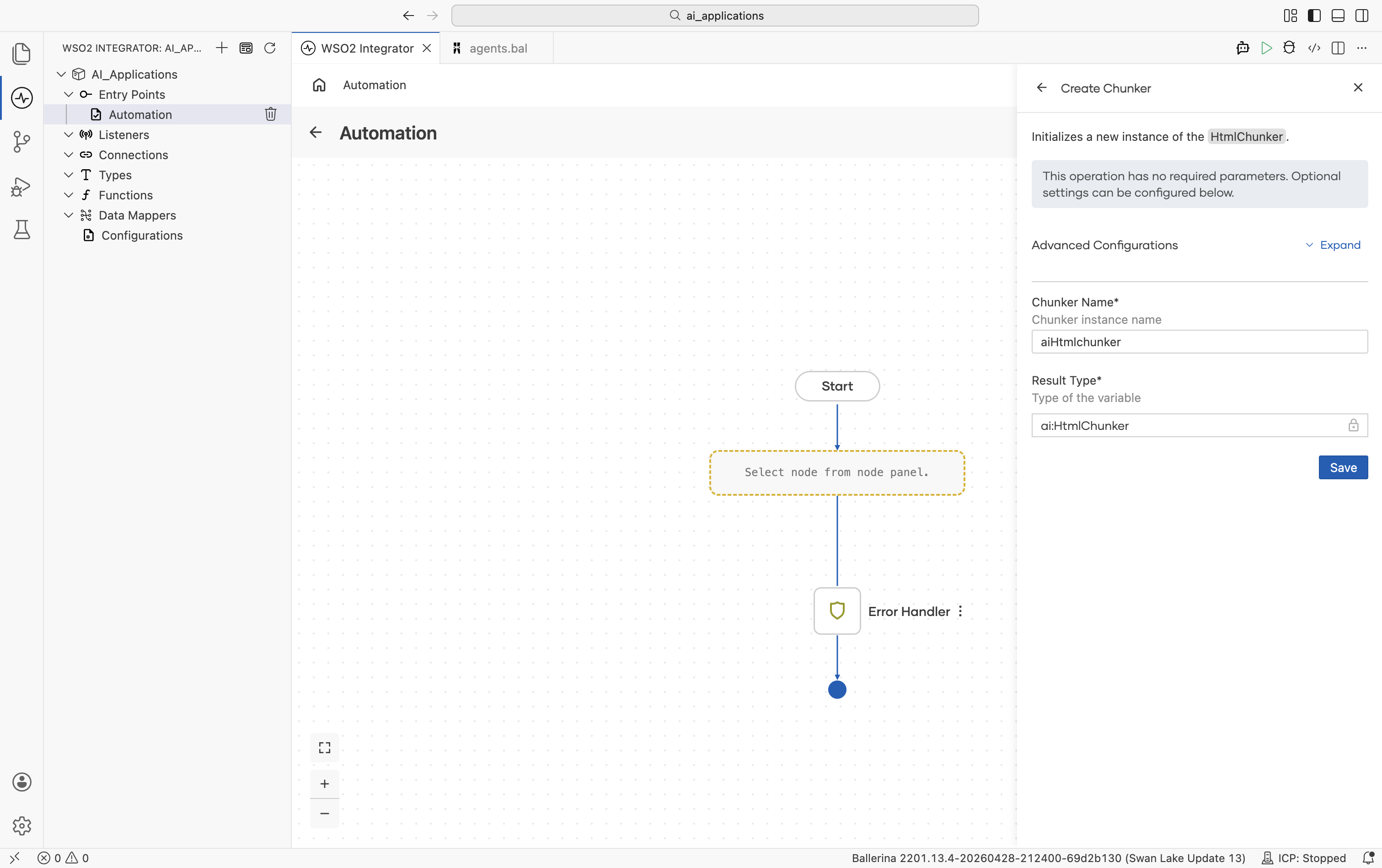
No required fields.
Advanced configurations
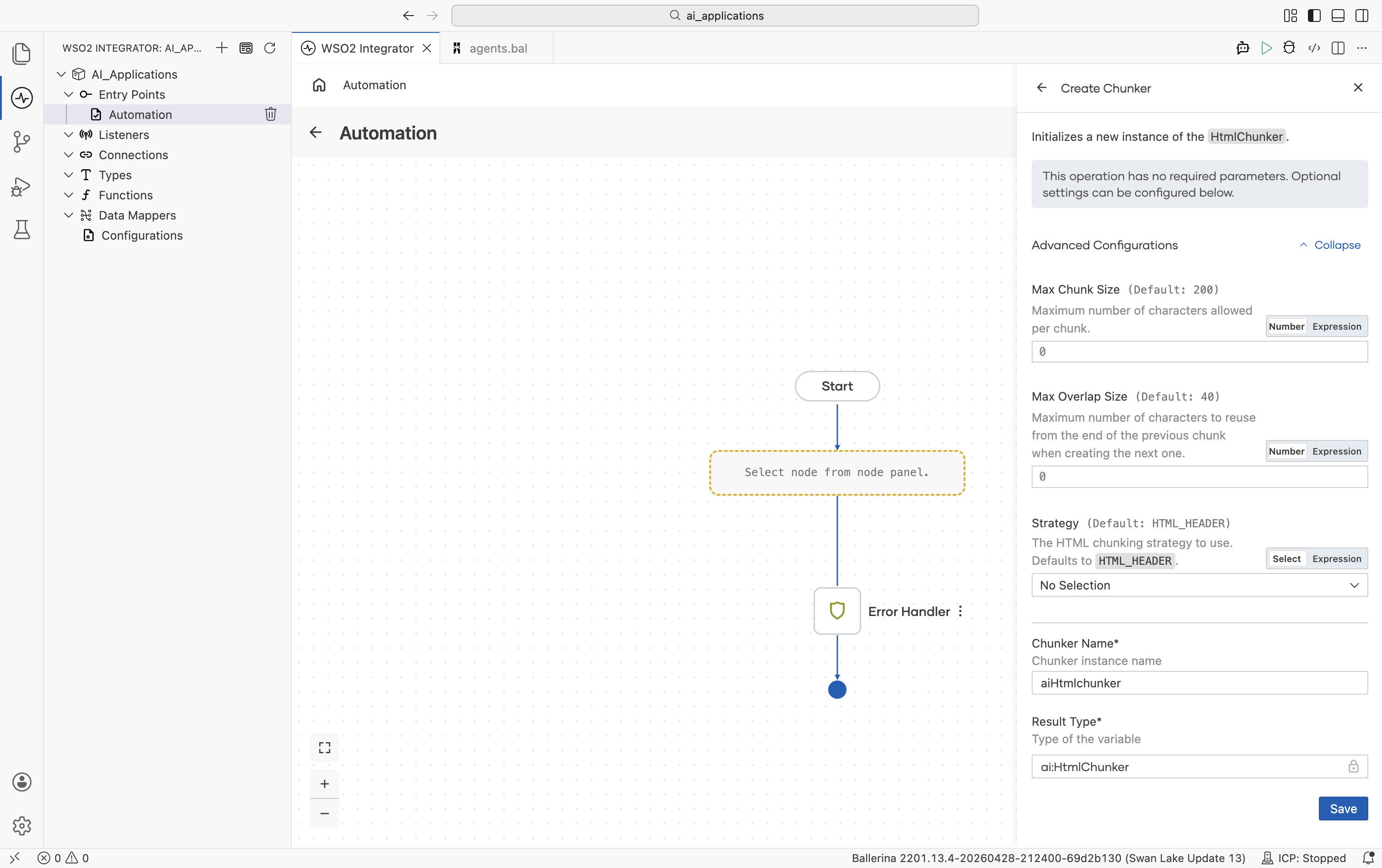
| Field | Default | Available values | What it controls |
|---|---|---|---|
| Max Chunk Size | 200 | Any positive integer | Max characters per chunk. |
| Max Overlap Size | 40 | Any non-negative integer | Overlap characters between adjacent chunks. |
| Strategy | HTML_HEADER | HTML_HEADER, HTML_PARAGRAPH, HTML_LINE, SENTENCE, WORD, CHARACTER | Starting splitting unit. |
Strategy options
| Strategy | What it splits on |
|---|---|
HTML_HEADER | <h1> through <h6>. Falls back through HTML_PARAGRAPH, HTML_LINE, SENTENCE, WORD, CHARACTER. |
HTML_PARAGRAPH | <p> tags. Falls back through HTML_LINE, SENTENCE, WORD, CHARACTER. |
HTML_LINE | <br> tags. Falls back through SENTENCE, WORD, CHARACTER. |
SENTENCE / WORD / CHARACTER | Same semantics as the other chunkers. |
Devant Chunker
A remote chunker that delegates the actual splitting to the WSO2 Integration Platform. Useful when you have binary documents (PDF, DOCX, PPTX) that the local chunkers can't read directly. Pair it with the Devant Binary Data Loader to read the file as a binary document.
Official website: WSO2 Integration Platform.
Create form
The Devant Chunker is added from the same Select Chunker picker. Its create form requires connecting to the WSO2 Integration Platform.
| Field | Required | Default | Available values |
|---|---|---|---|
| Service URL | Yes | — | The WSO2 Integration Platform service endpoint URL. |
| Access Token | Yes | — | Access token for authenticating with WSO2 Integration Platform. |
Advanced configurations
| Field | Default | Available values | What it controls |
|---|---|---|---|
| Maximum Chunk Size in Characters | 500 | Any positive integer | Max characters per chunk. |
| Maximum Overlap Size in Characters | 50 | Any non-negative integer | Overlap characters between adjacent chunks. |
| Chunking Strategy | RECURSIVE | RECURSIVE, PARAGRAPH, SENTENCE, CHARACTER | The chunking strategy WSO2 Integration Platform uses. |
Plus the Standard HTTP Advanced Configurations.
Only binary documents are accepted. The document's metadata must include a file name so WSO2 Integration Platform can detect the source format.
Selecting a chunk size
Chunk size is the most-tuned knob in RAG. Some rules of thumb:
| Symptom | Try |
|---|---|
| Retrieval brings back the right doc but the wrong section. | Smaller Max Chunk Size (try 150). |
| Retrieved chunks lose context (an answer is cut off mid-thought). | Larger Max Chunk Size (try 400) or larger Max Overlap Size. |
| Many tiny low-relevance results crowding out the good one. | Larger Max Chunk Size. |
| Retrieval cost is high (many calls, slow queries). | Larger Max Chunk Size, fewer chunks per document. |
The defaults (200 / 40) are tuned for prose. Code-heavy or table-heavy content usually wants larger chunks.
What's next
- Embedding Providers - Configure the model that converts chunks into vectors.
- Vector Stores - Set up the store that indexes and retrieves those vectors.
- Knowledge Bases - Combine a chunker, embedding provider, and vector store into a single ingest-and-retrieve component.
- RAG - End-to-end walkthrough of the ingestion and query flows.