Embedding Providers for Embedding Models
An embedding model converts text into a dense numeric vector that captures semantic meaning. An Embedding Provider is WSO2 Integrator's abstraction over these models, giving every supported vendor a consistent interface.
Knowledge Bases use the embedding provider on ingest to convert chunks into stored vectors, and again on retrieve to convert the user's query into a vector for similarity search.
Available actions
Every embedding provider exposes the same two actions.
| Action | What it does | Required parameters |
|---|---|---|
| Embed | Turns a single chunk into a vector. | Chunk (the text to embed). |
| Batch Embed | Turns many chunks into vectors in one call. Used by Knowledge Bases on bulk ingest. | Chunks (the array of chunks). |
You rarely call these directly. Knowledge Base ingest and retrieve operations call them for you.
Where to find embedding providers
In the Create Vector Knowledge Base form, click + Create New Embedding Model. The Select Embedding Provider picker shows the supported providers.
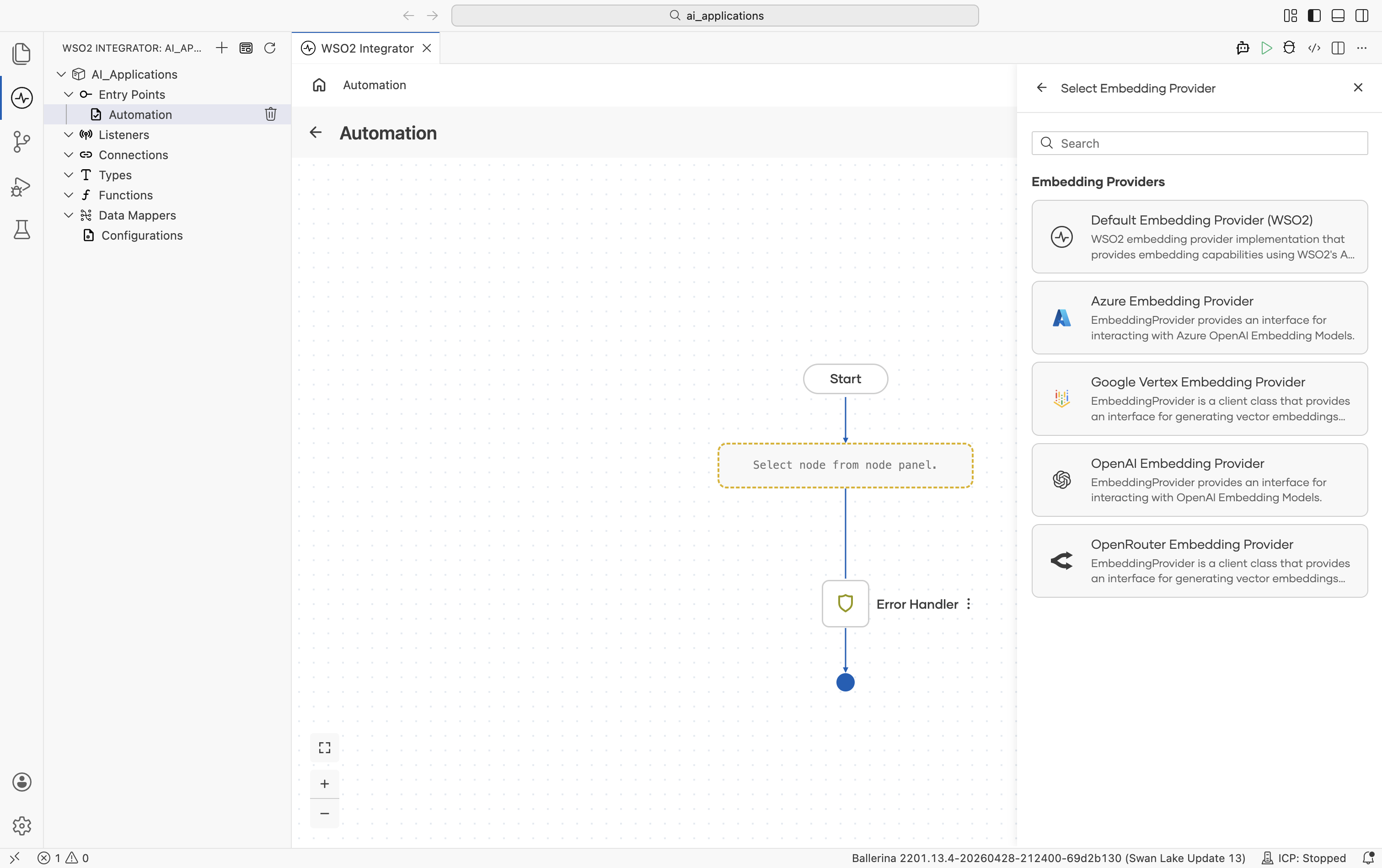
Implementations overview
| Provider | Module | API key required? | Default model |
|---|---|---|---|
| Default WSO2 | ballerina/ai | No (signed-in via WSO2) | WSO2-managed |
| Azure OpenAI | ballerinax/ai.azure | Yes | None |
| Google Vertex | ballerinax/ai.googleapis.vertex | OAuth2 / service account | text-embedding-005 |
| OpenAI | ballerinax/ai.openai | Yes | None |
| OpenRouter | ballerinax/ai.openrouter | Yes | None |
The HTTP-level advanced configurations on every external embedding provider use the same set of fields as model providers. For the full reference, see Standard HTTP advanced configurations.
Default WSO2 embedding provider
Routes through the WSO2 intelligence service. The same WSO2 sign-in that unlocks the default model provider unlocks this. No separate key is required.
Create form
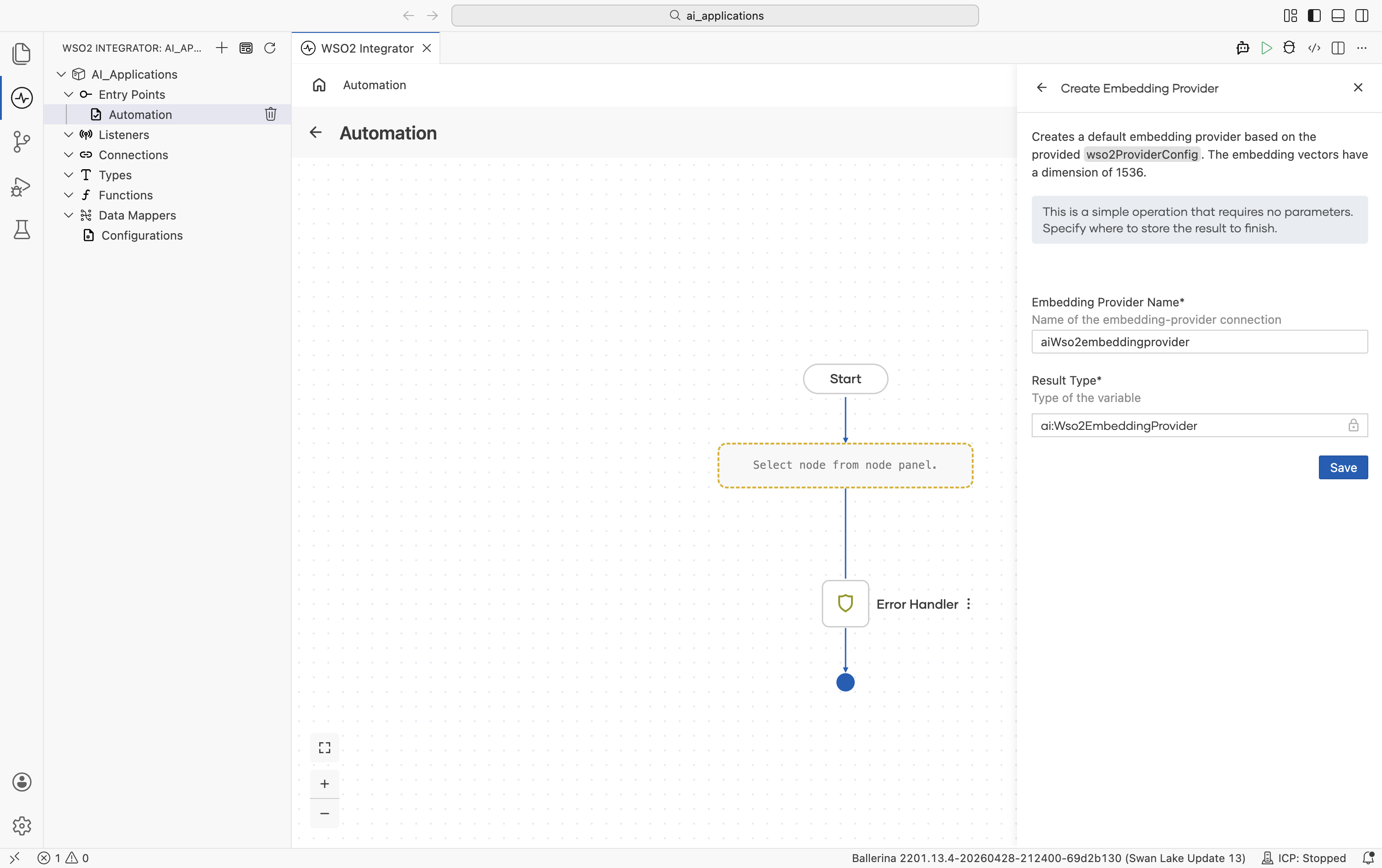
This provider has no provider-specific fields and no advanced configurations.
Azure OpenAI
Official website: Azure OpenAI embeddings documentation.
Create form
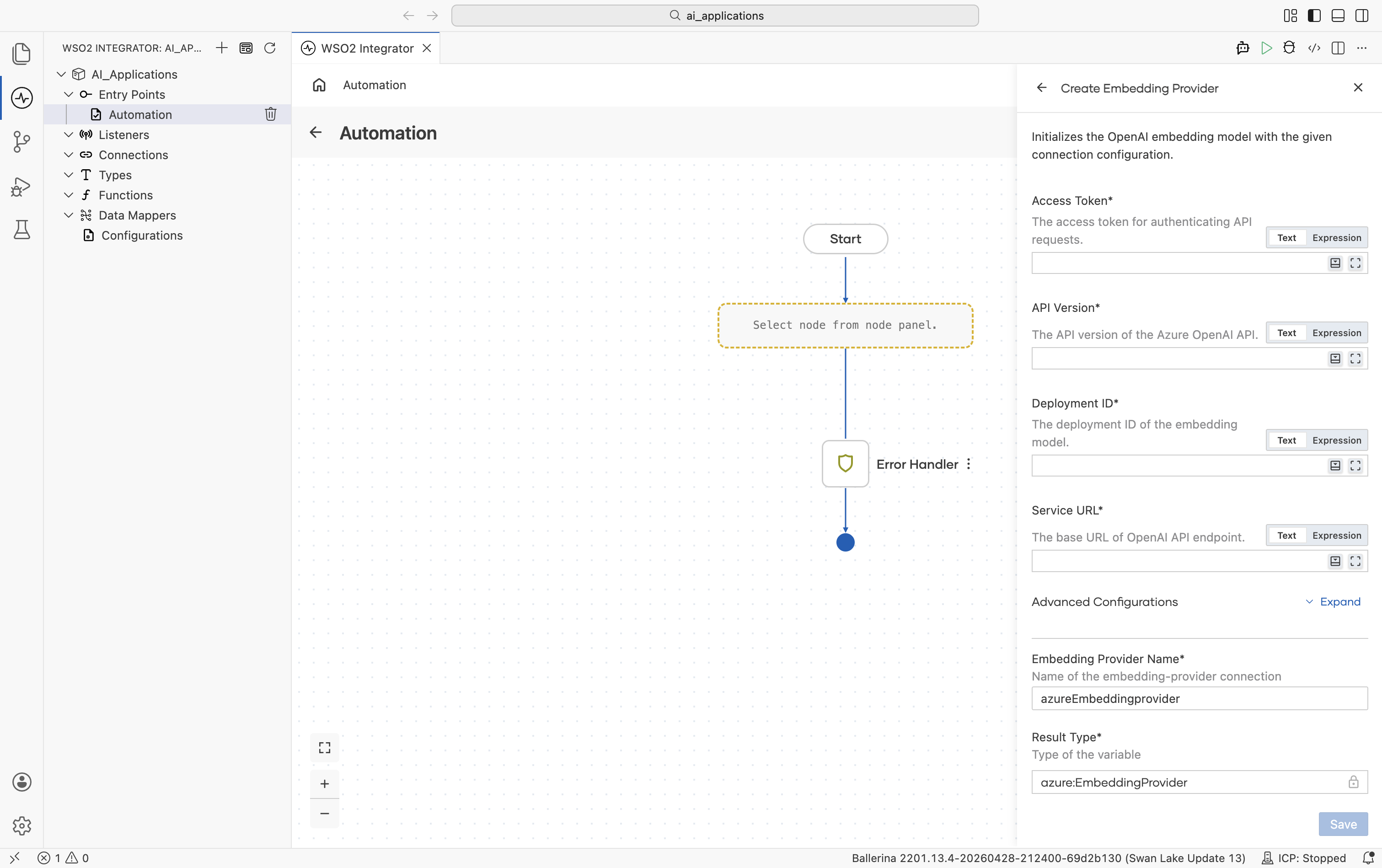
| Field | Required | Default | Available values |
|---|---|---|---|
| Access Token | Yes | — | Azure OpenAI API key. |
| API Version | Yes | — | Azure OpenAI API version, for example 2023-07-01-preview. |
| Deployment ID | Yes | — | Deployment ID for your embedding model deployment. |
| Service URL | Yes | — | Base URL of your Azure OpenAI resource, for example https://your-resource.openai.azure.com. |
The model name is implicit in the deployment on Azure. There is no Model Type field. Pick the model when you create the deployment in the Azure portal.
Advanced configurations
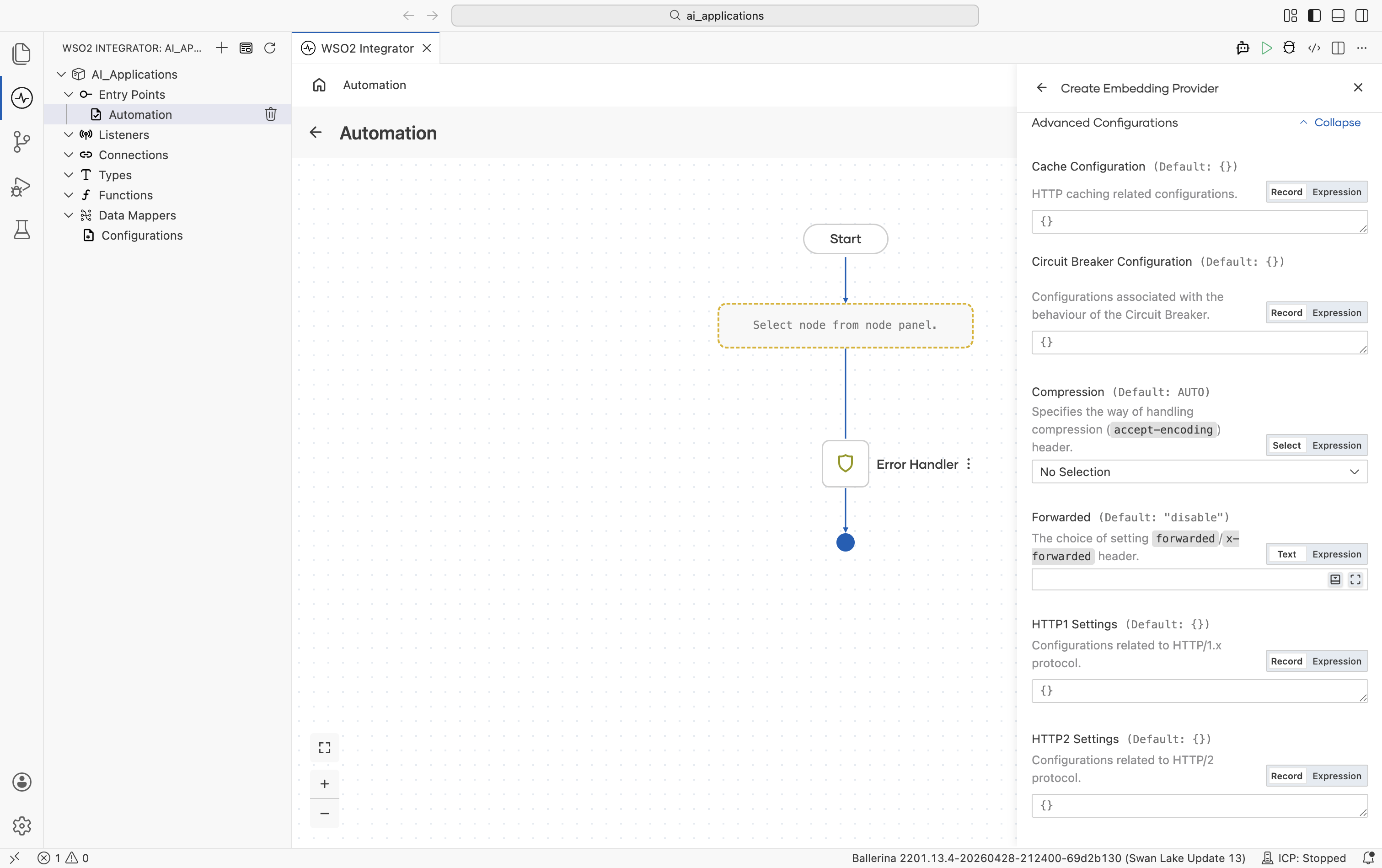
For standard HTTP configurations, see Standard HTTP advanced configurations.
Google Vertex
Official website: Vertex AI embeddings documentation.
Create form
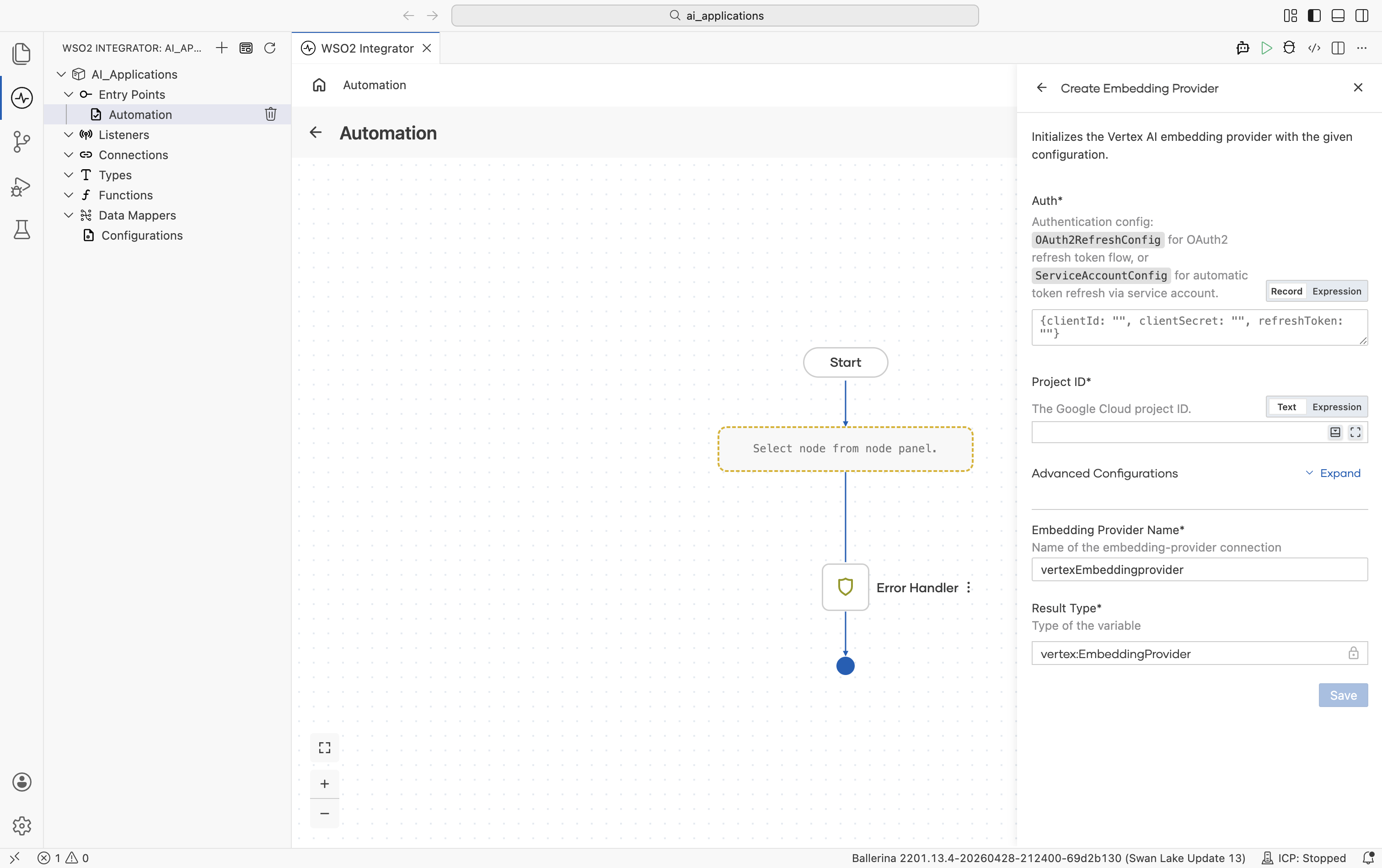
| Field | Required | Default | Available values |
|---|---|---|---|
| Auth | Yes | — | OAuth2 refresh-token record, a service-account record, or a path to a service-account JSON file. See Vertex auth options on the Model Providers page. |
| Project ID | Yes | — | Your Google Cloud project ID. |
Advanced configurations
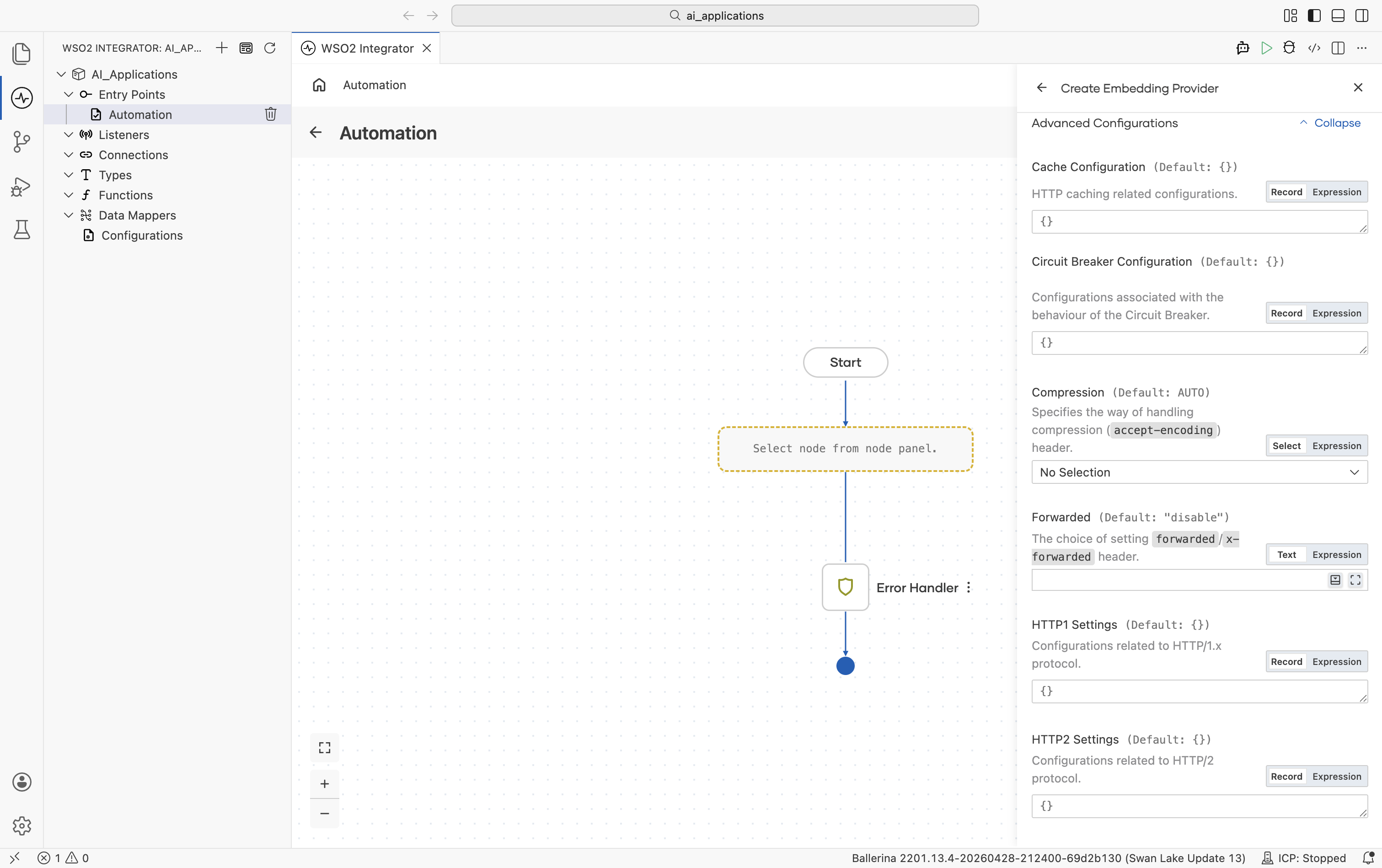
| Field | Default | Available values | What it controls |
|---|---|---|---|
| Location | "global" | "global", "us-central1", "europe-west1", etc. | Google Cloud region. |
| Model Type | text-embedding-005 | text-embedding-005, text-embedding-004, textembedding-gecko-multilingual@001, textembedding-gecko@001. | Vertex embedding model. |
| Service URL | "" (auto-derived) | URL string | Override the regional endpoint. Defaults to https://\{location\}-aiplatform.googleapis.com. |
For standard HTTP configurations, see Standard HTTP advanced configurations.
OpenAI
Official website: OpenAI Embeddings documentation.
Create form
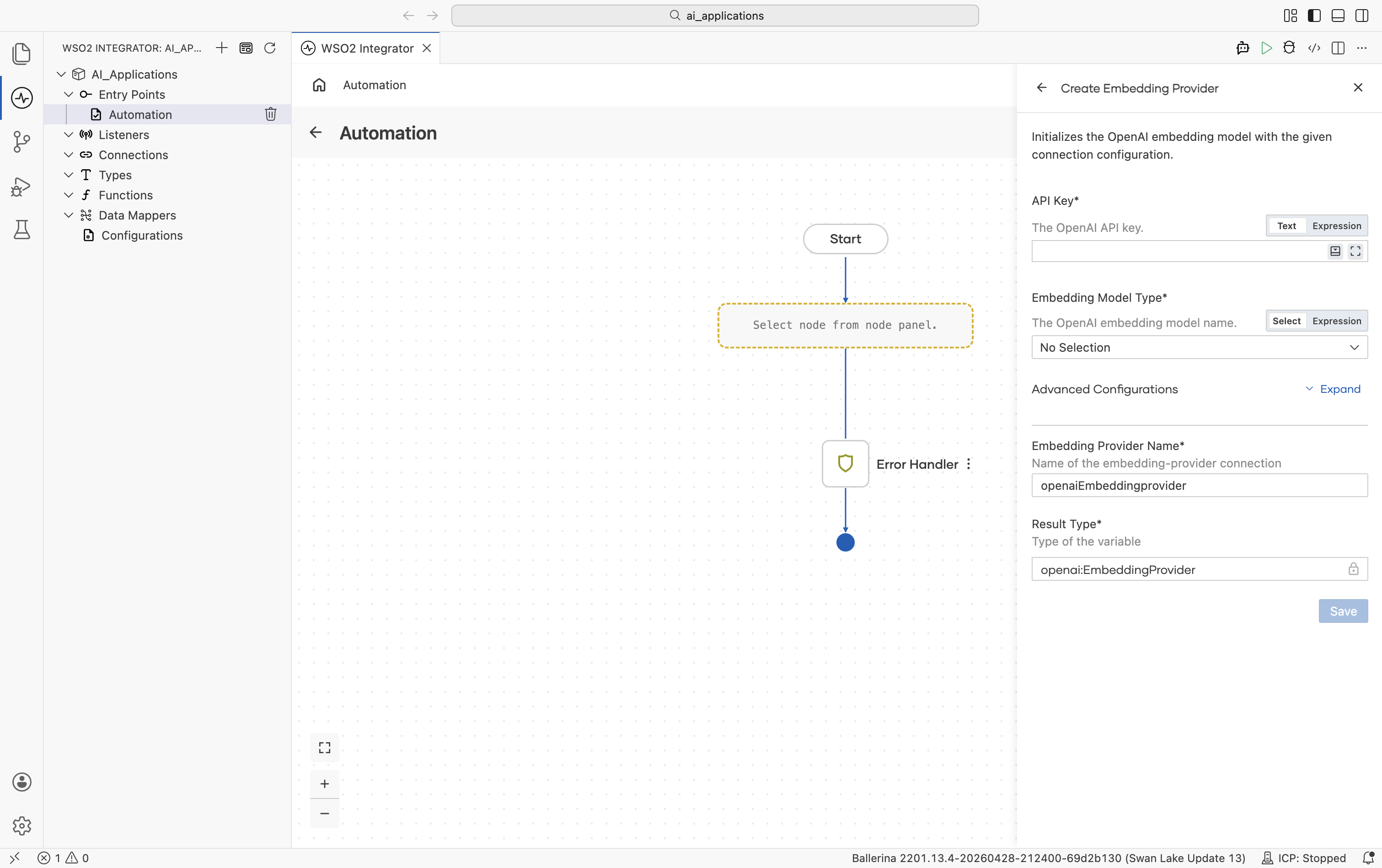
| Field | Required | Default | Available values |
|---|---|---|---|
| API Key | Yes | — | OpenAI API key. Reference a configurable in production. |
| Embedding Model Type | Yes | — | text-embedding-3-small (1536 dims, configurable down), text-embedding-3-large (3072 dims, configurable down), text-embedding-ada-002 (1536 dims). |
Advanced configurations
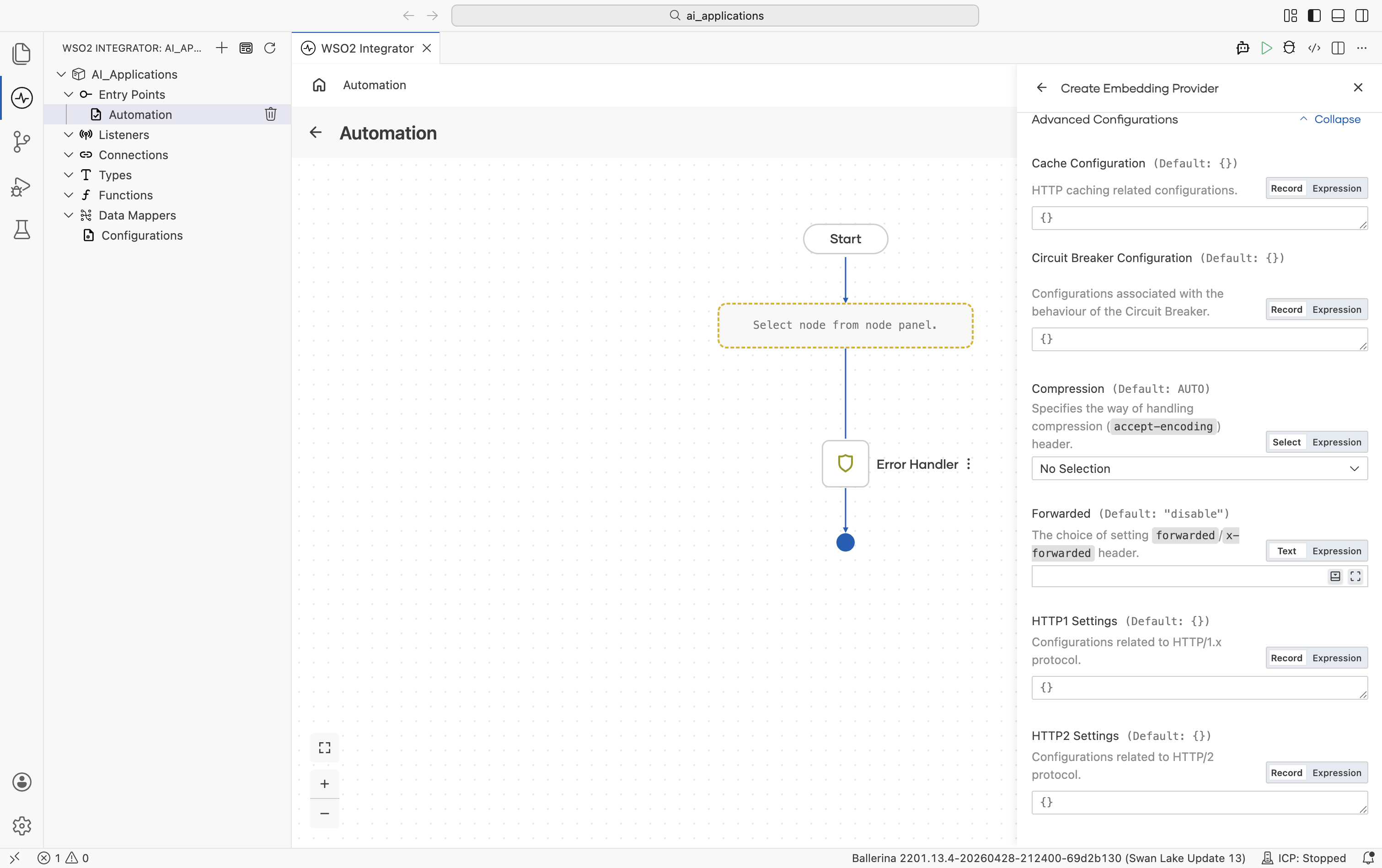
| Field | Default | Available values | What it controls |
|---|---|---|---|
| Service URL | https://api.openai.com/v1 | URL string | OpenAI API base URL. |
For standard HTTP configurations, see Standard HTTP advanced configurations.
OpenRouter
OpenRouter exposes embedding models from many providers behind a single API.
Official website: openrouter.ai.
Create form
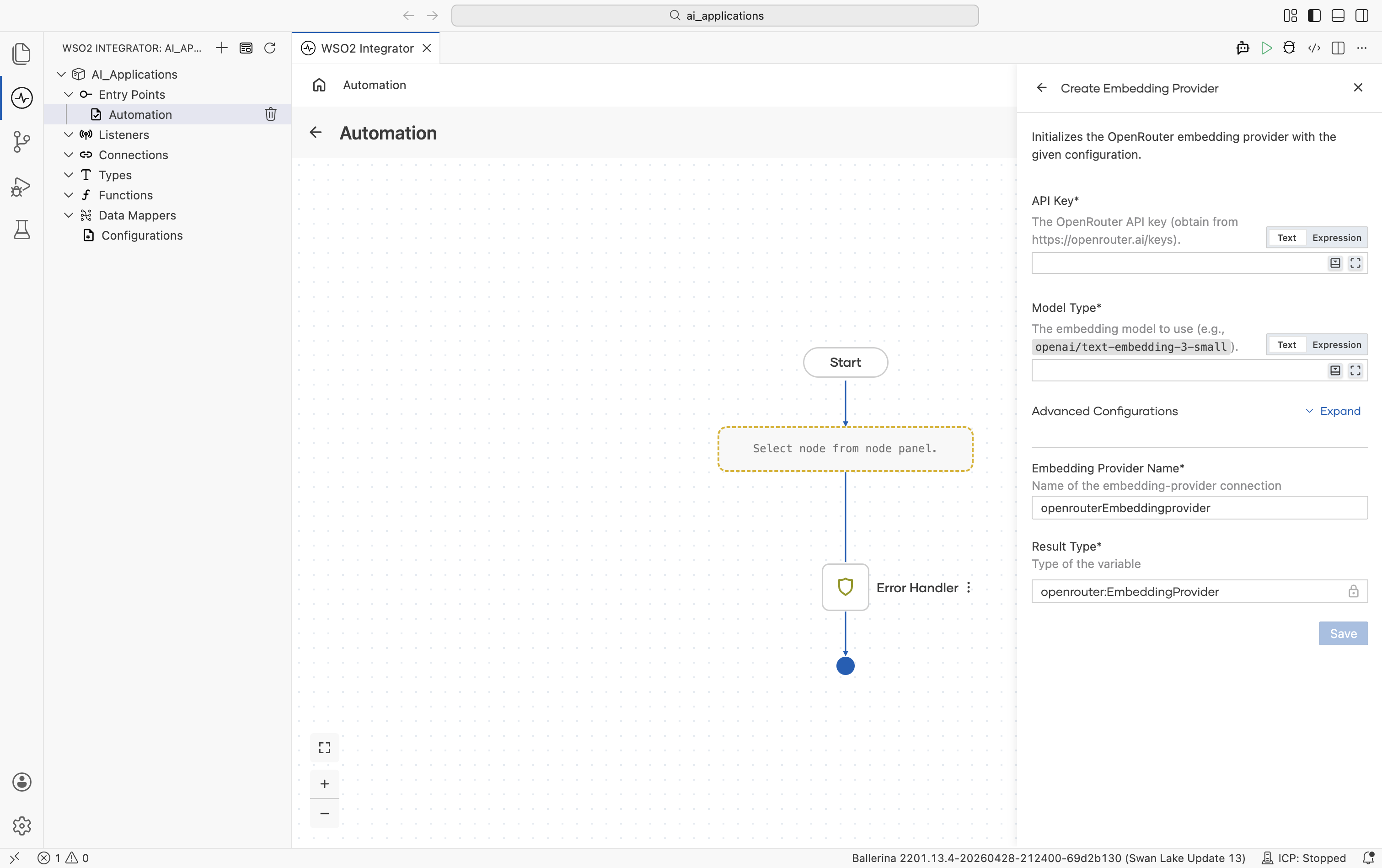
| Field | Required | Default | Available values |
|---|---|---|---|
| API Key | Yes | — | OpenRouter API key. |
| Model Type | Yes | — | Qualified embedding model name, for example openai/text-embedding-3-small. See OpenRouter's model list. |
Advanced configurations
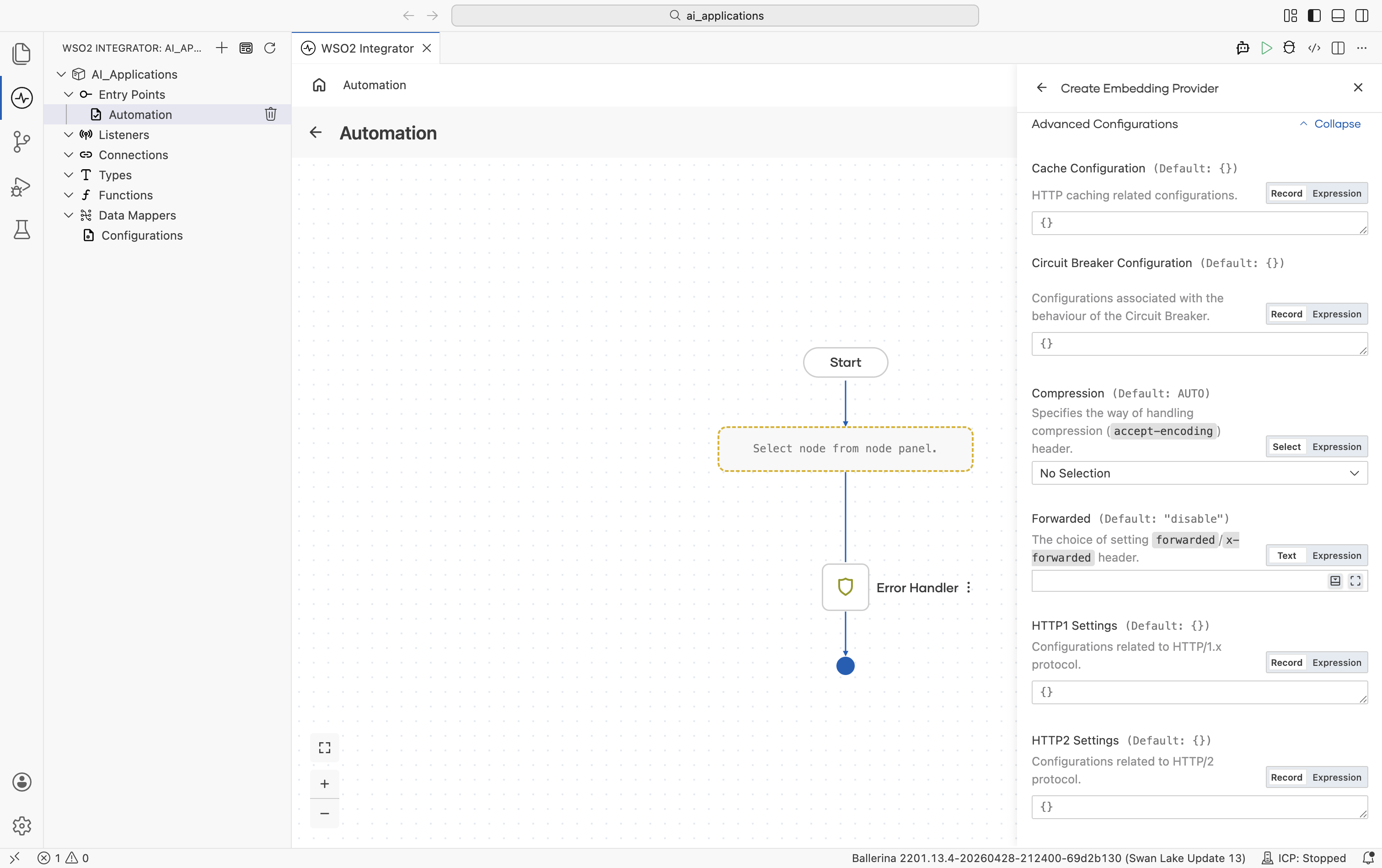
| Field | Default | Available values | What it controls |
|---|---|---|---|
| Service URL | https://openrouter.ai/api/v1 | URL string | OpenRouter API base URL. |
| Site URL | () | URL string or empty | Optional site URL sent as HTTP-Referer. |
| Site Name | () | String or empty | Optional site name sent as X-OpenRouter-Title. |
For standard HTTP configurations, see Standard HTTP advanced configurations.
OpenRouter's embedding endpoint accepts text-only chunks. Image or audio chunks raise an error.
Selecting a provider
| Situation | Recommended |
|---|---|
| Prototyping, no infra setup | Default WSO2: sign in once, no key needed. |
| Already on OpenAI for chat | OpenAI: same key, same vendor. |
| Already on Azure | Azure OpenAI: keep traffic inside your Azure tenant. |
| Already on Google Cloud | Vertex: same auth as the rest of GCP. |
| Want one key across many vendors | OpenRouter. |
The provider selected at ingest time must remain consistent for the lifetime of the vector store. Switching providers requires re-embedding all stored content.
What's next
- Vector Stores — Where the embeddings live.
- Knowledge Bases — The object that ties an embedding provider, a vector store, and a chunker together.
- Chunkers — Split documents into chunks before embedding for ingestion into a vector store.
- RAG — WSO2 Integrator walkthrough for ingestion and query flows.