Model Providers for LLMs
A Large Language Model (LLM) is a neural network trained on large text corpora. You send it a prompt (a text instruction) and it generates a response. LLMs power natural language tasks such as answering questions, summarizing content, extracting structured data, and planning and executing tool calls.
A Model Provider is WSO2 Integrator's unified abstraction over LLMs. It wraps the provider-specific API behind a consistent interface, so Direct LLM Calls, Natural Functions, the RAG generate node, and AI agents all work the same way regardless of which LLM you choose. Pick a provider, fill in the form, and click Save.
Every model provider exposes the same two actions, so switching LLMs is a connection-level swap that leaves the rest of your flow unchanged.
Available actions
Every model provider exposes the following actions.
| Action | What it does | Required parameters | Optional parameters |
|---|---|---|---|
| Generate | Sends a prompt to the model and binds the response to a typed Ballerina value. The everyday action behind a generate node, a Natural Function, or RAG ai:generate. | Prompt (the instruction template), Expected Type (the type the response is parsed into) | None per call. Anything you want to tune (temperature, max tokens) lives on the connection. |
| Chat | Sends a list of chat messages and (optionally) tool definitions; returns the model's reply, including any tool calls. Used by Agents. | Messages (the conversation), Tools (tool definitions for tool calling) | Stop (a stop sequence). |
Per-call overrides are not exposed in the form. Anything that varies per request belongs in the prompt; anything that varies across the project is set once on the connection (see Standard HTTP advanced configurations below).
Where to find model providers for LLM
- Add Node panel > AI > Direct LLM > Model Provider
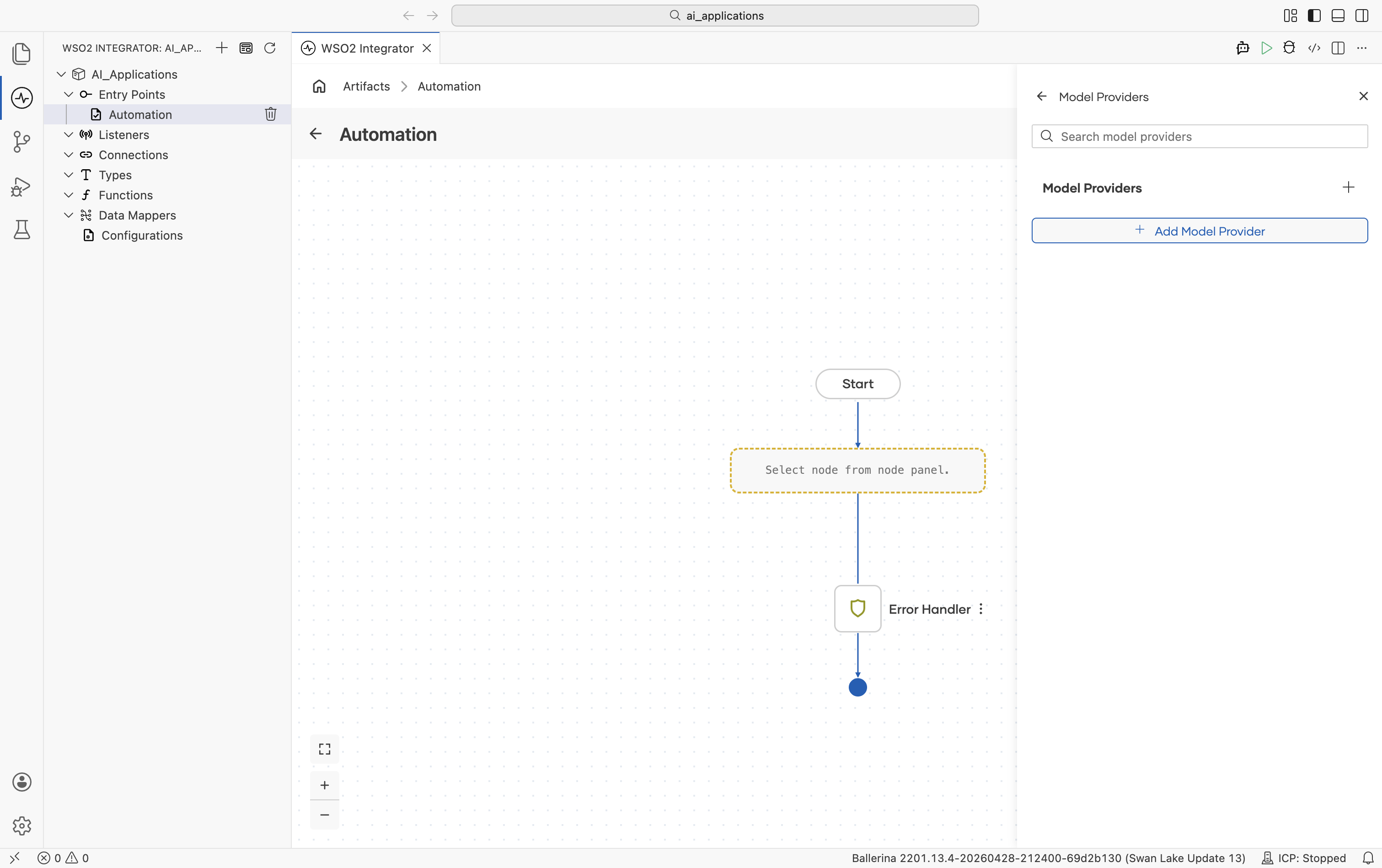
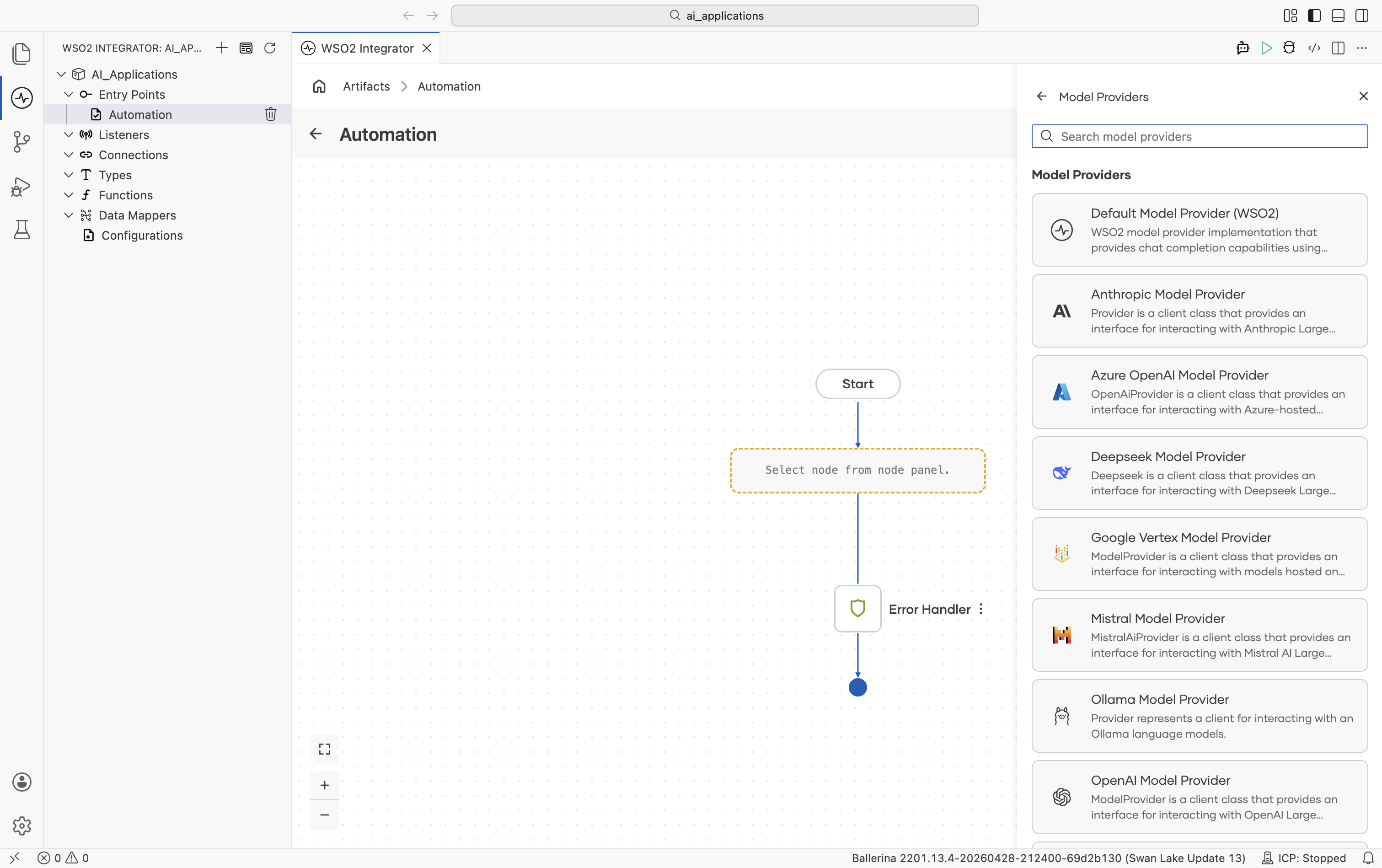
- Click + Add Model Provider and the Select Model Provider picker opens with a card for each provider type:
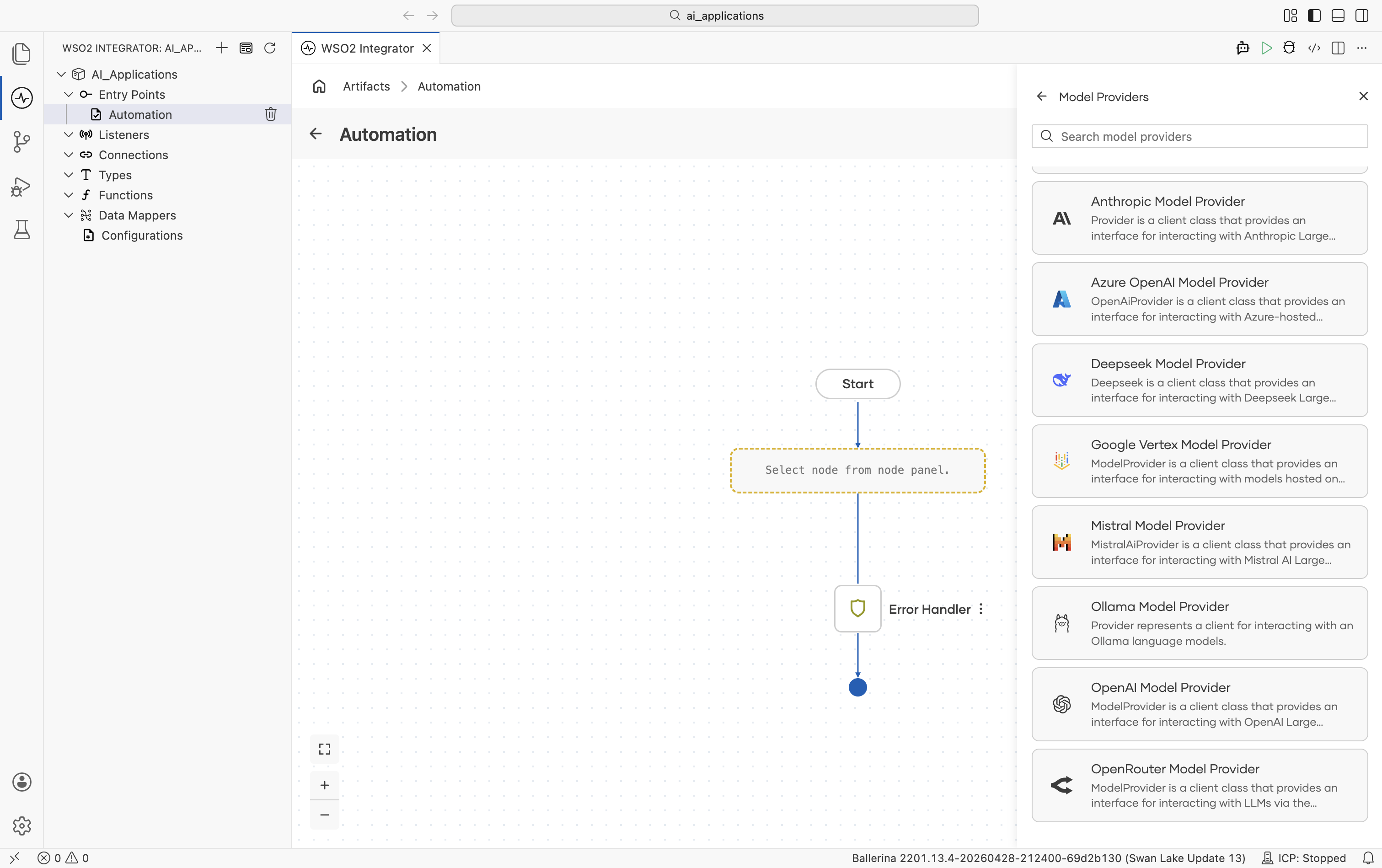
Scroll to see the remaining options:
Implementations overview
| Provider | Module | API key required? | Has embedding provider? |
|---|---|---|---|
| Default WSO2 | ballerina/ai | No (signed-in via WSO2) | Yes. See Default WSO2 Embedding Provider |
| Anthropic | ballerinax/ai.anthropic | Yes | No |
| Azure OpenAI | ballerinax/ai.azure | Yes | Yes |
| DeepSeek | ballerinax/ai.deepseek | Yes | No |
| Google Vertex | ballerinax/ai.googleapis.vertex | OAuth2 / service account | Yes |
| Mistral | ballerinax/ai.mistral | Yes | No |
| Ollama | ballerinax/ai.ollama | No (local) | No |
| OpenAI | ballerinax/ai.openai | Yes | Yes |
| OpenRouter | ballerinax/ai.openrouter | Yes | Yes |
Standard HTTP advanced configurations
Every provider with a hosted endpoint (all providers except the Default WSO2 provider, which is preconfigured) shares the same HTTP-level advanced configurations. They tune the underlying HTTP client and apply to every request the provider makes.
| Field | Default | Available values | What it controls |
|---|---|---|---|
| Service URL | provider-specific | URL string | Override the provider's API base URL - useful for OpenAI-compatible gateways or self-hosted endpoints. |
| Maximum Tokens | 512 | Any positive integer | Hard cap on the response length. |
| Temperature | 0.7 | 0.0-2.0 (provider-dependent) | Sampling temperature. Lower = more deterministic, higher = more creative. Use 0.0 for the most reproducible results. |
| HTTP Version | HTTP_2_0 | HTTP_1_1, HTTP_2_0 | The HTTP version used for requests. |
| HTTP1 Settings | {} | Record (keep-alive, version, chunking) | HTTP/1.x protocol settings. |
| HTTP2 Settings | {} | Record | HTTP/2 protocol settings. |
| Timeout | 60 (seconds) | Any positive number | Per-request timeout. |
| Forwarded | "disable" | "disable", "enable", "transient" | Whether to set Forwarded / X-Forwarded-For headers when behind a proxy. |
| Pool Configuration | {} | Record (max active, idle time) | Request pool settings. |
| Cache Configuration | {} | Record | HTTP response caching. |
| Compression | AUTO | AUTO, ALWAYS, NEVER | accept-encoding handling. |
| Circuit Breaker Configuration | {} | Record (rollingWindow, failureThreshold, resetTime, statusCodes) | Open the breaker on repeated failures so calls fail fast and recover. |
| Retry Configuration | {} | Record (count, interval, backOffFactor, maxWaitInterval, statusCodes) | Retry on failure. |
| Response Limits | {} | Record (max body, max headers) | Maximum inbound response size. |
| Secure Socket | () | Record (trust store, key store, client auth) | TLS / SSL options. |
| Proxy | () | Record (host, port, userName, password) | HTTP proxy settings. |
| Validation | true | true, false | Inbound payload validation. |
The same set of fields appears in the Advanced Configurations section of every provider's Create form. Below, each provider's section only calls out provider-specific knobs that go on top.
Default WSO2 model provider
Provided by the core ballerina/ai package. Routes through the WSO2 intelligence service. No API key in your source. A one-time WSO2 sign-in writes the credentials into your project's Config.toml. The fastest way to get an LLM running while you're prototyping.
Create form
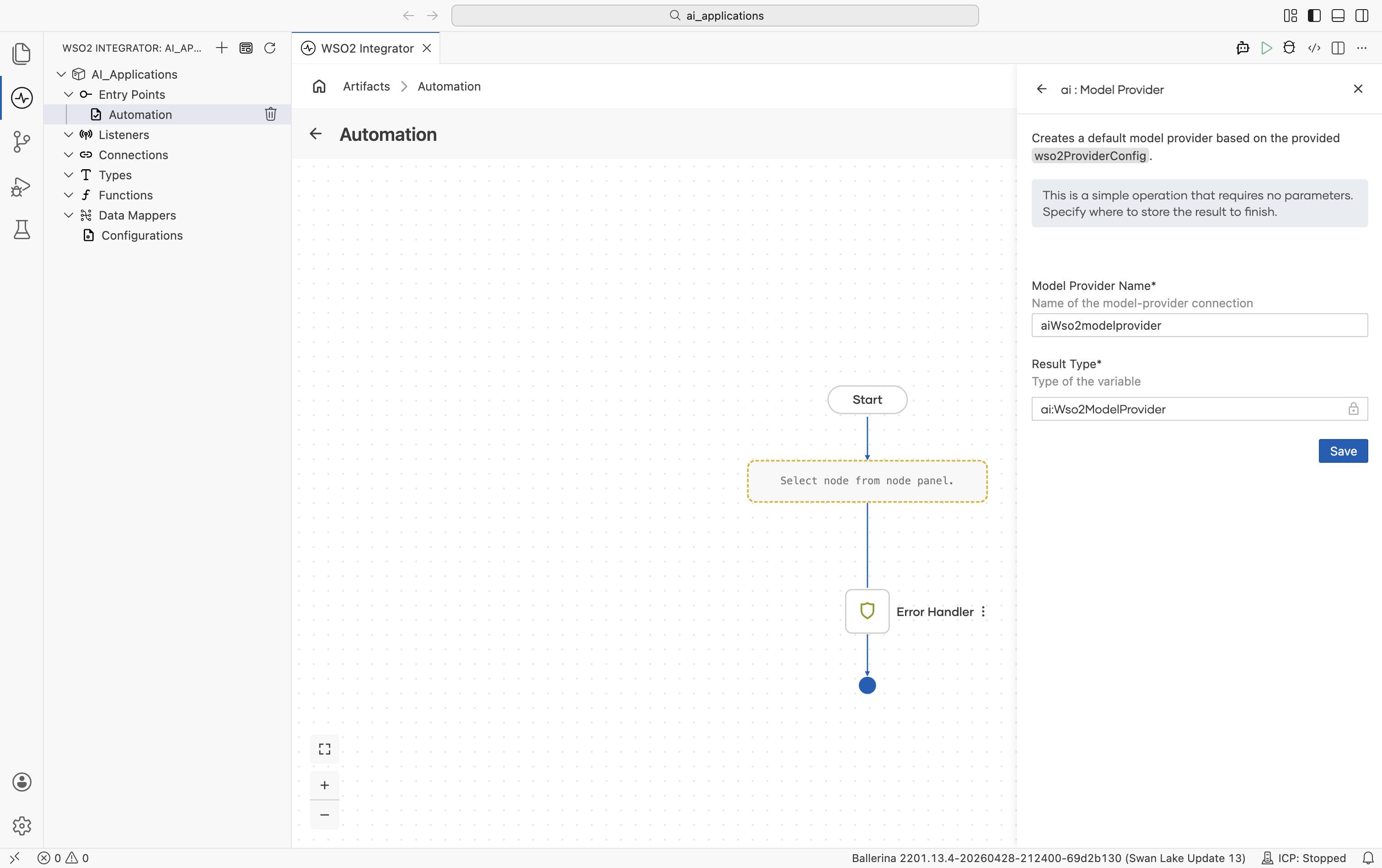
No provider-specific fields. Sign in with your WSO2 account and WSO2 Integrator handles the rest. There are no advanced configurations on this provider.
When you click Save, the Command Palette opens with Ballerina: Configure default WSO2 model provider. Sign in once and the credentials are written to Config.toml automatically. You can re-run the command at any time to refresh.
Anthropic
Anthropic's Claude family includes three model tiers: Opus, Sonnet, and Haiku.
Official website: anthropic.com.
Create form
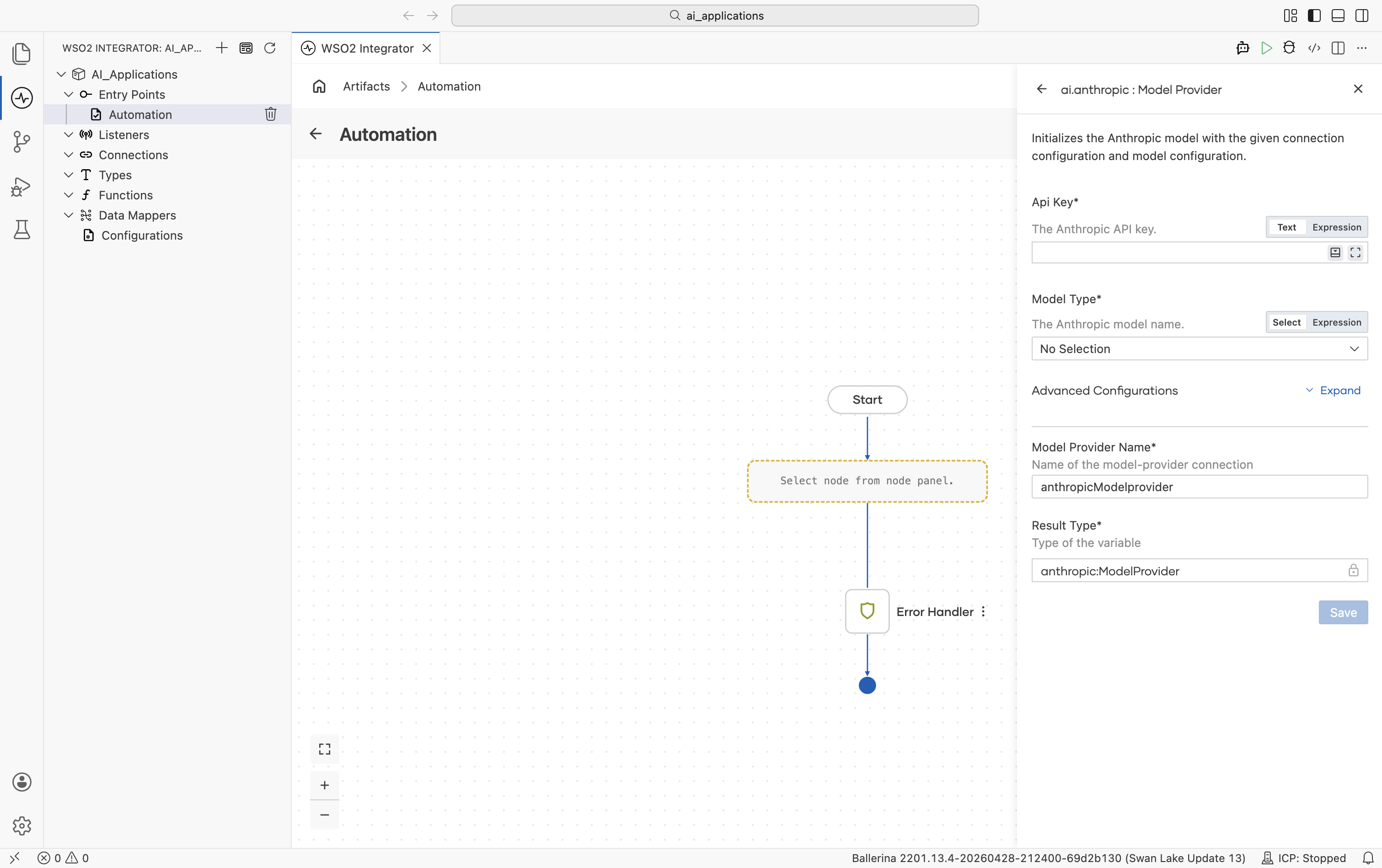
| Field | Required | Default | Available values |
|---|---|---|---|
| API Key | Yes | - | Anthropic API key. |
| Model Type | Yes | - | claude-sonnet-4-5, claude-sonnet-4-5-20250929, claude-haiku-4-5, claude-haiku-4-5-20251001, claude-opus-4-5, claude-opus-4-5-20251101, claude-opus-4-6, claude-sonnet-4-6, claude-opus-4-1-20250805, claude-opus-4-20250514, claude-sonnet-4-20250514, claude-3-7-sonnet-20250219, claude-3-5-haiku-20241022, claude-3-5-sonnet-20241022, claude-3-5-sonnet-20240620, claude-3-opus-20240229, claude-3-sonnet-20240229, claude-3-haiku-20240307. |
Advanced configurations
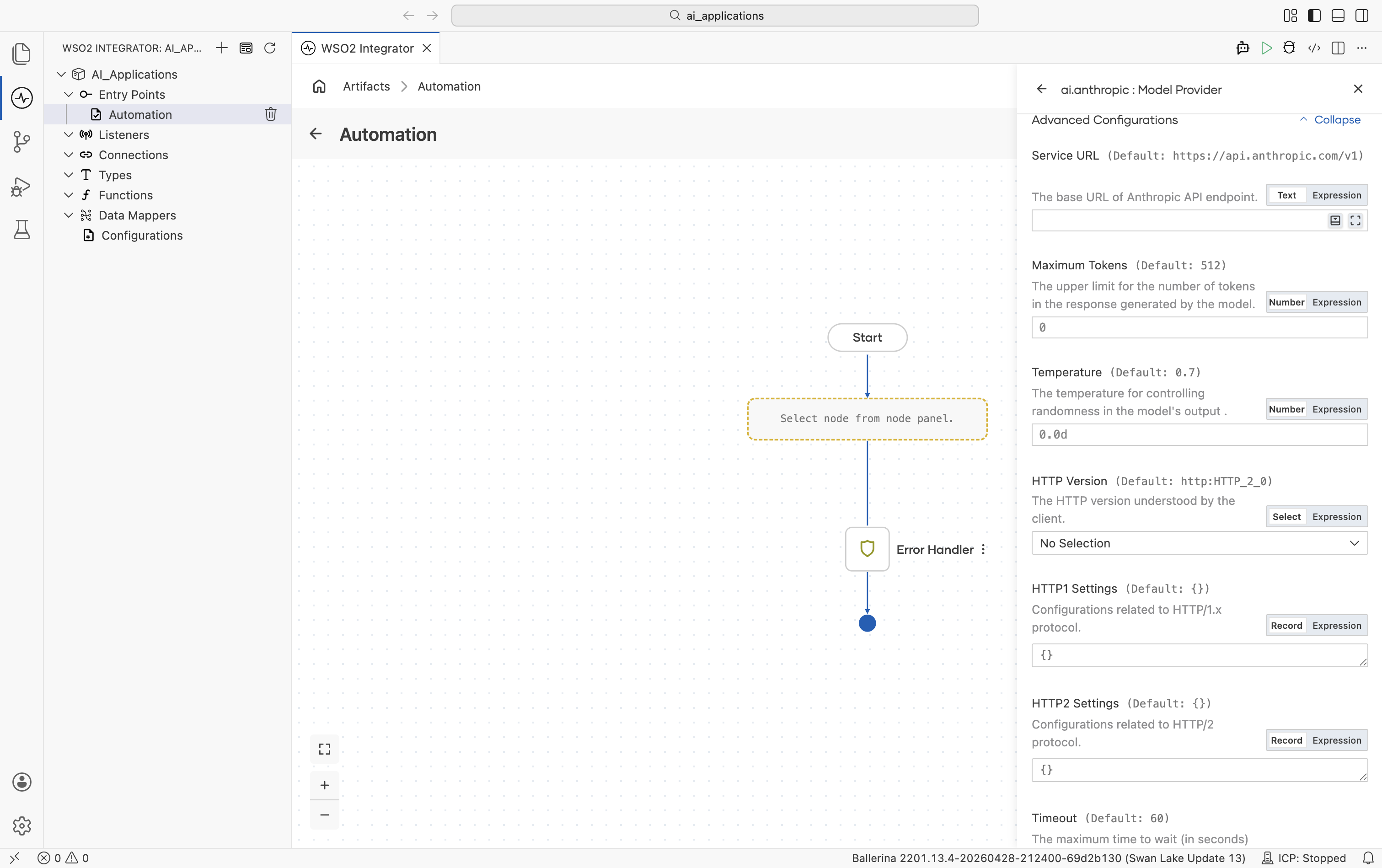
| Field | Default | Available values | What it controls |
|---|---|---|---|
| Service URL | https://api.anthropic.com/v1 | URL string | Anthropic API base URL. |
| Maximum Tokens | 512 | Any positive integer | Hard cap on response length. Anthropic always sends this on every call, so the connection always carries a default. |
| Temperature | 0.7 | 0.0-1.0 | Sampling temperature. |
Plus the Standard HTTP advanced configurations.
Azure OpenAI
Same family of models as OpenAI, hosted on Azure with per-resource deployments.
Official website: Azure OpenAI Service.
Create form
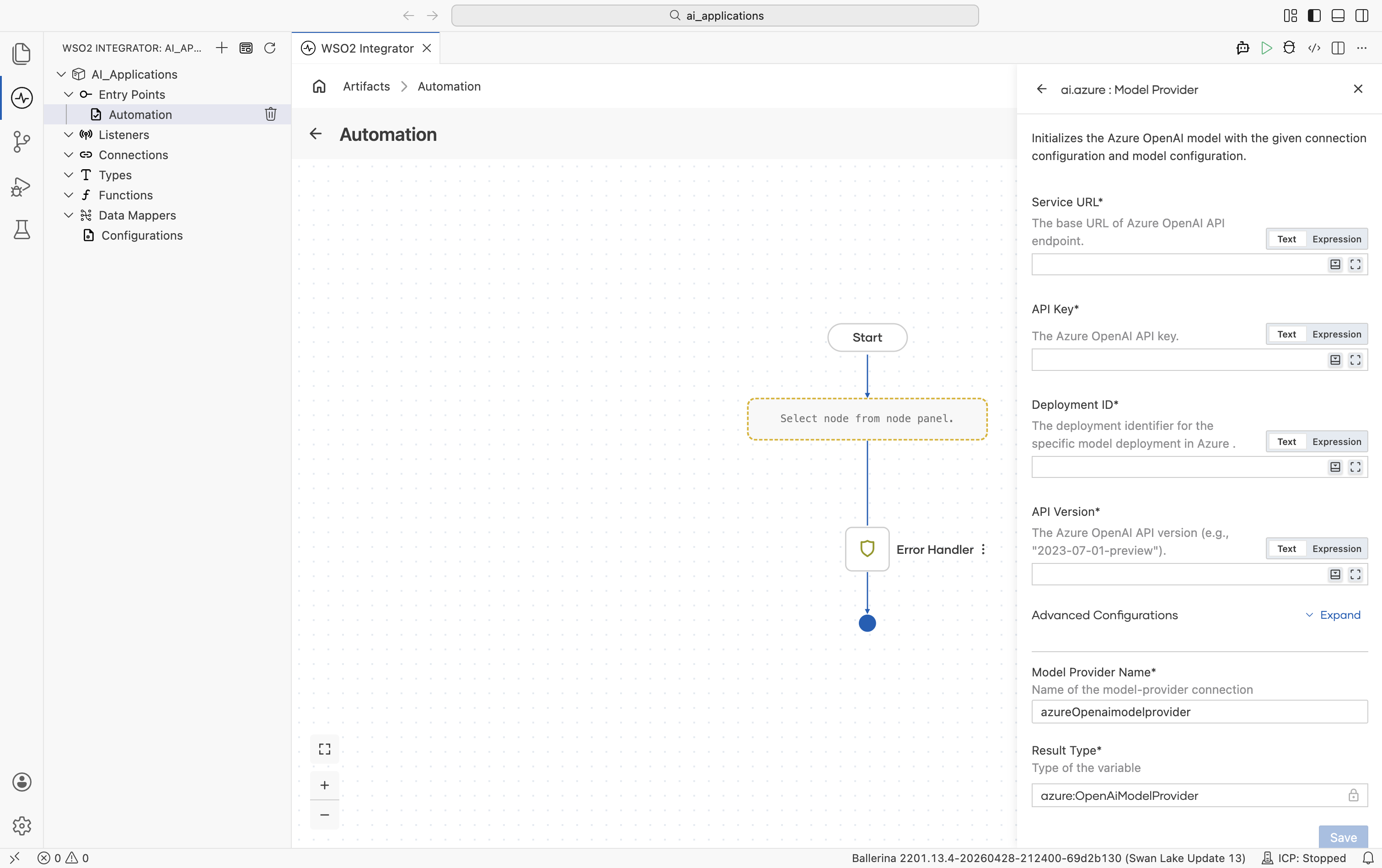
| Field | Required | Default | Available values |
|---|---|---|---|
| Service URL | Yes | - | Base URL of your Azure OpenAI resource, e.g. https://your-resource.openai.azure.com. |
| API Key | Yes | - | Azure OpenAI API key. |
| Deployment ID | Yes | - | The deployment identifier you created in the Azure portal (the model name is implicit in the deployment). |
| API Version | Yes | - | Azure OpenAI API version, e.g. 2023-07-01-preview. |
Advanced configurations
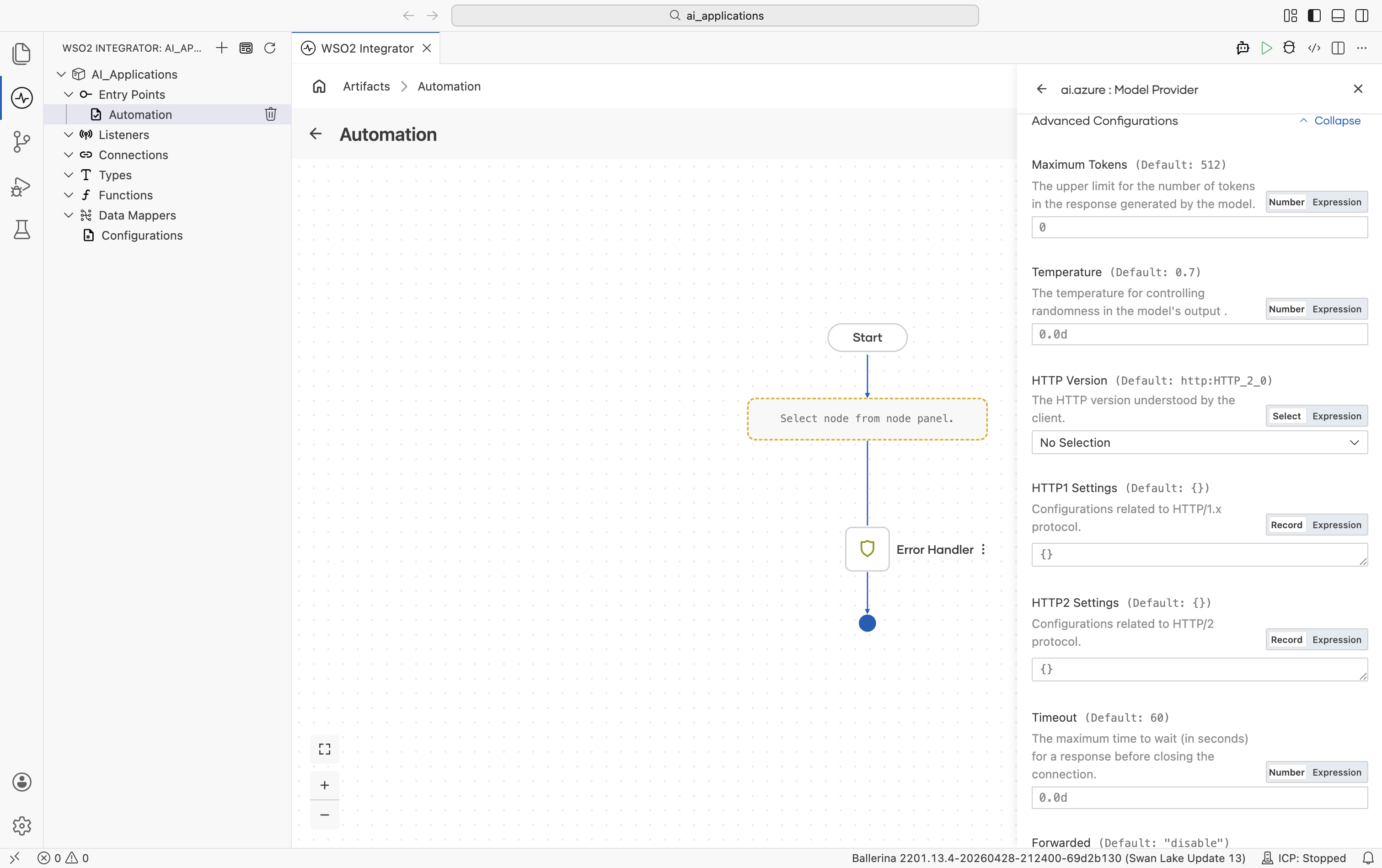
| Field | Default | Available values | What it controls |
|---|---|---|---|
| Maximum Tokens | 512 | Any positive integer | Hard cap on response length. |
| Temperature | 0.7 | 0.0-2.0 | Sampling temperature. |
Plus the Standard HTTP advanced configurations.
The Azure package also ships an Embedding Provider and the Azure AI Search Knowledge Base. See Azure OpenAI and Azure AI Search.
DeepSeek
DeepSeek's chat and reasoning models.
Official website: deepseek.com.
Create form
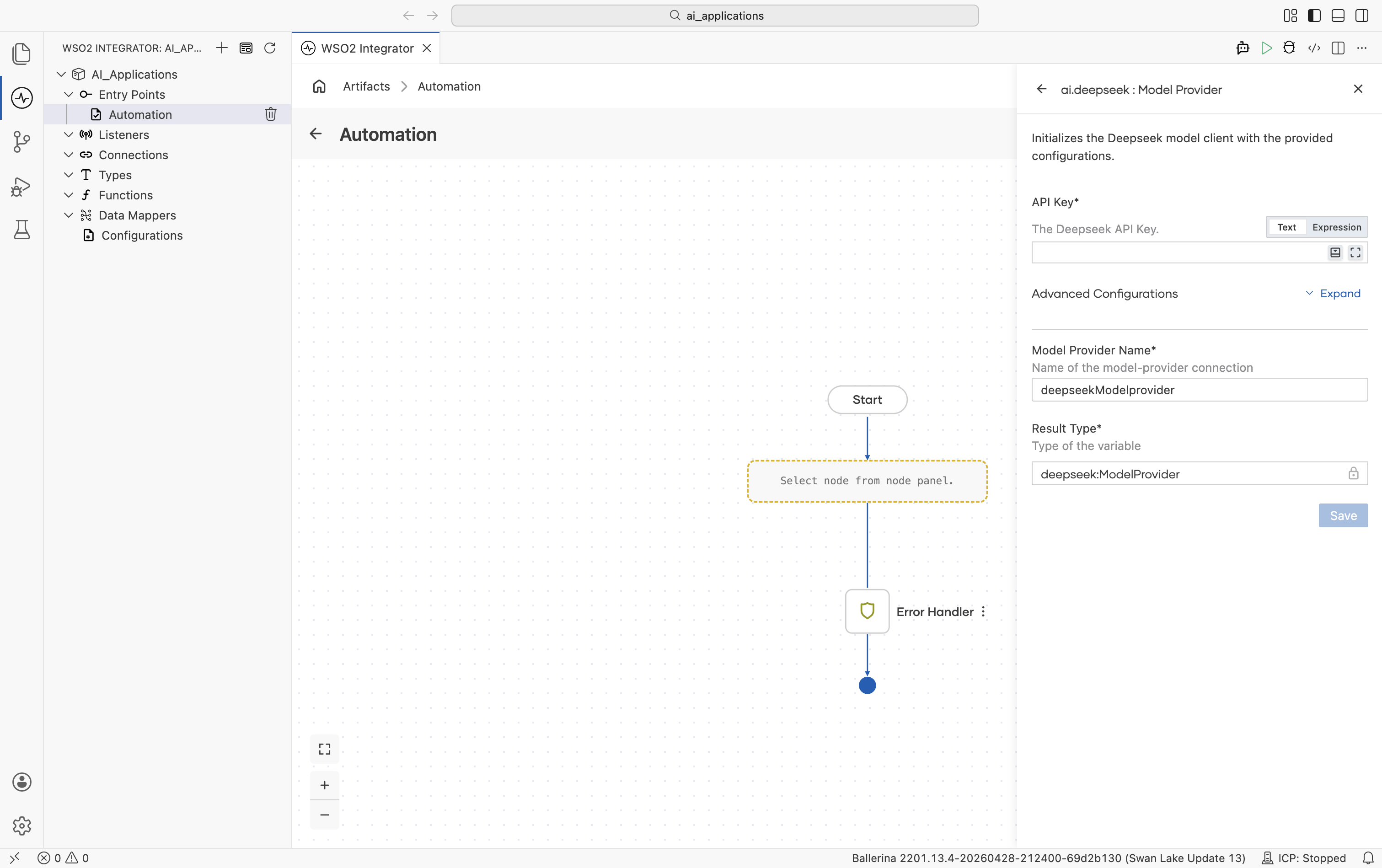
| Field | Required | Default | Available values |
|---|---|---|---|
| API Key | Yes | - | DeepSeek API key. |
Advanced configurations
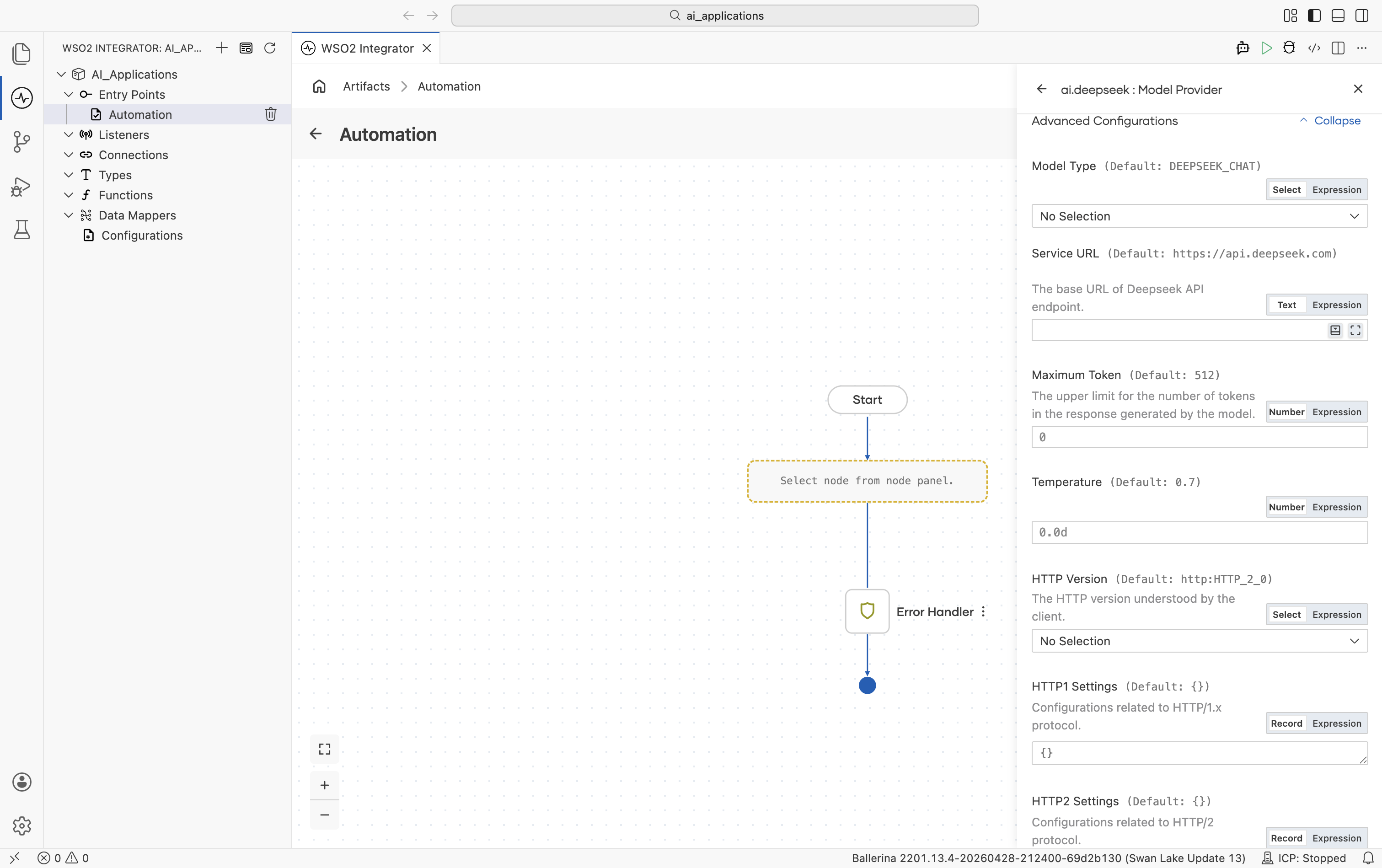
| Field | Default | Available values | What it controls |
|---|---|---|---|
| Model Type | deepseek-chat (WSO2 Integrator shows the constant DEEPSEEK_CHAT) | deepseek-chat, deepseek-reasoner | Which DeepSeek model to use. |
| Service URL | https://api.deepseek.com | URL string | DeepSeek API base URL. |
| Maximum Tokens | 512 | Any positive integer | Hard cap on response length. |
| Temperature | 0.7 | 0.0-1.0 | Sampling temperature. |
Plus the Standard HTTP advanced configurations.
Google Vertex AI
Vertex AI exposes Google's Gemini models alongside hosted Anthropic, Mistral, Meta, DeepSeek, and other open-weight models.
Official website: Vertex AI.
Create form
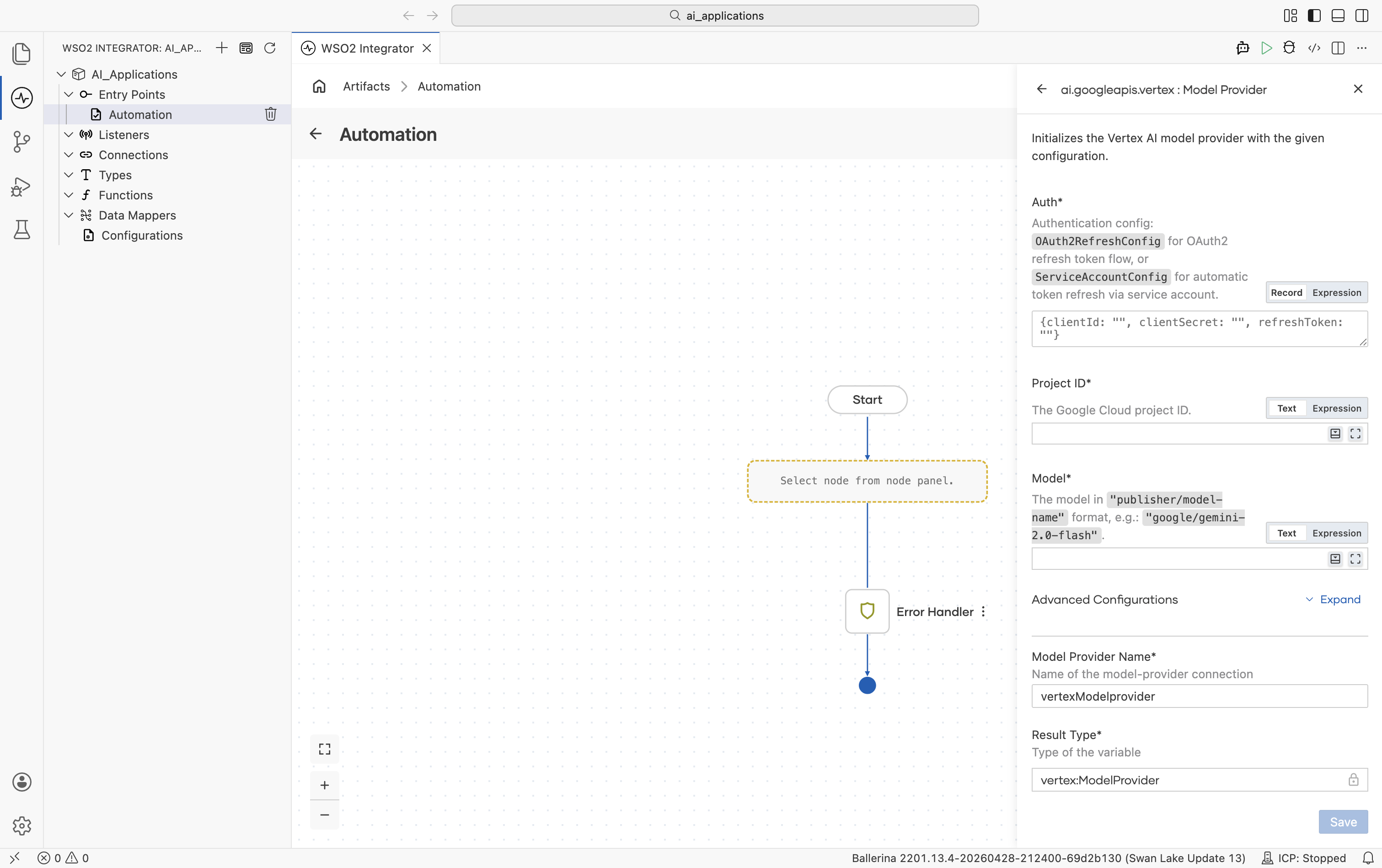
| Field | Required | Default | Available values |
|---|---|---|---|
| Auth | Yes | - | OAuth2 refresh-token record, a service-account record, or a path to a service-account JSON file. See auth options below. |
| Project ID | Yes | - | Your Google Cloud project ID. |
| Model | Yes | - | Publisher-prefixed model name. Examples: google/gemini-2.0-flash, anthropic/claude-sonnet-4-6, mistralai/mistral-medium-3, meta/llama-4-maverick-17b-128e-instruct-maas, deepseek-ai/deepseek-v3-0324, qwen/qwen3-235b-a22b, kimi/kimi-k2, minimax/minimax-m2. |
Advanced configurations
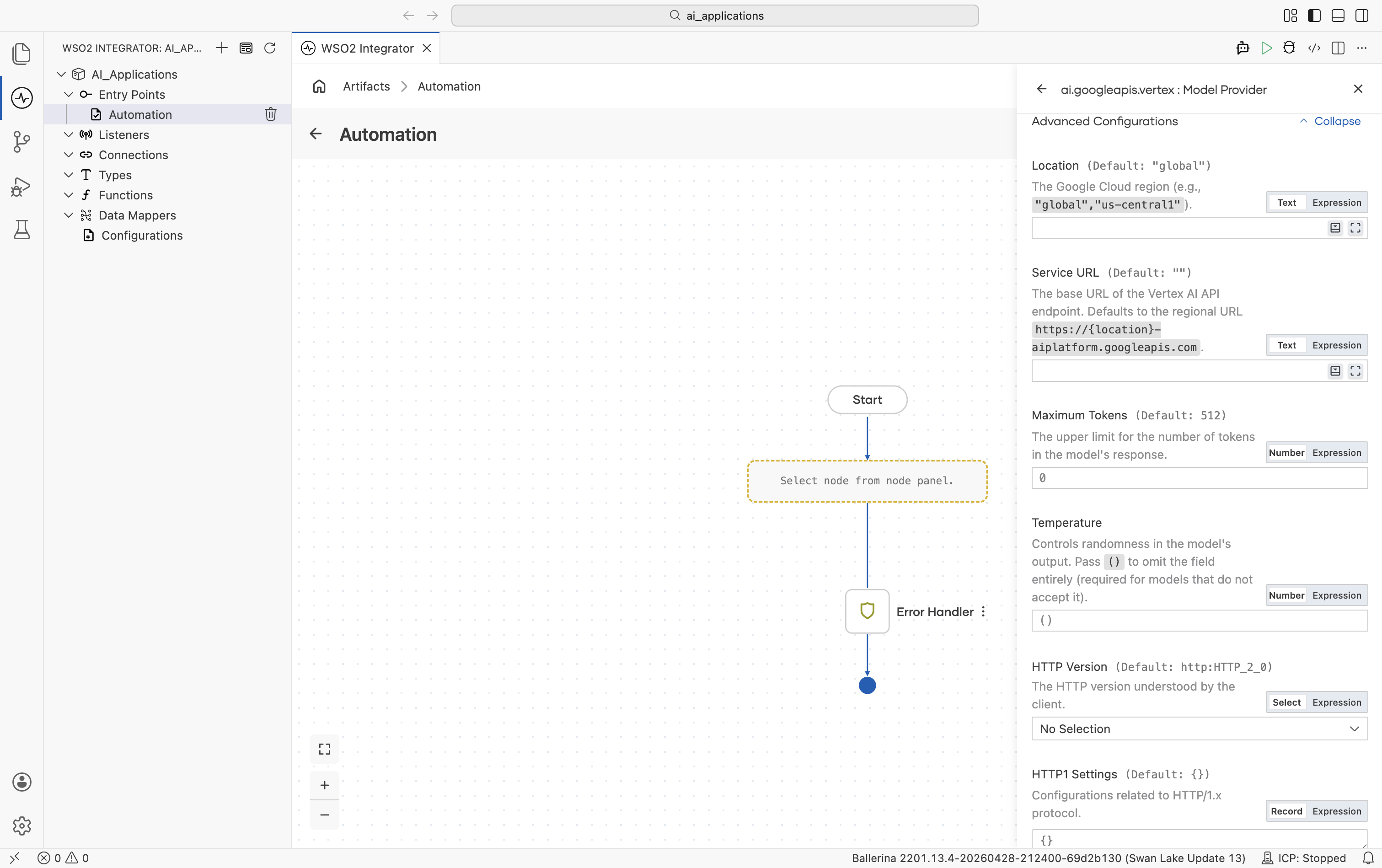
| Field | Default | Available values | What it controls |
|---|---|---|---|
| Location | global | global, us-central1, europe-west1, etc. | Google Cloud region. |
| Service URL | "" (auto-derived from Location) | URL string | Override the regional endpoint. Defaults to https://\{location\}-aiplatform.googleapis.com. |
| Maximum Tokens | 512 | Any positive integer | Hard cap on response length. |
| Temperature | () (omitted from request) | 0.0-2.0 or empty | Sampling temperature. Leave empty for models that reject the field (e.g. some Anthropic-on-Vertex calls). |
Plus the Standard HTTP advanced configurations.
Vertex auth options
| Auth type | Fields | When to use |
|---|---|---|
| OAuth2 refresh config | clientId, clientSecret, refreshToken, optional refreshUrl | Already have OAuth2 refresh-token credentials. |
| Service account config | clientEmail, privateKey, optional scopes | Want explicit credentials in source. |
| Service account JSON path | A file path string | Easiest - point at the downloaded service-account JSON file from the Google Cloud console. The connector reads client_email and private_key automatically and refreshes the token. |
Vertex also ships an Embedding Provider. See Google Vertex.
Mistral
EU-hosted Mistral and Mixtral models, including Codestral and Pixtral.
Official website: mistral.ai.
Create form
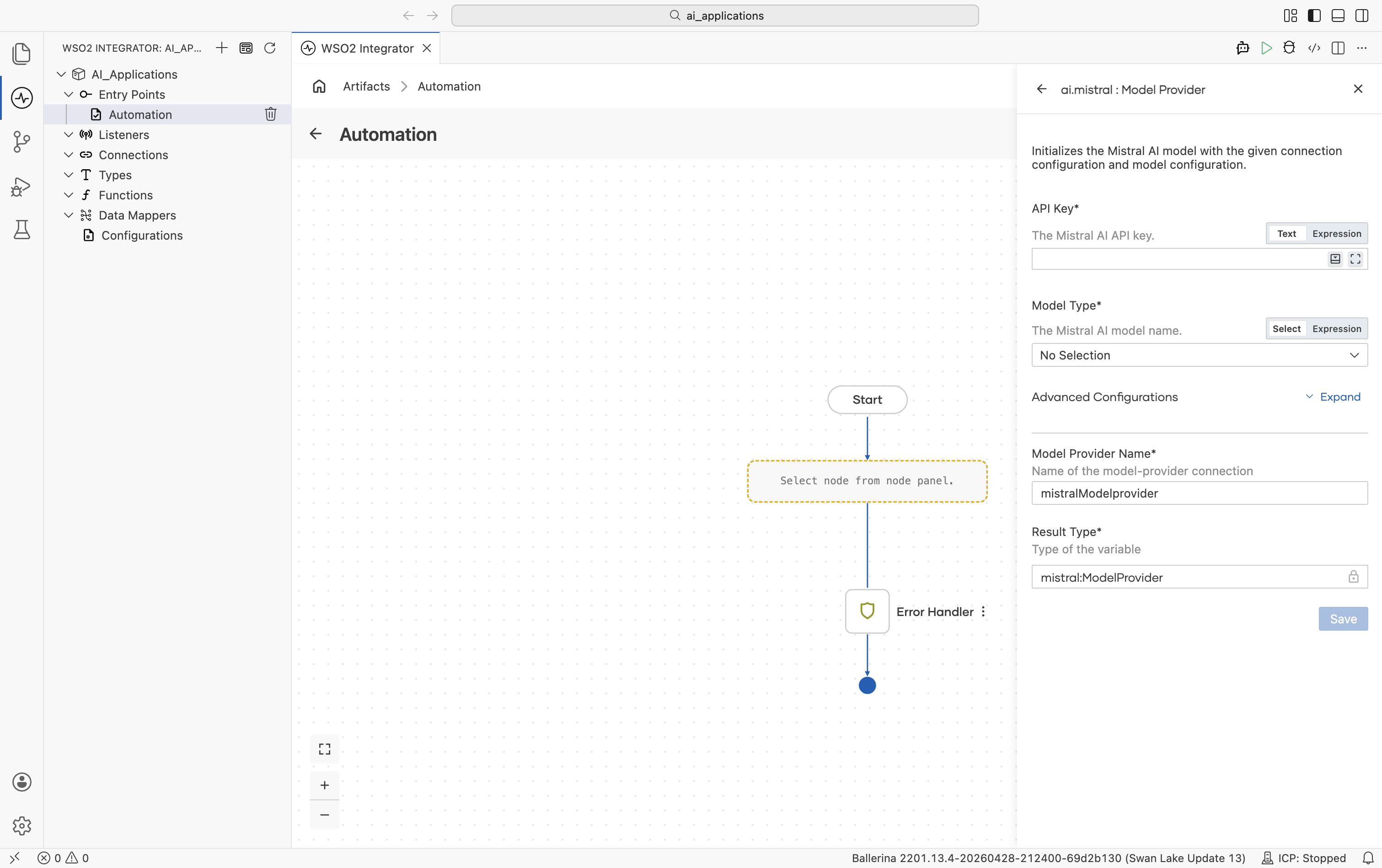
| Field | Required | Default | Available values |
|---|---|---|---|
| API Key | Yes | - | Mistral AI API key. |
| Model Type | Yes | - | mistral-large-latest, mistral-medium-latest, mistral-small-latest, codestral-latest, ministral-8b-latest, ministral-3b-latest, pixtral-large-latest, open-mixtral-8x22b, open-mixtral-8x7b, open-mistral-nemo, devstral-small-latest, mistral-saba-latest. Date-pinned variants (e.g. mistral-large-2411, codestral-2501) are also available. |
Advanced configurations
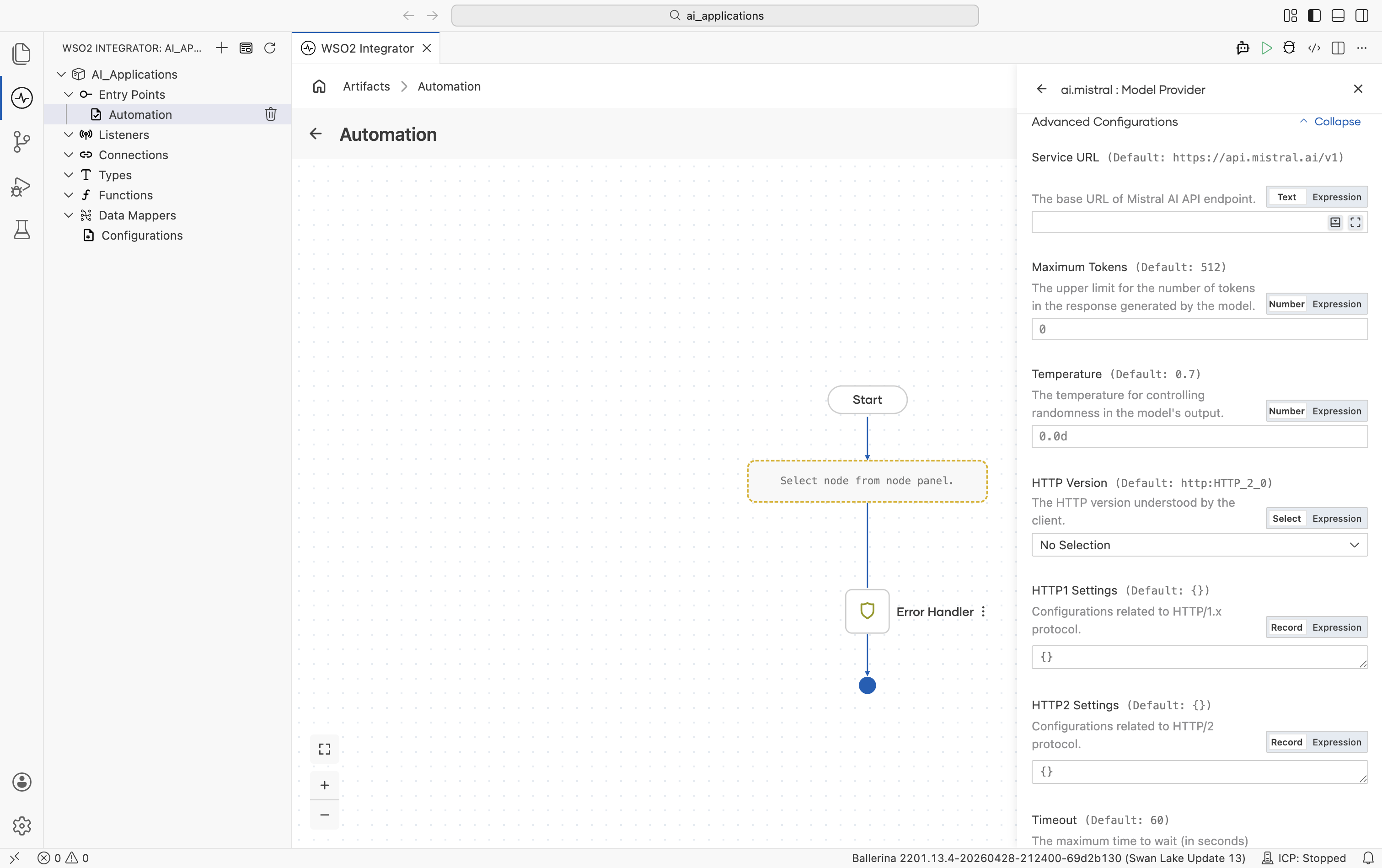
| Field | Default | Available values | What it controls |
|---|---|---|---|
| Service URL | https://api.mistral.ai/v1 | URL string | Mistral API base URL. |
| Maximum Tokens | 512 | Any positive integer | Hard cap on response length. |
| Temperature | 0.7 | 0.0-1.0 | Sampling temperature. |
Plus the Standard HTTP advanced configurations.
Ollama
Local model runner. Nothing leaves the machine. It is useful for offline development, privacy-sensitive flows, and any model Ollama supports.
Official website: ollama.com.
Create form
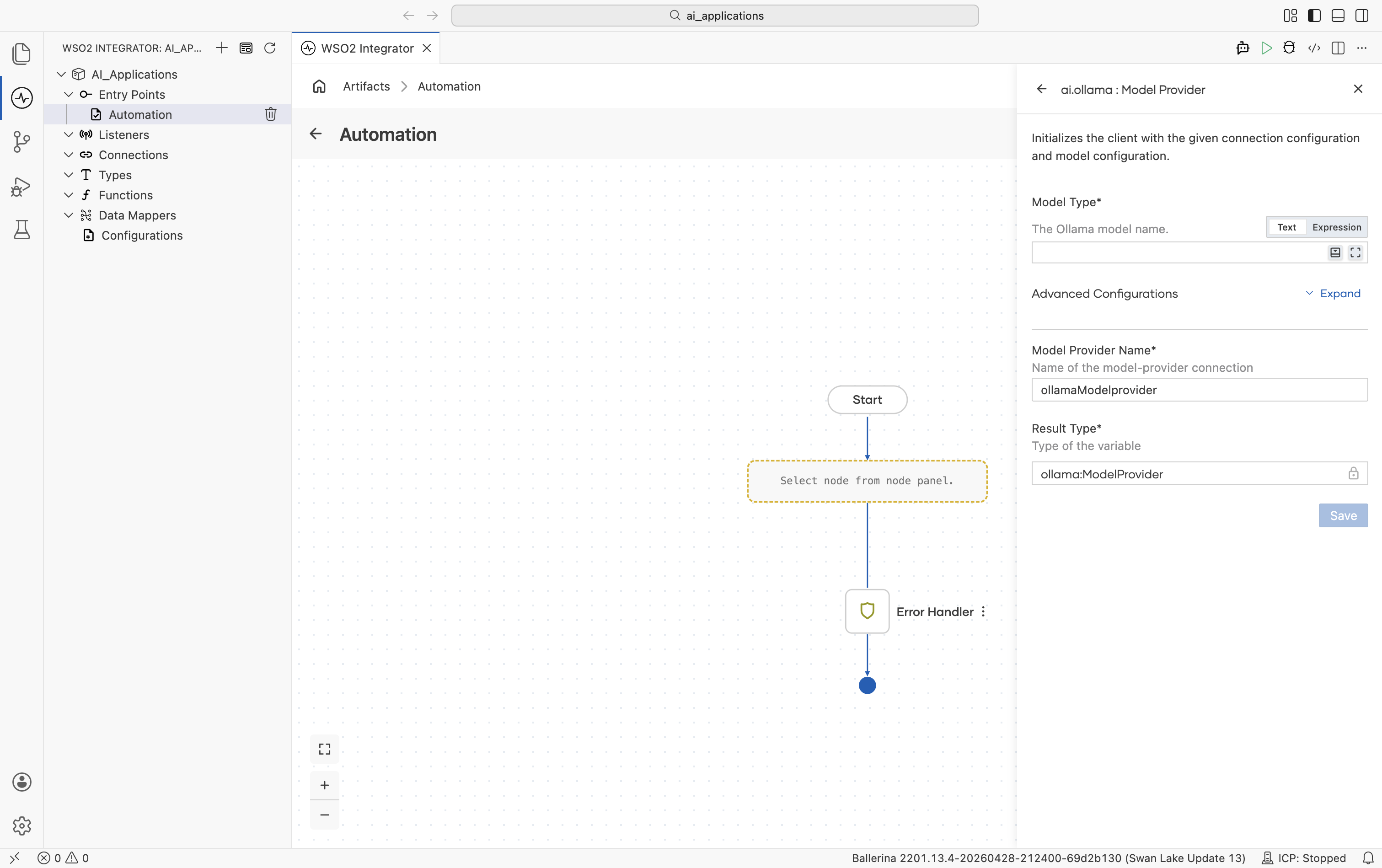
| Field | Required | Default | Available values |
|---|---|---|---|
| Model Type | Yes | - | Anything ollama pull can fetch (e.g. llama3.2, mistral, qwen2.5). |
Advanced configurations
Ollama exposes Mirostat sampling and other decoding controls that the hosted providers don't.
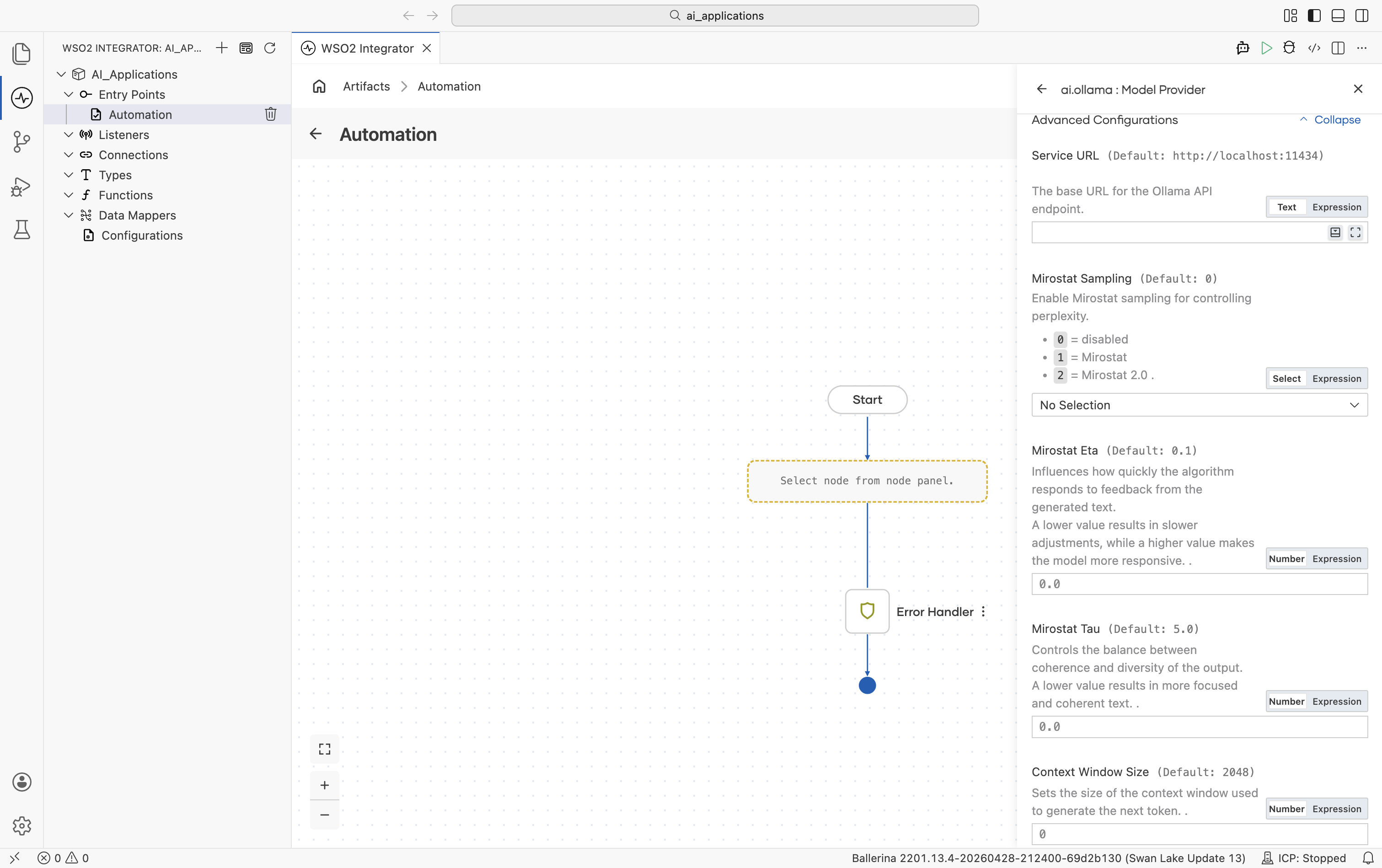
| Field | Default | Available values | What it controls |
|---|---|---|---|
| Service URL | http://localhost:11434 | URL string | URL of the local Ollama daemon. |
| Mirostat Sampling | 0 | 0 (disabled), 1 (Mirostat), 2 (Mirostat 2.0) | Whether to use Mirostat sampling for controlling perplexity. |
| Mirostat Eta | 0.1 | Any positive number | Mirostat learning rate. Higher = more responsive to feedback. |
| Mirostat Tau | 5.0 | Any positive number | Mirostat target perplexity. Lower = more focused, more coherent. |
| Context Window Size | 2048 | Any positive integer | Context window in tokens. |
| Repeat Last N | 64 | 0 (disabled), -1 (=context window), or a positive integer | Look-back window for repetition penalty. |
| Repeat Penalty | 1.1 | Any positive number | Repetition penalty strength. Higher = stronger penalty. |
| Temperature | 0.8 | Any positive number | Sampling temperature. |
| Seed | 0 | Any integer | Random seed for deterministic generation. |
| Number Of Tokens To Predict | -1 | -1 (unlimited) or any positive integer | Maximum tokens to generate. |
| Top K | 40 | Any positive integer | Top-K sampling. |
| Top P | 0.9 | 0.0-1.0 | Top-P (nucleus) sampling. |
| Min P | 0.0 | 0.0-1.0 | Minimum probability filter relative to the top token. |
Plus the Standard HTTP advanced configurations.
Ollama is the only provider with no API key. Authentication is implicit because the daemon trusts callers on localhost.
OpenAI
Connects to OpenAI's hosted models (GPT-4o, GPT-4.1, o1 reasoning models, GPT-3.5-turbo).
Official website: platform.openai.com.
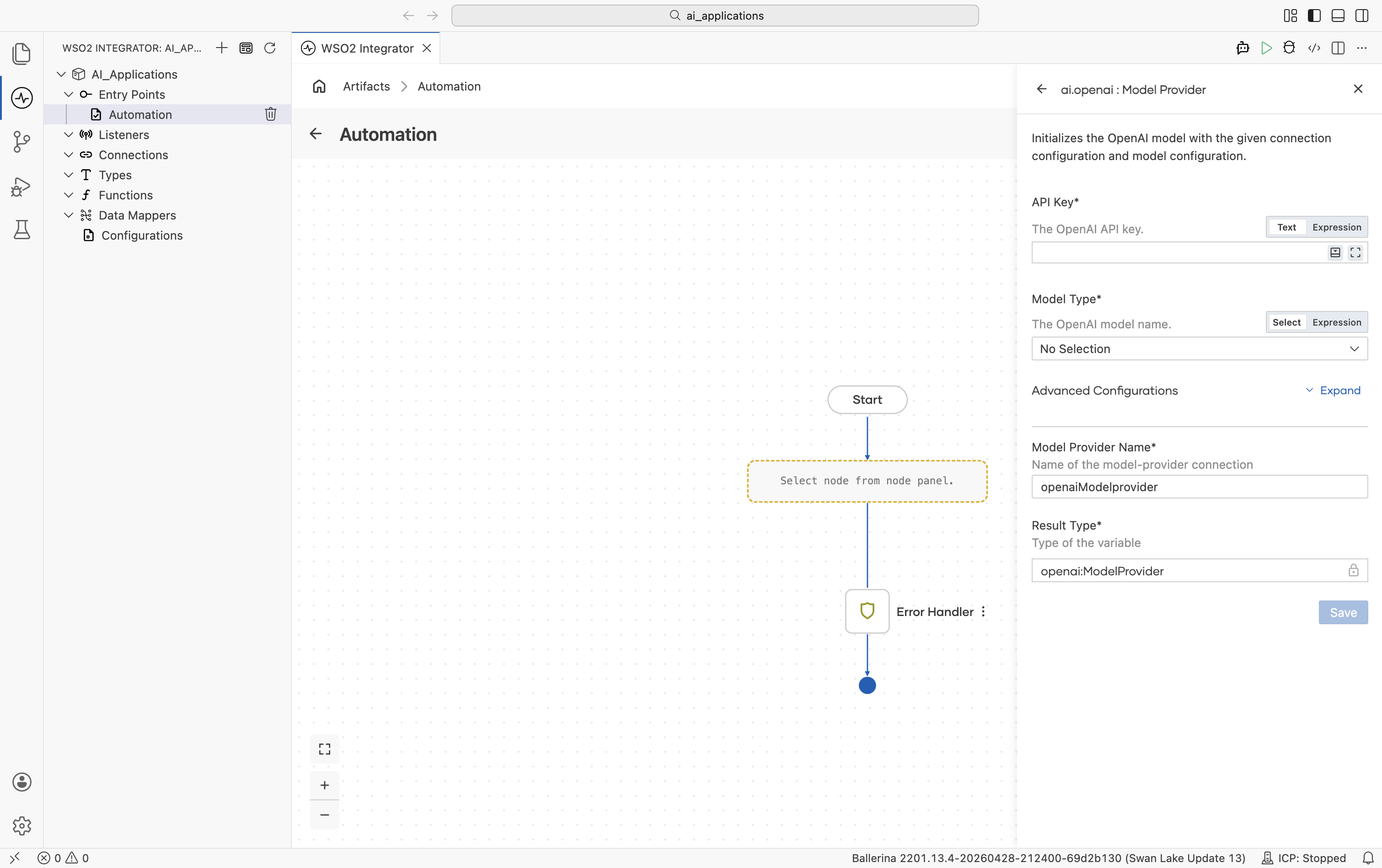
Create form
| Field | Required | Default | Available values |
|---|---|---|---|
| API Key | Yes | - | Your OpenAI API key (starts with sk-…). Reference a configurable in production. |
| Model Type | Yes | - | gpt-4o, gpt-4o-mini, gpt-4.1, gpt-4.1-mini, gpt-4.1-nano, gpt-4-turbo, gpt-3.5-turbo, o1, o1-pro, chatgpt-4o-latest, gpt-4o-audio-preview. Date-pinned variants (e.g. gpt-4o-2024-11-20) are also available for reproducibility. |
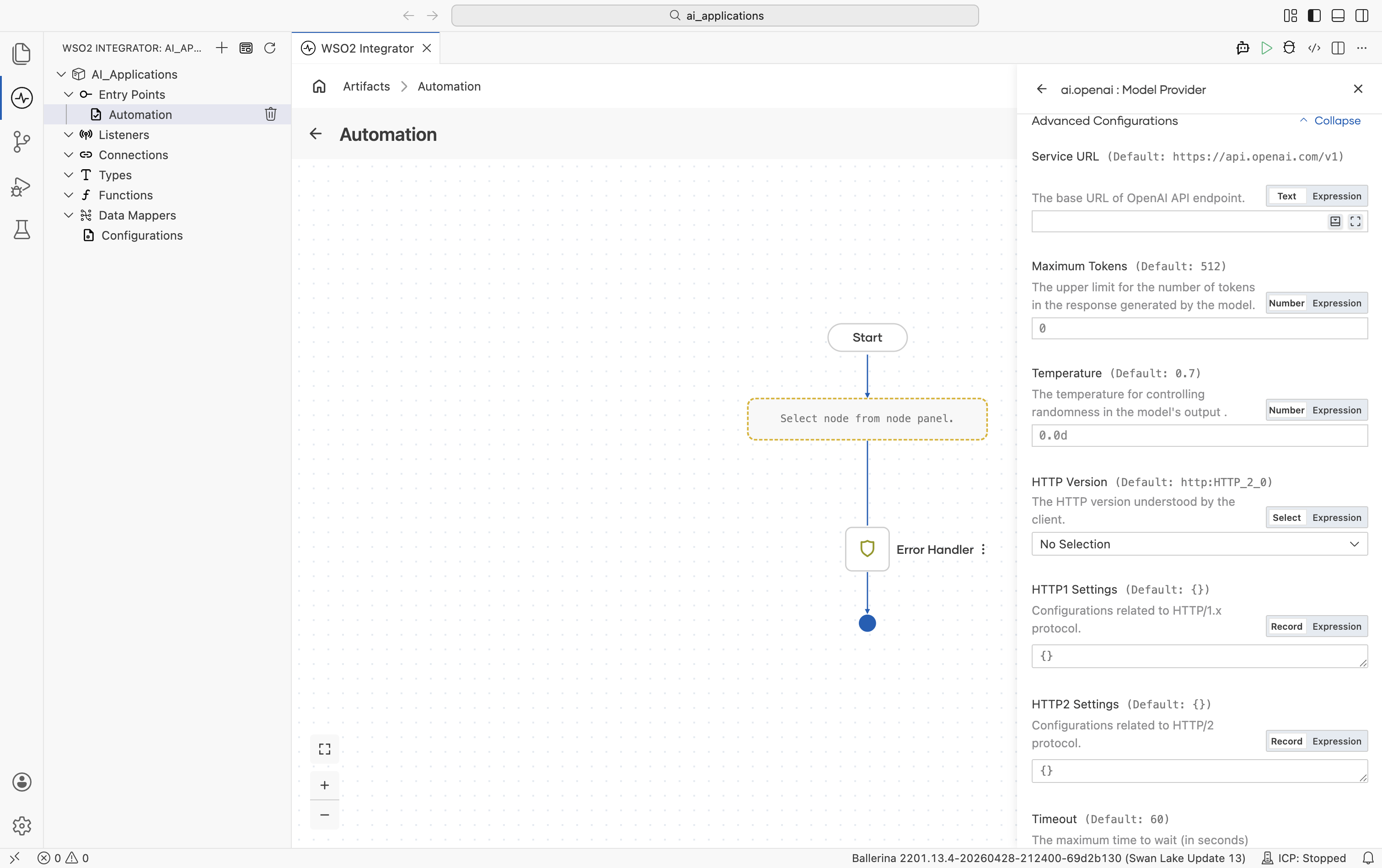
Advanced configurations
| Field | Default | Available values | What it controls |
|---|---|---|---|
| Service URL | https://api.openai.com/v1 | URL string | OpenAI API base URL. Override only for OpenAI-compatible gateways. |
| Maximum Tokens | 512 | Any positive integer | Hard cap on response length. |
| Temperature | 0.7 | 0.0-2.0 | Sampling temperature. |
Plus the Standard HTTP advanced configurations (Timeout, Retry, Circuit Breaker, Proxy, etc.).
The OpenAI package also ships an Embedding Provider. See OpenAI.
OpenRouter
OpenRouter routes a single API across many model providers (OpenAI, Anthropic, Mistral, Meta, Cohere, and others). Use it when you want one key and the freedom to swap models by string.
Official website: openrouter.ai.
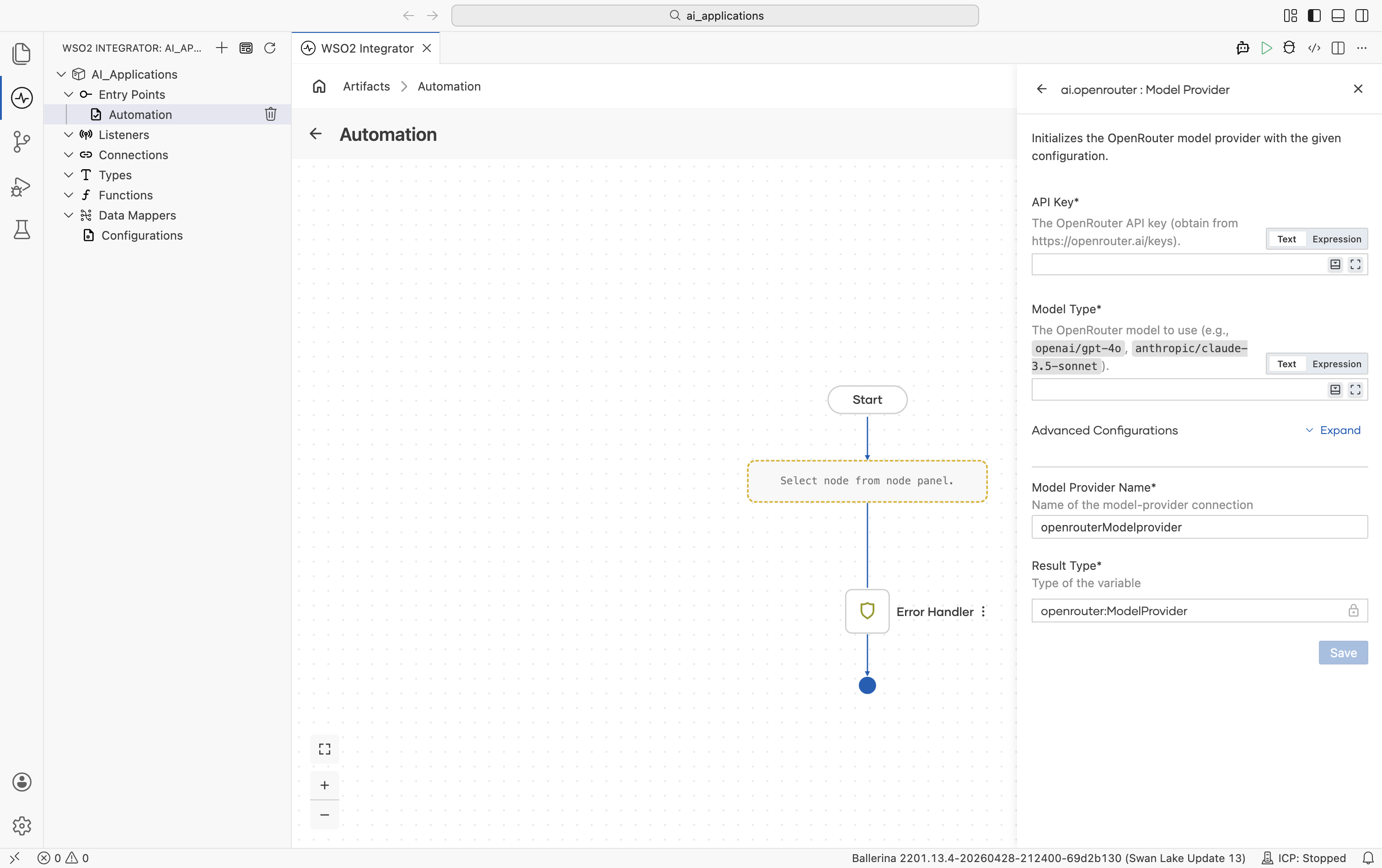
Create form
| Field | Required | Default | Available values |
|---|---|---|---|
| API Key | Yes | - | OpenRouter API key. Get one from openrouter.ai/keys. |
| Model Type | Yes | - | Qualified model name. Examples: openai/gpt-4o, anthropic/claude-3.5-sonnet, mistralai/mistral-large, meta-llama/llama-3.1-70b-instruct. See OpenRouter's model list. |
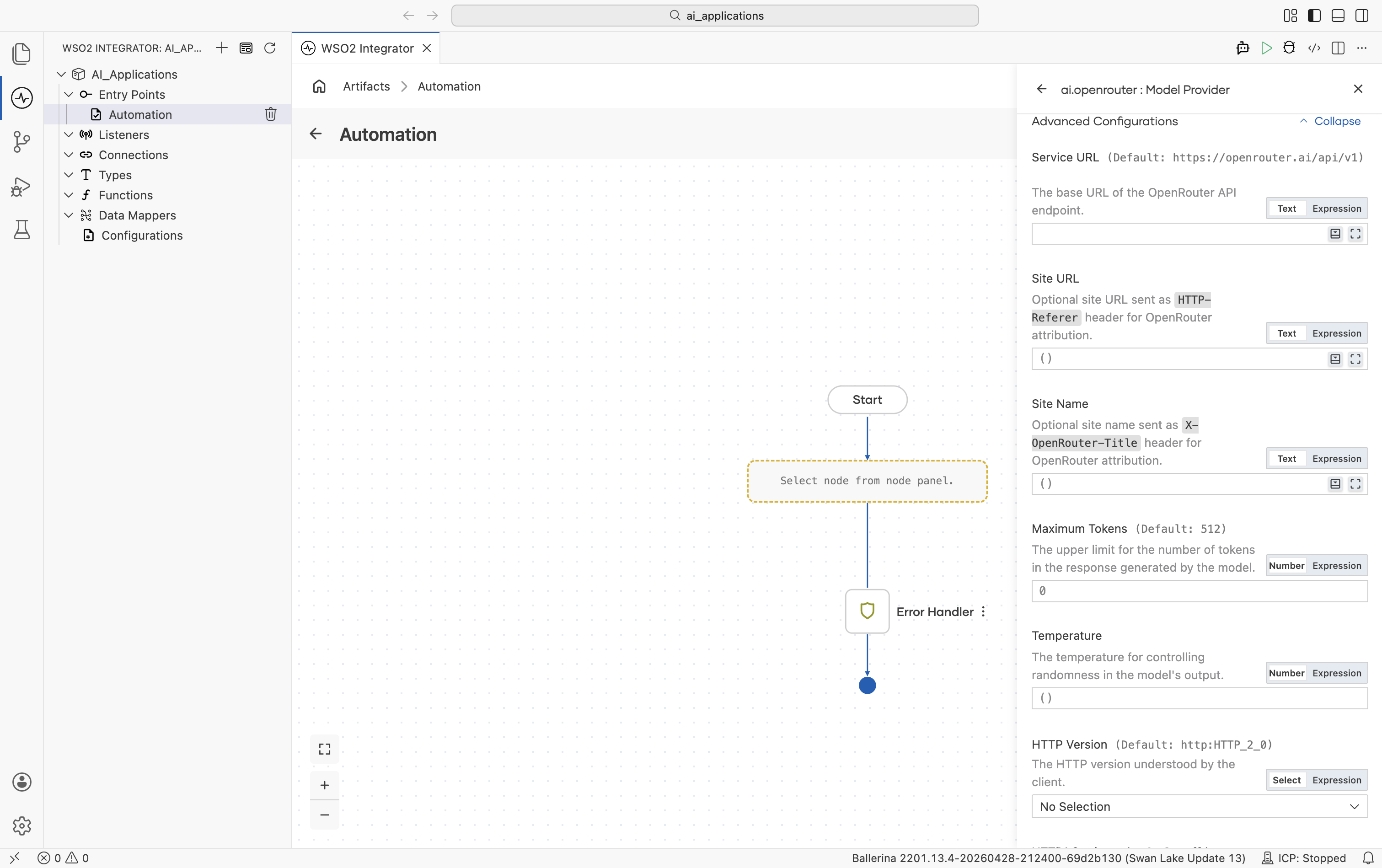
Advanced configurations
| Field | Default | Available values | What it controls |
|---|---|---|---|
| Service URL | https://openrouter.ai/api/v1 | URL string | OpenRouter API base URL. |
| Site URL | () | URL string or empty | Optional site URL sent as the HTTP-Referer header. Used by OpenRouter for site attribution and leaderboards. |
| Site Name | () | String or empty | Optional site name sent as the X-OpenRouter-Title header. |
| Maximum Tokens | 512 | Any positive integer | Hard cap on response length. |
| Temperature | () (omitted) | 0.0-2.0 or empty | Sampling temperature. Leave empty to omit. |
Plus the Standard HTTP advanced configurations.
The OpenRouter package also ships an Embedding Provider. See OpenRouter.
Model provider connections
Once you save a model provider, it becomes a reusable project connection that can be accessed throughout your integration and AI flows.
The saved model provider appears in multiple places:
-
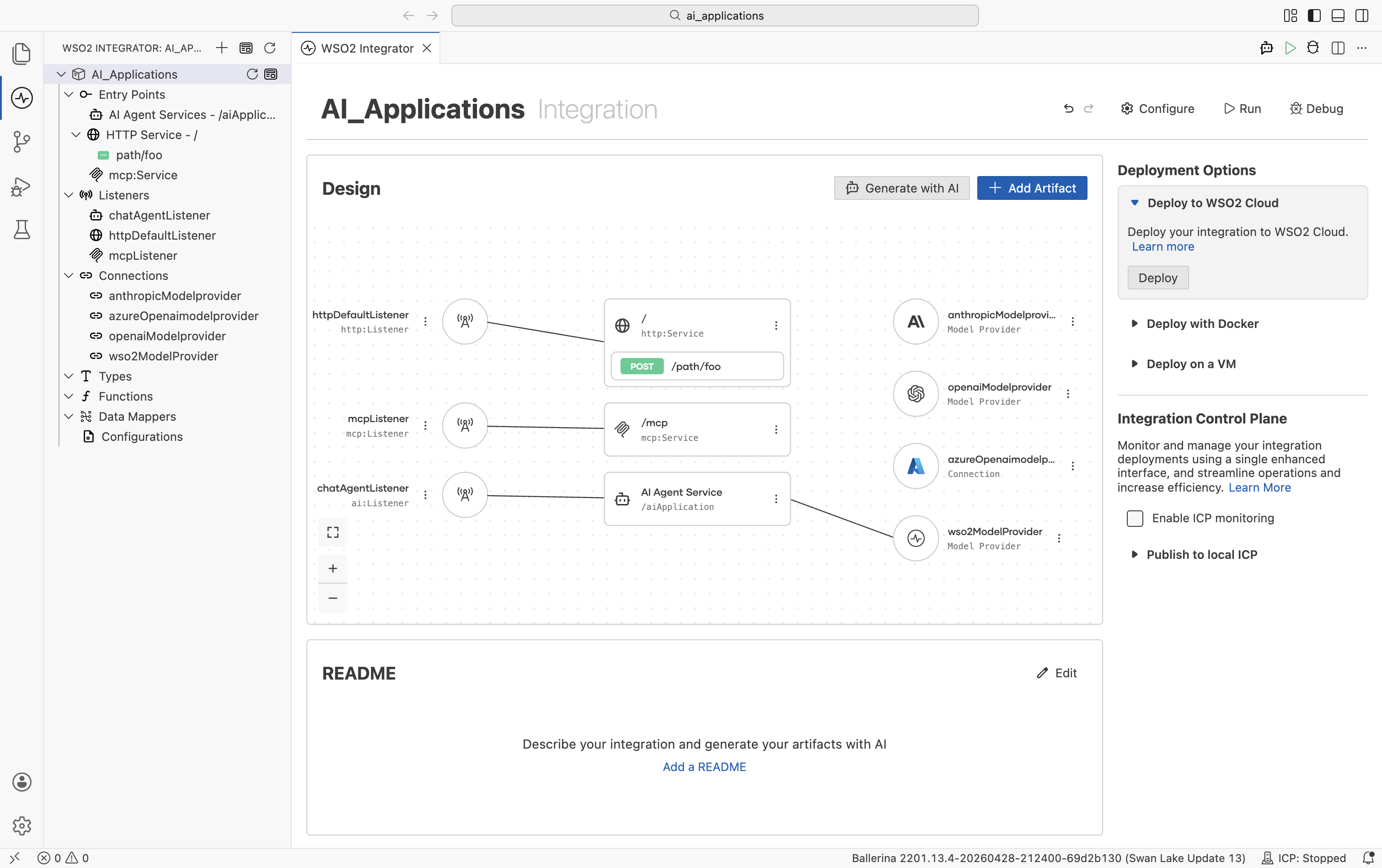
In the Connections tree on the left side of the project explorer, where all project-level connections are listed (for example,
wso2ModelProvideroropenaiModelProvider). -
The integration project's Design view wires each artifact to the provider it depends on:
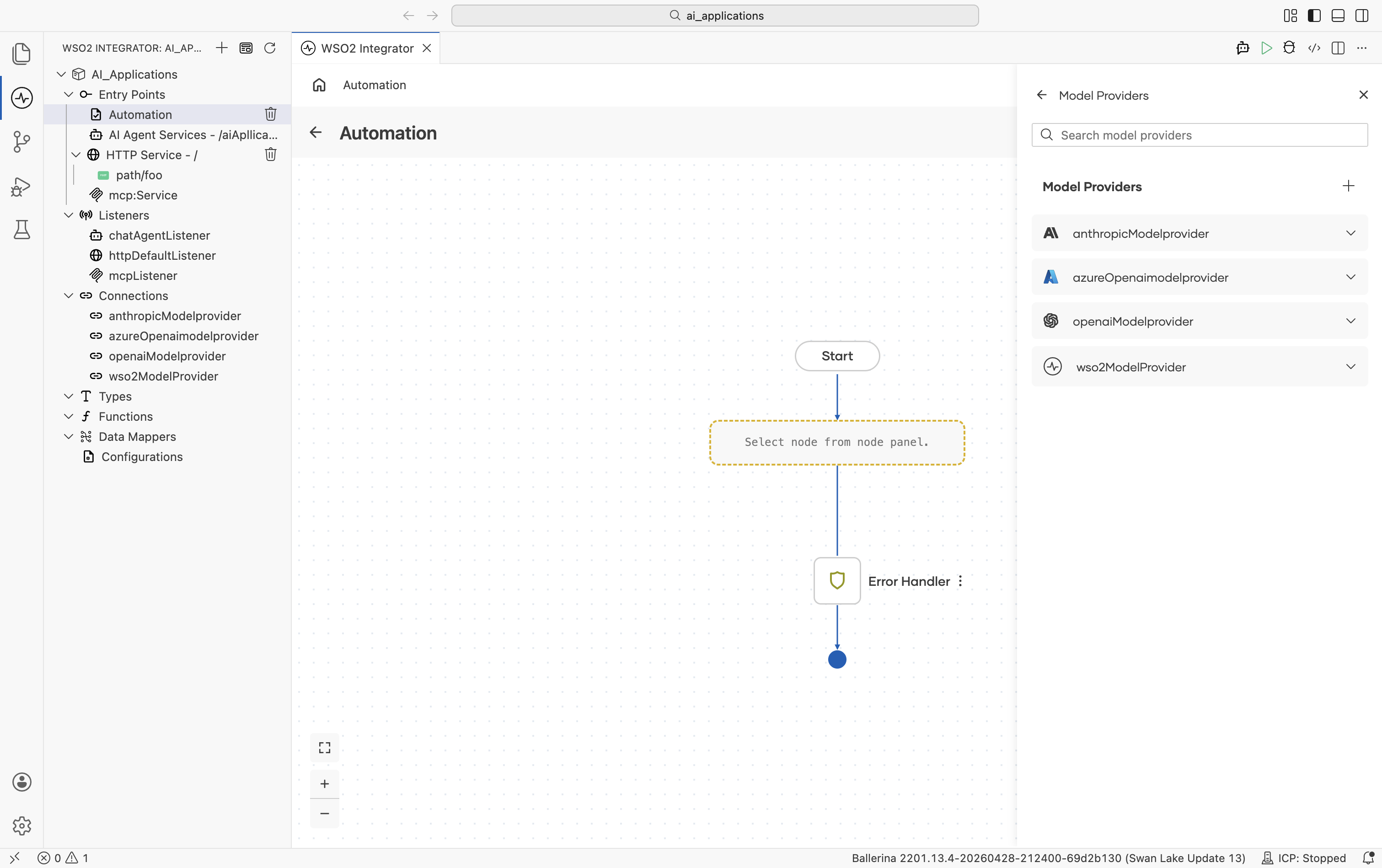
- The Model Providers panel lists every model provider connection available in the project. Use the + button to add a new provider connection, or expand a provider to view its available actions.
Editing or replacing a model provider
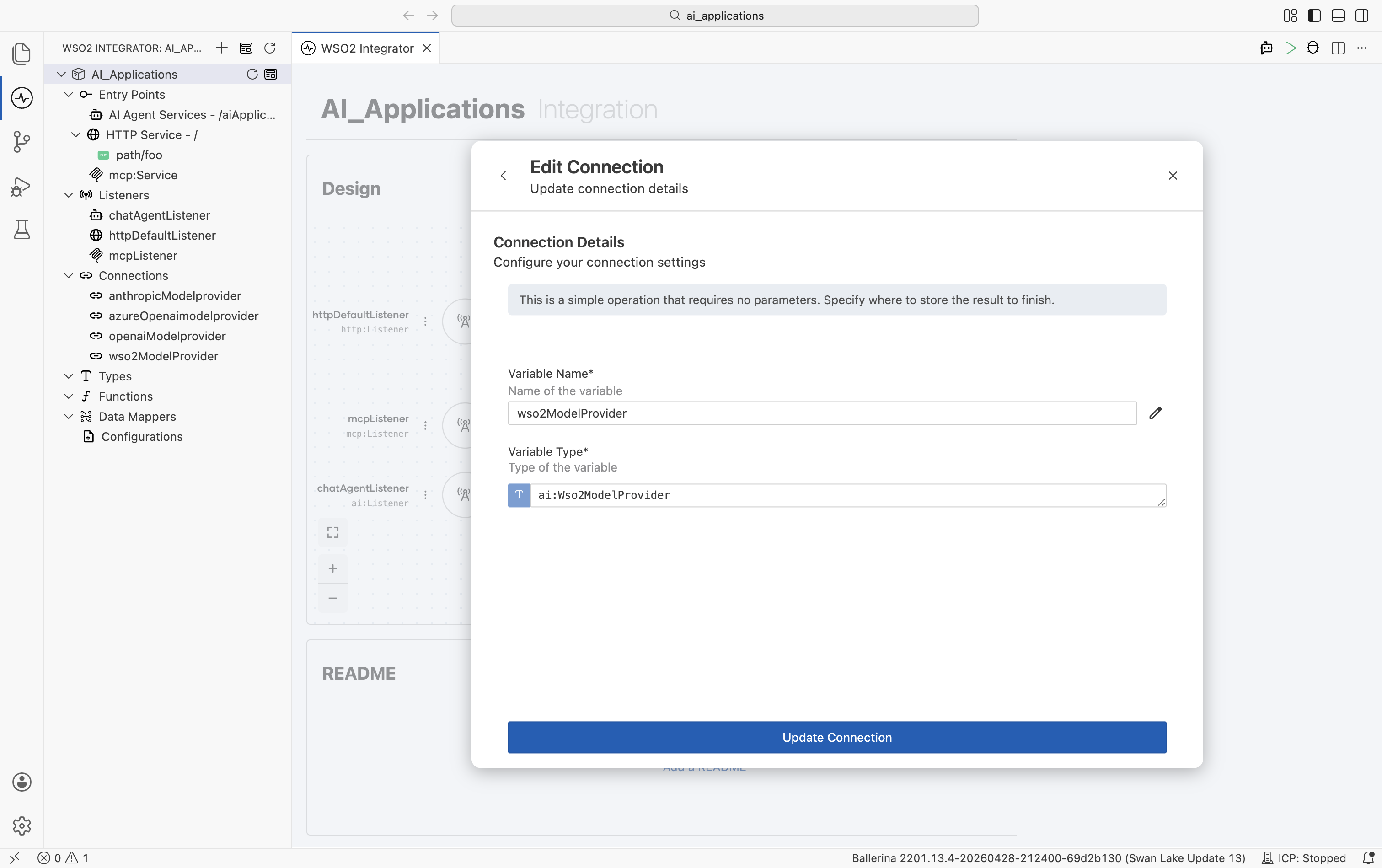
To change a provider's API key, model name, or any other field after it's been created, click the provider name in the left Connections tree. The Edit Connection modal opens:
| Field | What it does |
|---|---|
| Variable Name | Rename the connection. Updates every reference automatically. |
| Variable Type | The Ballerina type. Click the pencil icon to change it (e.g. swap one provider implementation for another - OpenAI to Azure OpenAI - without renaming the connection in the rest of your code). |
| Advanced Configurations | Expand to edit HTTP and model parameters. |
| Update Connection | Save the change. Existing nodes that referenced the connection continue to work. |
Editing a connection follows the same pattern for every component type. Embedding providers, vector stores, knowledge bases, and chunkers all use the same Edit Connection modal.
What's next
- Embedding providers — Vector embeddings for RAG. The OpenAI, Azure, Vertex, OpenRouter, and Default WSO2 packages also ship embedding providers.
- Vector stores — Persist and query embeddings using Pinecone, Weaviate, Qdrant, pgvector, and other backends.
- Knowledge bases — Managed retrieval sources, including Azure AI Search, that plug directly into RAG flows.
- Chunkers — Split documents into chunks before embedding for ingestion into a vector store.