Vector Stores
A vector database stores vector embeddings and enables similarity search over them, forming the foundation for semantic search and RAG applications.
A Vector Store is WSO2 Integrator's abstraction over these databases, exposing a common interface for every supported backend.
It is the storage half of a Knowledge Base. The Embedding Provider produces the vectors, and the Vector Store abstracts where and how they are persisted and retrieved at query time.
Available actions
Every vector store exposes the same three actions. You don't usually call them directly. The Knowledge Base uses them under the hood.
| Action | What it does | Required parameters |
|---|---|---|
| Add | Persists vector entries (embeddings + their source chunks). Replaces existing entries with the same id. | Entries (the vectors to add). |
| Query | Returns the most similar entries for a given query embedding and/or metadata filter. | Query (an embedding and/or filters, plus topK). |
| Delete | Deletes entries by id. | IDs (a single id or list). |
Query input fields
When something calls Query on a vector store, the request carries these fields:
| Field | Default | Available values | What it controls |
|---|---|---|---|
| Embedding | optional | A vector | The vector to use for similarity search. If omitted, the search returns by filter only. |
| Filters | optional | Metadata filters | Restrict the search by metadata fields. See Metadata filters. |
| Top K | 10 | Any positive integer or -1 (all) | Max number of items to return. |
Metadata filters
Most stores support filtering vectors by their metadata using standard operators:
| Operator | Meaning |
|---|---|
== | Equal |
!= | Not equal |
> < >= <= | Greater than / less than (and equal) |
in | Value is in the given list |
nin | Value is not in the given list |
Multiple filters can be combined with AND or OR. Each connector handles the exact wire-format mapping (Pinecone uses $eq, pgvector compiles to JSONB, Weaviate uses GraphQL Equal, and Milvus has its own filter syntax). You write filters the same way regardless of store.
Query modes
Some stores support more than just dense vector search. The mode you pick when you create the store determines what kind of embeddings it accepts:
| Mode | When to use | Supported by |
|---|---|---|
DENSE | Standard semantic search using dense vectors. The default everywhere. | All stores |
SPARSE | Keyword/lexical-style search using sparse vectors. | Pinecone, pgvector |
HYBRID | Combine dense and sparse vectors. | Pinecone |
Similarity metrics
Local stores let you choose the metric. Hosted stores manage it themselves (you pick when you create the index/collection in their UI).
| Metric | Measures |
|---|---|
COSINE | Cosine of the angle between vectors. Most common for semantic search. |
EUCLIDEAN | Straight-line distance between vector points. |
DOT_PRODUCT | Directional similarity, magnitude-sensitive. Not supported on pgvector. |
MANHATTAN | Sum of absolute differences (pgvector only). |
Where to find vector stores
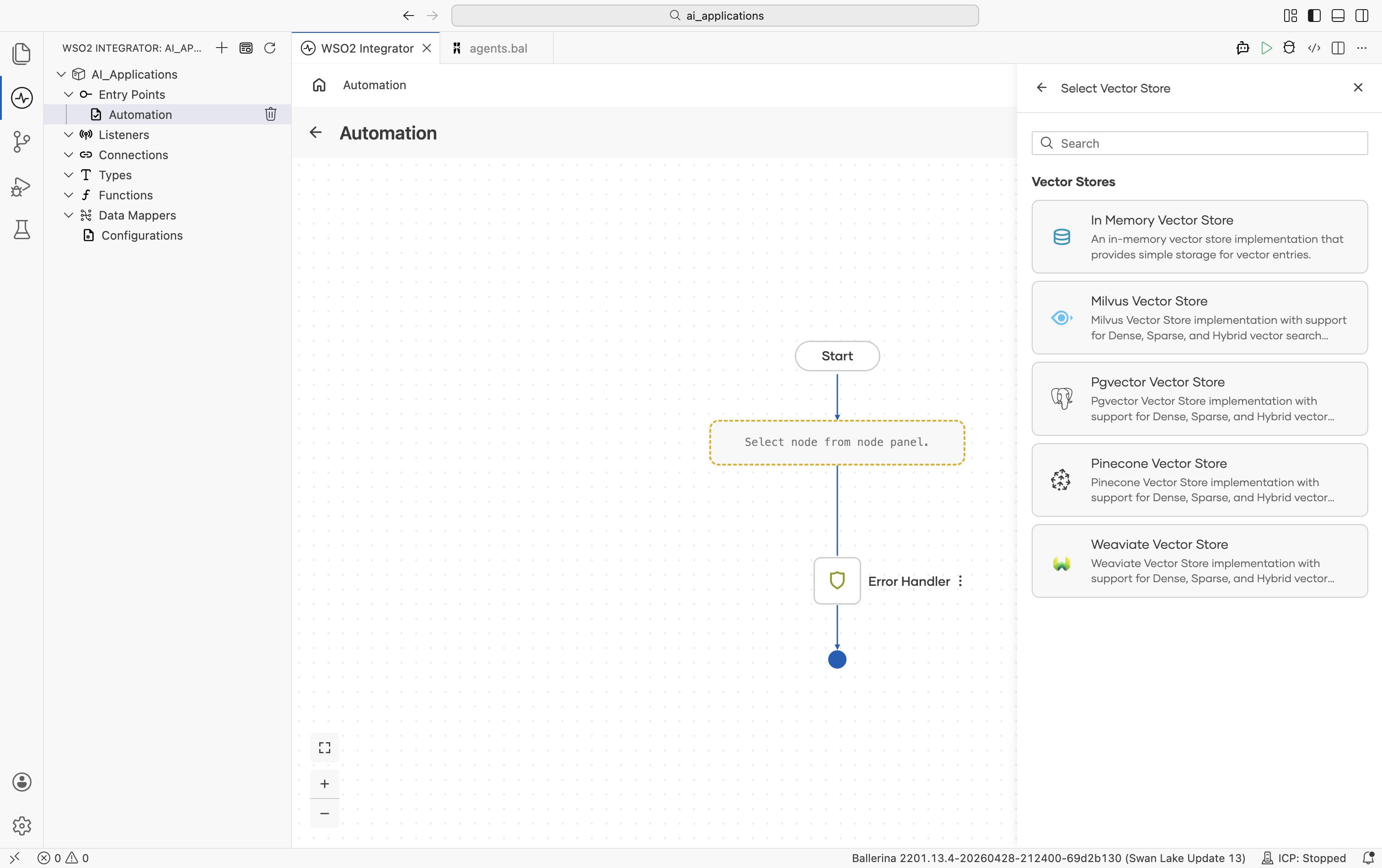
Inside the Create Vector Knowledge Base form click + Create New Vector Store, or open the Vector Stores panel from any flow editor. The Select Vector Store picker shows the supported stores:
Implementations overview
| Store | Module | Modes supported | Hosted/local |
|---|---|---|---|
| In-Memory | ballerina/ai | DENSE | Local (process memory) |
| Milvus | ballerinax/ai.milvus | DENSE | Hosted or self-hosted |
| pgvector | ballerinax/ai.pgvector | DENSE, SPARSE | Self-hosted PostgreSQL |
| Pinecone | ballerinax/ai.pinecone | DENSE, SPARSE, HYBRID | Hosted |
| Weaviate | ballerinax/ai.weaviate | DENSE | Hosted or self-hosted |
In-memory vector store
Embeddings live in the running integration's process memory. The store loses all data on restart, so it is not durable. Use it for development, testing, and small datasets.
Create form
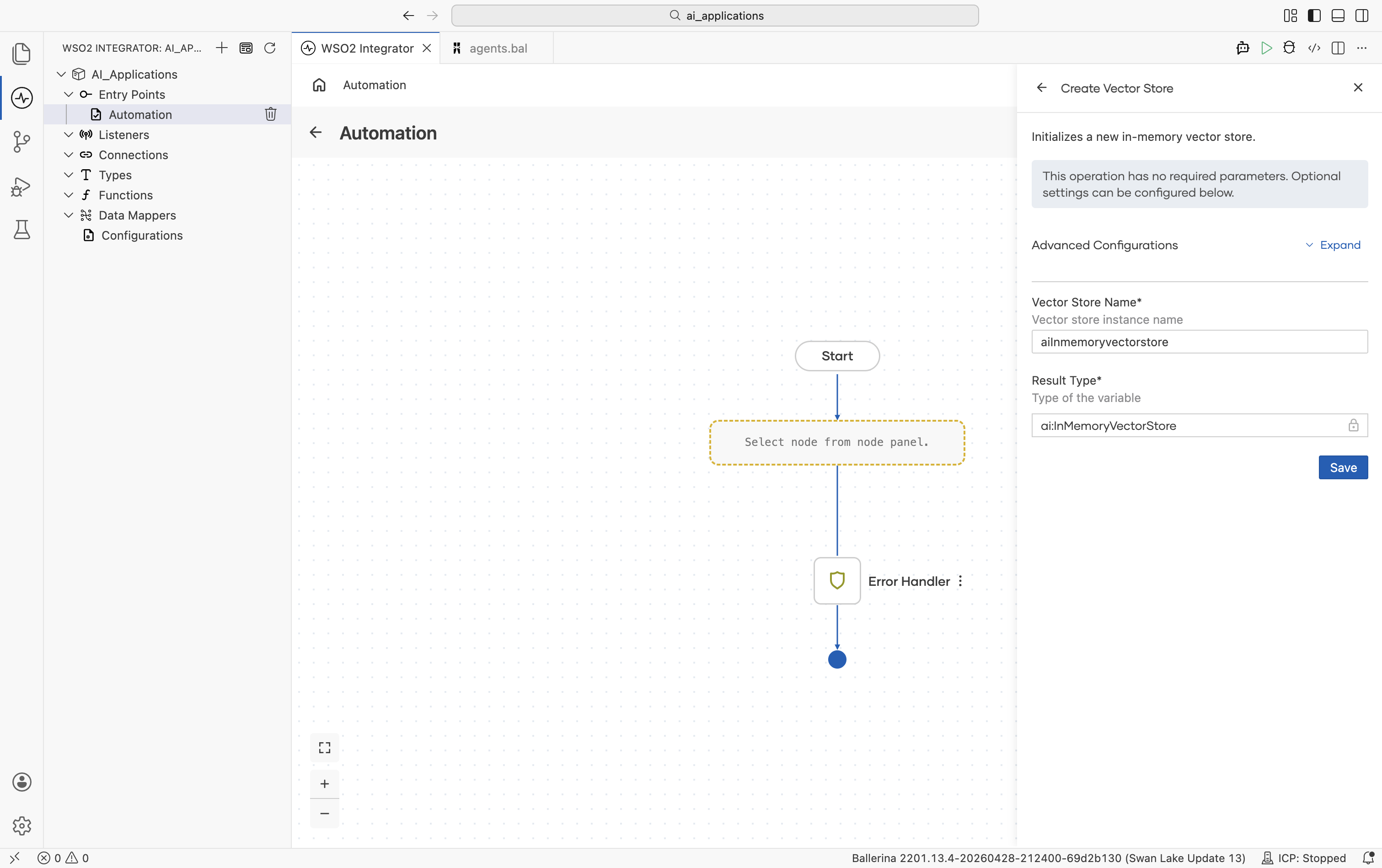
No required fields.
Advanced configurations
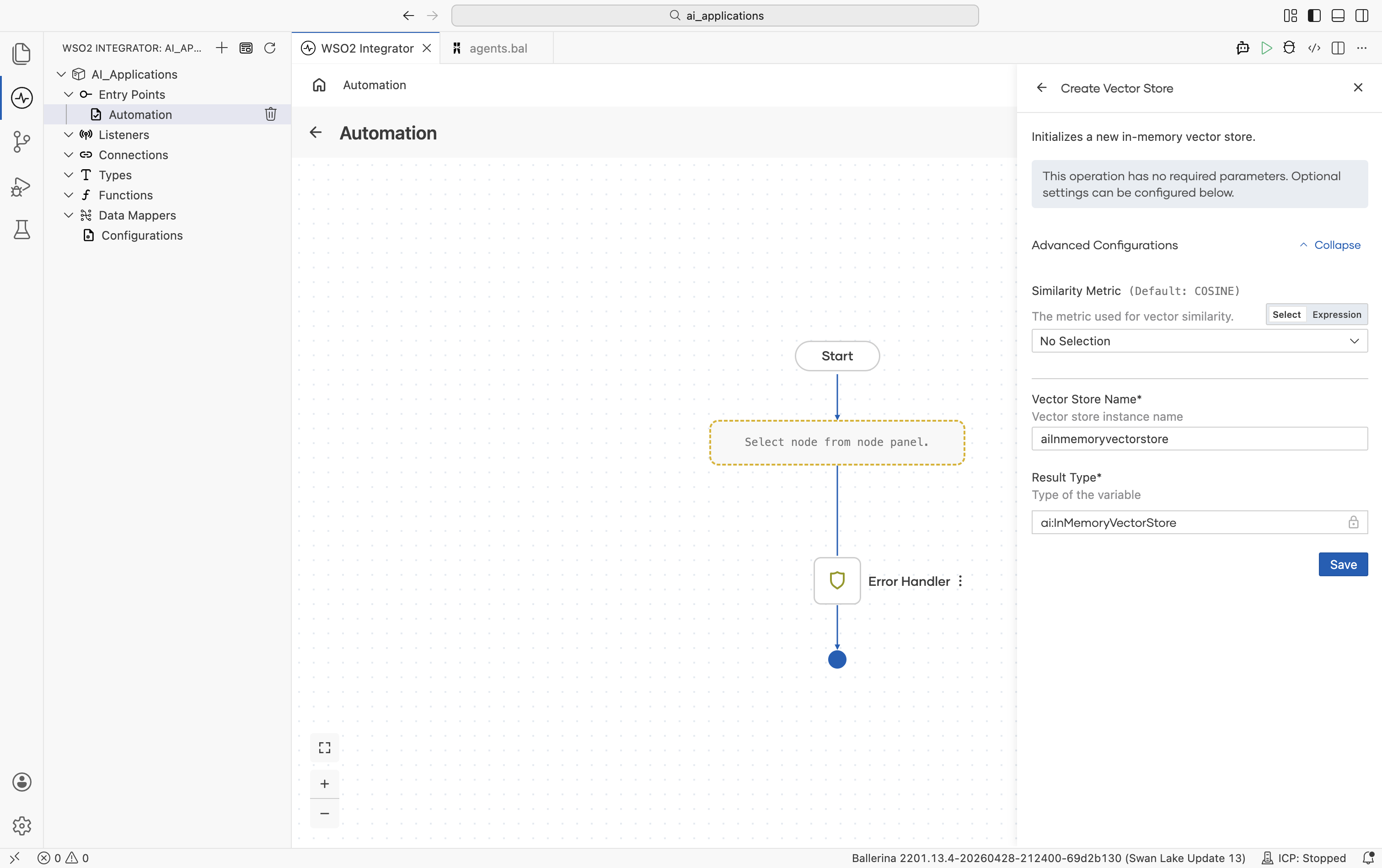
| Field | Default | Available values | What it controls |
|---|---|---|---|
| Similarity Metric | COSINE | COSINE, EUCLIDEAN, DOT_PRODUCT | Metric used for vector similarity. |
Supports dense vectors only. Adding sparse or hybrid vectors raises an error.
Milvus
Milvus is an open-source vector database optimized for very large datasets. The collection (and its schema and index) must exist before the connector can use it.
Official website: Milvus documentation.
Create form
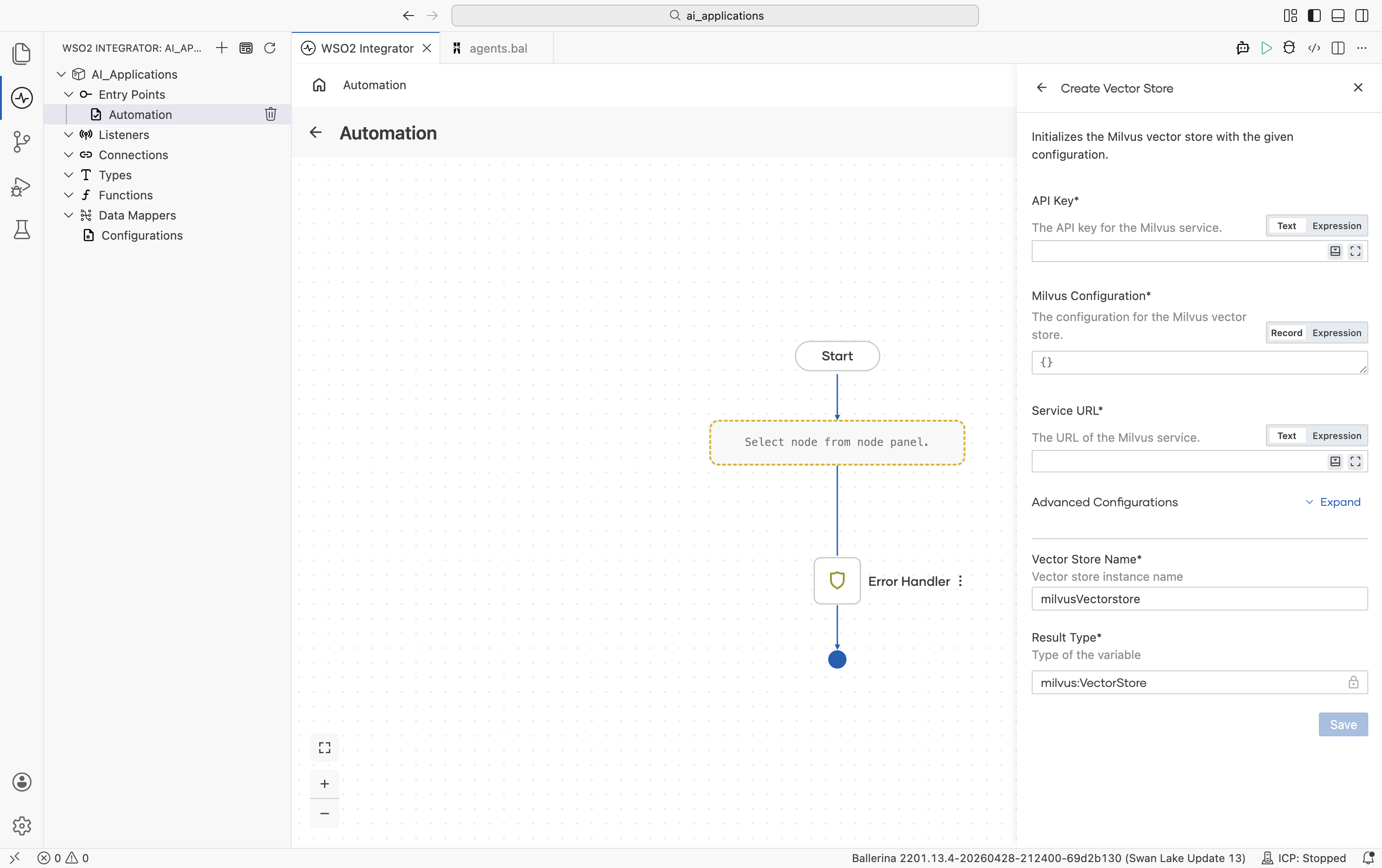
| Field | Required | Default | Available values |
|---|---|---|---|
| API Key | Yes | — | Milvus API key (sent as a bearer token). |
| Milvus Configuration | Yes | {} | Record with collection settings. Collection Name (default "default"): the Milvus collection to use. Chunk Field Name (optional): the field on the collection that holds the chunk content. Primary Key Field (default "id"): the collection's primary-key field. Additional Fields (default []): extra fields to include in search results, on top of content, type, vector, metadata. |
| Service URL | Yes | — | The Milvus service URL. |
Advanced configurations
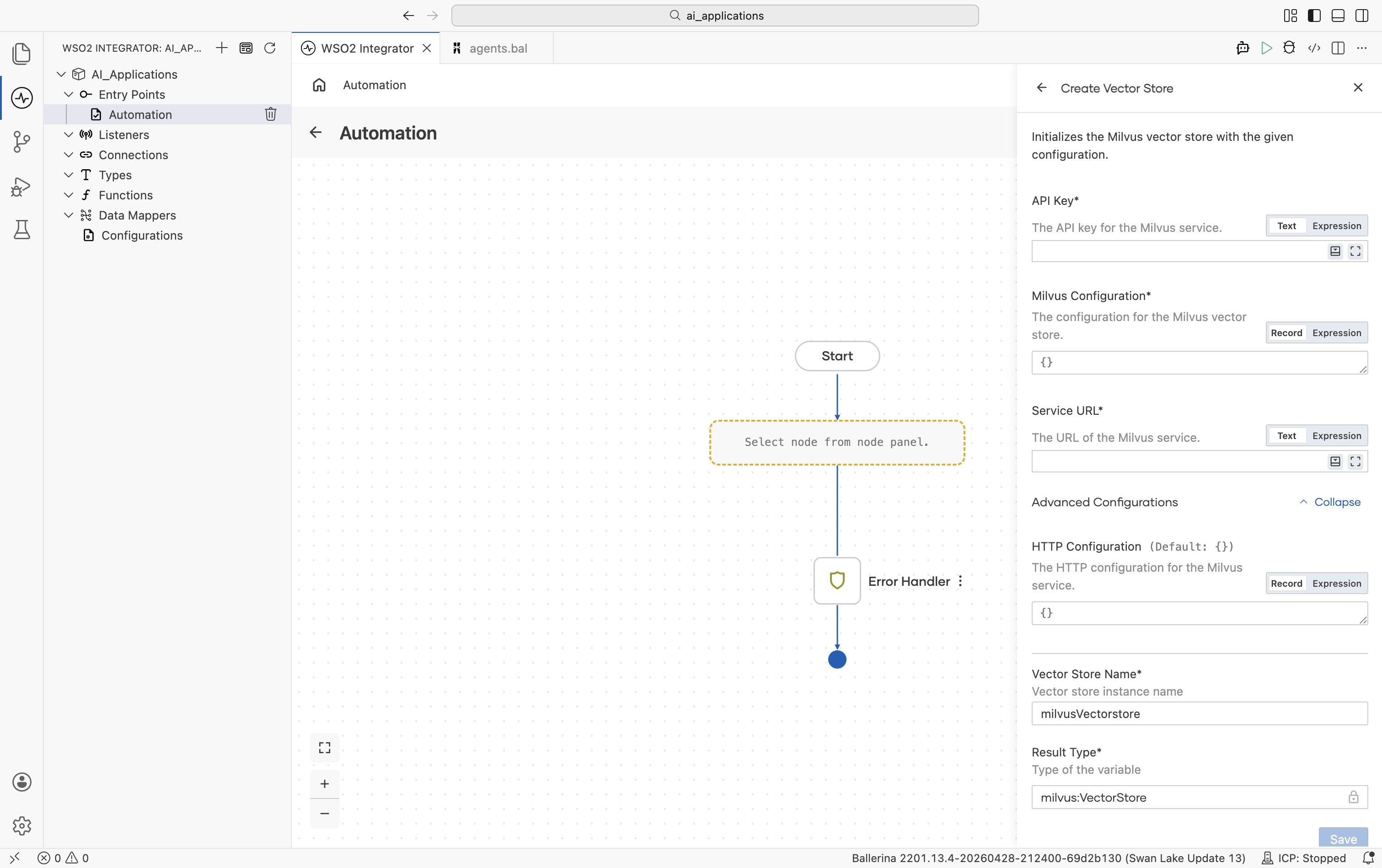
| Field | Default | Available values | What it controls |
|---|---|---|---|
| HTTP Configuration | {} | Record | Standard HTTP knobs. Same fields as Standard HTTP advanced configurations. |
The connector loads the collection into memory automatically before each search. Milvus converts IDs to integers for the primary key field.
pgvector
The pgvector extension enables vector search inside PostgreSQL. The connector creates the table and an HNSW index automatically on first use.
Official website: pgvector on GitHub.
Create form
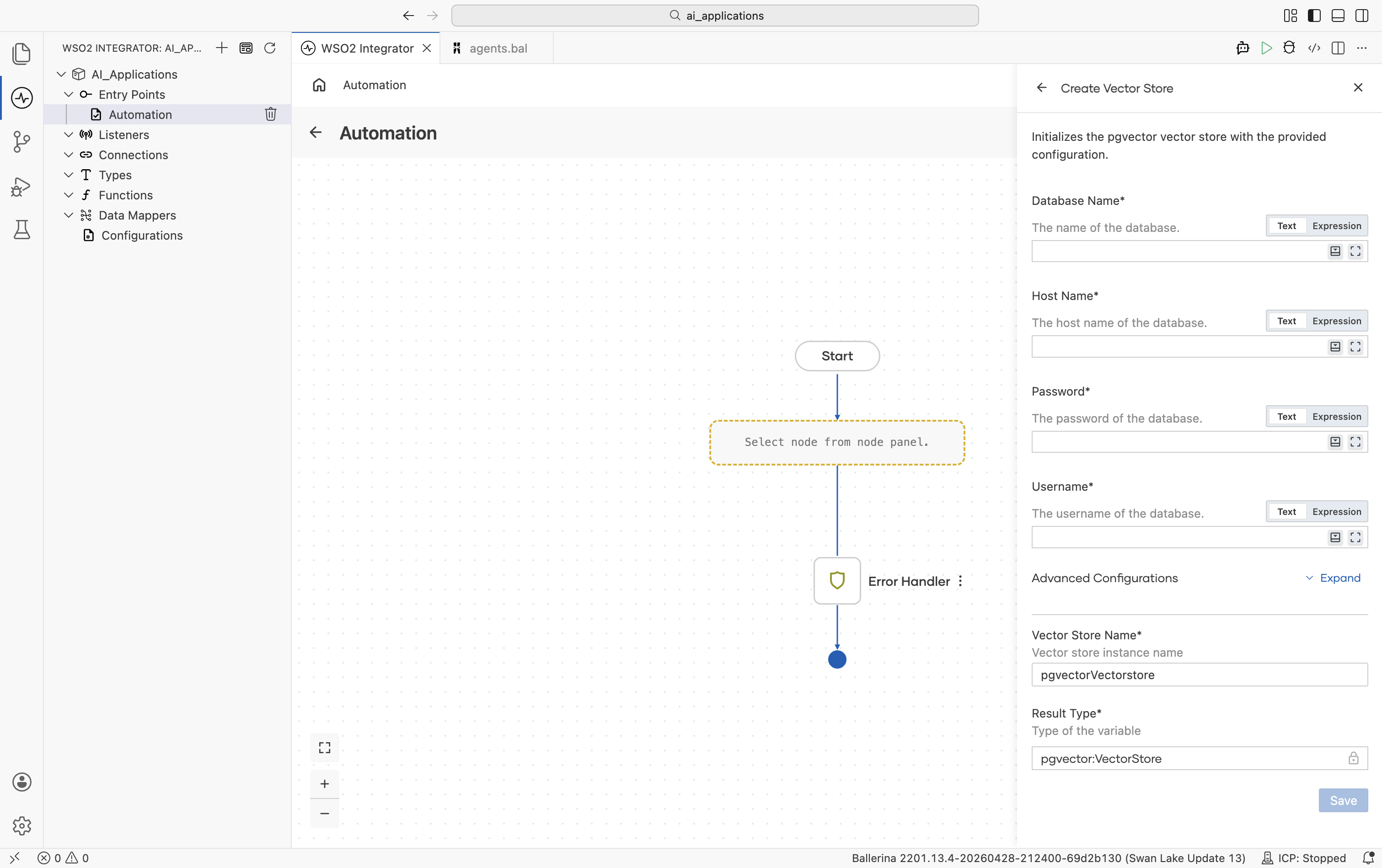
| Field | Required | Default | Available values |
|---|---|---|---|
| Database Name | Yes | — | PostgreSQL database name. |
| Host Name | Yes | — | Database host, for example localhost. |
| Password | Yes | — | Database password. |
| Username | Yes | — | Database user. |
Advanced configurations
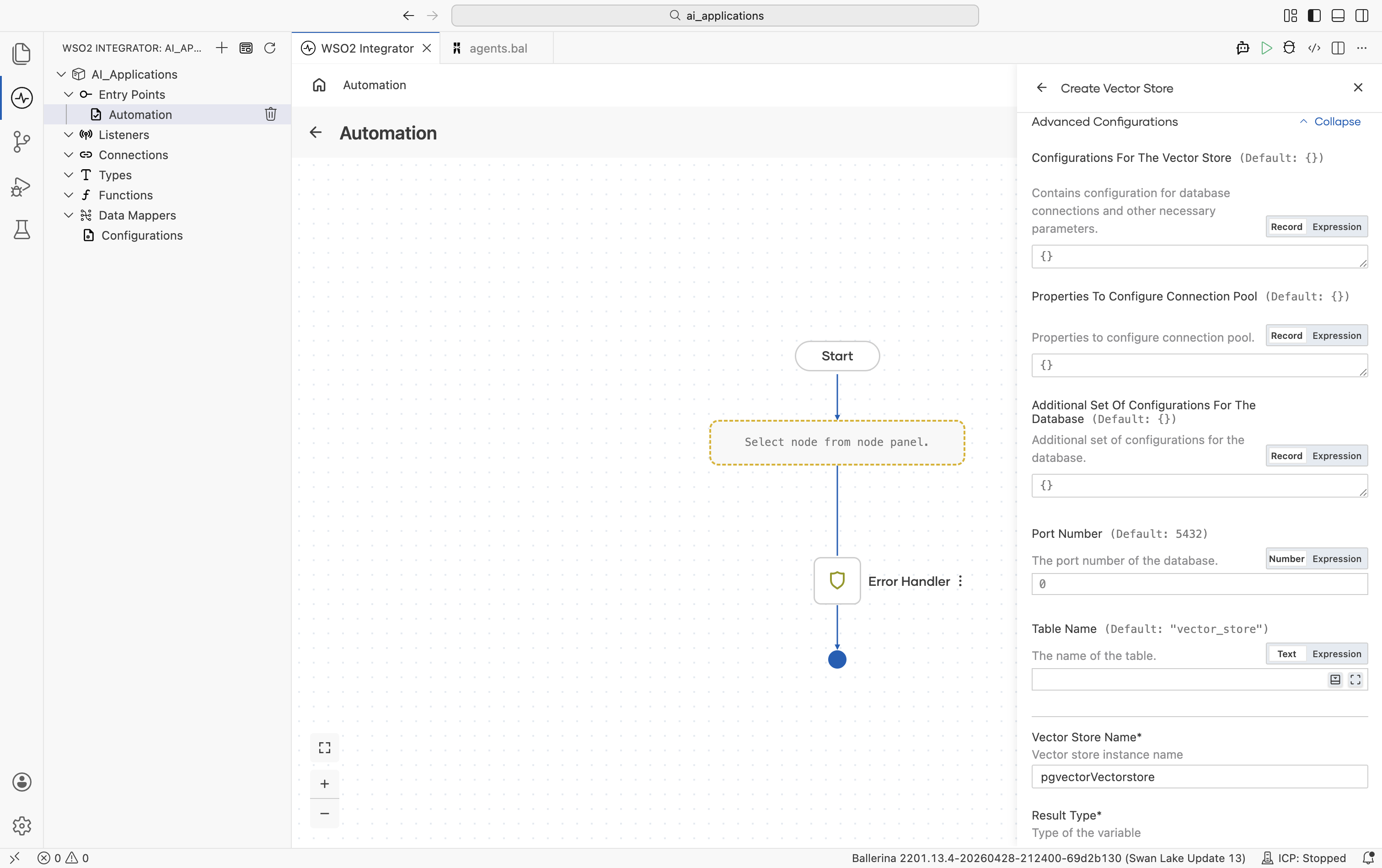
| Field | Default | Available values | What it controls |
|---|---|---|---|
| Configurations For The Vector Store | {} | Record (embeddingType, vectorDimension, similarityMetric) | Embedding Type: ai:DENSE (default) or ai:SPARSE. Picks the column type (vector vs sparsevec). Vector Dimension: 1536 by default; must match your embedding provider's output dimension. Similarity Metric: COSINE (default), EUCLIDEAN, or MANHATTAN. |
| Properties To Configure Connection Pool | {} | Record | Connection pool settings. |
| Additional Set Of Configurations For The Database | {} | Record | Extra PostgreSQL options (SSL mode, connect timeout, and so on). |
| Port Number | 5432 | Any positive integer | Database port. |
| Table Name | "vector_store" | String | Table to store vectors in. Created on first use if missing. |
Auto-created table schema: id VARCHAR PRIMARY KEY, content TEXT, embedding vector|sparsevec, metadata JSONB. The connector creates an HNSW index automatically for fast similarity search.
Pinecone
Pinecone is a hosted vector database with native dense, sparse, and hybrid support. It provides multi-tenancy through namespaces.
Official website: Pinecone documentation.
Create form
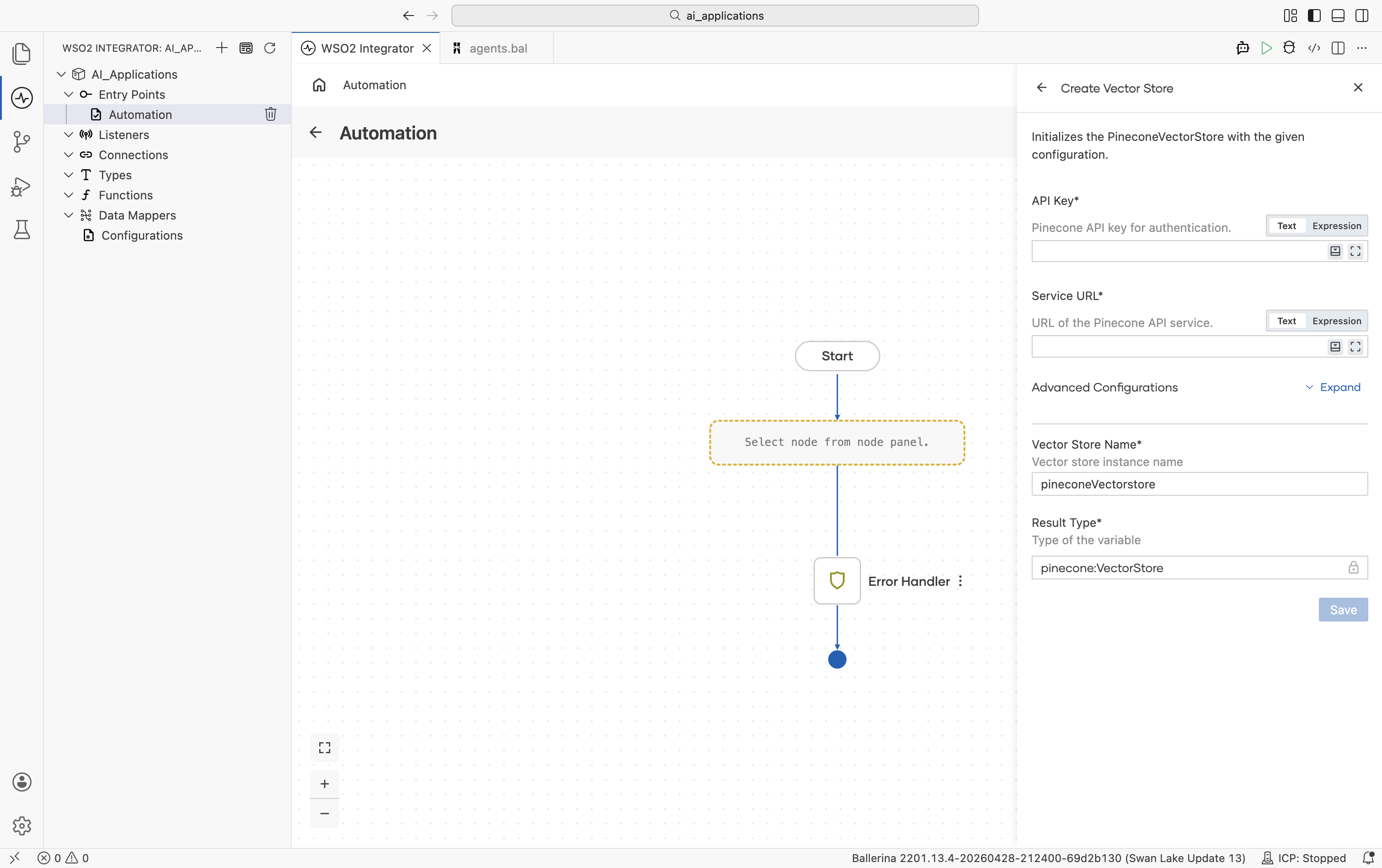
| Field | Required | Default | Available values |
|---|---|---|---|
| API Key | Yes | — | Pinecone API key. |
| Service URL | Yes | — | URL of the Pinecone index endpoint. |
Advanced configurations
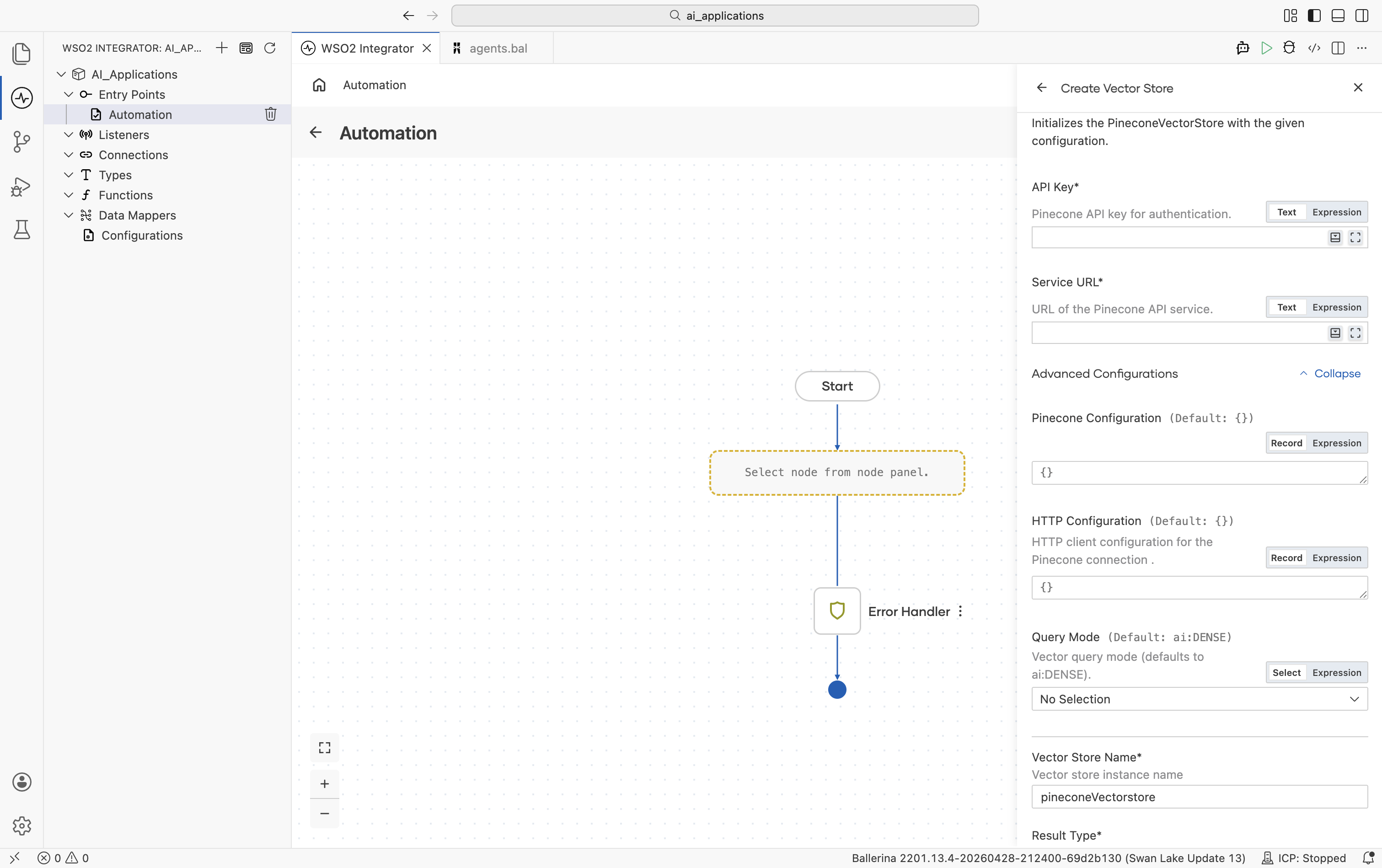
| Field | Default | Available values | What it controls |
|---|---|---|---|
| Pinecone Configuration | {} | Record (namespace, filters, sparseVector) | Pinecone-specific settings. Namespace isolates vectors for multi-tenancy. Filters sets default metadata filters applied on every query. Sparse Vector is needed for hybrid search. |
| HTTP Configuration | {} | Record | Standard HTTP knobs. Same fields as Standard HTTP advanced configurations. |
| Query Mode | ai:DENSE | ai:DENSE, ai:SPARSE, ai:HYBRID | Search mode. |
topK must be in the range 1–10000.
Weaviate
Weaviate is an open-source vector database with structured filtering and a GraphQL query layer. The connector queries pre-existing collections. Create the collection (with its schema) in Weaviate before connecting.
Official website: Weaviate documentation.
Create form
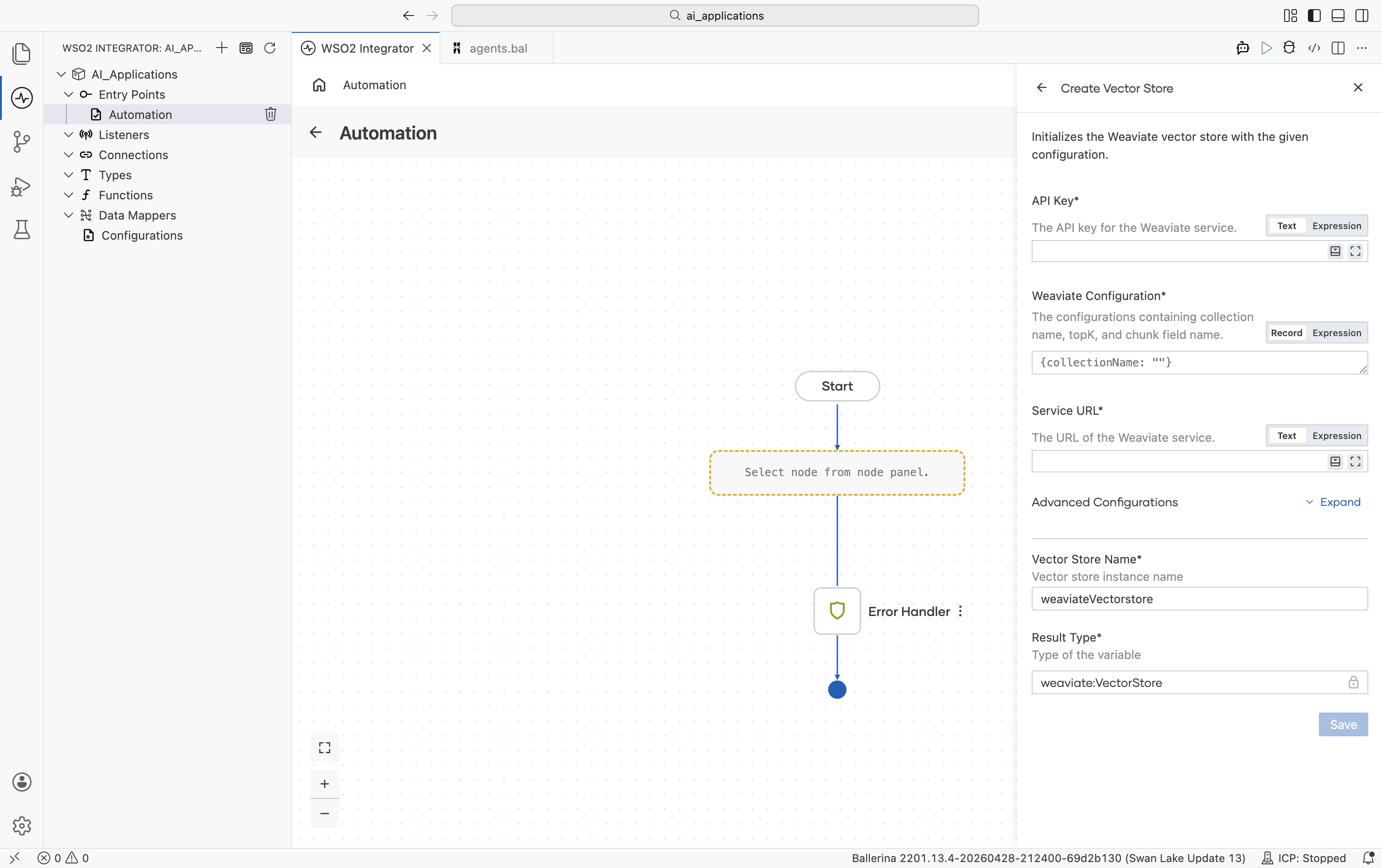
| Field | Required | Default | Available values |
|---|---|---|---|
| API Key | Yes | — | Weaviate API key (sent as a bearer token). |
| Weaviate Configuration | Yes | {collectionName: ""} | Record with collection-level config. Collection Name (required): the Weaviate collection to use; must already exist. Chunk Field Name (optional, default "content"): the field on the collection that holds the chunk content. |
| Service URL | Yes | — | The Weaviate endpoint URL. |
Advanced configurations
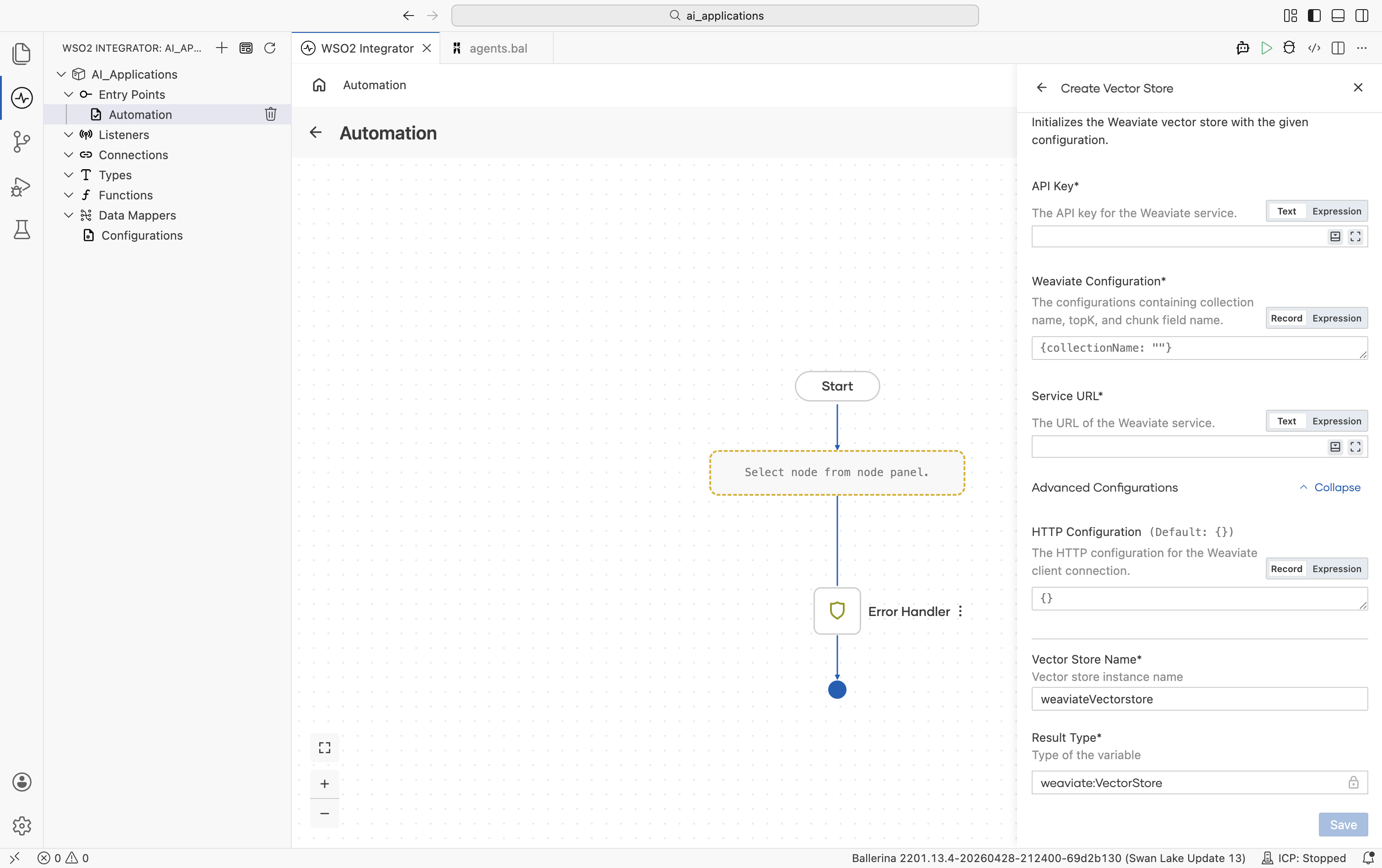
| Field | Default | Available values | What it controls |
|---|---|---|---|
| HTTP Configuration | {} | Record | Standard HTTP knobs. Same fields as Standard HTTP advanced configurations. |
This connector supports dense vectors only. Weaviate maps the certainty score to the similarityScore field in the response.
Selecting a store
| Situation | Recommended |
|---|---|
| Prototyping; tiny dataset; tests | In-Memory. No infrastructure required. |
| Already running PostgreSQL | pgvector. Keeps vectors next to your existing data. |
| Want hosted, multi-tenant by default | Pinecone. |
| Want open-source plus rich filtering & GraphQL | Weaviate. |
| Very large datasets, k8s-native | Milvus. |
Selection is based on operational concerns (where your data already lives, what your team already runs). All five satisfy the same Vector Store contract. The rest of the project does not change when you swap.
What's next
- Knowledge Bases — Combine a vector store with an embedding provider and a chunker.
- Chunkers — Split documents into chunks before embedding for ingestion into a vector store.
- RAG — Visual designer walkthrough for RAG ingestion and query in WSO2 Integrator.