Build Configurations
You can control how your integration is built on WSO2 Cloud - Integration Platform by configuring the build settings. Both settings are enabled by default.
Configure build settings
-
In the left navigation, click Build.
-
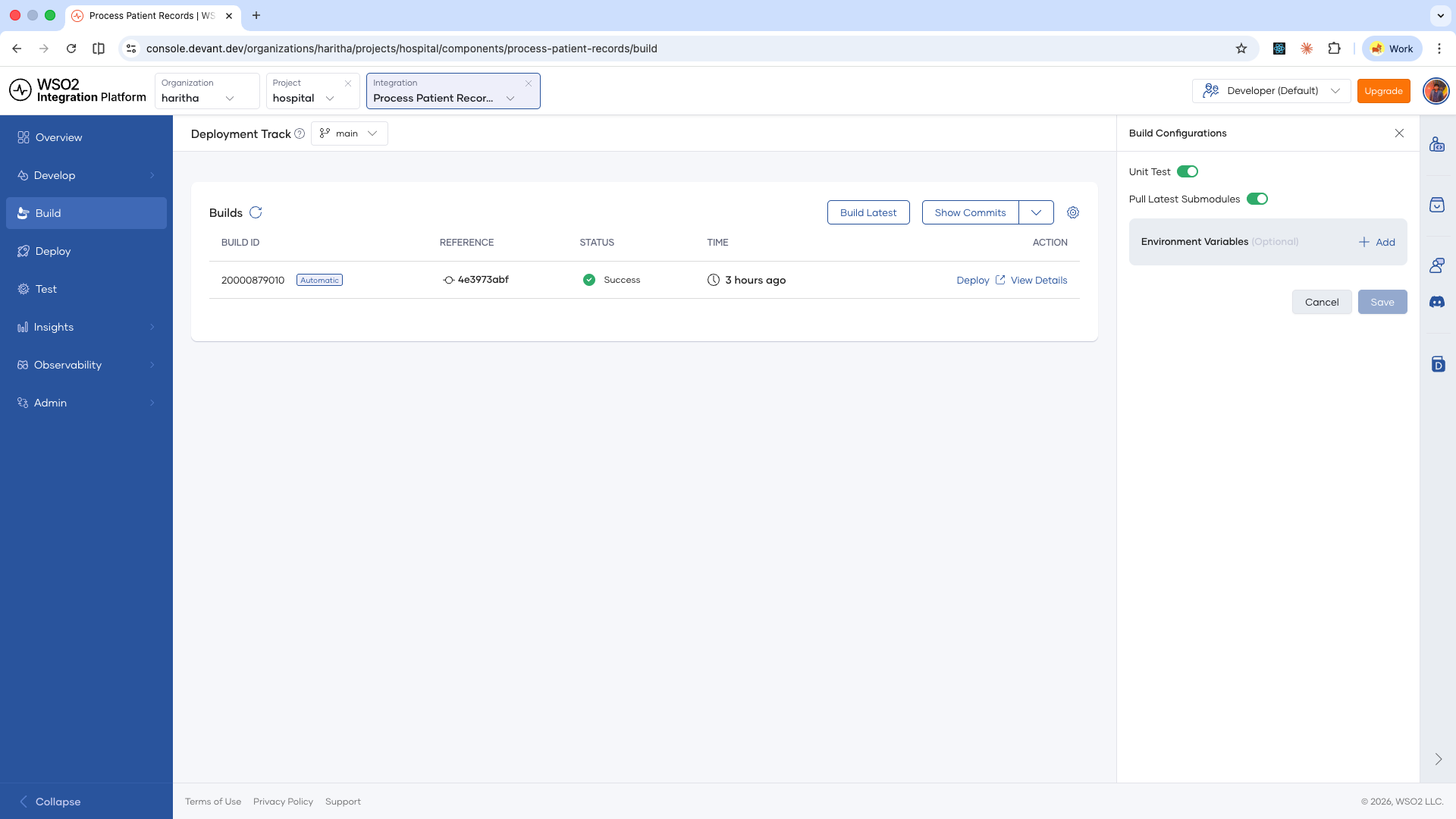
In the top-right corner of the Builds card, click the settings icon.
The Build Configurations panel opens on the right.
-
Configure the following settings:
Setting Description Unit Test When enabled, unit tests run as part of every build. Disable this to skip unit tests. Pull Latest Submodules When enabled, all Git submodules are pulled fresh on every build. Disable this if your submodules are stable and you want faster builds. -
Click Save.
The updated settings apply from the next build onwards. To verify, you can trigger a build manually by clicking the Build Latest button.
What's next
- Runtime configurations — Set configurable values and secrets your integration reads at runtime.
- Endpoint configurations — Control the visibility of your integration's endpoints per environment.