Endpoints and Networking Configuration
When you deploy an Integration as API to the WSO2 Cloud - Integration Platform, each endpoint can be exposed at one or more visibility levels.
Endpoint visibility levels
Each endpoint supports three independent visibility levels. You can enable any combination of them.
| Visibility level | Who can access the endpoint |
|---|---|
| Project | Any integration within the same project |
| Organization | Any integration within the same organization |
| Public | Any client, regardless of location or organization |
By default, the Public visibility level is enabled, and the platform generates a public URL for the endpoint.
Configure endpoint visibility
Endpoint visibility is configured through the configurations drawer for each environment.
-
Open your integration from the project home.
-
On the integration overview page, locate the environment you want to configure.
-
Click Configure on that environment card.
-
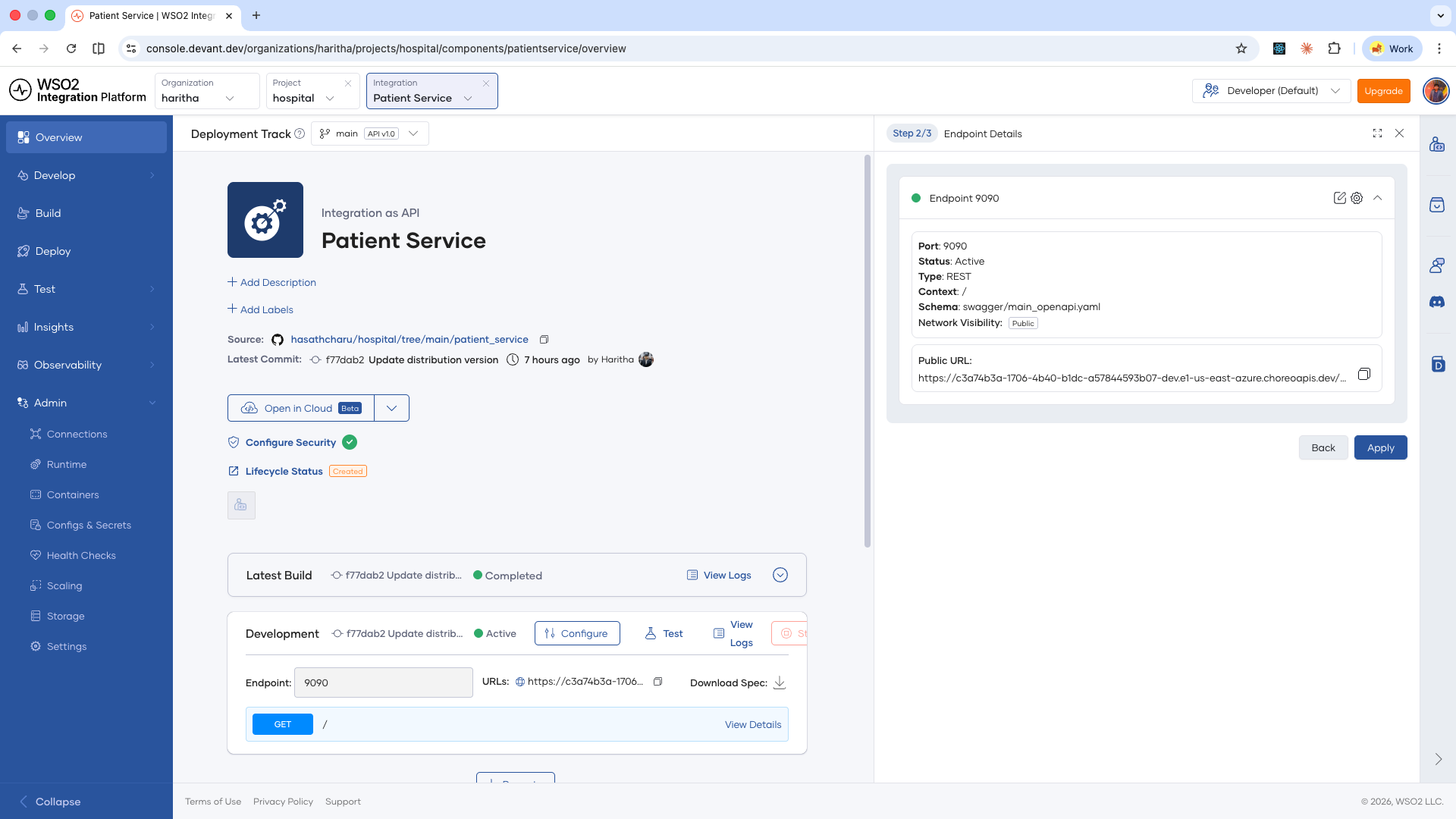
In the runtime configurations drawer, click Next to go to the endpoint details step.
The drawer lists all endpoints for the integration, with the current network visibility shown for each.
-
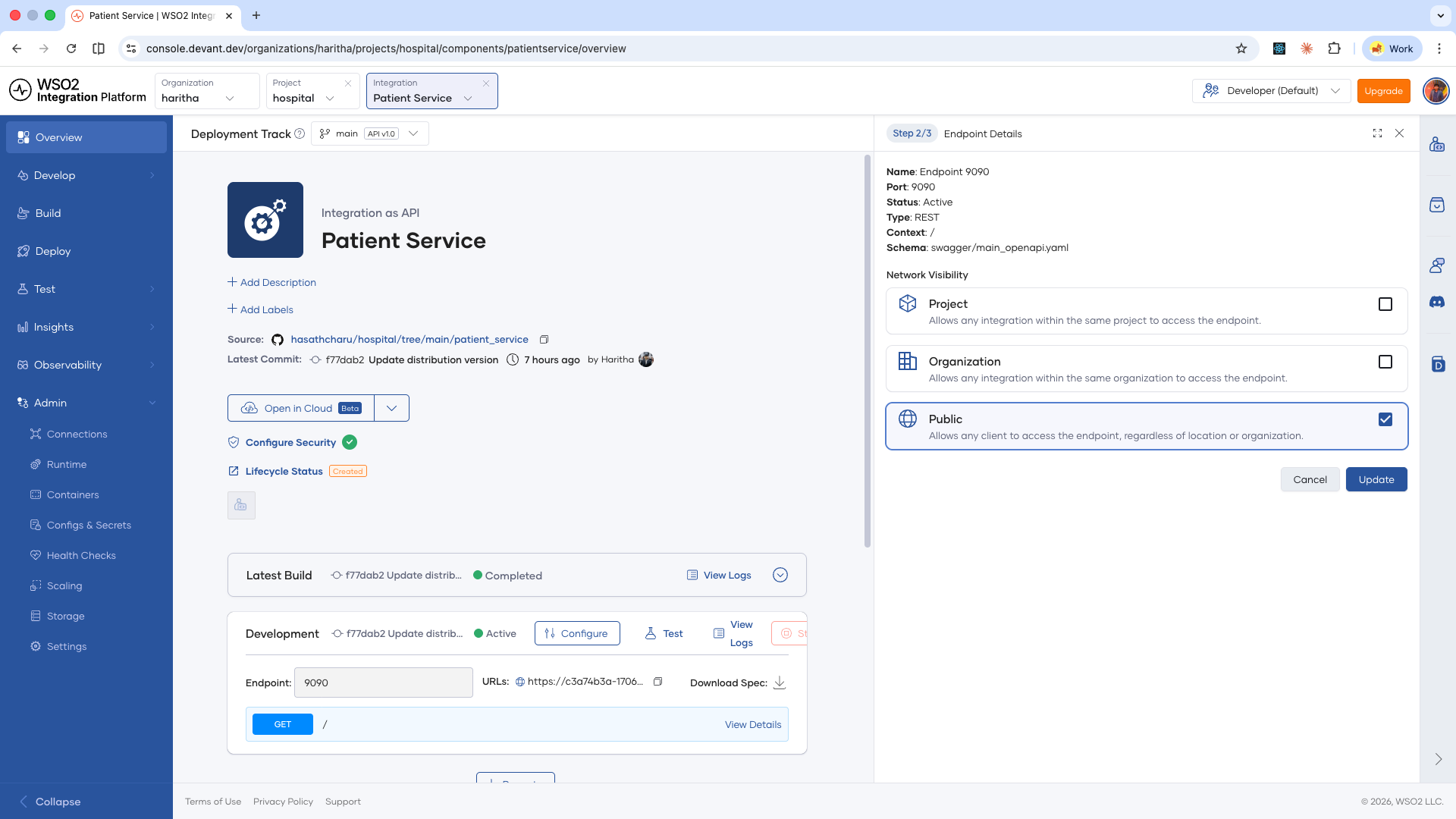
Click the edit icon next to the endpoint you want to configure.
The Network Visibility options appear.
-
Select the visibility levels you want to enable. You can enable multiple levels at the same time.
-
Click Update.
-
Click Apply.
The integration restarts. Once it is active, the environment card displays a URL for each enabled visibility level.
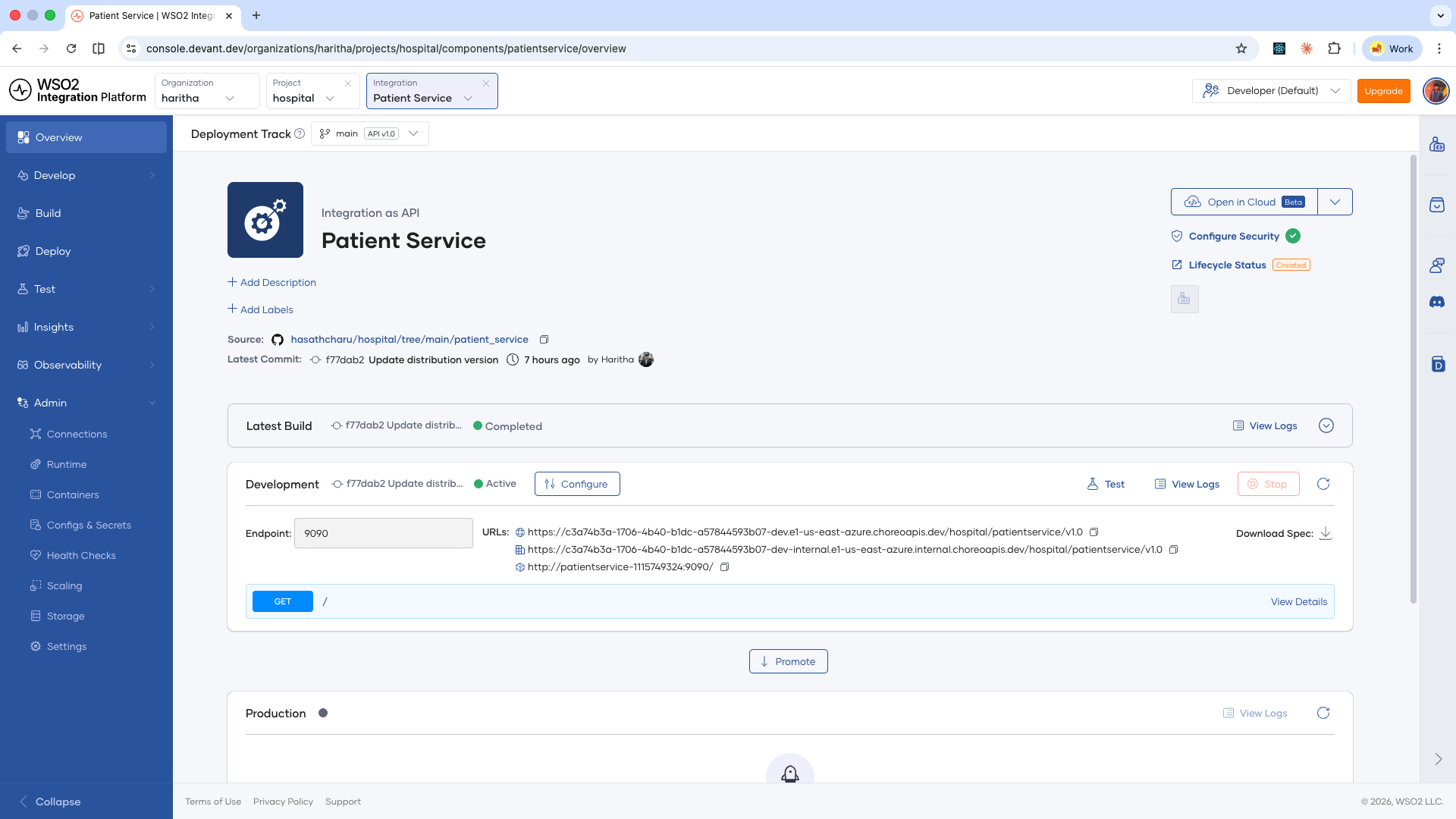
Enabling the Project or Organization visibility levels generates additional internal URLs alongside the public URL. These internal URLs are only accessible from within the defined scope.
What's next
- Build configurations — Control how your integrations are built on the WSO2 Integration Platform.
- Scaling and resource limits — Configure CPU and memory limits for your integration.