Deploy and Query an AI Agent
This page shows how to deploy an AI agent to WSO2 Cloud - Integration Platform and query it after deployment. Use it when you want to test retrieval-augmented generation behavior from the built-in chat UI or the service API.
Prerequisites
- WSO2 Integrator installed on your machine.
- A working AI agent. You can follow the IT helpdesk chatbot tutorial.
- API keys for any model providers used by the agent, for example OpenAI. Do not commit keys to source control.
- Access to a WSO2 Cloud account with permission to create projects and services.
Overview
You will:
- Create an AI agent.
- Deploy the agent using the WSO2 deployment guides.
- Configure required environment variables and secrets.
- Test the agent using the built-in chat UI or the service API.
Step 1: Create an AI agent
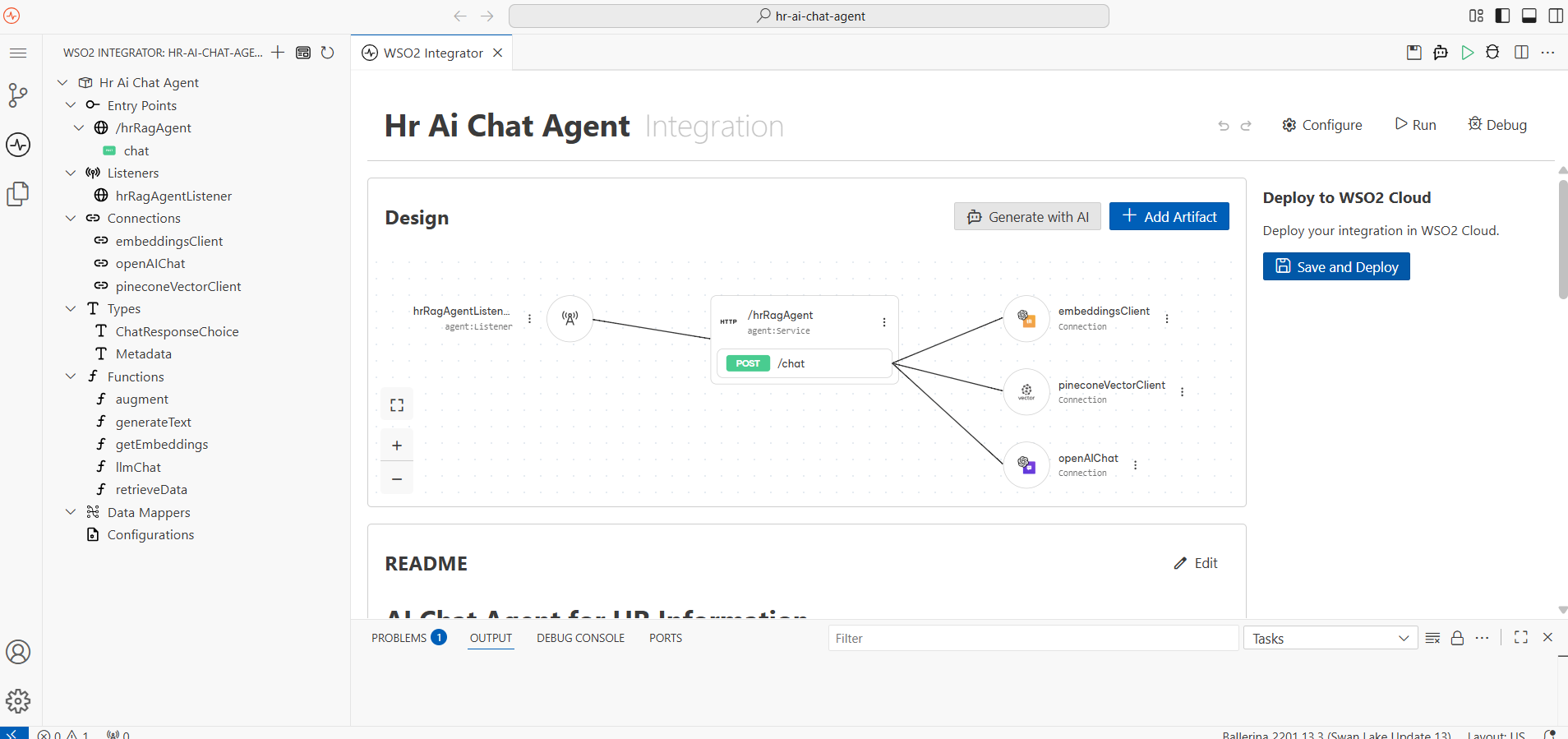
Follow the tutorials on creating an AI Agent or import your own AI agent in WSO2 Cloud.
Step 2: Deploy the agent
Follow the WSO2 deployment guides for step-by-step instructions covering publishing, granting repository access, and deploying from the Cloud editor or from your IDE.
Step 3: Configure environment variables and secrets
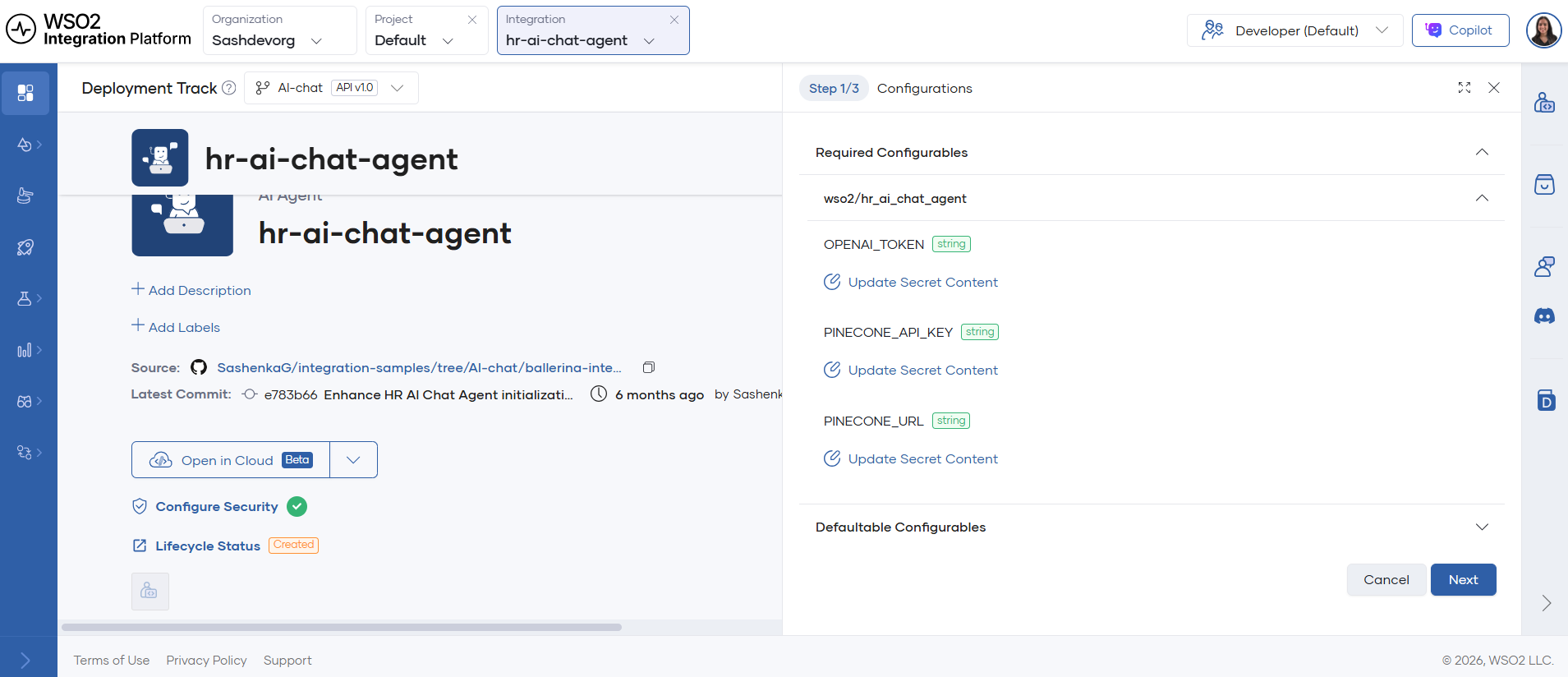
- After the initial build, open the integration Overview page in WSO2 Cloud.
- Click Configure and add API keys and any required secrets.
- Apply the configuration and wait for the redeploy to complete.
Step 4: Test and query the agent
There are two common ways to query the deployed agent:
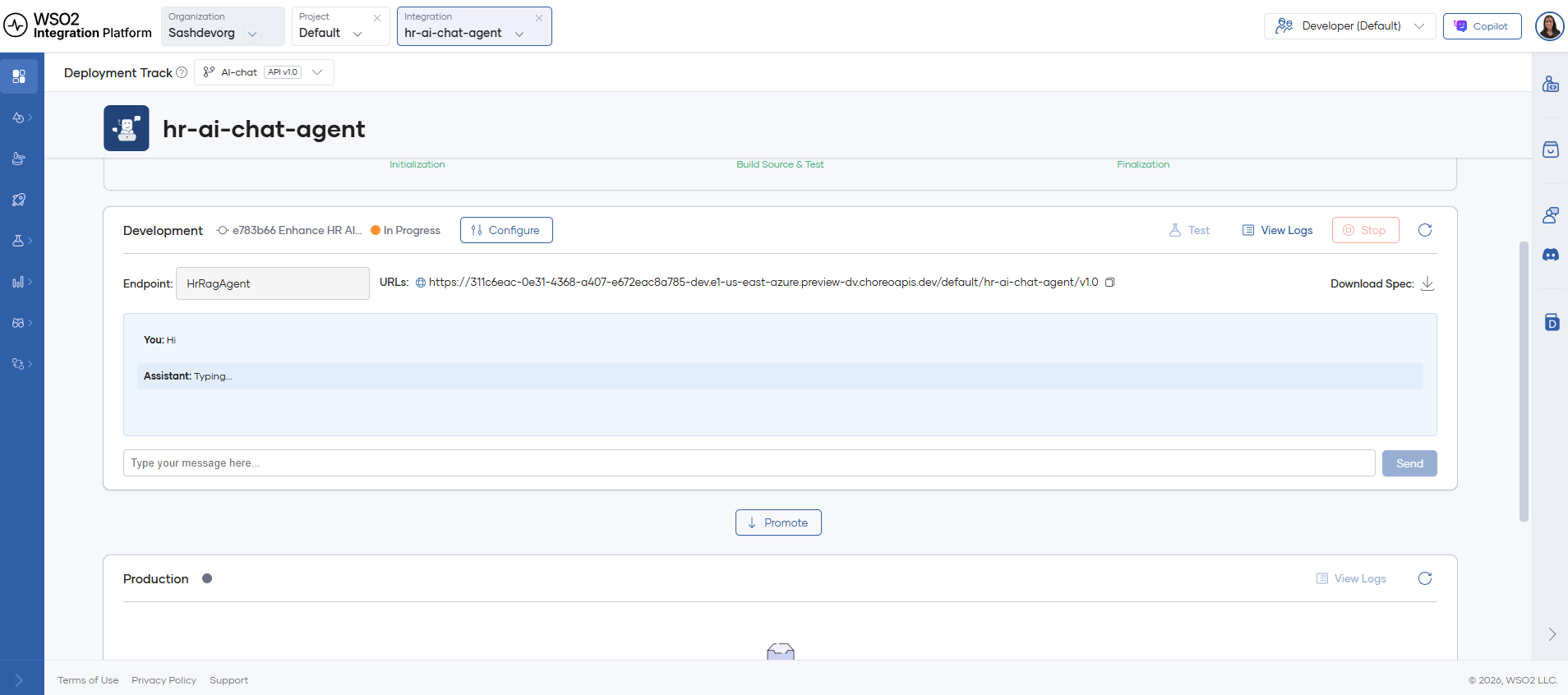
- Use the built-in chat UI available on the integration overview page.
- Call the agent HTTP endpoint using the OpenAPI console or curl.
Example queries to exercise RAG and tools:
- "What is the leave policy for new hires?"
- "What is the annual performance review?"
Troubleshooting and verification
- If builds fail, open the build logs from the integration overview and inspect the failure reason.
- Use the OpenAPI console (Test on the development card) to call endpoints directly and verify responses.
- Check ingestion logs to confirm that FAQ documents were indexed into the vector store.
What's next
- RAG ingestion — Configure scheduled ingestion into your vector store.
- RAG retrieval — Query a vector store to retrieve relevant chunks.
- IT helpdesk chatbot tutorial — Example project that can be used in this walkthrough.