WebSocket Service
WebSocket services enable persistent, full-duplex communication between clients and the server. Use them for real-time features such as live dashboards, chat applications, collaborative tools, and push notifications.
Creating a WebSocket service requires Ballerina code. Once the service exists, you can use the visual designer to implement logic for individual connection handlers.
Creating a WebSocket service
A WebSocket service consists of two parts: an upgrade resource that handles the initial HTTP-to-WebSocket handshake, and a connection service class that implements the per-connection lifecycle callbacks.
import ballerina/websocket;

configurable int port = 8080;

listener websocket:Listener wsListener = new (port);

service /chat on wsListener {

    resource function get .() returns websocket:Service|error {
        return new ChatService();
    }
}

service class ChatService {
    *websocket:Service;

    remote function onOpen(websocket:Caller caller) returns error? {
        // Handle new connection
    }

    remote function onTextMessage(websocket:Caller caller, string message) returns error? {
        // Handle incoming text message
    }

    remote function onBinaryMessage(websocket:Caller caller, byte[] data) returns error? {
        // Handle incoming binary message
    }

    remote function onClose(websocket:Caller caller, int statusCode, string reason) returns error? {
        // Handle connection close
    }

    remote function onError(websocket:Caller caller, error err) returns error? {
        // Handle connection error
    }

    remote function onIdleTimeout(websocket:Caller caller) returns error? {
        // Handle idle timeout
    }
}
The get resource at the base path handles the WebSocket upgrade. It returns the connection service instance (new ChatService()) that the runtime uses to dispatch all subsequent messages for that connection.
Designing logic with the visual designer
Although WebSocket service creation is not supported in the visual designer, you can use it to implement logic for connection handlers defined in code. Once the service exists in the project, it appears in the Entry Points sidebar and on the design canvas.
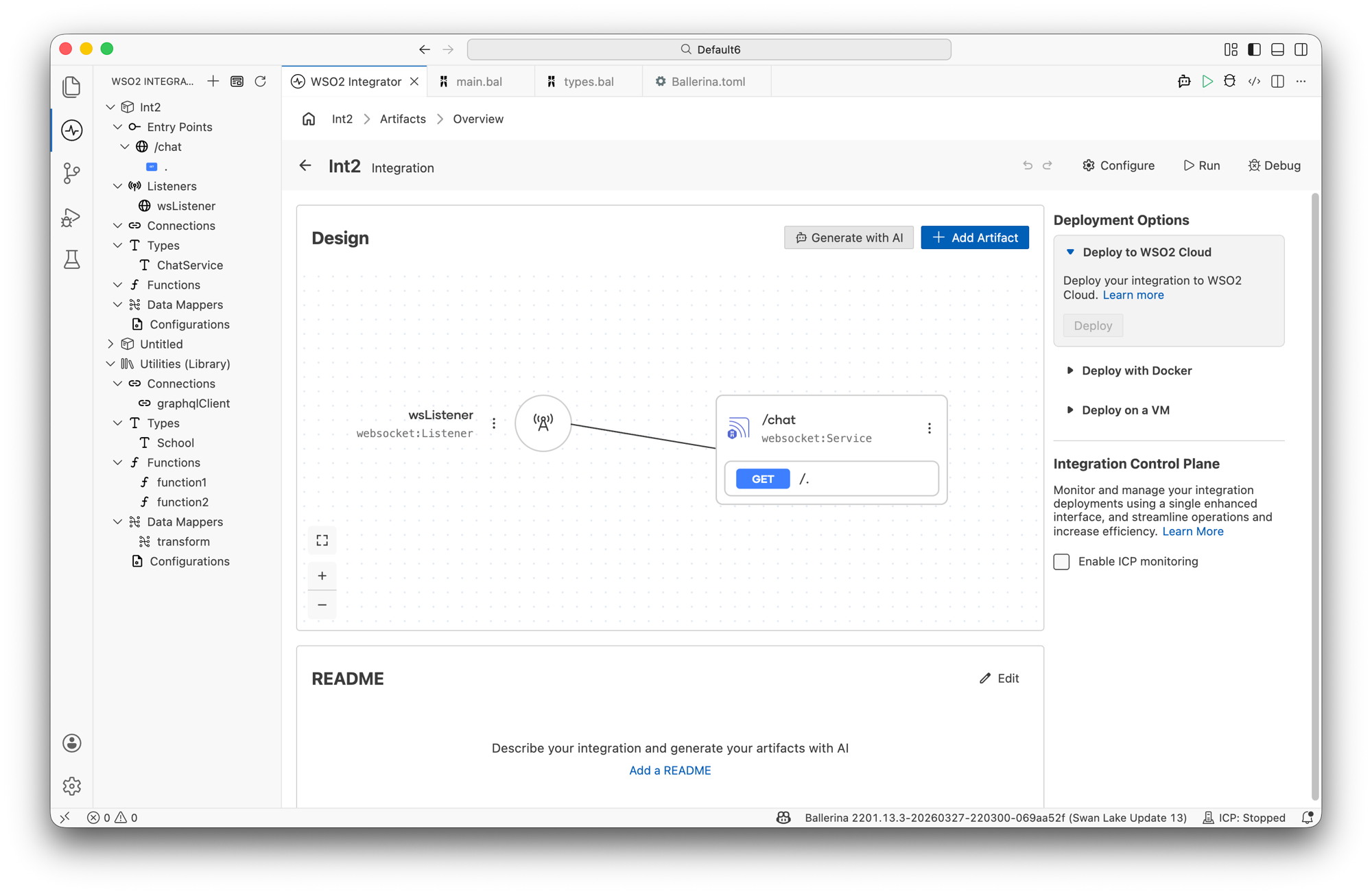
Click the service node (or the service name in the sidebar) to open the WebSocket Service designer, which lists the upgrade resource handler and the attached listener.
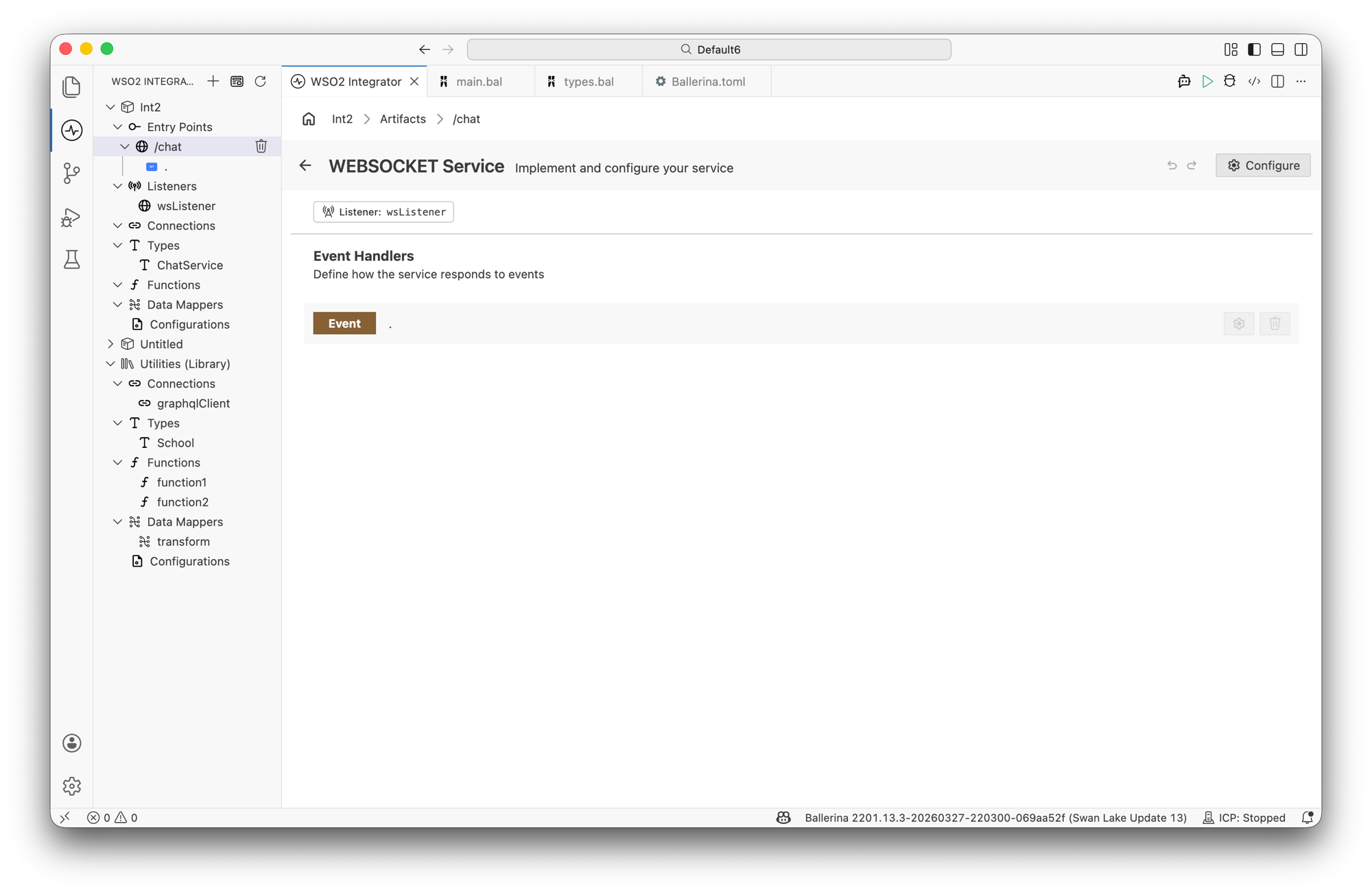
Not all WebSocket service configuration options are available through the visual designer. For full control — including listener configuration and idle timeout settings — use Ballerina code directly.
Implementing connection handlers
The onOpen, onTextMessage, onBinaryMessage, onClose, onError, and onIdleTimeout handlers are implemented inside the connection service class (for example, ChatService) rather than in the main WebSocket service. Access the service class through the Types panel in the sidebar.
Finding the connection service class
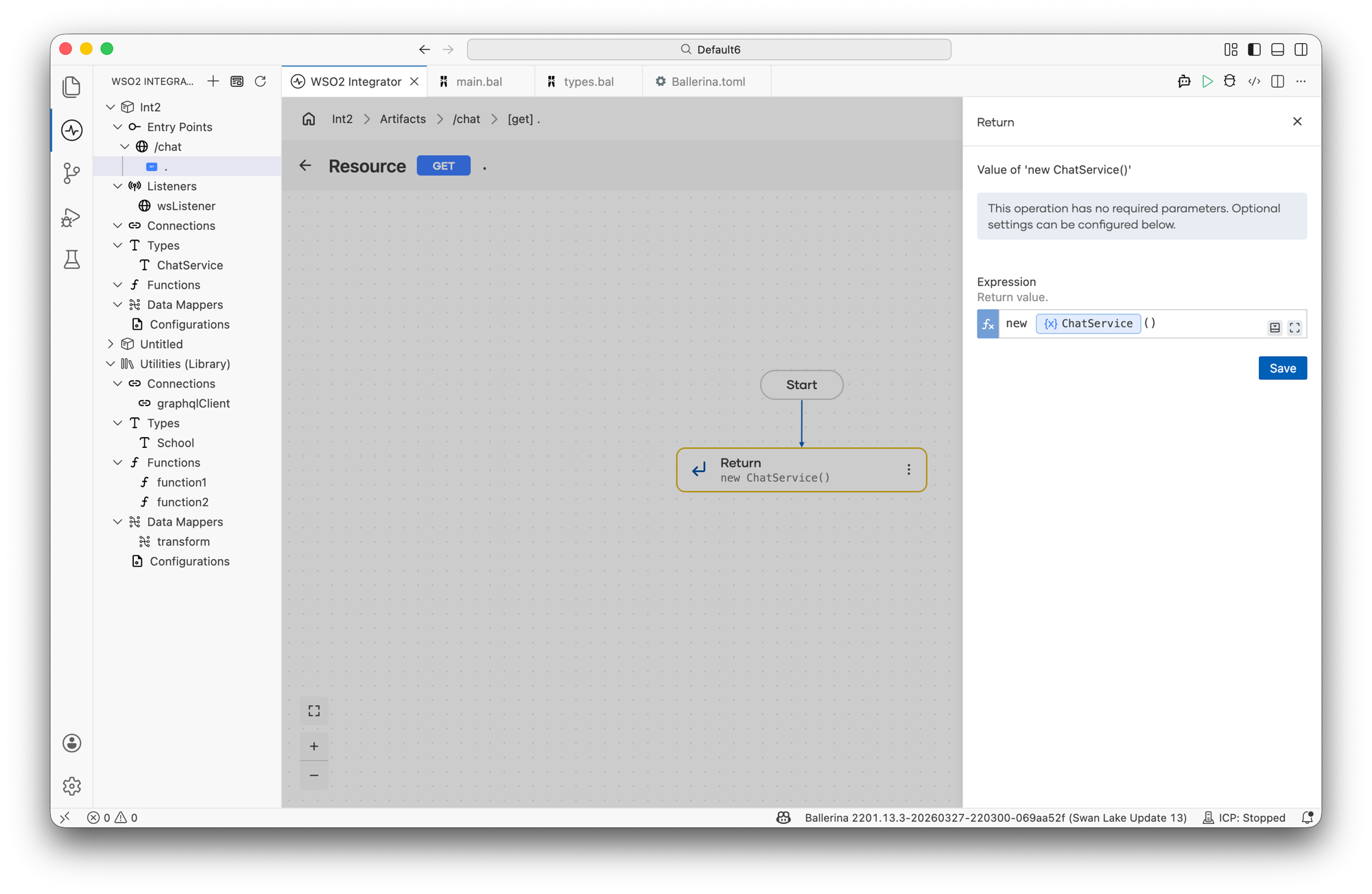
In the upgrade resource flow designer, click the Return step. The right panel shows the return expression, including the connection service class being instantiated (for example, new ChatService()).
Opening the type diagram
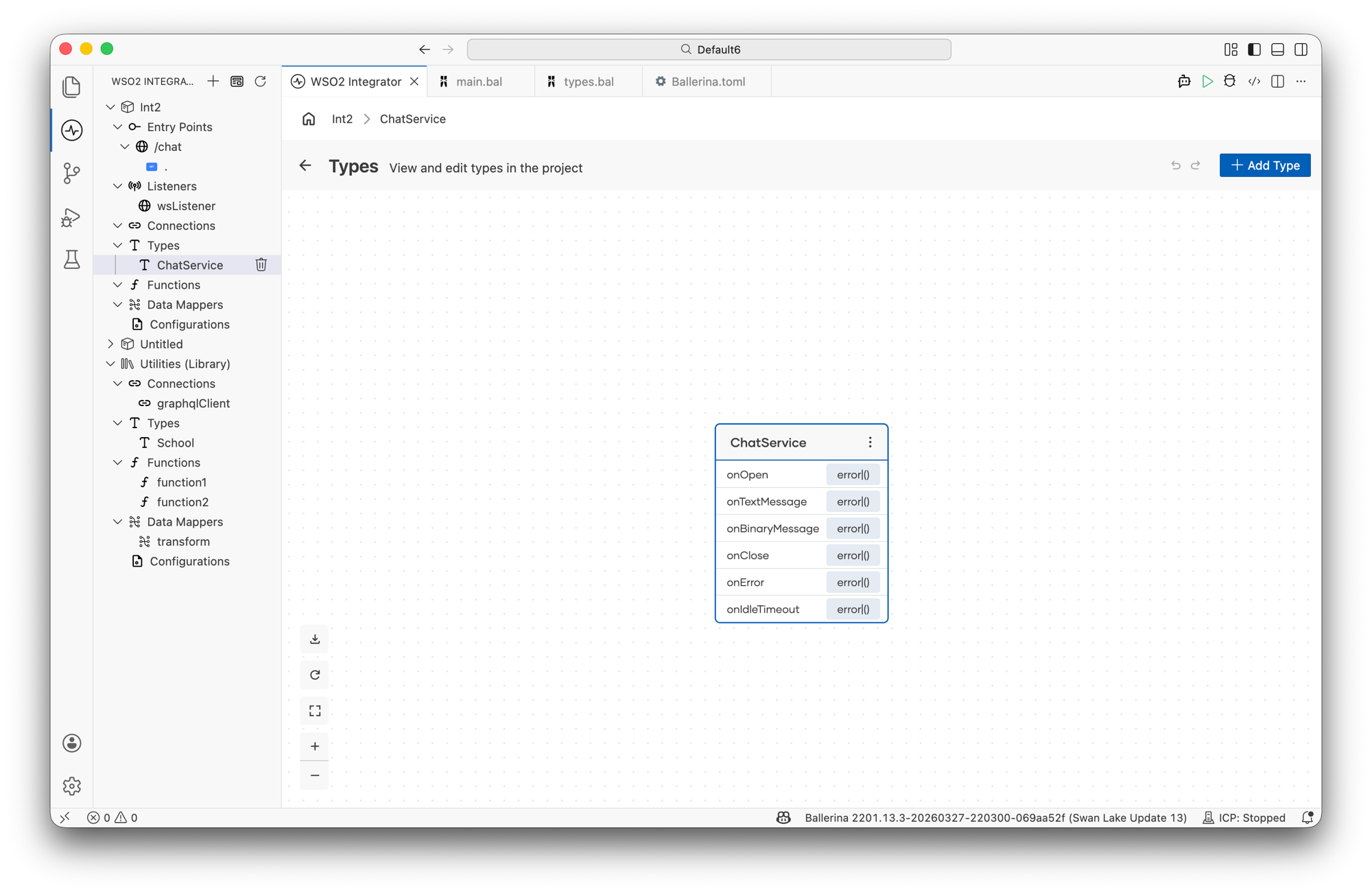
In the sidebar, expand Types and click the connection service class name (for example, ChatService). This opens the Types view, which shows the type diagram for that class with its methods listed.
Opening the Service Class Designer
Click the Service Class type node in the diagram to open the Service Class Designer. This view shows:
- Class Variables — shared state available across all handler methods; use + Variable to add one.
- Methods — the remote functions generated for the connection service.
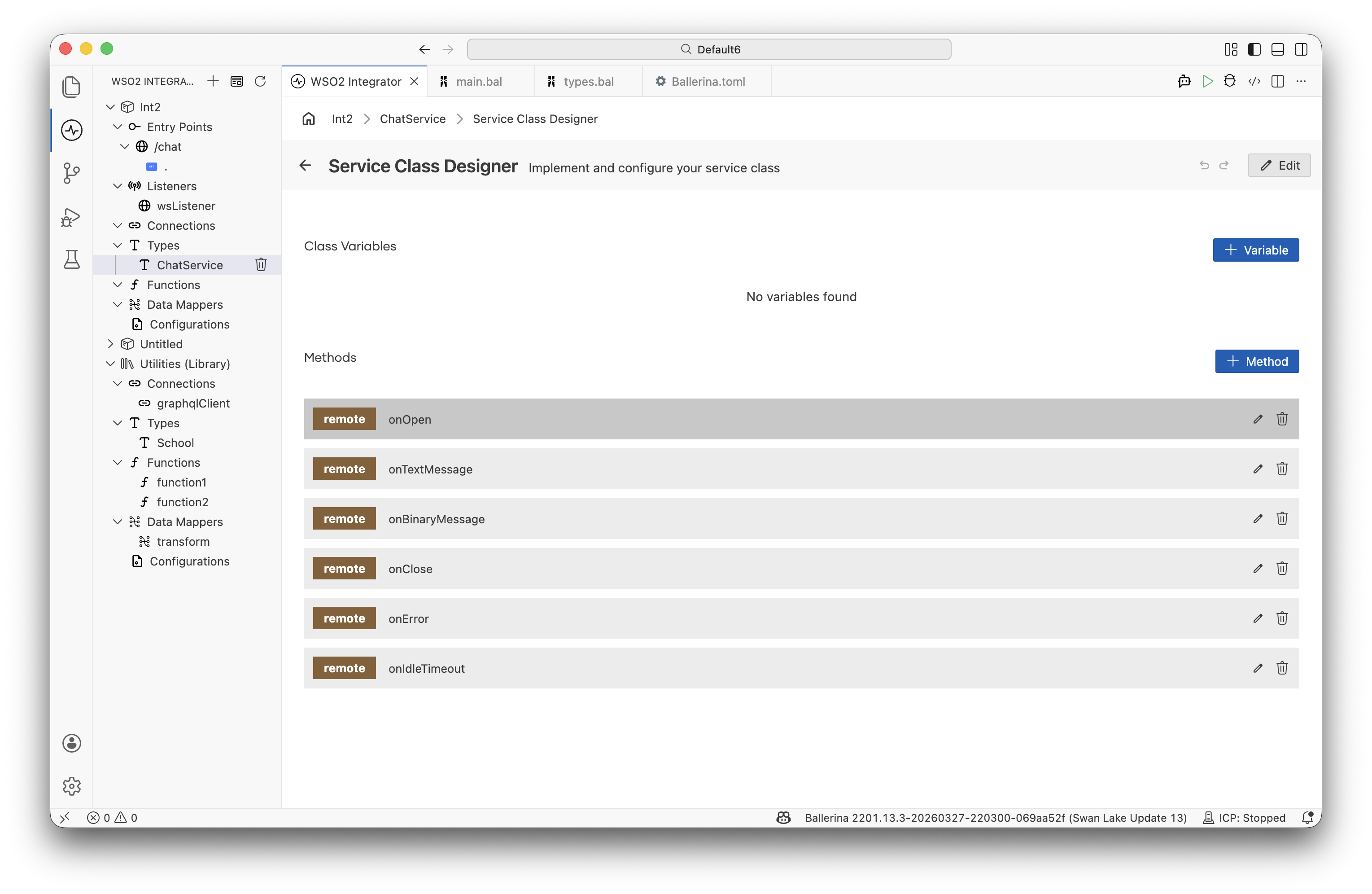
Click any method row (for example, onTextMessage) to open the flow designer view for that handler, where you can define the logic for processing messages, handling errors, or cleaning up on close.
Connection lifecycle callbacks
| Callback | Trigger | Typical use |
|---|---|---|
onOpen | Connection upgrade successful | Initialize session state, send welcome message |
onTextMessage | Text frame received | Parse and process message, write a response with caller->writeTextMessage() |
onBinaryMessage | Binary frame received | Handle binary payloads such as files or media |
onClose | Connection closed | Remove client from broadcast list, release resources |
onError | Connection error | Log and handle error conditions |
onIdleTimeout | Idle timeout reached | Close or keep-alive the connection |
Common patterns
Echo server
service class EchoService {
    *websocket:Service;

    remote function onTextMessage(websocket:Caller caller, string message) returns error? {
        check caller->writeTextMessage("Echo: " + message);
    }
}
Broadcast to all connected clients
isolated map<websocket:Caller> connections = {};

service class BroadcastService {
    *websocket:Service;

    remote function onOpen(websocket:Caller caller) returns error? {
        lock {
            connections[caller.getConnectionId()] = caller;
        }
    }

    remote function onTextMessage(websocket:Caller caller, string message) returns error? {
        lock {
            foreach websocket:Caller conn in connections {
                check conn->writeTextMessage(message);
            }
        }
    }

    remote function onClose(websocket:Caller caller, int statusCode, string reason) returns error? {
        lock {
            _ = connections.remove(caller.getConnectionId());
        }
    }
}
For more details
See the Ballerina WebSocket specification for the complete language-level reference, including TLS configuration, authentication, compression, and custom message dispatching.