Version: 5.1
Agent
An Agent artifact is a standalone AI agent definition — the same model, system prompt, tools, and memory building blocks described in AI Agents — added directly within an integration flow, a REST API, a GraphQL resolver, or backend service logic, instead of being scaffolded together with its own chat service the way the AI Chat Agent Wizard does. Use it when you want to invoke the agent programmatically as part of logic you're already writing, or reference it the same way you'd use a Connection or a Type from a Chat Agent Service, an MCP Service, or a Durable Agentic Workflow.
Creating an Agent
- Create or open an existing integration flow.
- In the editor, open the AI section in the side panel and select Agent.
- Click + Add Agent to open the agent creation panel.
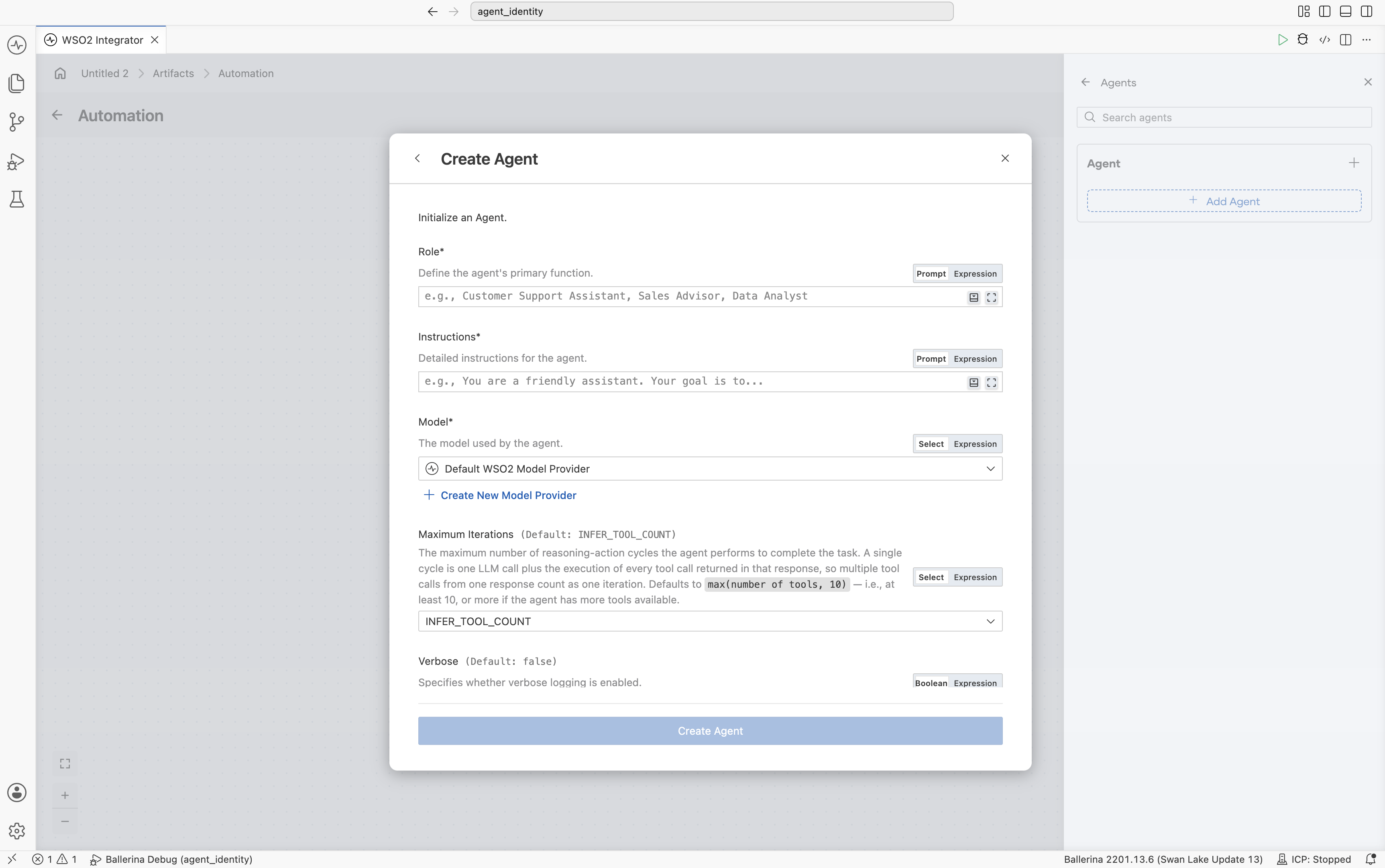
- Configure the Role and Instructions fields to define the agent’s behavior.
- Specify the query or prompt to the agent in the Query field. Note that this can also be an expression (e.g., a parameter, a variable, etc.).
- Click Save.
- Visual Designer
- Ballerina Code
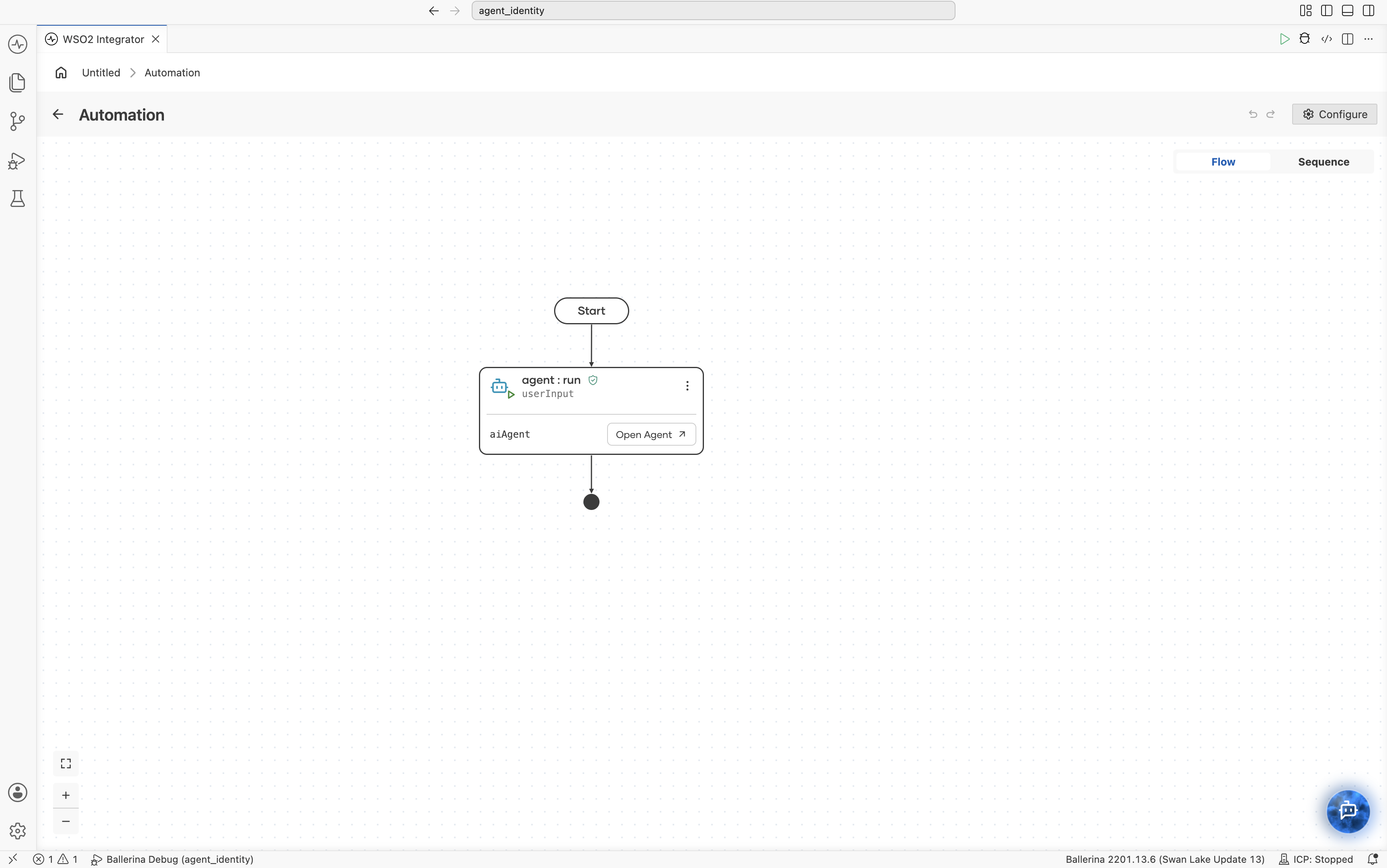
import ballerina/ai;
import ballerina/log;

// Default model provider
final ai:Wso2ModelProvider aiWso2modelprovider =
    check ai:getDefaultModelProvider();

// Agent declaration
final ai:Agent aiAgent = check new (
    systemPrompt = {
        role: string `Task Assistant`,
        instructions: string `You are a helpful assistant for
            managing a to-do list. You can manage tasks and
            help users plan their schedules.`
    },
    model = aiWso2modelprovider
);

// Main
public function main() returns error? {
    while true {
        string userInput = io:readln("User (or 'exit' to quit): ");
        if userInput == "exit" {
            break;
        }
        // Pass the user input to the agent and get a response.
        string response = check aiAgent.run(userInput);
        io:println("Agent: ", response);
    }
}
After generation, you can configure the following aspects of the agent the same way as for a Chat Agent Service:
- Agent behavior, including role, instructions, query, and input/output bindings
- Model provider
- Tool integration
- Memory configuration
- Observability and tracing
What's next
- AI Agents — the model, system prompt, tools, and memory components that make up an agent
- Creating an Agent — the AI Chat Agent Wizard walkthrough
- Durable Agentic Workflow — use an agent to drive a durable workflow's decisions