Monetize MCP Tools with the Self-Hosted Gateway
Overview
This guide shows you how to monetize Model Context Protocol (MCP) tools exposed through the WSO2 API Platform self-hosted gateway. Instead of charging for raw REST endpoints, you charge AI agents and applications for the MCP tool calls they make. The gateway authenticates every tool call, captures it as an analytics event, and publishes it to Moesif, where you define usage-based billing meters and connect a billing provider such as Stripe to invoice consumers automatically.
By the end, you'll have a self-hosted AI gateway fronting an MCP server, MCP tool traffic flowing through it, and per-tool-call usage published to Moesif and ready to bill.
Self-hosted gateway only
MCP tool monetization is not available on the cloud gateway. It requires the self-hosted AI gateway because monetization depends on the gateway's analytics publisher and a Moesif integration that you configure manually in the gateway config.toml. The cloud gateway currently supports API monetization with Stripe for REST APIs only.
Key Concepts
Before you start, here are the terms this guide uses:
Self-hosted AI gateway is the WSO2 API Platform AI Gateway distribution you run in your own environment with Docker Compose. It hosts MCP proxies and enforces authentication, rate limiting, and analytics.
MCP proxy is the gateway resource that fronts a backend MCP server. It exposes the backend's tools, resources, and prompts to MCP clients under a single governed endpoint.
MCP tool is a single callable operation an MCP client invokes through the proxy (for example, a tools/call request). This is the unit you meter and charge for.
Analytics publisher is the gateway component that asynchronously captures each request as an analytics event and publishes it to an external analytics platform. Today the supported publisher is Moesif.
Moesif is the analytics and monetization platform WSO2 API Platform integrates with. It receives tool-call events, applies usage-based billing meters, and connects to a billing provider.
Billing provider is the payment platform (such as Stripe, Recurly, or Chargebee) that Moesif connects to for invoicing and payment collection.
Prerequisites
-
A Docker-compatible container runtime (Docker Desktop, Rancher Desktop, Colima, or Docker Engine with the Compose plugin). Confirm that
dockeranddocker composeare available: -
A Moesif account and a Collector Application ID. Sign up at moesif.com, follow the onboarding wizard, and copy the Application ID it generates.
- A billing provider account (this guide uses Stripe) with access to the Stripe Dashboard for connecting it to Moesif.
- A backend MCP server to expose. This guide uses the public
mcp-everythingsample. curlfor deploying the proxy and generating traffic.
Architecture
MCP client (AI agent / app)

    |  HTTPS + OAuth2 bearer token (per tool call)
    v

+-----------------------------------+
|      WSO2 self-hosted AI Gateway   |
|  MCP auth · routing · analytics    |
+-----------------------------------+

    |  MCP traffic                    |  analytics events (async)
    v                                 v

Backend MCP server            +---------------------------+
(tools / resources)           |          Moesif           |
                              |  usage meters · billing   |
                              +-------------+-------------+
                                            |
                                            v
                              +---------------------------+
                              |   Billing provider        |
                              |   (Stripe) invoicing      |
                              +---------------------------+
An MCP client calls a tool through the gateway with an OAuth2 bearer token. The gateway validates the token, routes the call to the backend MCP server, and asynchronously publishes a usage event to Moesif. Moesif counts each tool call against a billing meter and connects to Stripe for invoicing — the gateway never touches payment details, and analytics collection never adds latency to the tool call.
Step 1: Start the self-hosted AI gateway
Download and start the AI gateway distribution with Docker Compose.
# Download the distribution.
wget https://github.com/wso2/api-platform/releases/download/ai-gateway/v1.1.0/wso2apip-ai-gateway-1.1.0.zip

# Unzip the downloaded distribution.
unzip wso2apip-ai-gateway-1.1.0.zip

# Start the complete stack.
cd wso2apip-ai-gateway-1.1.0/
docker compose -p ai-gateway up -d

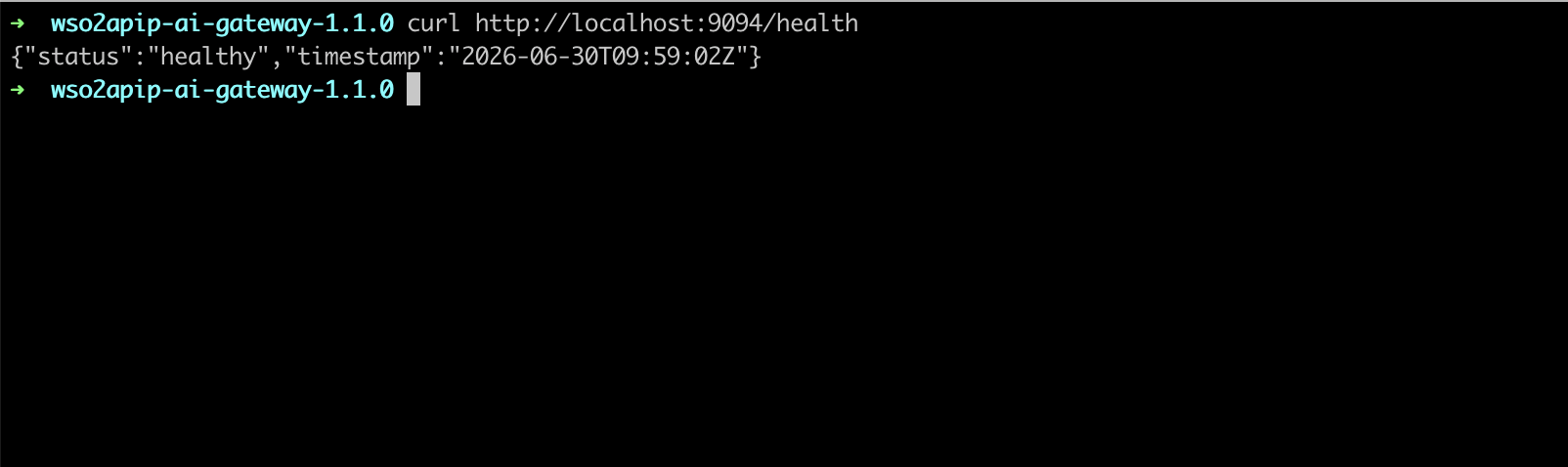
# Verify the gateway controller admin endpoint is running.
curl http://localhost:9094/health
Expected result: The health endpoint returns a success response, confirming the gateway is up.
Tip
Keep the distribution directory open in a terminal. You'll edit config.toml inside it in Step 3 and restart the stack to apply the analytics configuration.
Step 2: Deploy an MCP proxy with authentication
Start the sample MCP server, then deploy an MCP proxy that fronts it and requires an OAuth2 token on every tool call. Securing the proxy is what lets you attribute each tool call to a consumer for billing.
-
Start the sample MCP server on the gateway network:
-
Deploy the MCP proxy with the
mcp-authpolicy applied. Replace theissuersandjwksvalues with your own identity provider details (see MCP Authentication for the matchingconfig.tomlkey manager setup):curl -X POST http://localhost:9090/api/management/v1/mcp-proxies \ -H "Content-Type: application/yaml" \ -H "Authorization: Basic YWRtaW46YWRtaW4=" \ --data-binary @- <<'EOF' apiVersion: gateway.api-platform.wso2.com/v1 kind: Mcp metadata: name: everything-mcp-v1.0 spec: displayName: Everything version: v1.0 context: /everything specVersion: "2025-06-18" upstream: url: http://everything:3001 policies: - name: mcp-auth version: v0.1.1 params: issuers: - PrimaryIDP tools: [] resources: [] prompts: [] EOF
Expected result: The gateway returns HTTP 201 and the proxy reaches the deployed state. The MCP server is reachable at http://localhost:8080/everything/mcp and rejects unauthenticated tool calls.
Note
The mcp-auth policy makes each consumer present a JWT access token. The token's claims (such as the subject or a client ID) identify the consumer in the analytics events, which is how Moesif attributes usage and bills the right account. Without authentication, all tool calls would be anonymous and could not be billed per consumer.
Step 3: Enable analytics and configure the Moesif publisher
Analytics is configured entirely in the gateway config.toml and enabled at the system level. This is the step that turns raw tool traffic into billable usage data.
- Open
gateway/configs/config.tomlin the gateway distribution. -
Add the analytics configuration, replacing
<MOESIF_APPLICATION_ID>with your Moesif Collector Application ID:[analytics] enabled = true [[analytics.publishers]] type = "moesif" enabled = true [analytics.publishers.settings] application_id = "<MOESIF_APPLICATION_ID>" publish_interval = 5 event_queue_size = 10000 batch_size = 50 timer_wakeup_seconds = 3 [analytics.grpc_event_server] buffer_flush_interval = 1000000000 buffer_size_bytes = 16384 grpc_request_timeout = 20000000000 server_port = 18090 shutdown_timeout = 600 als_plain_text = true max_message_size = 1000000000 max_header_limit = 8192 -
Save the file.
Expected result: The gateway is configured to publish every MCP tool call as an analytics event to your Moesif application.
Note
Analytics events are collected asynchronously and batched before publishing, so enabling analytics does not add latency to tool calls. For the full list of publisher and gRPC event server parameters, see Configure Moesif Analytics.
Step 4: Apply the analytics restart and confirm publishing
Restart the gateway so it picks up the analytics configuration.
Expected result: The gateway restarts with analytics enabled. The policy-engine logs show the ALS server listening on the configured server_port (18090).
Protect sensitive headers
Before sending production traffic to Moesif, attach the Analytics Header Filter policy to the MCP proxy to strip authentication tokens and other sensitive headers from the published events. Use deny mode to exclude headers such as Authorization.
Step 5: Generate MCP tool traffic
Connect an MCP client to the proxy and call a tool so that Moesif receives usage events.
-
Add the following server URL to your MCP client (for example, an MCP-capable AI assistant) and supply a valid bearer token issued by your identity provider:
-
Invoke one or more tools exposed by the Everything sample server.
Expected result: Each tool call returns a successful MCP response. Within a few seconds, the calls appear as events in your Moesif dashboard under Live Event Log.
Note
Allow a few seconds for events to surface in Moesif. The publish_interval (5 seconds in Step 3) controls how frequently the gateway flushes batched events to Moesif.
Step 6: Create a usage-based billing meter in Moesif
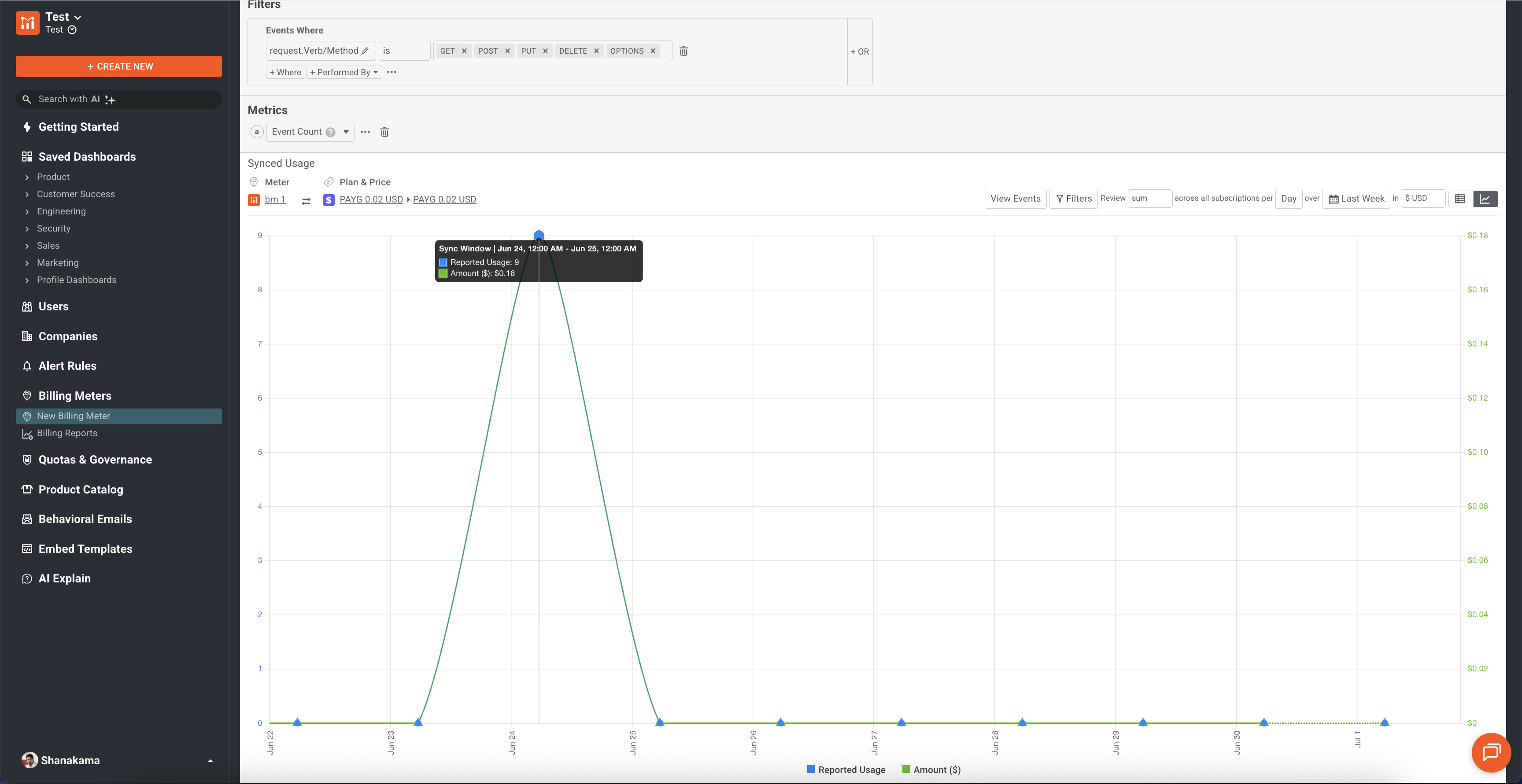
In Moesif, define a billing meter that counts MCP tool calls. This is where you decide what to charge for and how much.
- In the Moesif dashboard, go to Billing Meters and create a new meter.
- Set the meter to count API calls, and filter the events to your MCP proxy traffic — for example, by request URI prefix
/everythingor by the tool-call method. - Choose a pricing model (for example, a per-call unit price or tiered/volume pricing) and a billing period.
- Save the meter.
Expected result: The meter aggregates incoming MCP tool-call events into a billable quantity per consumer.
Note
Because the gateway publishes the consumer identity (from the validated JWT) and the request path with each event, you can meter per tool, per consumer, or per plan. See the Moesif metered billing documentation for meter configuration details.
Step 7: Connect Stripe as the billing provider
Connect Moesif to Stripe so metered usage is converted into invoices and payments automatically.
- In the Moesif dashboard, open Settings > Extensions (or Billing Provider) and select Stripe.
- Authorize Moesif to access your Stripe account, or enter your Stripe API key.
- Map your Moesif billing meter to a Stripe product and price.
- Save the integration.
Expected result: Moesif reports metered MCP tool usage to Stripe, which issues invoices and collects payment from subscribed consumers. WSO2 API Platform never stores payment details.
Note
Moesif also integrates with Recurly, Chargebee, and Zuora. The same metered usage data drives billing regardless of the provider you choose. See the Analytics and Monetization overview for the full list of capabilities.
Verify
-
Confirm tool calls are captured. Make an authenticated tool call through the gateway, then open the Moesif Live Event Log.
Expected result: The tool call appears as an event with the consumer identity and the
/everythingrequest path. -
Confirm unauthenticated calls are rejected. Call a tool without a bearer token.
Expected result: The gateway returns
HTTP 401Unauthorized, and no billable event is recorded. -
Confirm usage drives billing. Make several tool calls, then open the billing meter in Moesif.
Expected result: The meter quantity increases by the number of tool calls, and the projected charge reflects your configured price.
Troubleshooting
| Symptom | Resolution |
|---|---|
Health check fails after docker compose up |
Confirm the ports 8080, 9090, and 9094 are free and that all containers in the ai-gateway project are running with docker compose -p ai-gateway ps. |
MCP proxy deploy returns 409 Conflict |
An MCP proxy with the same name and version already exists. Use a new metadata.name/version or delete the existing proxy. |
Tool calls return HTTP 401 even with a token |
Confirm the mcp-auth issuers reference a key manager defined under policy_configurations.jwtauth_v0.keymanagers in config.toml, and that the token is signed by that issuer. |
| No events appear in Moesif | Confirm analytics.enabled = true, the application_id matches your Moesif Collector ID, and the gateway was restarted after editing config.toml. |
| Events appear in Moesif but the meter stays at zero | Confirm the billing meter's filter matches the MCP proxy traffic (request URI prefix or tool method) and the billing period is active. |
| Sensitive headers visible in Moesif events | Attach the Analytics Header Filter policy in deny mode to the MCP proxy to exclude Authorization and other sensitive headers. |
| Stripe invoices not generated | Confirm the Stripe integration is authorized in Moesif and the billing meter is mapped to a Stripe product and price. |
What you learned
- Ran the WSO2 self-hosted AI gateway and deployed an authenticated MCP proxy in front of a backend MCP server.
- Enabled the gateway analytics publisher and configured Moesif to receive every MCP tool call as a usage event, without adding latency.
- Created a usage-based billing meter in Moesif that counts MCP tool calls per consumer.
- Connected Stripe as the billing provider so metered tool usage is invoiced and collected automatically.
Next steps
- MCP Authentication — configure key managers, scopes, and audiences to control which consumers can call your tools.
- Configure Moesif Analytics — tune publish intervals, batching, and the gRPC event server for production traffic.
- Analytics and Monetization with Moesif — explore quotas, prepaid credits, behavioral alerts, and embedded metrics.
- Monetize a REST API with Stripe — compare the cloud gateway monetization flow for REST APIs.