

Replace Broken Passwords with Secure Passkeys
Eliminate passwords using phishing-resistant, biometric-first passkeys, all with AI-assisted drag and drop flow.
Passwords are broken and Adversary-in-the-Middle (AitM) attacks can intercept verification codes.
Domain-bound passkeys authenticate directly between the device and server, leaving no secrets to steal, and leverage built-in device biometrics.
Complex passwords and frequent resets frustrate users, reduce conversions, and slow down both users.
Passkeys replace passwords with one-touch biometrics like Face ID or Touch ID improving activation and conversion.
Password management requires ongoing investments and driving up helpdesk tickets adding significant operational cost.
A passkey-first strategy shifts authentication to secure device hardware reducing IT operational cost.
What are passkeys?
Passkeys replace passwords using FIDO2 and WebAuthn, enabling sign-in with biometrics or device PINs like Face ID or Touch ID, removing weak passwords and enabling fast, secure, zero-friction login experiences.
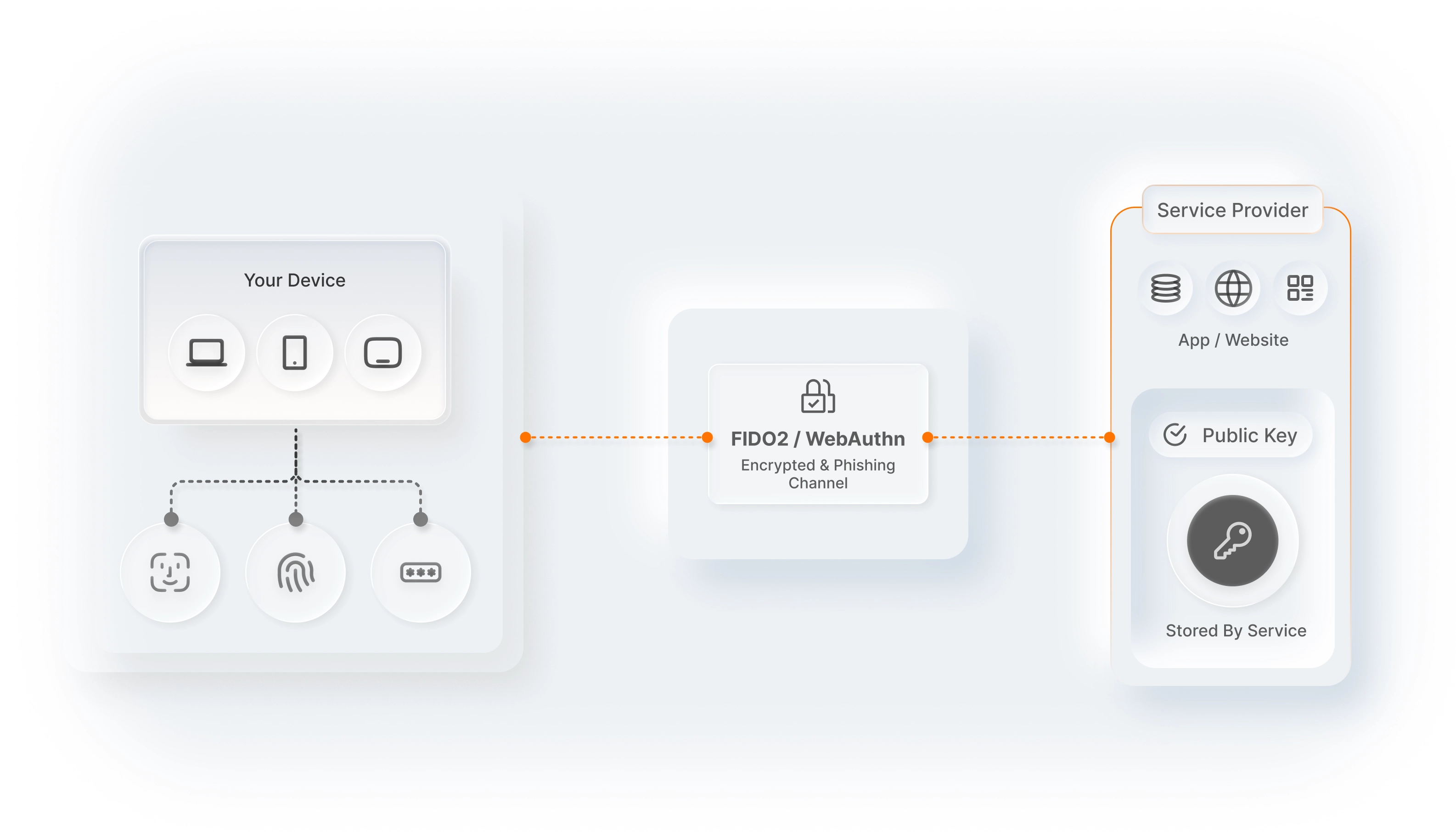
How do passkeys work?
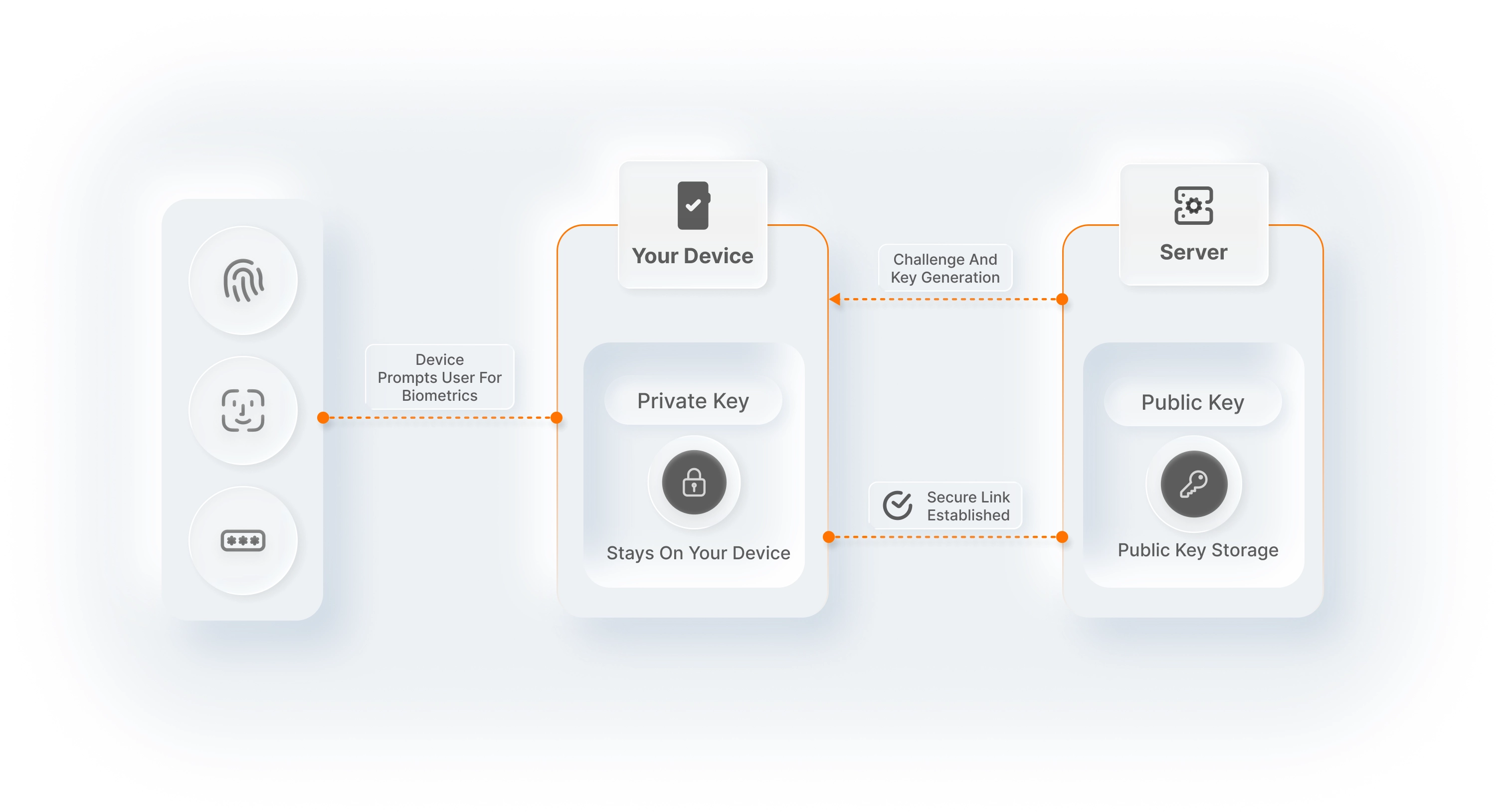
Step 1: Registration
Create a passwordless link between the user’s device and your server.
- Key generation: The server sends a cryptographic challenge. The device prompts the user for biometrics (Face ID/Touch ID) or a PIN to authorize a new credential.
- Public key storage: A unique private/public key pair is generated. The private key stays on the device, while the public key is stored on your server linked to the user’s account.
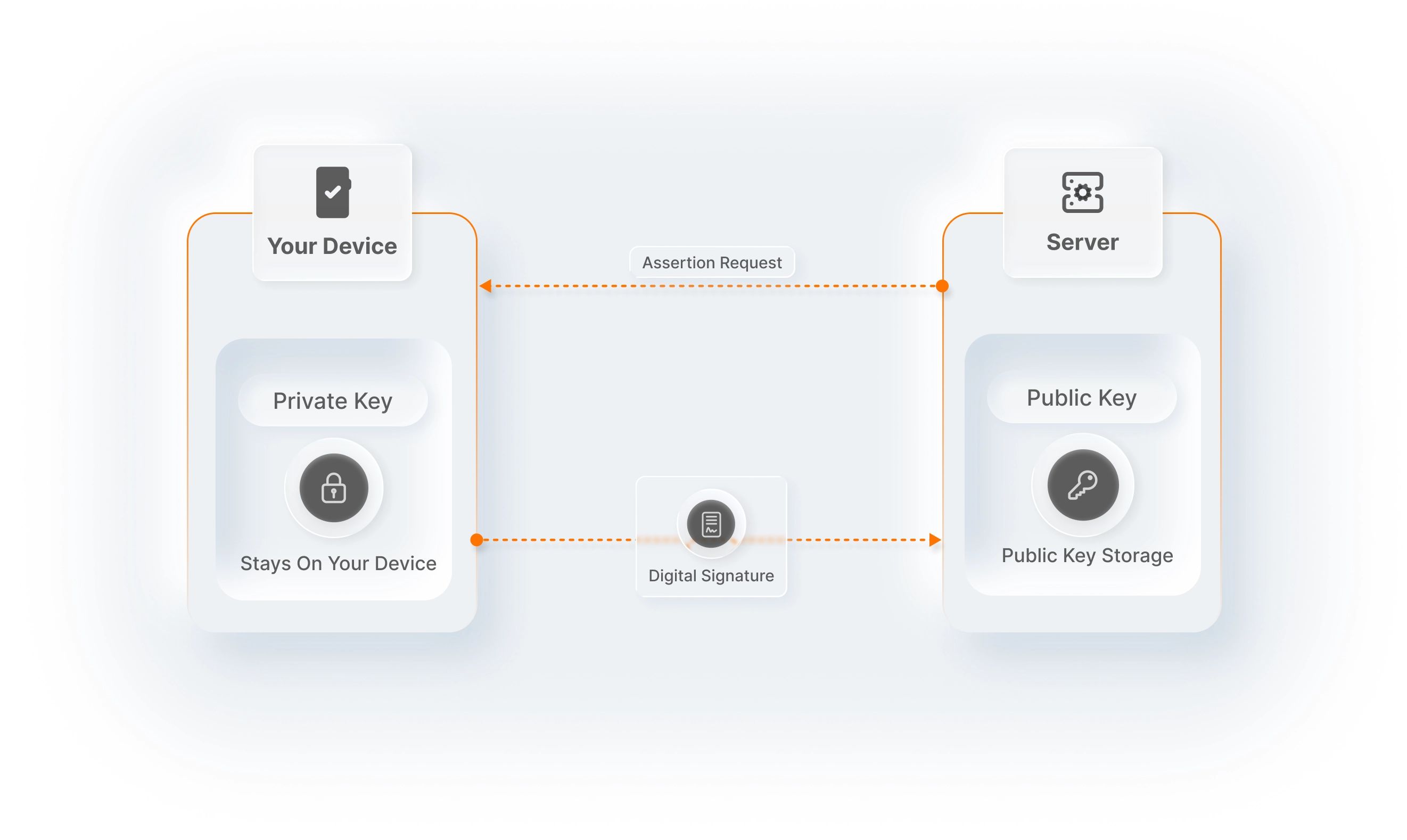
Step 2: Authentication
Verify the user without ever sending passwords.
- Assertion request: The server sends a new challenge. The device unlocks with biometrics or PIN to access the private key.
- Signature & verification: The device signs the challenge with the private key. The server verifies it with the stored public key, instantly authenticating the user.
Benefits of passkeys
One-touch authentication
Replace "Type-and-Wait" with "Touch-and-Go" using native device biometrics.
Simplified MFA
Passkeys verify both device possession (what you have) and user biometrics ( what you are) in a single, frictionless step.
Built-in device biometrics
Use Face ID, Touch ID, or Windows Hello sensors as high-assurance security tokens, enterprise-grade protection without extra friction.
Cross-device continuity
Leverage "Synced Passkeys" (Apple iCloud, Google Password Manager) so users can sign in across all their devices seamlessly.
FIDO2/WebAuthn compliance
Built on open global standards to ensure interoperability and avoid proprietary vendor lock-in.
Passkeys with WSO2 Identity Platform
Create apps using SDKs with customizable, pre-built UI components
Native SDKs
Quickly integrate MagicLink, OTP, and TOTP with native SDKs for React, Next.js, and more.
Pre-built UI components
Drop in ready-made fully customizable <SignIn /> and<SignUp /> components optimized for MagicLink, SMS OTP, and TOTP.
API-first architecture
For custom workflows, leverage our REST APIs to trigger and verify SMS/Email OTPs or validate TOTP codes.