File Dependency and Trigger Conditions
By default, an FTP/SFTP listener triggers as soon as it detects a new file. In production, you often need more control: process only .csv files, skip files that are still being uploaded, or wait for a companion file (like a .done marker) before processing.
File name pattern
The fileNamePattern field accepts a regex that filters which files trigger the handler. Files that don't match are ignored.
- Visual Designer
- Ballerina Code
On the FTP Integration Configuration panel, open the Record Configuration builder for the Service Configuration field, tick fileNamePattern, and enter a regex (for example, .*\\.csv).
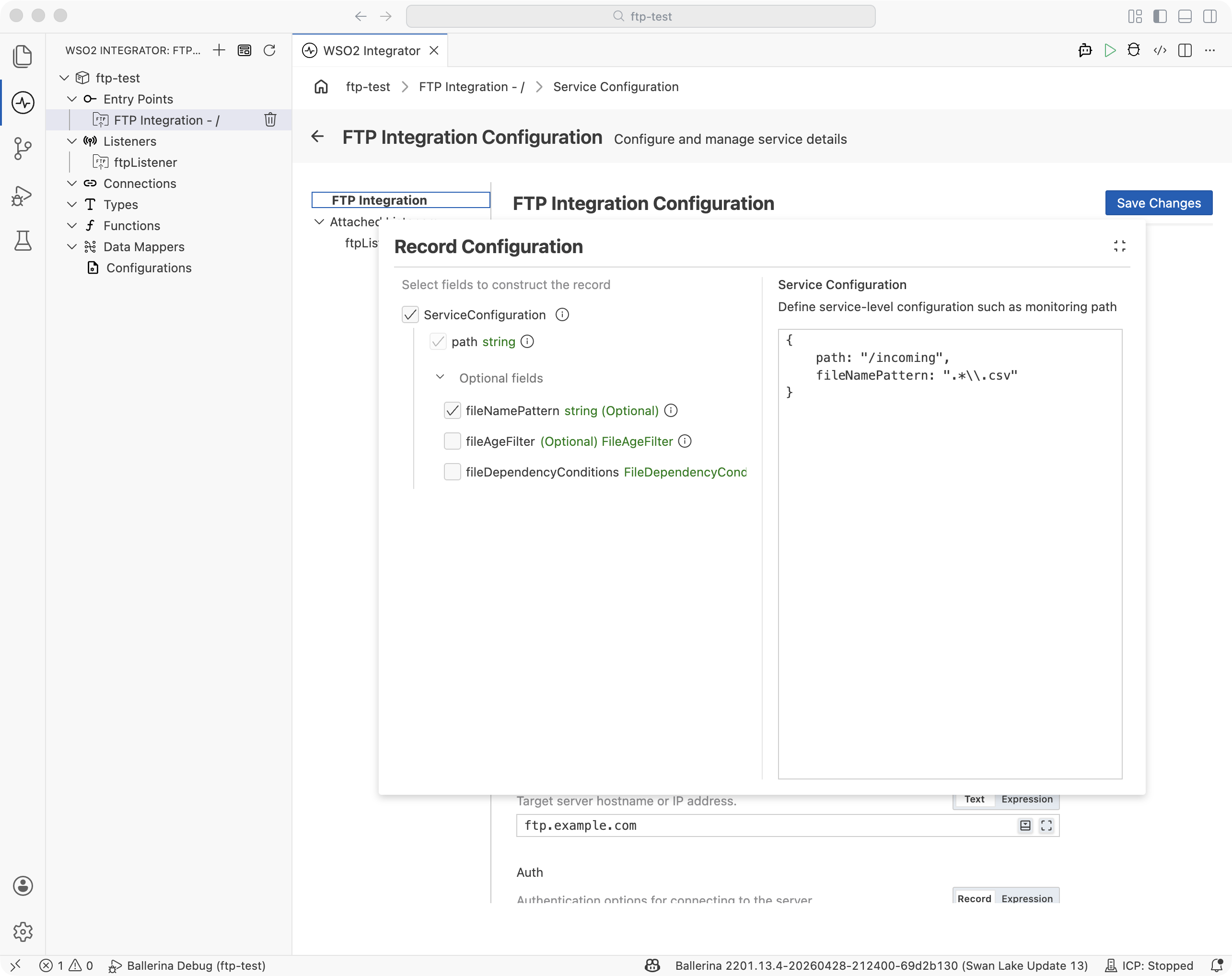
@ftp:ServiceConfig {
    path: "/incoming",
    fileNamePattern: "orders_.*\\.csv"
}
service on ftpListener {
    // Only files matching orders_*.csv trigger this service
}
Common patterns:
| Pattern | Matches |
|---|---|
".*\\.csv" | All CSV files |
"orders_.*\\.csv" | Files starting with orders_ |
".*\\.(csv|xml)" | CSV and XML files |
"^(?!\\.).*" | All files except hidden (dot) files |
File age filter
The fileAgeFilter field prevents processing files that are too new (still being uploaded) or too old (stale). Both bounds are optional.
- Visual Designer
- Ballerina Code
On the FTP Integration Configuration panel, open the Record Configuration builder for the Service Configuration field, tick fileAgeFilter, and set minAge and/or maxAge in seconds.
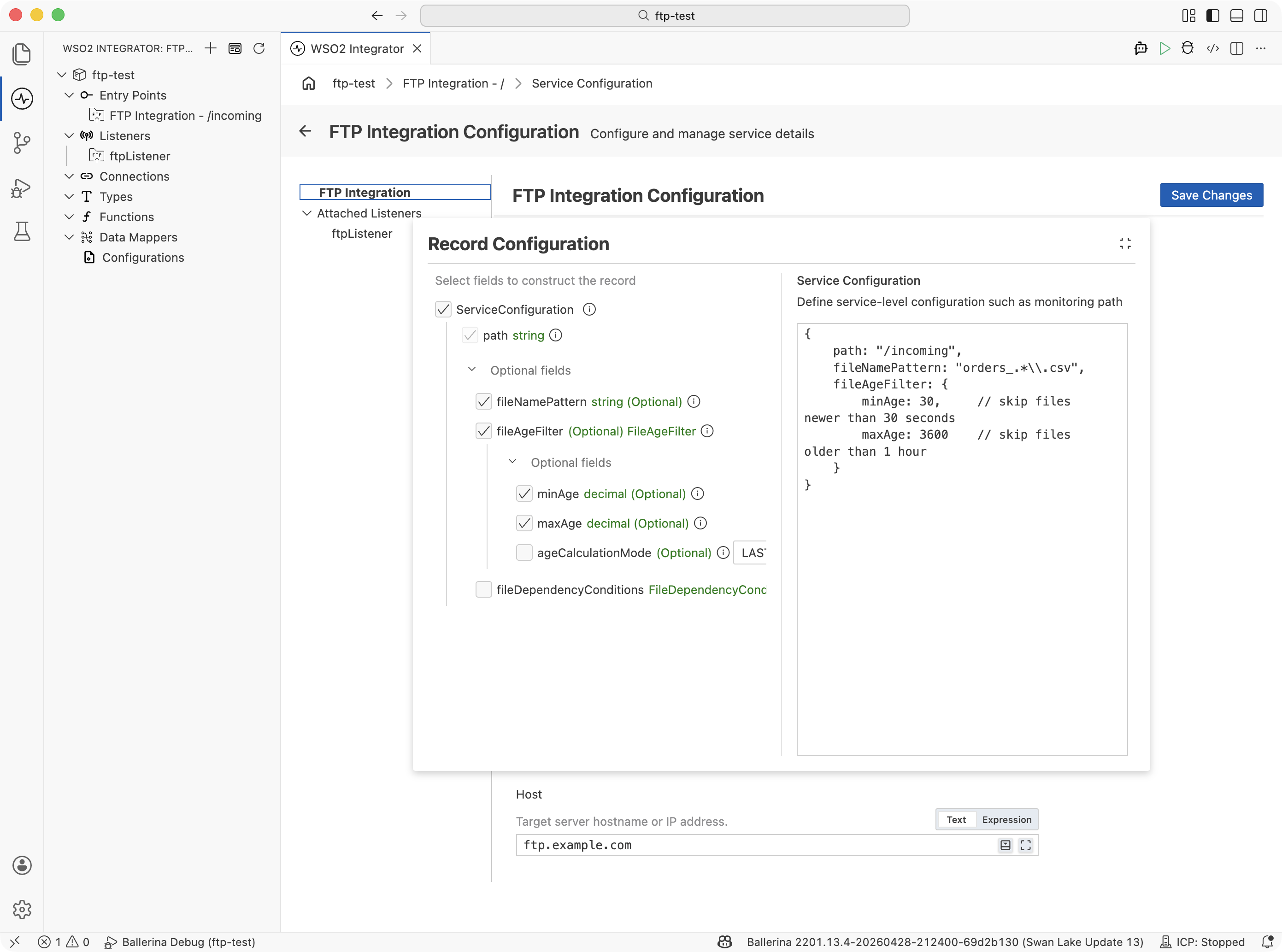
@ftp:ServiceConfig {
    path: "/incoming",
    fileNamePattern: "orders_.*\\.csv",
    fileAgeFilter: {
        minAge: 30.0,     // skip files newer than 30 seconds
        maxAge: 3600.0    // skip files older than 1 hour
    }
}
service on ftpListener {
    // Files are only processed when they are between 30s and 1h old
}
| Field | Type | Description |
|---|---|---|
minAge | decimal | Minimum age in seconds. Files newer than this are skipped (still uploading). |
maxAge | decimal | Maximum age in seconds. Files older than this are skipped (stale). |
How it works: On each polling cycle (configured by pollingInterval on the listener), the listener compares each file's last-modified timestamp against the current time. Files outside the age window are silently skipped and re-evaluated on the next cycle.
File dependency conditions
The fileDependencyConditions field blocks processing until one or more related files exist in the same directory. This is useful when an upstream system uploads a data file first and a marker file second to signal that the upload is complete.
- Visual Designer
- Ballerina Code
On the FTP Integration Configuration panel, open the Record Configuration builder for the Service Configuration field, tick fileDependencyConditions, and add an entry. Set the target pattern to match the data file, and list the required files that must be present before processing triggers.
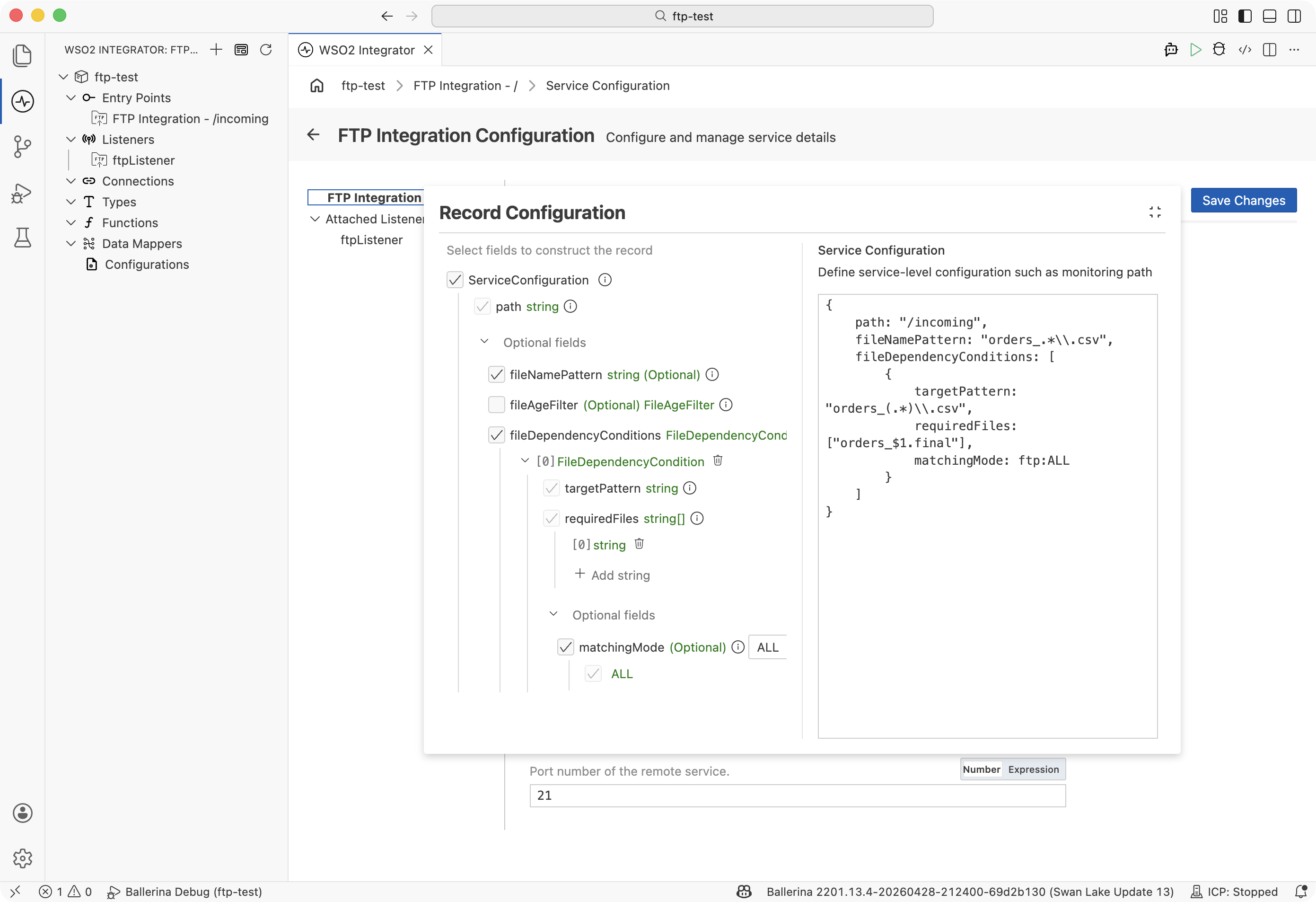
@ftp:ServiceConfig {
    path: "/",
    fileNamePattern: "orders_.*\\.csv",
    fileDependencyConditions: [
        {
            targetPattern: "orders_(.*)\\.csv",
            requiredFiles: ["orders_$1.final"],
            matchingMode: ftp:ALL
        }
    ]
}
service on ftpListener {
    // orders_42.csv is only processed when orders_42.final also exists
}
Configuration fields
| Field | Type | Description |
|---|---|---|
targetPattern | string | Regex with capture groups applied to the triggering file name. |
requiredFiles | string[] | File names that must exist. Use $1, $2, etc. to back-reference capture groups from targetPattern. |
matchingMode | ftp:ALL | ftp:ANY | ALL requires every file in requiredFiles to exist. ANY requires at least one. |
How capture groups work
The targetPattern regex captures parts of the file name. Back-references in requiredFiles dynamically construct the expected companion file name.
targetPattern | Triggering file | requiredFiles | Resolves to |
|---|---|---|---|
orders_(.*)\\.csv | orders_42.csv | ["orders_$1.final"] | orders_42.final |
(.*)\\.dat | report.dat | ["$1.ctl", "$1.done"] | report.ctl, report.done |
Post-processing dependency files
When the handler completes, @ftp:FunctionConfig can delete or move the data file. To also clean up the dependency file, use ftp:Caller:
@ftp:FunctionConfig {
    afterProcess: ftp:DELETE
}
remote function onFileCsv(string[][] content, ftp:FileInfo fileInfo,
                          ftp:Caller caller) returns error? {
    // Process the data file...

    // Clean up the marker file
    string markerPath = re`\.csv$`.replace(fileInfo.pathDecoded, ".final");
    check caller->delete(markerPath);
}
Combining conditions
All three conditions compose: fileNamePattern narrows which files are candidates, fileAgeFilter ensures they are within the age window, and fileDependencyConditions waits for companion files. A file must satisfy all conditions before the handler fires.
@ftp:ServiceConfig {
    path: "/uploads",
    fileNamePattern: "batch_.*\\.csv",
    fileAgeFilter: {
        minAge: 60.0
    },
    fileDependencyConditions: [
        {
            targetPattern: "batch_(.*)\\.csv",
            requiredFiles: ["batch_$1.done"],
            matchingMode: ftp:ALL
        }
    ]
}
service on ftpListener {
    // Triggers only when:
    // 1. File matches batch_*.csv
    // 2. File is at least 60 seconds old
    // 3. A corresponding .done marker file exists
}
What's next
- FTP / SFTP — service configuration, authentication, and listener setup
- CSV fault tolerance — handle malformed rows without halting processing
- Post-processing: moving or deleting files —
@ftp:FunctionConfigreference