Streaming Large Files
By default, a file handler loads the whole file into memory before it runs. For files in the hundreds of megabytes or larger, that can exhaust the integration's memory budget. Enabling Stream (Large Files) when configuring a handler changes how files are processed, delivering data row by row (CSV) or in chunks (RAW) so memory usage stays constant regardless of file size.
When to stream
| Scenario | Approach |
|---|---|
| Files smaller than ~50 MB | Leave Stream off. Simpler handler code, and you get the whole file at once. |
| CSV files larger than ~50 MB | Select Stream. Define a row schema so each row arrives as a typed record. |
| Binary files larger than ~50 MB | Pick RAW as the File Format and select Stream. Chunks arrive as byte[]. |
Streaming is supported on CSV and RAW handlers only. JSON and XML are always parsed as a single document.
Enabling streaming
- Visual Designer
- Ballerina Code
On the Add File Handler form:
-
Pick onCreate as the handler variant and the appropriate File Format, either CSV or RAW.
-
(CSV only) Click + Define Row Schema and describe each column as a field on a Ballerina record. For example, a row with
orderId/quantity/unitPrice. This lets each row arrive as a typed record instead of a rawstring[]. -
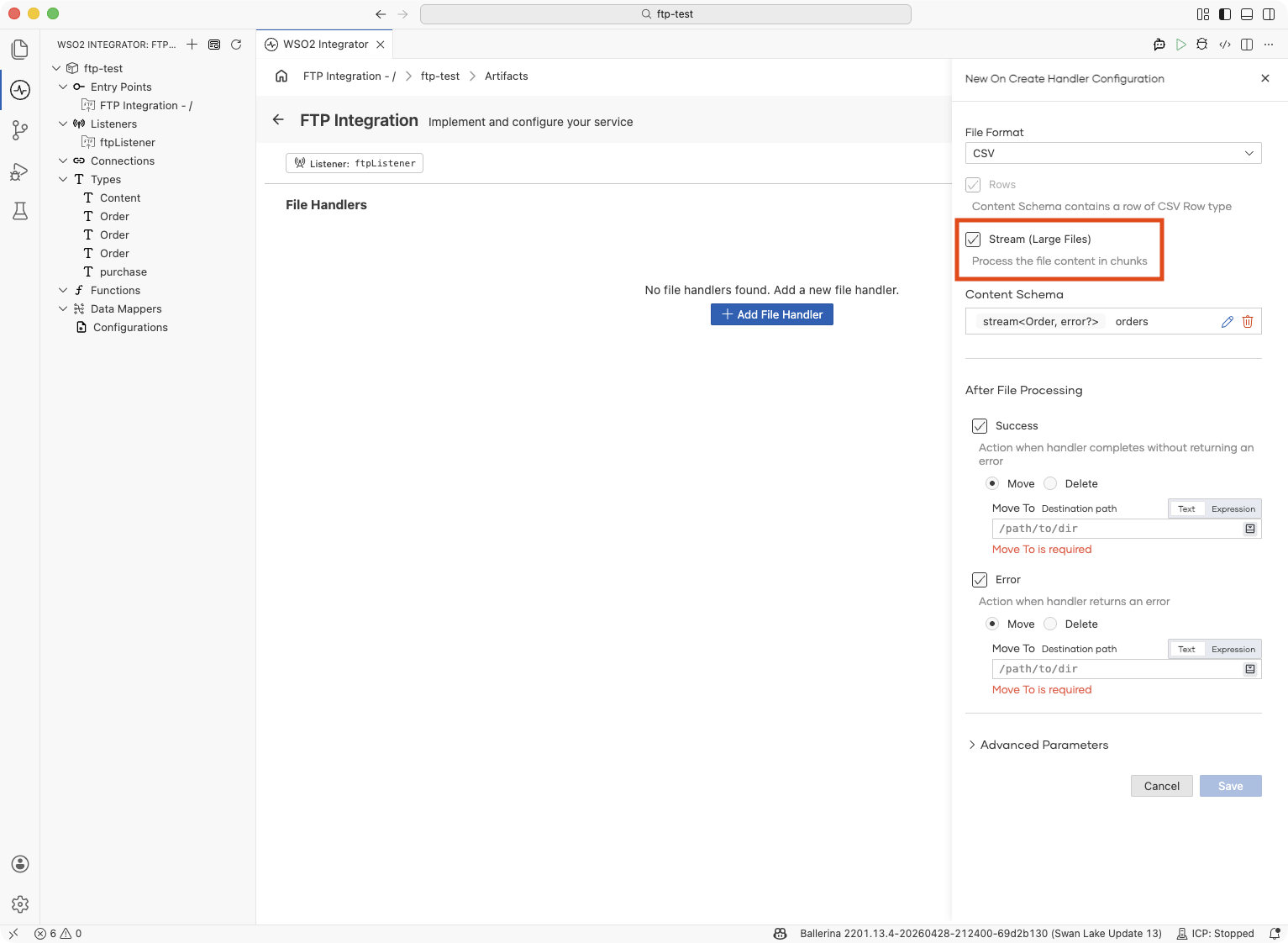
Select Stream (Large Files).
-
Fill in After File Processing and the rest of the form as usual, then click Save.
The handler is saved with its content parameter wrapped in a stream, i.e., stream<Order, error?> for a typed CSV, stream<string[], error?> if you skipped the row schema, or stream<byte[], error?> for RAW.
Streaming CSV into typed records:
type Order record {|
    string orderId;
    string customerId;
    string product;
    int quantity;
    decimal unitPrice;
|};

service on ftpListener {

    @ftp:FunctionConfig {
        afterProcess: {moveTo: string `/processed`},
        afterError: {moveTo: string `/errors`}
    }
    remote function onFileCsv(stream<Order, error?> content,
                              ftp:FileInfo fileInfo) returns error? {
        check content.forEach(function(Order 'order) {
            log:printInfo(string `Order: ${'order.orderId}, Qty: ${'order.quantity}`);
        });
    }
}
Streaming raw CSV rows (skip the row schema. Each row is a string[]):
remote function onFileCsv(stream<string[], error?> content,
                          ftp:FileInfo fileInfo) returns error? {
    check content.forEach(function(string[] row) {
        // row[0], row[1], … — positional column access
    });
}
Streaming binary chunks:
remote function onFile(stream<byte[], error?> content,
                       ftp:FileInfo fileInfo) returns error? {
    check content.forEach(function(byte[] chunk) {
        // write each chunk to a local file, an outbound HTTP body, etc.
    });
}
A bad row (malformed CSV or wrong type) stops the stream right there, and the file goes to your After Error destination. Anything your handler already did for earlier rows (database writes, API calls, published messages) stays.
When you retry the file, those rows run again. To stay safe, make your handler idempotent (check before you write) or track which rows you've already processed per file. If you'd rather skip bad rows and keep going, turn on CSV fault tolerance.
What's next
- FTP / SFTP — service, listener, and file-handler reference
- CSV fault tolerance — skip malformed rows and keep the stream going
- File dependency and trigger conditions — control when files are processed