Functions
Function artifacts encapsulate reusable logic that can be called from any integration artifact. By default, every function is added to the functions.bal file in the project root.
Adding a function
- Visual Designer
- Ballerina Code
-
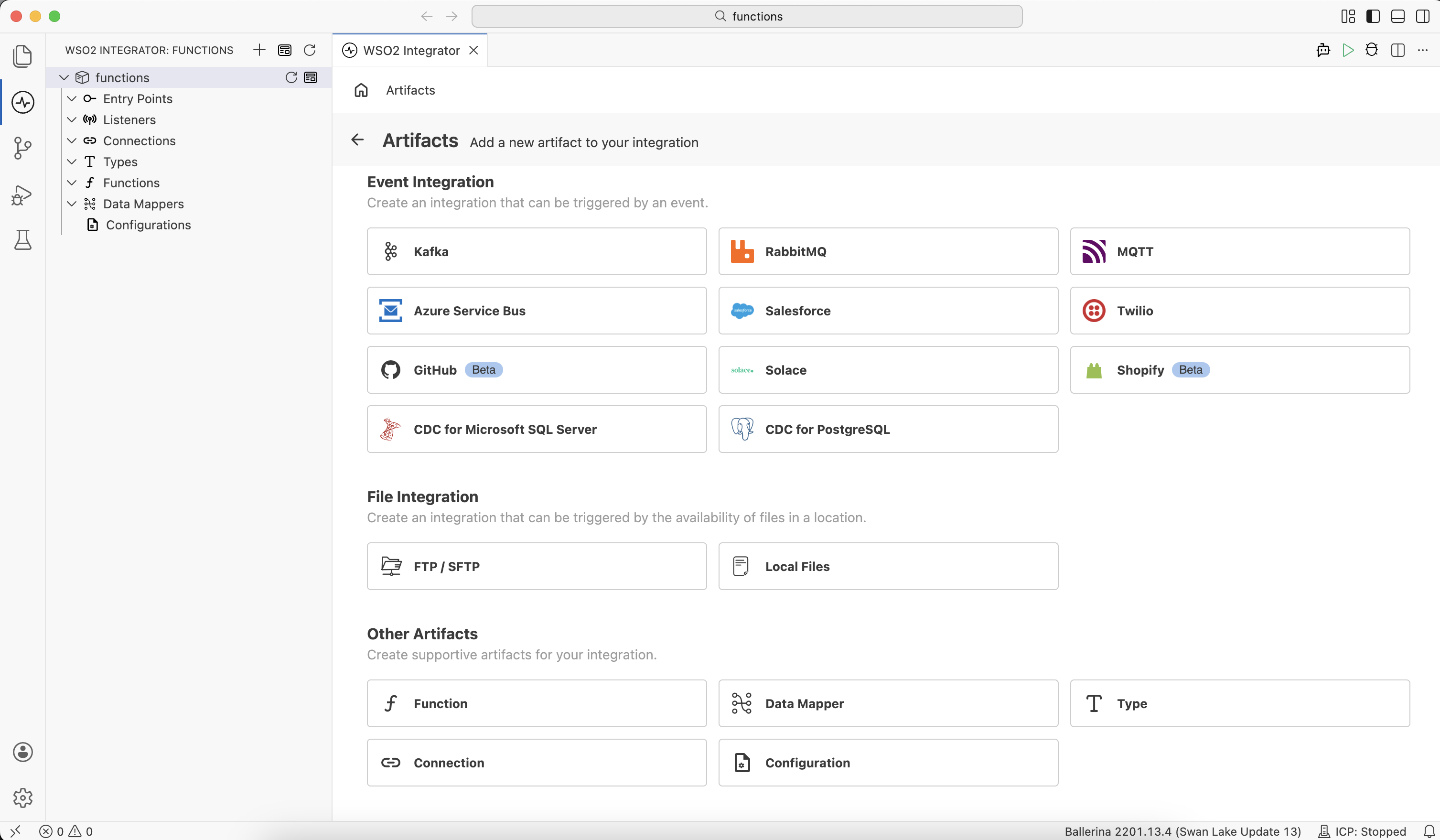
Click + next to Functions in the sidebar. Alternatively, click + Add Artifact in the Design panel, then click Function under Other Artifacts or Library Artifacts.
-
Fill in the Create New Function form.
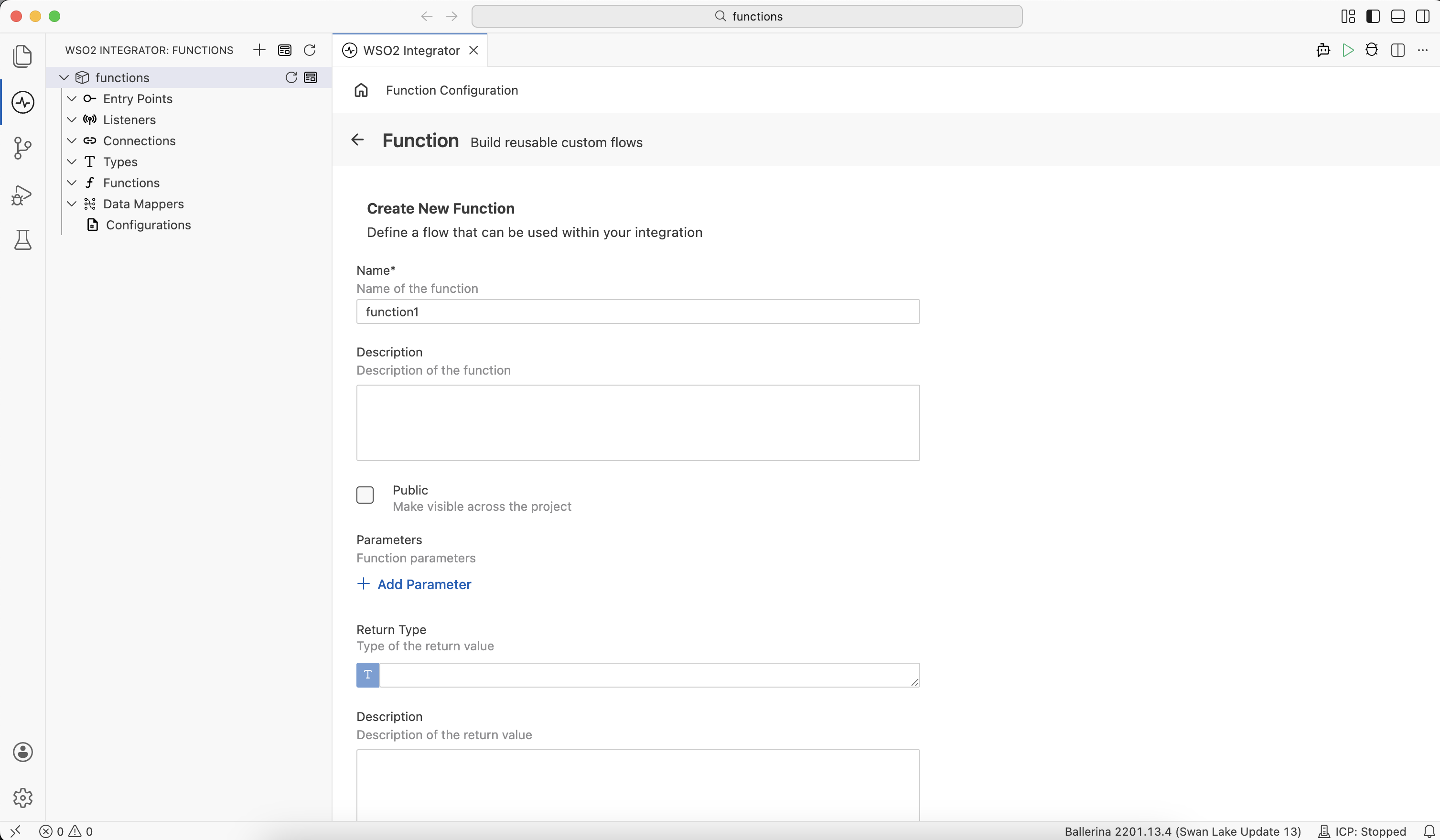
Field Description Name A unique identifier for the function (for example, validateOrder). Required.Description Optional description of the function's purpose. Public Select Make visible across the project to allow use from other integrations. Parameters Click + Add Parameter to define each input. Each parameter requires a name and a type, and optionally a description. Return Type The type of the value returned by the function. Leave empty for functions that return nothing. -
Click Create. The function is added to
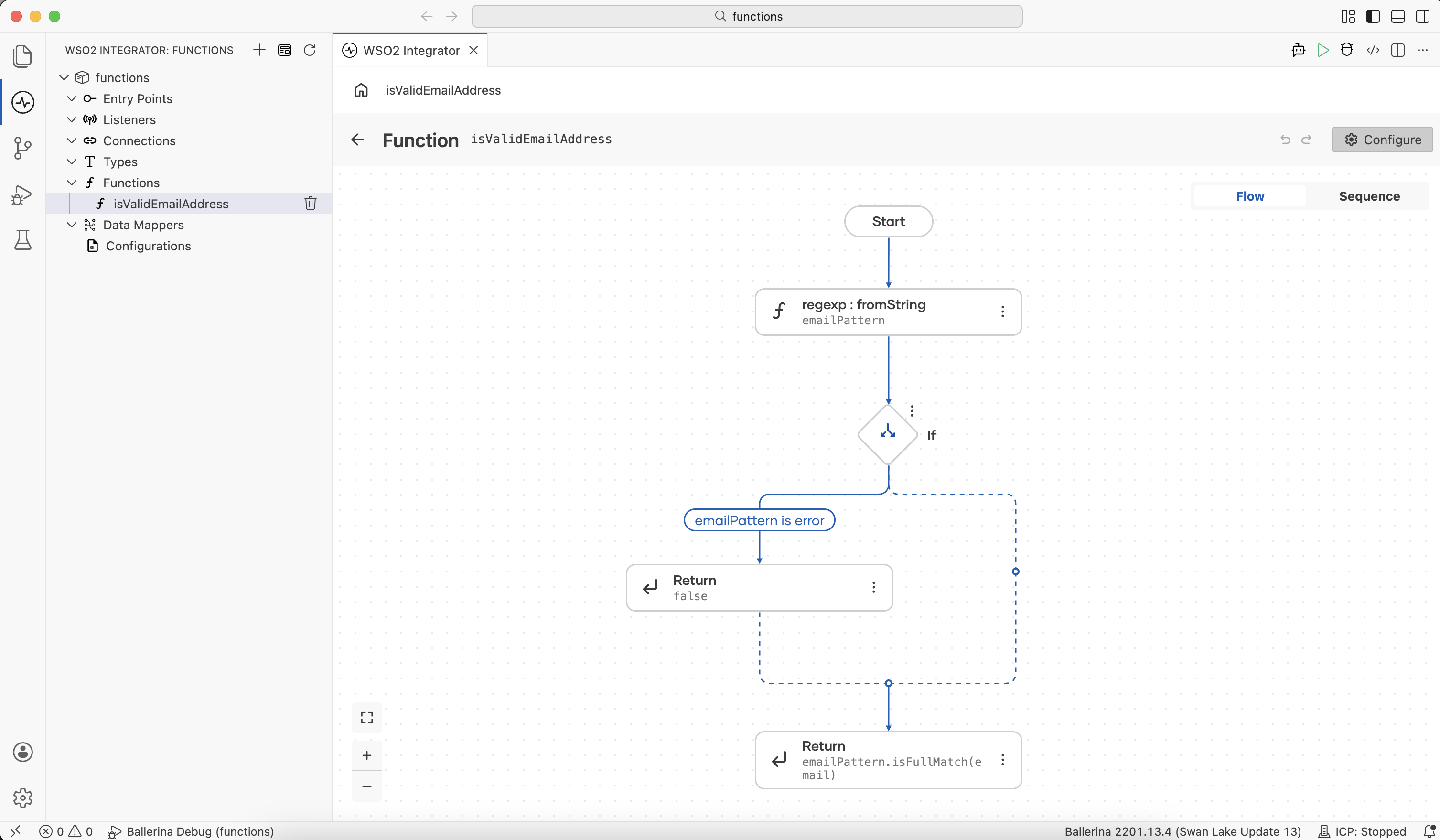
functions.baland opens in the flow designer canvas, where you add the integration steps as the function body.
import ballerina/lang.regexp;

# Validates an email address
# + email - The email address to validate
# + return - Whether the email address is valid
public function isValidEmailAddress(string email) returns boolean {
    string:RegExp|error emailPattern = regexp:fromString("^[a-zA-Z0-9._%+\\-]+@[a-zA-Z0-9.\\-]+\\.[a-zA-Z]{2,}$");
    if emailPattern is error {
        return false;
    }
    return emailPattern.isFullMatch(email);
}
Editing a function
To open and edit a function's flow view, click its name in the sidebar under Functions.
To change the function's name, description, parameters, or return type, click Configure in the top-right of the flow view.
Project organization
By default, all functions are added to a single functions.bal file at the project root. For larger projects, you can split functions into additional .bal files grouped by domain.
my-integration/
├── functions.bal              # Default file for all functions
├── types.bal
├── connections.bal
└── main.bal
To split functions across multiple files, create new .bal files at the project root and move related functions into them.
my-integration/
├── functions.bal              # General-purpose functions
├── validation.bal             # Input validation functions
├── types.bal
├── connections.bal
└── main.bal
Best practices
| Practice | Description |
|---|---|
| Typed parameters | Use specific record types instead of json or anydata. |
| Error returns | Return error? for operations that can fail. |
| Isolated functions | Mark functions as isolated. The compiler then verifies there is no unsafe access of shared mutable state, making them safe to call concurrently. |
| Descriptive names | Start function names with a verb (for example, validateOrder, calculateTotal). |
What's next
- Types — Define record types for function parameters and return values.
- Data mapper — Transform data between record types using a visual canvas.
- Connections — Reuse connection configurations across integration artifacts.
- Configurations — Externalize values such as endpoints and credentials.