Template Rendering
Generate emails, configuration files, reports, API responses, and any other text output by combining templates with structured Ballerina data. WSO2 Integrator uses Apache FreeMarker as its template engine. This library exposes two functions: render for inline template strings and renderFromFile for .ftl files on disk.
Rendering from a file
Use freemarker:renderFromFile when templates are stored on disk as .ftl files. This keeps templates out of source code and makes it easy to swap templates at deployment time. Pair it with a JSON data file to separate input data from the template. Since FreeMarker templates execute as server-side code, treat them as trusted operator-managed content and never load templates from user-supplied input.
Create the following files in your Ballerina project:
templates/sample.ftl:
Hello, ${name}!

You have ${count} new messages.
<#list messages as msg>
  - ${msg.from}: ${msg.subject}
</#list>
resources/sample.json:
{
    "name": "Alice",
    "count": 3,
    "messages": [
        { "from": "Bob", "subject": "Meeting tomorrow" },
        { "from": "Carol", "subject": "Project update" },
        { "from": "Dave", "subject": "Lunch plans" }
    ]
}
- Visual Designer
- Ballerina Code
-
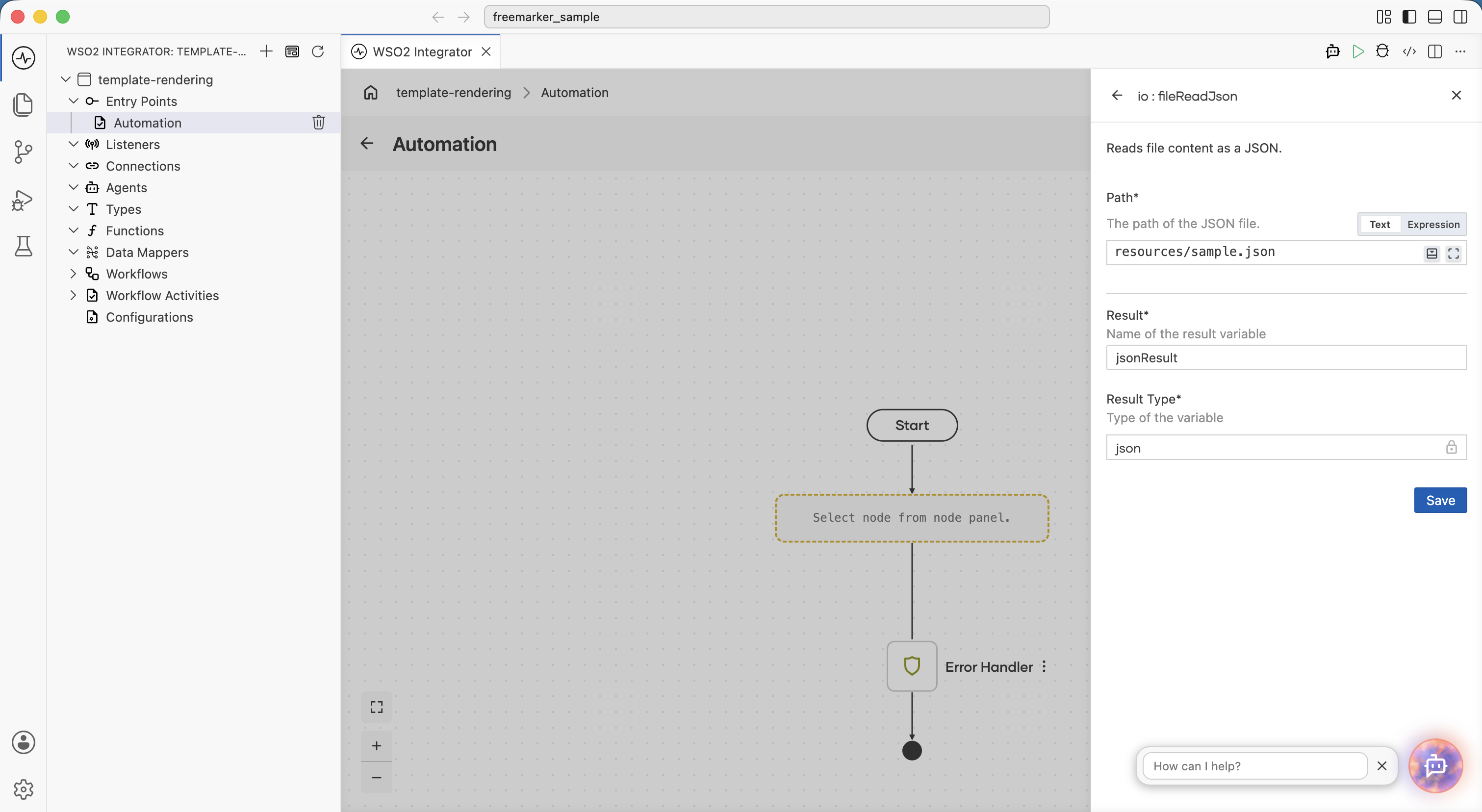
Read the JSON data: In the flow designer, click + and select Call Function. Search for
fileReadJsonunder io and configure:- path*:
"resources/sample.json" - Result*:
jsonResult
- path*:
-
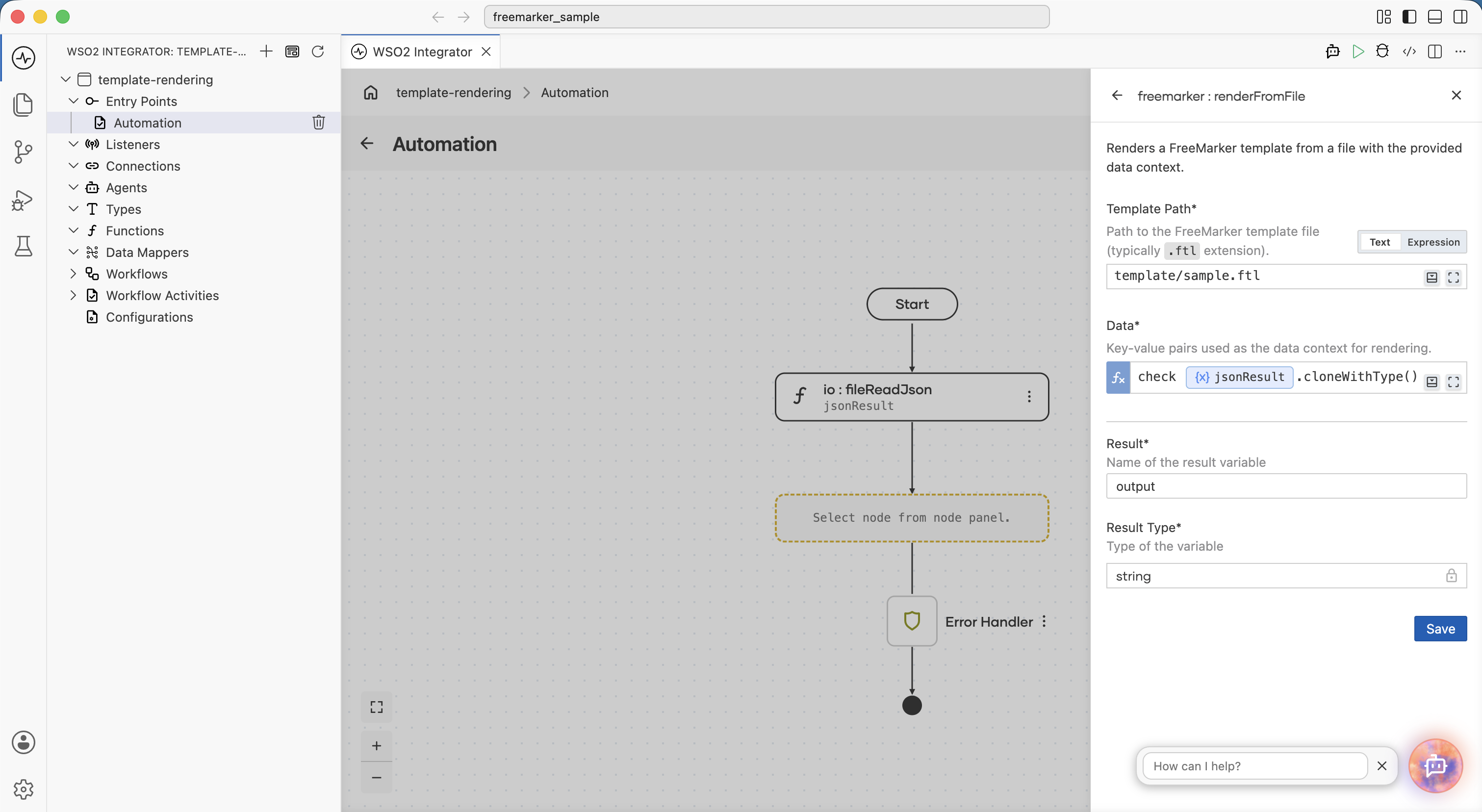
Render the template: Click + and select Call Function. Search for
renderFromFileunder freemarker and configure:- templatePath*:
"templates/sample.ftl" - data*:
check jsonResult.cloneWithType() - Result*:
output - Type:
string
- templatePath*:
-
Use the result: Click + and select Call Function. Search for the
println()method and addoutputvariables into theValuesinput.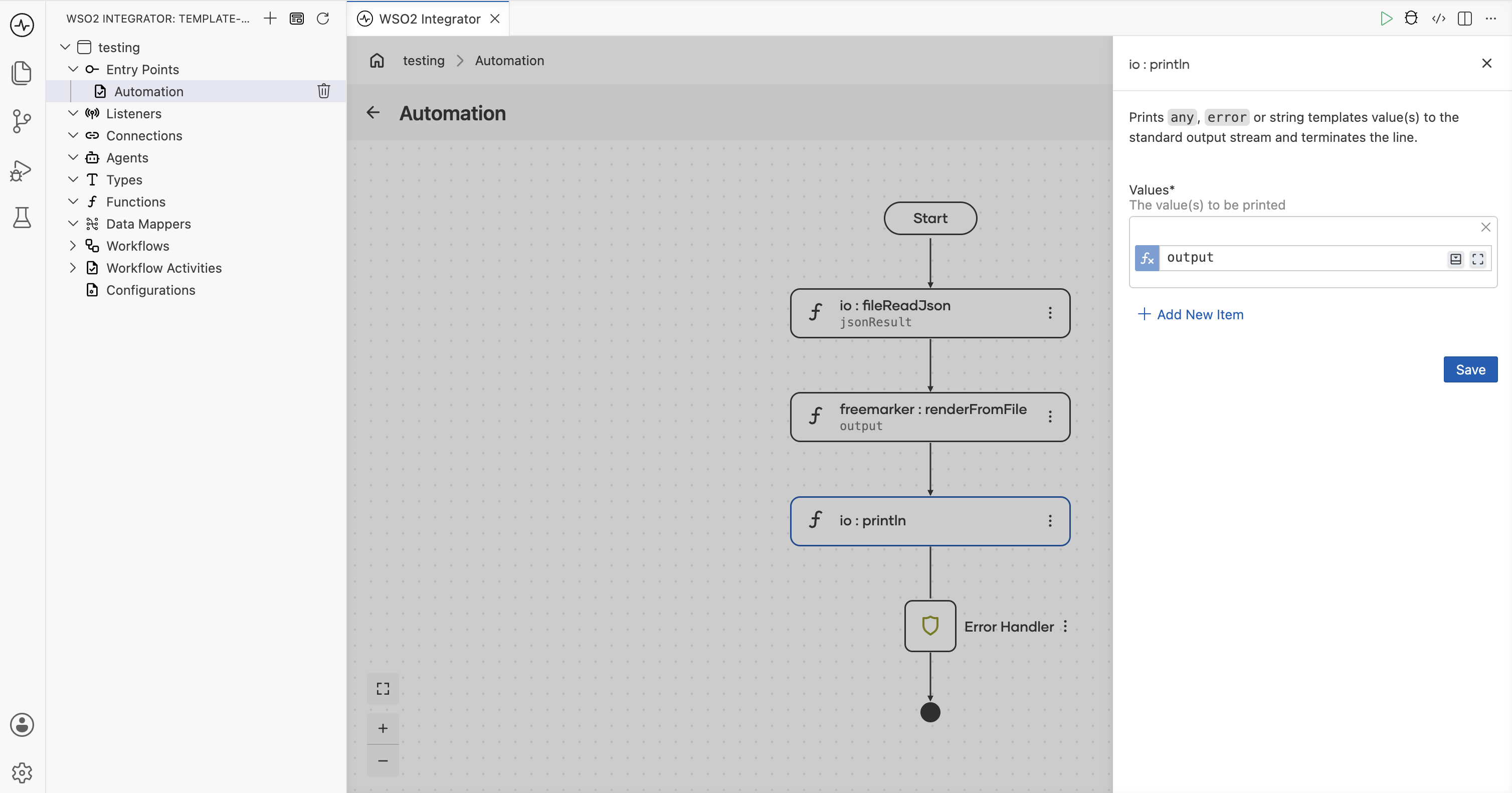
Output:
Hello, Alice!

You have 3 new messages.
  - Bob: Meeting tomorrow
  - Carol: Project update
  - Dave: Lunch plans
import ballerina/io;
import ballerina/log;
import ballerinax/freemarker;

public function main() returns error? {
    do {
        json jsonResult = check io:fileReadJson("resources/sample.json");
        string output = check freemarker:renderFromFile("templates/sample.ftl", check jsonResult.cloneWithType());
        io:println(output);
    } on fail error e {
        log:printError("Error occurred", 'error = e);
        return e;
    }
}
Output:
Hello, Alice!

You have 3 new messages.
  - Bob: Meeting tomorrow
  - Carol: Project update
  - Dave: Lunch plans
Rendering an inline template
Use freemarker:render when the template is short, lives in code, or is assembled dynamically at runtime.
- Visual Designer
- Ballerina Code
-
Declare a variable for JSON content: In the flow designer, click + and select Declare Variable. Set the type to
map<json>and name itjsonValue. And set the expression value as{name: "Alice", count: 5}.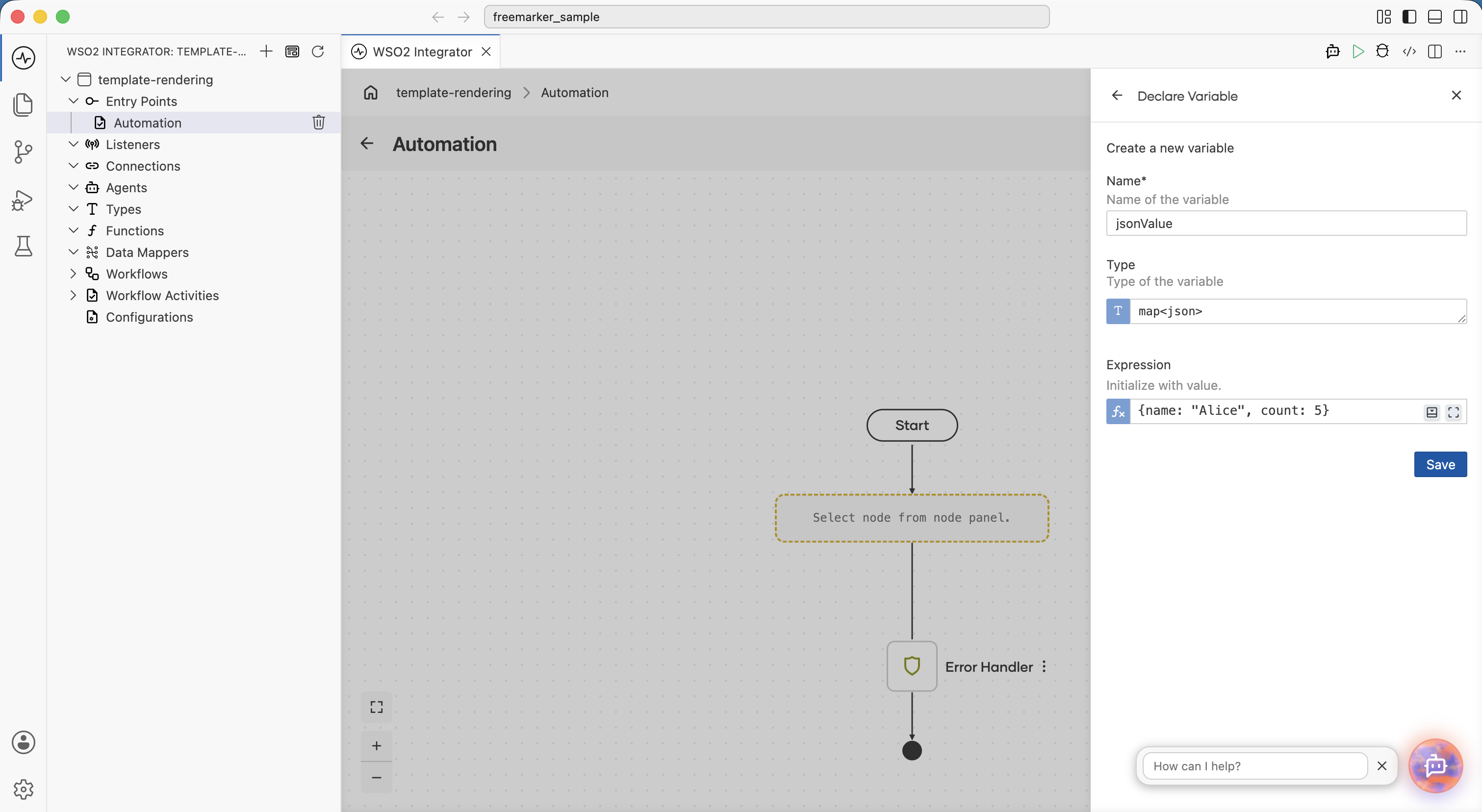
-
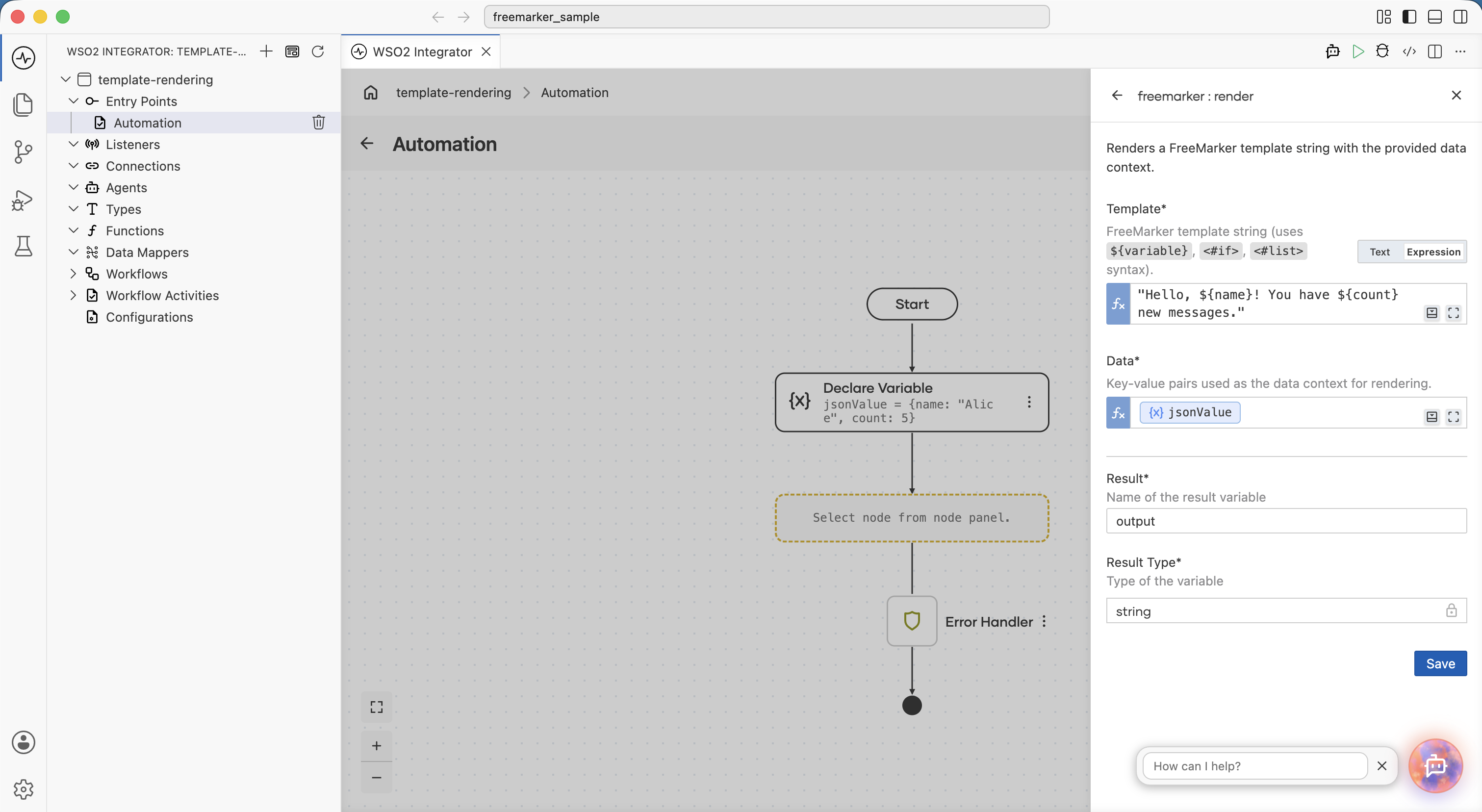
Add a Function Call step: Click + and select Call Function. Search for
renderunder freemarker and configure:- template*: Select Expression and enter the FreeMarker template string, for example
"Hello, ${name}! You have ${count} new messages." - data*: Select the
jsonValuevariable. - Result*:
output - Type:
string
- template*: Select Expression and enter the FreeMarker template string, for example
-
Use the result: Click + and select Call Function. Search for the
println()method and addoutputvariables into theValuesinput.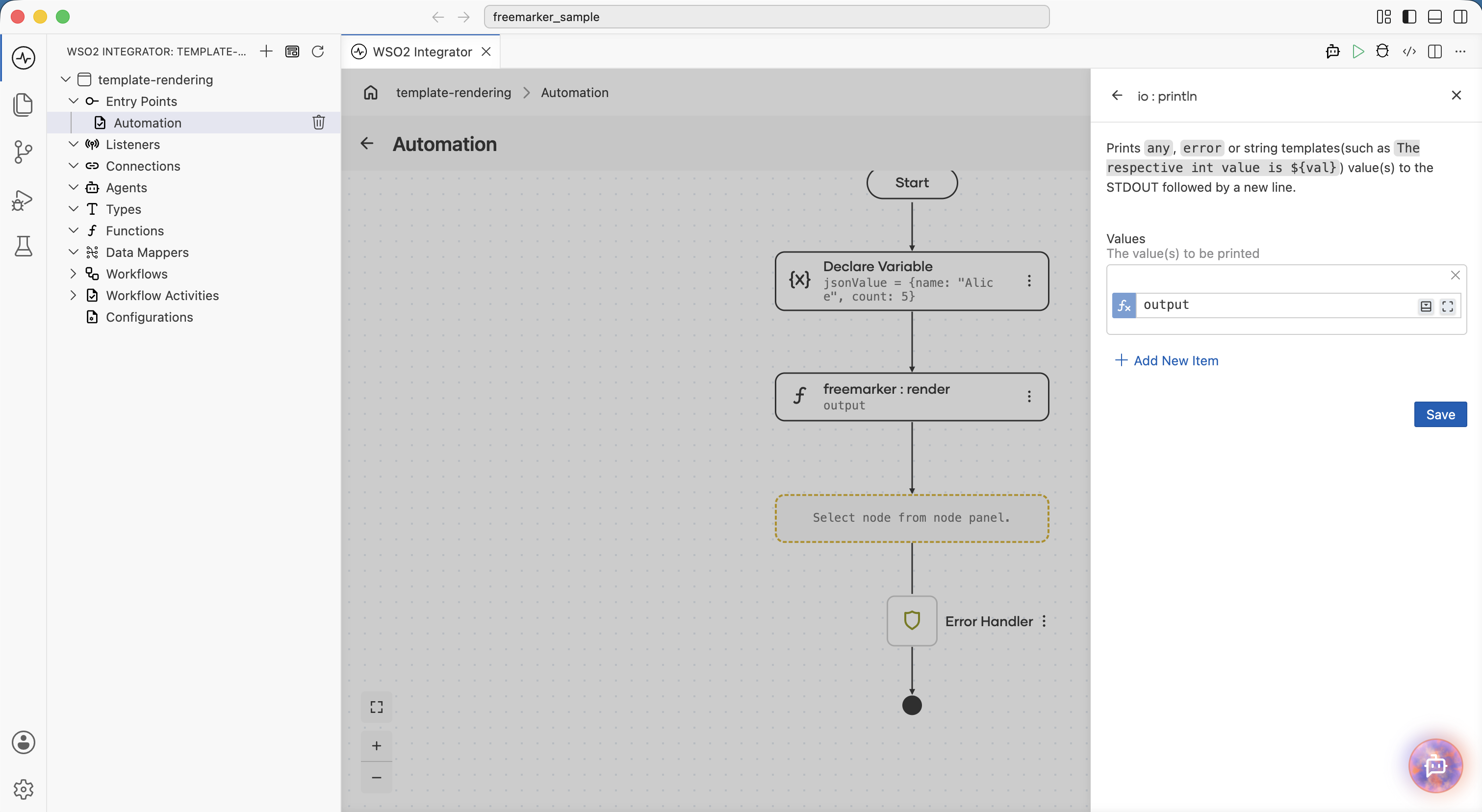
Output:
Hello, Alice! You have 5 new messages.
import ballerina/io;
import ballerina/log;
import ballerinax/freemarker;

public function main() returns error? {
    do {
        map<json> jsonValue = {name: "Alice", count: 5};
        string output = check freemarker:render("Hello, ${name}! You have ${count} new messages.", jsonValue);
        io:println(output);

    } on fail error e {
        log:printError("Error occurred", 'error = e);
        return e;
    }
}
Output:
Hello, Alice! You have 5 new messages.
Using conditionals
FreeMarker's <#if> directive selects content based on boolean values in the data. The rendered output includes only the branch that matches the condition.
Welcome<#if isPremium>, valued Premium member</#if>!
You can also use <#elseif> and <#else> for multi-branch logic:
<#if role == "admin">
  Full access granted.
<#elseif role == "editor">
  Edit access granted.
<#else>
  Read-only access.
</#if>
Iterating over lists
Use <#list> to repeat a block for each item in an array field. The <#sep> tag inserts a separator between items without adding a trailing separator after the last one.
<#list tags as t>${t}<#sep>, </#sep></#list>
For arrays of objects, access fields with dot notation inside the loop:
<#list products as p>
  - ${p.name}: $${p.price}
</#list>
Accessing nested data
Use dot notation to reach nested fields in the data. There is no depth limit.
${user.name} lives in ${user.address.city}, ${user.address.country}.
Best practices
- Use
renderFromFilefor production templates: Keeping templates in.ftlfiles separates content from logic and allows updates without recompilation. - Escape values in HTML output: In
.ftltemplates, FreeMarker interpolates values without escaping. When rendering HTML, use${value?html}for each interpolation or name your template files with the.ftlhextension to enable automatic HTML escaping across the entire template. - Format numbers with
?c: Apache FreeMarker applies locale-aware grouping separators by default. A value of1000renders as1,000in some locales. Use${id?c}to suppress grouping when you need a plain numeric string. - Format decimals with
?string('0.##'): For controlled decimal places, use${price?string('0.##')}rather than relying on the default locale format. - Use
?cfor booleans in non-display contexts:${active?c}produces"true"or"false"as plain strings, which is safe for config generation and JSON-in-template use cases. - Guard nullable fields with the default operator: Use
${value!}or${value!"fallback"}to preventfreemarker:Errorwhen a field may be absent from the data record. For nested paths, wrap the expression in parentheses —${(user.address.city)!"fallback"}— so that missing intermediate values are also handled. - Keep data records flat where possible: Deeply nested structures are harder to template and harder to test. Pass computed values as top-level fields rather than nesting logic in the template.
- Catch
freemarker:Errorat the call site: BothrenderandrenderFromFilereturnstring|freemarker:Error. Handle the error type explicitly when you want to substitute a default or log diagnostic context; otherwise, propagate it withcheck.
What's next
- ballerinax/freemarker API reference — full function signatures and the
Errortype. - PDF Processing — convert rendered HTML output to PDF bytes.
- HTTP Service — return rendered content from an HTTP resource.