Embedding Providers for Embedding Models
An embedding model converts text into a dense numeric vector that captures semantic meaning. An Embedding Provider is WSO2 Integrator's abstraction over these models, giving every supported vendor a consistent interface.
Knowledge Bases use the embedding provider on ingest to convert chunks into stored vectors, and again on retrieve to convert the user's query into a vector for similarity search.
Available actions
Every embedding provider exposes the same two actions.
| Action | What it does | Required parameters |
|---|---|---|
| Embed | Turns a single chunk into a vector. | Chunk (the text to embed). |
| Batch Embed | Turns many chunks into vectors in one call. Used by Knowledge Bases on bulk ingest. | Chunks (the array of chunks). |
You rarely call these directly. Knowledge Base ingest and retrieve operations call them for you.
Where to find embedding providers
- Add Node panel > AI > RAG > Knowledge Base.
- Click + Add Knowledge Base, then select Vector Knowledge Base from the Knowledge Bases picker.
- In the Create Vector Knowledge Base form, click + Create New Embedding Model.
- The Select Embedding Provider picker opens, listing the available providers with a search bar at the top:
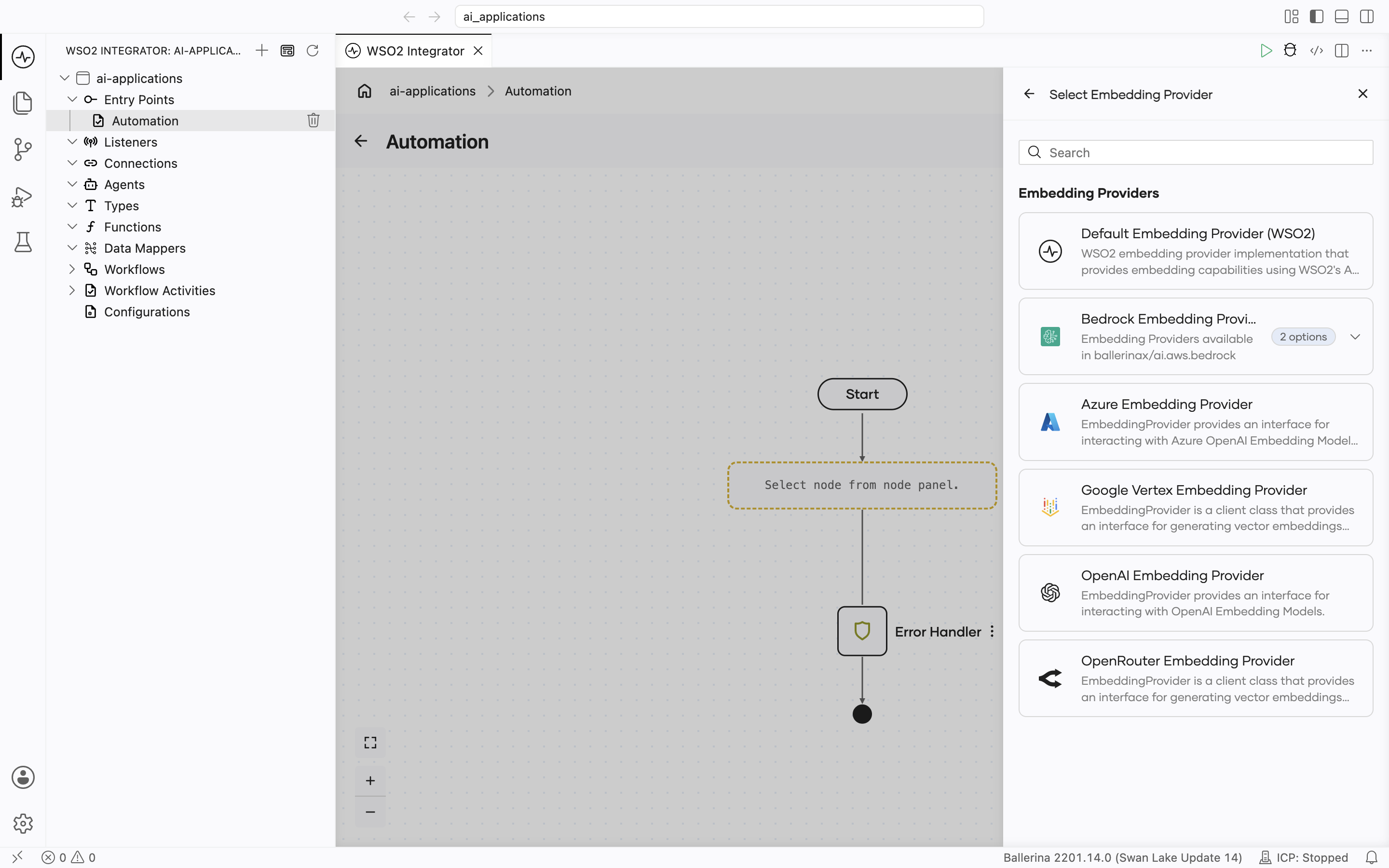
Supported embedding providers
| Provider | Module | API key required? | Default model |
|---|---|---|---|
| Default WSO2 | ballerina/ai | No (signed-in via WSO2) | WSO2-managed |
| AWS Bedrock | ballerinax/ai.aws.bedrock | AWS credentials or a Bedrock API key | None |
| Azure OpenAI | ballerinax/ai.azure | Yes | None |
| Google Vertex | ballerinax/ai.googleapis.vertex | OAuth2 / service account | text-embedding-005 |
| OpenAI | ballerinax/ai.openai | Yes | None |
| OpenRouter | ballerinax/ai.openrouter | Yes | None |
The HTTP-level advanced configurations on every external embedding provider use the same set of fields as model providers. For the full reference, see Standard HTTP advanced configurations.
Default WSO2 embedding provider
Routes through the WSO2 intelligence service. The same WSO2 sign-in that unlocks the default model provider unlocks this. No separate key is required.
Create form
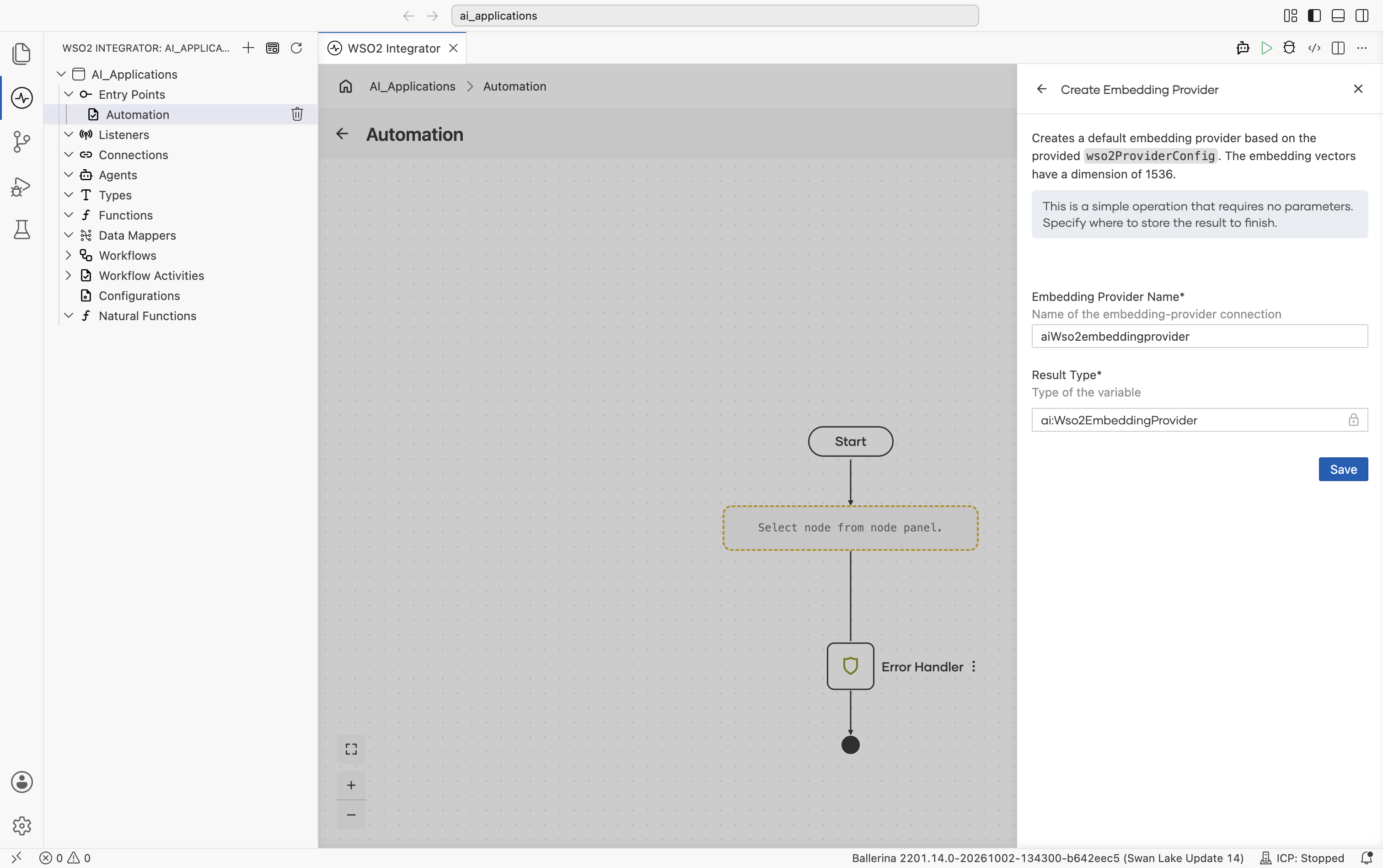
This provider has no provider-specific fields and no advanced configurations.
AWS Bedrock
Amazon Bedrock serves Amazon Titan and Cohere embedding models from your own AWS account and region. The package ships one embedding provider per vendor: Bedrock Titan Embedding Provider and Bedrock Cohere Embedding Provider. In the Select Embedding Provider picker, both are grouped under one Bedrock Embedding Providers card.
Official website: aws.amazon.com/bedrock.
Create form
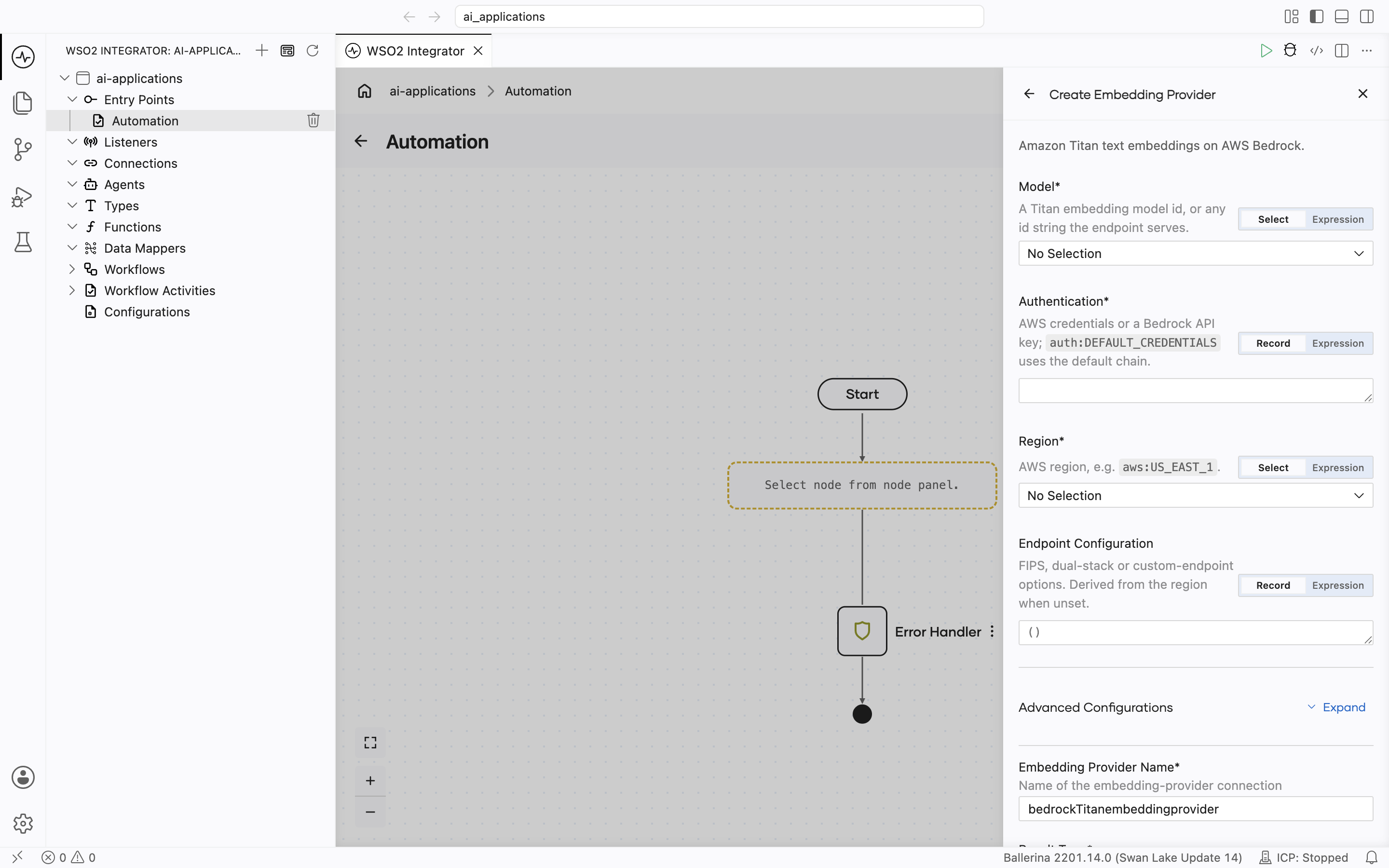
Both AWS Bedrock embedding providers have the same create form fields.
| Field | Required | Default | Available values |
|---|---|---|---|
| Model | Yes | — | Titan: amazon.titan-embed-text-v2:0 (1024 dims, configurable down), amazon.titan-embed-text-v1 (1536 dims). Cohere: cohere.embed-english-v3 (1024 dims), cohere.embed-multilingual-v3 (1024 dims), cohere.embed-v4:0 (1536 dims, configurable down). Any other ID that starts with amazon.titan-embed (Titan) or cohere.embed (Cohere) is also accepted, including cross-region inference profile IDs such as us.cohere.embed-v4:0. Model ARNs are not accepted. |
| Authentication | Yes | — | auth:DEFAULT_CREDENTIALS, one of the AWS credential records, or a Bedrock API key. See AWS authentication options. |
| Region | Yes | — | The AWS region to call, for example us-east-1. There is no default. |
| Endpoint Configuration | No | () (derived from Region) | fips, dualstack, customEndpoint. Endpoint variant, or a full URL override such as a VPC endpoint. |
cohere.embed-v4:0 is served in-region only in us-east-1, eu-west-1, and ap-northeast-1. In other regions, use a cross-region inference profile ID instead: us.cohere.embed-v4:0, eu.cohere.embed-v4:0, or global.cohere.embed-v4:0. See the Embed v4 model card.
Advanced configurations
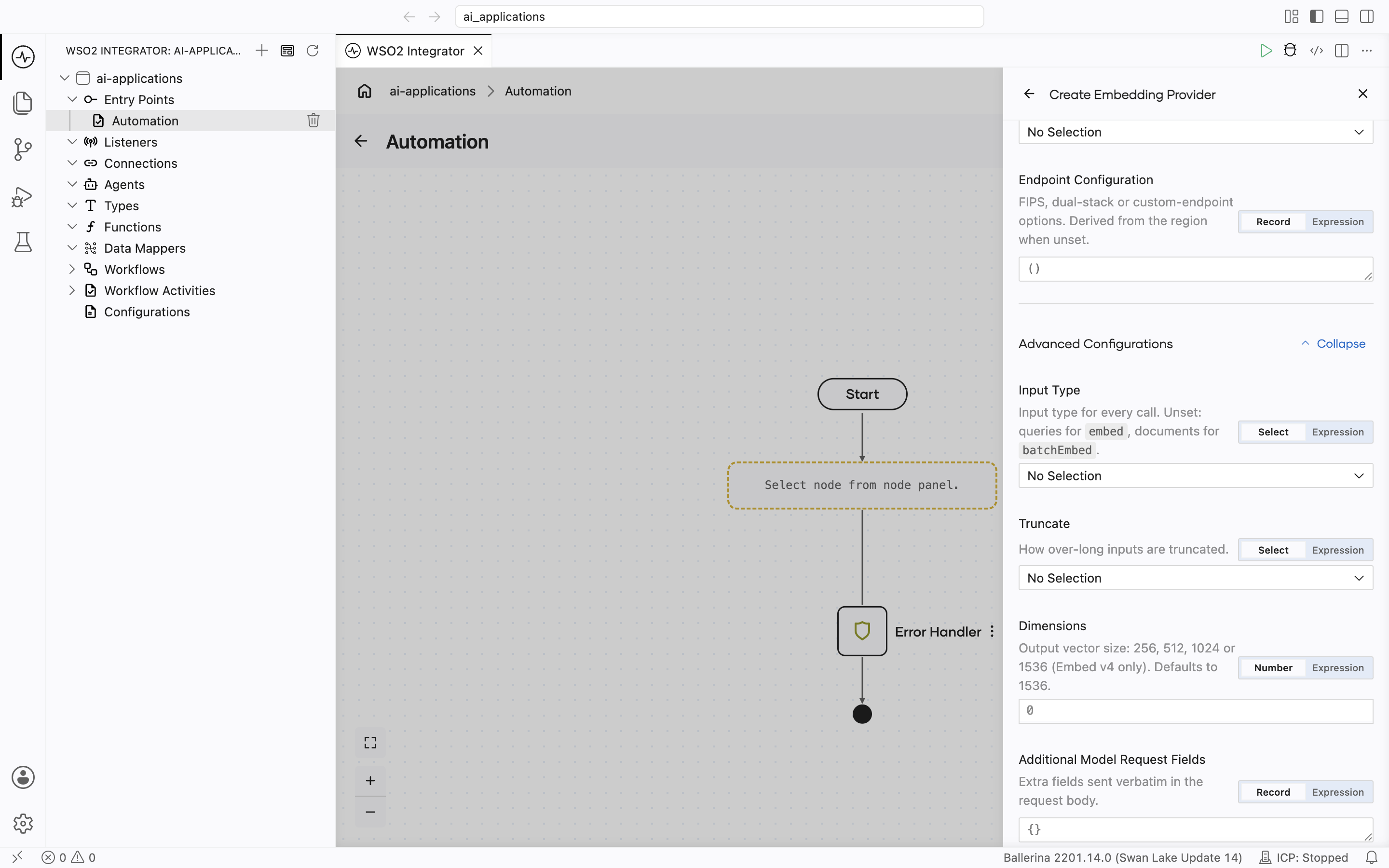
| Field | Provider | Default | Available values | What it controls |
|---|---|---|---|---|
| Input Type | Cohere | () (set per call) | SEARCH_DOCUMENT, SEARCH_QUERY, CLASSIFICATION, CLUSTERING | What the embeddings are for. Cohere requires it on every request. When unset, Embed sends SEARCH_QUERY and Batch Embed sends SEARCH_DOCUMENT. When set, every call uses that value. |
| Truncate | Cohere | () (model default) | TRUNCATE_NONE, TRUNCATE_START, TRUNCATE_END | How over-long input is handled. TRUNCATE_NONE returns an error; the other two drop tokens from the start or the end. |
| Dimensions | Both | () (model default) | Titan V2: 256, 512, 1024. Cohere Embed v4: 256, 512, 1024, 1536. | Output vector size. Must match the dimension of your vector store index. Setting it on Titan V1 or Cohere Embed v3 fails when the provider is created. |
| Normalize | Titan | () (true on Titan V2) | true, false | Whether Titan returns a unit-length vector. |
| Additional Model Request Fields | Both | () | Open record, for example {"top_p": 0.9} | Extra request fields sent to Bedrock unchanged. |
| Retry Config | Both | maxRetries 3, initialDelay 1.0, maxDelay 20.0, backoffFactor 2.0 | Record | Backoff for throttling and transient errors (408, 429, 500, 502, 503, 504). |
| HTTP Config | Both | {} | Record | The Standard HTTP advanced configurations, grouped in one record. There is no Service URL; use Endpoint Configuration. |
Cohere's Input Type affects retrieval quality without raising any error. Cohere recommends SEARCH_DOCUMENT for the content you store and SEARCH_QUERY for search queries. In a Vector Knowledge Base, leave Input Type unset: ingest uses Batch Embed, which sends SEARCH_DOCUMENT, and retrieve uses Embed, which sends SEARCH_QUERY. Setting it applies the same value to both.
Batch Embed sends up to 96 chunks per request to Cohere. Titan accepts one text per request, so Titan makes one request per chunk. Both return the embeddings in the same order as the input chunks.
Both providers accept text chunks only. Image or audio chunks return an error.
Azure OpenAI
Official website: Azure OpenAI embeddings documentation.
Create form
The form opens with Service URL, Access Token, API Version, and Deployment ID, followed by the start of HTTP Version:
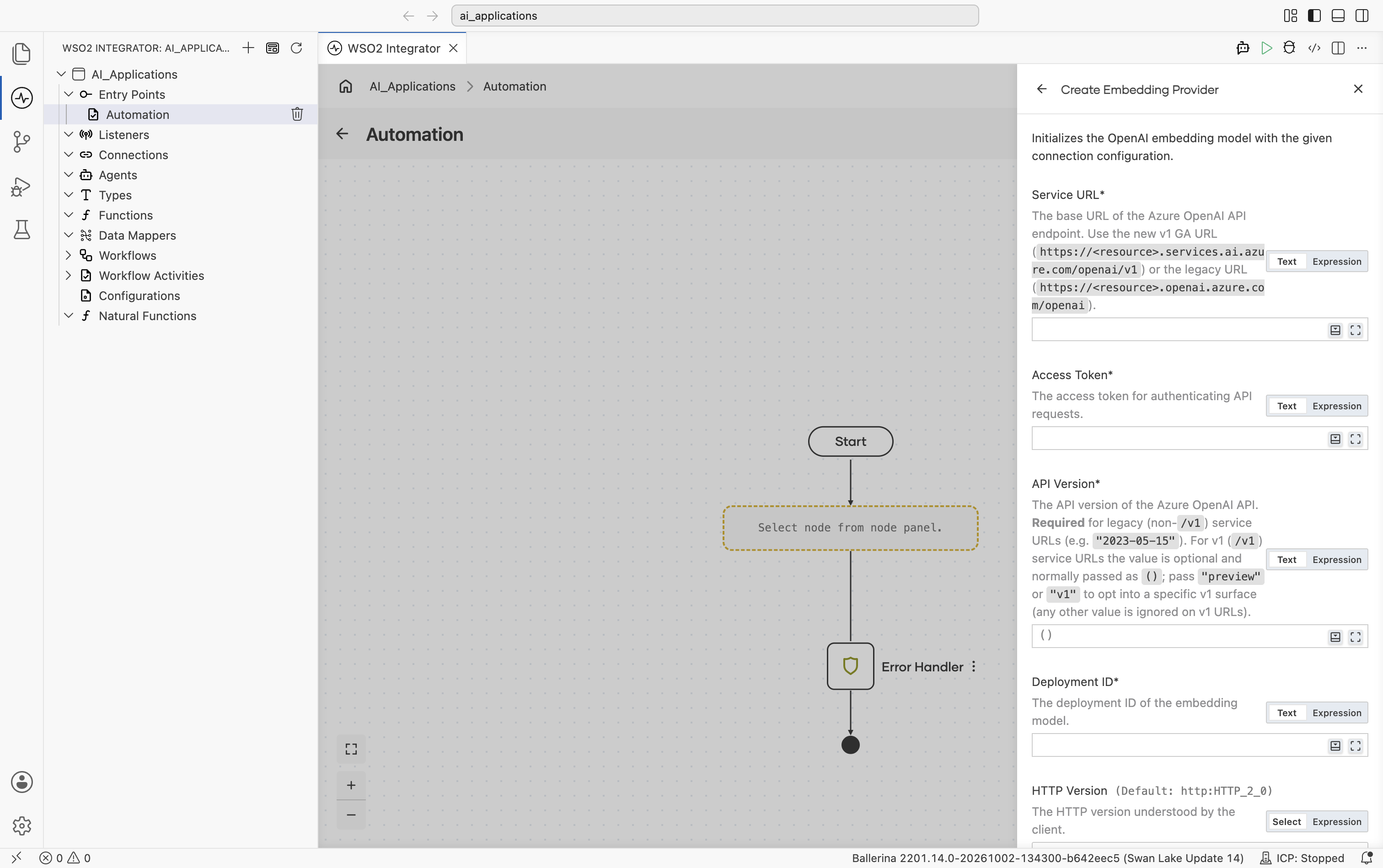
| Field | Required | Default | Available values |
|---|---|---|---|
| Service URL | Yes | N/A | Base URL of the Azure OpenAI API endpoint. Use the v1 GA URL (https://<resource>.services.ai.azure.com/openai/v1) or the legacy URL (https://<resource>.openai.azure.com/openai). |
| Access Token | Yes | N/A | Azure OpenAI API key. |
| API Version | No | () | Required for legacy (non-/v1) service URLs: a date-based version, e.g. 2023-05-15. Optional on /v1 URLs and normally omitted; pass preview or v1 to opt into a specific v1 surface (any other value is ignored on /v1 URLs). |
| Deployment ID | Yes | N/A | Deployment ID for your embedding model deployment. |
The model name is implicit in the deployment on Azure. There is no Model Type field. Pick the model when you create the deployment in the Azure portal.
Scrolling further shows Timeout, Forwarded, Compression, and Payload Validation, then the collapsed Advanced Configurations toggle, and finally Embedding Provider Name and Result Type:
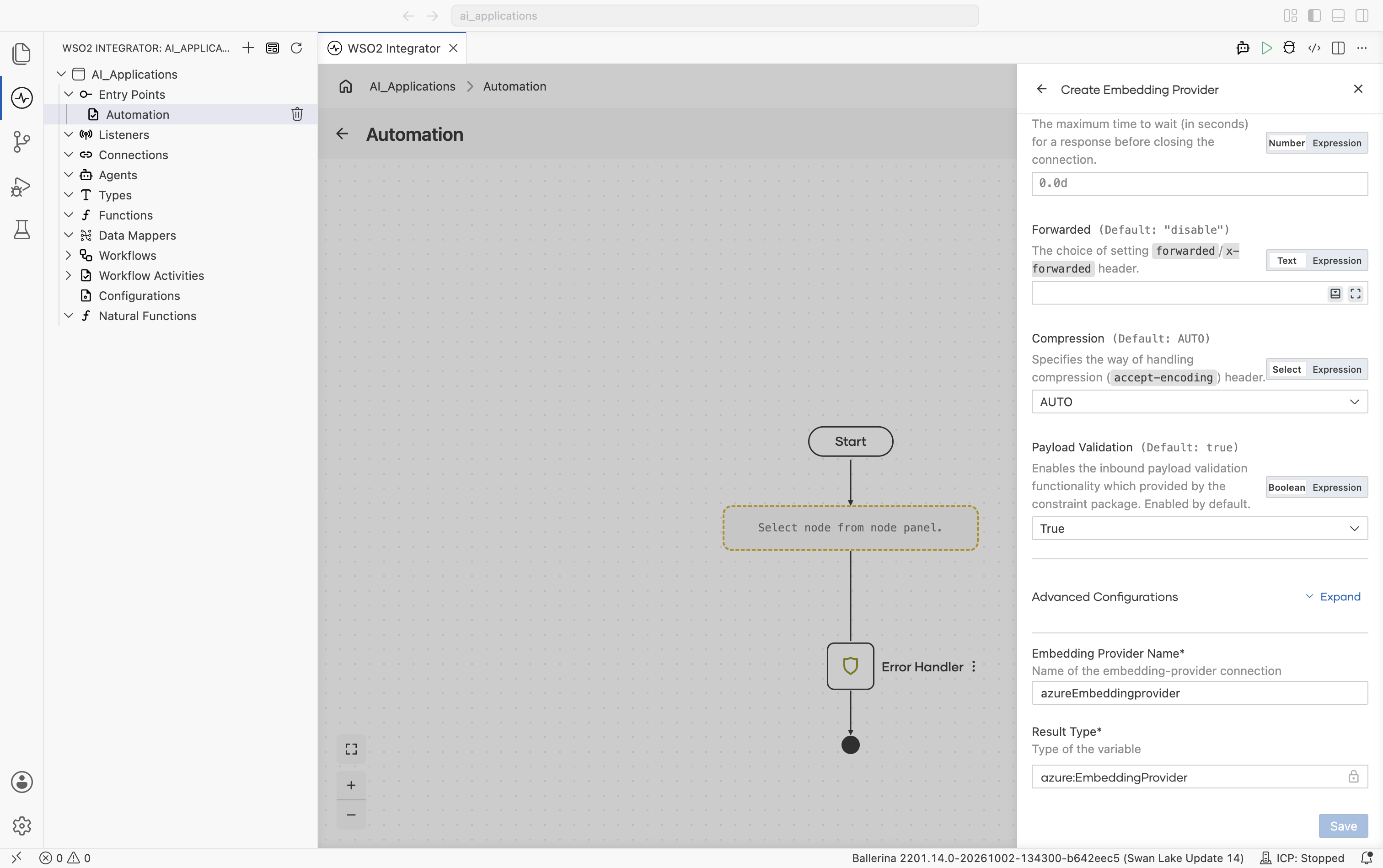
Advanced configurations
Expanding Advanced Configurations shows the exact same panel as the Standard HTTP advanced configurations section on the Model Providers page. Azure adds no provider-specific fields here.
Google Vertex
Official website: Vertex AI embeddings documentation.
Create form
The form opens with Auth, Project ID, Location, Model Type, and Service URL, followed by the start of HTTP Version:
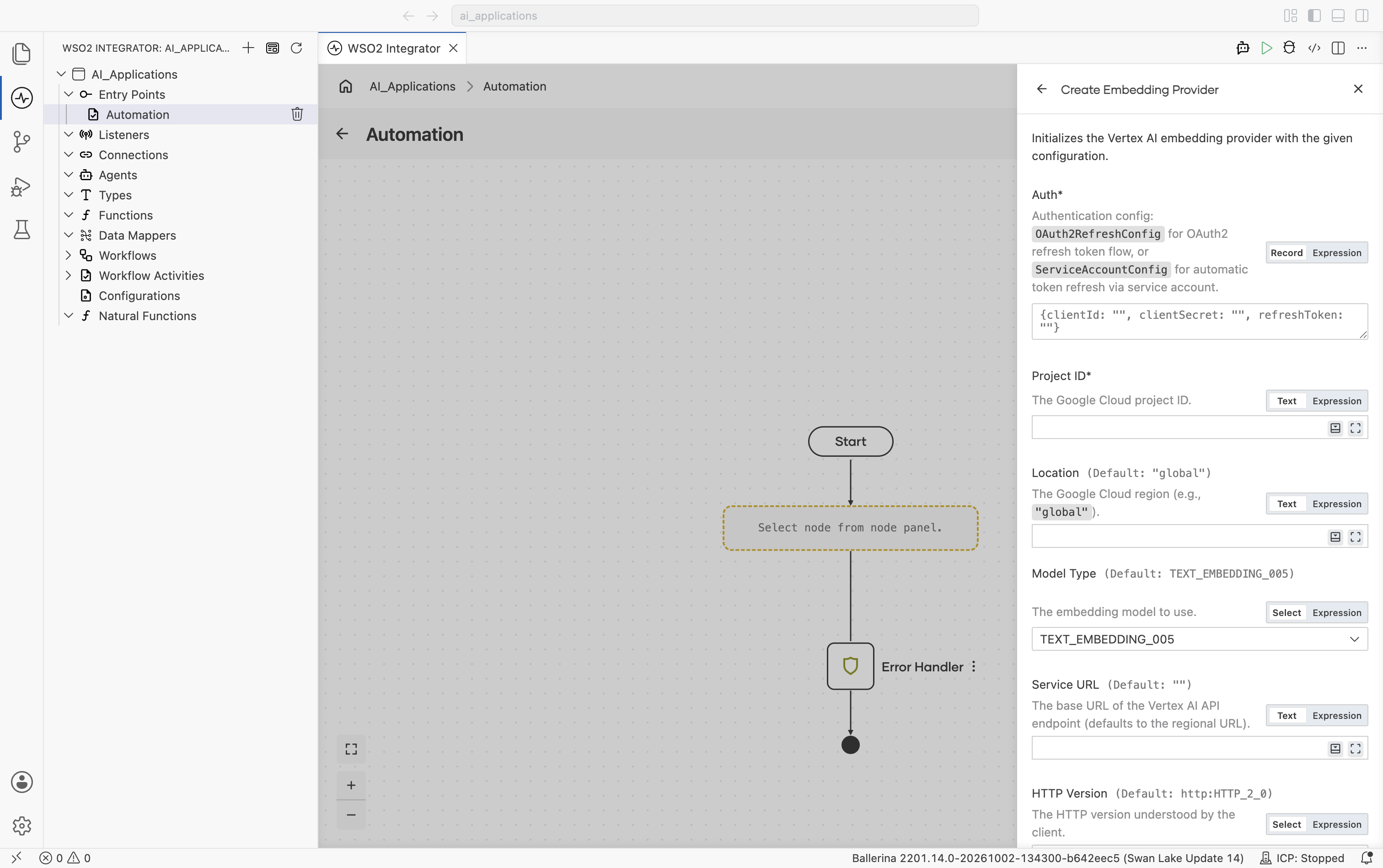
| Field | Required | Default | Available values |
|---|---|---|---|
| Auth | Yes | N/A | OAuth2 refresh-token record, a service-account record, or a path to a service-account JSON file. See Vertex auth options on the Model Providers page. |
| Project ID | Yes | N/A | Your Google Cloud project ID. |
| Location | No | "global" | "global", "us-central1", "europe-west1", etc. Google Cloud region. |
| Model Type | No | text-embedding-005 (shown as TEXT_EMBEDDING_005) | text-embedding-005, text-embedding-004, textembedding-gecko-multilingual@001, textembedding-gecko@001. Vertex embedding model. |
| Service URL | No | "" (auto-derived) | Override the regional endpoint. Defaults to https://\{location\}-aiplatform.googleapis.com. |
Scrolling further shows Timeout, Forwarded, Compression, and Payload Validation, then the collapsed Advanced Configurations toggle, and finally Embedding Provider Name and Result Type:
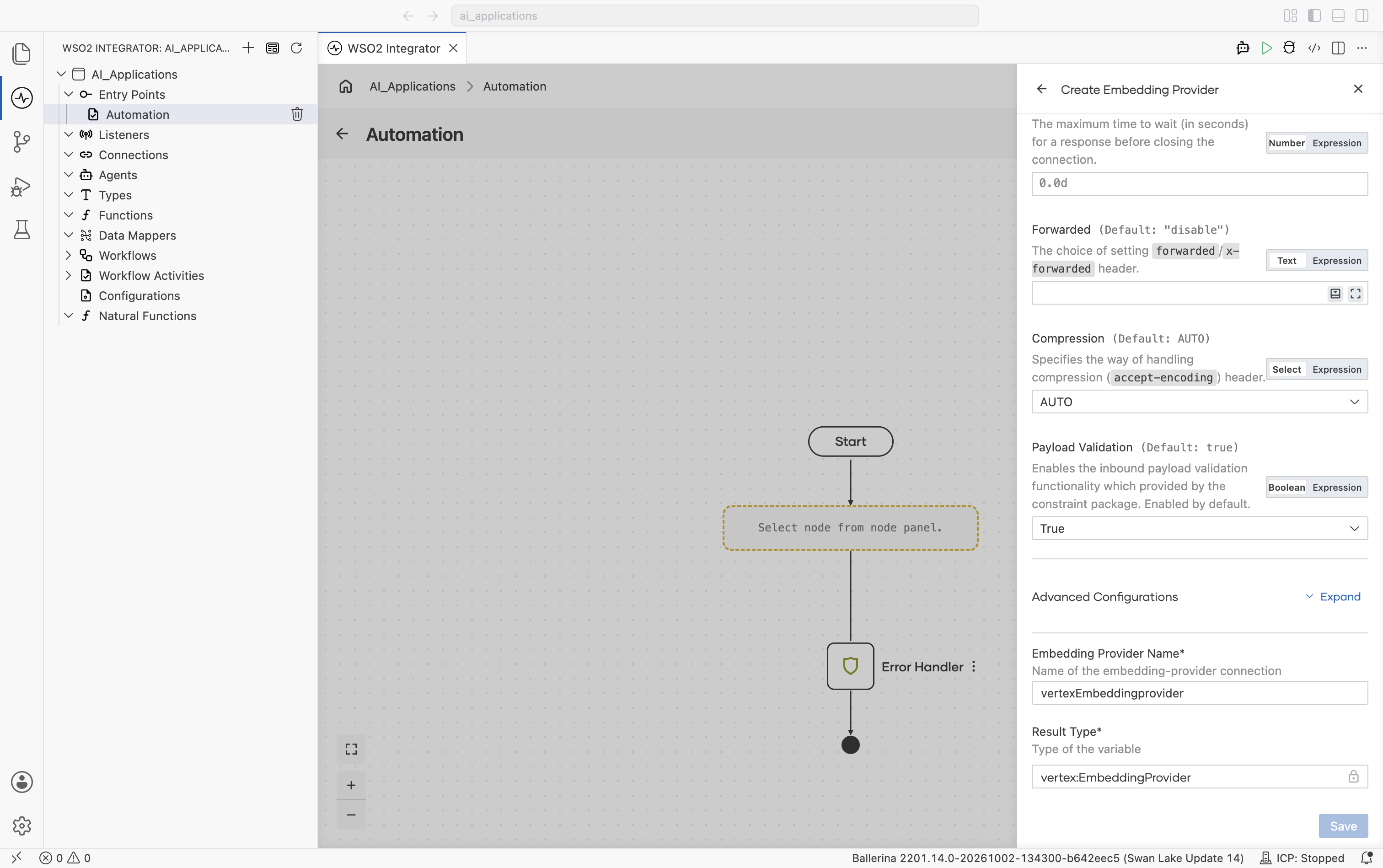
Advanced configurations
Expanding Advanced Configurations shows the exact same panel as the Standard HTTP advanced configurations section on the Model Providers page. Vertex adds no provider-specific fields here.
OpenAI
Connects to OpenAI's hosted embedding models.
Official website: OpenAI embeddings documentation.
Create form
The form opens with API Key, Embedding Model Type, and Service URL, followed by HTTP Version, Timeout, and the start of Forwarded:
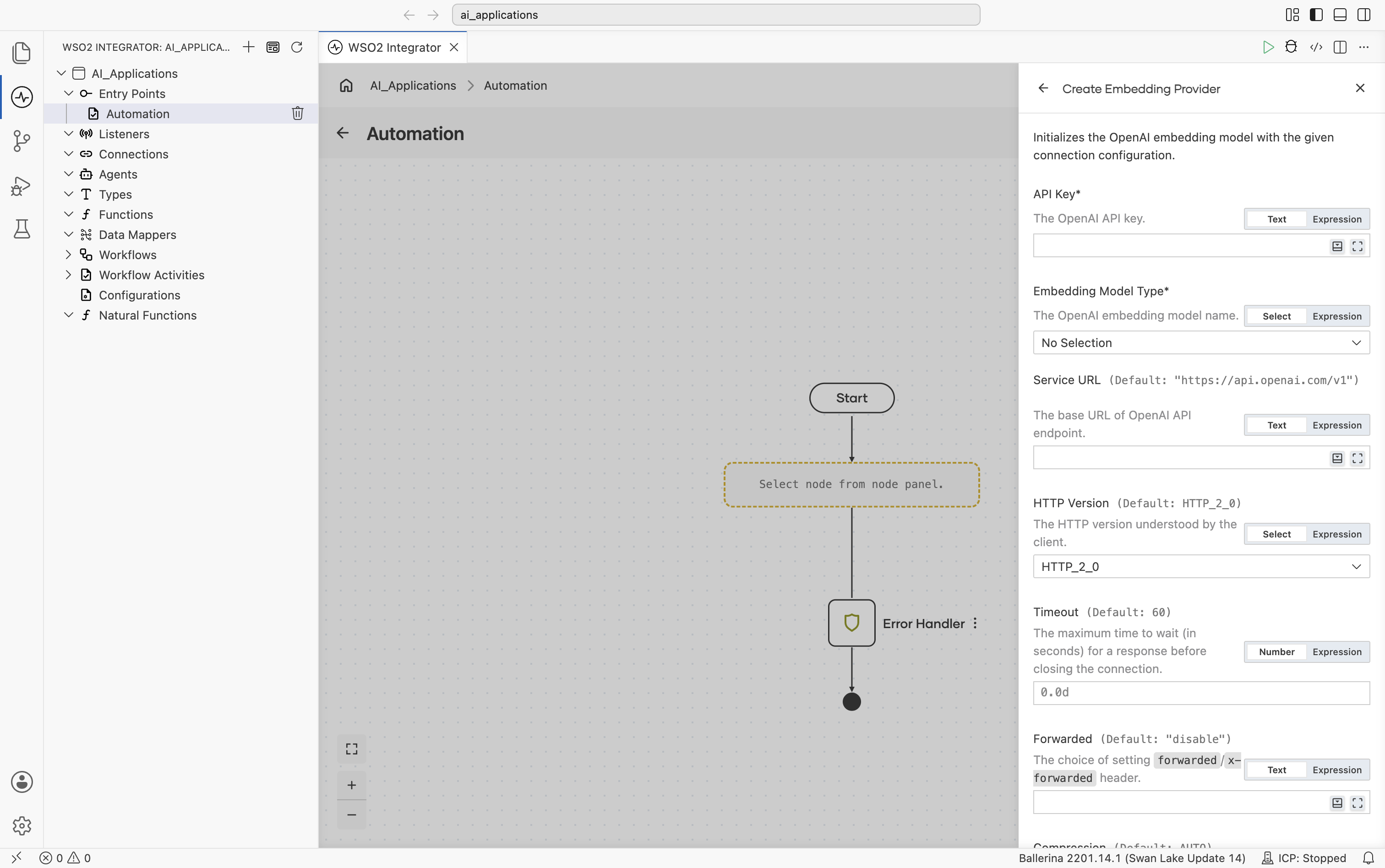
| Field | Required | Default | Available values |
|---|---|---|---|
| API Key | Yes | N/A | The OpenAI API key. Get one from the OpenAI API keys page. |
| Embedding Model Type | Yes | N/A | TEXT_EMBEDDING_3_SMALL (text-embedding-3-small), TEXT_EMBEDDING_3_LARGE (text-embedding-3-large), TEXT_EMBEDDING_ADA_002 (text-embedding-ada-002). The OpenAI embedding model name. |
| Service URL | No | https://api.openai.com/v1 | The base URL of the OpenAI API endpoint. |
Scrolling further shows Forwarded, Compression, and Payload Validation, then the collapsed Advanced Configurations toggle, and finally Embedding Provider Name and Result Type:
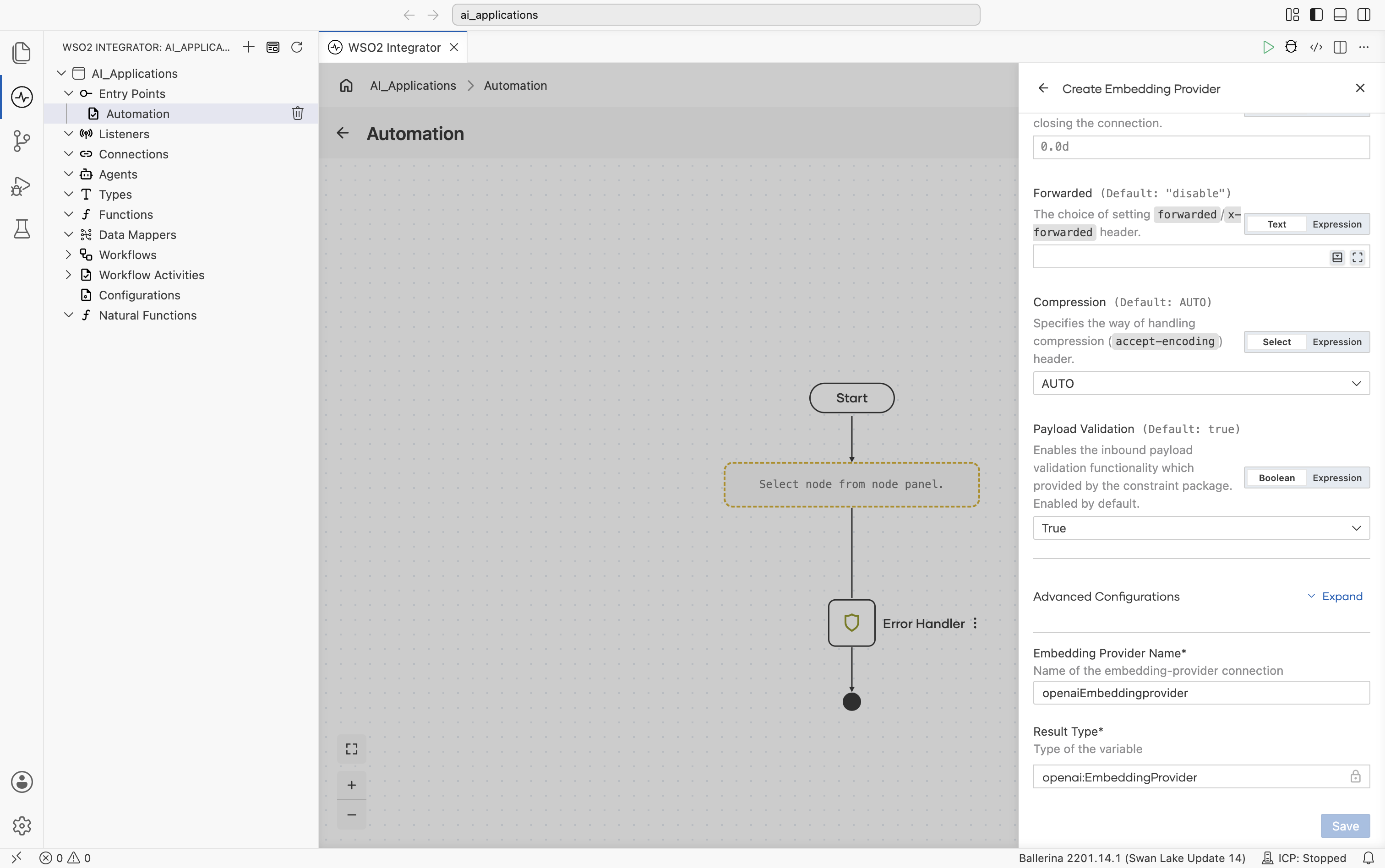
The connection fields on the form are optional and have these defaults:
| Field | Default | Available values |
|---|---|---|
| HTTP Version | HTTP_2_0 | The HTTP version understood by the client. |
| Timeout | 60 | The maximum time to wait (in seconds) for a response before closing the connection. |
| Forwarded | "disable" | The choice of setting the forwarded/x-forwarded header. |
| Compression | AUTO | AUTO, ALWAYS, NEVER. Specifies the way of handling the compression (accept-encoding) header. |
| Payload Validation | true | true, false. Enables inbound payload validation provided by the constraint package. |
| Embedding Provider Name | openaiEmbeddingprovider | Name of the embedding-provider connection. |
| Result Type | openai:EmbeddingProvider | Locked. |
Advanced configurations
Expanding Advanced Configurations shows the exact same panel as the Standard HTTP advanced configurations section on the Model Providers page. OpenAI adds no provider-specific fields here.
The OpenAI embedding provider accepts text-only chunks. Image or audio chunks raise an error.
OpenRouter
OpenRouter exposes embedding models from many providers behind a single API.
Official website: openrouter.ai.
Create form
The form opens with API Key, Model Type, Service URL, Site URL, and Site Name, followed by the start of HTTP Version:
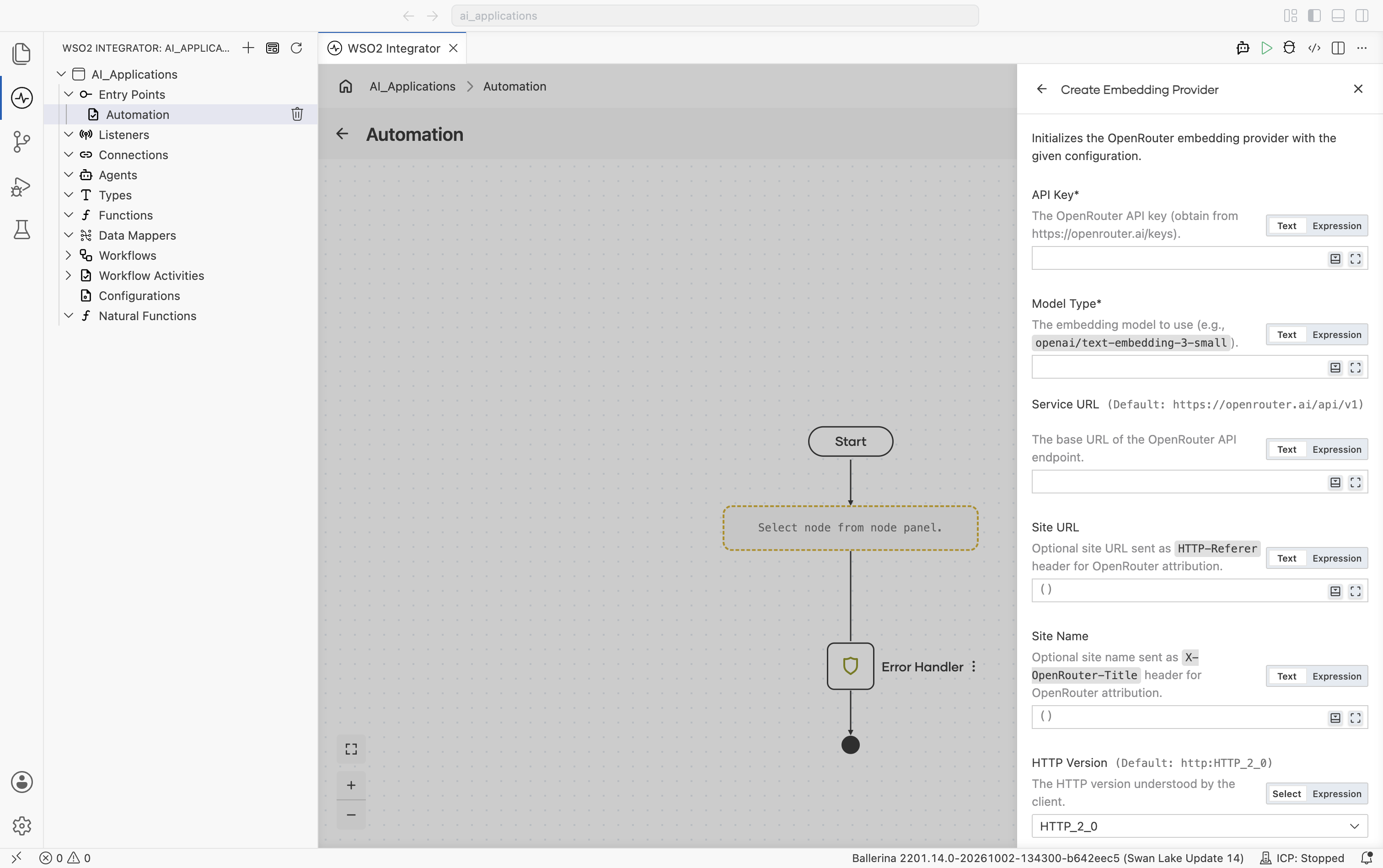
| Field | Required | Default | Available values |
|---|---|---|---|
| API Key | Yes | N/A | OpenRouter API key. Get one from openrouter.ai/keys. |
| Model Type | Yes | N/A | Qualified embedding model name, for example openai/text-embedding-3-small. See OpenRouter's model list. |
| Service URL | No | https://openrouter.ai/api/v1 | OpenRouter API base URL. |
| Site URL | No | () | URL string or empty. Optional site URL sent as the HTTP-Referer header, used by OpenRouter for site attribution. |
| Site Name | No | () | String or empty. Optional site name sent as the X-OpenRouter-Title header. |
Scrolling further shows Timeout, Forwarded, Compression, and Payload Validation, then the collapsed Advanced Configurations toggle, and finally Embedding Provider Name and Result Type:
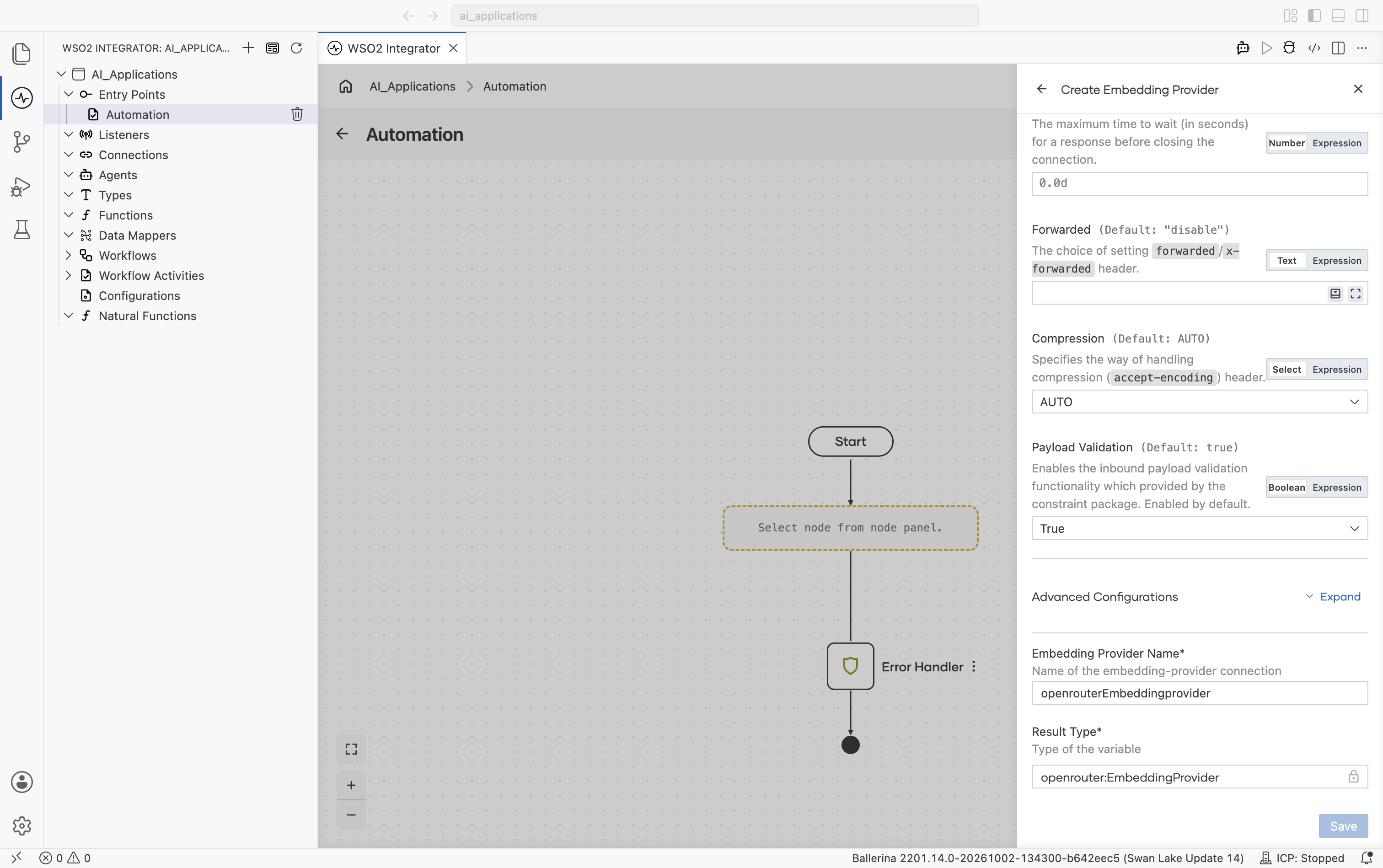
Advanced configurations
Expanding Advanced Configurations shows the exact same panel as the Standard HTTP advanced configurations section on the Model Providers page. OpenRouter adds no provider-specific fields here.
OpenRouter's embedding endpoint accepts text-only chunks. Image or audio chunks raise an error.
Selecting a provider
| Situation | Recommended |
|---|---|
| Prototyping, no infra setup | Default WSO2: sign in once, no key needed. |
| Already on AWS | AWS Bedrock: IAM credentials, and requests stay in the AWS region you choose, unless you use a cross-region inference profile ID such as us.cohere.embed-v4:0. |
| Already on Azure | Azure OpenAI: keep traffic inside your Azure tenant. |
| Already on Google Cloud | Vertex: same auth as the rest of GCP. |
| Already using OpenAI models | OpenAI: use your existing OpenAI API key. |
| Want one key across many vendors | OpenRouter. |
The provider selected at ingest time must remain consistent for the lifetime of the vector store. Switching providers requires re-embedding all stored content.
What's next
- Vector Stores — Where the embeddings live.
- Knowledge Bases — The object that ties an embedding provider, a vector store, and a chunker together.
- Chunkers — Split documents into chunks before embedding for ingestion into a vector store.
- RAG — WSO2 Integrator walkthrough for ingestion and query flows.