Mapping Capabilities
The data mapper supports a set of mapping capabilities for the most common transformation patterns. Use the canvas to draw connections between fields, and use the inline tools when types do not match directly.
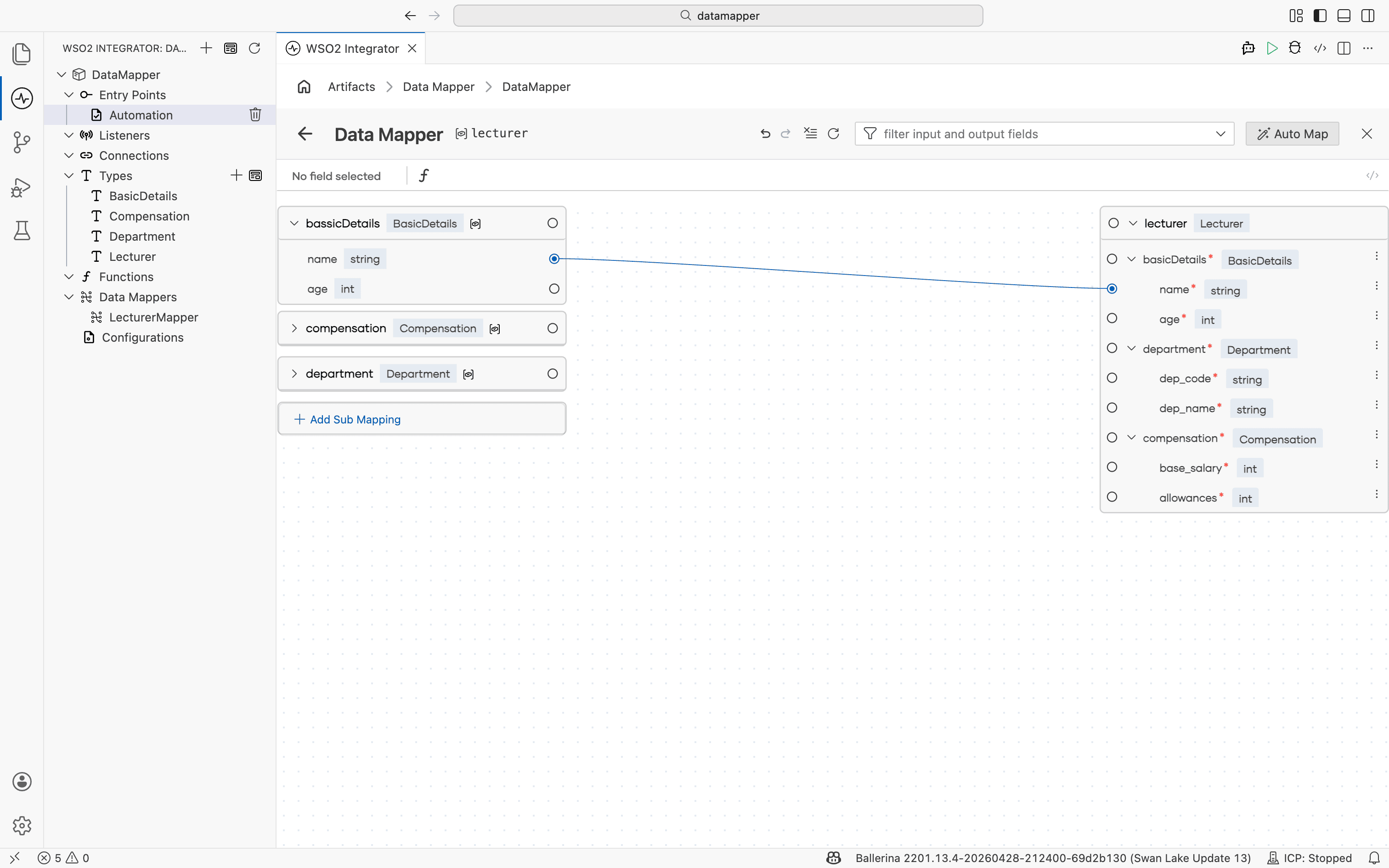
One-to-one mapping
Map a single input field directly to a compatible output field by drawing a line between them.
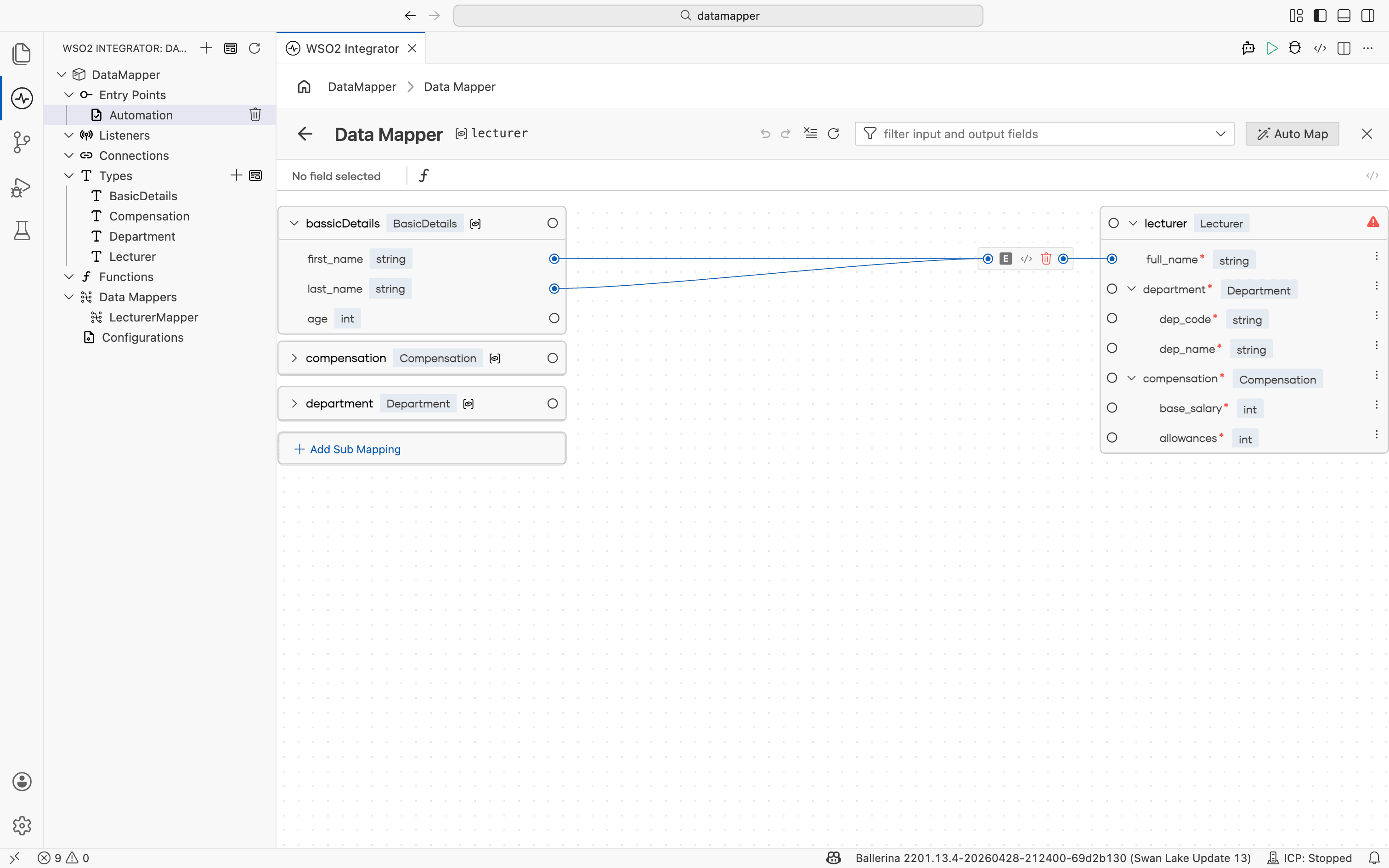
Many-to-one mapping
Combine multiple input fields into a single output field. Connect each input to the same output port to build a composite expression.
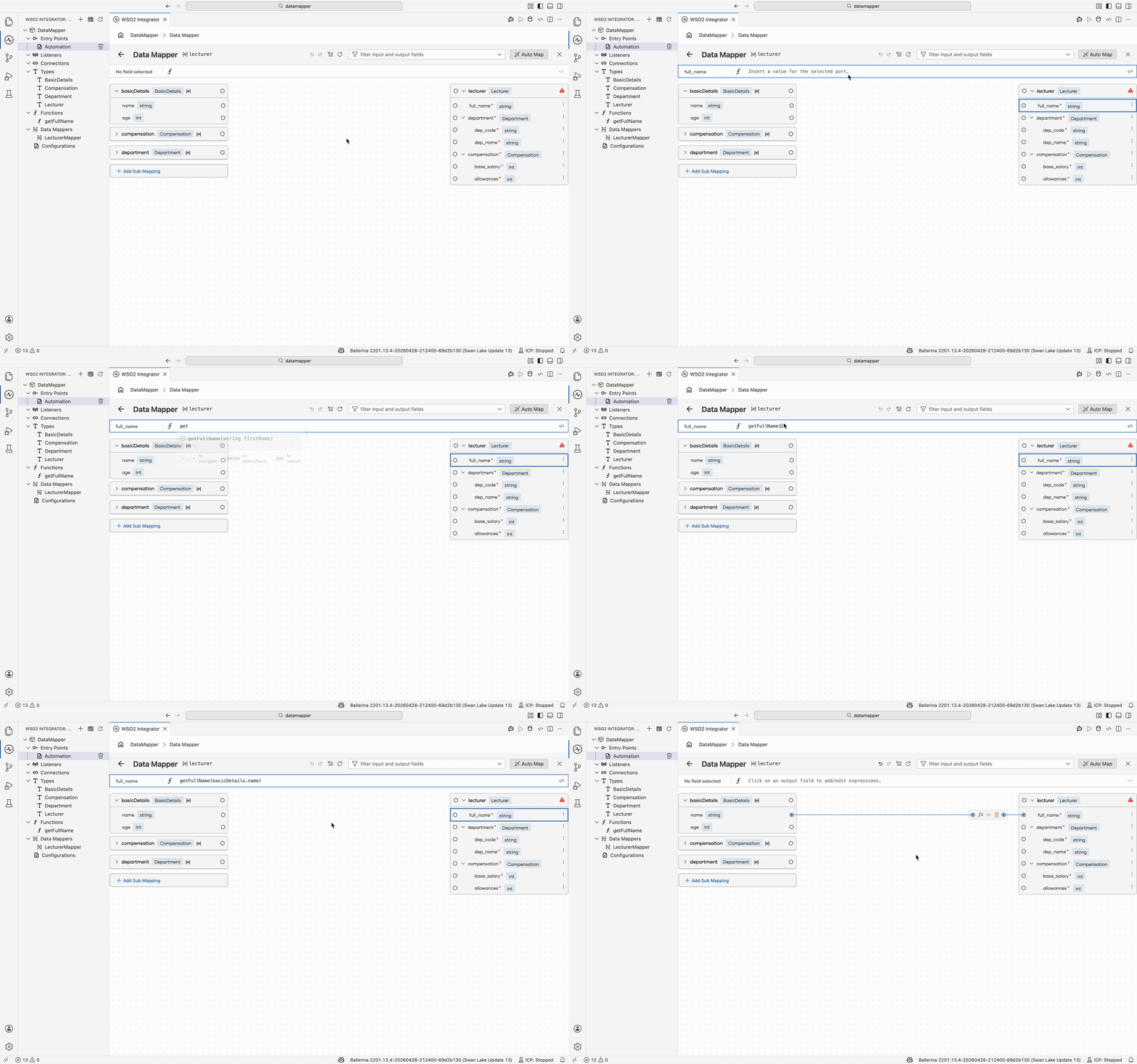
Expression editor
For outputs that need custom logic, select the output field to open the expression editor. The editor provides completion support. Start typing a field reference or function name, and use the suggestions to compose the expression. To insert an input value, select the corresponding input field while the editor is active.
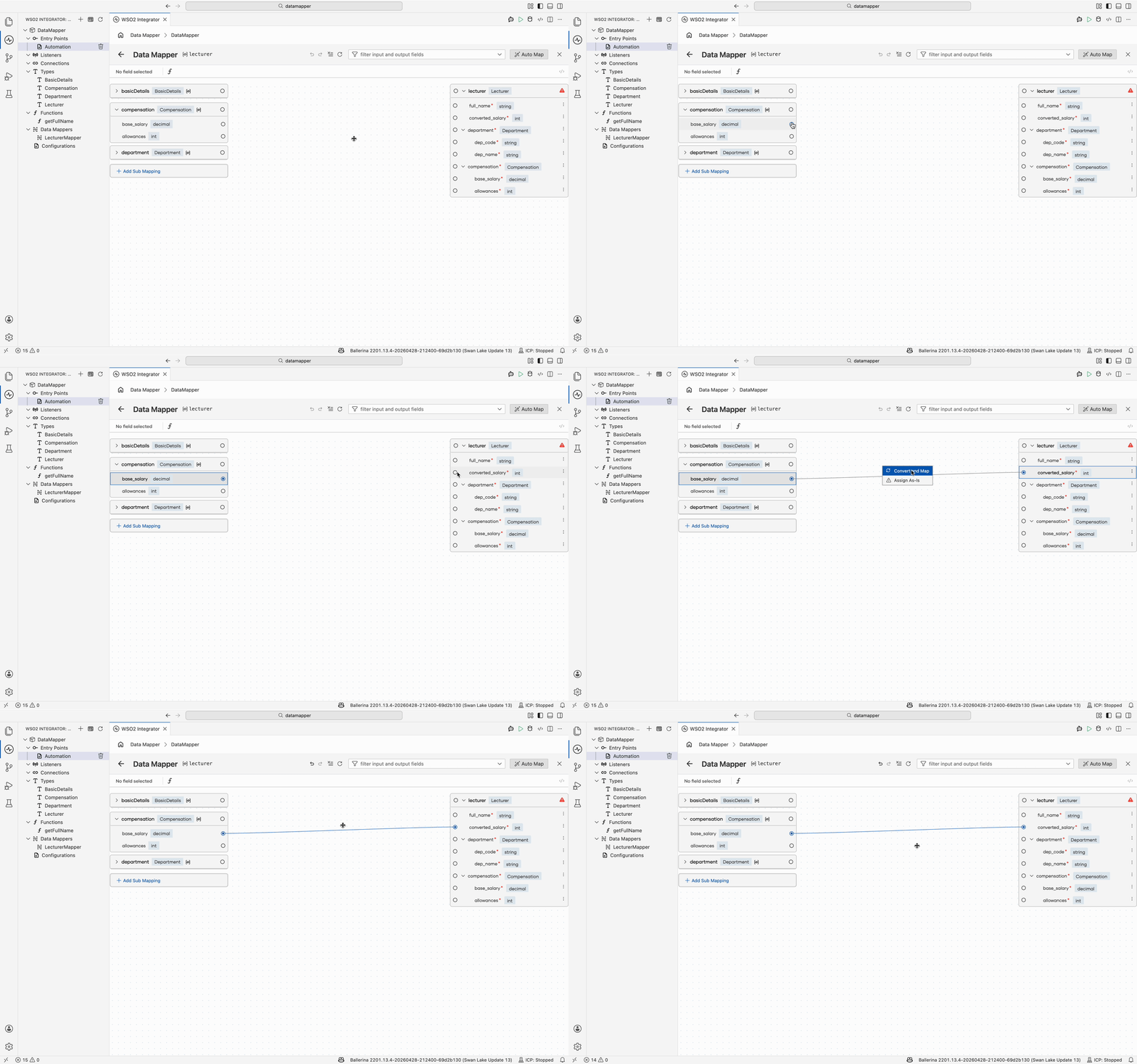
Convert and map
When the source and target are incompatible primitive types, use Convert and Map. The data mapper inserts the appropriate Ballerina conversion utility (for example, int:fromString, decimal:toString) automatically.
Map with custom function
When direct mapping is not possible, choose Map with Custom Function. The data mapper generates a function stub linking the two fields. Navigate into the function flow to define the transformation logic in the visual designer or pro-code view.
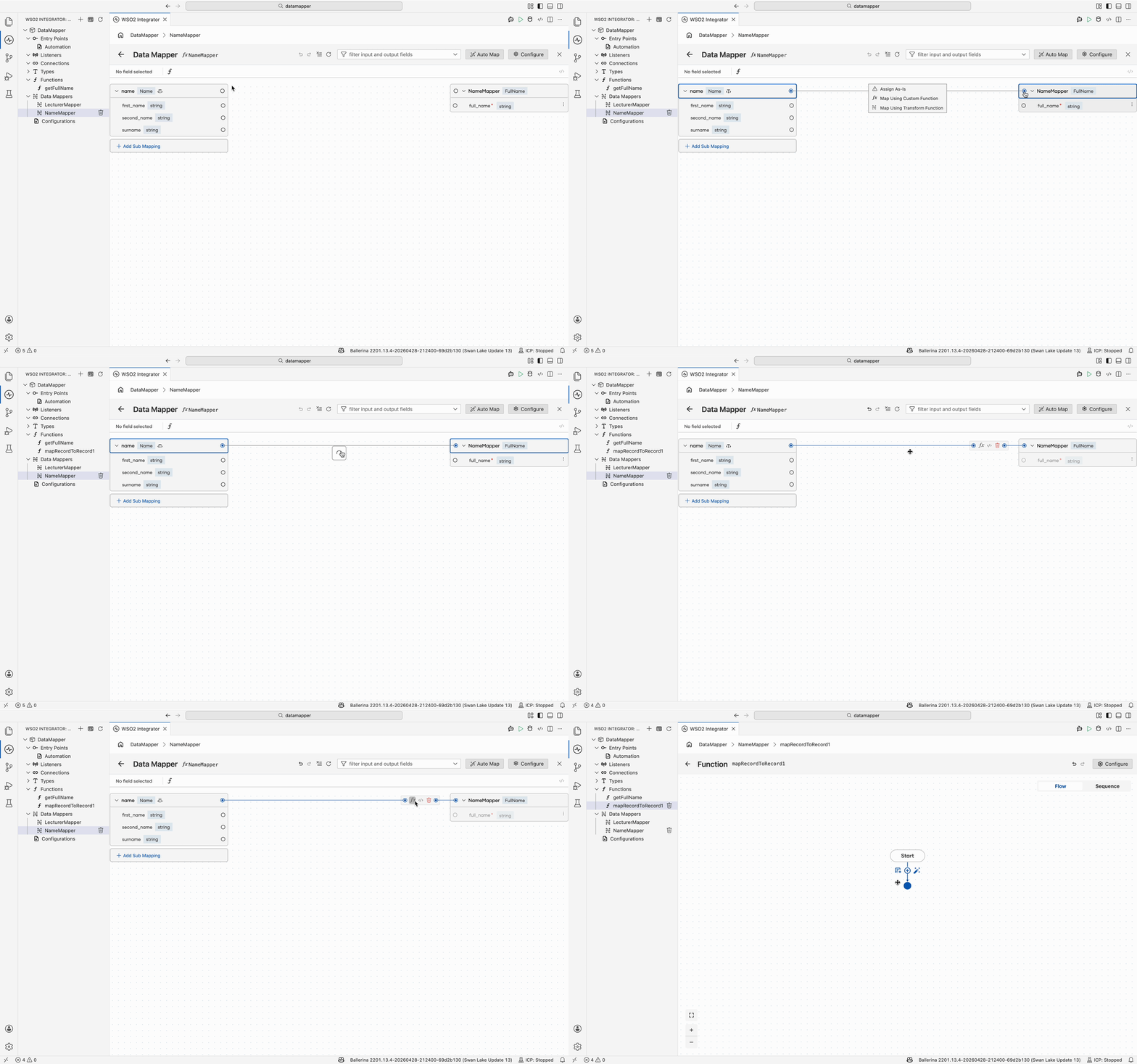
Map with transformation function
When you need a focused, visual sub-mapping rather than a free-form function, use Map with Transformation Function. The data mapper opens a nested data mapper view scoped to the selected input and output, where you can map fields visually.
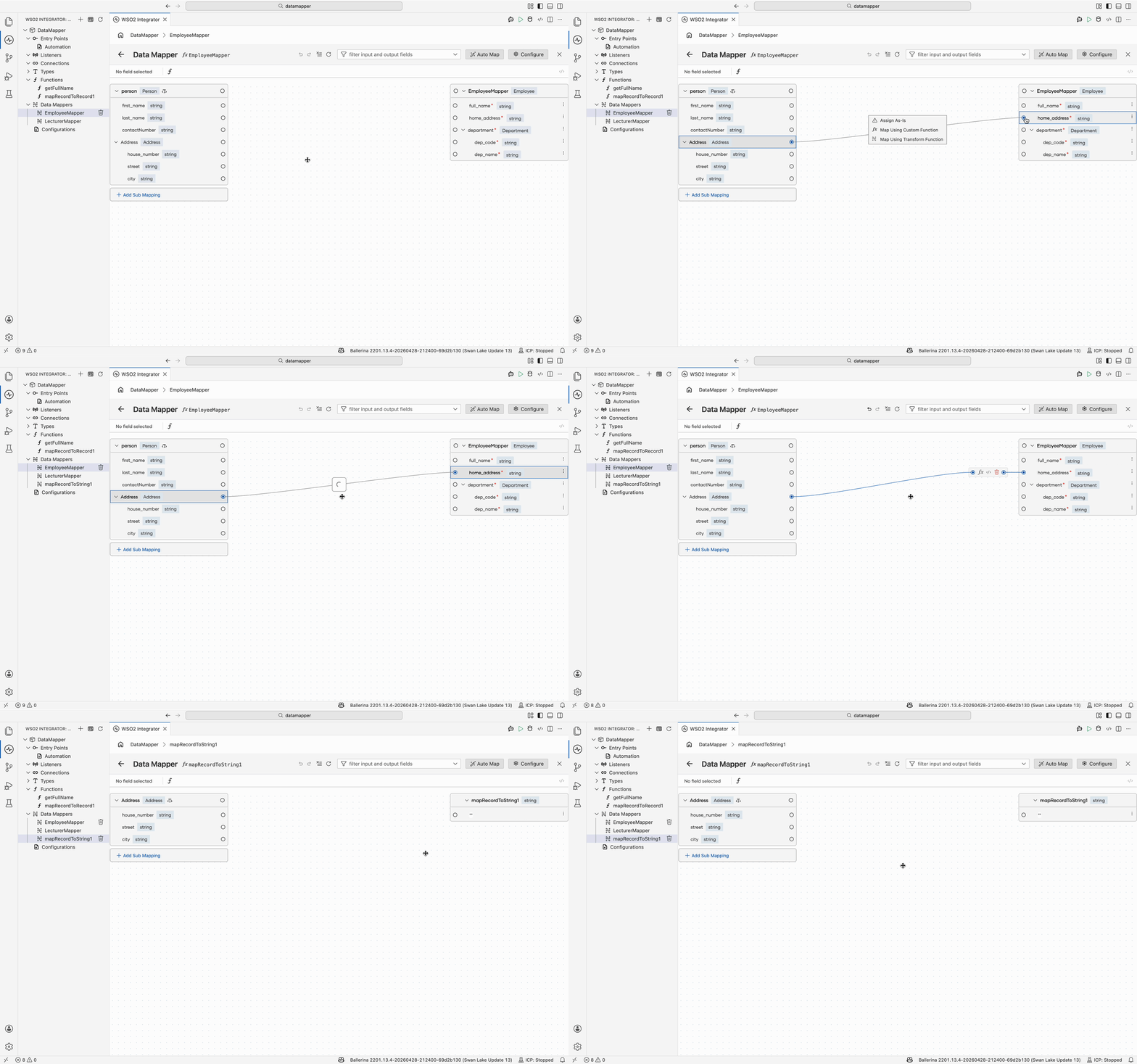
Map with AI
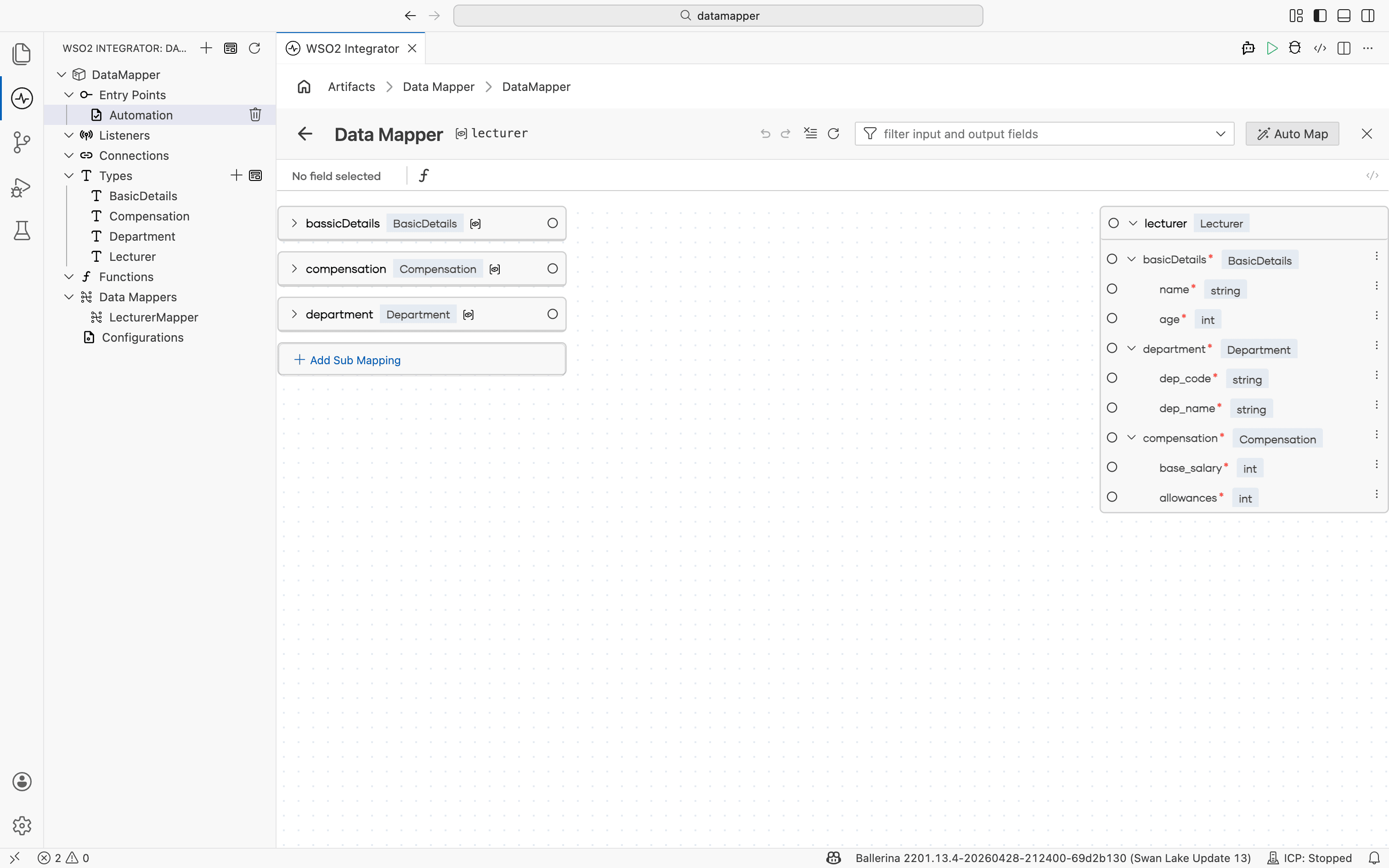
Inside any data mapper view, select Auto Map in the top-right corner of the canvas to generate mappings automatically using the WSO2 Integrator Copilot.
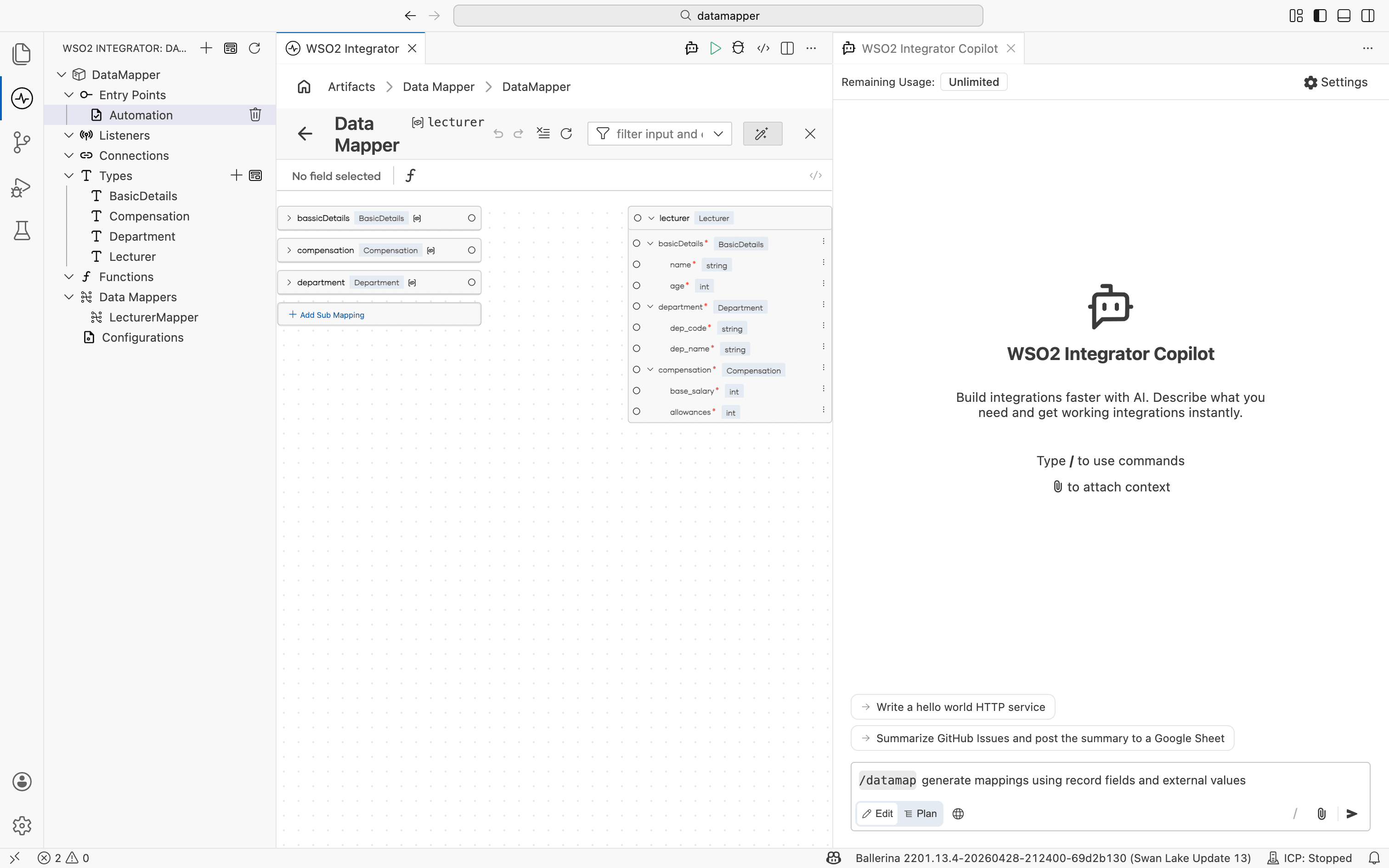
The Copilot panel opens with a /datamap command preloaded. Submit it to generate field mappings based on the input and output types, then review and adjust the result on the canvas.
What's next
- Array mappings — Map between arrays using iteration, joins, and aggregation.
- Generic type mappings — Generate types from a sample JSON or XML payload.
- Submappings — Reuse mapping logic across multiple output fields.