Submappings
When the same logic is needed in multiple output locations, define a submapping. A submapping consolidates the related inputs and logic into a single named expression that can be reused across the data mapper.
Create a submapping
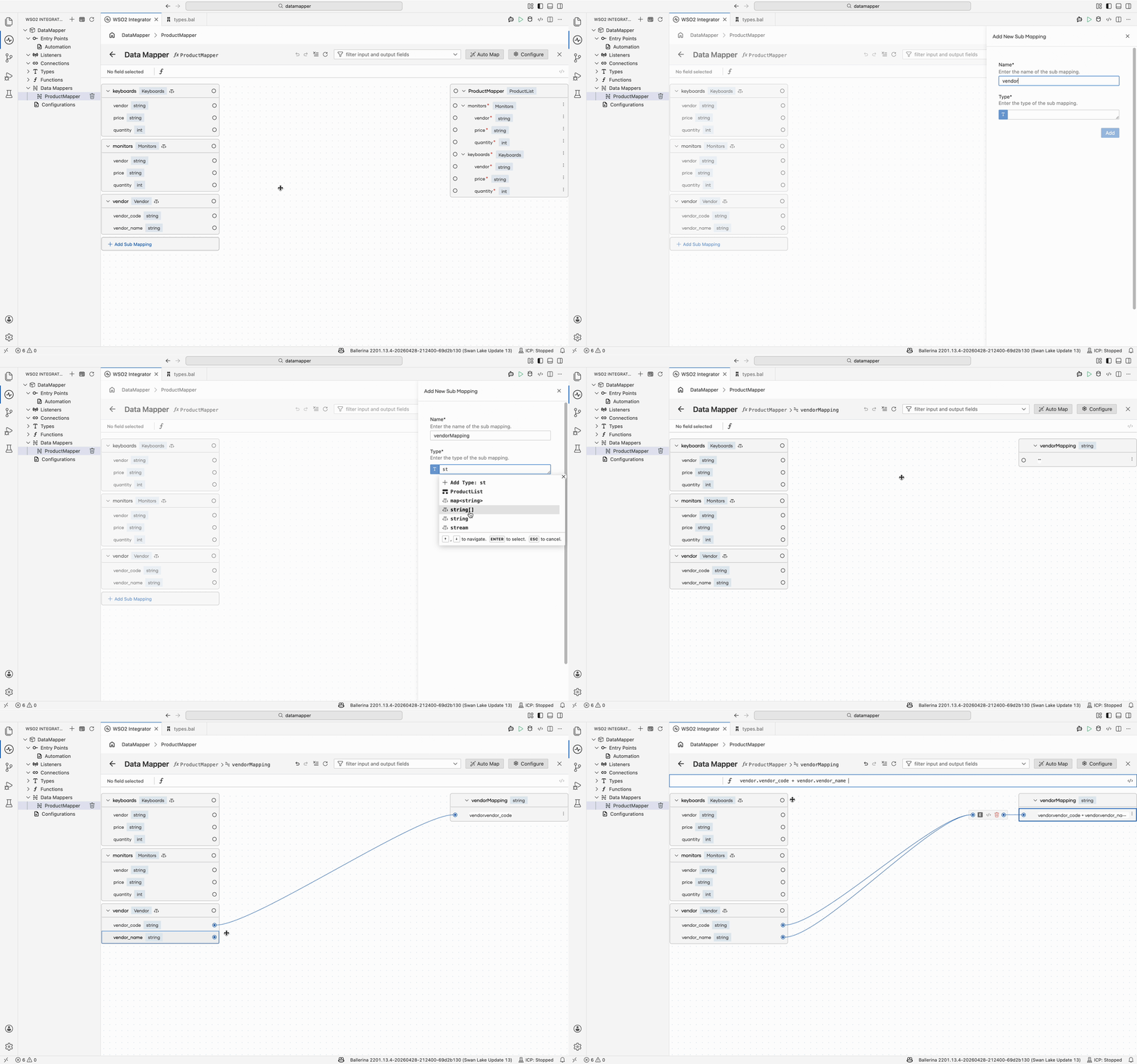
- In the data mapper canvas, select + Add Sub Mapping.
- Configure the submapping name, type, and the inputs to use.
- Map the fields inside the submapping view as you would in any data mapper.
Use a submapping
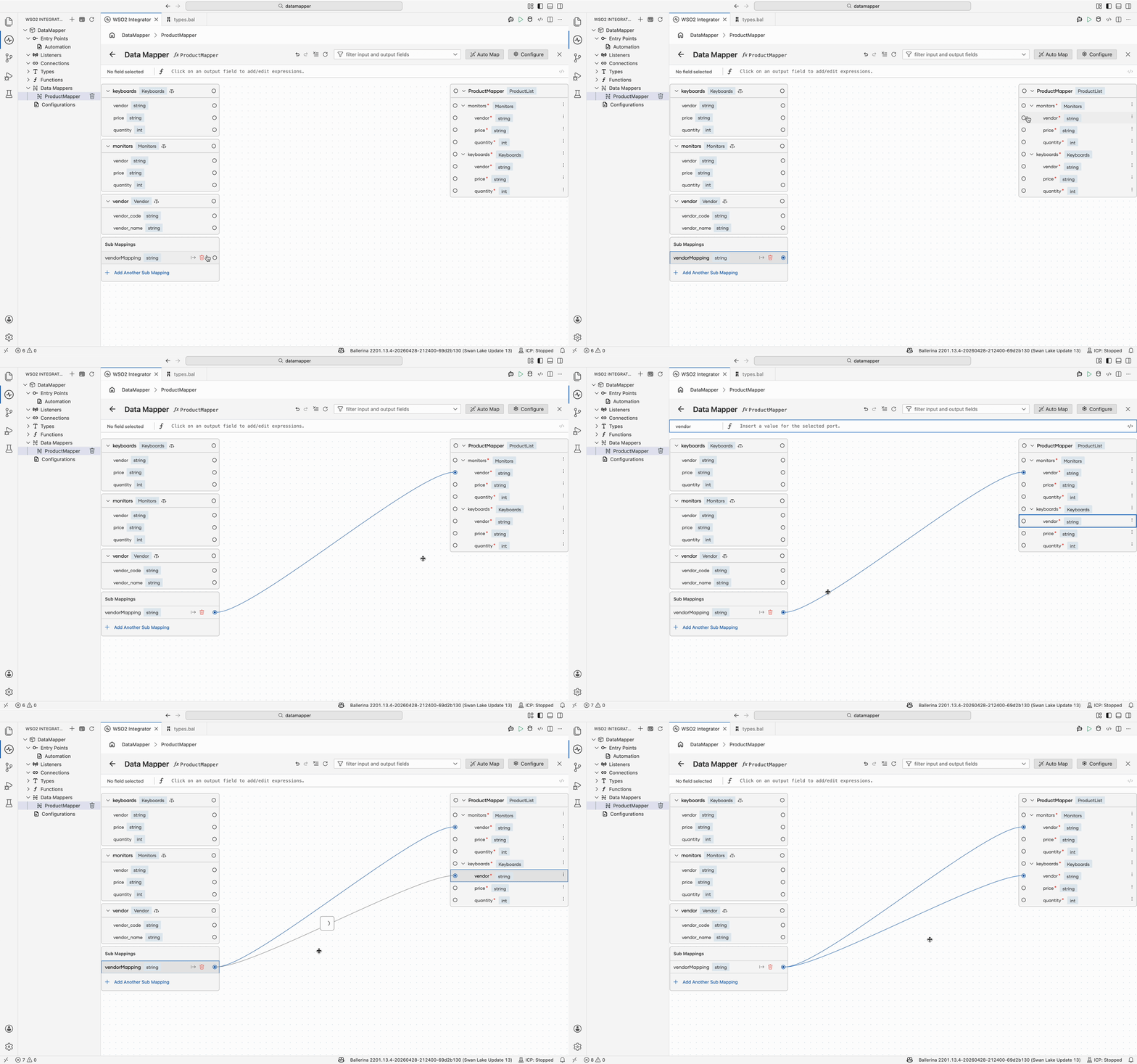
Once defined, the submapping appears under Sub Mappings in the left panel. Map it to any compatible output field as you would any other input.
What's next
- Mapping capabilities — Connect fields, write expressions, and use AI-assisted mapping.
- Array mappings — Map between arrays using iteration, joins, and aggregation.
- Generic type mappings — Generate types from a sample JSON or XML payload.