

Introducing Choreo's Enhanced Configuration Management

- Menaka Jayawardena
- Associate Technical Lead, WSO2

We’re excited to roll out major enhancements to Choreo’s configuration management, designed to make application operations more efficient and developer-friendly. These updates reduce complexity, improve consistency across environments, and simplify the overall configuration experience.
Introducing configuration groups
Choreo now supports configuration groups, allowing you to logically group and manage related configurations. This capability reduces duplication and streamlines configuration management across multiple components. Organization admins and DevOps teams can define these groups, making them easily accessible for developers to integrate into their applications, promoting efficient collaboration and consistent deployments.
Flexible injection of configuration values
Choreo now allows you to inject values directly from configuration groups into your applications as either environment variables or files. This flexibility enables seamless integration of configurations into your workflow, tailored to your application's specific requirements.
Enhanced file-based configuration
We’ve improved support for structured, schema-driven configuration using the component.yaml file. By outlining your configuration schema, Choreo dynamically generates a user-friendly UI, allowing developers to conveniently provide environment-specific configuration values during deployment.
Getting started with configuration groups
Define a configuration group
- Login to the Choreo Console
- Click on Configuration Groups under the Devops section in the left navigation menu.
- Click the + Create button and provide a display name and description.
- Define the configuration keys and click the Assign Value button.
- Provide the configuration values for each environment collection. Remove any environment from the list if it requires different values.
- Click the Create button.

Figure 1: Create a configuration group
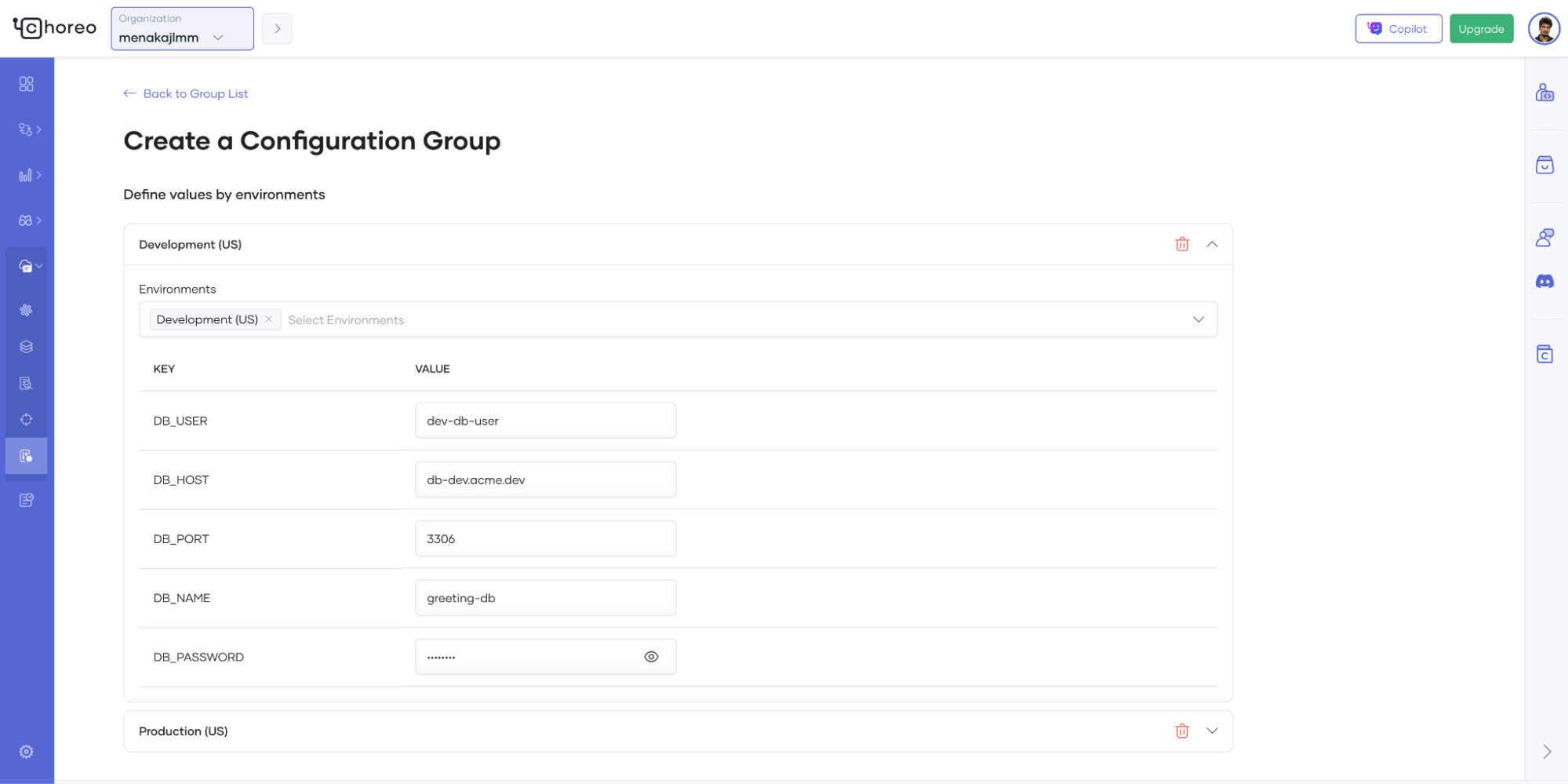
Figure 2: Assign values to the configuration group
Link a configuration group at deployment
- Create or navigate to the component where the configuration should be injected.
- Build the component if it hasn’t been built already.
- Go to the Deploy page and click the Configure & Deploy button.
- In the Configure & Deploy stepper, under the Environment Configuration section, click Link a Configuration Group.
- Select the desired configuration group from the dropdown list.
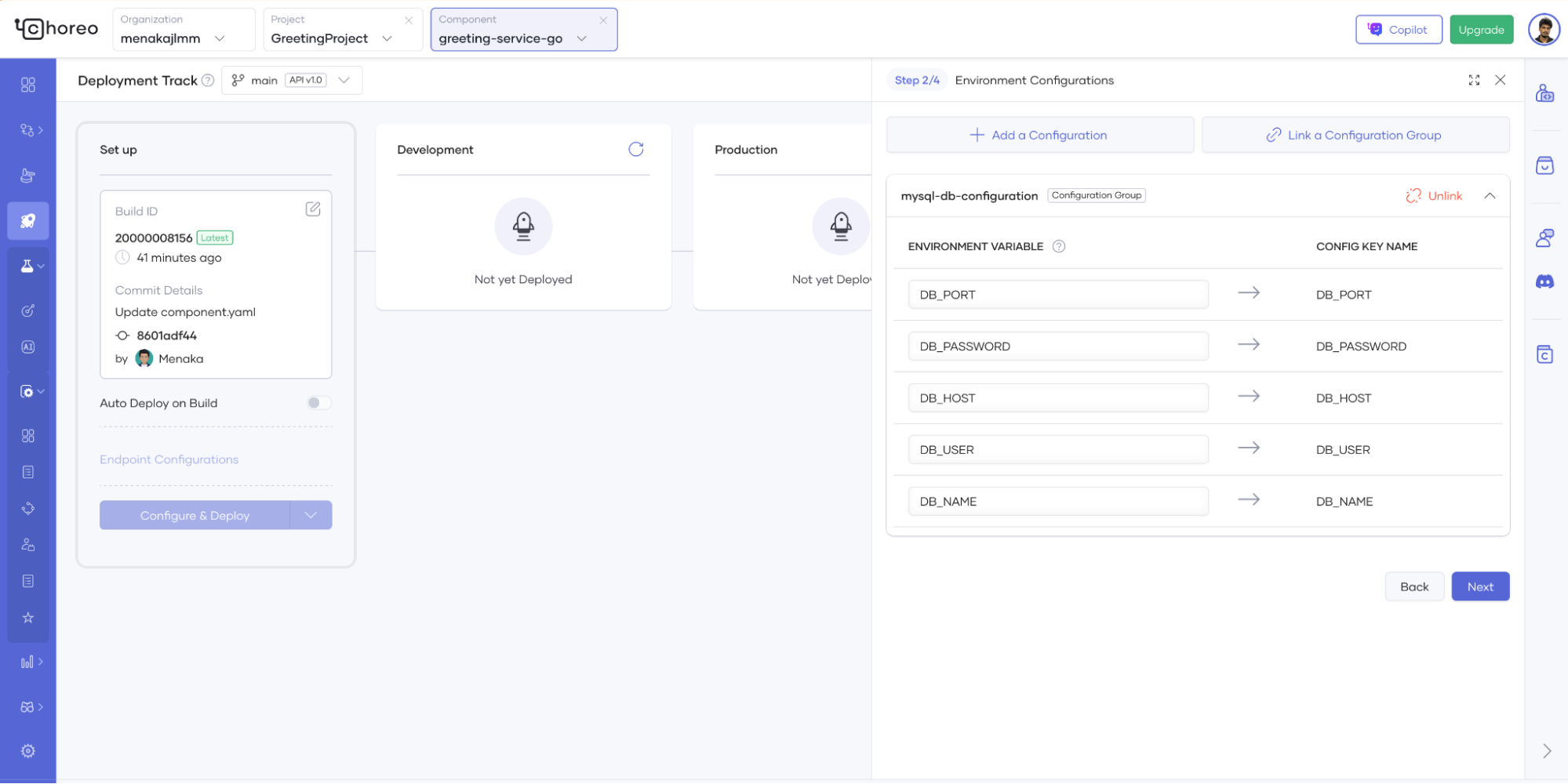
Figure 3: Link configuration group to a deployment
Getting started with file-based configuration
Define the configuration schema in component.yaml
- Create a choreo component and add a .choreo/component.yaml file to your component.
- Provide the endpoint details and define the configurations as shown below.
- Commit the component.yaml file and build the component.
Figure 4: component.yaml configuration with schema definition
Provide environment specific configuration values
- Go to the Deploy page and click on the Configure & Deploy button.
- In the Configuration step, the generated configuration form will be shown.
- Provide the values for the configuration and click Next.
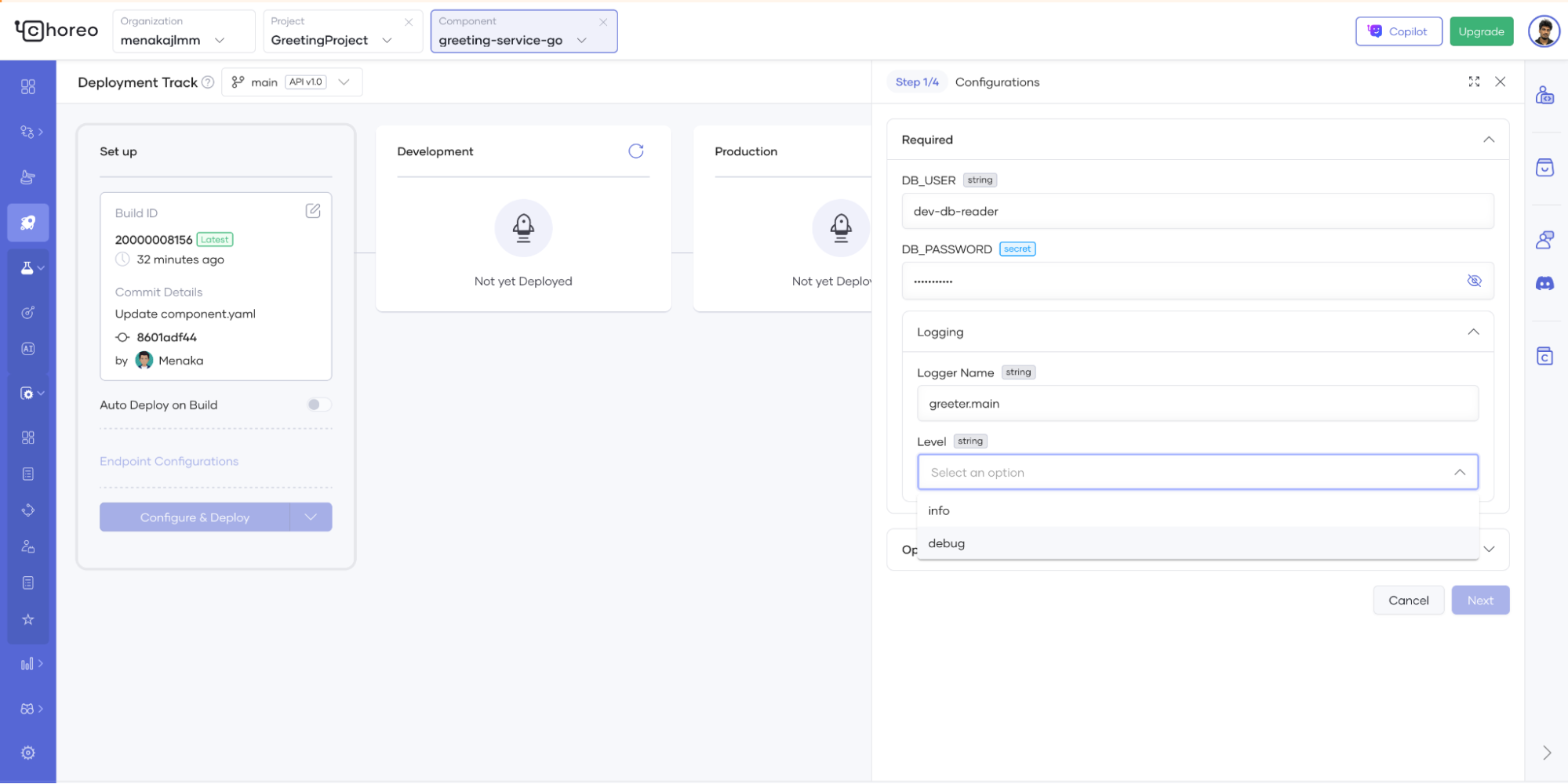
Figure 5: Provide configuration values via configuration form
These improvements empower you to manage configurations more intuitively, maintain consistency across your deployments, and accelerate your development cycles.
Give these new enhancements a try and experience smoother, smarter configuration management with Choreo today!