Array to Array
When both the input and the output are arrays, the data mapper offers four mapping styles. Pick the one that matches the relationship between the source and target arrays.
Map each element
To transform each item in an input array into an item in an output array, use Map Each Element. The data mapper opens a focused view scoped to the array element types and generates a Ballerina query expression.
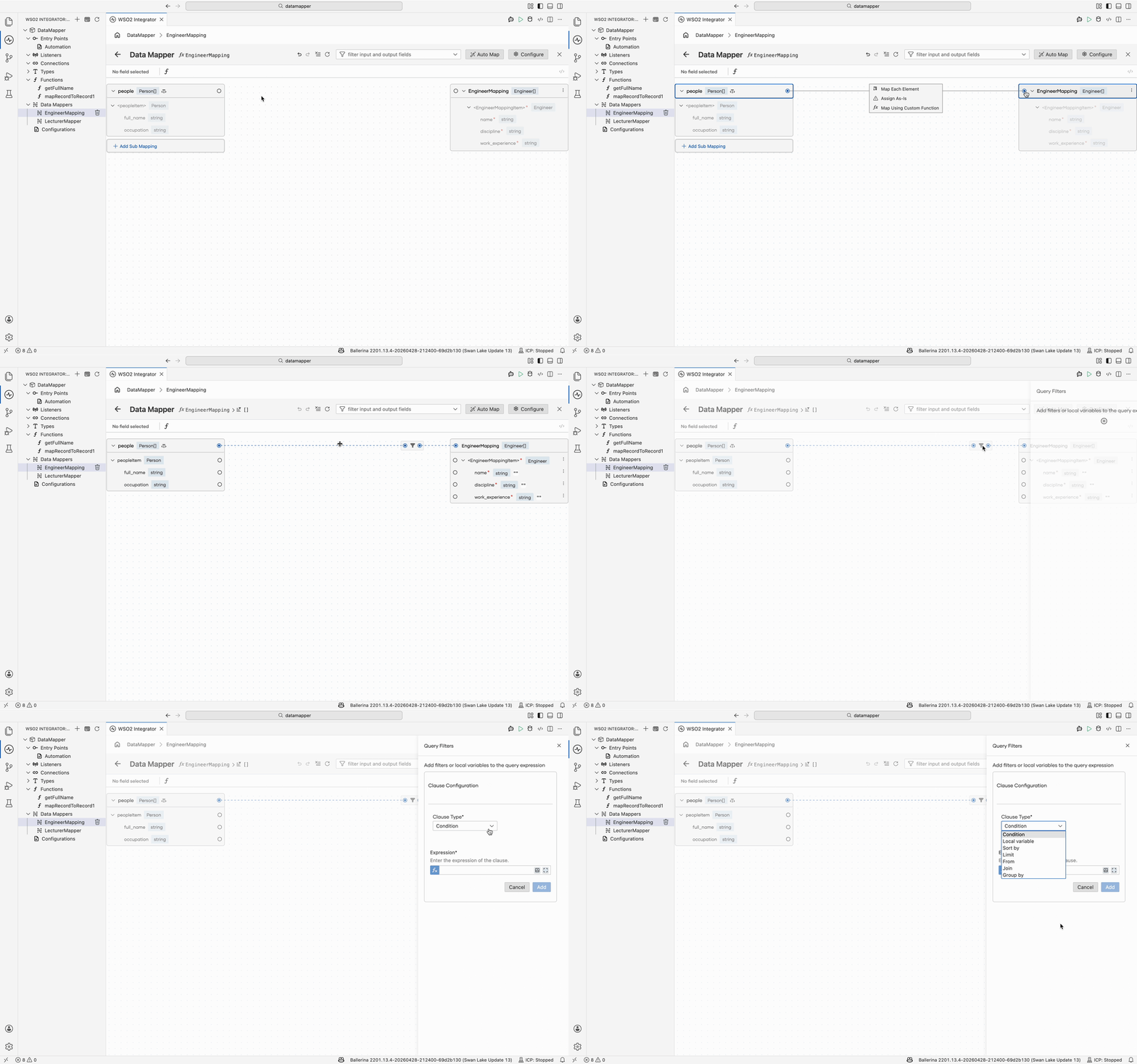
Within the focused view, refine the query using the available clauses:
| Clause | Purpose |
|---|---|
| where | Filter elements by a condition |
| let | Define local variables for use in the projection |
| order by | Sort the result |
| limit | Cap the number of output elements |
| from | Add another iteration source |
| join | Combine elements from a second array |
| group by | Group elements before projection |
Assign as is
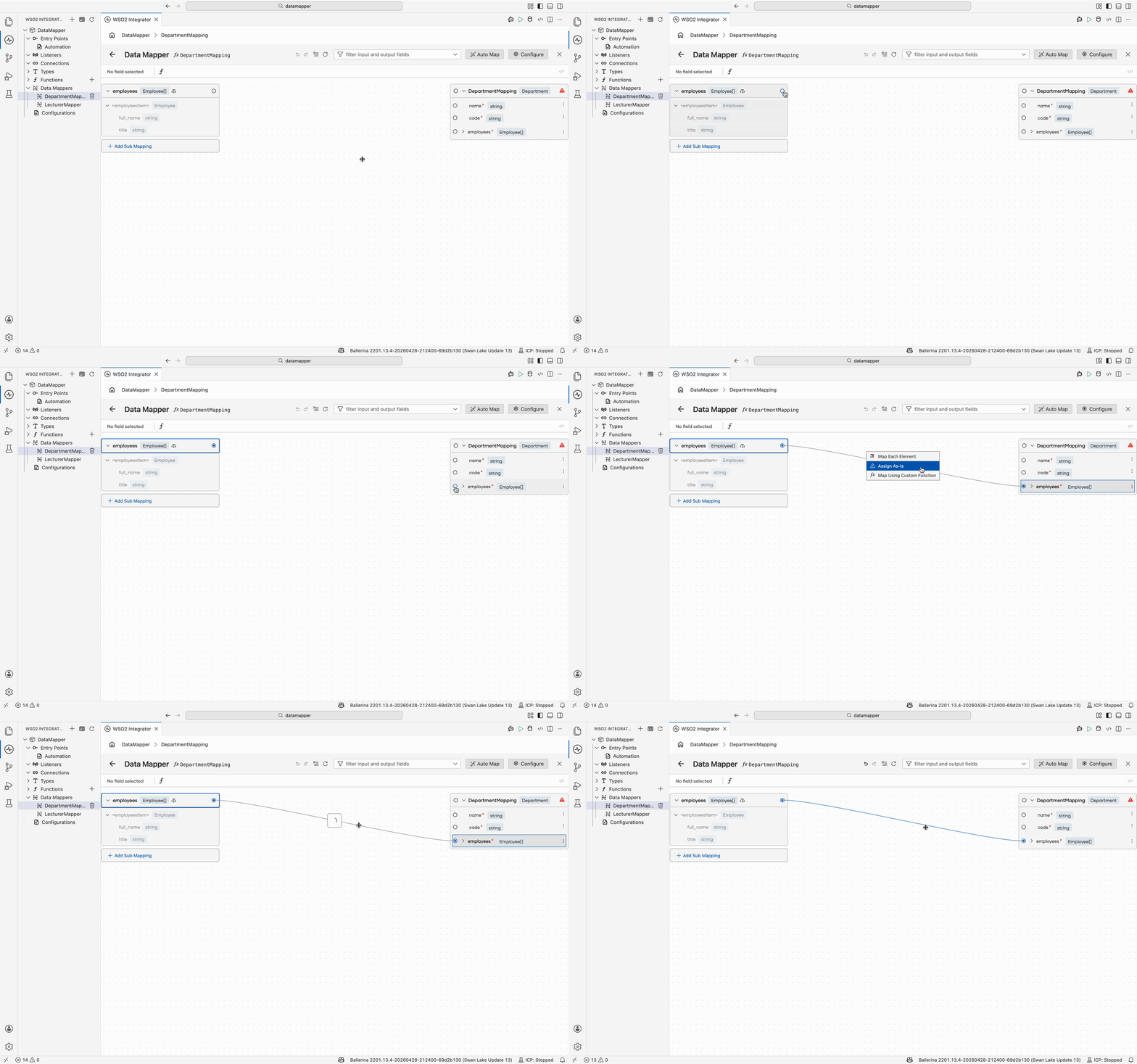
When the input and output array types are identical, use Assign as is to assign the array directly without iteration.
Nested iterate
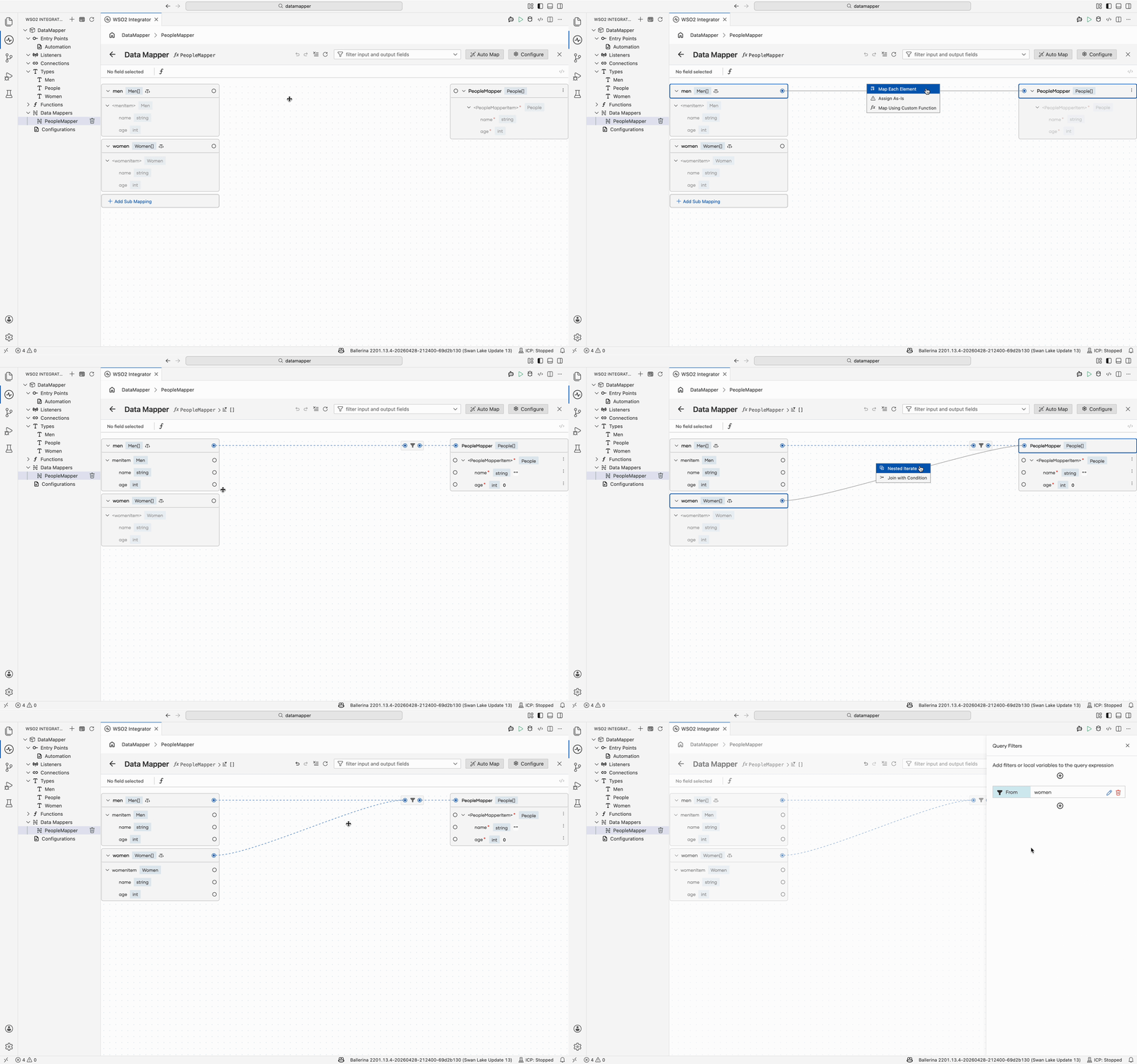
To iterate a second array on each iteration of an outer array, first map the outer array using Map Each Element. From the focused view, select the second array and map it to the target. The data mapper offers the Nested Iterate option to wrap it in an inner query.
Join with condition
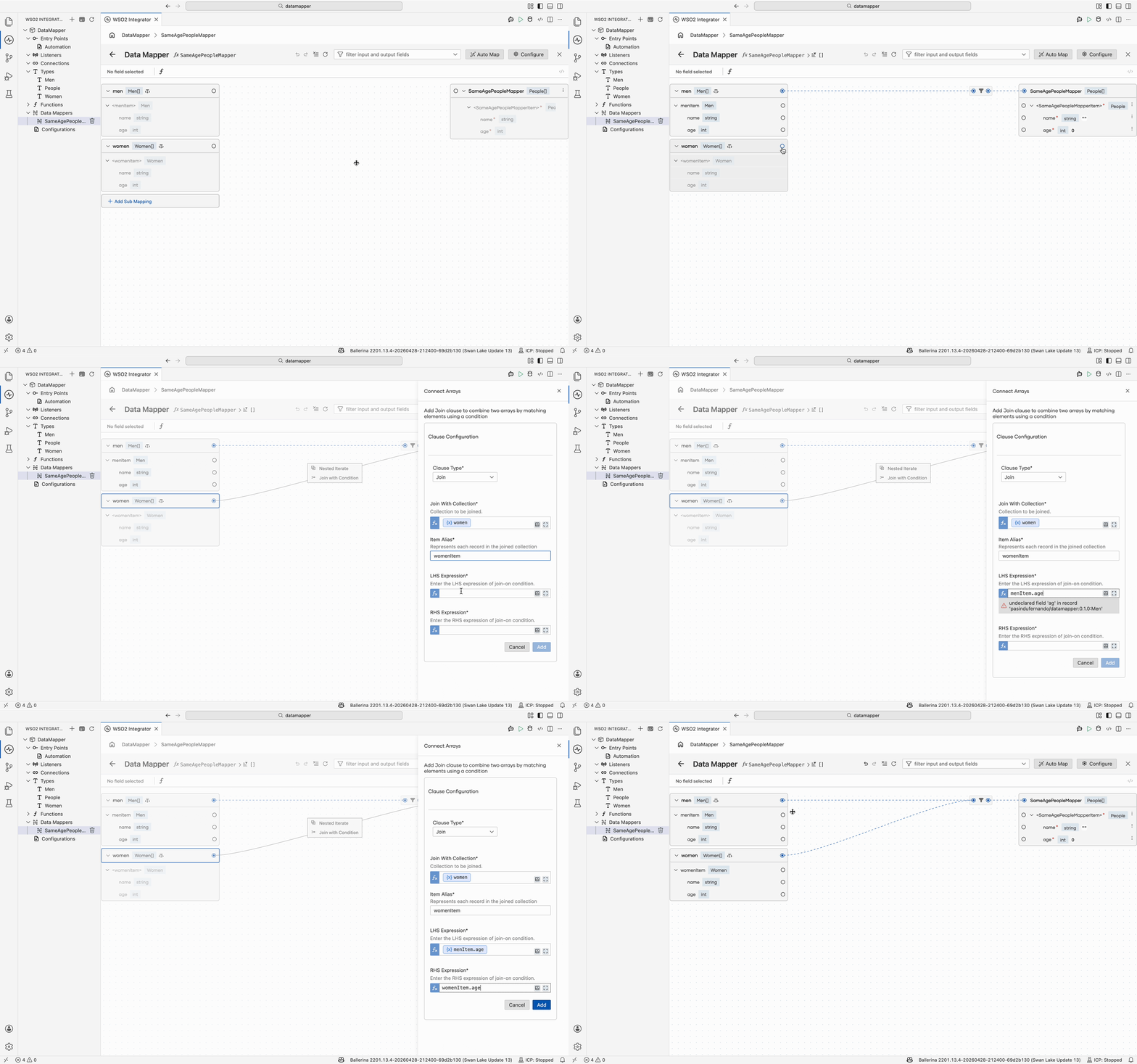
To join two arrays on a condition, map the first array with Map Each Element to enter the focused view. Then map the second array onto the target header. The data mapper offers Join with Condition. Define the join condition in the side panel.
What's next
- Array to single value — Reduce an array to a single value.
- Generic type mappings — Generate types from a sample JSON or XML payload.
- Submappings — Reuse mapping logic across multiple output fields.