

How We Gave Life to an AI Agent with the Unitree Go2 Robot

- Anoshan Jayahanthan
- , WSO2
Every year, WSO2Con brings together developers, tech enthusiasts, and IT leaders from around the world to dive into the latest in APIs, identity management, integration, and now AI. It’s a space to learn from keynotes and hands-on sessions, share best practices, and get a first look at what’s new from WSO2.
So when people walked into the AI Labs at WSO2Con, they expected to hear about AI agents. What they didn’t expect was to meet one, embodied inside a four-legged robot dog.
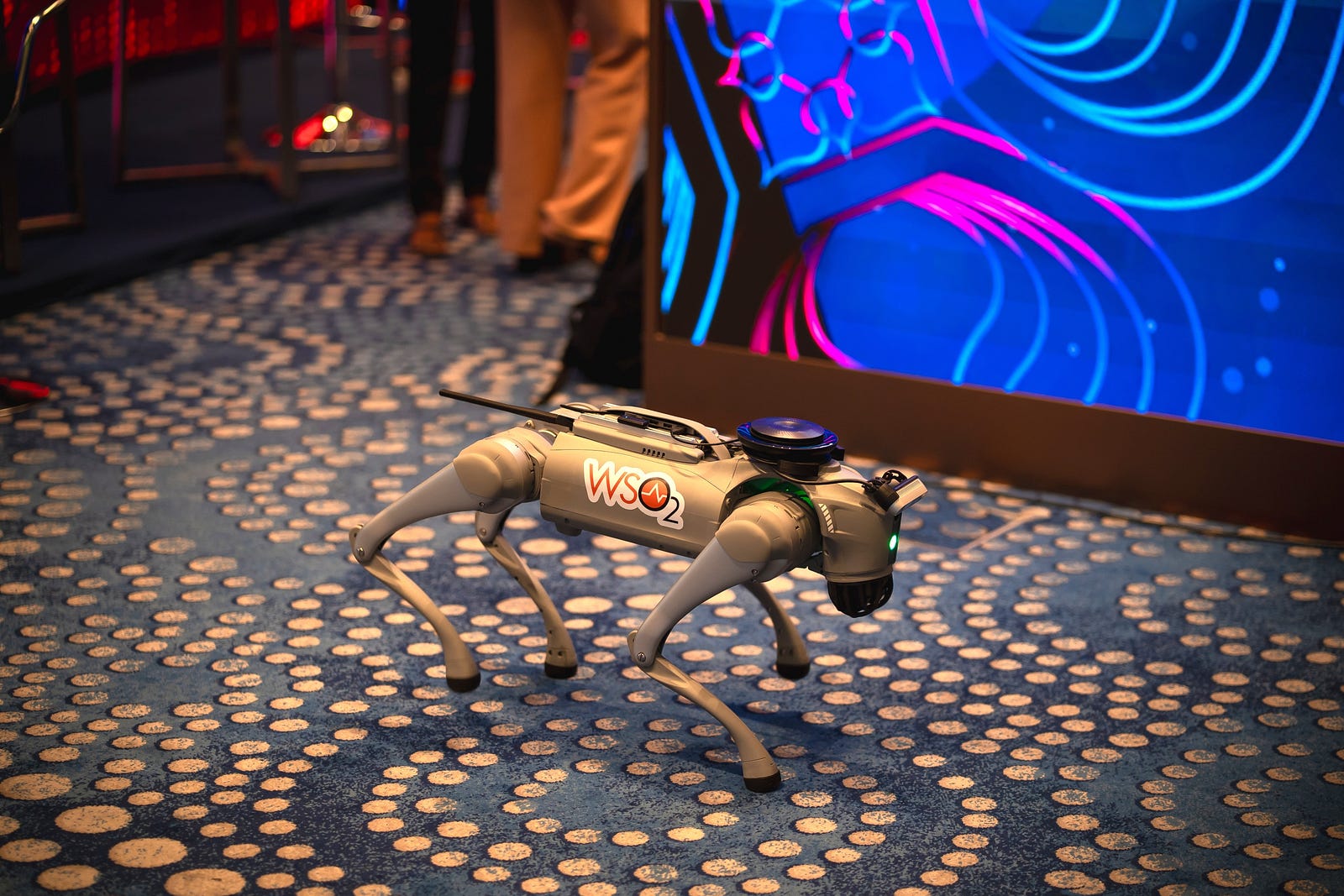
“Can it talk to me?” an attendee asked. Moments later, the robot not only responded but also answered questions about WSO2 products and conference sessions. The interaction became personal when it transformed into a photo booth. When we asked it to take a photo, it gracefully sat down, captured the moment, and instantly uploaded the picture to a web application hosted on Choreo, allowing attendees to download their photos.
This is the story of our four legged WSO2 Mascot
Upon the robot’s arrival just weeks before WSO2Con Asia, we were determined to go beyond simply discussing the capabilities of the robot. We aimed for an AI integration that was tangible, interactive, and entertaining. The concept of an agent with a physical form was highly appealing. What better way to illustrate this than a robot with a voice and personality?
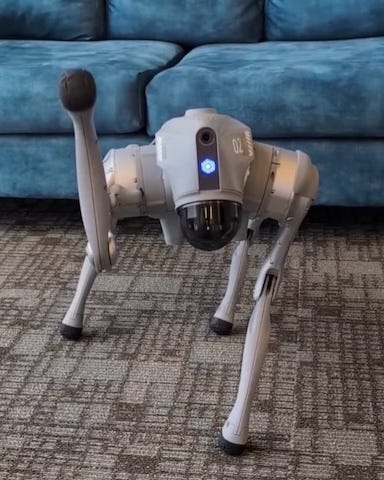
Our chosen robot, a Unitree Go2 Edu model, hereafter simply referred to as Go2, is a sophisticated quadruped. With only three weeks remaining until the conference, time was of the essence. Our immediate tasks involved understanding the robot’s hardware, software, integrating it with WSO2 technology, and crafting an experience that truly felt alive.
This blog will take you behind the scenes. We’ll cover how we built a real-time voice agent using OpenAI’s latest APIs, ran it on the robot’s onboard Jetson computer, and navigated the hardware, software, and real-world challenges.
Understanding the robot
Before we could write a single line of agent logic, we had to get acquainted with our new teammate.
The hardware
The Unitree Go2 Edu is a robust robot, from one of the world’s leading robotics manufacturers based in Shenzen, China. It really shows off what it can do with its stunts, movement, and reactions. It’s way more than just a remote-controlled toy, it’s a high performance, programmable, and highly capable robot built for research and development.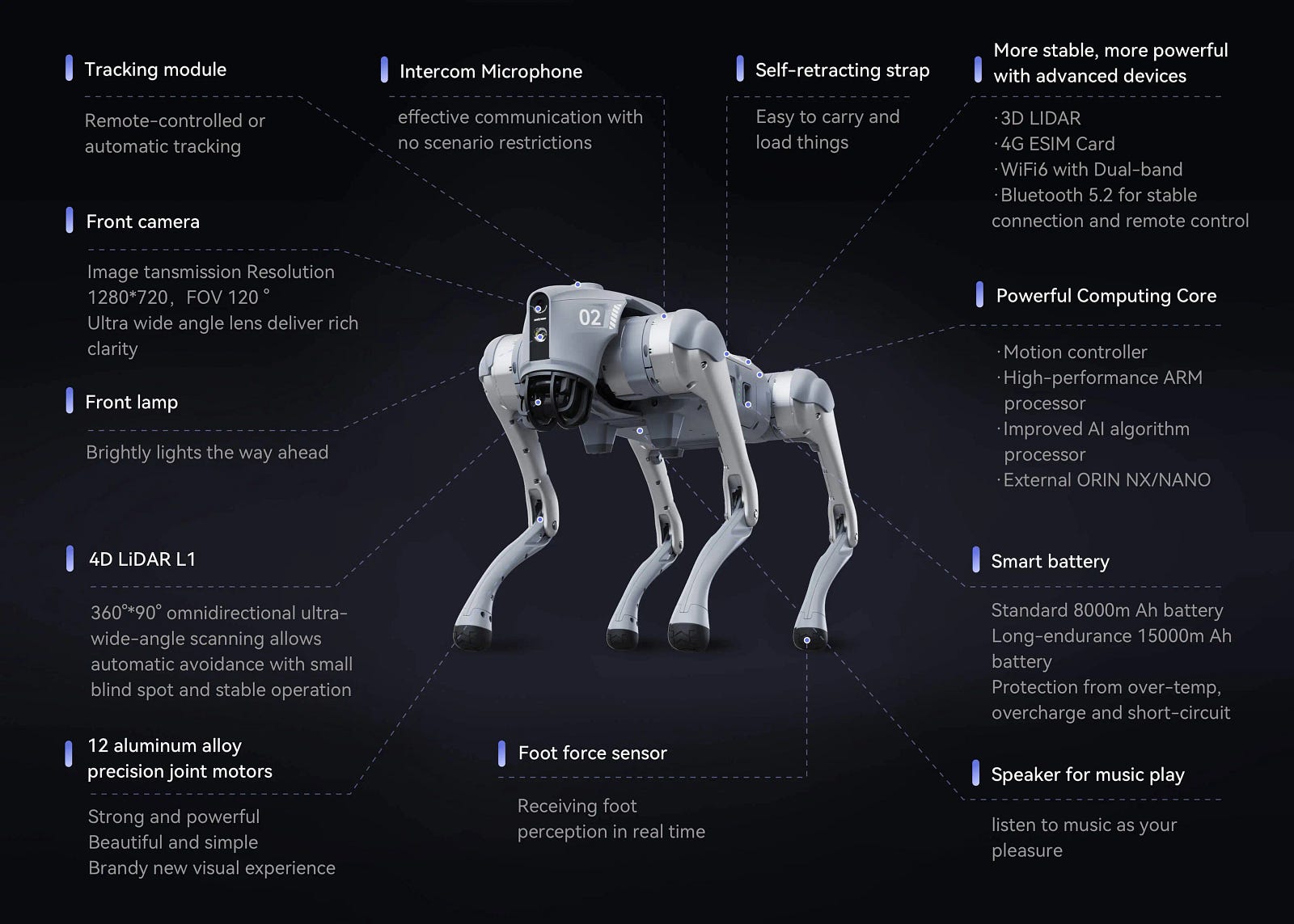
The features on the Unitree Go2 as listed by Unitree (Source : https://www.unitree.com/go2)
Its key features include:
- Advanced perception: The rotating component on the Unitree robot, which often drew a lot of questions, is a LiDAR branded as Unitree’s 360° 4D LiDAR system. LiDAR, standing for Light Detection and Ranging, works by emitting laser light from a transmitter. This light then reflects off objects in the environment and is detected by the system’s receiver. The time it takes for the light to travel (time of flight, or TOF) is used to create a detailed distance map of the surrounding objects. The system spins to continuously emit laser pulses and measure their reflections, thereby building a comprehensive map of its surroundings. This is complemented by an optional Intel RealSense Depth Camera, for developers to take advantage of.
- Dynamic performance: The Go2 can trot along at up to 3.7 m/s and has a functional payload capacity of about 8 kg, making it both agile and strong.
- Powerful expansion module: The Edu model comes equipped with a high performance NVIDIA Jetson Orin NX with 100 TOPS of performance, allowing for complex AI tasks like perception and control to be processed directly onboard.
- Open for development: Crucially for us, it offers full support with comprehensive APIs in both Python, C++ and ROS (Robot Operating System).
- Expandability: With mounting rails, it’s designed to be customized with robotic arms, additional sensors, and other accessories.
Communicating with the Go2 can be done in several ways:
-
Remote control: The simplest method, allowing for direct manual control over movements and pre-programmed actions like “dance.”
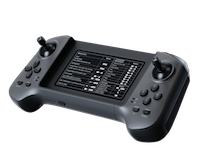
- Mobile app: The official app available for Android and iOS allows you to bind the robot, perform firmware updates, and access features like the camera. However, we found it could be a bit buggy for advanced use cases.
- SDKs: The true strength lies here. Unitree offers both a C++ SDK for low-level and high-level control, as well as a Python SDK (a wrapper around the original C++ SDK). We discovered that the Python SDK was not inherently concurrency safe, so we developed a Flask service to manage concurrent requests safely. (You can find it on our GitHub!) Additionally, a third-party WebRTC SDK (https://github.com/legion1581/go2_webrtc_connect) is available that utilizes the same protocol as the mobile app and functions out of the box for Go2 AIR/PRO and EDU models.
- ROS2 (RobotOS): For the most advanced robotics applications, ROS is the way to go. It allows for complex behaviors like SLAM (Simultaneous Localization and Mapping), but configuration can be tricky.
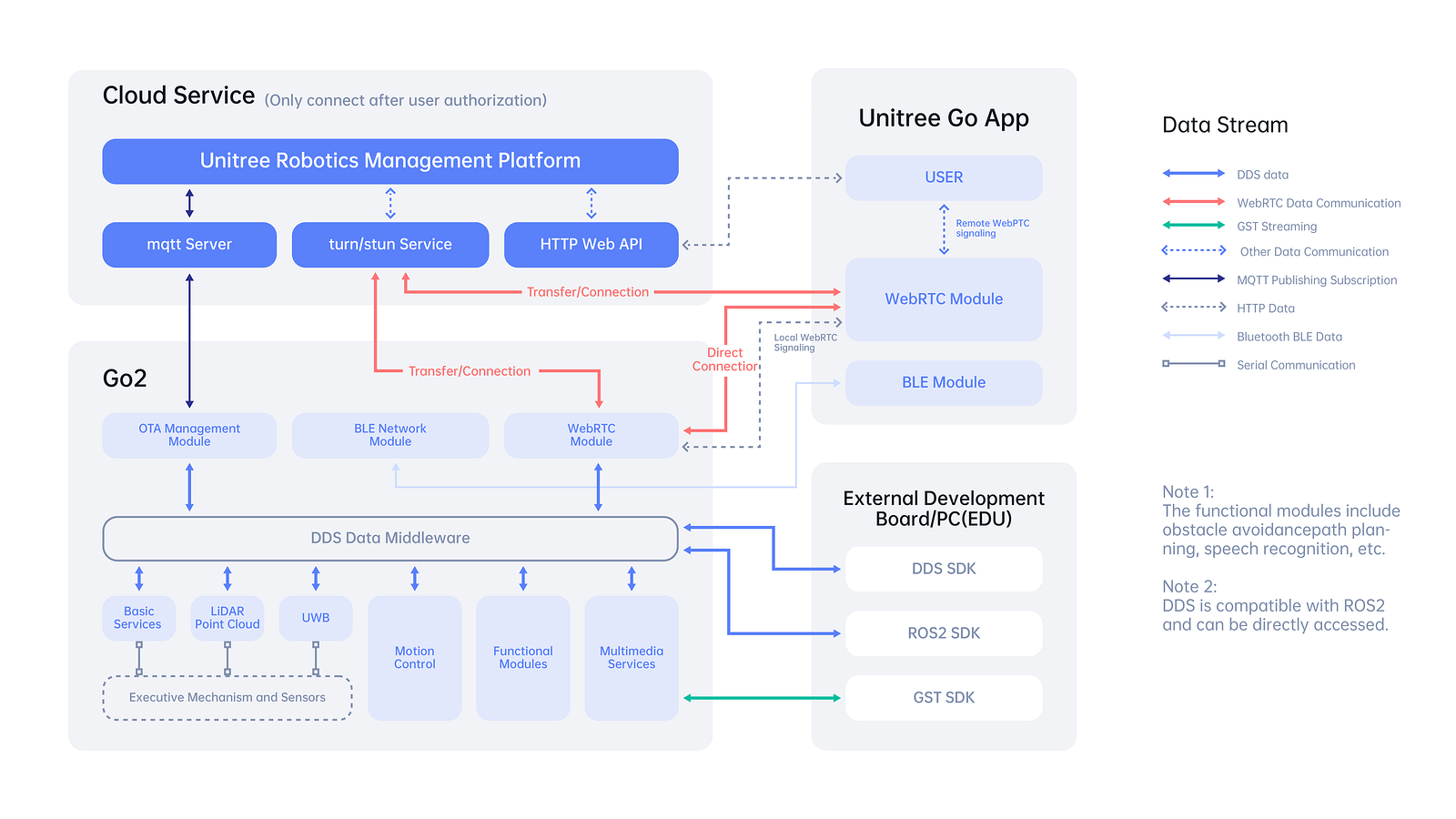
A diagram showing the underlying communication architecture of the Unitree Go2 Robot (Source: Unitree)
With this powerful hardware at our disposal, we set our sights on a goal far beyond its standard “BenBen” voice assistant mode, which we found to be limited and not customizable. We envisioned the Go2 as an assistant for the conference, and an entertaining guide who could tell you what session was next, explain the use cases for any WSO2 product, and perform entertaining actions on command, all driven by an agentic architecture.
Next, we wanted to code the canine
Before writing any code, we mapped out the architecture. We mapped out the system as a collection of specialized services that communicate with each other.
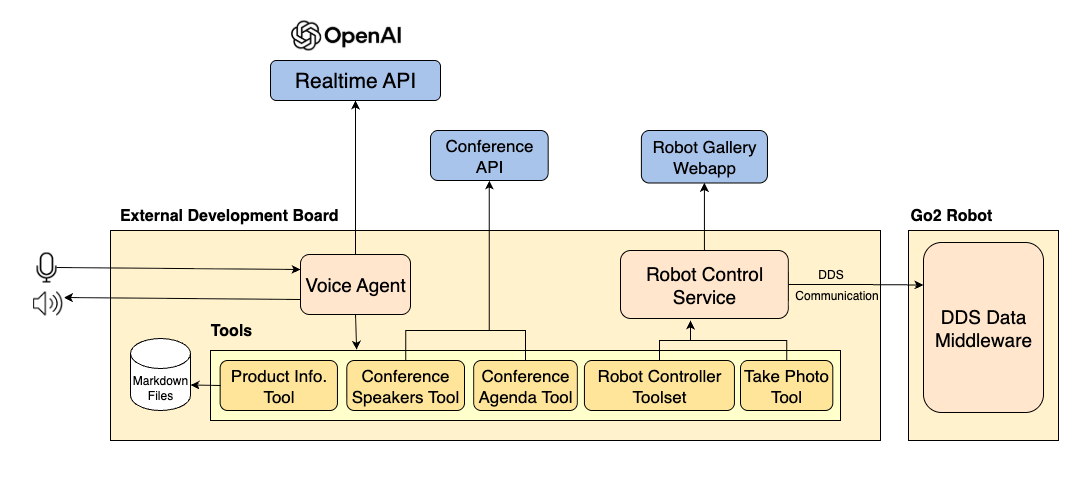
The complete system architecture of our robot
Our architecture consists of a central Voice Agent that manages various tools. These include a Product Info Tool for WSO2 product knowledge, a Conference Speakers Tool and Conference Agenda Tool for up to date information on the conference sessions and speakers via an API, and a Robot Controller Toolset along with a Take Photo Tool to execute actions on the Unitree Go2. This architecture allowed us to independently test and develop each part.
Giving the Go2 a voice and a mind
The heart of our robot is its Voice Agent, a Python application running directly on the robot’s NVIDIA Jetson. This agent’s primary job is to manage a real-time, natural conversation. For this, we turned to OpenAI’s new Realtime API. As OpenAI advertises it:
“Previously, to create a similar voice assistant experience, developers had to transcribe audio with an automatic speech recognition model like Whisper, pass the text to a text model for inference or reasoning, and then play the model’s output using a text-to-speech model. This approach often resulted in loss of emotion, emphasis and accents, plus noticeable latency.
Unlike such traditional pipelines that chain together multiple models across speech-to-text and text-to-speech, the Realtime API processes and generates audio directly through a single model and API. This reduces latency, preserves nuance in speech, and produces more natural, expressive responses. The API supports function calling, which makes it possible for voice assistants to respond to user requests by triggering actions or pulling in new context.”
Unlike traditional request-response APIs, the Realtime API is designed for the low-latency, streaming conversation that’s essential for a believable interaction. Here’s how the agent’s cyclic flow works:
- Listen with the RealTime API: The agent continuously streams audio from the robot’s microphone to the API. We also ran a transcription to see the input and the words appear on our terminal.
- Understand and decide: The LLM, guided by a detailed set of instructions (system prompt and tools) determines the user’s intent. This also defined the robot’s personality (friendly, witty, and a bit like a dog) and, most importantly, the tools it could use.
- Act (tool use): If a user asks a question the LLM can’t answer on its own (e.g., “What is the next session?”) or gives a command (“Take my picture!”), the model doesn’t guess. It chooses one of its predefined tools, such as ‘Product Info Tool’ or the ‘Robot Controller’.
- Respond: The result from the tool is sent back to the API, which then formulates a natural language response and the Realtime API streams the audio data back to the robot, who plays it through its speakers.
This entire loop happened in seconds, creating a magical interaction. The agent had five primary tools:
- The WSO2 product info tool: This uses fuzzy matching to retrieve product information from markdown documents, offering a simpler and quicker alternative to a complex vector database. A key challenge with voice agents is misinterpreting user input, such as hearing "Choreo" as "Korea" or "Chori." We addressed this by specifying in the tool description that variations like "Choreo or Koreo or Korreo or Chorreo or Chori" all refer to "choreo."
- Conference speakers and agenda tools: Product information is static, but the conference schedule is dynamic. The Go2 needed live data from a secure API on Choreo. It handled OAuth2 authentication to fetch the latest event agenda and speaker information, cleaned the JSON data, and passed it to the agent. This allowed the Go2 to answer questions like “What’s the agenda for day 2?” and “What are the AI sessions I can attend?”
-
Robot controller toolset: As mentioned earlier, the Python SDK for the robot wasn’t concurrency-safe. We couldn’t risk having our main agent crash because it tried to make the robot dance and walk at the same time. Our solution was to build a lightweight Flask service that wrapped the SDK, providing access to a variety of tools like dance, go forward, turn right, stretch, sit, etc.
—The Voice Agent would send a simple HTTP request, like POST /action/dance. The Flask server would receive this request, acquire a lock to ensure no other actions were running, and then execute the corresponding SDK command. This tool allowed movements and also actions like sit, dance, or stretch. For safety, we kept the set of available movements limited.
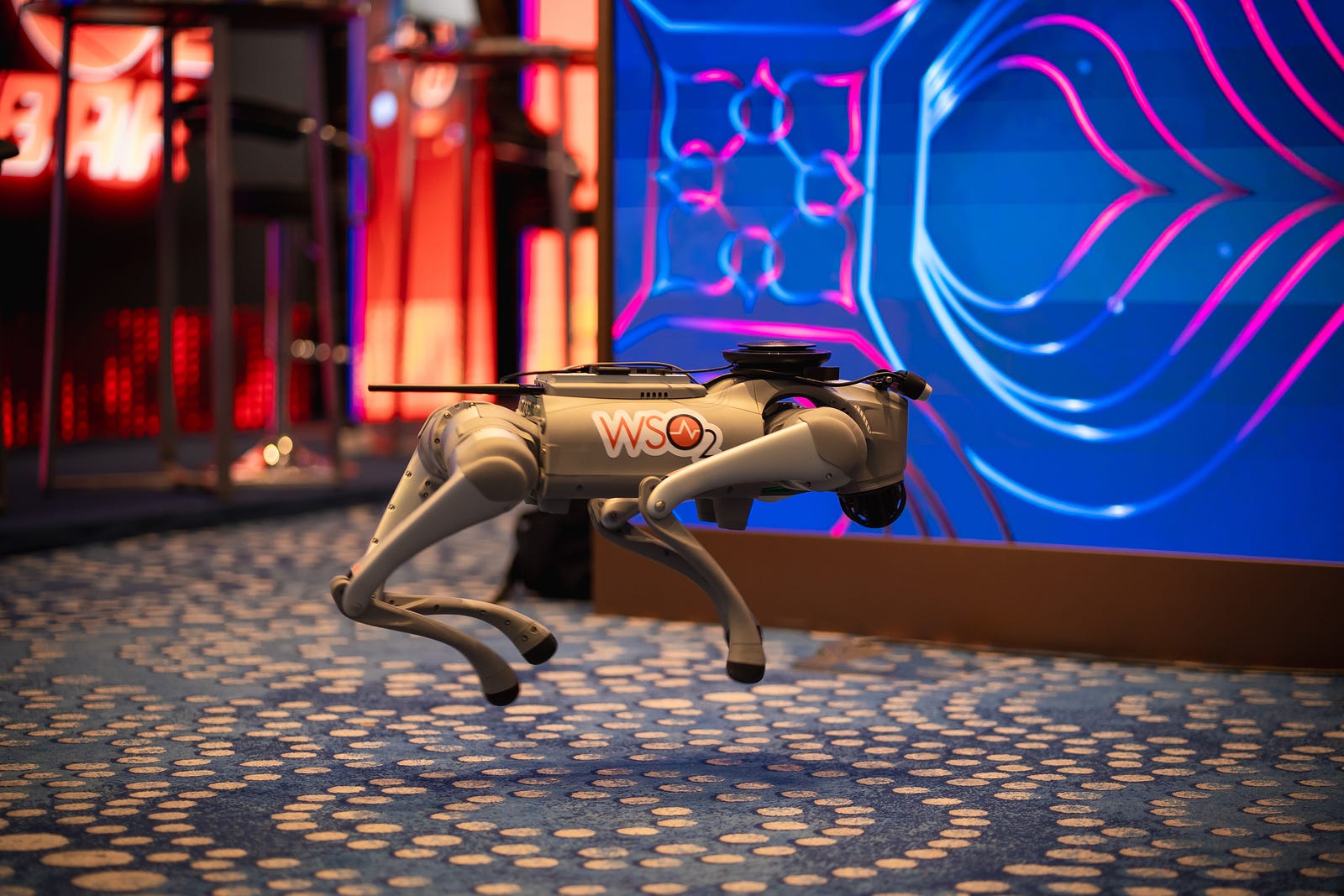
- Take photo tool: A special tool that executed a sequence of commands using the Robot Control Service: 1) Command the robot to sit so that it was looking up at the person. 2) Use the SDK to capture an image from its camera. 3) Make an HTTP call to an application deployed on Choreo to upload the image. 4) Command the robot to stand. Users were then able to view the photos on our web app, which provided features to directly download the image or simply scan a QR code to download it to their device.
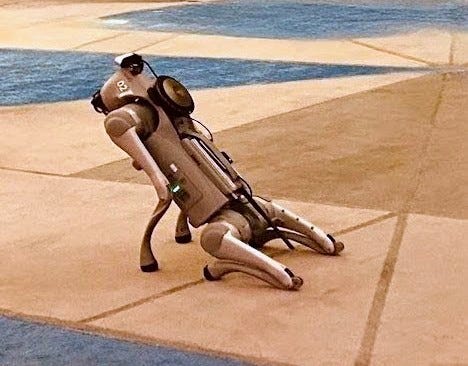
The Go2 sitting down to take a picture
Overcoming real world hurdles
Building on the Go2 wasn’t just about code, it was about battling challenges from other domains.
- The sound problem: The Go2’s onboard speaker and microphone, while functional, were incredibly noisy. We couldn’t use them for a clear conversational experience. Our first solution was a Jabra Speak 710 speakerphone, which we took from a meeting room because it has some noise cancellation capabilities with a relatively subtle look.
However, even with the Jabra, the ambient noise of a busy office (and later, a conference hall) was a major issue. The agent would mishear background chatter and respond to nothing. We initially built software-based amplification and noise cancellation layers, but ultimately, for a lively interaction, we invested in a wireless microphone. This gave us the clearer input we needed. - The port problem: The Jetson computer has limited ports (two USB-C, one USB-A). Connecting the Jabra via USB was a start. We also needed ports for a Wi-Fi adapter (the Jetson didn’t have built-in Wi-Fi, so we gave our robot a “tail”). Optionally, we needed to connect a mouse, a keyboard, and even a display for debugging. We became masters of USB hubs and on-screen keyboards.
- The mounting problem: Where do you put a speakerphone on a robotic dog? We 3D-printed a custom mount that perfectly fit the Jabra onto the Go2’s body. Thanks to the freely available 3d model on https://www.printables.com/model/502129-jabra-speak-710-holder/related
Conclusion
In just three weeks, we transformed a piece of advanced hardware into a charismatic, helpful, and entertaining AI agent. The Go2 was a fun proof of concept for the future of embodied AI. It demonstrated how agents can break free from the screen to interact with us in the physical world, creating experiences that are not only useful but also memorable and deeply human.
The journey was a challenging, and incredibly rewarding sprint.
You can find the core code for the Go2’s agent and controller on our GitHub!