

Introducing Git-Based API Proxy Creation in Choreo

- Shanaka Madushanka
- Senior Software Engineer, WSO2

- Malintha Amarasinghe
- Senior Technical Lead, WSO2

In today’s fast-evolving world of API management, efficiency and flexibility are key. Choreo, WSO2’s AI-native internal developer platform, continues to empower developers by streamlining API development, integration, and management. We’re excited to introduce a new enhancement to API proxy creation: the ability to create API proxies directly from a Git source.
What’s new?
Previously, Choreo offered two main ways to create an API proxy:
- Create from scratch – Generate a proxy for an already deployed API by providing its endpoint.
- By uploading an API specification – Import an OpenAPI definition to define the API proxy structure automatically.
With the latest update, we’ve added a third option:
- Git-based API proxy creation – Directly import your API definitions from a Git repository, allowing seamless integration with your source control.
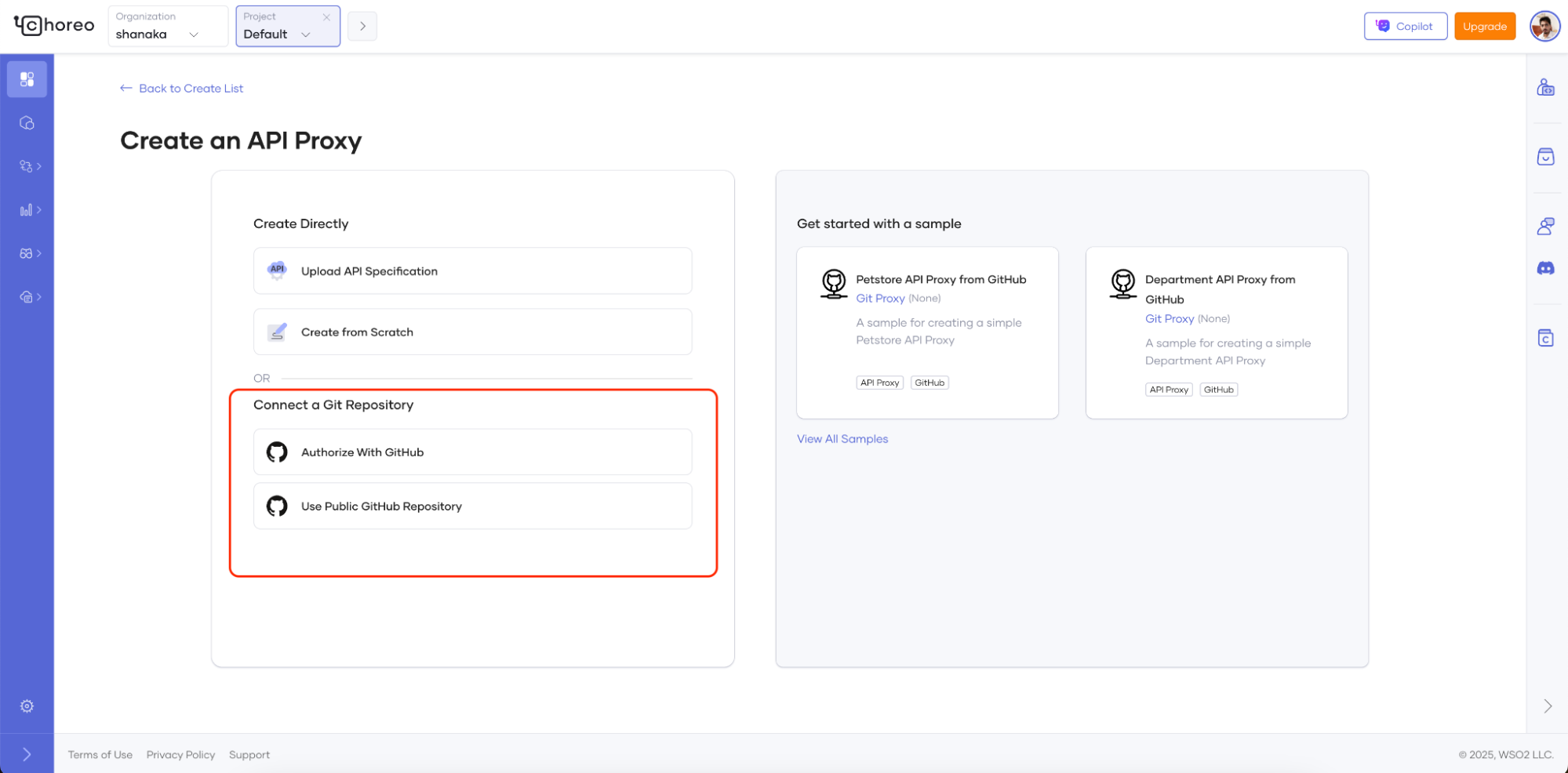
Figure 1: Latest options added to Choreo to create API proxies from a GitHub repository source
Why Git-based API proxy creation matters
APIs evolve frequently, and teams often manage their API definitions and configurations in Git repositories. By enabling API proxy creation from Git, Choreo provides developers with significant advantages:
- Version control: Developers can track the changes and rollback to previous versions.
- Consistent API definitions: Maintain a single source of truth for API definitions.
- Automatic validation:API definitions are validated during creation, immediately highlighting specification errors.
- Enhance collaboration: Enable teams to collaborate, review API changes before deployment.
Figure 2 : Git-based proxy component displaying comprehensive build entries, showing build status, validation errors, and detailed failure reasons
How it works
When creating an API proxy from Git, the Git repository becomes the single source of truth for the API proxy. Any modifications to the proxy must be made within the Git repository.
For instance, to add a new resource to the proxy, follow these steps:
- Update the OpenAPI file: Modify the OpenAPI definition inside the respective Git repository.
- Push the changes: Commit and push the updated file to the repository.
- Apply changes in Choreo: Login to the Choreo console, trigger a build, and deploy the latest changes.
Getting started
Before you begin, ensure your Git repository includes your API specification (`openapi.yaml`) file and Choreo-specific metadata. If you have an existing repository, simply add the `swagger.yaml`, `.choreo` directory, and `component.yaml` file. The source repository structure should look like this in addition to your own files.
- `openapi.yaml`: This file contains the API specification.
- `component.yaml`: This file includes Choreo-specific metadata. The `component.yaml` should contain the following properties:
Try Git-based API proxy creation today
To help you get started, we’ve prepared a sample repository in the Choreo Samples repository, specifically demonstrating the department service sample proxy. Reviewing this example will help you structure your own repository correctly.
Try it out for free in Choreo and experience a more streamlined approach to API management!