

Streaming Kafka Events in Real Time via WebSocket APIs

- Tharani Karunathilaka
- Senior Software Engineer, WSO2
Introduction
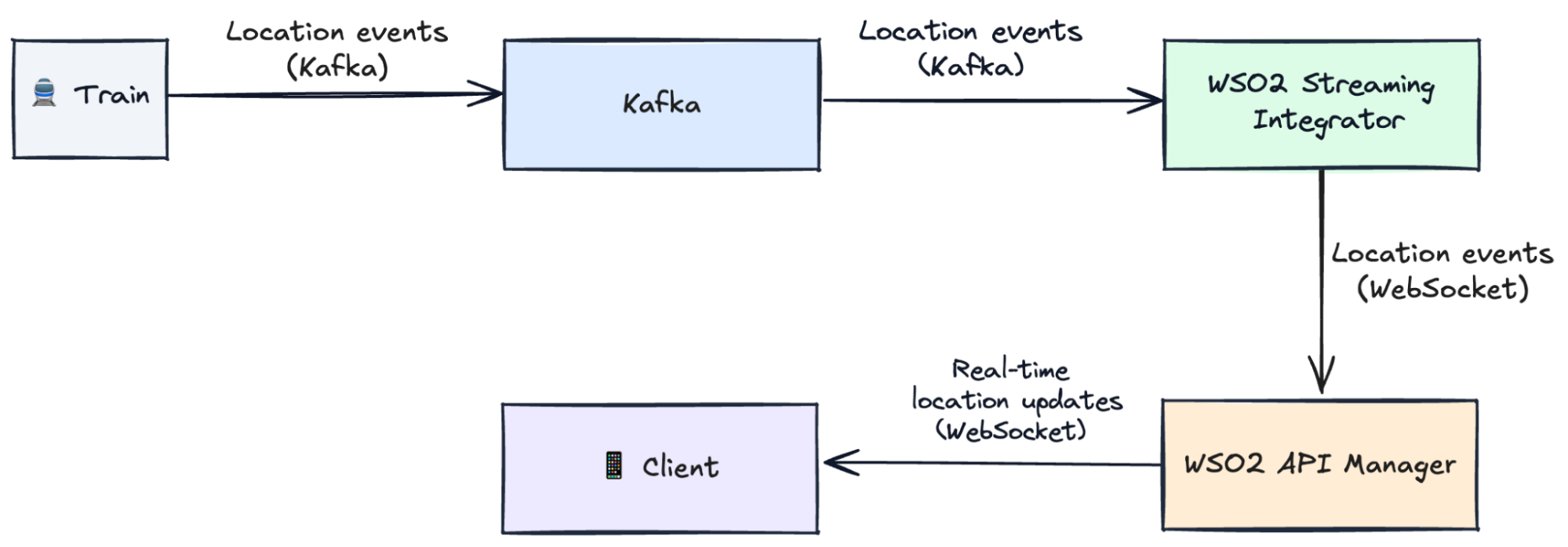
Imagine that you need to know the exact location of the train that you’re about to catch. Trains can be equipped with IoT sensors that can publish location coordinates via Kafka streams in real time. You will be using a mobile application to view a train’s location. Mobile applications and web applications are compatible with WebSocket, a web-friendly protocol, but the location data is received via a Kafka stream.
How do we convert the real-time Kafka feed into a real-time WebSocket feed? The answer is protocol mediation. In this guide, we’ll create a real-time train tracking system, which involves Kafka to WebSocket protocol mediation.
- Kafka – to capture live train location (train ID, longitude, latitude).
- WSO2 Streaming Integrator – to process those events of the Kafka stream, do protocol mediation, and publish them to a WebSocket stream.
- WSO2 API Manager – to expose this WebSocket stream as a secure, managed API.
- Client App – to subscribe and see live train positions instantly.
Your architecture will look like this:
Kafka → WSO2 Streaming Integrator → WSO2 API Manager → Client
Key concepts
Kafka
Every few seconds, trains send their location updates with the train ID, longitude, and latitude into a Kafka topic.
WebSockets
Instead of the client asking the server every second, WebSockets let the server push live updates to clients, as and when they happen. Your phone app can now show: “Metro-North Harlem Line Train 653 is approaching Grand Central Terminal”. No refresh needed.
AsyncAPI
Just like OpenAPI describes REST APIs, AsyncAPI describes event-driven APIs. It’s the contract for your streaming API.
- What messages look like (train ID, coordinates).
- How clients connect.
- Where do they come from?
If OpenAPI = REST APIs, then AsyncAPI = Event-driven APIs.
Prerequisites
Before you start, make sure you have the following.
Configuration
Install Kafka client libraries in WSO2 Streaming Integrator using the Siddhi extension installer. These will be used by WSO2 Streaming Integrator to talk with Kafka.
- Start the WSO2 Streaming Integrator server.
- In another terminal, execute the extension installer.
Enable Service Catalog in WSO2 Streaming Integrator
We will be building streaming integration logic via WSO2 Streaming Integrator and publishing it to the Service Catalog, which will be used when creating an API.
Open <SI_HOME>/conf/server/deployment.yaml and add:
Copy keystores from WSO2 API Manager to WSO2 Streaming Integrator
From <APIM_HOME>/repository/resources/security/ copy:
- client-truststore.jks
- wso2carbon.jks
Paste them into <SI_HOME>/resources/security/.
Set port offset in WSO2 API Manager
In <APIM_HOME>/repository/conf/deployment.toml:
Step 1 – Start Kafka
Kafka will act as the feed for our train locations.
Kafka needs to know who the controller is. So, add the following line to the config/server.properties.
Every Kafka cluster must have a unique identity. So, we need to generate a cluster ID. Navigate to the <KAFKA_HOME> directory.
Format storage with that ID. This step labels the data folder with your cluster’s unique ID so Kafka knows it belongs to that cluster.
Start the broker. Now Kafka is ready to accept topics and messages.
Now Kafka is ready to receive train location events.
Step 2 – Start Streaming Integrator Tooling
Streaming Integrator Tooling (a web-based IDE) will be used to develop the streaming integration logic, which is going to perform Protocol Mediation between Kafka and WebSockets.
Navigate to the <SI_TOOLING_HOME>/bin directory and start SI tooling with the following command.
The UI can be accessed via http://localhost:9390/editor.
Step 3 – Create a Streaming Integration Logic (Siddhi App)
In WSO2 Streaming Integrator, streaming integration logic is written in a language called Siddhi, and such logic is called a Siddhi app.
- Here’s a Siddhi app that:
- Reads train events from Kafka (train_topic).
- Publishes the results to a WebSocket server.
-
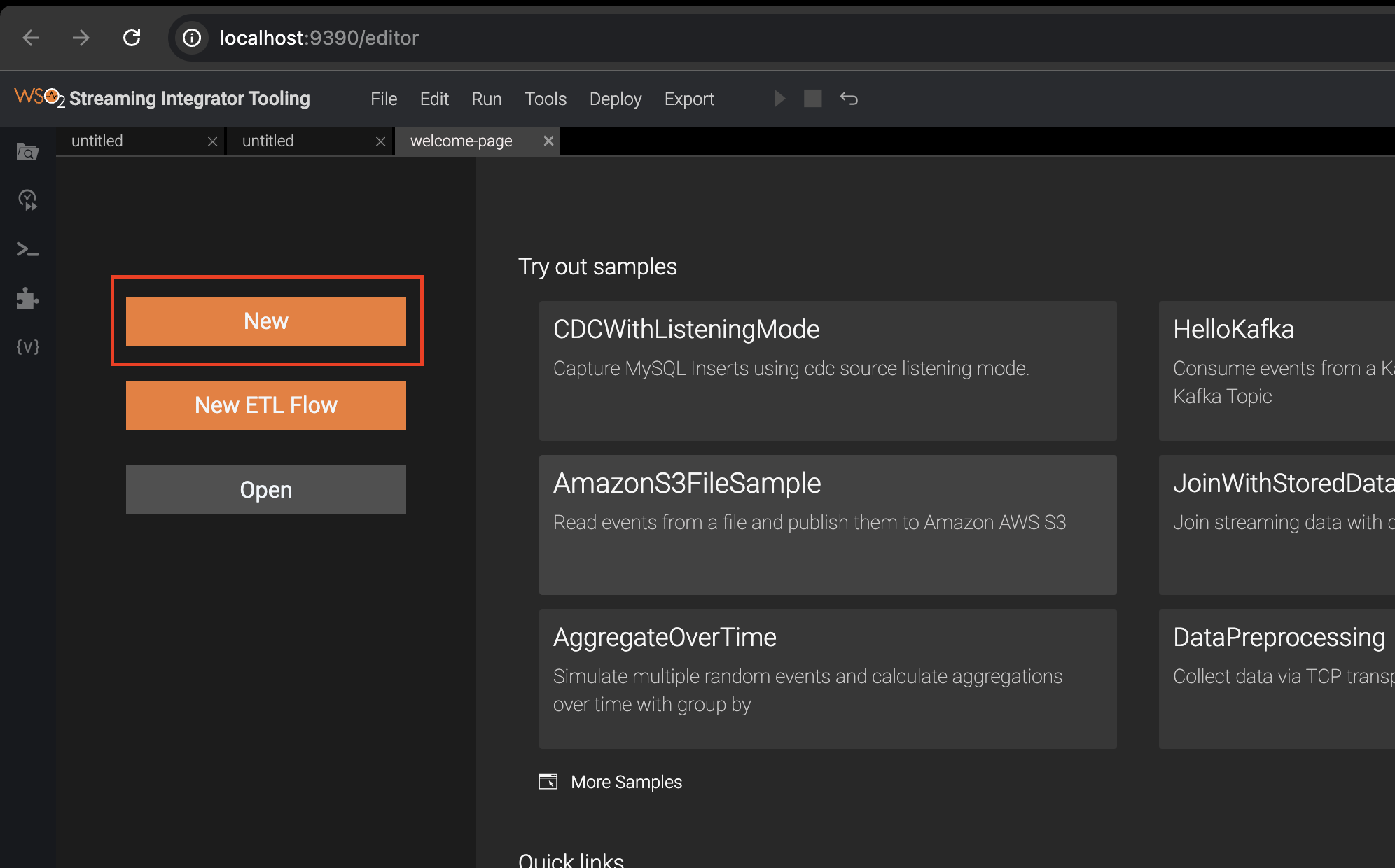
Install Kafka for Streaming Integrator Tooling.
- Go to Tools → Extension Installer → Search Kafka and install it.
- Restart Streaming Integrator Tooling.
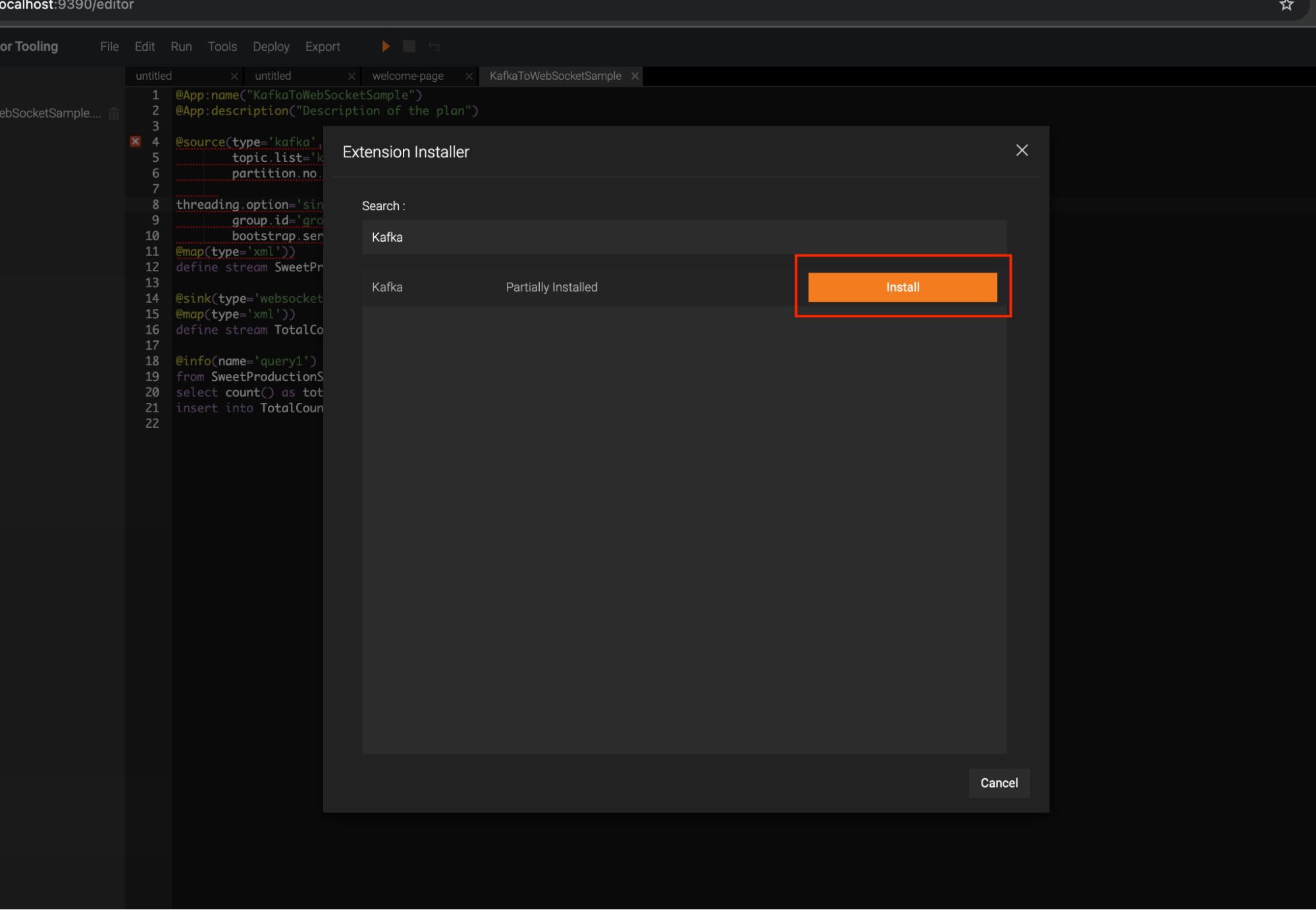
- Click New to open a new file.
- Below is a sample Siddhi app. Add this content, and save the file.
This app reads train positions from Kafka and streams them to a WebSocket feed. This WebSocket feed will be visible as a WebSocket Server.
If there’s no error, you’ll see a message as below, in the Streaming Integrator Tooling’s console. Although this runs the Siddhi app that we developed above, this is just a development environment.
Step 4 – Generate an AsyncAPI Definition
This gives your streaming integration logic a business card, so that it can be considered as a streaming backend for a streaming API.
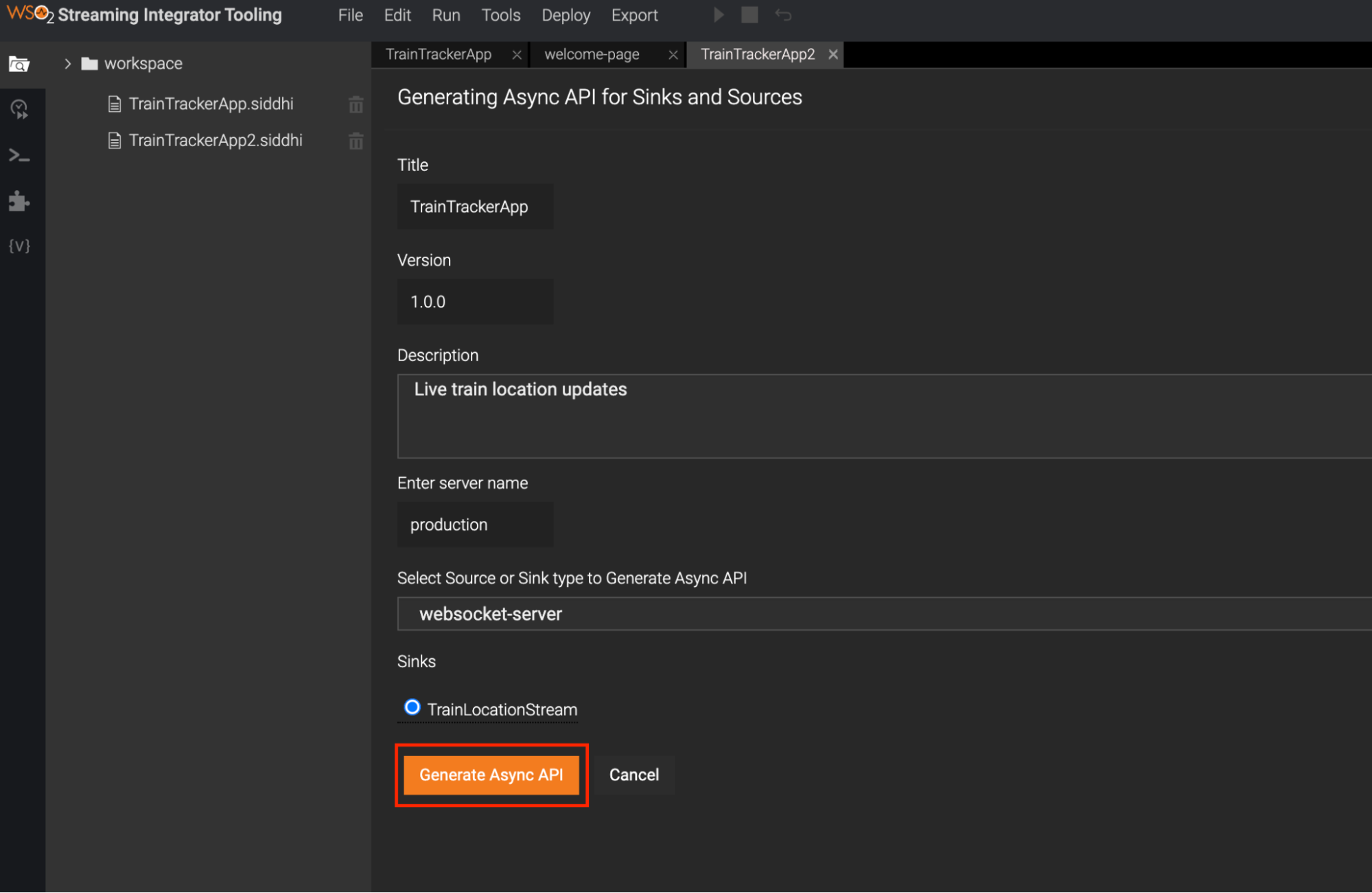
- Click Async API View in the editor
- Let's add the following information, which expresses our streaming integration logic as a streaming API. This information will then be used to create a WebSocket API, which is a type of streaming API.
| Filed | Value |
| Title | TrainTrackerApp |
| Version | 1.0.0 |
| Description | Live train location updates |
| Select Source or Sink type to generate Async API | Select websocket-server |
| Source | TrainLocationStream |
- Click Generate AsyncAPI.
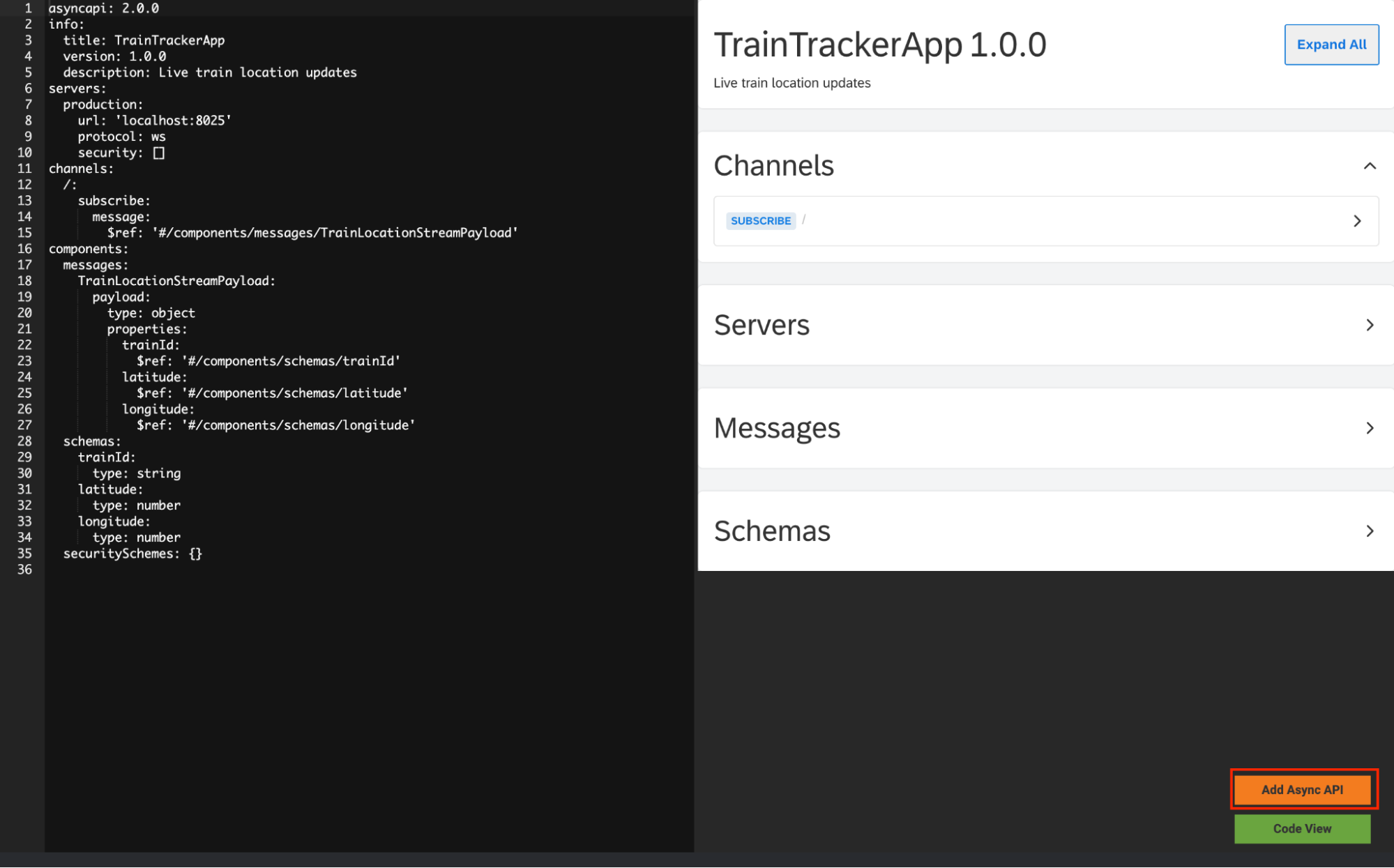
This creates an AsyncAPI definition (like Swagger/OpenAPI, but for asynchronous APIs).
- Click Add Async API. This will add the corresponding AsyncAPI definition on top of the Siddhi application. Click Code View and switch to the code view to observe this.
Step 5 – Publish the streaming integration logic to the Streaming Integrator Server
The streaming integration logic (the Siddhi app) we developed above from the Streaming Integrator Tooling will be first published to the Streaming Integrator Server, which is where it will actually execute.
The streaming integration logic will then be published to the Service Catalog of WSO2 API Manager, so that WSO2 API Manager can create a WebSocket API, of which the backend will be the streaming integration logic.
-
Start WSO2 API Manager. Navigate to <API-M_HOME>/bin and execute the following command.
The WSO2 API Manager server will start at https://localhost:9448.
- In SI Tooling → click Deploy → Deploy to Server.
Select your Siddhi app and add the server of the Streaming Integrator Server, and click Deploy.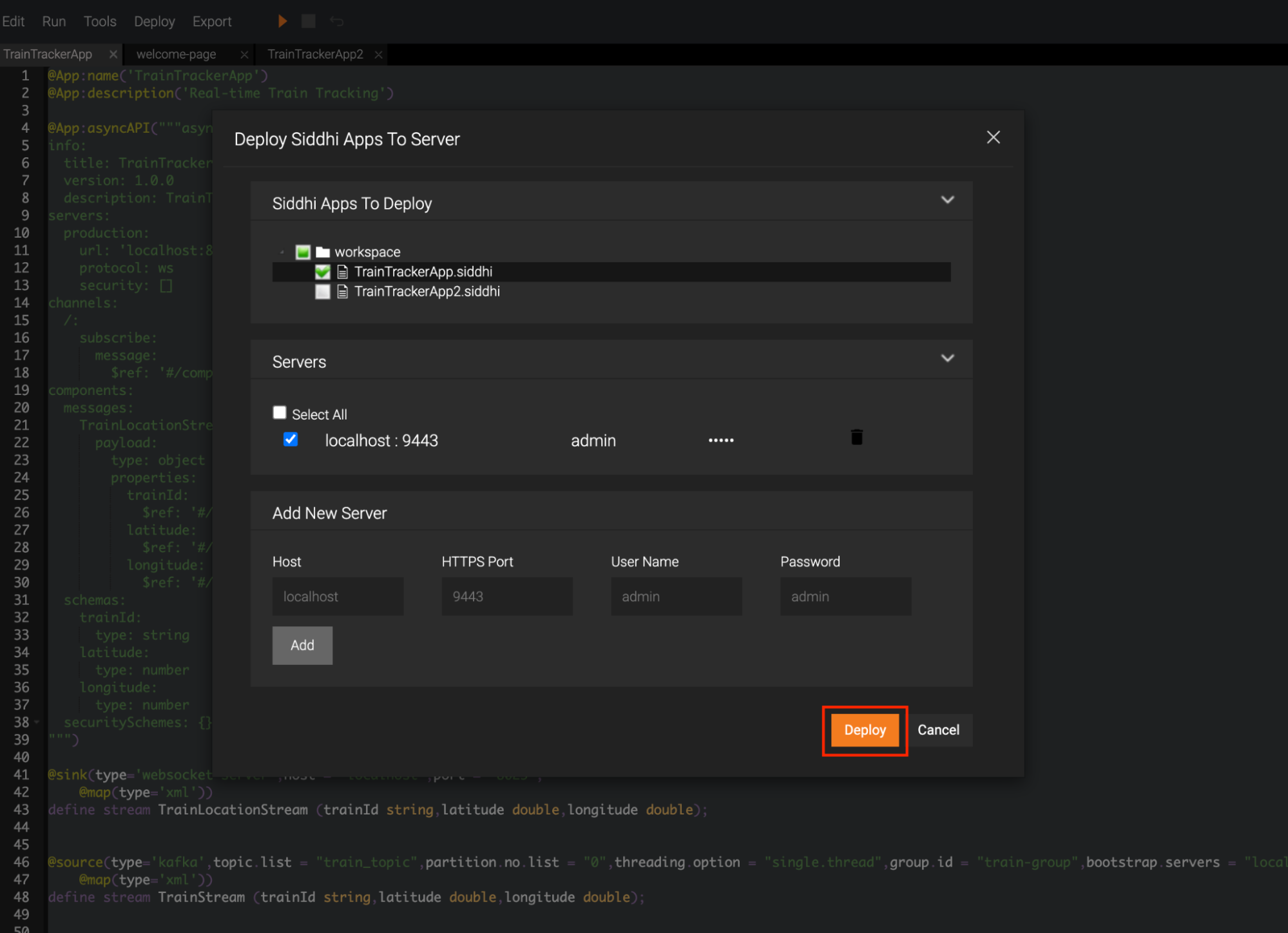
For a successful deployment, below message will be shown in the SI tooling.
TrainTrackerApp.siddhi was successfully deployed to localhost:9443
Step 6 – Create and Publish the API in WSO2 API Manager
Now that the Service Catalog of WSO2 API Manager has the business card of the streaming integration logic, we can use that to create a WebSocket Streaming API.
- Go to Publisher Portal: https://localhost:9448/publisher.
- Click Services to view the Service Catalog, and you’ll see TrainTrackerApp.
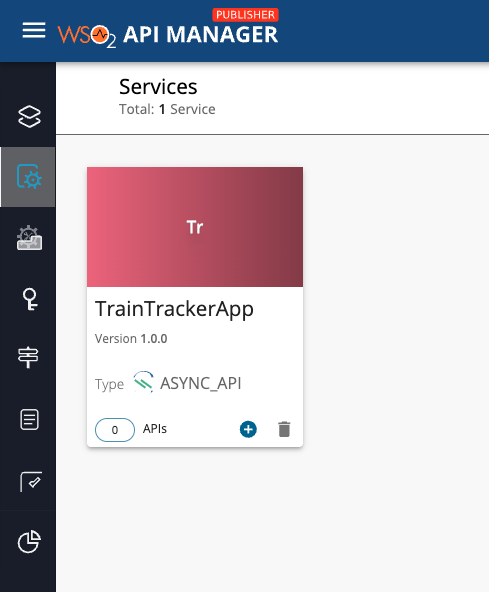
- Click TrainTrackerApp, and click Create API.
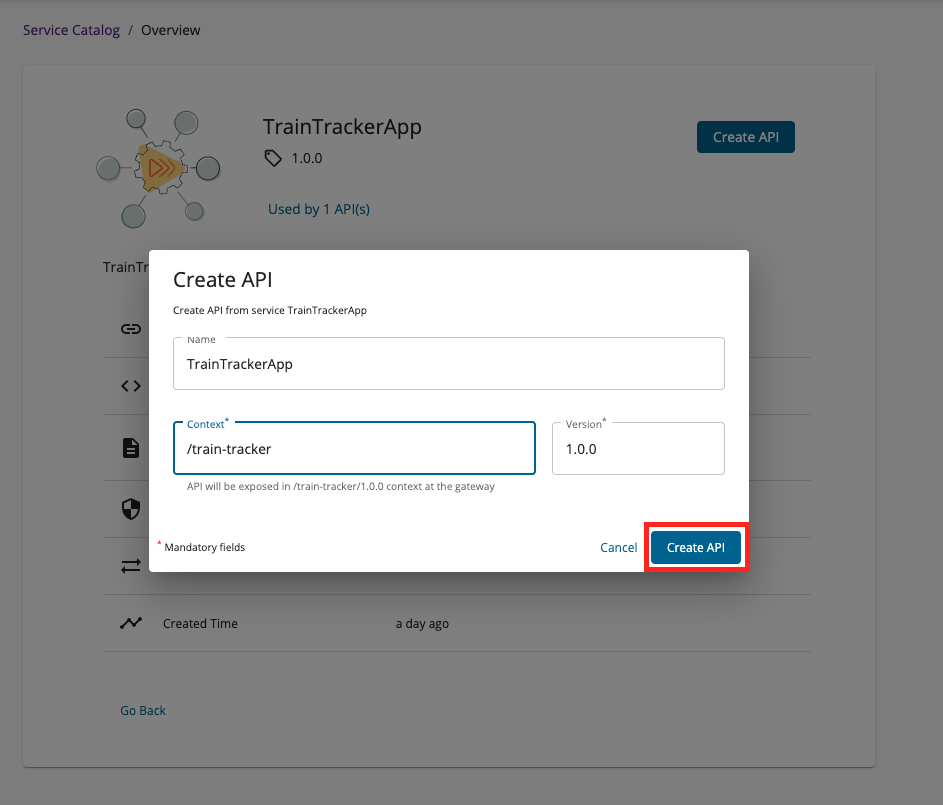
- Deploy the API and publish it.
API is now available in the Developer Portal. The API will be known as TrainTrackerApp, which can be accessed via the context /train-tracker
Step 7 – Subscribe and test
- Go to Developer Portal: https://localhost:9448/devportal.
- Subscribe to the API.
- Generate keys → copy the access token.
- Install wscat. This is a CLI-based WebSocket client.
Connect to the WebSocket API using command below.
Step 8 – Produce Kafka train events
Now that everything is wired up, let’s put the system to the test.
Kafka will act as our signal tower, broadcasting live train locations. To simulate this, we’ll use the built-in Kafka console producer from <KAFKA_HOME>/bin
Once the producer is running, paste a train location event in XML format and press Enter.
For example:
Here’s what happens behind the scenes:
- The event enters Kafka (as if a train sent its GPS location).
- Streaming Integrator consumes it and pushes it to the WebSocket server.
- WSO2 API Manager exposes that WebSocket stream as a managed API.
- Your client instantly shows the train’s real-time position.
So if you’re connected to wscat, you’ll start seeing live updates flow through — like watching trains move across a digital map, without ever hitting refresh.
Conclusion
You’ve just built a real-time data pipeline:
Kafka events → processed by WSO2 Streaming Integrator → exposed as a Managed WebSocket API through WSO2 API Manager → consumed live by client applications.
This setup enables seamless streaming of events from Kafka all the way to end-users in real time.
For further reading:
[1] https://apim.docs.wso2.com/en/latest/manage-apis/design/create-api/create-streaming-api/streaming-api-overview/
[2] https://apim.docs.wso2.com/en/latest/manage-apis/design/create-api/create-streaming-api/create-a-streaming-api-froI m-an-asyncapi-definition/