



Open Source Integration for the Agentic Enterprise
Build governed integrations, long-running workflows, MCP servers, and agents on the 100% open source WSO2 Integrator.
Trusted by enterprises
worldwide
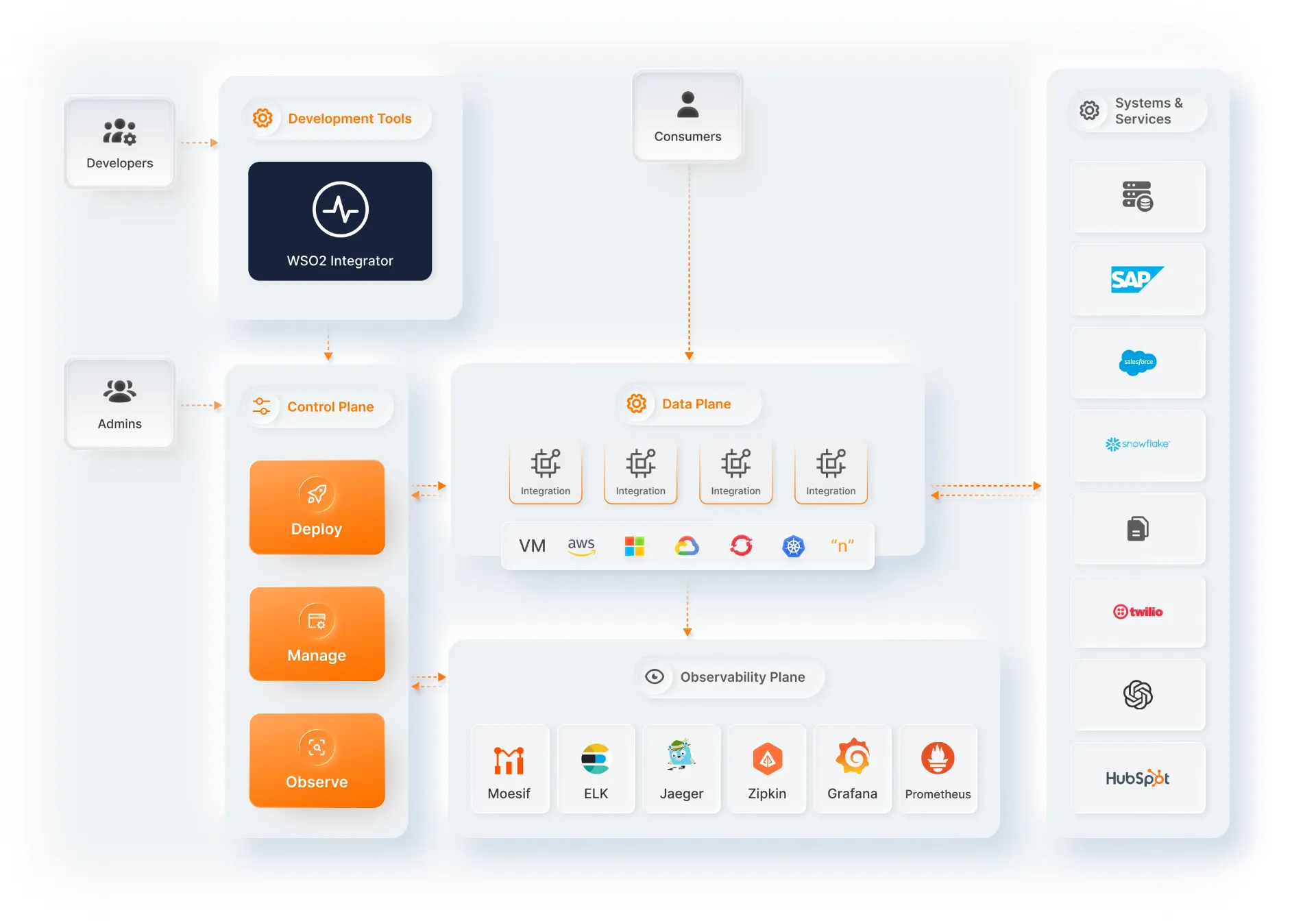
WSO2 Integrator architecture
Build any type of integration
Automations, APIs, event-driven, and file-driven
Automations
Build an automation that runs on a defined schedule. Set the timing, build the flow once, and it executes automatically with no manual trigger required.
Build an Automation- Scheduled data syncs between systems
- Batch processing on a defined cadence
- Recurring maintenance jobs
- Scheduled runs without manual triggers
Integrations as APIs
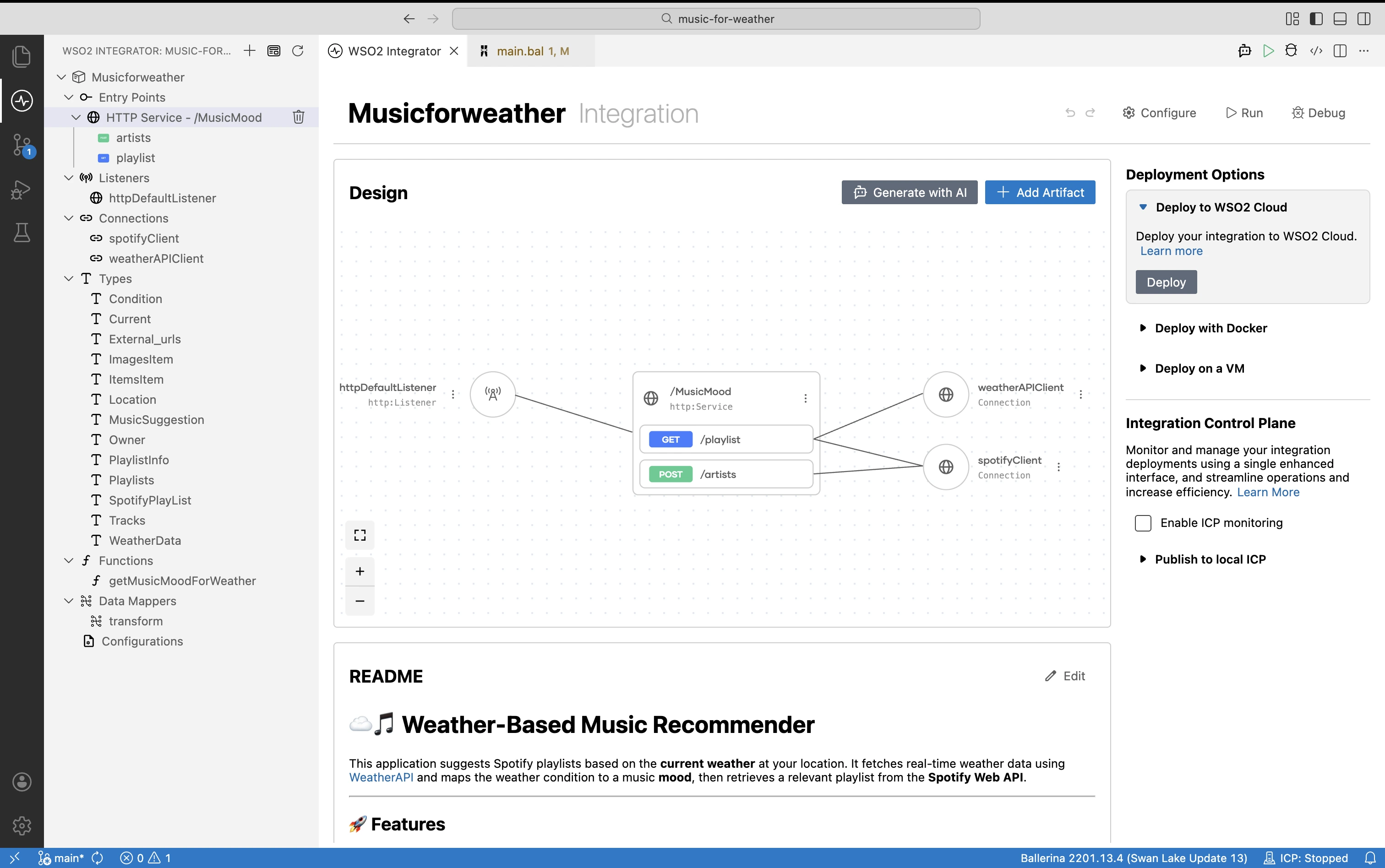
Expose business functionality as APIs, and use API requests to trigger integrations in real-time.
Build an Integration as an API- REST, GraphQL, gRPC, WebSocket, and Async APIs
- Connect to databases, SaaS platforms, and enterprise systems
- Compose and publish new services across systems
- Secure APIs with authentication and authorization
Event-driven integration
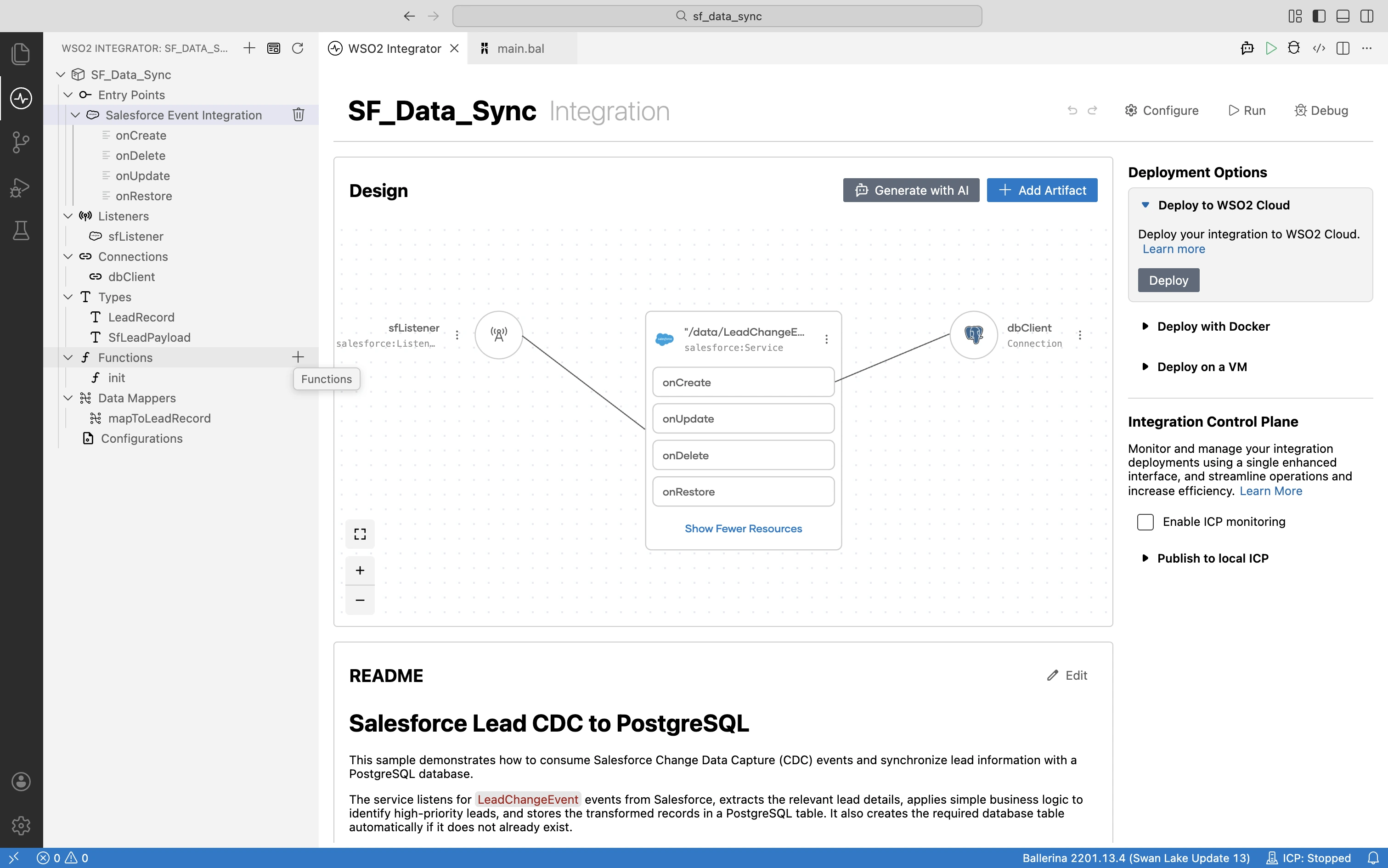
Build integrations that react to events in real-time, and enable asynchronous communication across systems.
Build an Event-Driven Integration- Kafka, AMQP, MQTT, and JMS
- Process events in real time
- Consume and publish events across applications
- Event transformation and routing
File-driven integration
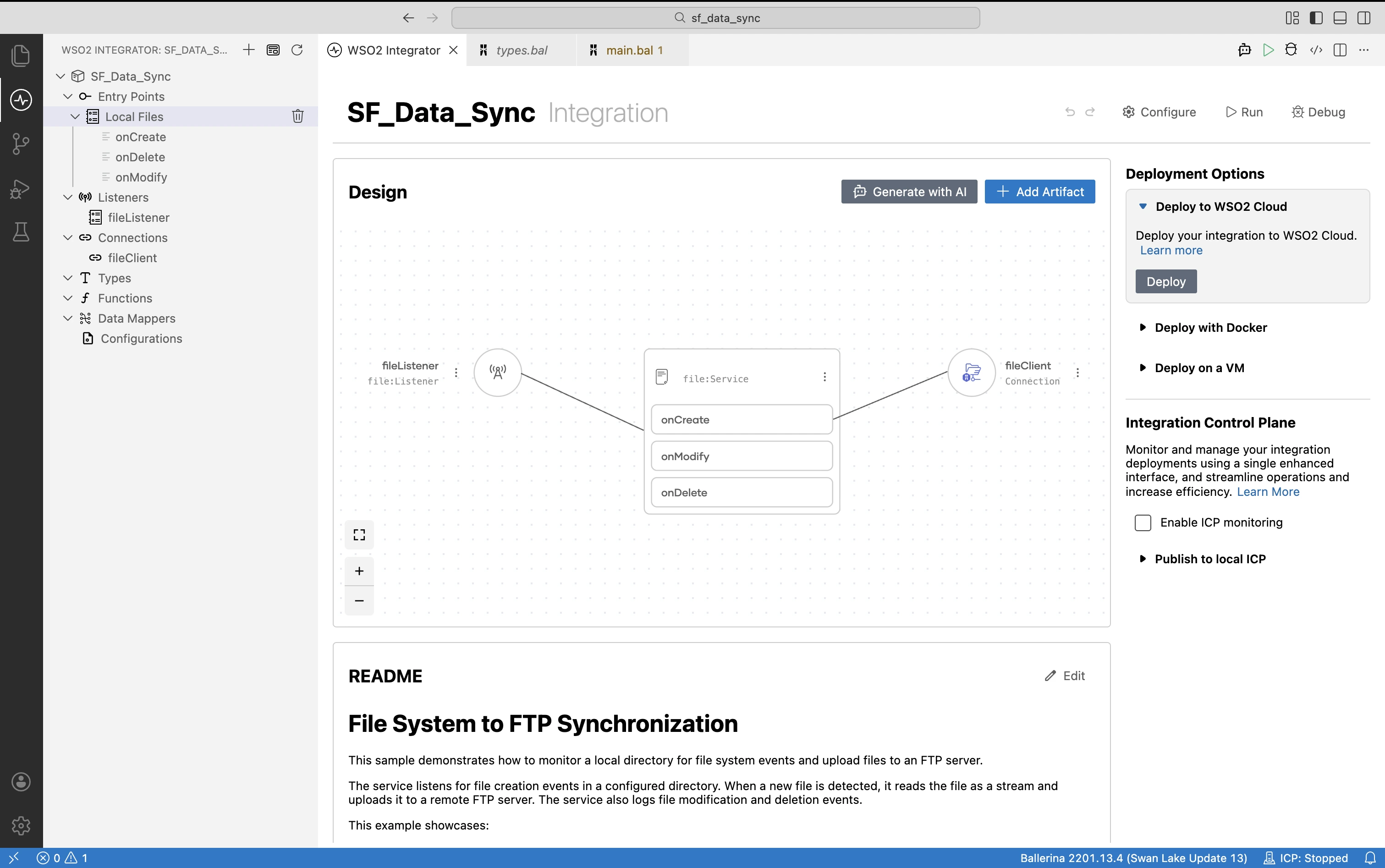
Build an integration that acts on file availability. The watcher monitors a location for the arrival of a file. Once the file arrives, it triggers an integration that automatically reads, processes, and routes the files to the target system(s).
Build a File-Driven Integration- FTP/SFTP, SMB, AWS S3, and Azure Blob Storage
- Common file formats such as CSV, JSON, XML, and text
- Monitors and triggers automatically on file arrival in watched locations
- Transform and validate file content
- Delivers to one or more target systems
Long-running workflows
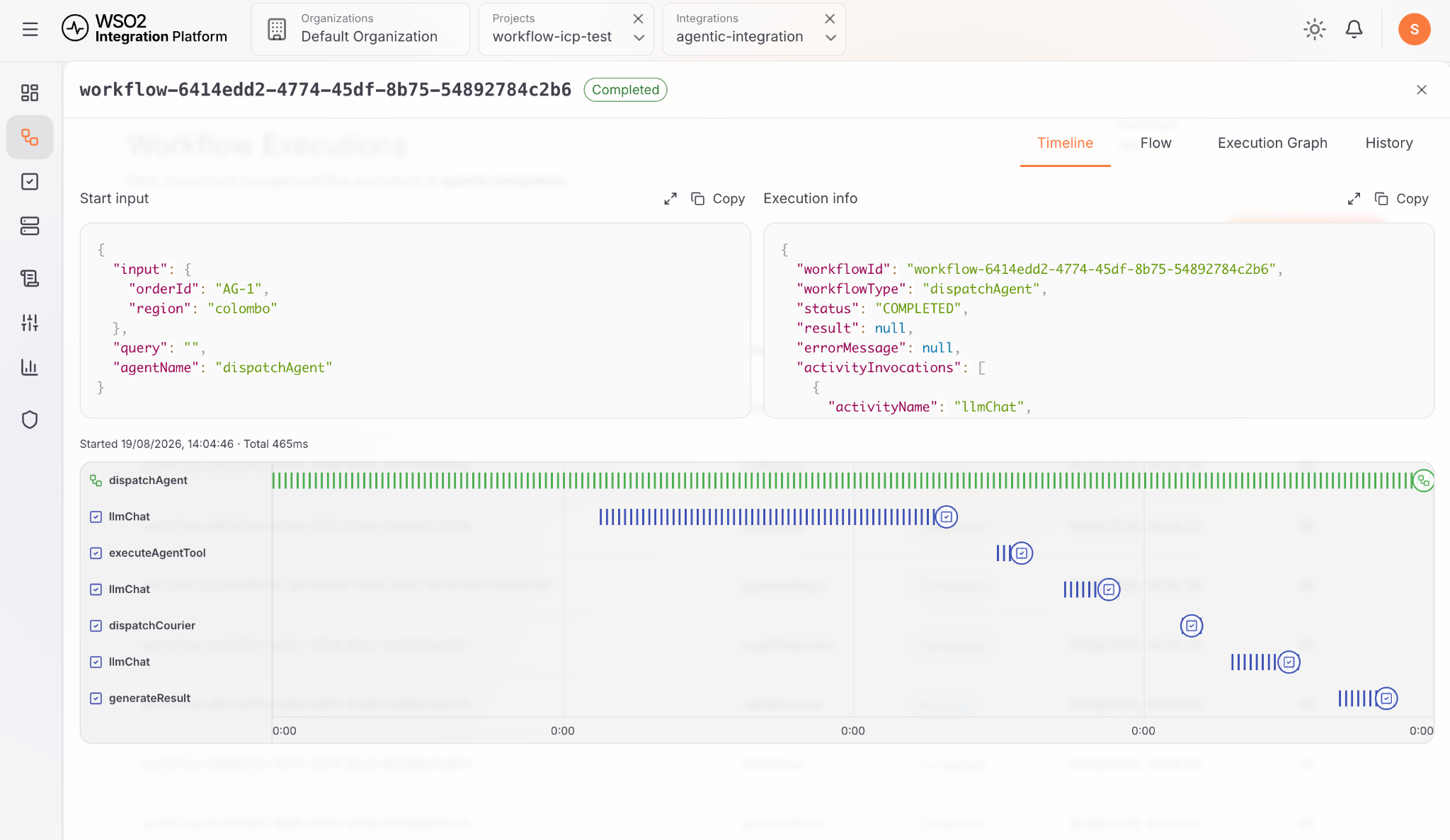
Build long-running, stateful, multi-step workflows across systems, agents and humans, and automate complex business processes.
- Built-in activities for REST, SOAP, and SMTP
- Human tasks and approvals
- Agent-triggered workflows
- Error handling and retry
- Workflow management portal
- User portal for human tasks
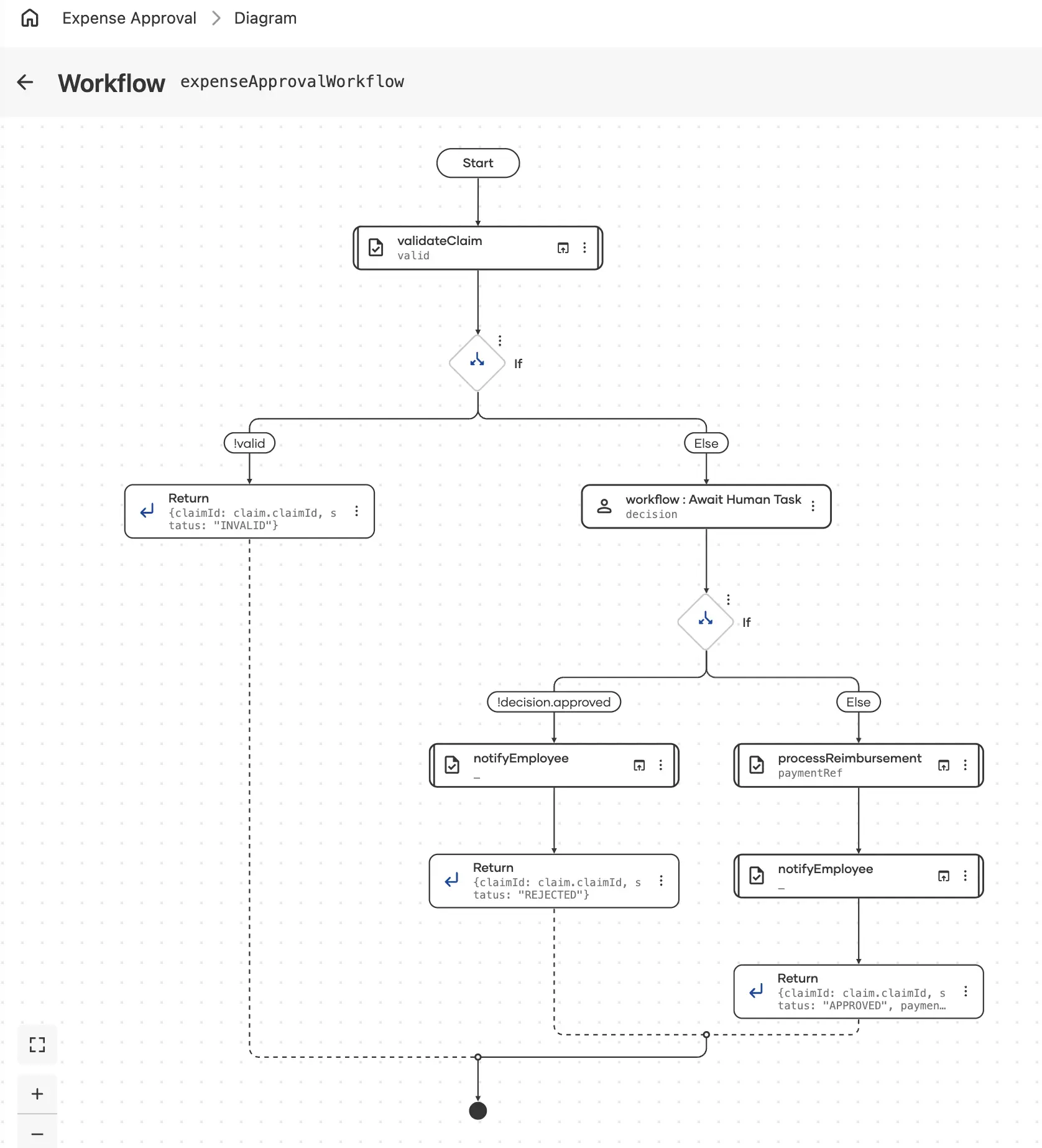
Long-Running Workflows: Connecting Business Processes That Unfold Over Time
Read the ArticleMCP servers
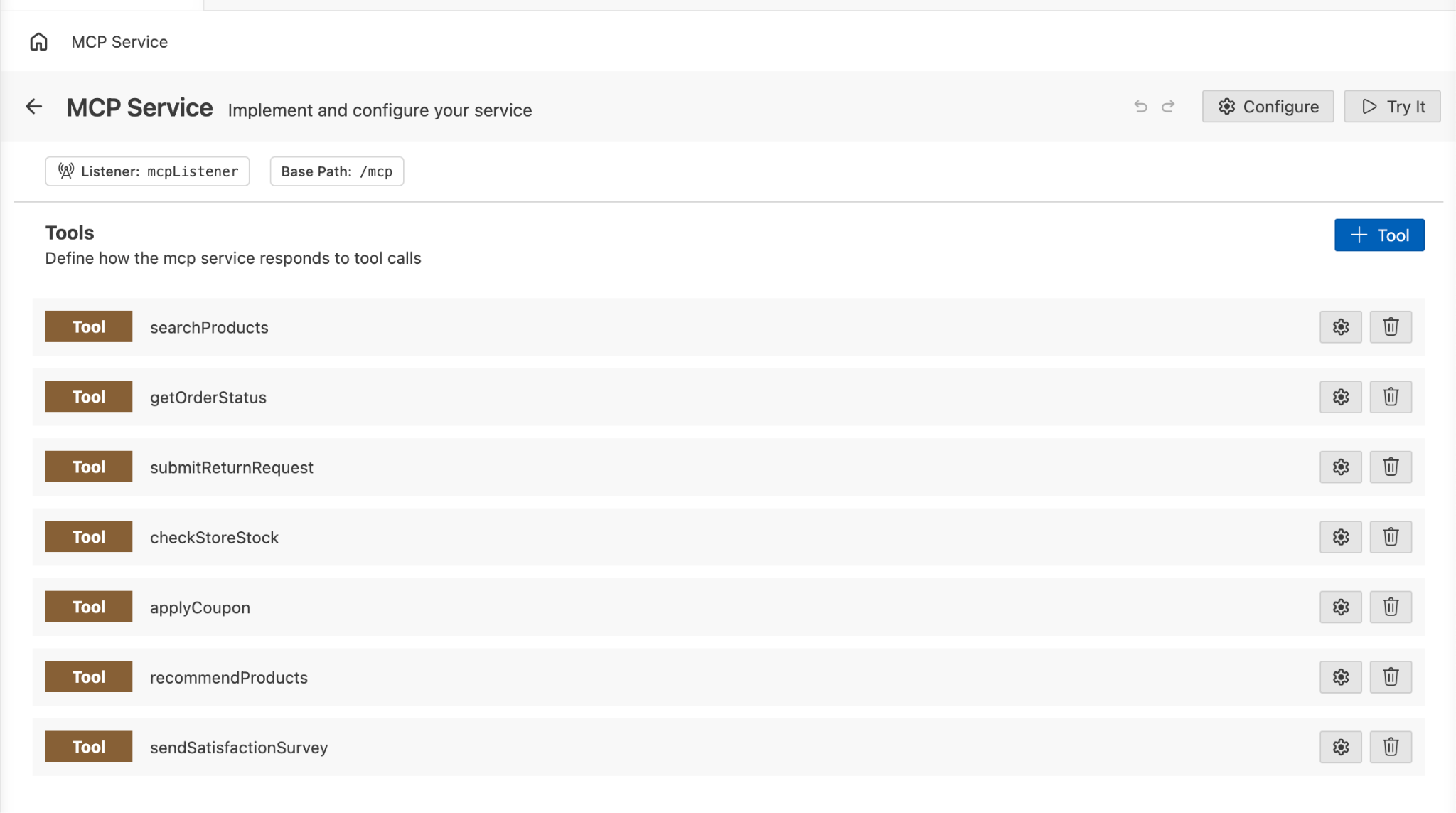
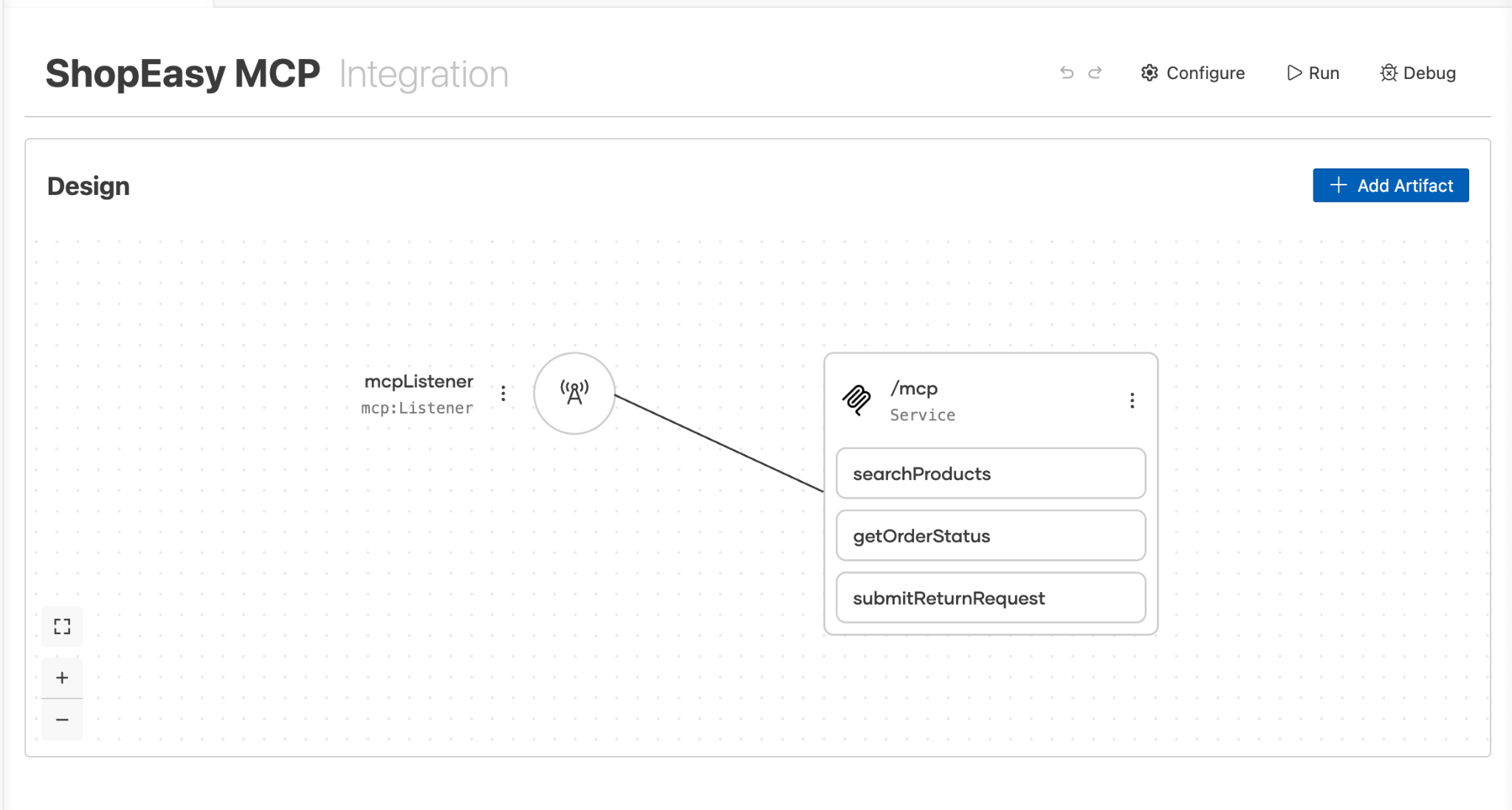
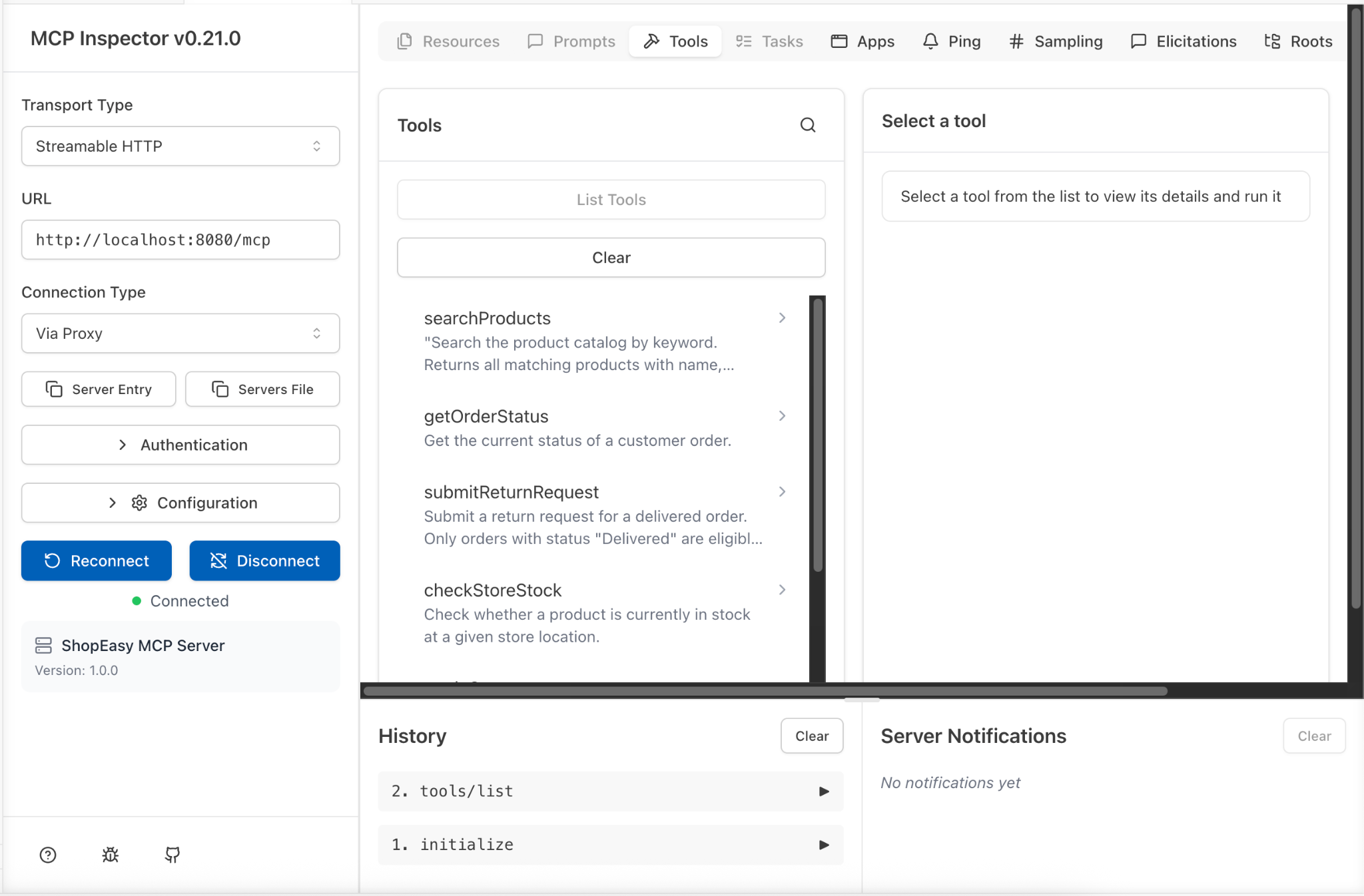
Build a new Model Context Protocol (MCP) server from scratch, or convert an existing API into an MCP server, and make your tools (enterprise context, data, and systems) accessible to agents.
- Write MCP servers with no boilerplate code
- Tool to convert REST APIs to MCPs
- MCP inspector
AI agents
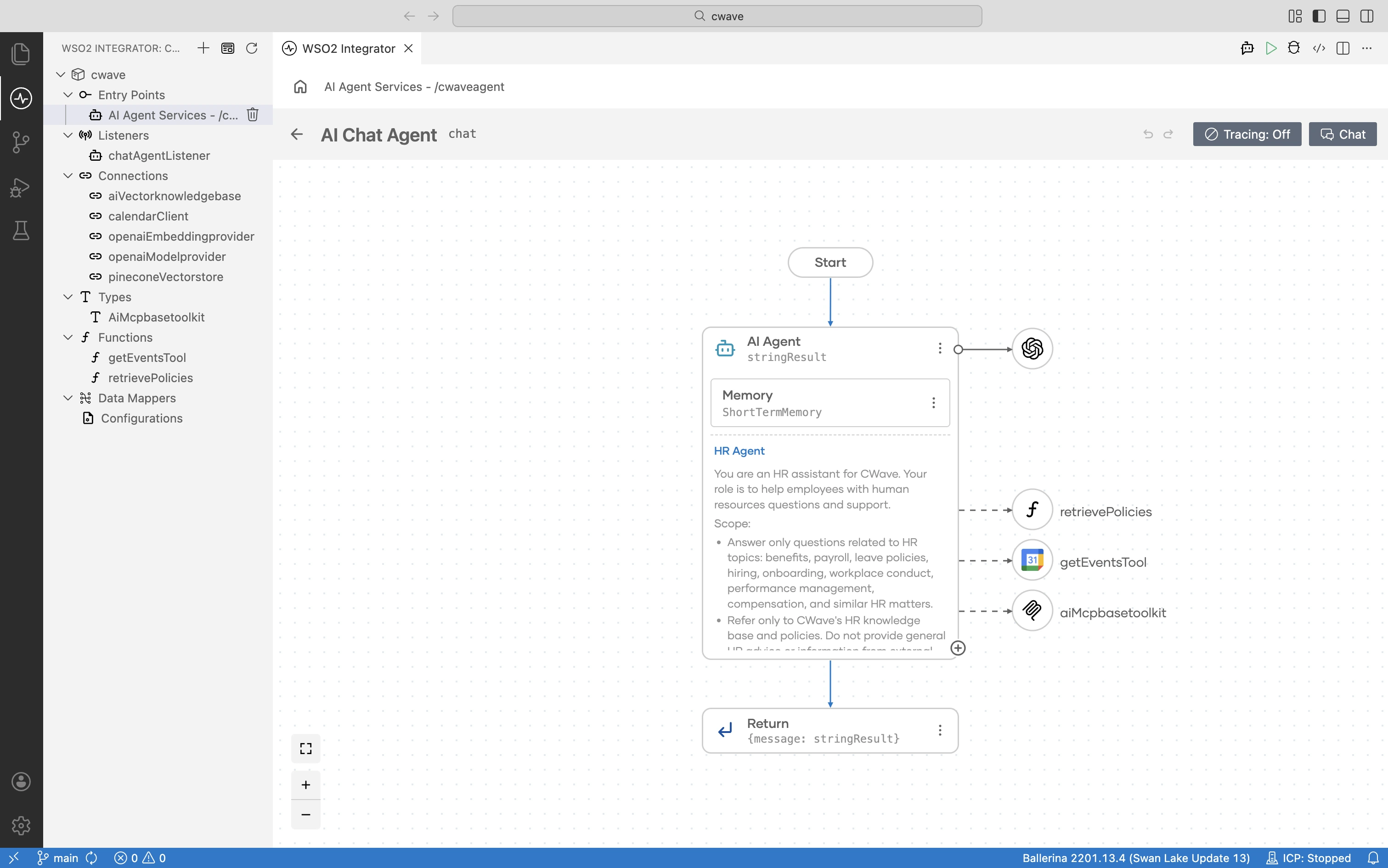
Build autonomous agents in natural language using an agent development framework with security, governance, and observability built in.
- MCP-based tools, and enterprise triggers
- Dev-time and runtime tracing with OpenTelemetry
- Human-in-the-loop guardrails
- Short and long-term agent memory
- Agent discovery and reuse
- Multi-agent orchestration
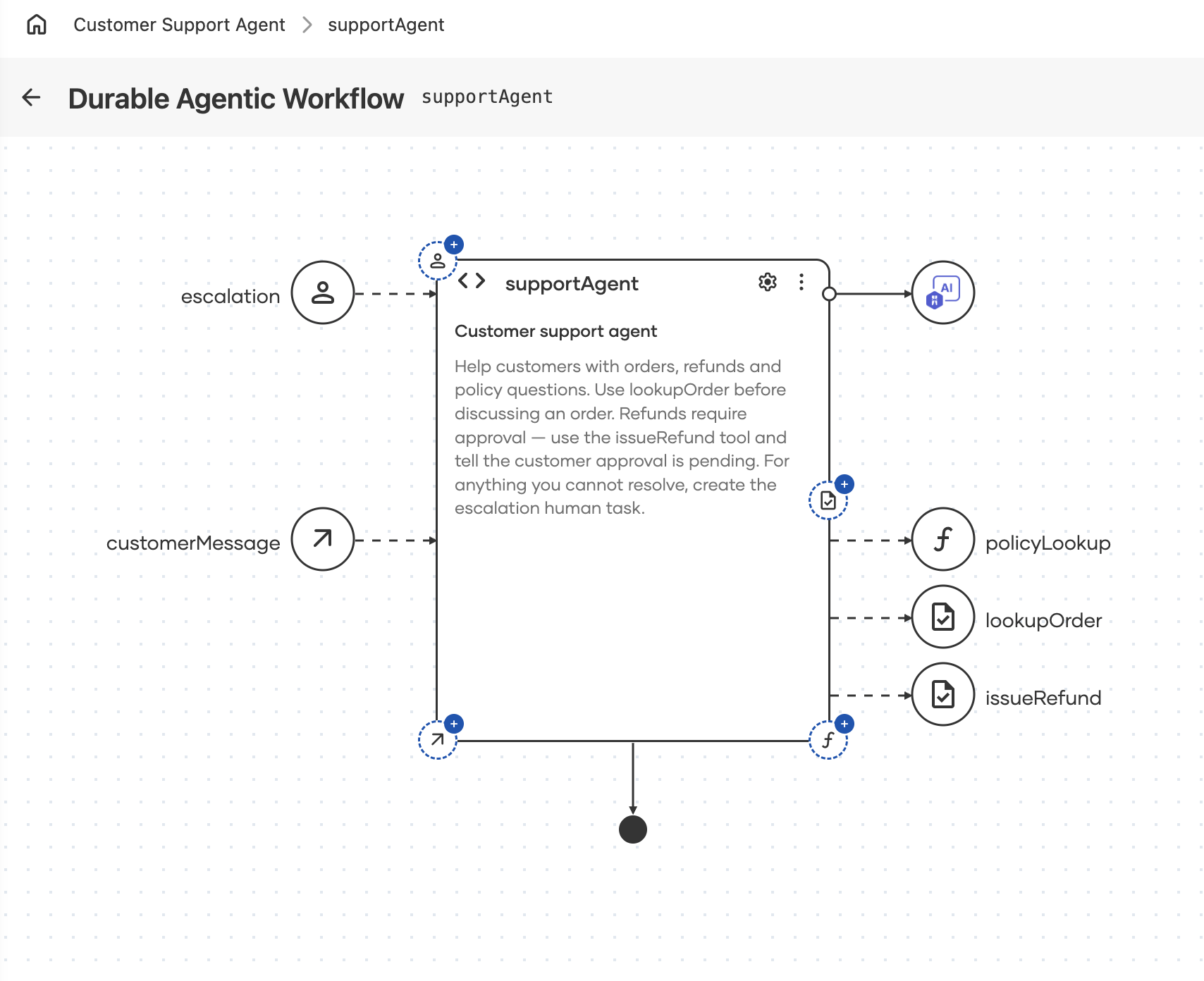
Agent as the long-running workflow
Combine all the capabilities of an agent with those of a long-running workflow to build an agent that is a durable, long-running, multi-step workflow.
Describe the goal of the workflow in natural language, and the agent decides the best path at runtime.
- Save progress and resume work after a period of time from where it stopped
- Error handling and retry capabilities
- Human-in-the-loop guardrails
Beyond Autonomy: Why Enterprise AI Needs Durable Agents
Read the ArticleWhy WSO2 Integrator?
Integrated experience
A single platform to build and manage integrations, long-running workflows, MCP servers, and agents.
AI governance
Enterprise context, development-time evaluation frameworks, and human-in-the-loop workflows.
Observability
OpenTelemetry-based (OTel) development time and runtime support for logging, metrics, and tracing.
Connectors and protocols
600+ pre-built connectors across SaaS APIs, event streams, files, and databases with native support for MCP, HTTP, GraphQL, gRPC, and more.
AI-first development
A natural language-based interactive development experience with AI-assisted data mapping, testing and debugging.
Centralized control plane
Monitor and manage every integration, workflow, MCP server, and agents across environments from a single control plane.
Open source and standards
100% open source integration technology that provides protection from vendor lock-in, and guarantees.
Deployment flexibility
Available as a WSO2-managed iPaaS, or as downloadable software that enables you to self-host the control plane and data plane on any infrastructure.
Run it your way.
The only integration technology that is available as 100% open source self-hostable software, or as an iPaaS.
Self-Hosted
Full control over your stack. Deploy directly to your own servers, bare metal, or a private cloud environment. Your data never leaves your perimeter.
- ✓ Complete data sovereignty
- ✓ Air-gapped environment support
- ✓ Kubernetes, Docker, VM, or bare metal
- ✓ Bring your own CI/CD pipeline
SaaS / Cloud
Zero infrastructure to manage. WSO2 handles provisioning, upgrades, scaling, and availability. Get started in minutes.
- ✓ Data plane anywhere you want
- ✓ Centralized control and observability
- ✓ Continuous updates, zero downtime
- ✓ Multi-region availability
Your vendor choice shouldn't determine your deployment requirements. Evaluate WSO2 in the environment that makes sense for you. No constraints, no artificial limitations.