Run a Durable Agent
A durable agent does nothing until something starts it. The Run Durable Agent step starts one instance from an ordinary integration flow and binds the new instance ID to a variable, so the rest of the flow can send that instance turns and read its result. See Create a Durable Agent for building the agent this step starts.
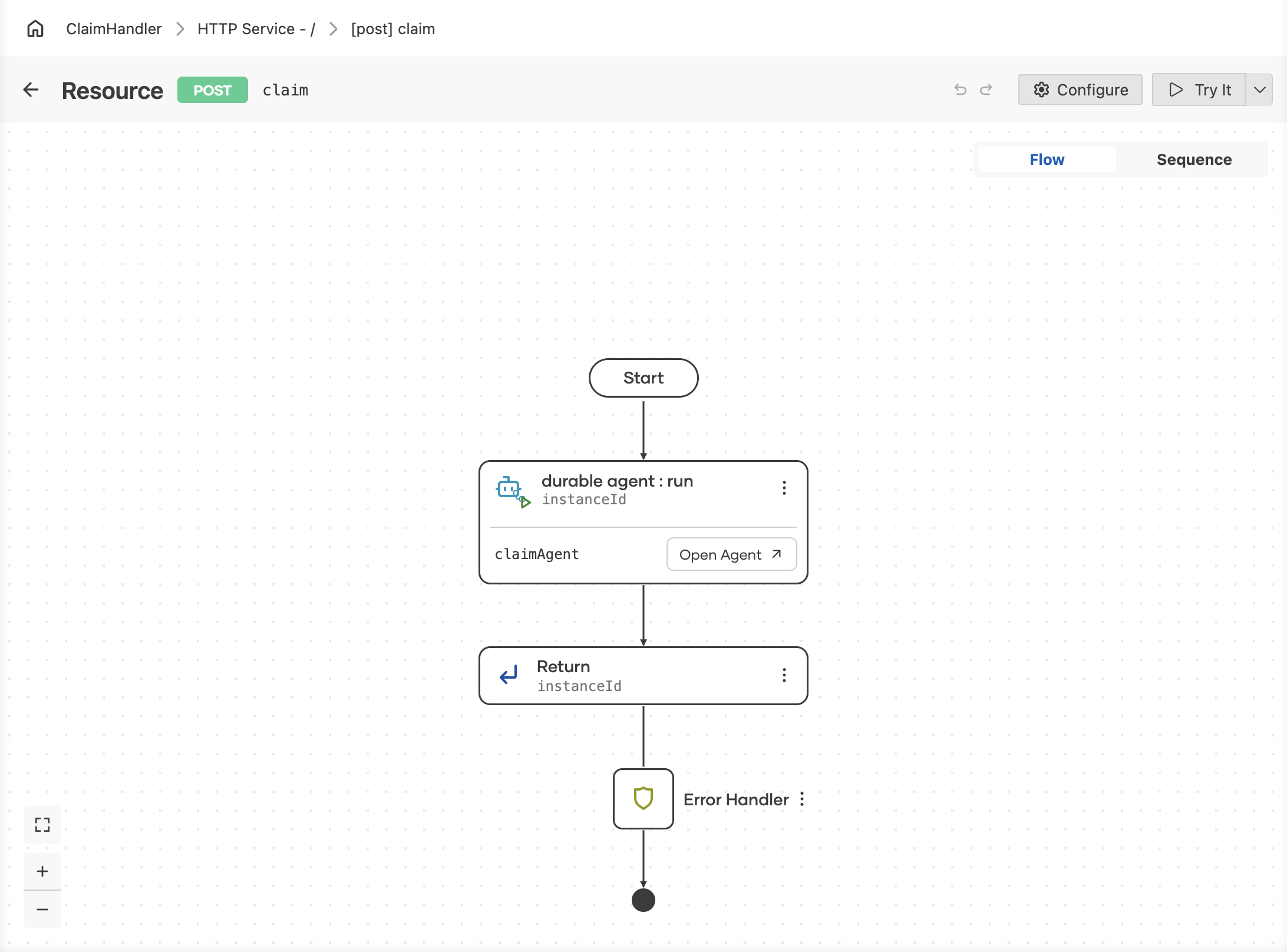
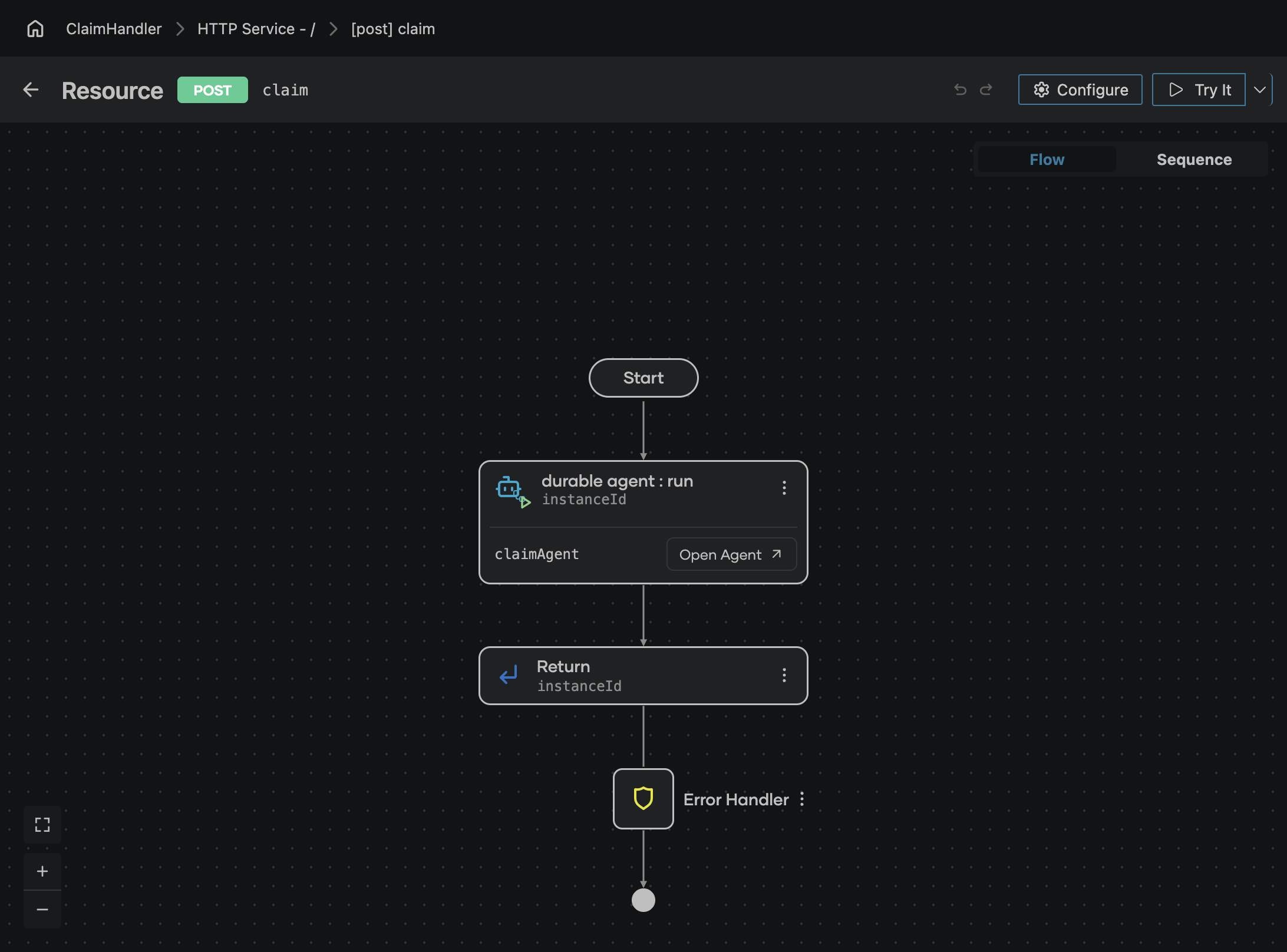
Add the step
The steps below follow one example: a POST /claim resource that hands each incoming claim to the claimAgent agent.
-
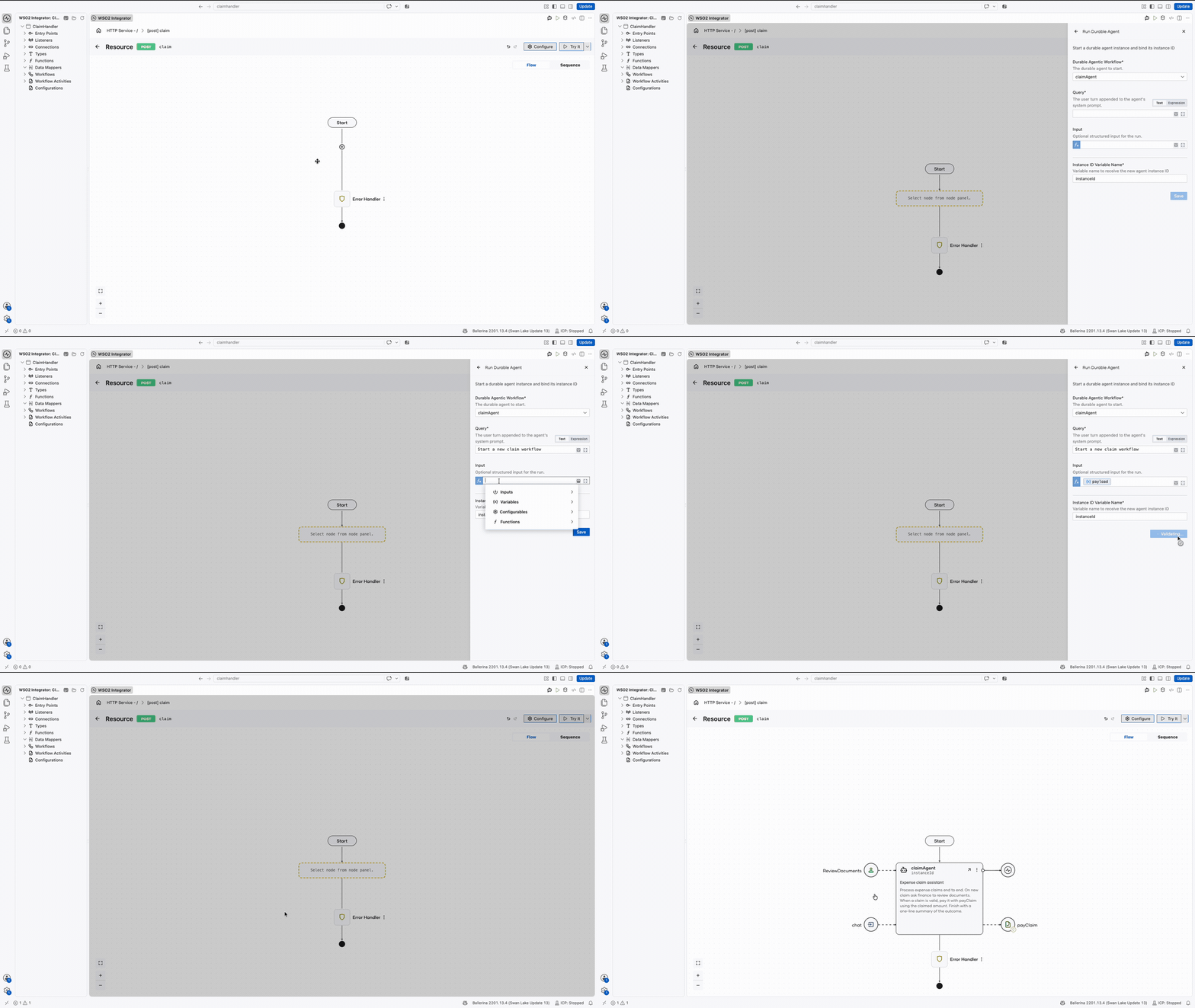
On the flow diagram, click + where the agent should start.
-
In the node panel, under Workflow, click Run Durable Agent. The Run Durable Agent form opens.
-
Fill in the form:
Field Required Description Durable Agentic Workflow Yes The durable agent to start. The dropdown lists the durable agents in the project, claimAgenthere.Query Yes The user turn appended to the agent's system prompt, for example Start a new claim workflow. This is the request the model plans from, so write it as an instruction rather than a label.Input No Structured input for the run, passed alongside the query. Here it is the resource's payload, which contains the new claim information, so the agent starts with the claim itself.Instance ID Variable Name Yes The variable that receives the new agent instance ID. Defaults to instanceId. -
Click Save.
Query or input?
The two fields carry different things to the same run, and an agent usually wants both.
- Query is language. It becomes the user turn, so it tells the model what to do with this run.
- Input is data. It is the structured value the run works on, and the model reads it through the capabilities and instructions you gave the agent.
In the claim example the query says to start a new claim workflow while the input carries the claim, which is why the agent can plan over a payload the query never spells out.
Starting is not waiting
This step creates the instance and binds its ID. It does not sit and wait for the agent to finish, which is what makes the ID worth keeping: every later interaction with that instance is addressed by it. The same Workflow group in the node panel holds the steps that use it: Send Agent Data Event to deliver a turn and Get Agent Result to read the outcome.
Next steps
- Send an Agent Data Event — delivering a turn to the instance this step started.
- Create a Durable Agent — the agent and the capabilities this step starts.
- Workflow executions — watching the started instance and deciding what it escalates.
- Build a Claim Handling Durable Agent — the same agent driven end to end.