Create a Durable Agent
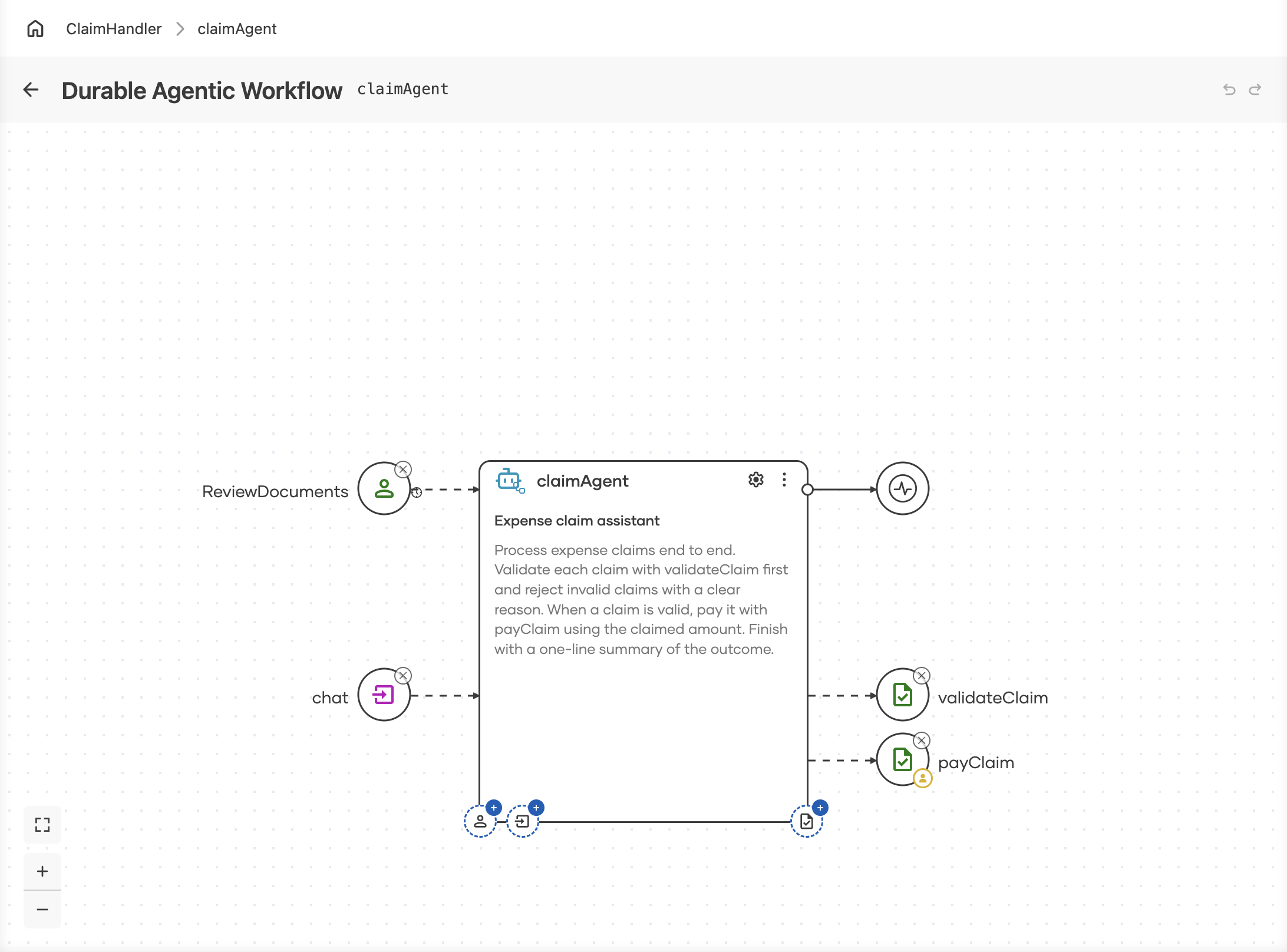
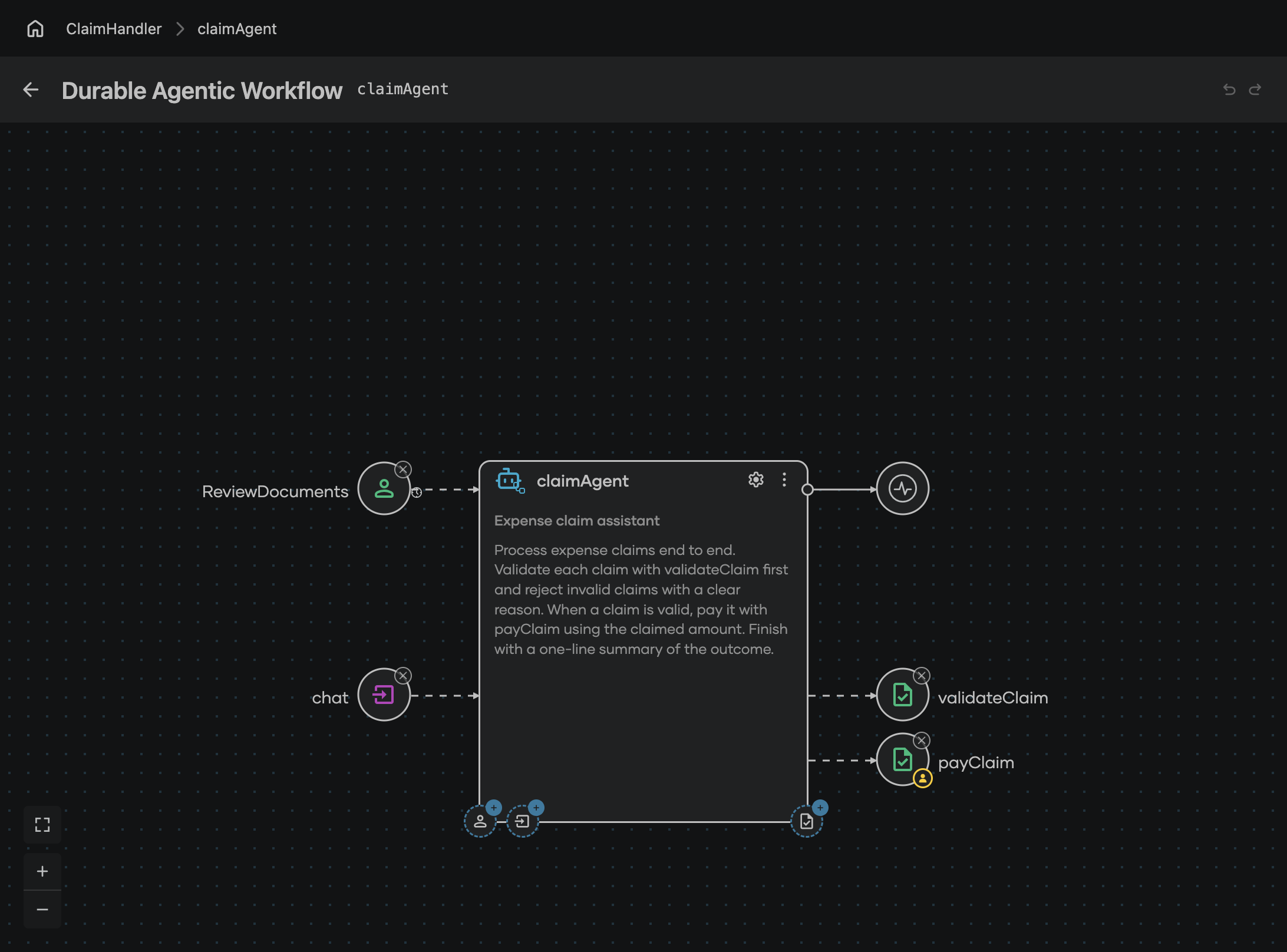
A durable agentic workflow flips the authoring model: instead of wiring steps together, you describe the goal in natural language and give the agent capabilities — activities, data events, and human tasks. An AI model plans the path at runtime, and because the agent is a durable workflow, every reasoning step, activity call, and wait survives crashes and restarts.
Why durable agents are different
| Standard AI agent | Durable agentic workflow |
|---|---|
| Crash loses the conversation and in-flight tool calls | Every turn and tool call is recorded; restarts resume mid-plan |
| Waiting for external input holds a process | Waits are suspended with zero resources, for days if needed |
| Retry logic in every tool | Declarative per-activity retry policies |
Add a durable agent artifact
-
In the design view, click + Add Artifact.
-
On the Artifacts page, under AI Integration, click Durable Agentic Workflow.
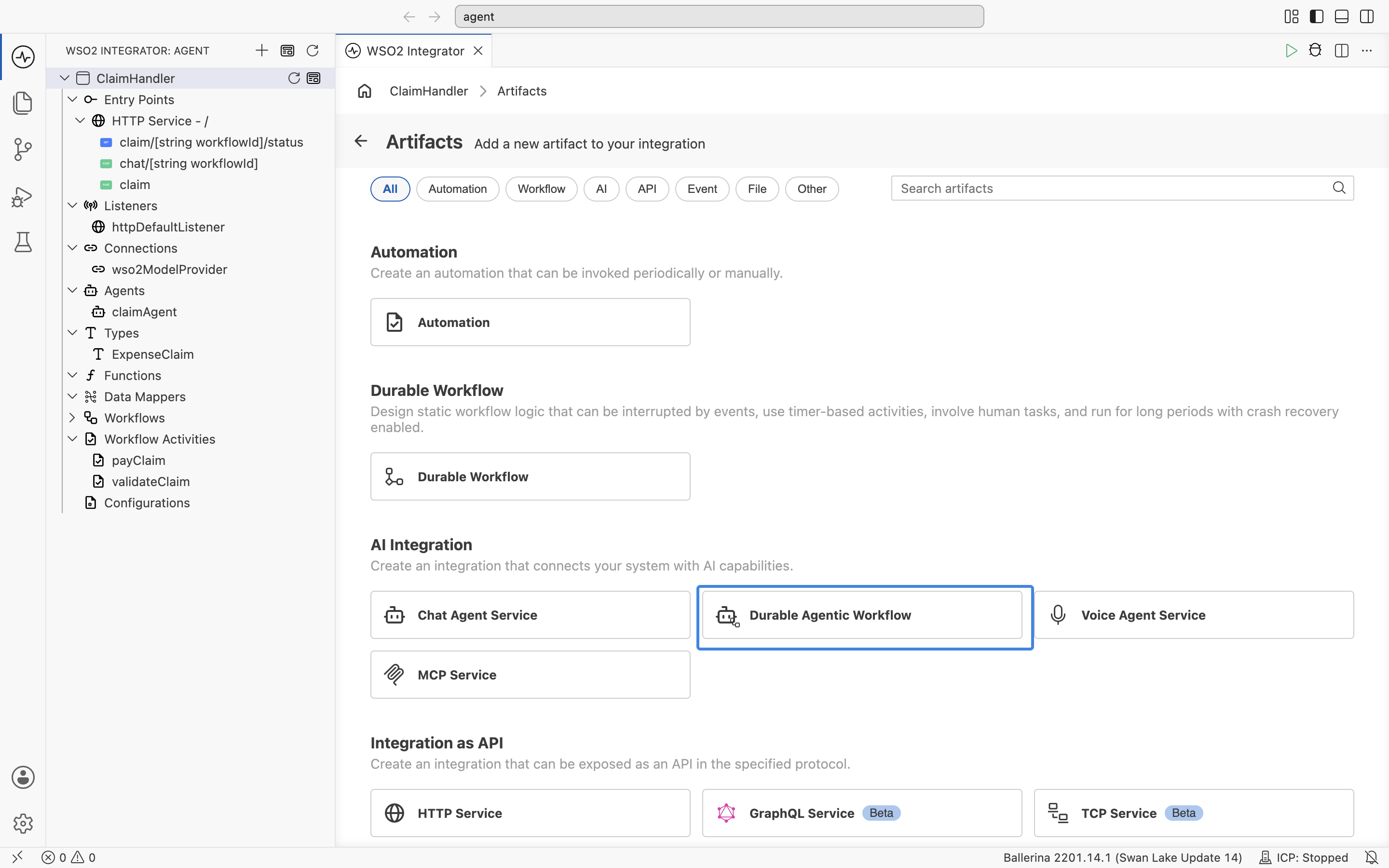
Durable Workflow, under its own section, produces the same kind of artifact with the steps wired by hand instead of chosen by a model. See Create a workflow.
-
Set Name to the name the agent is referenced by, choose the Model, and fill in Role and Instructions (see Configure the agent). Input Data Type is optional: set it when the agent is started with a structured payload, and leave it empty to start it with the query text alone. Click Create Agent. The agent opens on its own model.
Configure the agent
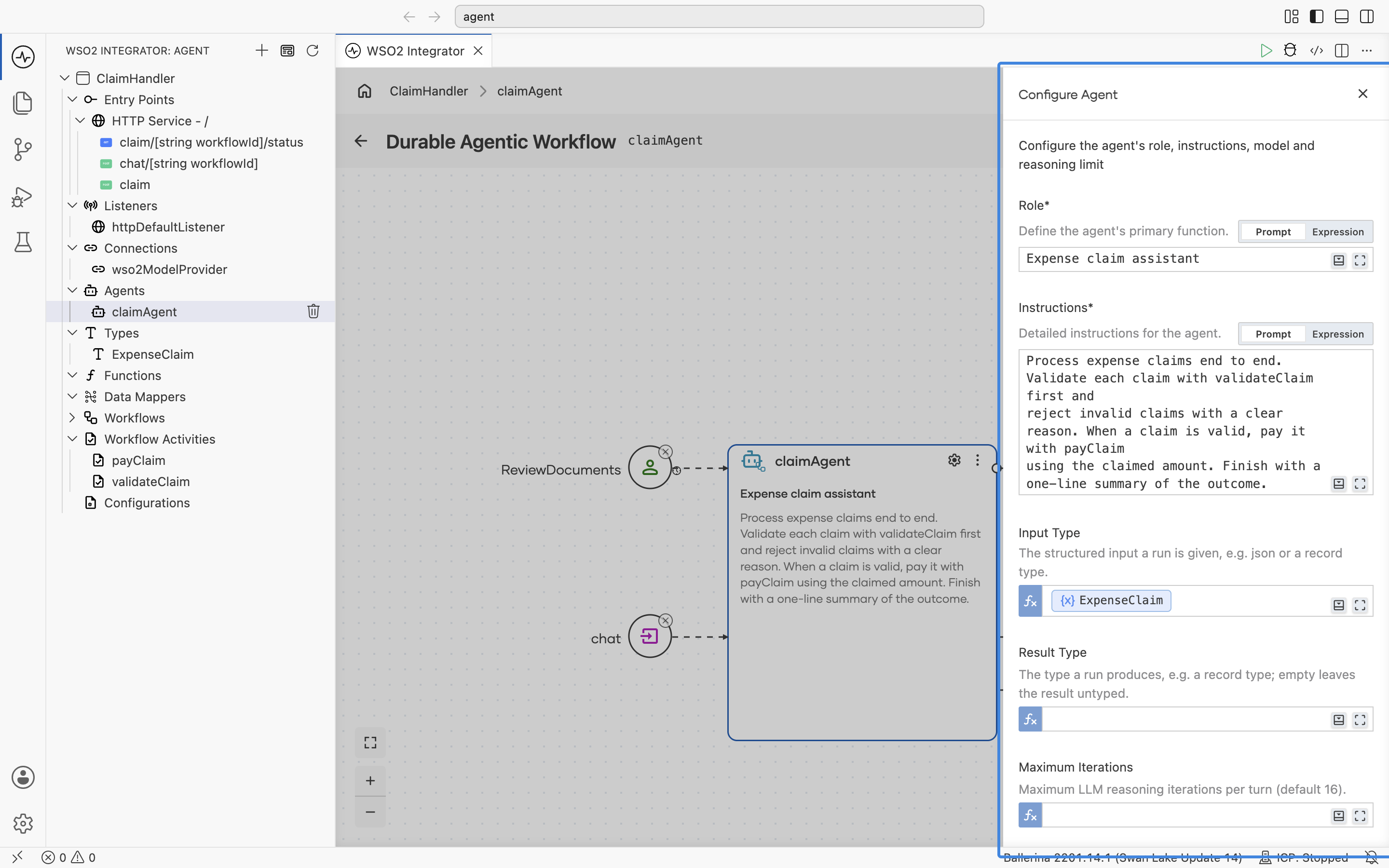
Click the gear icon on the agent node (Configure Agent) to open the Configure Agent form, which holds the agent's role, its instructions, and its run limits. The model is set from the model circle to the right of the agent node.
| Field | Required | Description |
|---|---|---|
| Role | Yes | The agent's primary function, for example Expense claim assistant. It appears under the agent's name on the node. |
| Instructions | Yes | What the agent should do, in natural language. This is what the model plans from, so name the capabilities it should use and the outcome you expect. |
| Input Type | No | The structured input a run is given, for example json or a record type. |
| Result Type | No | The type a run produces, for example a record type. Left empty, the result is the agent's final text. |
| Maximum Iterations | No | The most reasoning iterations the model may take in one turn. Defaults to 16. |
| Event Timeout | No | How long the agent waits for each data event, as a duration. Left empty, it waits indefinitely. |
| Maximum Event Waits | No | How many data events a run may wait for before it fails. Defaults to 50. |
Role and Instructions each take either a prompt or an expression. Keep the field on Prompt to write the text directly, and switch it to Expression to build the value in code, for example from a configurable.
Capabilities
Activities
A durable agent uses the same activities as durable workflows. Instead of you wiring the call order, the model chooses which activity to call and when, and each call is recorded exactly as it is in a hand-wired workflow.
In addition, you can set an Approval Policy on sensitive activities, so a person approves the execution before the agent runs the activity. Those approval requests are listed on the Human Tasks page of the Control Plane.
To register an activity with the agent:
- Click + on the activity anchor at the bottom right of the agent node.
- Under Current Integration, click the activity you want the agent to have,
payClaimhere. Its register form opens. - Choose the Approval Policy. No Approval, the default, lets the agent call the activity directly. Human Approval gates it: the agent suspends durably before every call and raises a review carrying the arguments it proposes, which a reviewer proceeds with (optionally editing the arguments) or rejects. Set Reviewer Roles to the roles permitted to decide that approval, for example
"Finance"or["finance", "manager"], or name Reviewers instead. - Choose the Retry Policy the engine applies when the agent's call to this activity fails: No Retry (the default), Auto Retry, Human Review, or Retry, then Review, the same policies a hand-wired activity call takes. See Retry policies.
- Click Save.
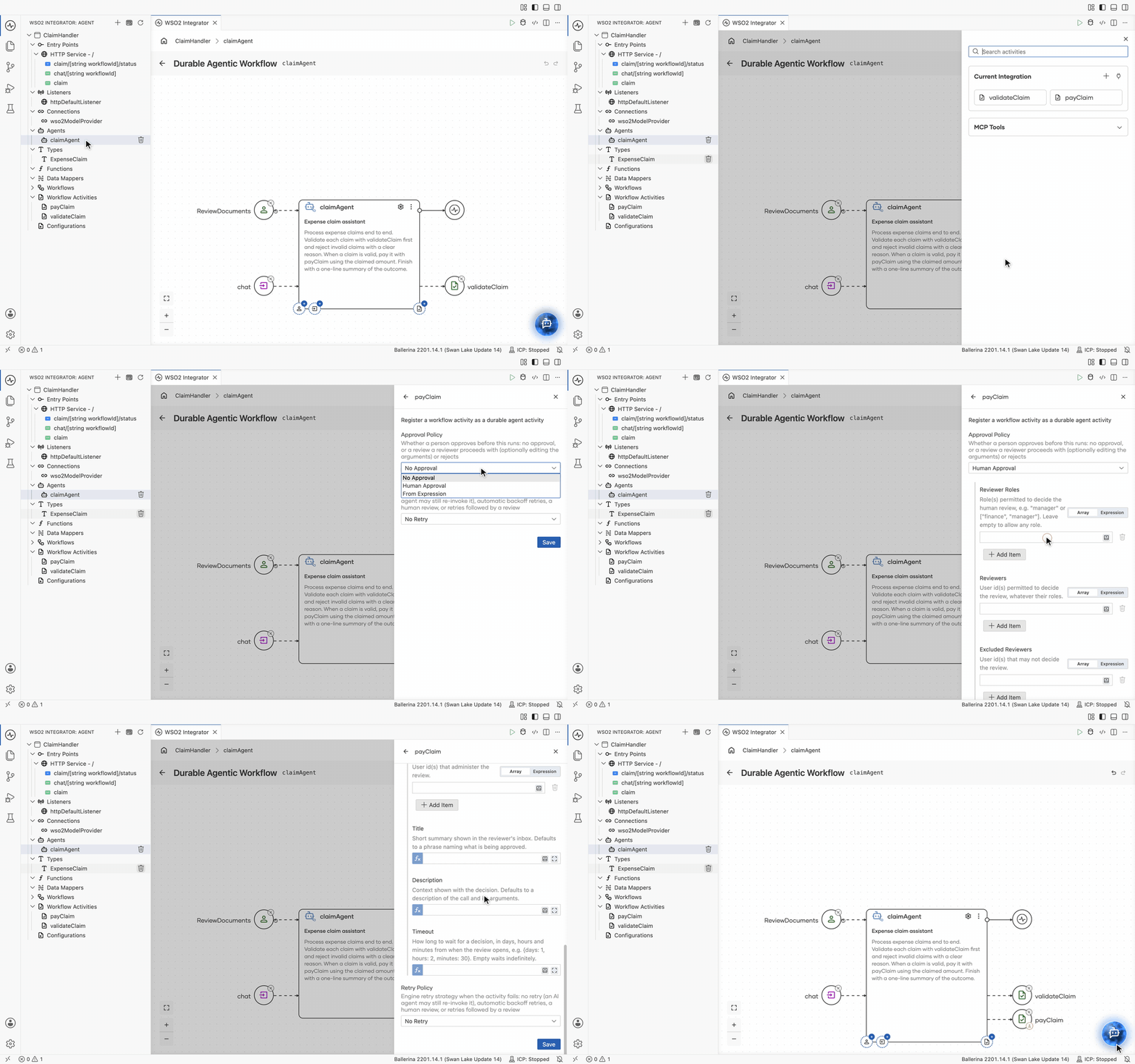
The activity joins the agent node as a capability, drawn with a person badge while it is gated. Registering it is what makes it available to the model, so an activity the agent never needs is best left off the list.
Unlike a Call Activity step in a hand-wired workflow, the register form asks for no activity arguments. The agent maps them at runtime from what it has gathered, which is why the activity's doc comment, which the model reads as its description, and the parameter names are worth writing clearly.
Events
Durable agents wait for data events much as durable workflows do: each event is a named slot an external sender delivers a typed payload into, and the agent suspends durably until it arrives. See Await Data Events for the same wait in a hand-wired workflow.
In addition, an agent's event can declare a response type: the value the agent returns to the sender after it has received and acted on that event. This makes the agent's data waits bidirectional, whereas in durable workflows they are one-way. Leave the response type empty, and the event behaves exactly like a durable workflow's, delivering data without answering back.
To register a data event:
-
Click + on the event anchor at the bottom left of the agent node. The Register Data Event form opens.
-
Fill in the form:
Field Required Description Event Name Yes The channel name senders use. A channel named chatis the one that drives the conversation itself.Request Type Yes The type of the payload sent to the agent on this channel. Defaults to string. Pick a type from the project, a primitive, or create one from the list.Response Type No The type of the agent's reply on this channel. Declaring one makes the channel request-response, read back with Get Data Event Result. Left empty, the channel is one-way. Cardinality No How the channel consumes its events. MULTI_EVENT, the default, re-arms after every turn, so events can arrive repeatedly and from multiple senders.SINGLE_EVENTis consumed exactly once per run. -
Click Save.
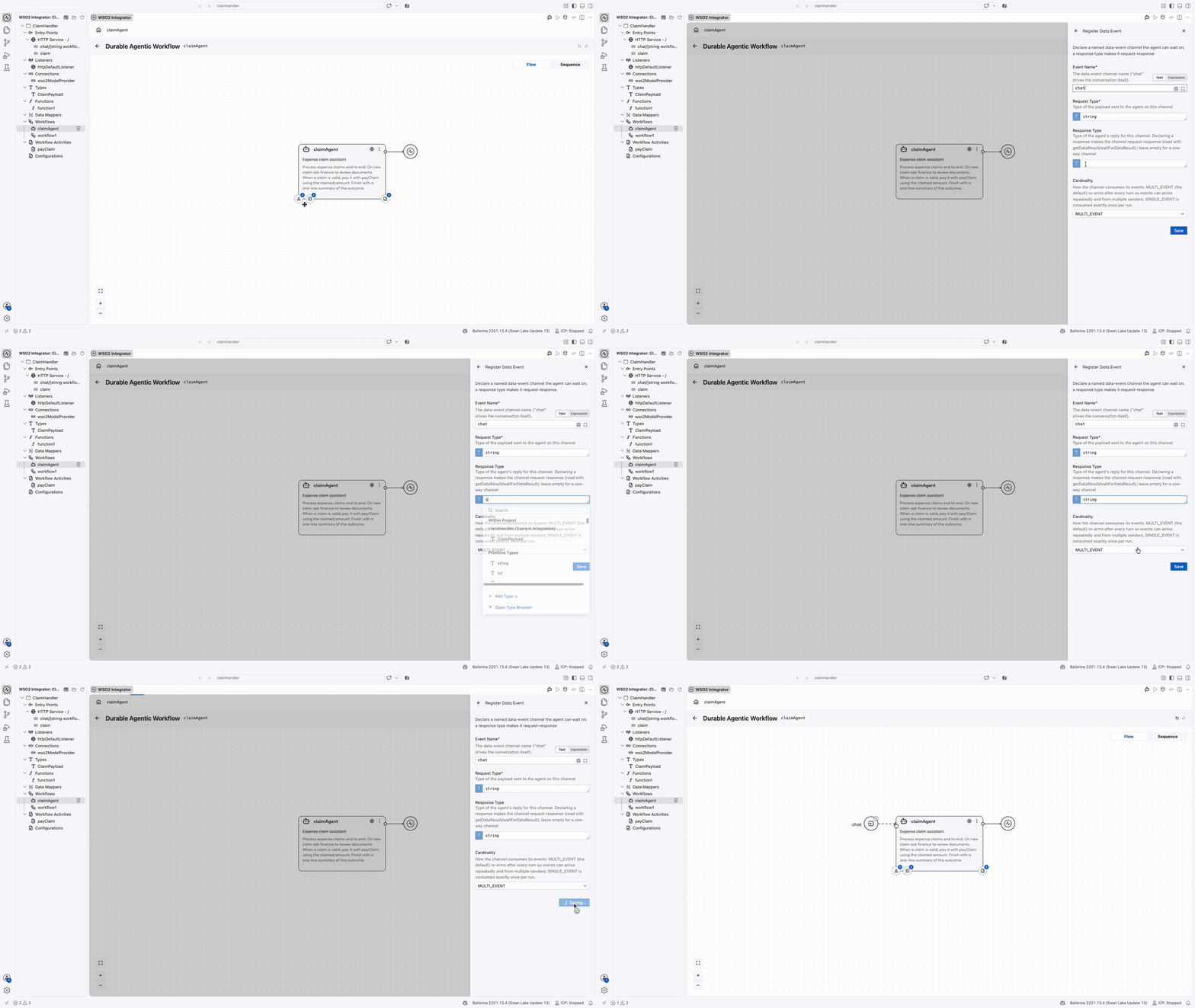
Human tasks
A human task is an escalation point the agent raises on its own judgment, for example when a claim looks unusual or its documents need a second pair of eyes. The task lands in the Control Plane inbox of the roles you name, and the agent suspends durably until someone submits a decision, exactly like an Await Human Task step in a hand-wired workflow.
To register a human task with the agent:
-
Click + on the human task anchor, the person icon at the far left of the agent node's bottom edge. The Register HumanTask form opens.
-
Fill in the form:
Field Required Description Task Name Yes Identifies the task type, ReviewDocumentshere. It is also the tool name advertised to the model, so name it for the decision it asks for.User Roles Yes, unless Users are named The roles permitted to complete this task, for example Finance. Only users holding a matching role see the task. Users, Excluded Users, Excluded Roles, Administrator Roles, Administrator Users, and Task Input Type (the shape of the input the agent supplies) are under Advanced Configurations.Title No Short summary shown in the task inbox. Description No Context shown to the person completing the task, for example Check that the claim documents are legitimate.Timeout No Maximum time to wait for completion, as a duration. On expiry, the agent is told the task timed out, so it can react rather than keep waiting. Omit it to wait indefinitely. Completion Type No The type of the result the person submits, which drives the completion form rendered in the inbox. A plain approve or reject is a boolean, while anything richer wants a record. Defaults toanydata, a free-form completion form. See Type the decision. -
Click Save.
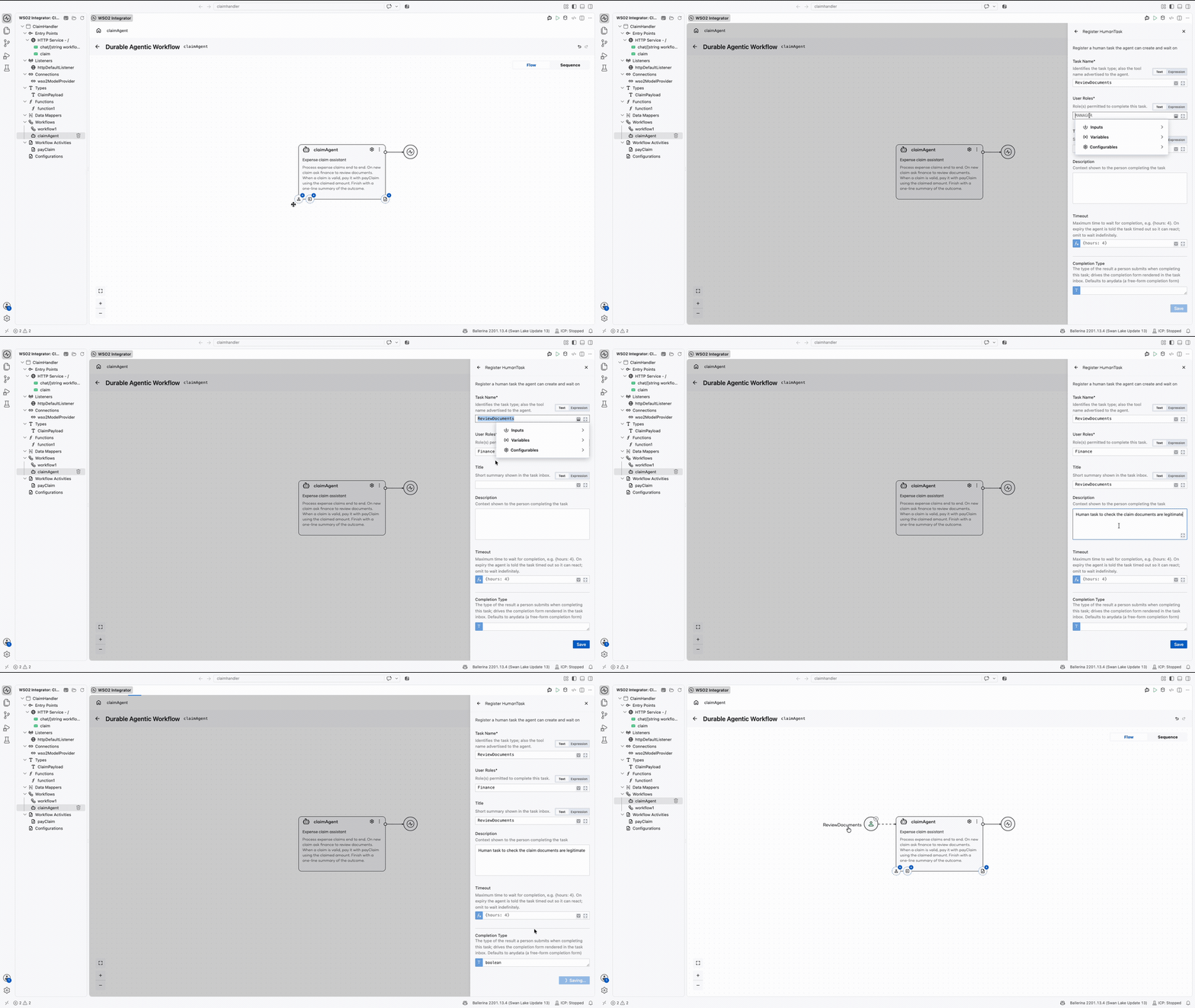
The task joins the agent node as a capability, drawn to the left of the node under its task name. Task Name, User Roles, and Title each take either text or an expression, so any of them can be built in code, for example from a configurable.
Unlike an Await Human Task step, the register form asks for neither a Payload nor a Result variable. The agent decides when to raise the task and what context to attach, and it reads the decision straight back into its reasoning, which is why Task Name and Description are what steer it.
Traditional or agentic?
Reach for an agentic workflow when the logic is branchy and judgment-heavy ("request whatever is missing, escalate the odd ones"); keep a hand-wired durable workflow when the steps are fixed and auditable. The two share activities, tasks, and the runtime — a claim system can use both side by side.
Next steps
- Run a Durable Agent — starting an instance of the agent from an integration flow.
- Build a Claim Handling Durable Agent — the end-to-end getting started guide.
- Complete human tasks — approving the agent's gated steps and reading its progress.