POP3/IMAP4
Poll email inboxes for incoming messages and trigger integration logic when new emails arrive. WSO2 Integrator supports both the POP3 and IMAP4 protocols through polling-based listeners that check for new messages at a configurable interval.
| Protocol | Description | Default port |
|---|---|---|
| POP3 | Downloads messages from the server; messages are typically removed after retrieval | 995 (SSL) |
| IMAP4 | Synchronizes with the server; messages remain on the server after retrieval | 993 (SSL) |
Creating a POP3 listener
- Visual Designer
- Ballerina Code
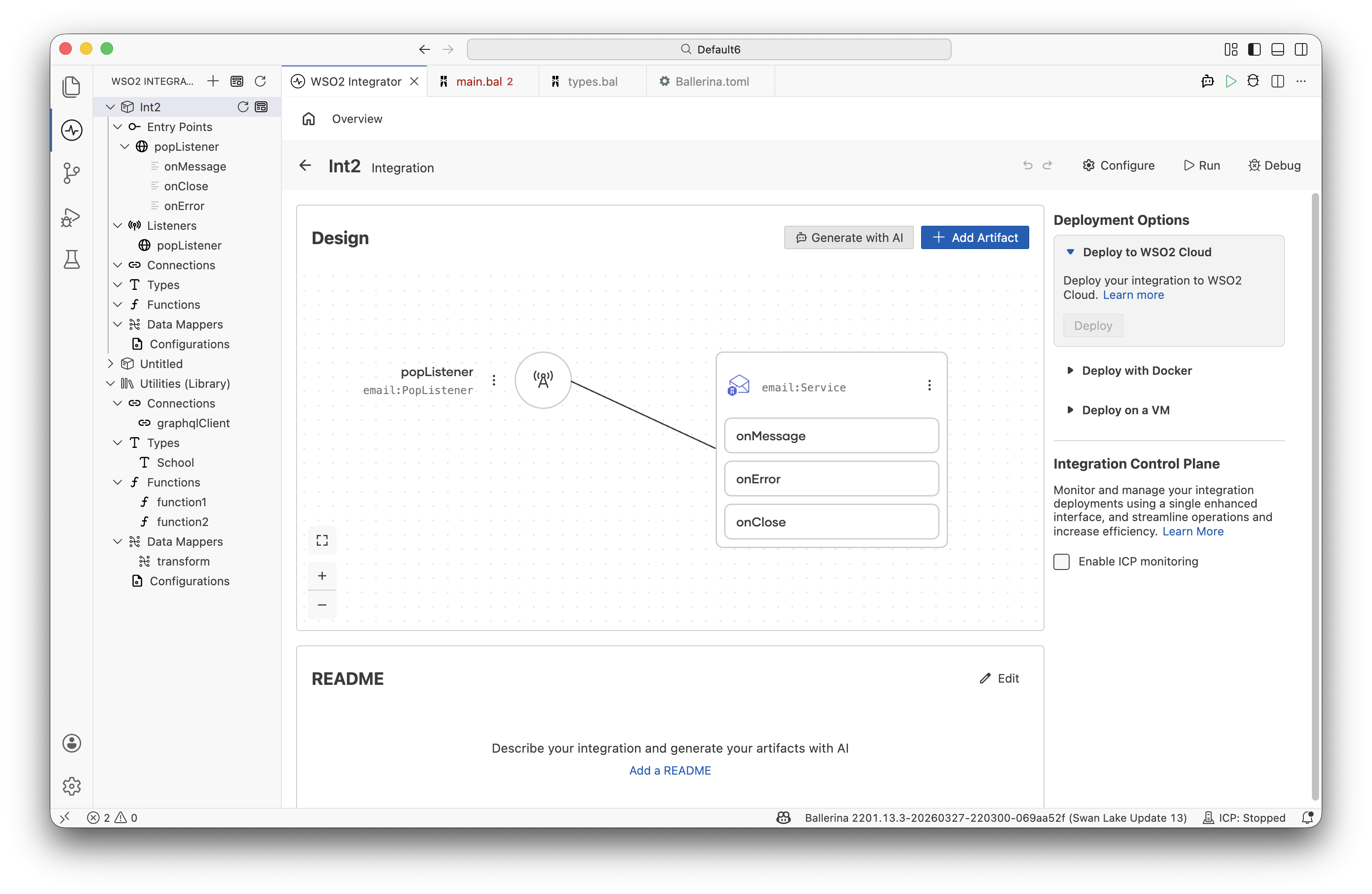
Creating a POP3 listener requires Ballerina code. Once the listener exists, it appears in the Entry Points sidebar and on the design canvas.
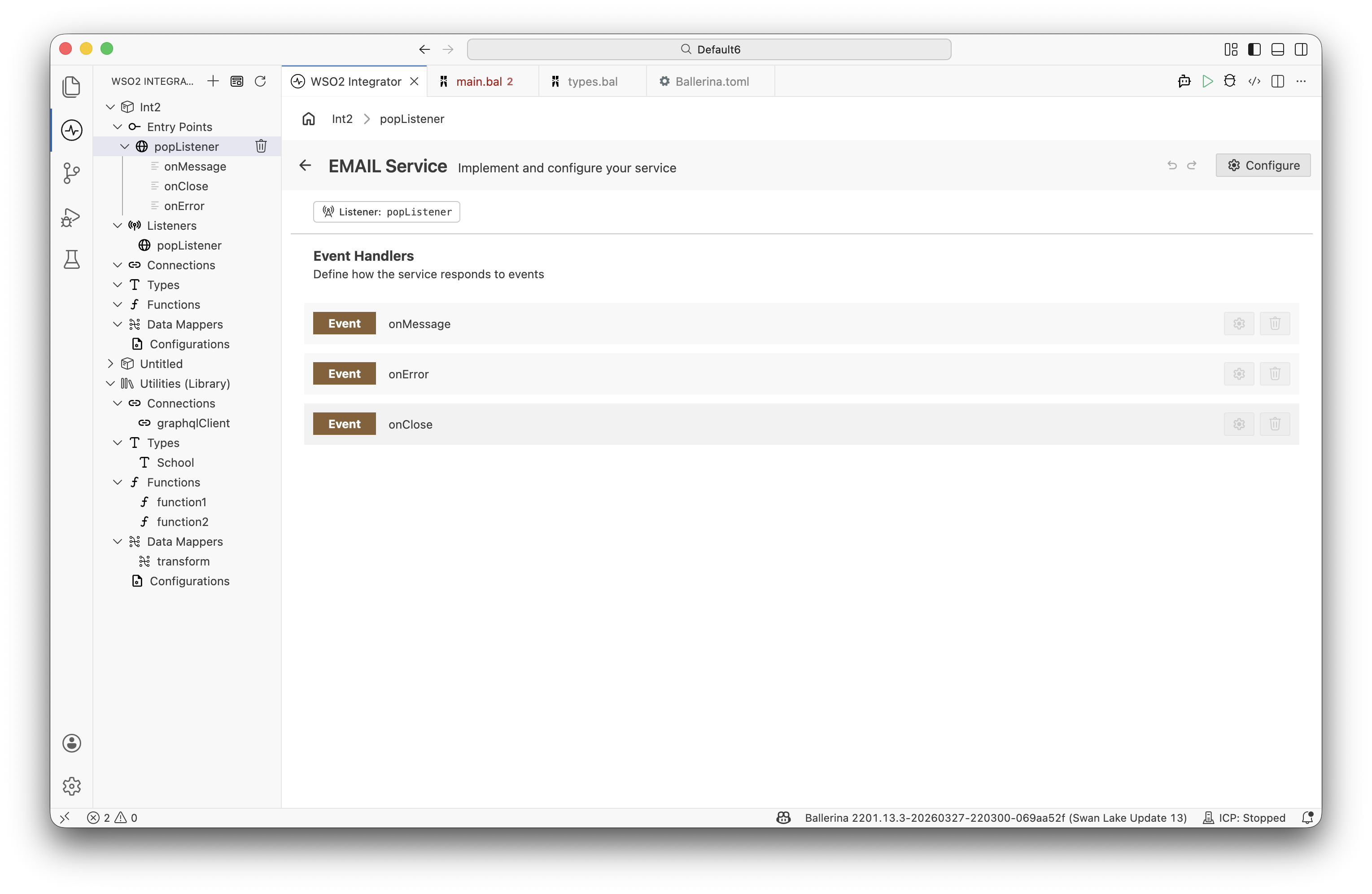
Click the service node (or the service name in the sidebar) to open the Email Listener Designer, which lists the event handlers.
import ballerina/email;

configurable string host = "pop.example.com";
configurable string username = "[email protected]";
configurable string password = ?; // app password after enaling pop3/imap4 protocol for the email address

listener email:PopListener popListener = check new ({
    host: host,
    username: username,
    password: password,
    pollingInterval: 60,
    port: 995
});

service on popListener {

    remote function onMessage(email:Message msg) returns error? {
        string sender = msg.'from ?: "(unknown sender)";
        string subject = msg.subject;
        string body = msg.body ?: "";

        log:printInfo("Email received", sender = sender, subject = subject);
    }

    remote function onError(email:Error err) {
        // Handle polling errors
    }

    remote function onClose(email:Error? closeError) {
        // Handle listener shutdown
    }
}
Creating an IMAP4 listener
IMAP4 keeps messages on the server after retrieval and supports multiple mailbox folders.
- Visual Designer
- Ballerina Code
Creating an IMAP4 listener requires Ballerina code. Once the listener exists, it appears in the Entry Points sidebar and on the design canvas.
Click the service node (or the service name in the sidebar) to open the Email Listener Designer, which lists the event handlers.
import ballerina/email;

configurable string host = "imap.example.com";
configurable string username = "[email protected]";
configurable string password = ?; // app password after enaling pop3/imap4 protocol for the email address

listener email:ImapListener imapListener = check new ({
    host: host,
    username: username,
    password: password,
    pollingInterval: 60,
    port: 993
});

service on imapListener {

    remote function onMessage(email:Message msg) returns error? {
        string sender = msg.'from ?: "(unknown sender)";
        string subject = msg.subject;
        string body = msg.body ?: "";

        log:printInfo("Email received", sender = sender, subject = subject);
    }

    remote function onError(email:Error err) {
        // Handle polling errors
    }

    remote function onClose(email:Error? closeError) {
        // Handle listener shutdown
    }
}
Listener configuration
Both email:PopListenerConfiguration and email:ImapListenerConfiguration share the following fields.
| Field | Type | Description |
|---|---|---|
host | string | Email server hostname |
username | string | Email account username |
password | string | Email account password or app-specific token |
pollingInterval | decimal | Seconds between polling cycles. Default: 30. |
port | int | Server port. Default: 995 for POP3, 993 for IMAP4. |
security | email:Security | Transport security mode. Default: SSL. Options: SSL, START_TLS_AUTO, START_TLS_ALWAYS, START_TLS_NEVER. |
secureSocket | email:SecureSocket? | SSL/TLS configuration for the connection. |
Event handler configuration
| Handler | Trigger | Typical use |
|---|---|---|
onMessage | New email arrives during a polling cycle | Parse subject and body, route to a downstream system |
onError | A polling cycle fails | Log the error, alert on repeated failures |
onClose | Listener shuts down | Release resources, flush in-flight state |
Implementing email processing
- Visual Designer
- Ballerina Code
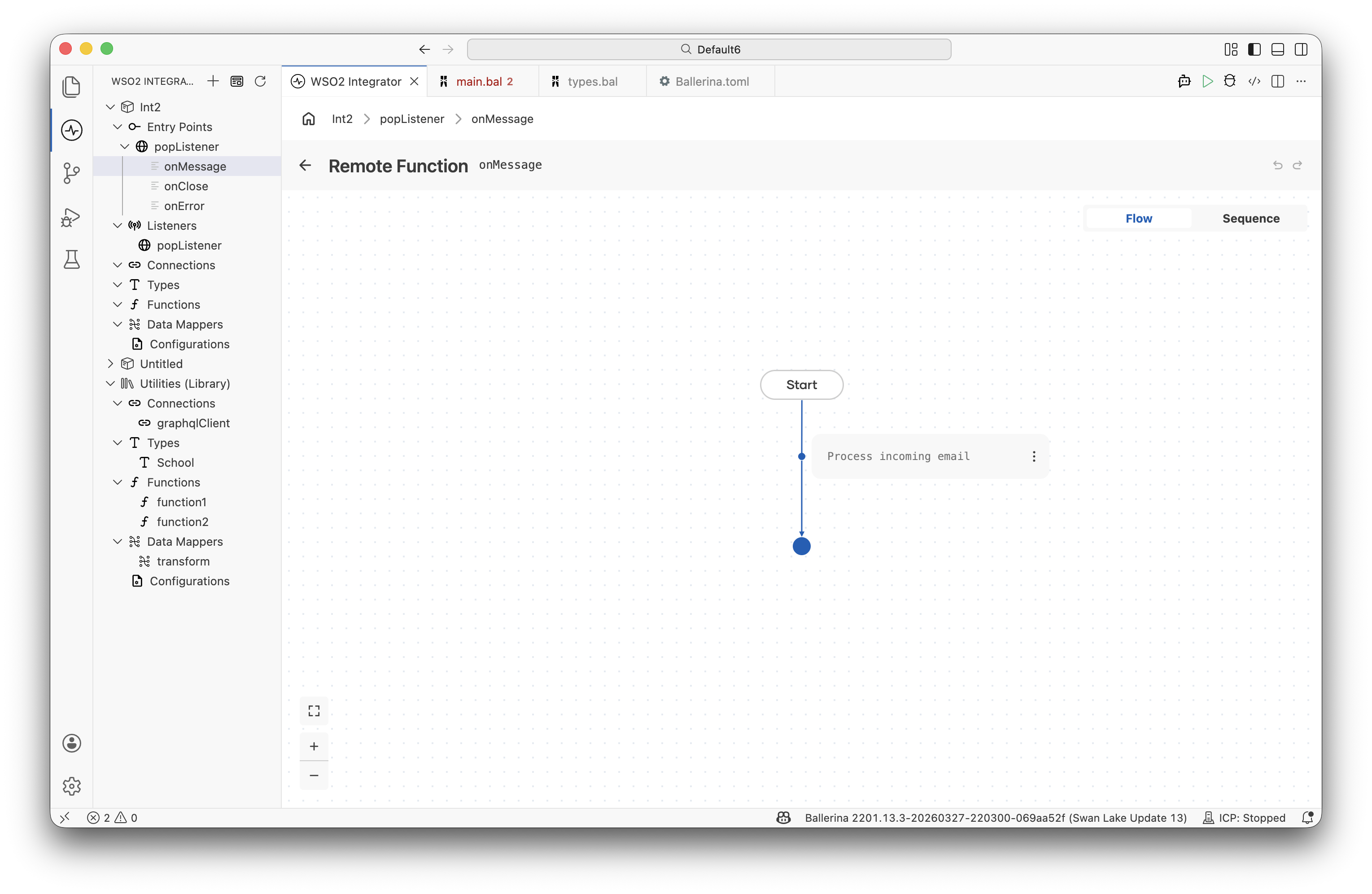
Click the onMessage handler row to open its flow designer view, where you can define the integration logic visually.
Not all listener configuration options are available through the visual designer. For full control — including SSL/TLS and polling interval settings — use Ballerina code directly.
The onMessage handler receives an email:Message record containing the full message:
remote function onMessage(email:Message msg) returns error? {
    string sender = msg.'from ?: "(unknown sender)";
    string subject = msg.subject ?: "(no subject)";
    string body = msg.body ?: "";

    log:printInfo("Email received", sender = sender, subject = subject);

    if subject.includesMatch(re `[Oo]rder`) {
        check processOrderEmail(sender, body);
    } else if subject.includesMatch(re `[Ss]upport`) {
        check createSupportTicket(sender, subject, body);
    }
}
email:Message fields:
| Field | Type | Description |
|---|---|---|
to | string|string[] | Primary recipients (required) |
subject | string | Email subject line (required) |
'from | string? | Sender address |
body | string? | Plain text body |
htmlBody | string? | HTML body |
cc | string|string[]? | CC recipients |
bcc | string|string[]? | BCC recipients |
replyTo | string|string[]? | Reply-To addresses |
sender | string? | Envelope sender (may differ from 'from) |
contentType | string? | Content type of the body (e.g., "text/plain") |
attachments | mime:Entity|email:Attachment|(mime:Entity|email:Attachment)[]? | File attachments or MIME entities |
headers | map<string>? | Additional email headers |
What's next
- Trigger Reference — Full listener and callback reference
- Action Reference — SMTP, IMAP, and POP3 client operations
- Ballerina email specification — Complete language-level reference