Salesforce Events
Salesforce event integrations subscribe to Change Data Capture (CDC) channels and trigger handler functions as records are created, updated, deleted, or restored in your Salesforce organization. Use them for real-time CRM synchronization, audit logging, and event-driven workflows that react to Salesforce record changes without polling.
Creating a Salesforce events service
- Visual Designer
- Ballerina Code
-
Click + Add Artifact in the canvas or click + next to Entry Points in the sidebar.
-
In the Artifacts panel, select Salesforce under Event Integration.
-
In the creation form, fill in the following fields:
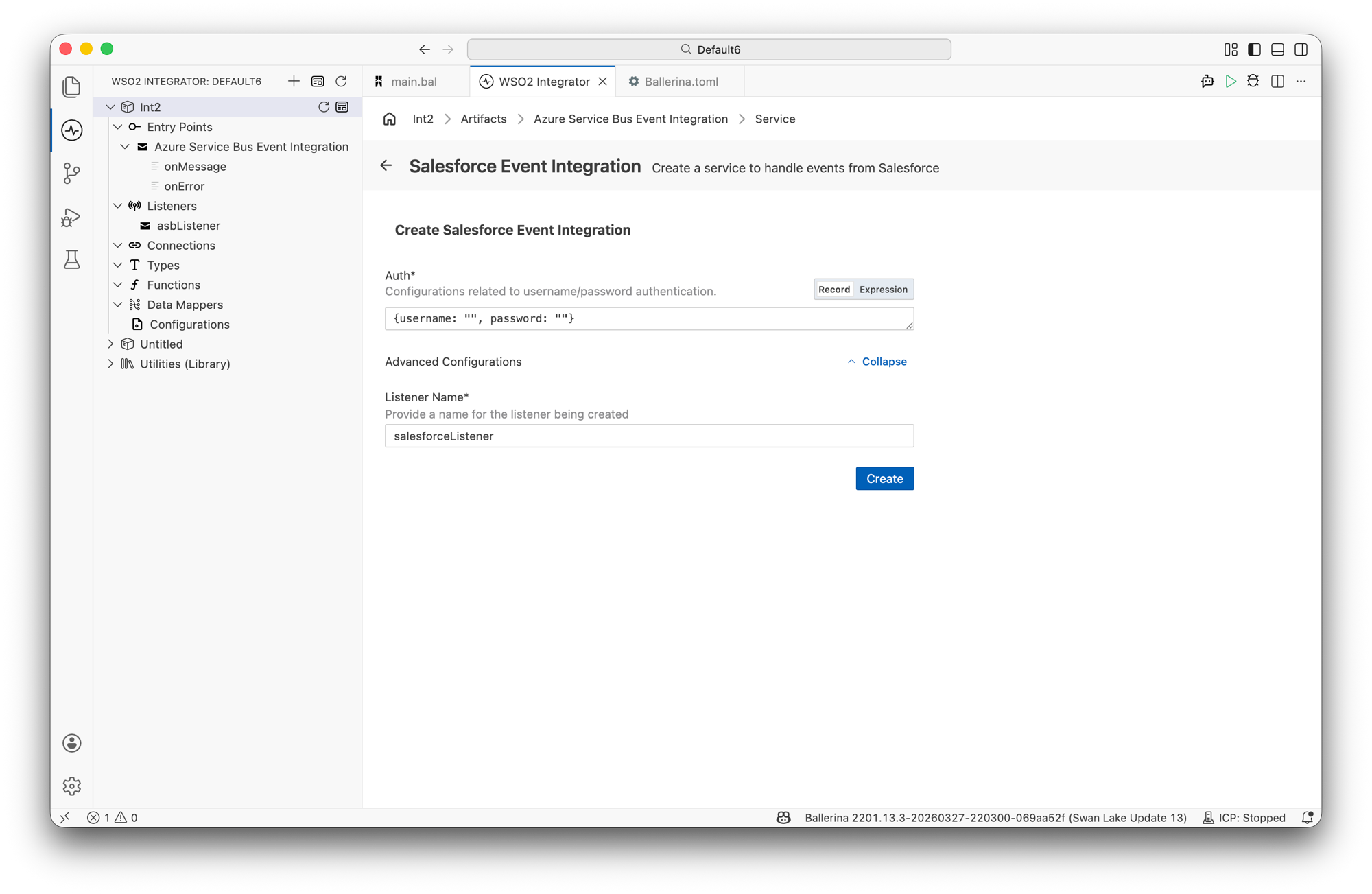
Field Description Auth Credentials for connecting to Salesforce. Accepts a record expression with usernameandpasswordfields. Required. By default, the listener uses SOAP-based authentication. You can change the auth type after creation under Listener Configuration.Expand Advanced Configurations to set the listener name.
Field Description Default Listener Name Identifier for the listener created with this service. salesforceListener -
Click Create.
-
WSO2 Integrator opens the service in the Service Designer. The canvas shows the attached listener pill and the Event Handlers section with all four handlers pre-added.
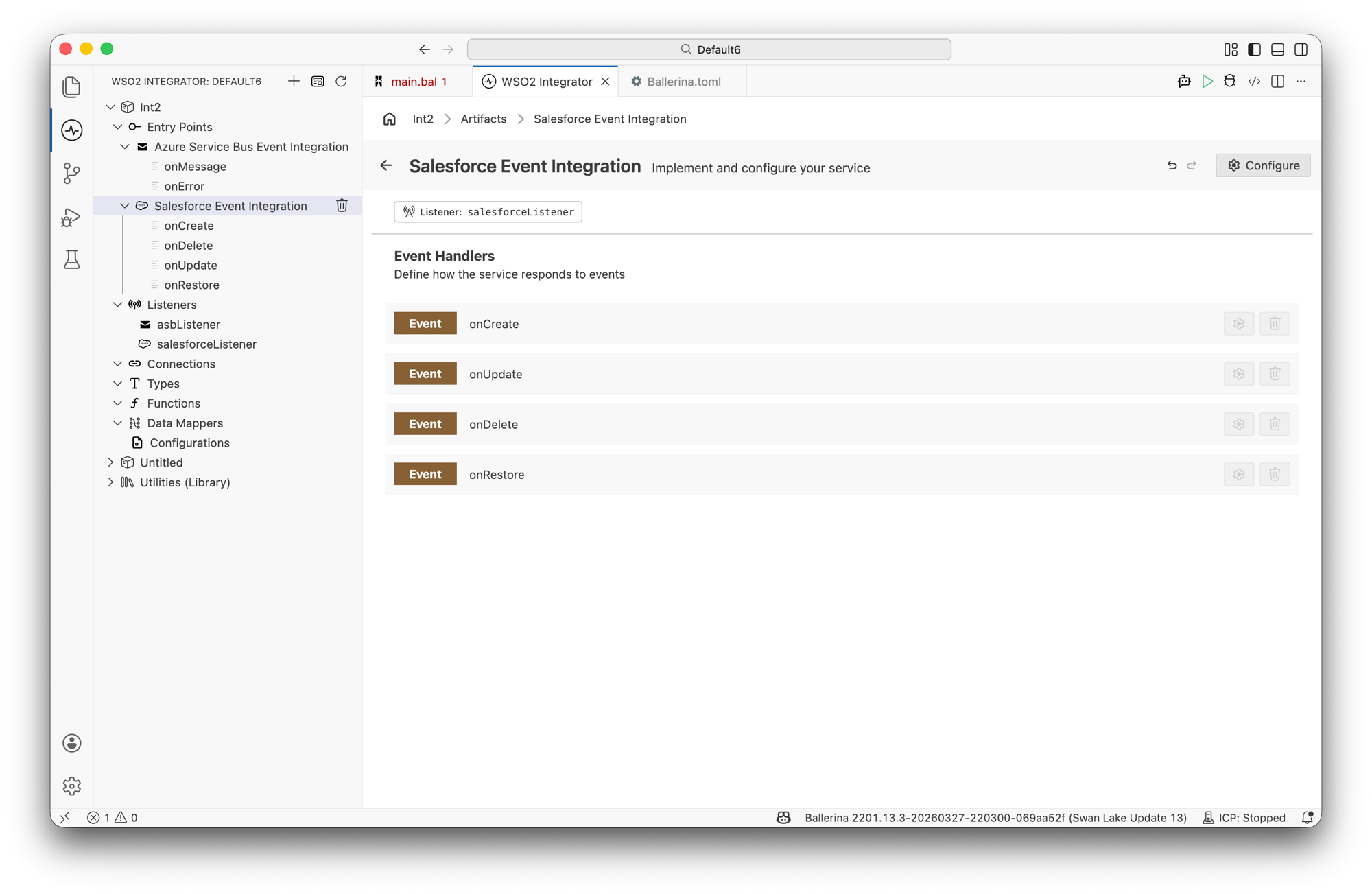
The four event handlers —
onCreate,onUpdate,onDelete, andonRestore— are added automatically when the service is created. Click any handler to open it in the flow diagram view and implement the logic.
import ballerinax/salesforce;
import ballerina/log;

configurable string username = ?;
configurable string password = ?;

listener salesforce:Listener salesforceListener = new ({
    auth: {
        username: username,
        password: password, // password concatenated with security token
    }
});

service salesforce:CdcService on salesforceListener {

    remote function onCreate(salesforce:EventData event) returns error? {
        log:printInfo("Record created",
                      entity = event.metadata?.entityName,
                      id = event.metadata?.recordId);
    }

    remote function onUpdate(salesforce:EventData event) returns error? {
        log:printInfo("Record updated",
                      id = event.metadata?.recordId,
                      fields = event.changedData.keys());
    }

    remote function onDelete(salesforce:EventData event) returns error? {
        log:printInfo("Record deleted",
                      id = event.metadata?.recordId);
    }

    remote function onRestore(salesforce:EventData event) returns error? {
        log:printInfo("Record restored",
                      id = event.metadata?.recordId);
    }
}
Listener configuration
In the Service Designer, click the Configure icon in the header to open the Salesforce Event Integration Configuration panel. Select salesforceListener under Attached Listeners to configure the listener.
- Visual Designer
- Ballerina Code
| Field | Description | Default |
|---|---|---|
| Name | Identifier for the listener. | salesforceListener |
| Auth | Authentication credentials. SOAP-based authentication accepts a record expression with username and password fields. REST-based authentication is also supported. Select one of Bearer Token, Password Grant, Refresh Token, or Client Credentials. | Required |
Click Save Changes to apply updates.
The listener supports two authentication modes.
SOAP-based authentication (username and password):
listener salesforce:Listener salesforceListener = new ({
    auth: {
        username: username,
        password: password,    // password concatenated with security token
    }
});
salesforce:SoapBasedListenerConfig fields:
| Field | Type | Default | Description |
|---|---|---|---|
auth | CredentialsConfig | Required | Authentication credentials. Contains username (Salesforce username / email) and password (password concatenated with the security token). |
isSandBox | boolean | false | Set to true if connecting to a Salesforce sandbox environment. |
REST-based authentication (OAuth 2.0 refresh token):
listener salesforce:Listener salesforceListener = new ({
    baseUrl: baseUrl,
    auth: {
        clientId: clientId,
        clientSecret: clientSecret,
        refreshToken: refreshToken,
        refreshUrl: "https://login.salesforce.com/services/oauth2/token"
    }
});
salesforce:RestBasedListenerConfig fields:
| Field | Type | Default | Description |
|---|---|---|---|
baseUrl | string | Required | Salesforce instance URL |
auth | OAuth2Config | Required | OAuth 2.0 configuration. Accepts OAuth2RefreshTokenGrantConfig, OAuth2PasswordGrantConfig, OAuth2ClientCredentialsGrantConfig, or BearerTokenConfig. |
tokenStore | TokenStore | InMemoryTokenStore | Token store for coordinating refresh token rotation across replicas. Use a distributed implementation (e.g., Redis-backed) for multi-replica deployments. |
⚠️ tokenStore and Refresh Token Rotation (RTR) only apply when using OAuth2RefreshTokenGrantConfig. The other grant types bypass the TokenManager entirely.
Event handlers
When a Salesforce Events service is created, WSO2 Integrator adds all four handlers automatically. Click any handler in the Service Designer to open the flow diagram view and implement the processing logic.
Handler types
| Handler | Triggered when | Use when |
|---|---|---|
onCreate | A record is created in Salesforce | Syncing new records to downstream systems |
onUpdate | A record is updated in Salesforce | Propagating field changes or triggering workflows |
onDelete | A record is deleted in Salesforce | Cleaning up related data or auditing deletions |
onRestore | A deleted record is restored (undeleted) | Recovering soft-deleted records in downstream systems |
You do not need to implement logic in all four handlers. Leave empty any handlers that are not relevant to your use case.
Event data type
Each handler receives a salesforce:EventData parameter with the change payload and metadata.
salesforce:EventData fields:
| Field | Type | Description |
|---|---|---|
changedData | map<json> | Map of changed field names to their new values. |
metadata | salesforce:ChangeEventMetadata? | Metadata about the change event. |
salesforce:ChangeEventMetadata fields:
| Field | Type | Description |
|---|---|---|
entityName | string? | API name of the sObject that changed (e.g., "Account"). |
changeType | string? | Type of change: CREATE, UPDATE, DELETE, or UNDELETE. |
changeOrigin | string? | Source of the change (e.g., "com/salesforce/api/rest/57.0"). |
transactionKey | string? | Unique key identifying the transaction. |
sequenceNumber | int? | Sequence number of the event within the transaction. |
commitTimestamp | int? | Unix timestamp in milliseconds when the change was committed. |
commitNumber | int? | Transaction commit number. |
commitUser | string? | ID of the user who initiated the change. |
recordId | string? | The record ID affected by the change. |
Supported event channels
The CDC channel the service subscribes to is determined by the service path in Ballerina code.
| Channel type | Channel pattern | Use case |
|---|---|---|
| Object-specific CDC | /data/<ObjectName>ChangeEvent | React to changes on a specific sObject (e.g., /data/AccountChangeEvent) |
| All CDC events | /data/ChangeEvents | Capture change events across all CDC-enabled objects |
What's next
- Kafka — consume messages from Apache Kafka topics
- Azure Service Bus — consume messages from Azure Service Bus queues
- Connections — reuse Salesforce credentials across services
- Salesforce connector reference — full connector API reference and trigger reference