Send a Data Event
A run parked on an await data event stays there until something delivers the value it is waiting for, or the timeout is reached. That delivery is a Send Data Event step, and it usually lives in the entry point a partner system or a person calls back on: the payment gateway's webhook, the resource where an employee uploads the missing document, a scheduled automation that posts the day's file.
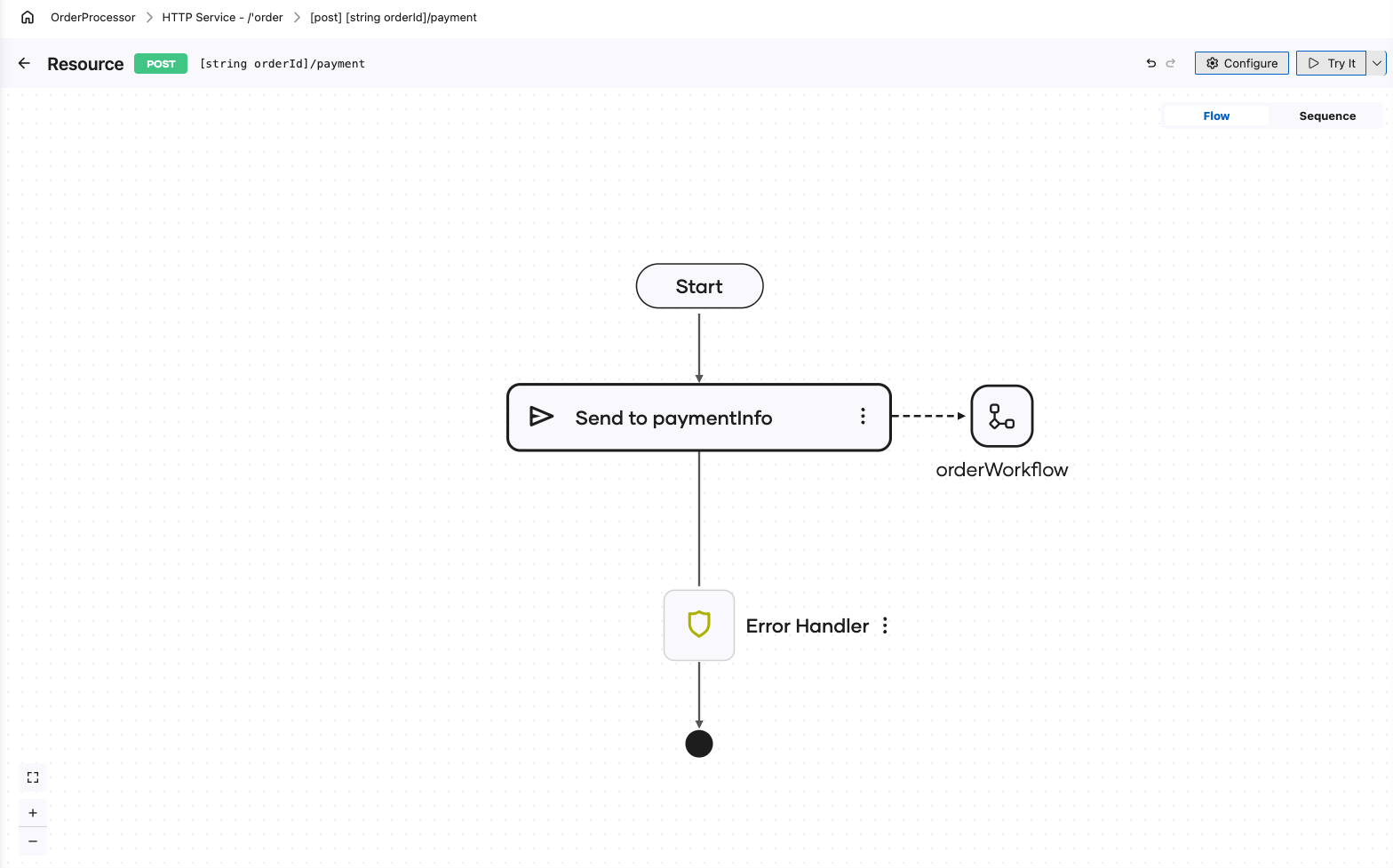
The delivery does not create a run. It resumes one, so it needs the workflow ID that starting the run returned.
Send one from an integration
-
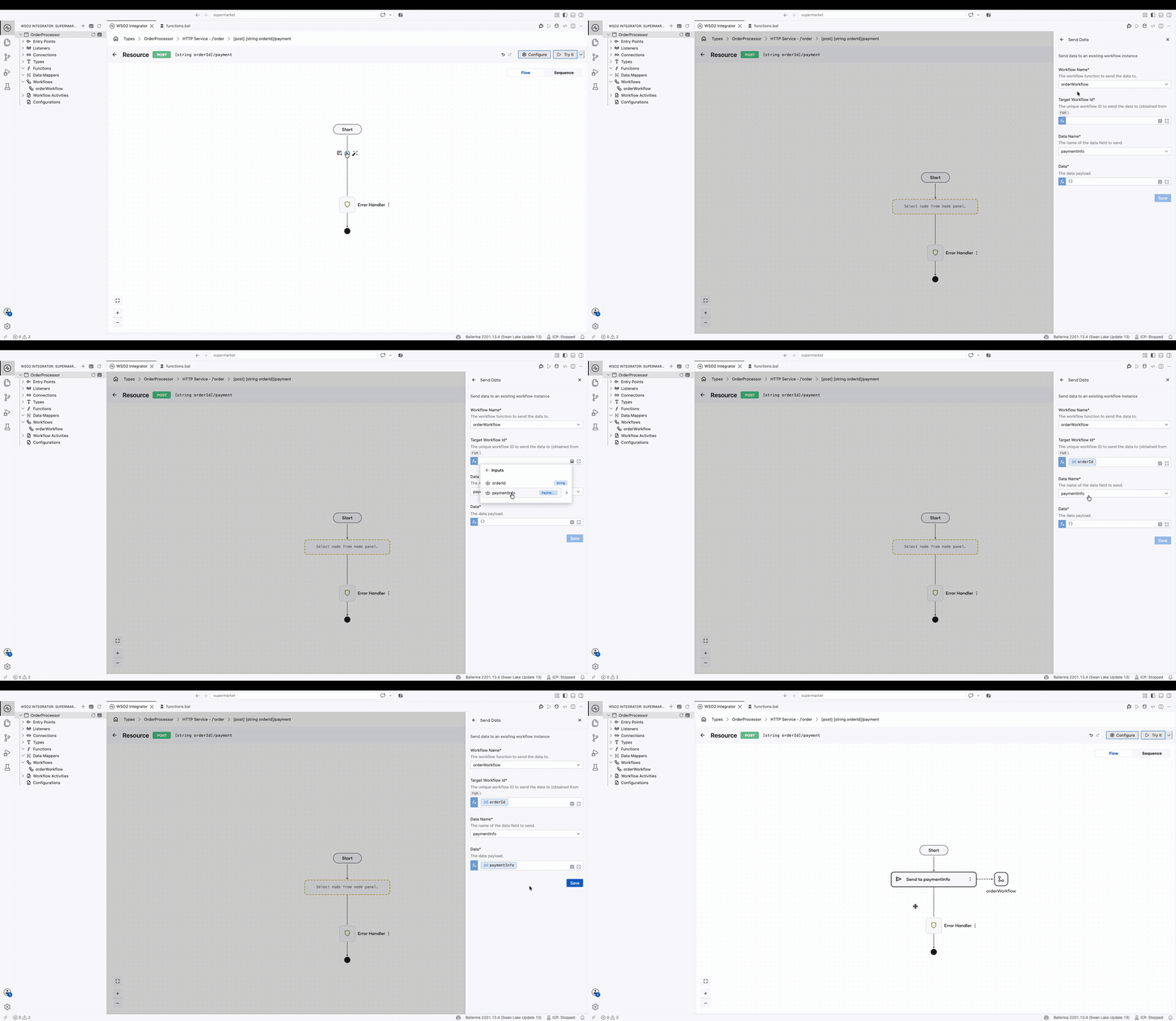
In the trigger artifact flow design, click +.
-
In the node panel, under Workflow, click Send Data Event.
-
Fill in the form:
Field Required Description Workflow Name Yes The workflow to deliver into. The dropdown lists every workflow in the project. Target Workflow Id Yes Which run to resume. This is the ID that starting the run returned. Data Name Yes The event to fill. The dropdown lists the data events declared by the workflow chosen above, so the two cannot drift apart. Data Yes The value to deliver. It has to match the type the event declares. -
Click Save.
Anyone with the ID can deliver
There is nothing special about the integration that started the run. Any integration that can reach the runtime and holds the workflow ID can fill the event, which is what makes a callback from a third party work: hand out the ID when the run starts, and the delivery can arrive from anywhere, minutes or weeks later.
That also means the ID is worth guarding. A run whose ID was lost keeps waiting, and no code can resume it.
Holding the workflow ID is all it takes to fill the event, so the resource that accepts the delivery is what has to authenticate and authorize the caller. Protect it the way you would any other write endpoint, and do not treat a workflow ID as a credential.
Next steps
- Await data events — the waiting half: declare the event and pause the workflow on it.
- Start a workflow — where the workflow ID comes from.
- Await human task — when a person is deciding rather than submitting content.