AI
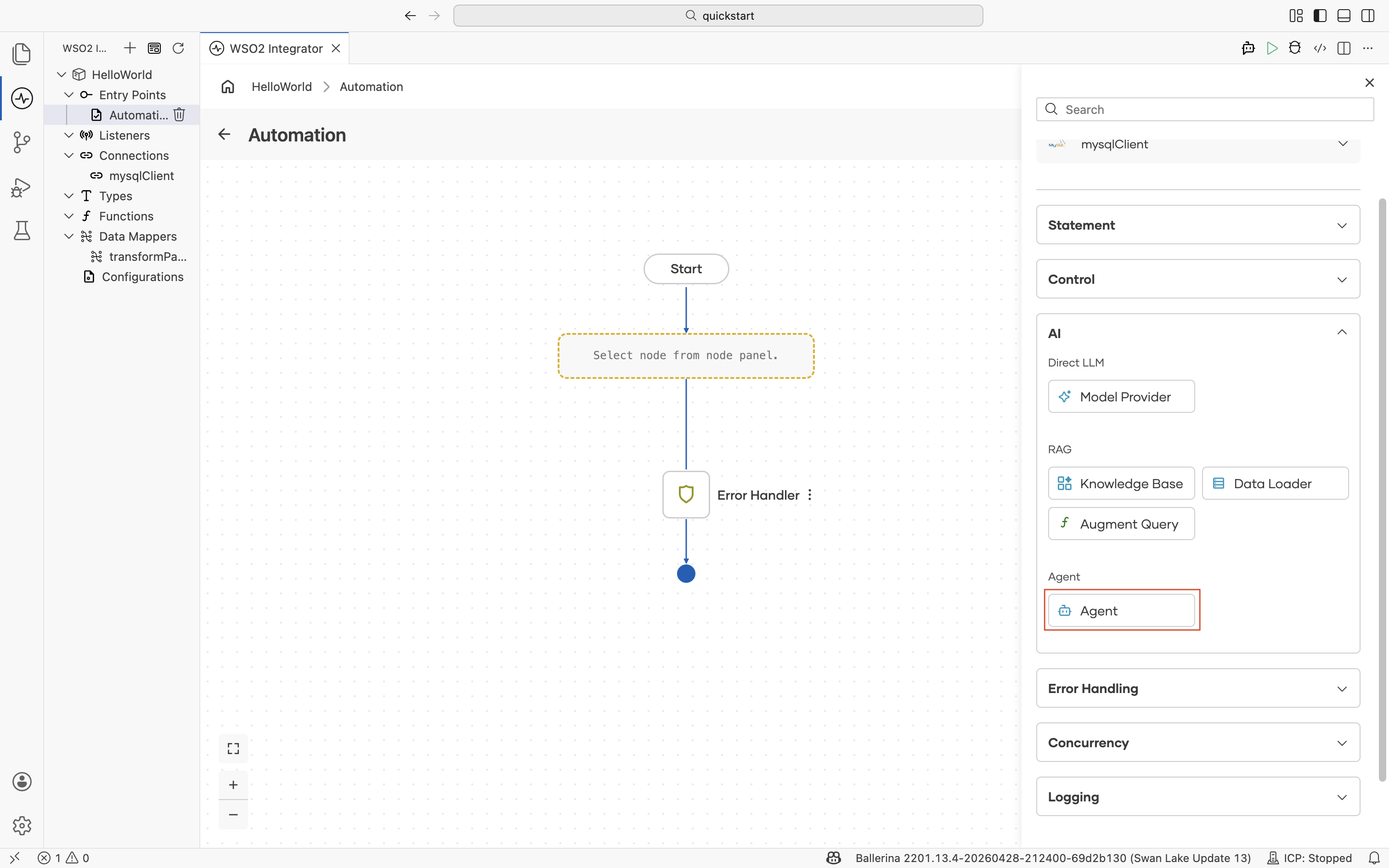
The AI section of the node panel lets you build AI-powered integrations directly in the flow. It is split into three sub-sections that map to the GenAI building blocks.
| Sub-category | Use it for | Reference |
|---|---|---|
| Direct LLM | Send a prompt to an LLM and bind the response to a typed variable. | Direct LLM calls |
| RAG | Ground LLM responses in your own documents by retrieving relevant chunks at query time. | RAG |
| AI Agent | Run multi-turn workflows where an LLM plans the next step, calls tools, and uses memory. | AI agents |
For an end-to-end orientation to the AI building blocks in WSO2 Integrator, see the AI Integrations overview.
Model Provider
A model provider is the connection that abstracts a specific LLM behind a consistent API. Add a Model Provider once per project and reference it from any node that needs to call an LLM, such as Augment Query, Agent, or a generate action.
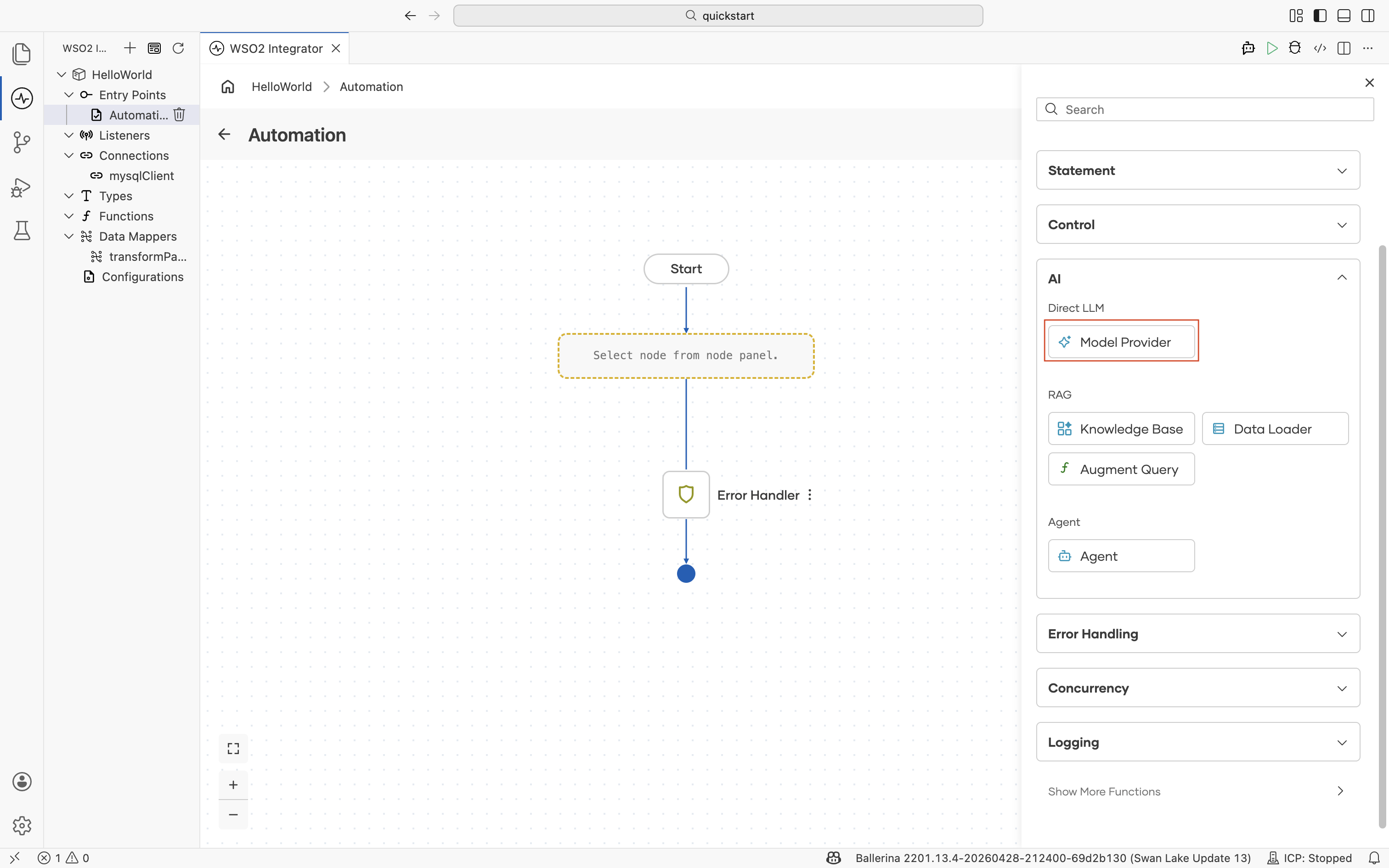
When you add a Model Provider, the picker lists the supported provider implementations. Select one and configure its credentials.
| Provider | Description |
|---|---|
| Default Model Provider (WSO2) | WSO2-managed model provider that supports chat completion. Useful when you don't have your own provider account. |
| Anthropic Model Provider | Client for Anthropic Claude models. |
| Azure OpenAI Model Provider | Client for Azure-hosted OpenAI models. |
| Deepseek Model Provider | Client for Deepseek models. |
| Google Vertex Model Provider | Client for models hosted on Google Vertex AI. |
| Mistral Model Provider | Client for Mistral AI models. |
| Ollama Model Provider | Client for Ollama models running locally or on-premises. |
| OpenAI Model Provider | Client for OpenAI models. |
| OpenRouter Model Provider | Client for interacting with LLMs via OpenRouter. |
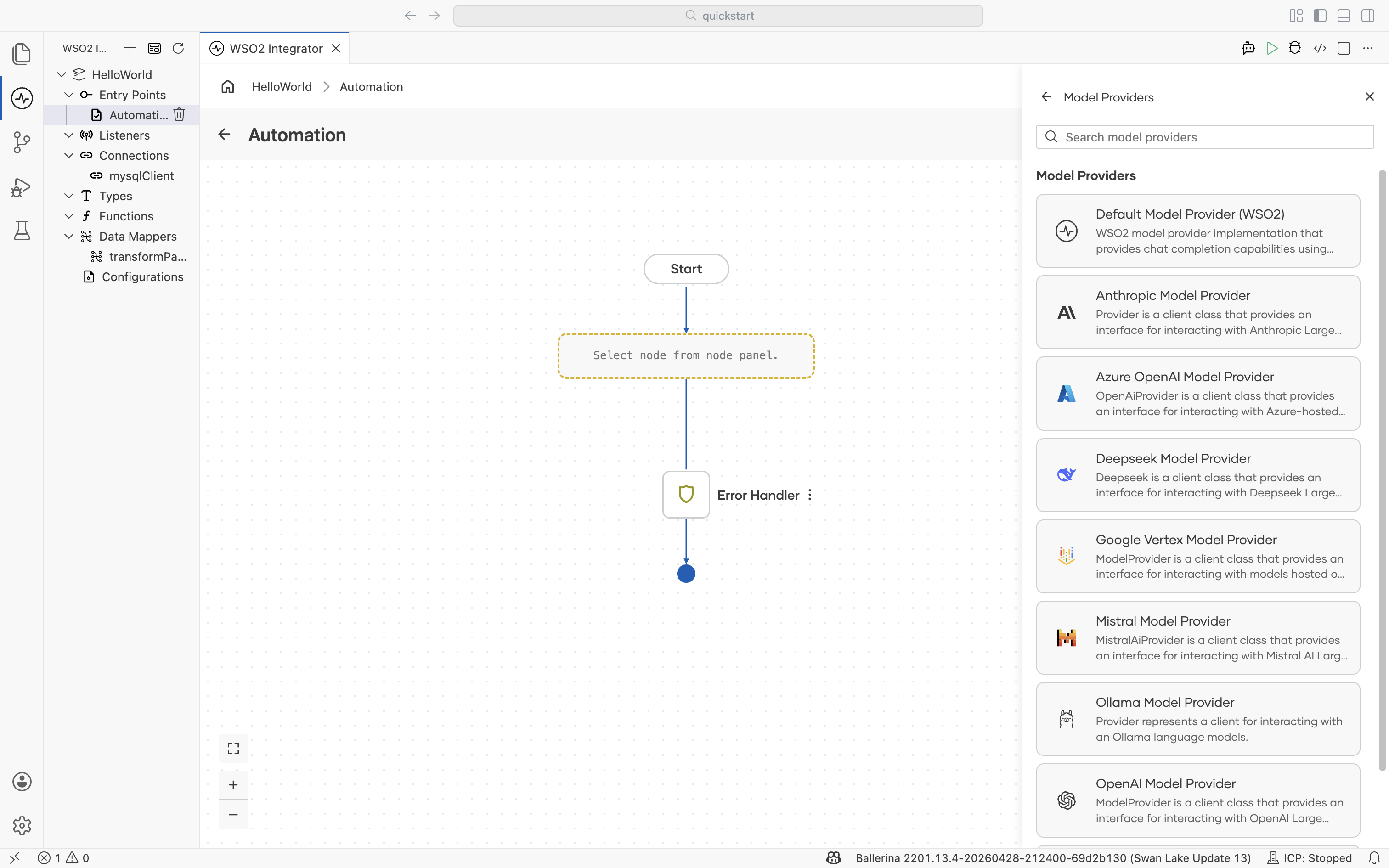
For provider-specific configuration, model selection, and usage patterns, see Model providers.
Knowledge Base
A knowledge base is the central abstraction for RAG. It owns three things: a Vector Store where embeddings live, an Embedding Provider that turns text into vectors, and a Chunker that splits documents before embedding. Build the knowledge base once per project, and any flow in the project can ingest into it or retrieve from it.
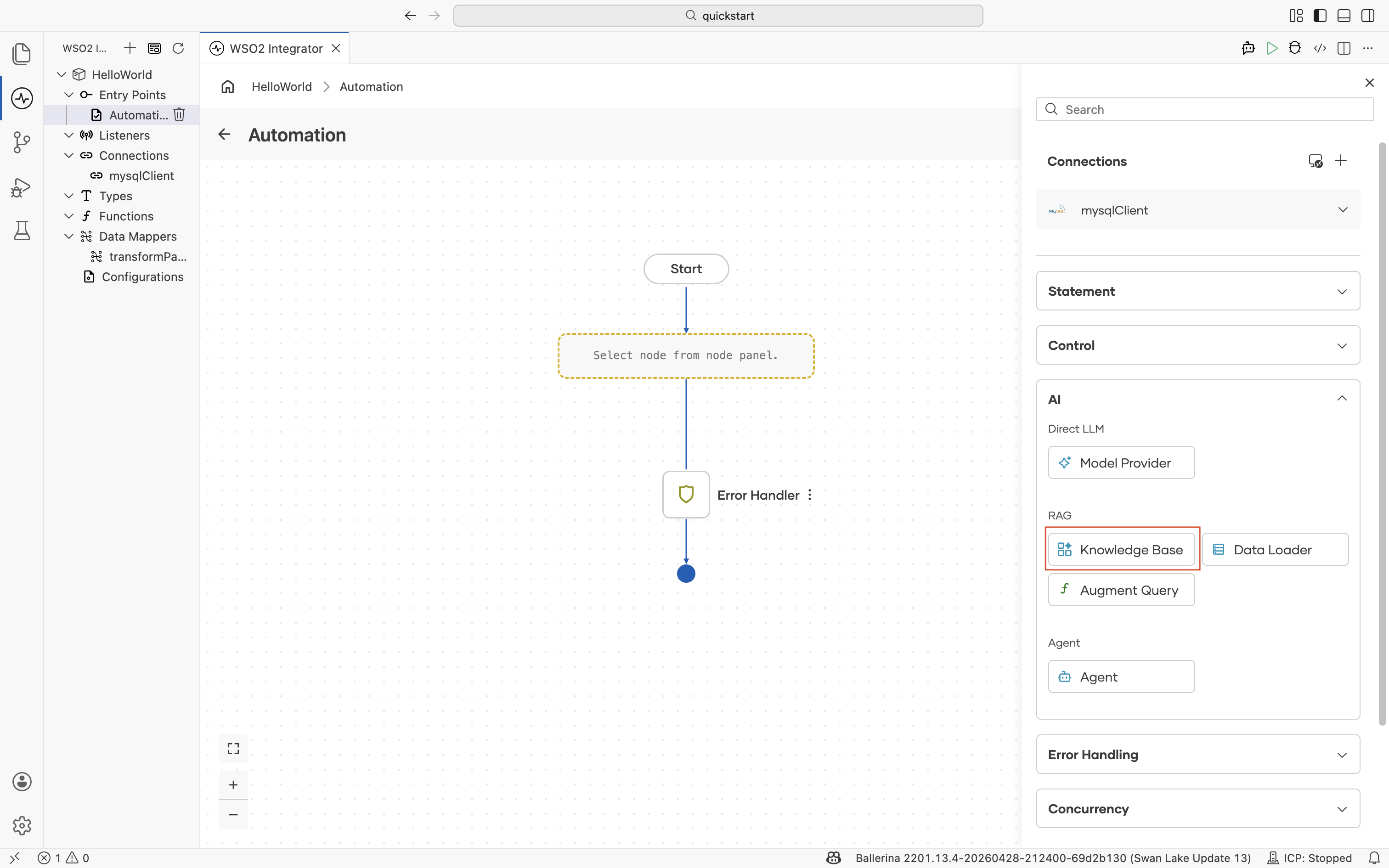
The picker lists the supported knowledge base implementations.
| Knowledge base | Description |
|---|---|
| Vector Knowledge Base | Generic vector knowledge base for managing chunk indexing and retrieval. Plug in any supported Vector Store, Embedding Provider, and Chunker. |
| Azure AI Search Knowledge Base | Implementation backed by Azure AI Search. |
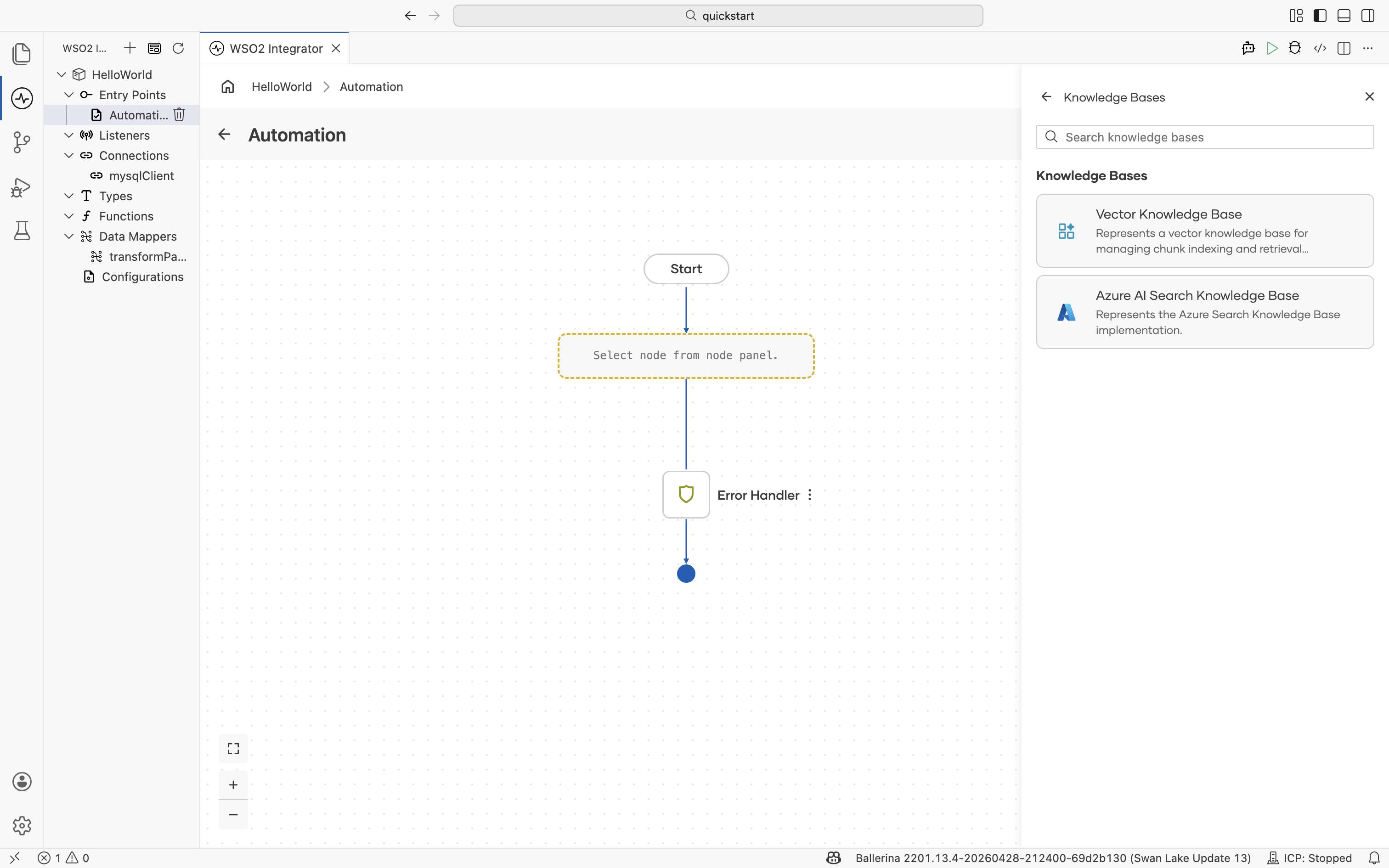
For the full reference, see Knowledge bases.
Data Loader
A data loader reads documents from disk into memory so the knowledge base can ingest them. Place a Data Loader at the start of an ingestion flow; the resulting documents are then handed to the knowledge base's Ingest action.
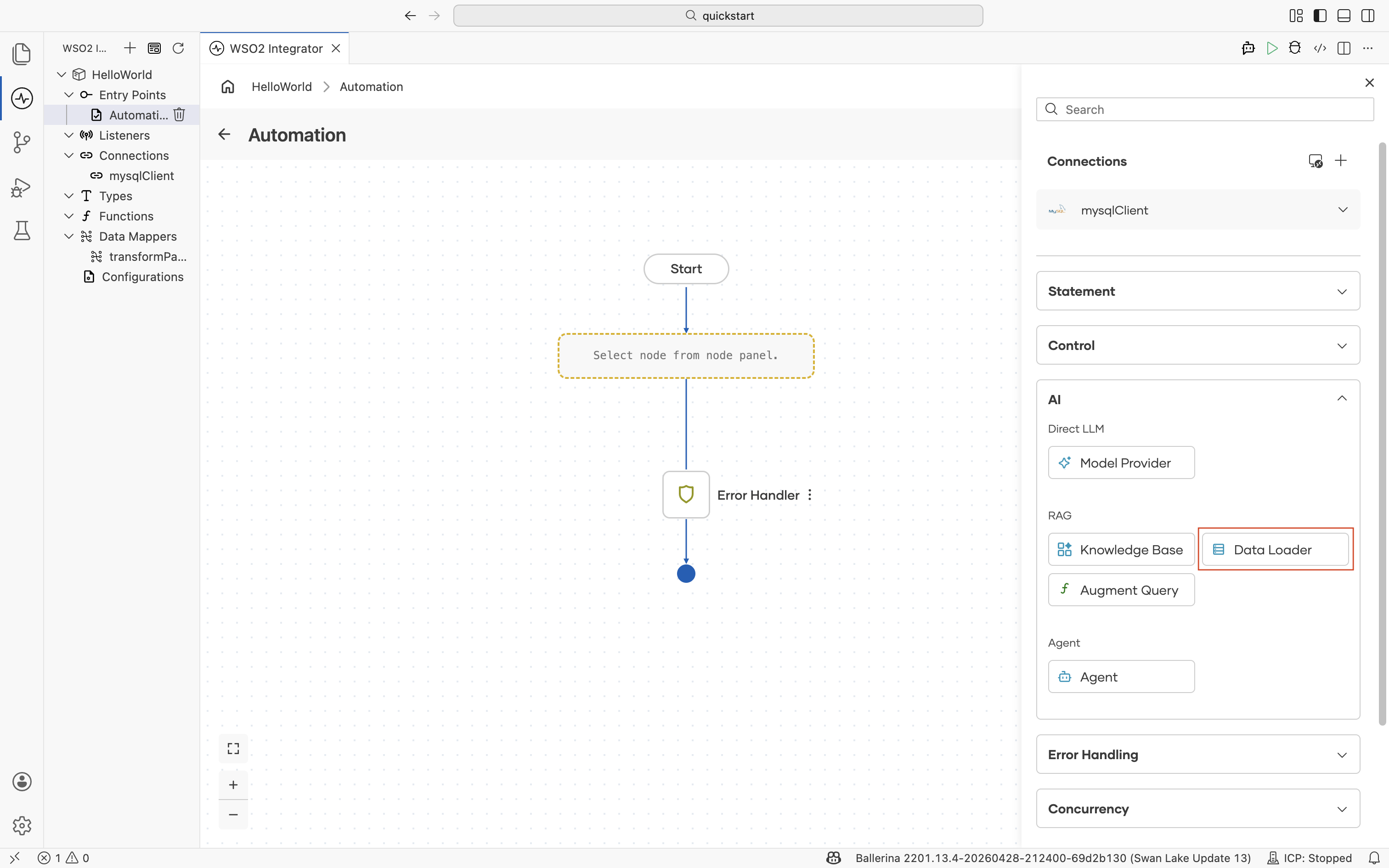
| Data loader | Description |
|---|---|
| Text Data Loader | Loads supported file types as TextDocument for indexing. |
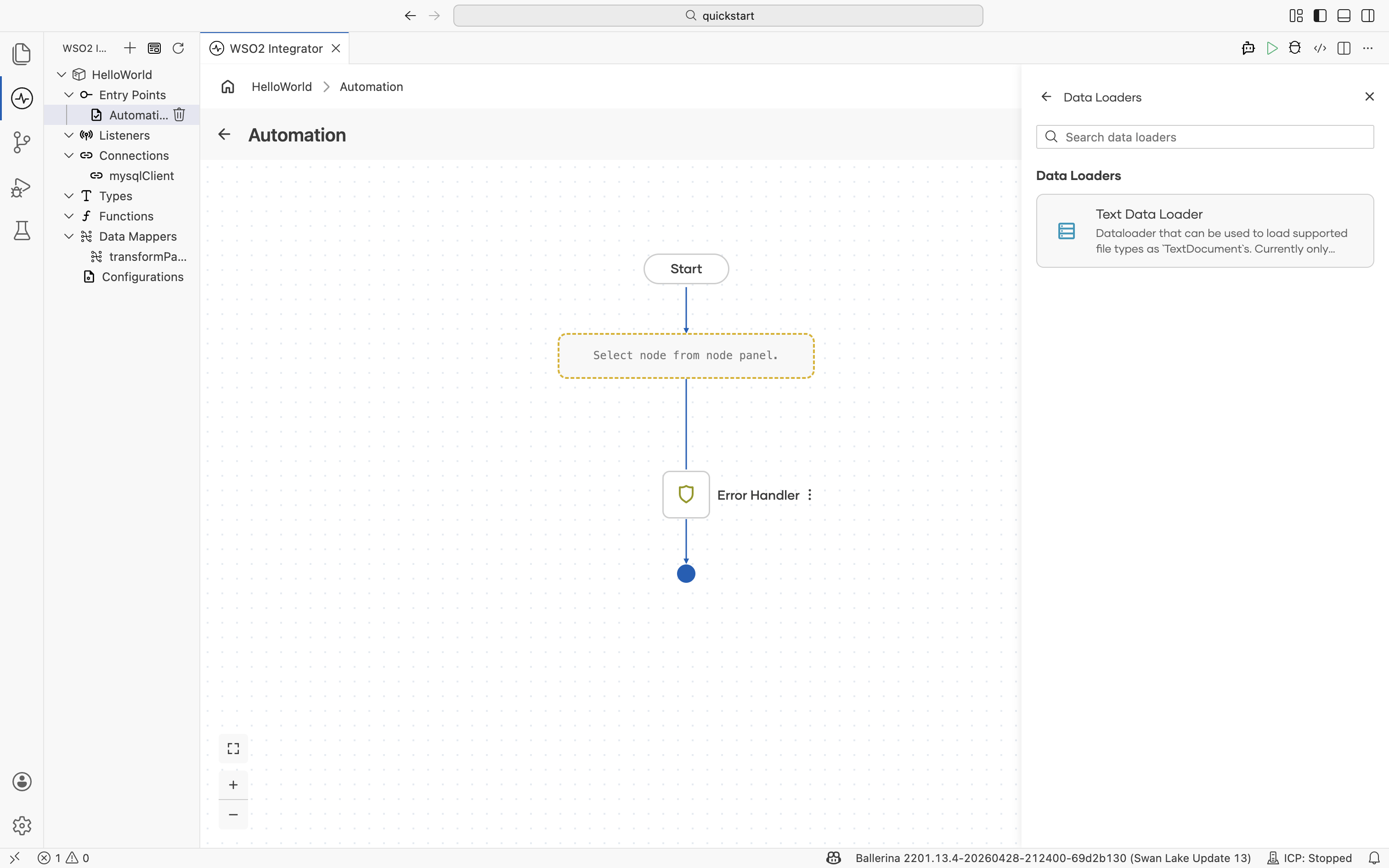
For the ingestion flow, supported formats, and how to point the loader at a directory of documents, see the RAG ingestion.
Augment Query
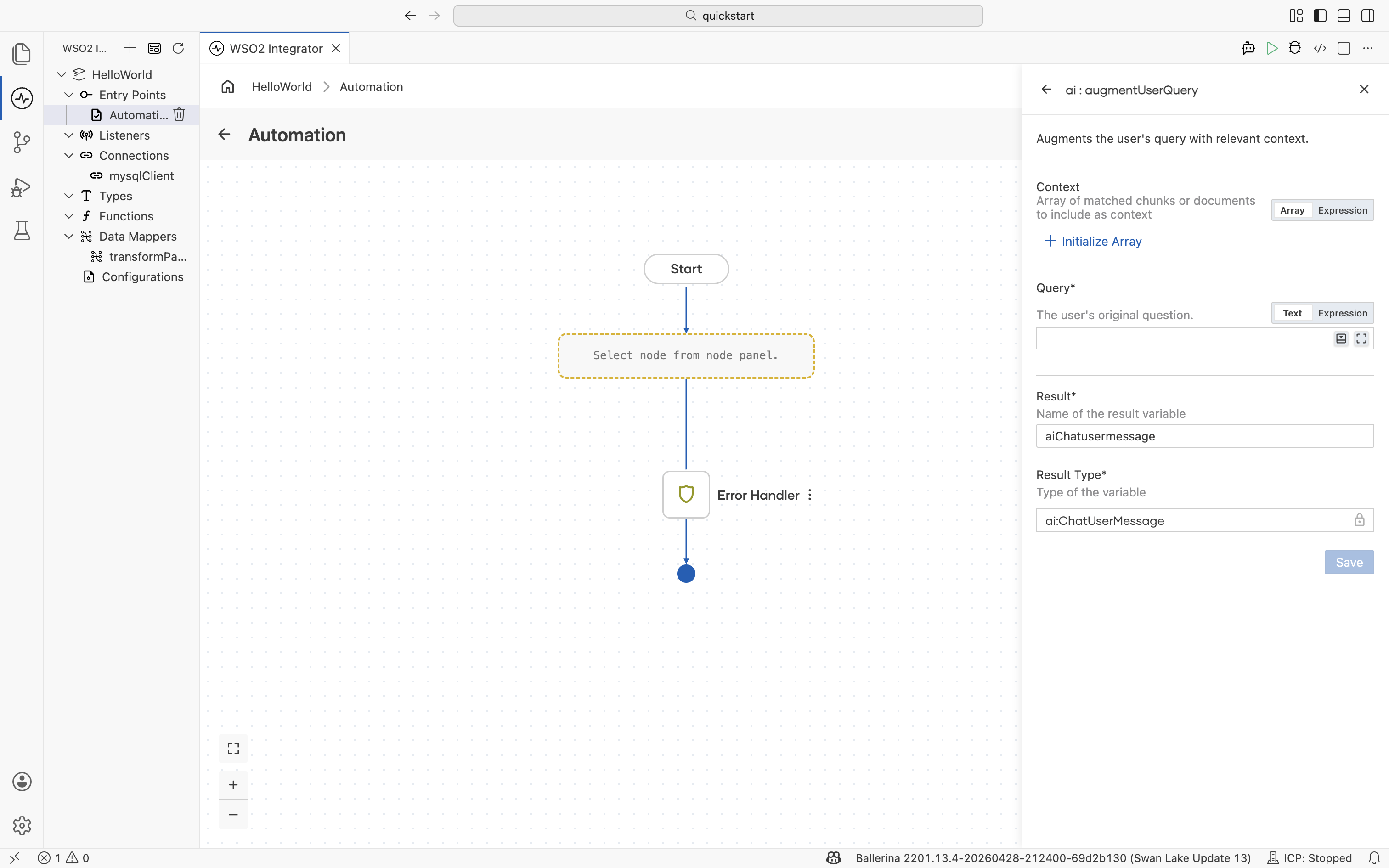
augmentUserQuery is the bridge between RAG and the LLM. It takes the chunks already retrieved from a knowledge base and the user's original question, and produces a chat user message that bundles them in a format the LLM understands. Pass the result directly to a generate call or to an agent.
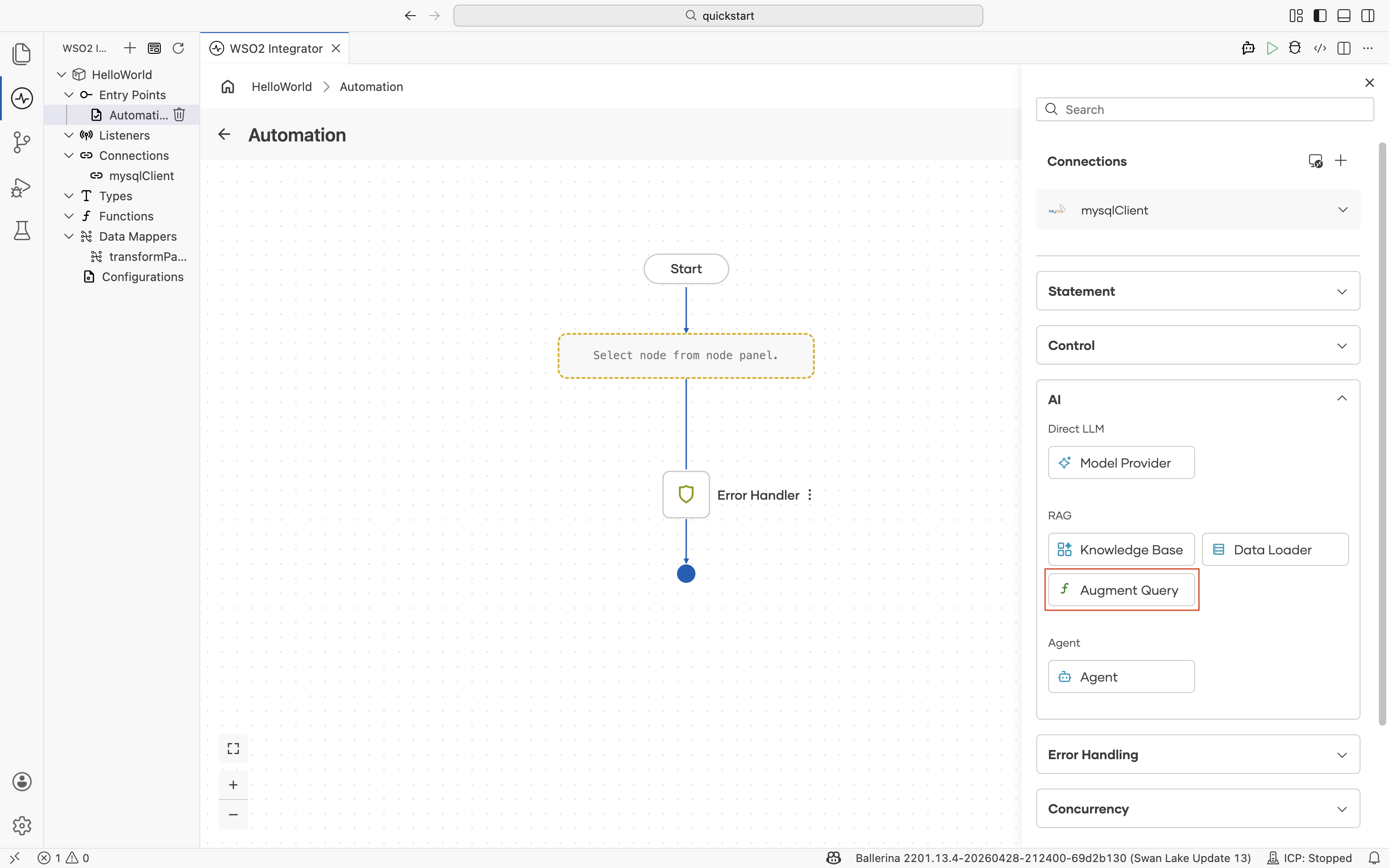
| Field | Description |
|---|---|
| Context | Array of matched chunks or documents to include as context. Typically the result of a retrieve action against a knowledge base. |
| Query | The user's original question. |
| Result | Name of the result variable. |
| Result Type | Type of the result variable. |
For the full RAG query flow (retrieve, augment, generate), see RAG query.
Agent
An agent runs an autonomous workflow against a model and a set of tools. Given a query, it plans the next step, calls tools or other integrations, observes the results, and iterates until the task is complete or the iteration budget is reached.
| Field | Description |
|---|---|
| Role | The agent's primary function. For example, Customer Support Assistant, Sales Advisor, or Data Analyst. |
| Instructions | Detailed system instructions that govern the agent's behavior. |
| Query | The natural language input provided to the agent. |
| Advanced Configurations | Tools, model selection, max iterations, and memory settings. |
| Result | Name of the result variable. |
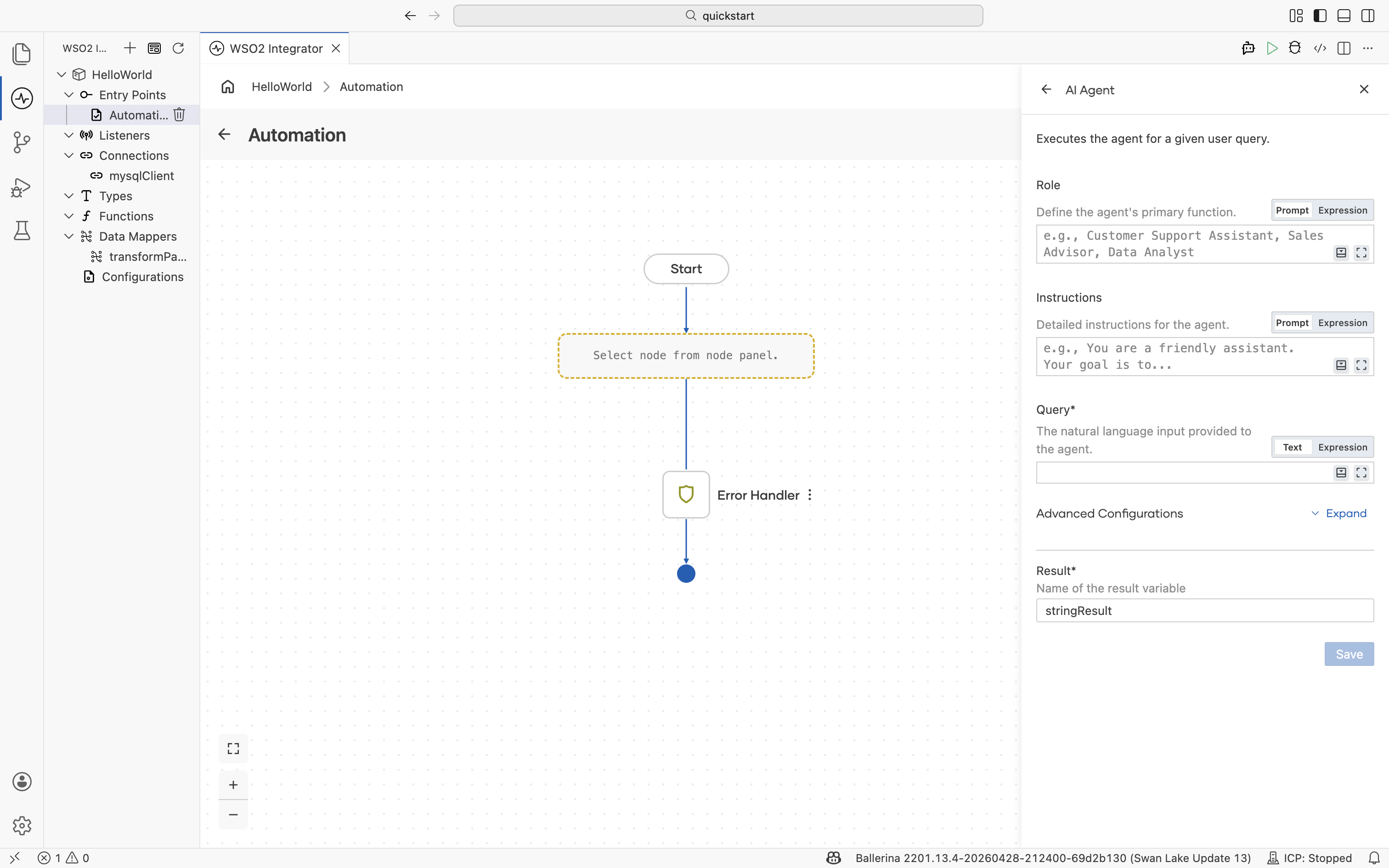
For tool binding, memory, and observability, see AI agents. For a stand-alone chat agent service, create the AI Chat Agent artifact from the Artifacts panel instead of adding the node by hand.
What's next
- Direct LLM calls — Use a model provider to send a prompt and bind a typed response.
- RAG — Build the ingestion and query flows around a knowledge base.
- AI agents — Add tools, memory, and orchestration to an agent.
- AI Integrations overview — All AI building blocks at a glance.