Unify anonymous and registered profiles
This use case keeps a visitor's activity attached to them as they go from an anonymous visitor to a registered user.
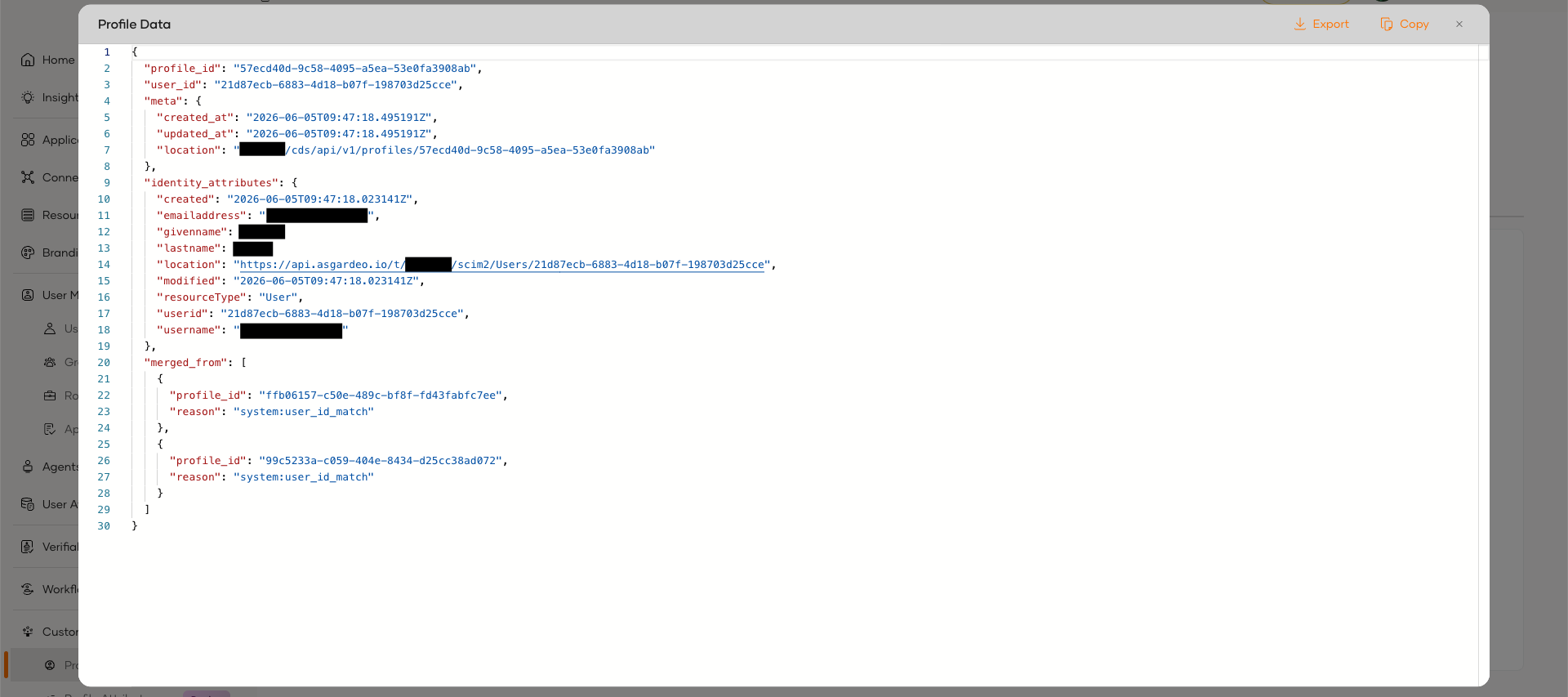
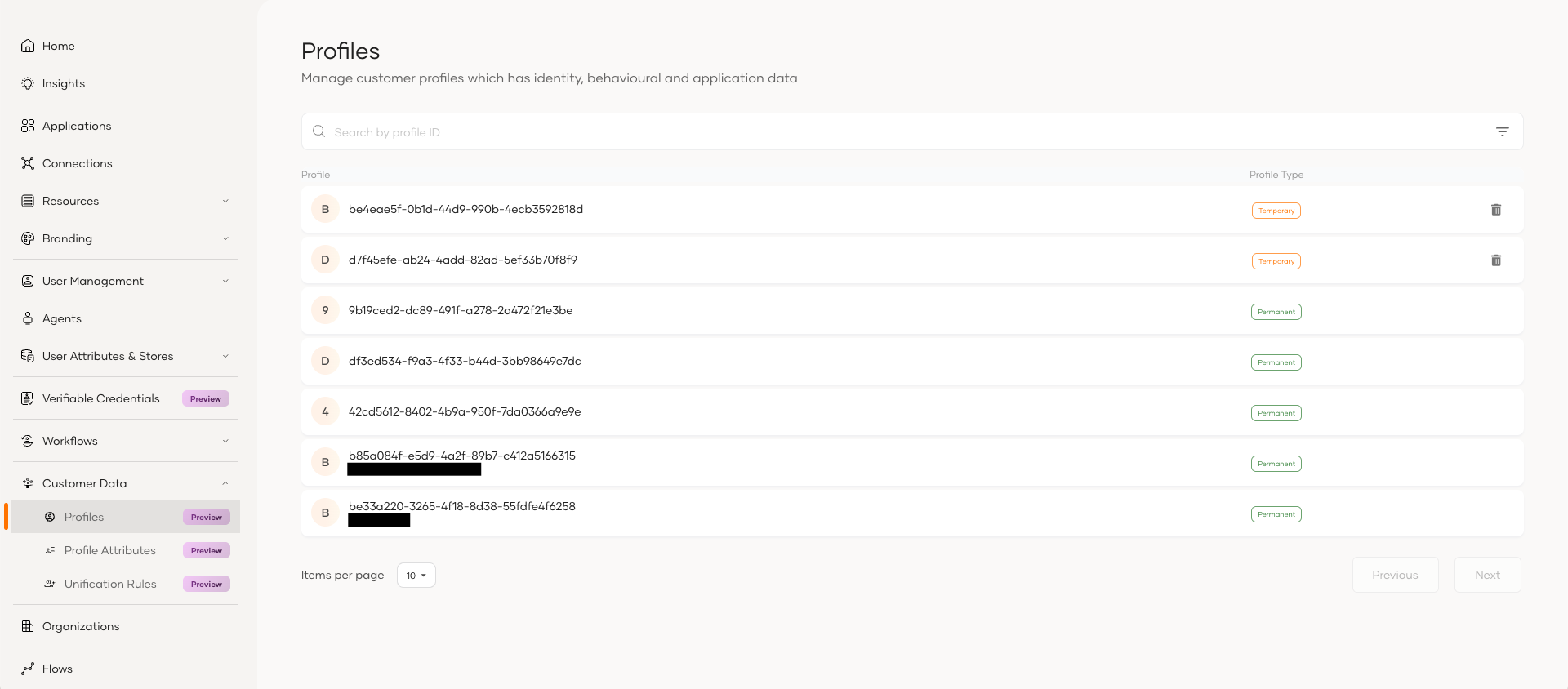
A visitor interacts with your application anonymously, so their activity is collected against a temporary profile. Later they self register and sign in. The Customer Data Service associates that temporary profile with the new user. Because the profiles now share a user_id, they are merged into the one permanent profile, so the activity captured before registration stays attached to the account.
- The visitor interacts anonymously. A temporary profile is created and collects that activity.
- The visitor self registers and signs in, passing the anonymous profile tracker into the sign in request. The temporary profile gains the new user's
user_id. - Profiles that share a
user_idare merged automatically, and the permanent profile holds the activity from before registration. - Later activity on that browser maps to the same user, whether they are signed in or browsing anonymously again.
Registration is the deterministic signal that ties the activity to the user, so no unification rule is required for this scenario.
Configure
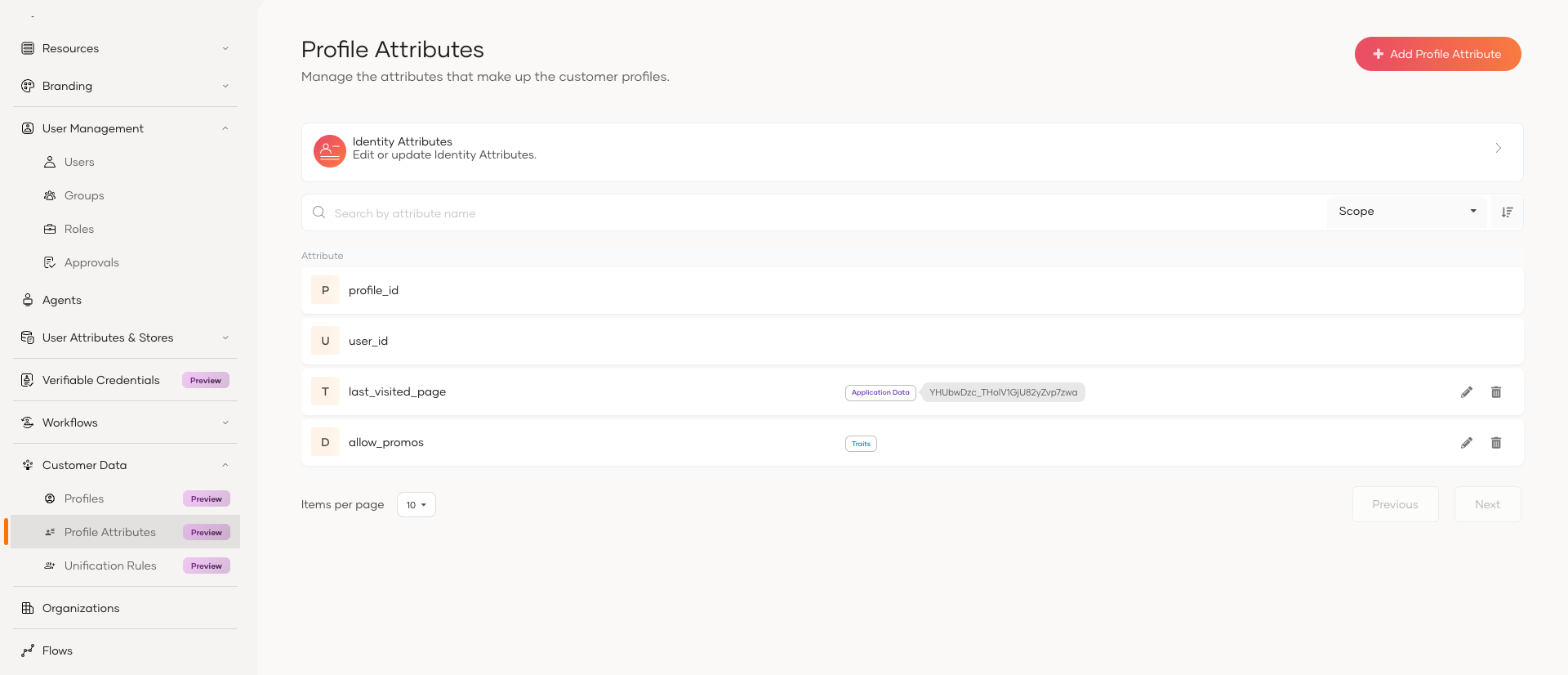
The activity captured is stored in profile attributes. Add the attributes your anonymous activity maps to from the console:
- Go to Customer Data, select Profile Attributes, and click Add Profile Attribute.
- Choose the Scope and set the Attribute name.
- Choose the Value type and the Merge strategy, which controls what happens to the value when the temporary profile merges into the permanent one. Use
Combinewith Allow multiple values to keep the values captured before registration alongside those added after. - Click Finish.
For the full field reference, see Manage profile attributes.
No unification rule is needed as the temporary and permanent profiles are matched by the user_id assigned at sign in.
Implement
1. Get an access token. Exchange your M2M application's credentials for a token. The token carries the iam-cds audience that the Customer Data Service APIs require.
curl -X POST 'https://api.asgardeo.io/t/<your-organization-name>/oauth2/token' \
-H 'Authorization: Basic <base64(client_id:client_secret)>' \
-H 'Content-Type: application/x-www-form-urlencoded' \
-d 'grant_type=client_credentials' \
-d 'scope=internal_cds_profile_create internal_cds_profile_update internal_cds_profile_view'
2. Create a temporary profile. When an anonymous visitor arrives, create a profile for them. The response returns the profile_id and the anonymous_profile_tracker, and the service sets a cds_profile cookie in the browser. Persist the profile_id and anonymous_profile_tracker for that session.
{
"profile_id": "a551bebd-2d2e-4e57-9f45-b02d7505670d",
"anonymous_profile_tracker": "526d5ef6-2648-48c4-b64d-82d3e0c271bf",
"meta": {
    "created_at": "2026-06-05T03:38:04.834627Z",
    "updated_at": "2026-06-05T03:38:04.834627Z",
    "location": "<your-organization-name>/cds/api/v1/profiles/a551bebd-2d2e-4e57-9f45-b02d7505670d"
    }
}
3. Capture activity against that profile. As the visitor acts, write the activity to their profile.
Where you write the value depends on the attribute's scope, and you must target the same scope the attribute was defined in:
traits— profile-wide data, shared across all your applications. Use this when the activity isn't tied to one application.application_data— data scoped to a single application, keyed by that application's ID. Use this when the value is meaningful only within one application.
4. Pass the tracker into registration sign-in. When the visitor self-registers and signs in, include the anonymous_profile_tracker in the sign-in (authorize) request. On successful authentication the service stamps the new user's user_id onto the temporary profile.
5. Profiles merge automatically. Profiles that share the same user_id are merged into the permanent profile, which now holds the pre-registration activity.